ECU CHEVROLET CAMARO 1996 4.G User Guide
[x] Cancel search | Manufacturer: CHEVROLET, Model Year: 1996, Model line: CAMARO, Model: CHEVROLET CAMARO 1996 4.GPages: 402, PDF Size: 21.38 MB
Page 71 of 402
Downloaded from www.Manualslib.com manuals search engine PASS-Key@ I1
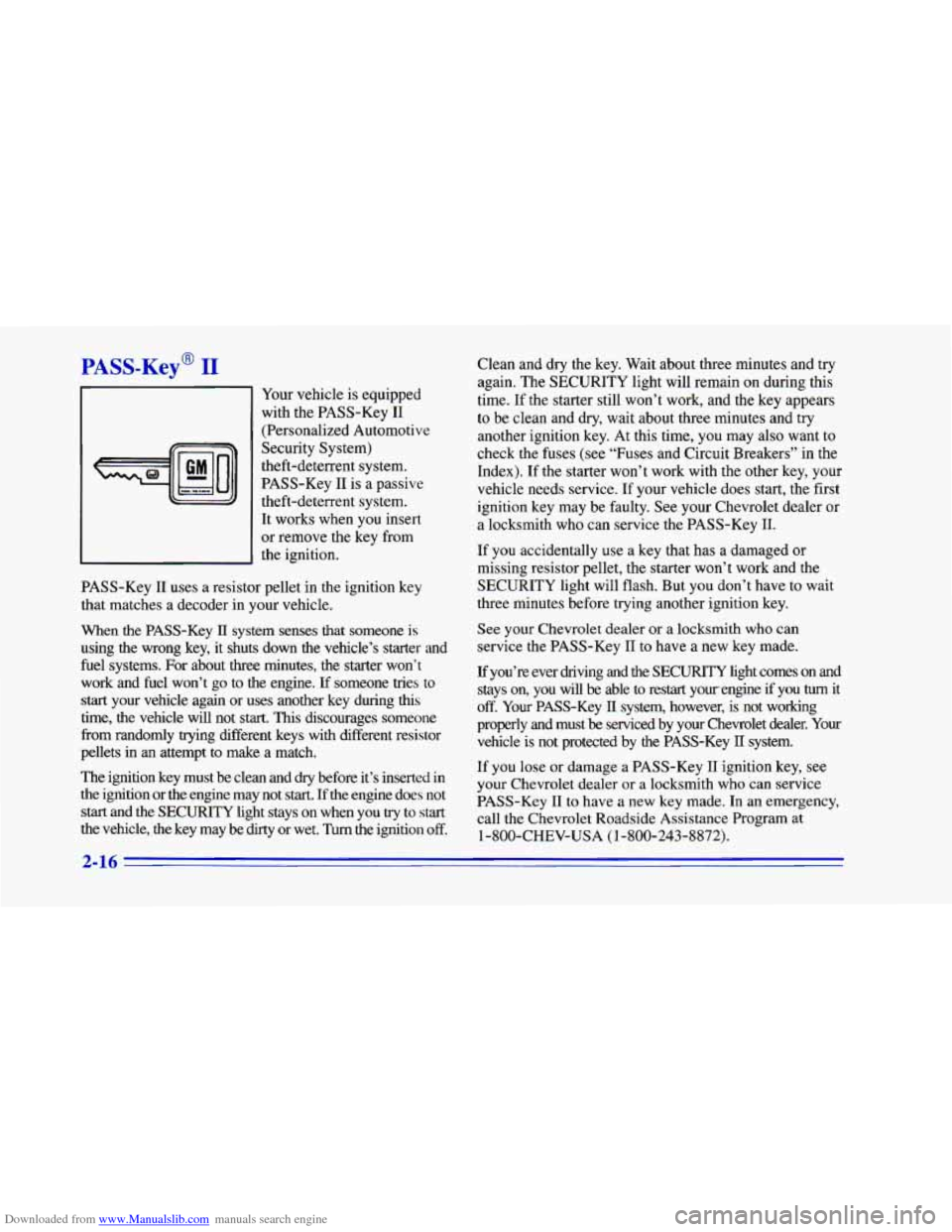
Your vehicle is equipped
with the PASS-Key
I1
(Personalized Automotive
Security System)
theft-deterrent system.
PASS-Key
I1 is a passive
theft-deterrent system.
It works when
you insert
or remove the key from
the ignition.
PASS-Key
I1 uses a resistor pellet in the ignition key
that matches a decoder in your vehicle.
When the PASS-Key
TI system senses that someone is
using the wrong key, it shuts down the vehicle’s starter and
fuel systems.
For about three minutes, the starter won’t
work and fuel won’t go to the engine.
If someone tries to
start your vehicle again or uses another key during this
time, the vehicle will not start.
This discourages someone
from randomly trying different keys with different resistor
pellets in an attempt to make a match.
The ignition key must be clean and
dry before it’s inserted in
the ignition or
the engine may not start. If the engine does not
start and the SECURITY light stays on when you try to start
the vehicle, the key may be dirty or wet. Turn the ignition off.
Clean and dry the key. Wait about three minutes and try
again. The SECURITY light will remain on during this
time. If the starter still won’t work, and the key appears
to be clean
and dry, wait about three minutes and try
another ignition key. At this time,
you may also want to
check the fuses (see
“Fuses and Circuit Breakers” in the
Index). If the starter won’t work with the .other key, your
vehicle needs service. If your vehicle does start, the first
ignition key may be faulty. See your Chevrolet dealer or
a locksmith who can service the PASS-Key
11.
If you accidentally use a key that has a damaged or
missing resistor pellet, the starter won’t work and the
SECURITY light will flash. But
you don’t have to wait
three minutes before trying another ignition key.
See your Chevrolet dealer or a locksmith who can
service the PASS-Key I1
to have a new key made.
If you’re ever driving and the SECURITY light comes on and
stays on, you will be able to restart your, engine if you
turn it
off. Your PASS-Key II system, however, is not working
properly and must
be serviced by your Chevrolet dealer. Your
vehicle is
not protected by the PASS-Key II system.
If you lose or damage a PASS-Key
I1 ignition key, see
your Chevrolet dealer or a locksmith who can service
PASS-Key
I1 to have a new key made. In an emergency,
call the Chevrolet Roadside Assistance Program at
1-800-CHEV-USA
(1 -800-243-8872).
2-16
Page 109 of 402
Downloaded from www.Manualslib.com manuals search engine Front Map Lamps
-1
I I
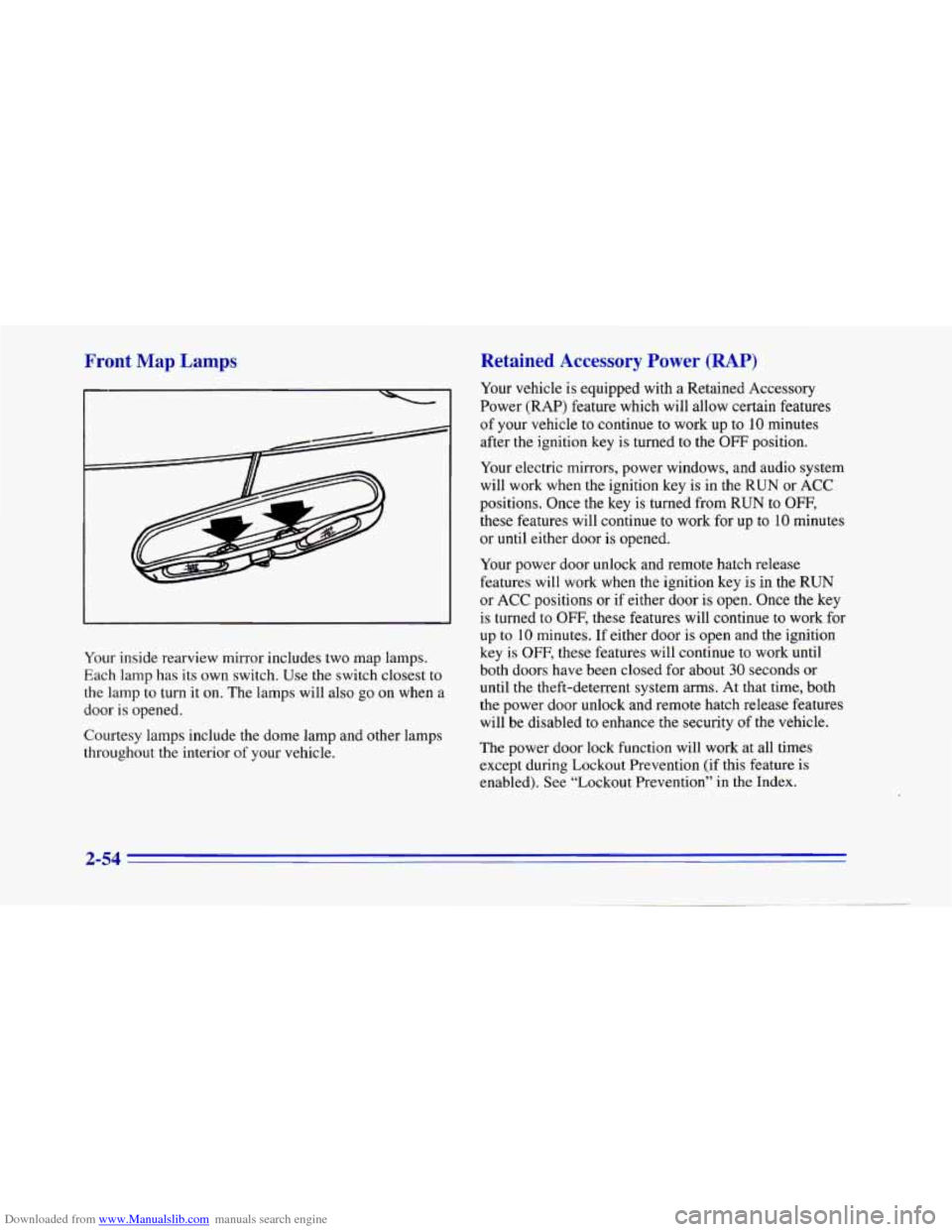
Your inside rearview mirror includes two map lamps.
Each lamp has its own switch. Use the switch closest to
the lamp to turn it on. The lamps will also go
on when a
door
is opened.
Courtesy lamps include the dome lamp and other lamps
throughout the interior
of your vehicle.
Retained Accessory Power (RAP)
Your vehicle is equipped with a Retained Accessory
Power (RAP) feature which will allow certain features
of your vehicle to continue to work up to 10 minutes
after the ignition key is turned to the
OFF position.
Your electric mirrors, power windows, and audio system
will work when the ignition key
is in the RUN or ACC
positions. Once the key is turned from
RUN to OFF,
these features will continue to work for up to 10 minutes
or until either door is opened.
Your power door unlock and remote hatch release
features will work when the ignition key
is in the RUN
or ACC positions or if either door is open. Once the key
is turned
to OFF, these features will continue to work for
up to
10 minutes. If either door is open and the ignition
key is
OFF, these features will continue to work until
both doors have been closed for about
30 seconds or
until the theft-deterrent system arms. At that time, both
the power door unlock and remote hatch release features will be disabled
to enhance the security of the vehicle.
The power door lock function will work at all times
except during Lockout Prevention (if this feature is
enabled). See “Lockout Prevention” in the Index.
2-54
Page 114 of 402
Downloaded from www.Manualslib.com manuals search engine IF
An improperly stored close-out panel could be
thrown about the vehicle during
a collision or
sudden maneuver. You or others could be
injured.
If you remove the cover, always store
it outside your vehicle. When you put it back,
always be sure that
it is securely reattached.
Ashtray and Lighter
Lift up the cover to open the ashtray. To remove it,
lift up on the right side
of the ashtray. If you have an
automatic transmission, the ashtray
is near the front of
your console. If you have a manual transmission, the
ashtray is near your cupholder.
I NOTICE:
Don’t put papers and other things that burn into
your ashtrays.
If you do, cigarettes or other
smoking materials could set them on fire,
causing damage.
To use the lighter, push it in all the way and let go.
When it’s ready,
it will pop back by itself.
NOTICE:
Don’t hold a cigarette lighter in with your hand
while it is heating.
If you do, it won’t be able to
back away from the heating element when
it’s
ready. That can make it overheat, damaging the
lighter and the heating element.
- ~ __~ ~
If you plug accessories into your cigarette lighter, such
as heating devices or air compressors, these accessories
should have a rated current
of less than 15 amps.
Exceeding this limit will result in a blown fuse.
2-59
Page 117 of 402
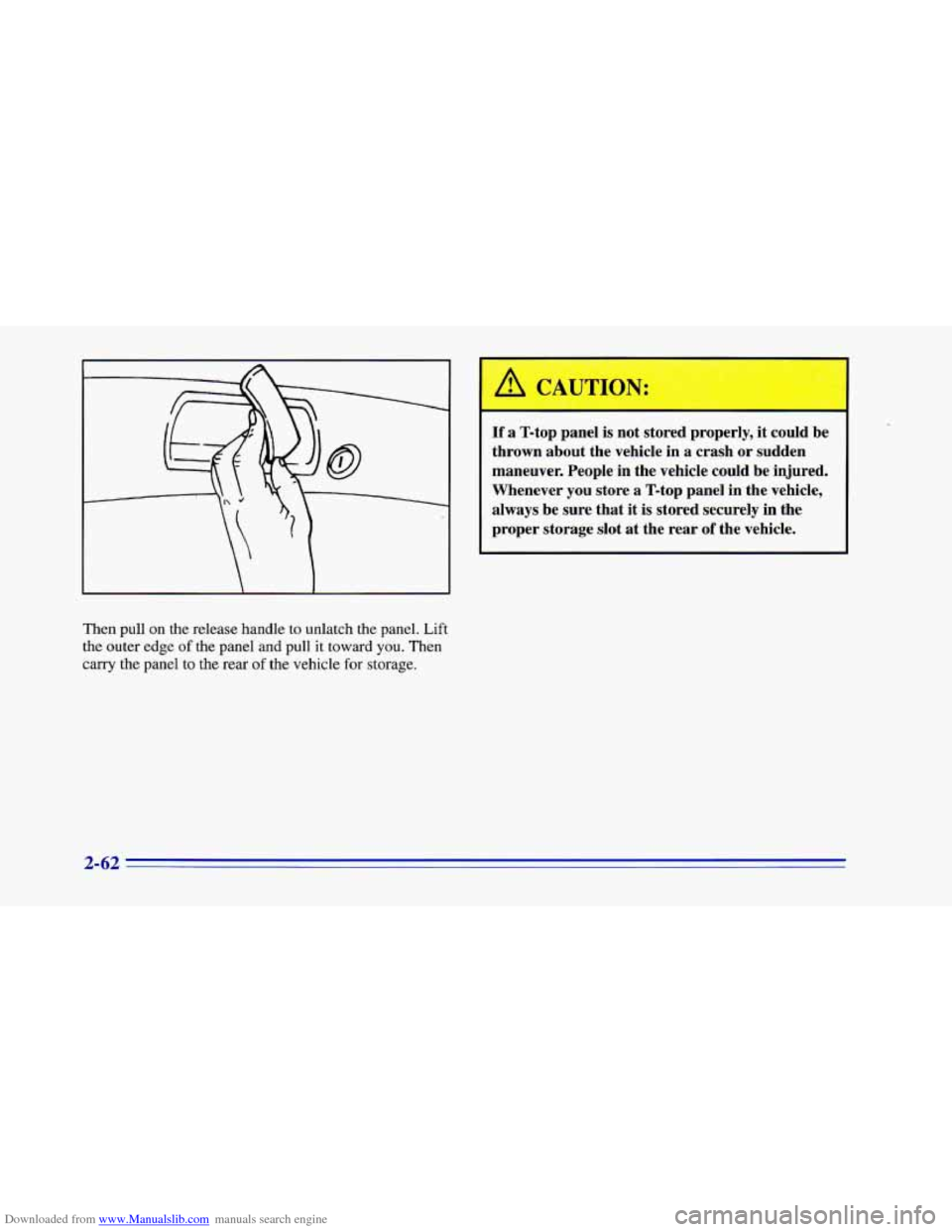
Downloaded from www.Manualslib.com manuals search engine Then pull on the release handle to unlatch the panel. Lift
the outer edge
of the panel and pull it toward you. Then
carry the panel to the rear of the vehicle for storage.
I /d CAU [ON:
If a T-top panel is not stored properly, it could be
thrown about the vehicle in
a crash or sudden
maneuver. People in the vehicle could be injured.
Whenever you store a T-top panel in the vehicle,
always be sure that it is stored securely
in the
proper storage slot
at the rear of the vehicle.
2-62
Page 118 of 402
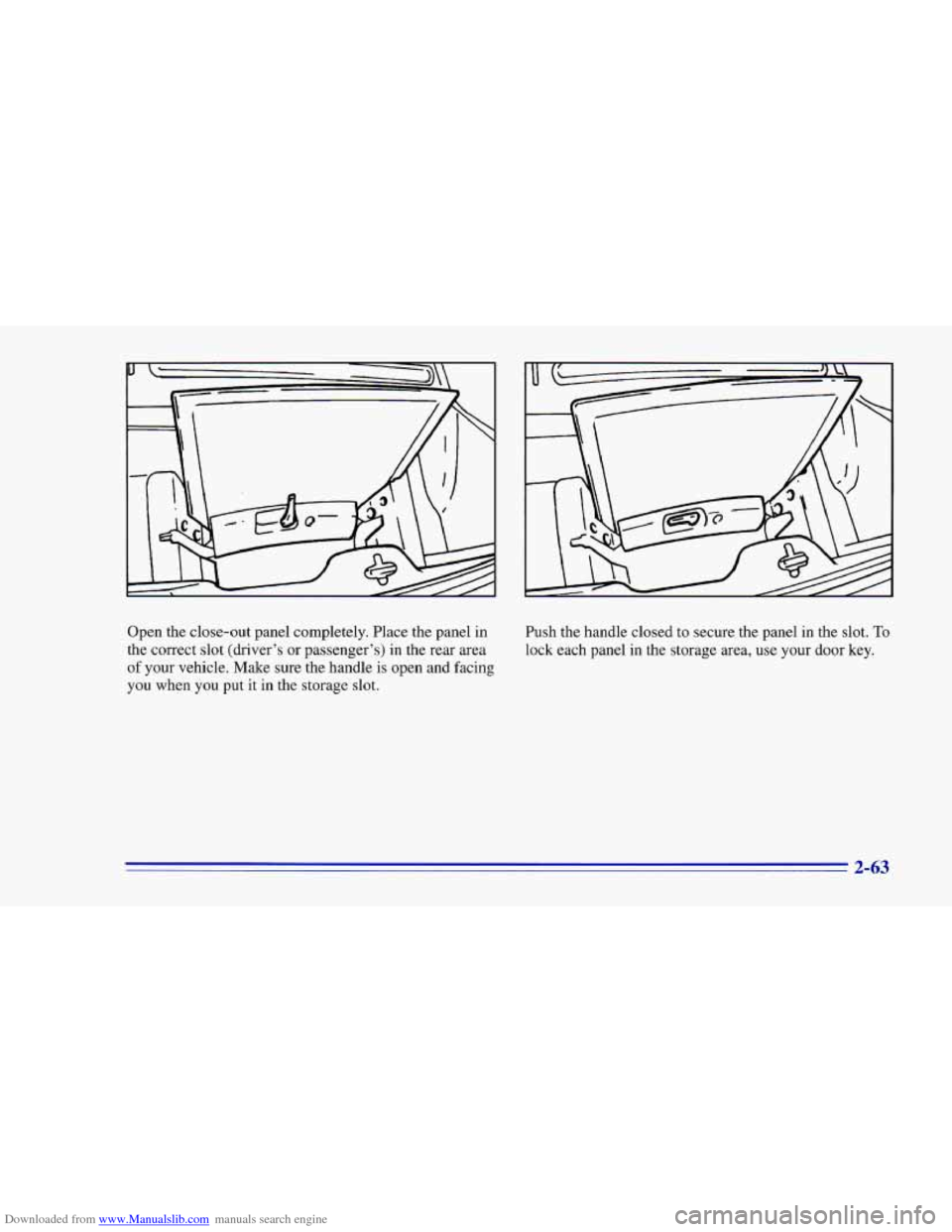
Downloaded from www.Manualslib.com manuals search engine Open the close-out panel completely. Place the panel in
the correct slot (driver’s or passenger’s) in the rear area
of your vehicle. Make sure the handle is open and facing
you when you put
it in the storage slot. Push the
handle closed to secure the panel in the slot.
To
lock each panel in the storage area, use your door key.
2-63
Page 160 of 402
Downloaded from www.Manualslib.com manuals search engine FWD: Press and hold this button to fast forward or
advance through passages. Release the button
to play
the passage.
SCAN: Press this button to listen to each track for about
10 seconds. Press RDM or SCAN to stop scanning.
PREV: Press this button to hear a track again. If you
press and hold this button or press it more than once, the
disc will return to previous tracks.
NEXT Press this button to hear the next track
now instead of waiting until the current track is
finished playing.
Stopping the Disc Player
Turn the power off or turn the ignition key off. The disc
stays in the player and will resume playing at the point
where it stopped.
ST-PL: Press this button to stop playing the disc and
switch to the radio. Press
it again to restart the disc at
the point where it stopped.
EJCT Press this button to eject the disc and switch to
the radio. The disc will start playing track one when
you
reinsert it.
Theft-Deterrent Feature
Delco-Loc II@ is a security feature for the compact disc
player. It may be used or ignored. If ignored, the system
plays normally and the radio is not protected by the
feature, If Delco-Loc
I1 is activated, your radio will not
operate if stolen.
If your vehicle loses battery power for any reason, you
must enter your secret code again before the system will
turn on.
Activating the Theft-Deterre::* Feature
The instructions which follow explain how to enter your
secret code
to activate the Delco-Loc I1 system. It is
recommended that
you read through all of the steps
before starting the procedure.
NOTE: If you allow more than 15 seconds to elapse
between
any steps, the radio automatically reverts to
time and you must start the procedure over at Step 4.
1. Write down any six-digit number and keep it in a
safe place separate from the vehicle.
2. Turn the ignition to the ACC or RUN position.
3-17
Page 161 of 402
Downloaded from www.Manualslib.com manuals search engine 3. Press the 1 and 4 buttons together. Hold them down
until
--- shows on the display. Next you will use the
secret code number which you have written down.
4. Press SET and 000 will appear on the display.
5. Press SCAN to make the first digit of your
code appear.
6. Press the SEEK right or left arrow to make the
second and third digits of your code appear.
7. Press AM-FM and 000 will appear on the display
again.
Now you are ready to enter the last three
digits of your code.
code appear.
two digits
of your code appear,
8. Press SCAN to make the fourth digit of your
9. Press the SEEK right or left arrow to make the last
10. Press AM-FM and REP will appear on the
display for five seconds, and then
000 will appear
on the display.
1 1. For verification, repeat Steps 6 through 11. If SEC
appears on the display, your audio system is
secured. If
--- shows on the display, your system is
not secured.
You must restart the entire procedure
again from
Step 4.
Unlocking the 1
Power Loss
Enter your secret code as follows; pause no more than
15 seconds between steps:
1. Turn the ignition on. (The radio should be
off. LOC
will appear
on the display.)
2. Press SET and 000 will appear on the display.
3. Press the SCAN to make the first digit of your
code appear.
4. Press the SEEK right or left arrow to make the
second and third digits
of your code appear.
5. Press AM-FM and 000 will appear on the display
again. Now you are ready to enter the last three
digits of your code.
6. Press SCAN to make the fourth digit of your
code appear.
7. Press the SEEK right or left arrow to make the last
two digits of your code appear.
8. Press AM-FM. If the time appears, the unlocking
sequence was successful. If the display shows
SEC,
the digits did not match and the unit is still secured.
If you lose or forget your code, contact your dealer.
3-18 -
Page 162 of 402
Downloaded from www.Manualslib.com manuals search engine Disabling the Theft-Deterrent Feature
1.
2.
3.
4.
5.
6.
7.
8.
9.
Turn the ignition on.
Turn the radio off.
Press the 1 and
4 buttons together. Hold them down
until
SEC shows on the display.
Press
SET and 000 will appear on the display.
Press
SCAN to make the first digit of your code appear.
Press the SEEK right or left arrow to make the
second and third digits
of your code appear.
Press AM-FM and
000 will appear on the display
again. Now you are ready to enter the last three
digits of your code.
Enter the last three digits of your code. The display
will show the numbers as entered.
Press AM-FM after you have confirmed that the
code matches
the secret code you have written down.
The display will show
---, indicating that the radio is
no longer secured.
If the code entered is incorrect,
SEC will appear on the
display. The radio will remain secured until the correct
code is entered.
When battery power is given to a secured radio, the
radio won’t turn on and
LOC will appear on the display.
Understanding Radio Reception
FM Stereo
FM stereo will give you the best sound. But FM signals
will reach only about
10 to 40 miles (16 to 65 km). Tall
buildings or hills can interfere with
FM signals, causing
the sound to come and
go.
AM
The range for most AM stations is greater than for FM,
especially at.night. The longer range, however, can
cause stations to interfere with each other. AM can pick
up noise from things like storms and power lines. Try
reducing the treble to reduce this noise if
you ever get it.
Tips About Your Audio System
Hearing damage from loud noise is almost undetectable
until it is too late. Your hearing can adapt
to higher
volumes
of sound. Sound that seems normal can be loud
and harmful to your hearing. Take precautions by
adjusting the volume control on your radio to a safe
sound level before your hearing adapts
to it.
3-19
Page 190 of 402
Downloaded from www.Manualslib.com manuals search engine You may see highway signs on mountains that warn of
special problems. Examples are long grades, passing or
no-passing zones, a falling rocks area or winding
roads. Be alert to these and take appropriate action.
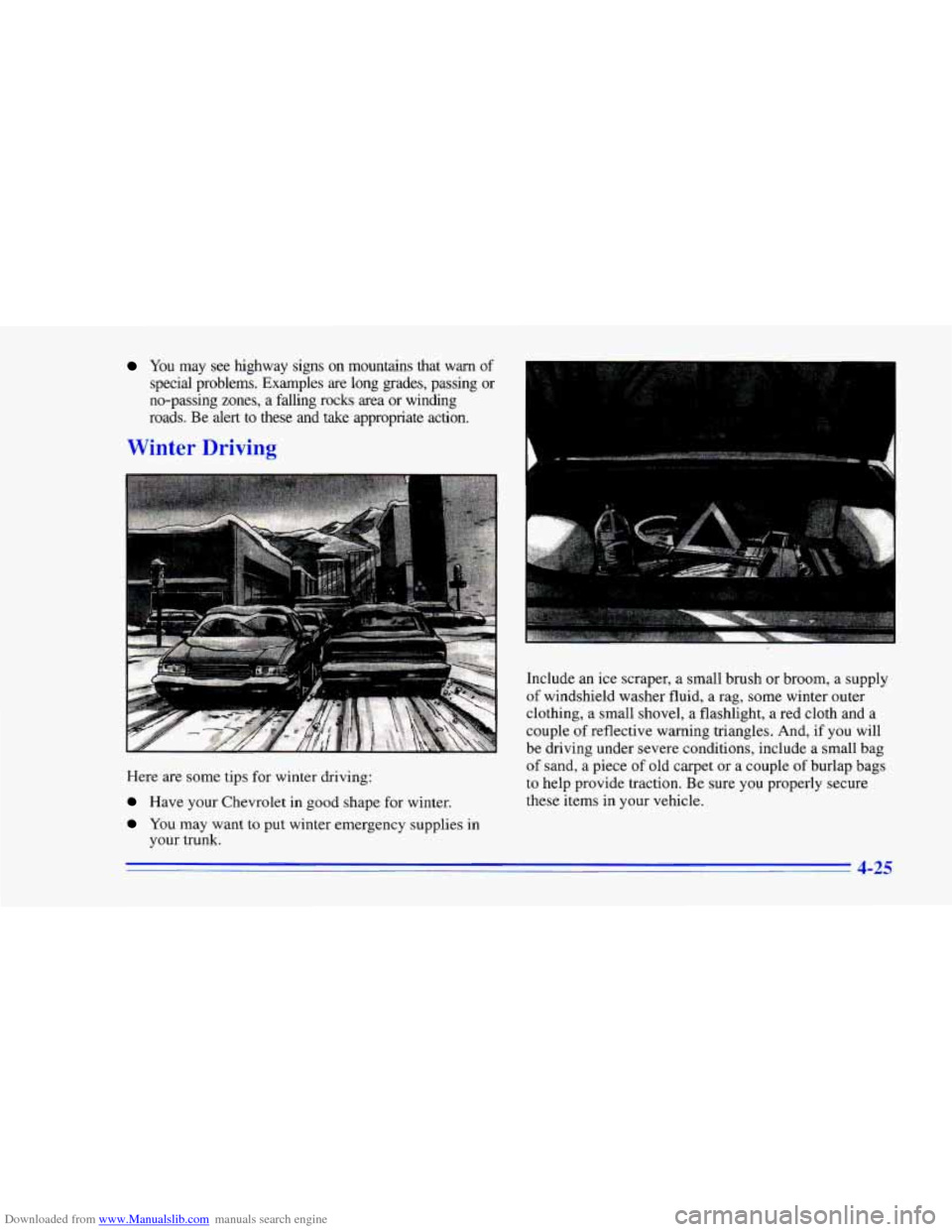
Winter Driving
Here are some tips for winter driving:
Have your Chevrolet in good shape for winter.
You may want to put winter emergency supplies in
your trunk.
. I.
. . . .. ..
..
Include an ice scraper, a small brush or broom, a supply
of windshield washer fluid, a rag, some winter outer
clothing, a small shovel, a flashlight, a red cloth and a
couple of reflective warning triangles. And, if
you will
be driving under severe conditions, include a small bag
of sand, a piece of old carpet or a couple of burlap bags
to help provide traction. Be sure you properly secure
these items in your vehicle.
4-25
Page 196 of 402
Downloaded from www.Manualslib.com manuals search engine Towing a Trailer
Things YOU put inside your vehicle can strike
and injure people in
a sudden stop or turn, or
in a crash.
0
0
0
0
0
,Put things in the rear area of your vehicle.
lky to spread the weight evenly.
Never stack heavier things, like suitcases,
inside the vehicle
so that some of them are
above the. tops of the seats.
Don’t leave an unsecured child restraint in
your vehicle.
When you carry something inside the
vehicle, secure
it whenever you can.
Don’t leave
a seat folded down unless you
need to.
If you don’t use the correct equipment and drive
properly, you can lose control when you pull
a
trailer. For example, if the trailer is too heavy, the
brakes may not work well
-- or even at all. You
and your passengers could be seriously injured.
Pull a trailer only
if you have followed all the
steps in this section. Ask your Chevrolet dealer
for advice and information about towing
a trailer
with your vehicle.
NOTICE:
Pulling a trailer improperly can damage your
vehicle and result in costly repairs not covered
by
your warranty. TO pull a trailer correctly, follow
the advice in this part, and see your Chevrolet
dealer for important information about towing a
trailer
with your vehicle.
4-31