light CHEVROLET CAMARO 1998 4.G User Guide
[x] Cancel search | Manufacturer: CHEVROLET, Model Year: 1998, Model line: CAMARO, Model: CHEVROLET CAMARO 1998 4.GPages: 402, PDF Size: 21.2 MB
Page 86 of 402

Downloaded from www.Manualslib.com manuals search engine PASS-Key@ I1
1
Your vehicle is equipped
with the PASS-Key I1
(Personalized Automotive
Security System)
theft-deterrent system.
PASS-Key
I1 is a passive
theft-deterrent system.
It works when you insert
or remove the key from
the ignition.
PASS-Key
I1 uses a resistor pellet in the ignition key
that matches a decoder in your vehicle.
When the PASS-Key
I1 system senses that someone is
using the wrong key, it shuts down the vehicle’s starter
and fuel systems. For about three minutes, the starter
won’t work and fuel won’t go to the engine. If someone
tries to start your vehicle again or uses another key
during this time, the vehicle will not start. This
discourages someone from randomly trying different
keys with different resistor pellets in an attempt
to
make a match. The ignition key must
be clean and dry before it’s
inserted in the ignition or the engine may not start. If
the engine does not start and the
SECURITY light stays
on when you
try to start the vehicle, the key may be
dirty or wet.
Turn the ignition off.
Clean and dry the key. Wait about three minutes and
try
again. The SECURITY light may remain on during this
time. If the starter still won’t work, and the key appears
to be clean and dry, wait about three minutes and try
another ignition key. At this time, you may also want
to
check the fuses (see “Fuses and Circuit Breakers” in the
Index).
If the starter won’t work with the other key, your
vehicle needs service. If your vehicle does start, the first
ignition key may be faulty. See your dealer or a
locksmith who can service the PASS-Key
11.
If you accidentally use a key that has a damaged or
missing resistor pellet, the starter won’t work. The
SECURITY light will flash. But you don’t have to wait
three minutes before trying another ignition key.
See your dealer or a locksmith who can service the
PASS-Key
I1 to have a new key made.
2-18
Page 87 of 402
Downloaded from www.Manualslib.com manuals search engine If you’re ever driving and the SECURITY light comes
on and stays
on, you will be able to restart your engine
if you turn it off. Your PASS-Key I1 system, however,
is not working properly and must be serviced by
your dealer. Your vehicle is not protected by the
PASS-Key I1 system.
If you lose or damage a PASS-Key I1 ignition key, see
your dealer or a locksmith who can service PASS-Key I1
to have a new key made. In an emergency, call the
Chevrolet Roadside Assistance Center at 1 -800-CHEV-USA
(1 -800-243-8872).
Feature Customization (If Equipped)
Your vehicle’s locks and lighting systems can be
programmed with several different features. The
features you can program depend upon the options that
came with your vehicle. The following list tells you the
features that can be programmed. Listed next to each
feature is the option you need to have on your vehicle in
order to be able to program that particular feature.
0 Exit Lighting (available for all)
0 Delayed Illumination (available for all)
Last Door Closed Locking (if equipped with power
door locks)
Lockout Prevention (if equipped with power
door locks)
Keyless Entry Verification (if equipped with Vehicle
and Content Theft-DeterrendAlarm System)
Theft-Deterrent Arming Method (if equipped with
Vehicle and Content Theft-DeterrenUAlarm System)
Theft-Deterrent Arming Verification (if equipped with
Vehicle and Content Theft-Deterrent/Alarm System)
Driver’s Door Alarm Delay (if equipped with
Shock Sensor Enable (if equipped with Vehicle and
Vehicle and Content Theft-DeterrenUAlann
System)
Content Theft-DeterrendAlarm System)
2-19
Page 88 of 402
Downloaded from www.Manualslib.com manuals search engine ‘To program features, your vehicle must be in the
programming mode. Follow these steps:
1.
2.
3.
4.
5.
Put your key in the ignition.
Turn the ignition to RUN to disarm the Vehicle
and Content Theft-DeterrentIAlarm System.
Turn
the ignition to OFF position.
Remove the RADIO
fuse. This fuse is in the
main fuse block, located on the left side
of your
instrument panel. When the main fuse block is
open, the RADIO fuse
is located in the lower
right corner side
of the fuse panel. See “Fuses and
Circuit Breakers” in the Index.
Turn the ignition to ACC.
You should hear a chime
to verify that the system
is in programming mode.
If the chime sounds once,
you will be able to program Exit Lighting, Delayed
Illumination, Last Door Closed Locking and Lockout
Prevention only. If the chime sounds twice and your
vehicle is equipped with the Vehicle and Content
Theft-Deterrent System, you will also be able to
set Keyless Entry Verification, Arming Method,
Arming Verification, Driver’s Door Delay and
Shock Sensor Enable.
Exit Lighting and Delayed Illumination
With Exit Lighting, your interior lamps will come on
for up to
25 seconds when the key is removed from
the ignition.
With Delayed Illumination, your interior lamps will come
on and stay
on for up to 25 seconds when entering the
vehicle and up
to 5 seconds when leaving your vehicle.
Your vehicle comes with both features enabled (Mode
4).
To change the factory setting, do the following:
1. Turn the courtesy lamps on by turning the instrument
panel brightness control knob all the way up.
2. Count the number of chimes you hear. The number of
chimes tells you which mode your vehicle is set for.
3. Turn the courtesy lamp switch to off.
4. Turn the courtesy lamp switch from on to off until
you hear the number
of chimes that corresponds to
the mode selection you want.
Mode 1: Both Off
Mode 2: Delayed Illumination Only
Mode 3: Exit Lighting Only
Mode 4: Both On
2-20
Page 93 of 402
Downloaded from www.Manualslib.com manuals search engine Ignition Positions
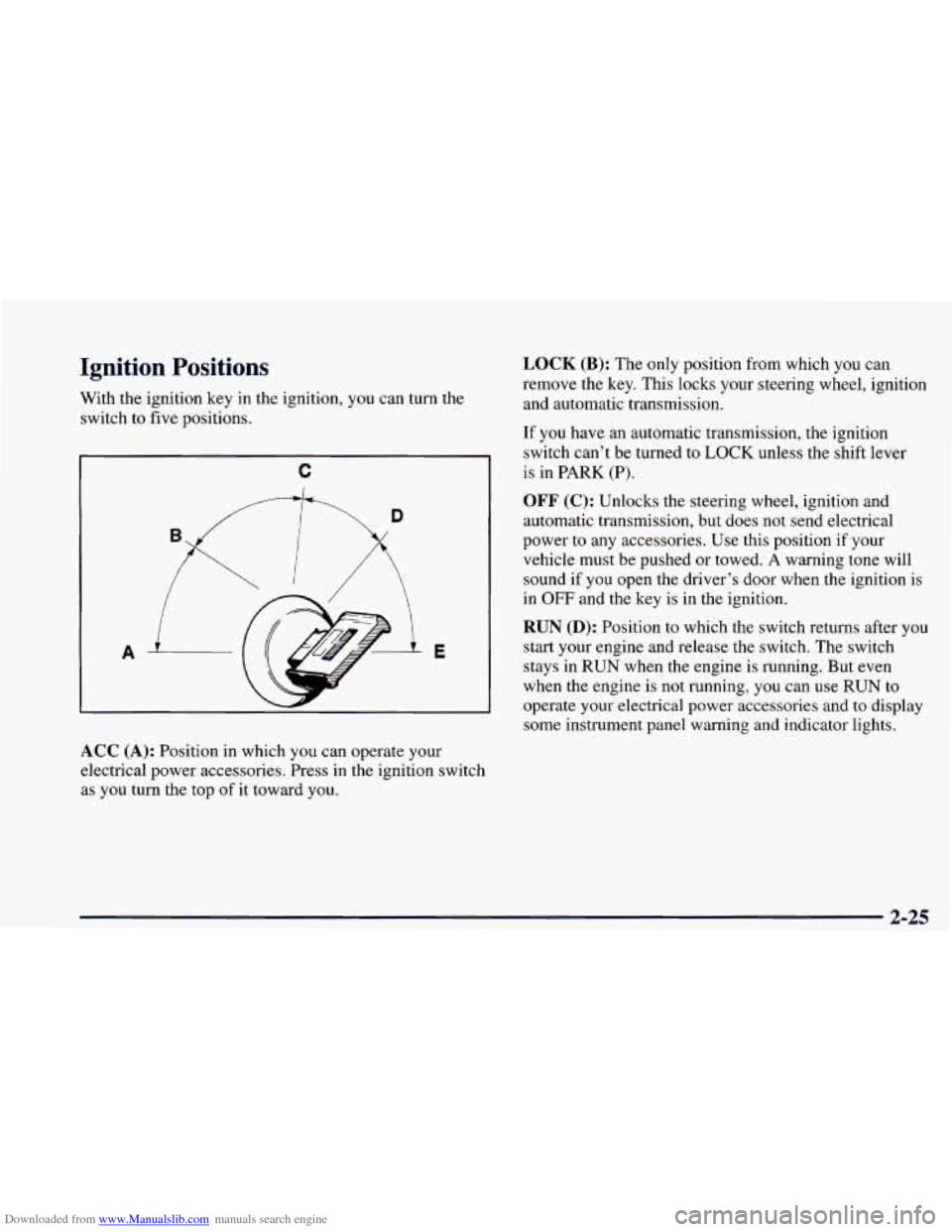
With the ignition key in the ignition, you can turn the
switch to five positions.
C
A
/
E
ACC (A): Position in which you can operate your
electrical power accessories. Press
in the ignition switch
as you turn the top
of it toward you.
LOCK (B): The only position from which you can
remove the key. This locks your steering wheel, ignition
and automatic transmission.
If you have an automatic transmission, the ignition
switch can’t be turned to
LOCK unless the shift lever
is in
PARK (P).
OFF (C): Unlocks the steering wheel, ignition and
automatic transmission, but does not send electrical
power to any accessories. Use this position if your
vehicle must be pushed or towed.
A warning tone will
sound if you open the driver’s door when the ignition is
in
OFF and the key is in the ignition.
RUN (D): Position to which the switch returns after you
start your engine and release the switch. The switch
stays
in RUN when the engine is running. But even
when the engine is not running,
you can use RUN to
operate your electrical power accessories and to display
some instrument panel warning and indicator lights.
2-25
Page 101 of 402
Downloaded from www.Manualslib.com manuals search engine FIRST (1): This position gives you even more power
(but lower fuel economy) than
SECOND (2). You can-
use it on very steep hills, or in deep snow or mud. If the
selector lever is put in
FIRST (1) gear, the transmission
won’t shift into first gear until the vehicle is going
slowly enough.
NOTICE:
If your rear wheels can’t rotate, don’t try to
drive.
This might happen if you were stuck in
very deep sand or mud or were up against
a solid
object. You could damage your transmission.
Also,
if you stop when going uphill, don’t hold
your vehicle there with only the accelerator
pedal. This could overheat and damage the
transmission. Use your brakes or shift into
PARK (P) to hold your vehicle in position
on
a hill.
Maximum engine speed is limited to protect driveline
components from improper operation.
Second-Gear Start (V6 Automatic)
(If Equipped)
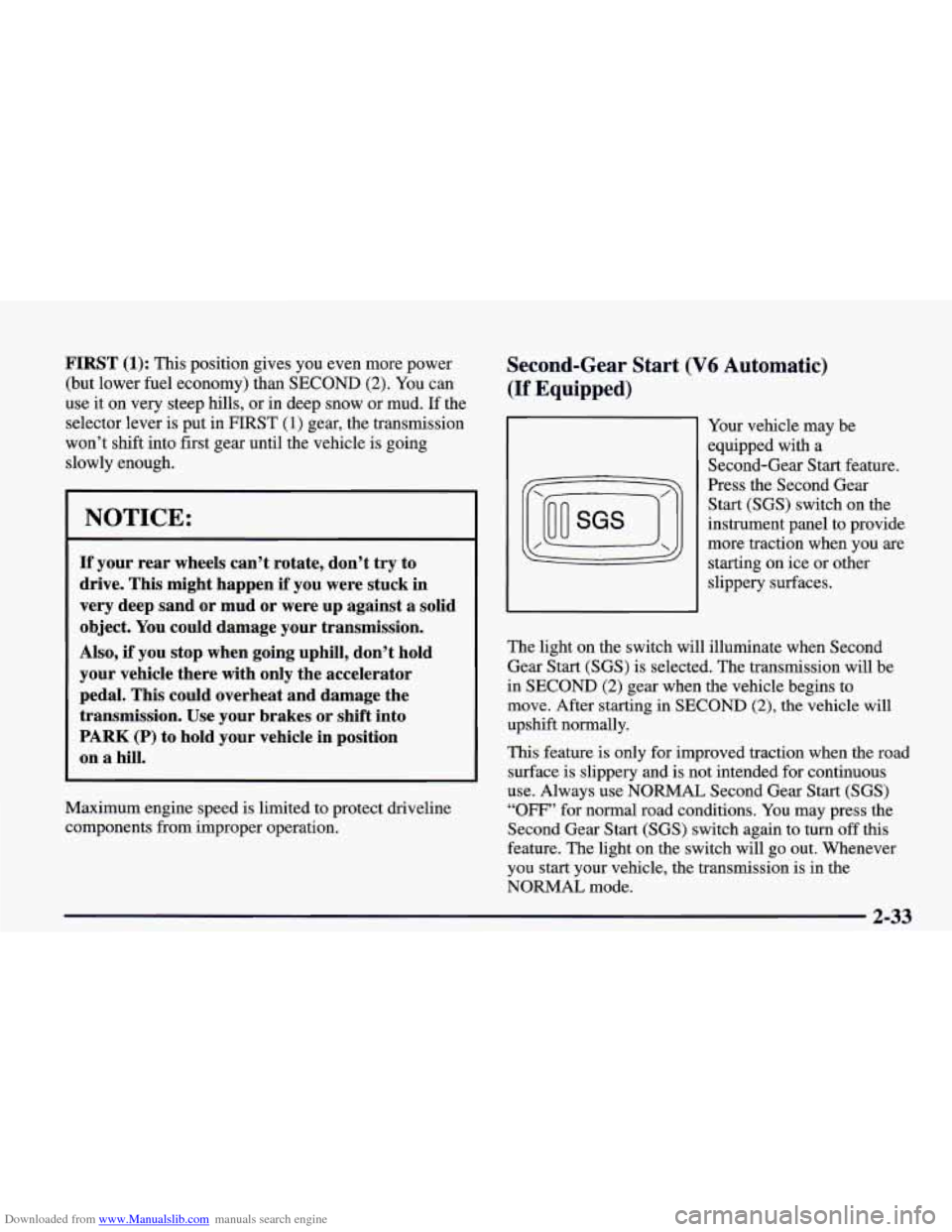
Your vehicle may be
equipped with a
Second-Gear Start feature.
Press the Second Gear
Start (SGS) switch on the
instrument panel to provide
more traction when you are
starting on ice or other
slippery surfaces.
The light on the switch will illuminate when Second
Gear Start (SGS) is selected. The transmission will be
in
SECOND (2) gear when the vehicle begins to
move. After starting in
SECOND (2), the vehicle will
upshift normally.
This feature is only for improved traction when the road
surface is slippery and is not intended for continuous
use. Always use
NORMAL Second Gear Start (SGS)
“OFF” for normal road conditions. You may press the
Second Gear Start (SGS) switch again to turn
off this
feature. The light
on the switch will go out. Whenever
you start your vehicle, the transmission is in the
NORMAL mode.
2-33
Page 104 of 402
Downloaded from www.Manualslib.com manuals search engine Shift Speeds
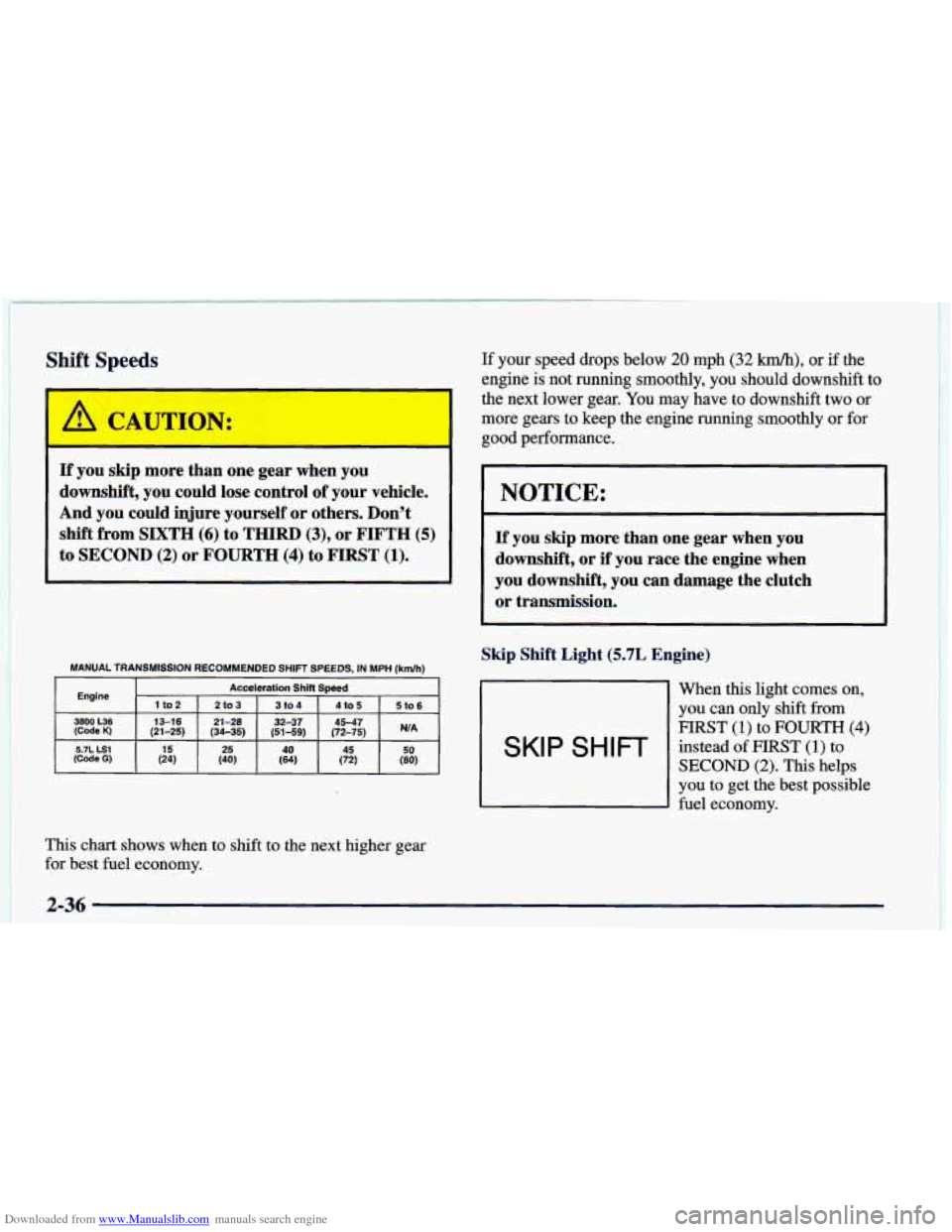
If you skip more than one gear when you
downshift, you could lose control of your vehicle.
And
you could injure yourself or others. Don't
shift from SIXTH (6) to THIRD (3), or FIFTH (5)
to SECOND (2) or FOURTH (4) to FIRST (1).
MANUAL TRANSMISSION RECOMMENDED SHIFT SPEEDS, IN MPH (kdh) 1
Engine Acceleration Shift Speed
1
to2 210 3 3104 4 lo 5 St0 6
3800 L36 13-16 21 -28 32-37 45-47 (Code K) (21-25) (34-35) (51-59) (72-75) WA
This chart shows when to shift to the next higher gear
for best fuel economy. If
your speed drops below
20 mph (32 km/h), or if the
engine is not running smoothly, you should downshift to
the next lower gear. You may have to downshift two or
more gears to keep the engine running smoothly
or for
good performance.
NOTICE:
If you skip more than one gear when you
downshift, or if
you race the engine when
you downshift, you can damage the clutch
or transmission.
Skip Shift Light
(5.7L Engine)
When this light comes on,
you can
only shift from
mRST (1) to FOURTH (4)
SKI p S H I FP instead of FIRST (1) to
SECOND (2). This helps
you to get the best possible
fuel economy.
2-36
Page 105 of 402
Downloaded from www.Manualslib.com manuals search engine This light will come on under these conditions:
0 The engine coolant temperature is greater than
170°F (77"C),
You are going 15 to 20 mph (24 to 32 km/h) and
You are at 35 percent throttle or less.
When this light is on, the gearshift lever will let you
shift from FIRST (1) to FOURTH (4) only. Once you
are in FOURTH (4), you can press the clutch again
and shift into another gear.
Follow the shift speeds on this chart when the
SKIP
SHIFT light is on.
Computer Aided Manual Transmission Shift Speeds:
1st to 4th 15 mph (24 kdh)
4th to 5th 25 mph (40 km/h)*
5th to 6th 49 mph (64 km/h)**
Each time you come
to a stop, the engine's Powertrain
Control Module (PCM) determines when to activate the
SKIP SHIFT upshift system. Use SECOND (2) gear
only when you accelerate very quickly from a stop.
You can then follow the full gear shift pattern.
"30 mph (48 km/h) when accelerating to highway speeds.
""45 mph (72 kmk) when accelerating to highway speeds.
Parking Brake
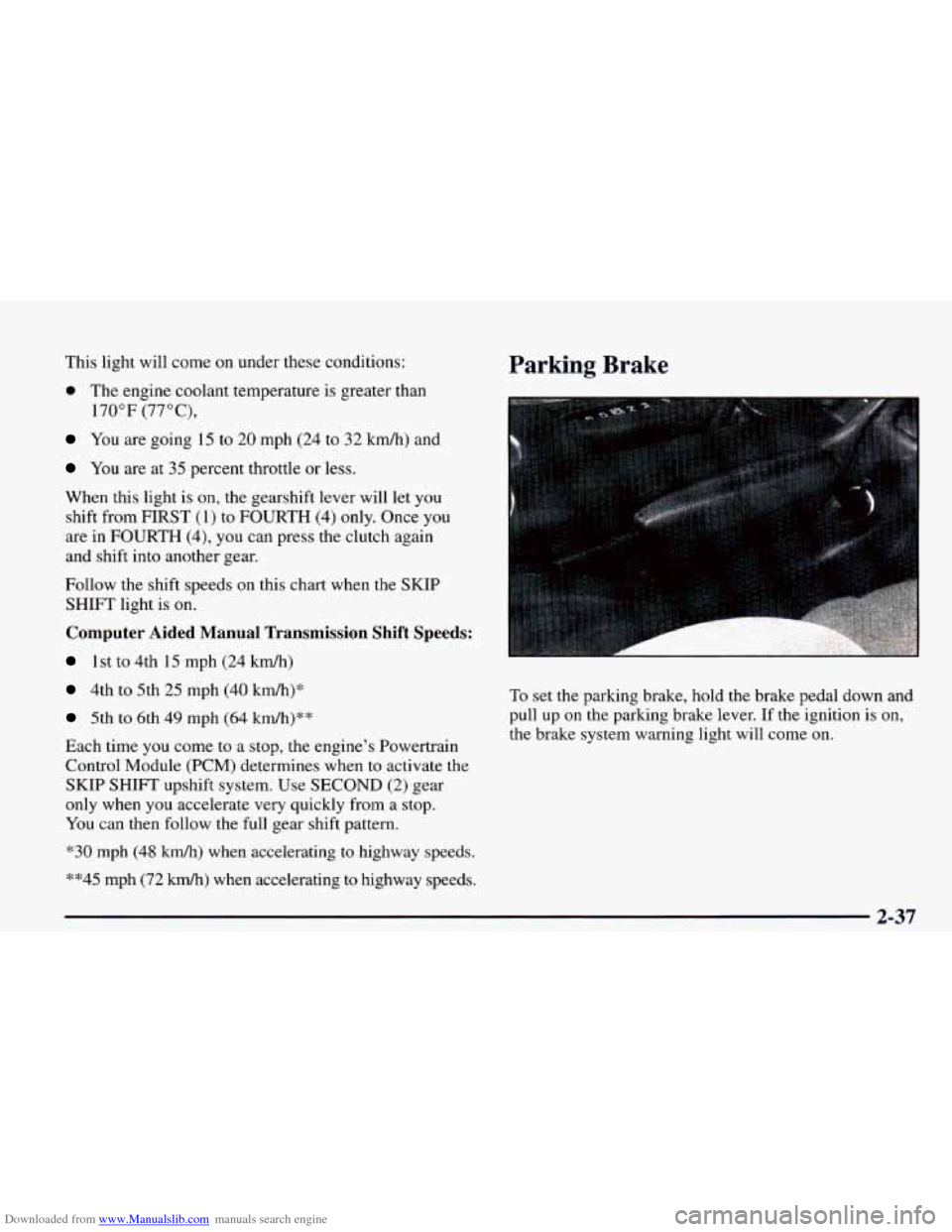
To set the parking brake, hold the brake pedal down and
pull up
on the parking brake lever. If the ignition is on,
the brake system warning light will come on.
2-37
Page 114 of 402
Downloaded from www.Manualslib.com manuals search engine As you signal a turn or a lane change, if the arrows don’t
flash but just stay on
as you signal a turn or lane change,
a signal bulb may be burned out and other drivers won’t
see your turn signal.
If a bulb is burned out, replace it to help avoid an
accident.
If the arrows don’t go on at all when you
signal a turn, check the fuse (see “Fuses and Circuit
Breakers” in the Index).
Headlamp High/Low-Beam Changer
To change the headlamps
from low beam to high
or
high to low, pull the turn
signal lever all the way
toward you. Then release it.
When the high-beams headlamps
are on, this light on
the instrument panel also will be on.
Windshield Wipers
I 1
I I
i
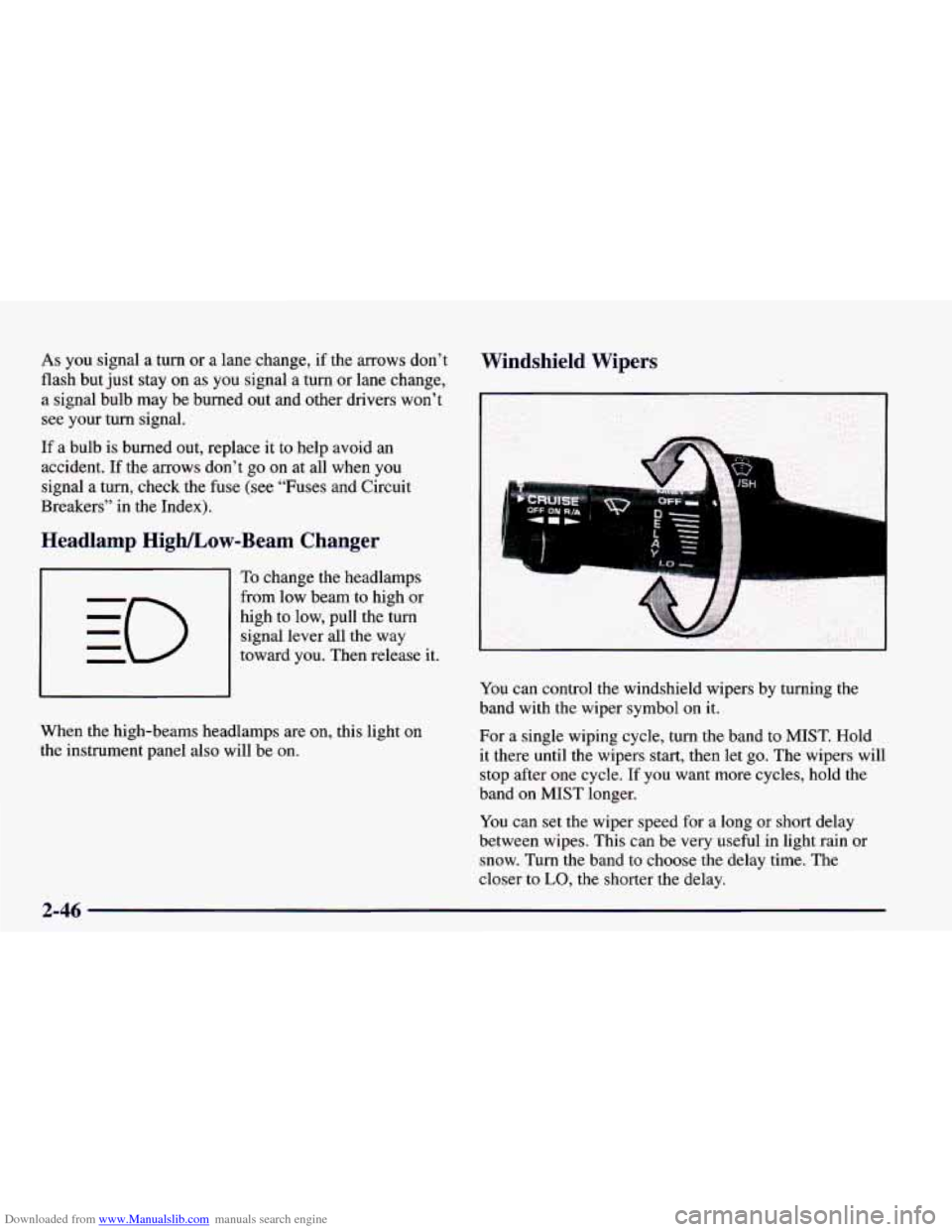
You can control the windshield wipers by turning the
band with the wiper symbol on it.
For
a single wiping cycle, turn the band to MIST. Hold
it there until the wipers start, then let go. The wipers will
stop after one cycle. If you want more cycles, hold the
band on MIST longer.
You can set the wiper speed for
a long or short delay
between wipes. This can be very useful in light rain or
snow. Turn the band to choose the delay time. The
closer to
LO, the shorter the delay.
2-46
Page 118 of 402
Downloaded from www.Manualslib.com manuals search engine Ending Out of Cruise Control
There are several ways to turn off the cruise control:
Step lightly on the brake pedal or push the clutch
pedal, if you have a manual transmission; or
Move the cruise switch to OFF.
Erasing Speed Memory
When you turn off the cruise control or the ignition,
your cruise control set speed memory is erased.
Exterior Lamps
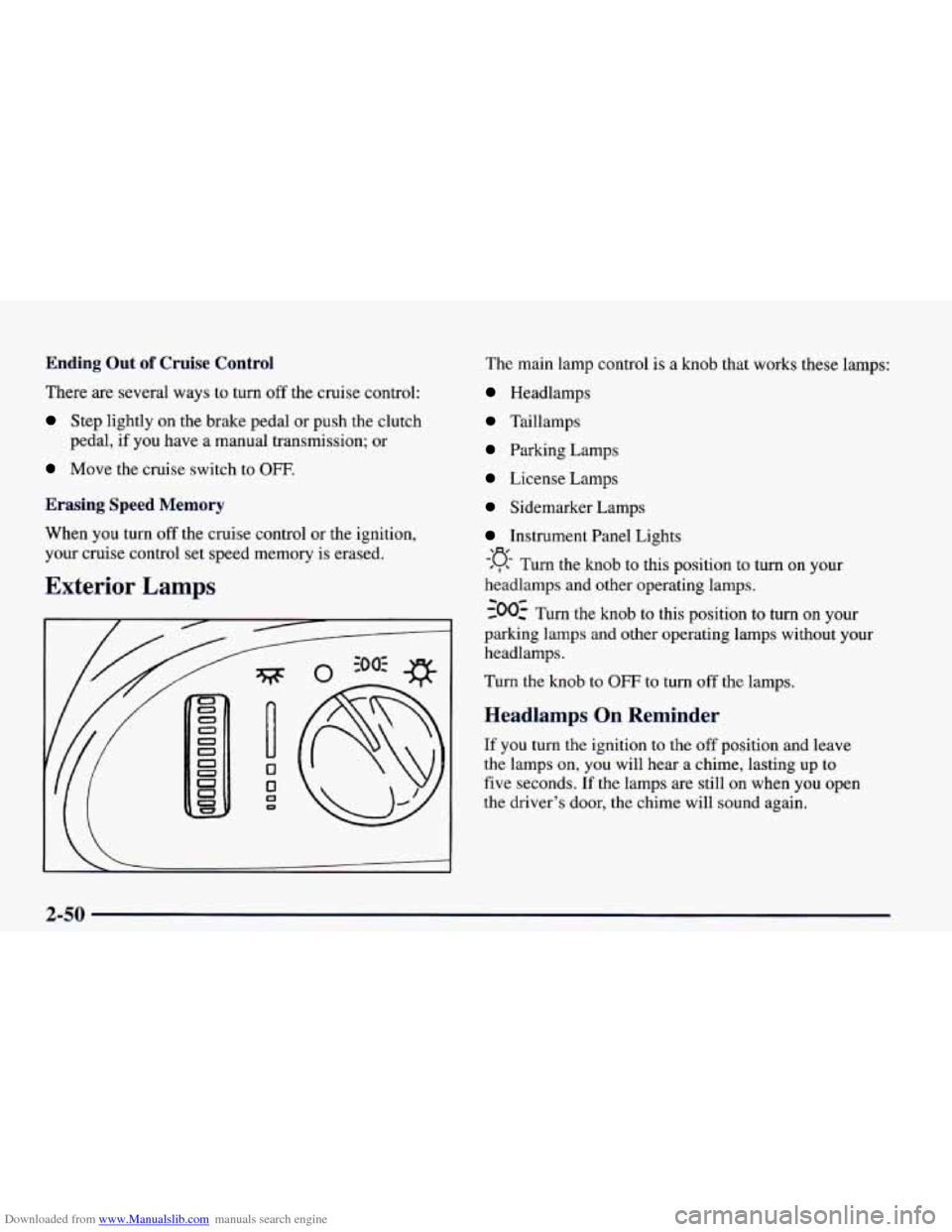
The main lamp control is a knob that works these lamps:
Headlamps
Taillamps
Parking Lamps
License Lamps
Sidemarker Lamps
Instrument Panel Lights
#, Turn the knob to this position to turn on your
headlamps and other operating lamps.
-300: Turn the knob to this position to turn on your
parking lamps and other operating lamps without
your
headlamps.
Turn the knob to OFF to turn
off the lamps.
-‘a-
Headlamps On Reminder
If you turn the ignition to the off position and leave
the lamps on, you will hear a chime, lasting up
to
five seconds. If the lamps are still on when you open
the driver’s door, the chime will sound again.
2-50
Page 119 of 402
Downloaded from www.Manualslib.com manuals search engine Daytime Running Lamps
Daytime Running Lamps (DRL) can make it easier
for others to see the front of your vehicle during the
day. DRL can be helpful
in many different driving
conditions, but they can be especially helpful in the
short periods after dawn and before sunset.
A light sensor on top of the instrument panel
automatically turns the headlamps
on, so be sure
it isn’t covered.
The
DRL system will make your front turn signal
lamps come on when:
The ignition is on,
0 The headlamp switch is off and
0 The parking brake is released.
When
the DRL are on, only your front turn signal lamps
will be on. The taillamps, sidemarker and other lamps
won’t be on. Your instrument panel won’t be lit up
either. When you
use your turn signals, the front turn
signal and the taillamp of the desired side will flash.
When it’s dark enough outside, your front turn signal
lamps will go out and your headlamps will come on.
The other lamps will also come on. When it’s
bright enough outside, the regular lamps will
go
off, and your front turn signal lamps will come on.
As with any vehicle, you should turn on the regular
headlamp system
when you need it.
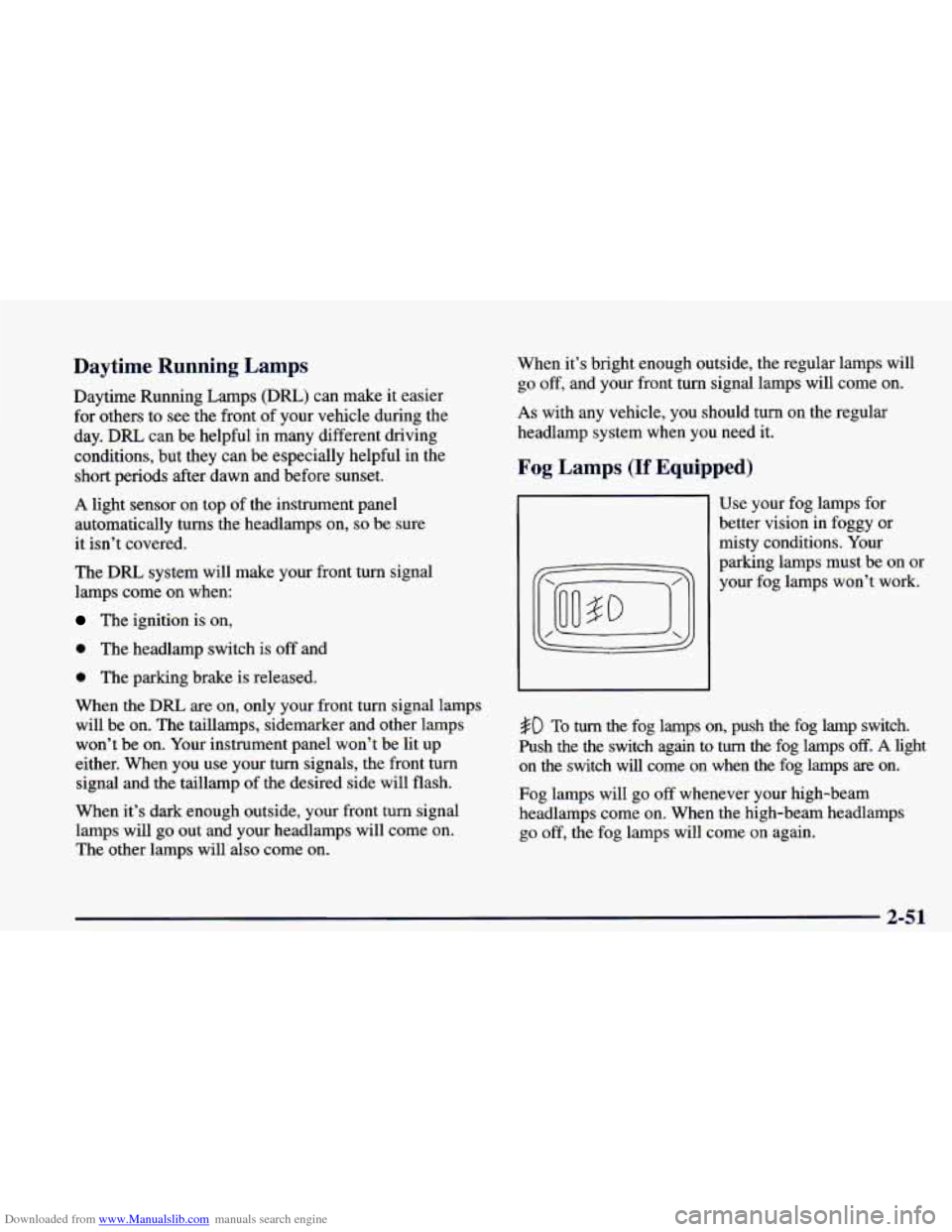
Fog Lamps (If Equipped)
Use your fog lamps for
better vision in foggy or
misty conditions. Your
parking lamps must be on or
your fog lamps won’t work.
#D To turn the fog lamps on, push the fog lamp switch.
Push the the switch again to
turn the fog lamps off. A light
on the switch will come on when the fog lamps are on.
Fog lamps will go
off whenever your high-beam
headlamps come on. When the high-beam headlamps
go off, the fog lamps will come on again.
2-51