light CHEVROLET CAMARO 2010 5.G User Guide
[x] Cancel search | Manufacturer: CHEVROLET, Model Year: 2010, Model line: CAMARO, Model: CHEVROLET CAMARO 2010 5.GPages: 378, PDF Size: 5.75 MB
Page 55 of 378
Black plate (31,1)Chevrolet Camaro Owner Manual - 2010
Seats and Restraints 2-31
The passenger sensing system is
designed to turn off the right front
passenger frontal airbag if:
.The right front passenger seat is
unoccupied.
.The system determines that an
infant is present in a rear-facing
infant seat.
.The system determines that a
small child is present in a child
restraint.
.The system determines that a
small child is present in a
booster seat.
.A right front passenger takes
his/her weight off of the seat for
a period of time.
.The right front passenger seat is
occupied by a smaller person,
such as a child who has
outgrown child restraints.
.Or, if there is a critical problem
with the airbag system or the
passenger sensing system.When the passenger sensing
system has turned off the right front
passenger frontal airbag, the off
indicator will light and stay lit to
remind you that the airbag is off.
See
Passenger Airbag Status
Indicator on page 4‑19.
The passenger sensing system is
designed to turn on (may inflate) the
right front passenger frontal airbag
anytime the system senses that
a person of adult size is sitting
properly in the right front passenger
seat. When the passenger sensing
system has allowed the airbag to be
enabled, the on indicator will light
and stay lit to remind you that the
airbag is active.
For some children who have
outgrown child restraints and for
very small adults, the passenger
sensing system may or may not
turn off the right front passenger frontal airbag, depending upon
the person's seating posture
and body build. Everyone in the
vehicle who has outgrown child
restraints should wear a safety belt
properly
—whether or not there is
an airbag for that person.
{WARNING
If the airbag readiness light ever
comes on and stays on, it means
that something may be wrong
with the airbag system. To help
avoid injury to yourself or others,
have the vehicle serviced right
away. See Airbag Readiness
Light
on page 4‑18for more
information, including important
safety information.
Page 56 of 378
Black plate (32,1)Chevrolet Camaro Owner Manual - 2010
2-32 Seats and Restraints
If the On Indicator is Lit for a
Child Restraint
If a child restraint has been installed
and the on indicator is lit:
1. Turn the vehicle off.
2. Remove the child restraint fromthe vehicle.
3. Remove any additional items from the seat such as blankets,
cushions, seat covers, seat
heaters, or seat massagers.
4. Reinstall the child restraint following the directions
provided by the child restraint
manufacturer and refer to
Securing Child Restraints (Rear
Seat)
on page 2‑50orSecuring
Child Restraints (Right Front
Seat) on page 2‑52. 5. If, after reinstalling the child
restraint and restarting the
vehicle, the on indicator is still lit,
turn the vehicle off. Then slightly
recline the vehicle seatback
and adjust the seat cushion,
if adjustable, to make sure that
the vehicle seatback is not
pushing the child restraint into
the seat cushion.
6. Restart the vehicle. If the on indicator is still lit,
secure the child in the child
restraint in a rear seat position
in the vehicle, and check with
your dealer.
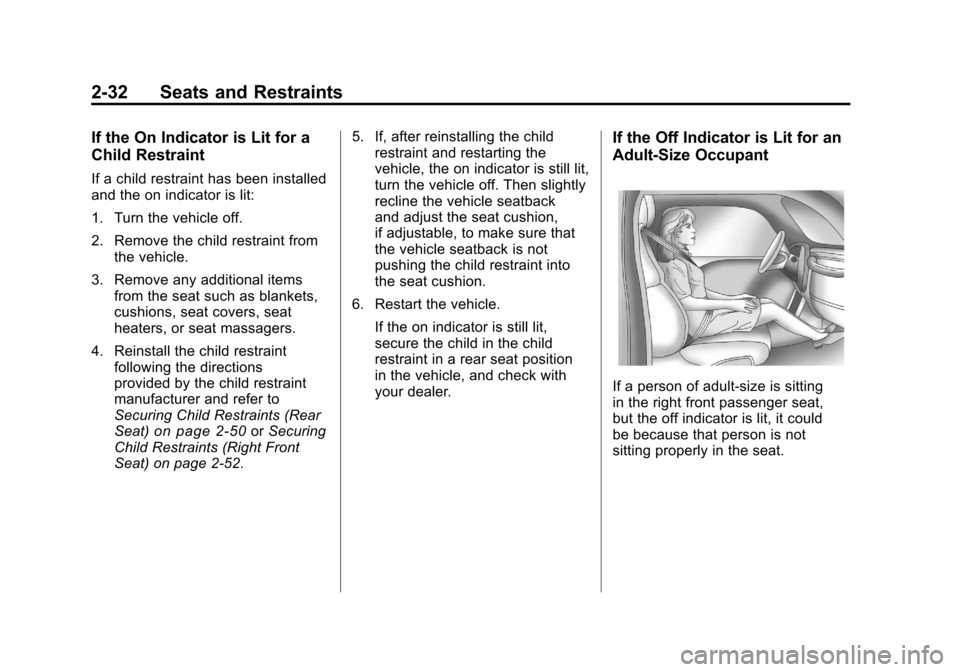
If the Off Indicator is Lit for an
Adult-Size Occupant
If a person of adult-size is sitting
in the right front passenger seat,
but the off indicator is lit, it could
be because that person is not
sitting properly in the seat.
Page 57 of 378
Black plate (33,1)Chevrolet Camaro Owner Manual - 2010
Seats and Restraints 2-33
If this happens, use the following
steps to allow the system to detect
that person and enable the right
front passenger frontal airbag:
1. Turn the vehicle off.
2. Remove any additional materialfrom the seat, such as blankets,
cushions, seat covers, seat
heaters, or seat massagers.
3. Place the seatback in the fully upright position.
4. Have the person sit upright in the seat, centered on the seat
cushion, with legs comfortably
extended.
5. Restart the vehicle and have the person remain in this position for
one minute after the on indicator
is lit.Additional Factors Affecting
System Operation
Safety belts help keep the
passenger in position on the
seat during vehicle maneuvers
and braking, which helps the
passenger sensing system maintain
the passenger airbag status.
See “Safety Belts” and“Child
Restraints” in the Index for
additional information about the
importance of proper restraint use.
A thick layer of additional material,
such as a blanket or cushion,
or aftermarket equipment such
as seat covers, seat heaters, and
seat massagers can affect how well
the passenger sensing system
operates. We recommend that
you not use seat covers or other
aftermarket equipment except when
approved by GM for your specific
vehicle. See Adding Equipment to
the Airbag-Equipped Vehicle
on
page 2‑34for more information
about modifications that can affect
how the system operates. The passenger sensing system may
turn on the passenger airbag when
liquid soaks into the seat. If this
happens, the on indicator will be lit.
If the passenger seat gets wet, dry
the seat immediately. If the airbag
readiness light is lit, do not install a
child restraint or allow anyone to
occupy the seat. See
Airbag
Readiness Light
on page 4‑18for important safety information.
{WARNING
Stowing of articles under the
passenger seat or between the
passenger seat cushion and
seatback may interfere with the
proper operation of the passenger
sensing system.
Page 59 of 378
Black plate (35,1)Chevrolet Camaro Owner Manual - 2010
Seats and Restraints 2-35
In addition, the vehicle has
a passenger sensing system
for the right front passenger
position, which includes sensors
that are part of the passenger
seat. The passenger sensing
system may not operate properly
if the original seat trim is
replaced with non-GM covers,
upholstery or trim, or with GM
covers, upholstery or trim
designed for a different vehicle.
Any object, such as an
aftermarket seat heater or
a comfort enhancing pad or
device, installed under or on top
of the seat fabric, could also
interfere with the operation of
the passenger sensing system.
This could either prevent proper
deployment of the passenger
airbag(s) or prevent the
passenger sensing system
from properly turning off
the passenger airbag(s).
SeePassenger Sensing
System
on page 2‑29. If you have questions,
call Customer Assistance.
The phone numbers and
addresses for Customer
Assistance are in Step Two
of the Customer Satisfaction
Procedure in this manual.
See
Customer Satisfaction
Procedure on page 12‑1.
Q: Because I have a disability, I have to get my vehicle
modified. How can I find out
whether this will affect my
airbag system?
A: If you have questions,
call Customer Assistance.
The phone numbers and
addresses for Customer
Assistance are in Step Two
of the Customer Satisfaction
Procedure in this manual.
See Customer Satisfaction
Procedure on page 12‑1. In addition, your dealer and the
service manual have information
about the location of the airbag
sensors, sensing and diagnostic
module and airbag wiring.
Airbag System Check
The airbag system does not need
regularly scheduled maintenance
or replacement. Make sure the
airbag readiness light is working.
See
Airbag Readiness Light
on
page 4‑18for more information.
Notice: If an airbag covering is
damaged, opened, or broken, the
airbag may not work properly.
Do not open or break the airbag
coverings. If there are any
opened or broken airbag covers,
have the airbag covering and/or
airbag module replaced. For the
location of the airbag modules,
see What Makes an Airbag
Inflate?
on page 2‑27. See your
dealer for service.
Page 60 of 378
Black plate (36,1)Chevrolet Camaro Owner Manual - 2010
2-36 Seats and Restraints
Replacing Airbag System
Parts After a Crash
{WARNING
A crash can damage the
airbag systems in your vehicle.
A damaged airbag system
may not work properly and
may not protect you and your
passenger(s) in a crash, resulting
in serious injury or even death.
To help make sure your airbag
systems are working properly
after a crash, have them
inspected and any necessary
replacements made as soon
as possible.If an airbag inflates, you will need
to replace airbag system parts.
See your dealer for service.
If the airbag readiness light stays on
after the vehicle is started or comes
on when you are driving, the airbag
system may not work properly.
Have the vehicle serviced right
away. See
Airbag Readiness Light
on page 4‑18for more information.
Child Restraints
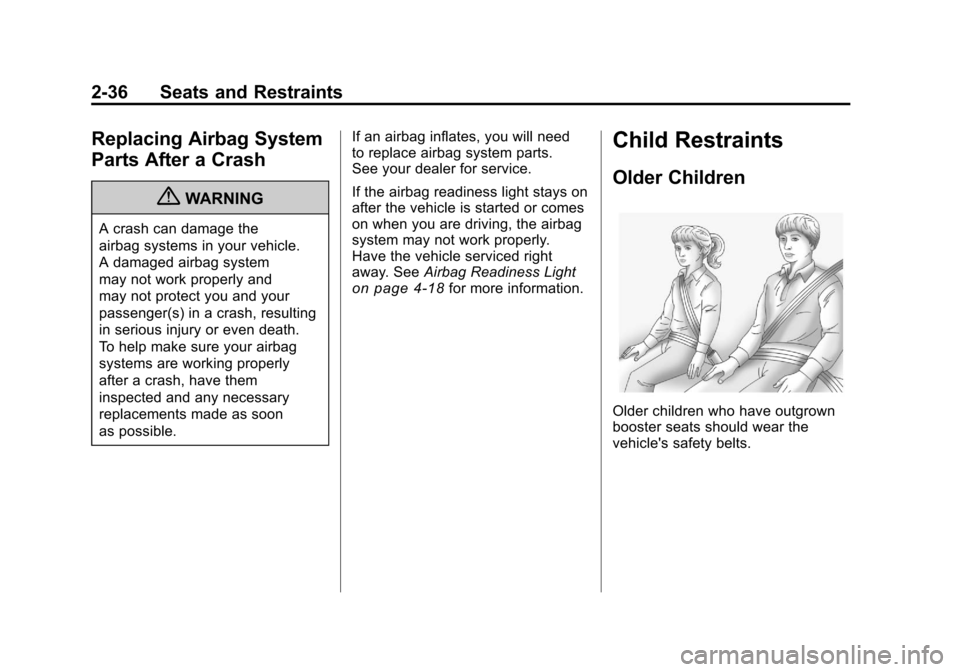
Older Children
Older children who have outgrown
booster seats should wear the
vehicle's safety belts.
Page 77 of 378
Black plate (53,1)Chevrolet Camaro Owner Manual - 2010
Seats and Restraints 2-53
WARNING (Continued)
Secure rear-facing child restraints
in a rear seat, even if the
airbag is off. If you secure a
forward-facing child restraint in
the right front seat, always move
the front passenger seat as far
back as it will go. It is better to
secure the child restraint in a
rear seat.
SeePassenger Sensing System
on page 2‑29for additional
information.
If the child restraint has the LATCH
system, see Lower Anchors and
Tethers for Children (LATCH
System)
on page 2‑45for how and
where to install the child restraint
using LATCH. If a child restraint is
secured using a safety belt and
it uses a top tether, see Lower
Anchors and Tethers for Children
(LATCH System)
on page 2‑45for top tether anchor locations. Do not secure a child seat in a
position without a top tether anchor
if a national or local law requires
that the top tether be anchored, or if
the instructions that come with the
child restraint say that the top strap
must be anchored.
In Canada, the law requires that
forward-facing child restraints have
a top tether, and that the tether be
attached.
You will be using the lap-shoulder
belt to secure the child restraint in
this position. Follow the instructions
that came with the child restraint.
1. Move the seat as far back as
it will go before securing the
forward-facing child restraint.
When the passenger sensing
system has turned off the
right front passenger frontal
airbag, the off indicator on
the passenger airbag status
indicator should light and stay
lit when the vehicle is started.
See Passenger Airbag Status
Indicator on page 4‑19. 2. Put the child restraint on
the seat.
If the seat has a safety belt
guide, remove the safety belt
from the guide by unsnapping
the guide on the seat. Do not
secure the child restraint with
the safety belt routed through
the guide.
3. Pick up the latch plate, and run the lap and shoulder portions of
the vehicle's safety belt through
or around the restraint. The child
restraint instructions will show
you how.
Page 83 of 378
Black plate (1,1)Chevrolet Camaro Owner Manual - 2010
Instruments and Controls 4-1
Instruments and
Controls
Instrument Panel Overview
Instrument Panel Overview . . . . 4-4
Controls
Steering Wheel Adjustment . . . 4-6
Steering Wheel Controls . . . . . . 4-6
Horn . . . . . . . . . . . . . . . . . . . . . . . . . . 4-7
Windshield Wiper/Washer . . . . . 4-7
Compass . . . . . . . . . . . . . . . . . . . . . 4-8
Clock . . . . . . . . . . . . . . . . . . . . . . . . . 4-8
Power Outlets . . . . . . . . . . . . . . . . . 4-9
Warning Lights, Gauges, and
Indicators
Warning Lights, Gauges, andIndicators . . . . . . . . . . . . . . . . . . 4-10
Instrument Cluster . . . . . . . . . . . 4-11
Speedometer . . . . . . . . . . . . . . . . 4-12
Odometer . . . . . . . . . . . . . . . . . . . . 4-12
Trip Odometer . . . . . . . . . . . . . . . 4-12
Tachometer . . . . . . . . . . . . . . . . . . 4-12
Fuel Gauge . . . . . . . . . . . . . . . . . . 4-12
Engine Oil Pressure Gauge . . . . . . . . . . . . . . . . . . . . . . 4-13 Engine Oil Temperature
Gauge . . . . . . . . . . . . . . . . . . . . . . 4-14
Engine Coolant Temperature Gauge . . . . . . . . . . . . . . . . . . . . . . 4-15
Transmission Temperature
Gauge . . . . . . . . . . . . . . . . . . . . . . 4-16
Voltmeter Gauge . . . . . . . . . . . . . 4-17
Safety Belt Reminders . . . . . . . 4-17
Airbag Readiness Light . . . . . . 4-18
Passenger Airbag Status Indicator . . . . . . . . . . . . . . . . . . . . 4-19
Charging System Light . . . . . . 4-20
Malfunction Indicator Lamp . . . . . . . . . . . . . 4-20
Brake System Warning Light . . . . . . . . . . . . . . . . . . . . . . . 4-23
Antilock Brake System (ABS) Warning Light . . . . . . . . . . . . . . 4-24
Traction Off Light . . . . . . . . . . . . 4-24
Traction Control System (TCS)/StabiliTrak®Light . . . . 4-25
Traction Control System (TCS) OFF/StabiliTrak
®OFF
Light . . . . . . . . . . . . . . . . . . . . . . . 4-25
Tire Pressure Light . . . . . . . . . . 4-26
Engine Oil Pressure Light . . . . 4-26
Immobilizer Light . . . . . . . . . . . . 4-27 Fog Lamp Light . . . . . . . . . . . . . . 4-27
Taillamp Indicator Light . . . . . . 4-27
Cruise Control Light . . . . . . . . . 4-27
Information Displays
Driver Information
Center (DIC) . . . . . . . . . . . . . . . 4-28
Vehicle Messages
Vehicle Messages . . . . . . . . . . . 4-31
Battery Voltage and ChargingMessages . . . . . . . . . . . . . . . . . . 4-31
Brake System Messages . . . . 4-32
Compass Messages . . . . . . . . . 4-32
Cruise Control Messages . . . . 4-32
Door Ajar Messages . . . . . . . . . 4-32
Engine Cooling System Messages . . . . . . . . . . . . . . . . . . 4-33
Engine Oil Messages . . . . . . . . 4-33
Engine Power Messages . . . . 4-34
Fuel System Messages . . . . . . 4-34
Key and Lock Messages . . . . . 4-34
Lamp Messages . . . . . . . . . . . . . 4-34
Object Detection System Messages . . . . . . . . . . . . . . . . . . 4-35
Ride Control System Messages . . . . . . . . . . . . . . . . . . 4-35
Airbag System Messages . . . . 4-36
Safety Belt Messages . . . . . . . 4-36
Page 91 of 378
Black plate (9,1)Chevrolet Camaro Owner Manual - 2010
Instruments and Controls 4-9
Setting the Time and Date
1. Press the CONFIG button.
2. Select Time and Date Settings.
3. Select Set Time or Set Date.
4. Turn the MENU/SELECT knob toadjust the highlighted value.
5. Press the MENU/SELECT knob to select the next value.
6. To save the time or date and return to the Time and Date
Settings menu, press the
0BACK button at any time or
press MENU/SELECT knob after
adjusting the minutes or year.
Setting the 12/24 Hour Format
1. Press the CONFIG button.
2. Select Time and Date Settings.
3. Highlight 12/24 Hour Format.
4. Press the MENU/SELECT knob to select the 12 hour or 24 hour
display format.
Setting the Month & Day
Format
1. Press the CONFIG button.
2. Select Time and Date Settings.
3. Highlight Month & Day Format.
4. Press the MENU/SELECT knobto select MM/DD (month/day) or
DD/MM (day/month).
Setting the Auto Time Adjust
1. Press the CONFIG button.
2. Select Time and Date Settings.
3. Highlight Auto Time Adjust.
4. Press the MENU/SELECT knobto turn Auto Time Adjust on
or off.
Power Outlets
The vehicle has two accessory
power outlets; one is located below
the climate control system and the
other is inside the center storage
console.
The accessory power outlets do not
work when the key is removed from
the ignition and the driver door is
opened, this helps to preserve the
battery life of the vehicle.
Certain power accessory plugs may
not be compatible to the accessory
power outlet and could result in
blown vehicle or adapter fuses.
If you experience a problem,
see your dealer for additional
information on the accessory
power plugs.
Page 92 of 378
Black plate (10,1)Chevrolet Camaro Owner Manual - 2010
4-10 Instruments and Controls
Notice:Adding any electrical
equipment to the vehicle can
damage it or keep other
components from working as
they should. The repairs would
not be covered by the vehicle
warranty. Each outlet is rated
to a maximum output of 120W.
Usage of equipment exceeding
an amperage rating of 20A may
require fuse replacement. Check
with your dealer before adding
electrical equipment.
When adding electrical equipment,
be sure to follow the proper
installation instructions included
with the equipment.
Notice: Improper use of the
power outlet can cause damage
not covered by the vehicle
warranty. Do not hang any type
of accessory or accessory
bracket from the plug because
the power outlets are designed
for accessory power plugs only.Warning Lights,
Gauges, and
Indicators
Warning lights and gauges can
signal that something is wrong
before it becomes serious enough
to cause an expensive repair or
replacement. Paying attention to the
warning lights and gauges could
prevent injury.
Warning lights come on when there
could be a problem with a vehicle
function. Some warning lights come
on briefly when the engine is started
to indicate they are working. Gauges can indicate when there
could be a problem with a vehicle
function. Often gauges and warning
lights work together to indicate a
problem with the vehicle.
When one of the warning lights
comes on and stays on while
driving, or when one of the gauges
shows there may be a problem,
check the section that explains what
to do. Follow this manual's advice.
Waiting to do repairs can be costly
and even dangerous.
Page 99 of 378
Black plate (17,1)Chevrolet Camaro Owner Manual - 2010
Instruments and Controls 4-17
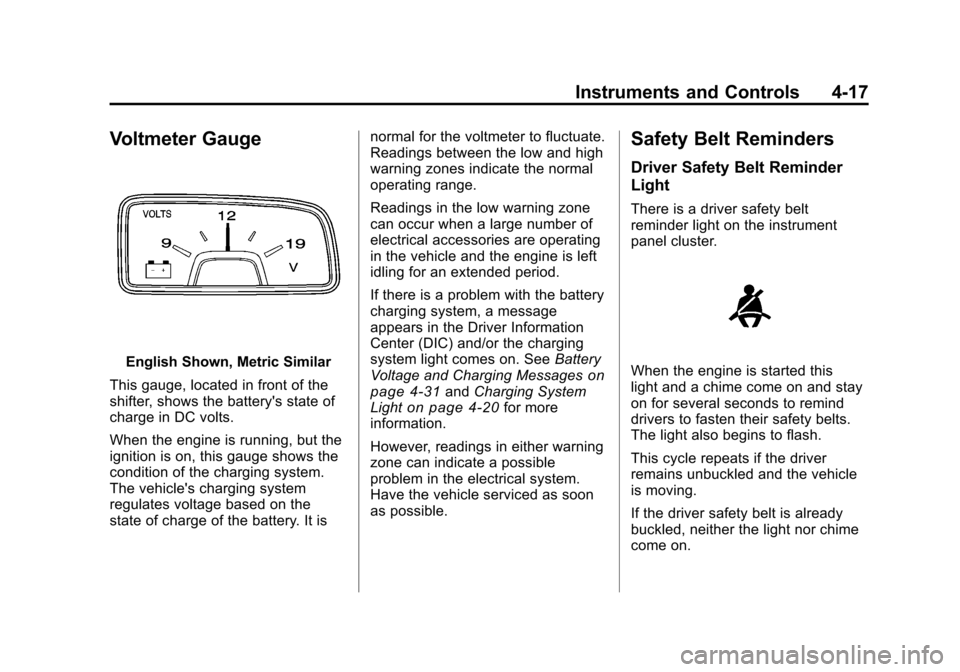
Voltmeter Gauge
English Shown, Metric Similar
This gauge, located in front of the
shifter, shows the battery's state of
charge in DC volts.
When the engine is running, but the
ignition is on, this gauge shows the
condition of the charging system.
The vehicle's charging system
regulates voltage based on the
state of charge of the battery. It is normal for the voltmeter to fluctuate.
Readings between the low and high
warning zones indicate the normal
operating range.
Readings in the low warning zone
can occur when a large number of
electrical accessories are operating
in the vehicle and the engine is left
idling for an extended period.
If there is a problem with the battery
charging system, a message
appears in the Driver Information
Center (DIC) and/or the charging
system light comes on. See
Battery
Voltage and Charging Messageson
page 4‑31and Charging System
Lighton page 4‑20for more
information.
However, readings in either warning
zone can indicate a possible
problem in the electrical system.
Have the vehicle serviced as soon
as possible.
Safety Belt Reminders
Driver Safety Belt Reminder
Light
There is a driver safety belt
reminder light on the instrument
panel cluster.
When the engine is started this
light and a chime come on and stay
on for several seconds to remind
drivers to fasten their safety belts.
The light also begins to flash.
This cycle repeats if the driver
remains unbuckled and the vehicle
is moving.
If the driver safety belt is already
buckled, neither the light nor chime
come on.