lock CHEVROLET CAMARO 2010 5.G Owner's Manual
[x] Cancel search | Manufacturer: CHEVROLET, Model Year: 2010, Model line: CAMARO, Model: CHEVROLET CAMARO 2010 5.GPages: 378, PDF Size: 5.75 MB
Page 78 of 378
Black plate (54,1)Chevrolet Camaro Owner Manual - 2010
2-54 Seats and Restraints
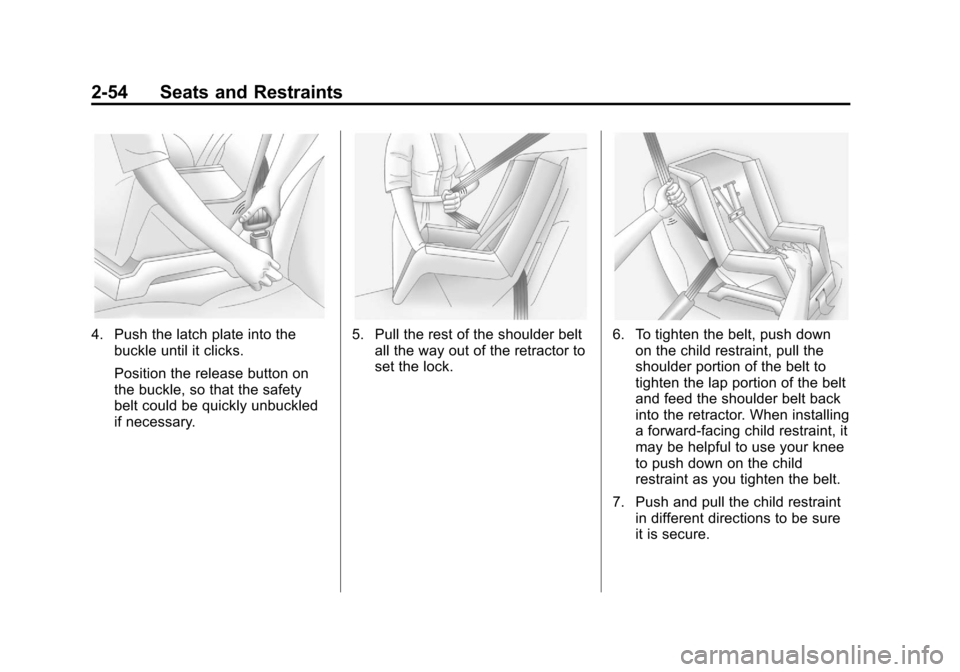
4. Push the latch plate into thebuckle until it clicks.
Position the release button on
the buckle, so that the safety
belt could be quickly unbuckled
if necessary.5. Pull the rest of the shoulder beltall the way out of the retractor to
set the lock.6. To tighten the belt, push downon the child restraint, pull the
shoulder portion of the belt to
tighten the lap portion of the belt
and feed the shoulder belt back
into the retractor. When installing
a forward-facing child restraint, it
may be helpful to use your knee
to push down on the child
restraint as you tighten the belt.
7. Push and pull the child restraint in different directions to be sure
it is secure.
Page 81 of 378
Black plate (1,1)Chevrolet Camaro Owner Manual - 2010
Storage 3-1
Storage
Storage Compartments
Glove Box . . . . . . . . . . . . . . . . . . . . 3-1
Center Console Storage . . . . . . 3-1
Additional Storage Features
Convenience Net . . . . . . . . . . . . . 3-1
Storage
Compartments
Glove Box
Open the glove box by lifting up on
the lever. Use the key to lock and
unlock the glove box.
Center Console Storage
To open, lift the latch on the
front edge.
There is an Accessory Power Outlet
(APO) and an optional USB/audio
jack located in the storage area.
SeePower Outlets
on page 4‑9andAuxiliary Deviceson page 6‑16for more information.
Additional Storage
Features
Convenience Net
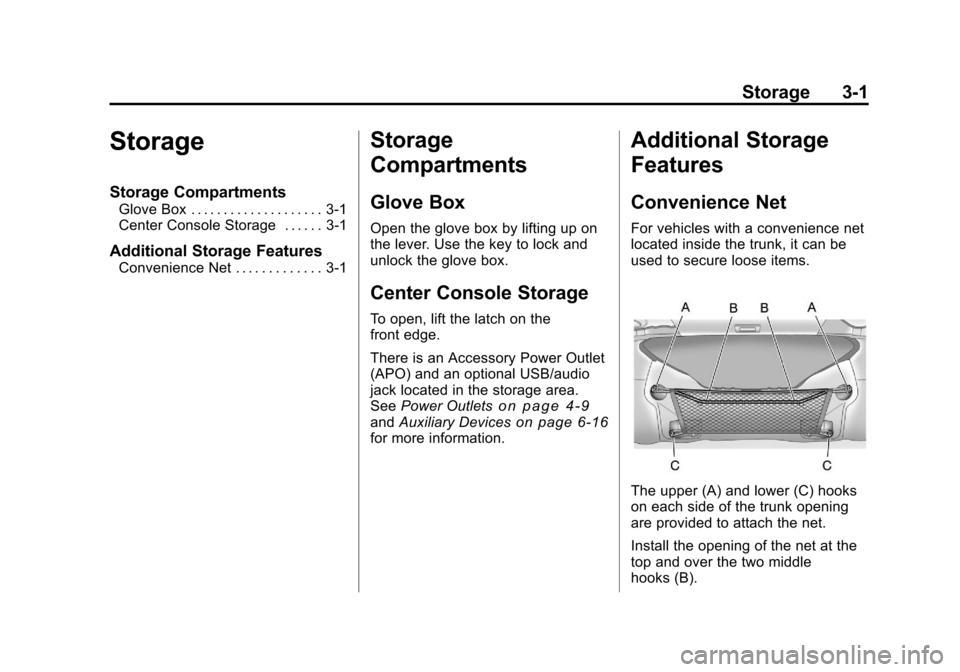
For vehicles with a convenience net
located inside the trunk, it can be
used to secure loose items.
The upper (A) and lower (C) hooks
on each side of the trunk opening
are provided to attach the net.
Install the opening of the net at the
top and over the two middle
hooks (B).
Page 83 of 378
Black plate (1,1)Chevrolet Camaro Owner Manual - 2010
Instruments and Controls 4-1
Instruments and
Controls
Instrument Panel Overview
Instrument Panel Overview . . . . 4-4
Controls
Steering Wheel Adjustment . . . 4-6
Steering Wheel Controls . . . . . . 4-6
Horn . . . . . . . . . . . . . . . . . . . . . . . . . . 4-7
Windshield Wiper/Washer . . . . . 4-7
Compass . . . . . . . . . . . . . . . . . . . . . 4-8
Clock . . . . . . . . . . . . . . . . . . . . . . . . . 4-8
Power Outlets . . . . . . . . . . . . . . . . . 4-9
Warning Lights, Gauges, and
Indicators
Warning Lights, Gauges, andIndicators . . . . . . . . . . . . . . . . . . 4-10
Instrument Cluster . . . . . . . . . . . 4-11
Speedometer . . . . . . . . . . . . . . . . 4-12
Odometer . . . . . . . . . . . . . . . . . . . . 4-12
Trip Odometer . . . . . . . . . . . . . . . 4-12
Tachometer . . . . . . . . . . . . . . . . . . 4-12
Fuel Gauge . . . . . . . . . . . . . . . . . . 4-12
Engine Oil Pressure Gauge . . . . . . . . . . . . . . . . . . . . . . 4-13 Engine Oil Temperature
Gauge . . . . . . . . . . . . . . . . . . . . . . 4-14
Engine Coolant Temperature Gauge . . . . . . . . . . . . . . . . . . . . . . 4-15
Transmission Temperature
Gauge . . . . . . . . . . . . . . . . . . . . . . 4-16
Voltmeter Gauge . . . . . . . . . . . . . 4-17
Safety Belt Reminders . . . . . . . 4-17
Airbag Readiness Light . . . . . . 4-18
Passenger Airbag Status Indicator . . . . . . . . . . . . . . . . . . . . 4-19
Charging System Light . . . . . . 4-20
Malfunction Indicator Lamp . . . . . . . . . . . . . 4-20
Brake System Warning Light . . . . . . . . . . . . . . . . . . . . . . . 4-23
Antilock Brake System (ABS) Warning Light . . . . . . . . . . . . . . 4-24
Traction Off Light . . . . . . . . . . . . 4-24
Traction Control System (TCS)/StabiliTrak®Light . . . . 4-25
Traction Control System (TCS) OFF/StabiliTrak
®OFF
Light . . . . . . . . . . . . . . . . . . . . . . . 4-25
Tire Pressure Light . . . . . . . . . . 4-26
Engine Oil Pressure Light . . . . 4-26
Immobilizer Light . . . . . . . . . . . . 4-27 Fog Lamp Light . . . . . . . . . . . . . . 4-27
Taillamp Indicator Light . . . . . . 4-27
Cruise Control Light . . . . . . . . . 4-27
Information Displays
Driver Information
Center (DIC) . . . . . . . . . . . . . . . 4-28
Vehicle Messages
Vehicle Messages . . . . . . . . . . . 4-31
Battery Voltage and ChargingMessages . . . . . . . . . . . . . . . . . . 4-31
Brake System Messages . . . . 4-32
Compass Messages . . . . . . . . . 4-32
Cruise Control Messages . . . . 4-32
Door Ajar Messages . . . . . . . . . 4-32
Engine Cooling System Messages . . . . . . . . . . . . . . . . . . 4-33
Engine Oil Messages . . . . . . . . 4-33
Engine Power Messages . . . . 4-34
Fuel System Messages . . . . . . 4-34
Key and Lock Messages . . . . . 4-34
Lamp Messages . . . . . . . . . . . . . 4-34
Object Detection System Messages . . . . . . . . . . . . . . . . . . 4-35
Ride Control System Messages . . . . . . . . . . . . . . . . . . 4-35
Airbag System Messages . . . . 4-36
Safety Belt Messages . . . . . . . 4-36
Page 87 of 378

Black plate (5,1)Chevrolet Camaro Owner Manual - 2010
Instruments and Controls 4-5
A.Air Vents on page 7‑3.
B. Driver Shift Controls (If Equipped). See Automatic
Transmission on page 8‑26.
C. Instrument Cluster
on
page 4‑11.
D. Windshield Wiper/Washer
on
page 4‑7.
E. AM-FM Radio on page 6‑7.
F. Turn and Lane-Change Signals
on page 5‑5.Headlamp
High/Low-Beam Changeron
page 5‑3. Flash-to-Passon
page 5‑3. Driver Information
Center (DIC)on page 4‑28(If Equipped). G.
Cruise Control
on page 8‑39.
H. Exterior Lamp Controls
on
page 5‑1. Front Fog Lampson page 5‑5(If Equipped).
Instrument Panel Illumination
Control
on page 5‑6.
I. Steering Wheel Adjustment
on
page 4‑6.
J. Horn on page 4‑7.
K. Steering Wheel Controls
on
page 4‑6.
L. Climate Control Systems
on
page 7‑1. M.
Transmission Temperature
Gauge
on page 4‑16.
Voltmeter Gaugeon
page 4‑17. Engine Oil
Temperature Gaugeon
page 4‑14. Engine Oil Pressure
Gauge on page 4‑13.
N. Shift Lever. See Shifting Into
Park on page 8‑22.
O. Power Outlets on page 4‑9.
P. Hazard Warning Flashers
on
page 5‑4. Power Door Lockson page 1‑7.
Q. Glove Box on page 3‑1.
Page 88 of 378
Black plate (6,1)Chevrolet Camaro Owner Manual - 2010
4-6 Instruments and Controls
Controls
Steering Wheel
Adjustment
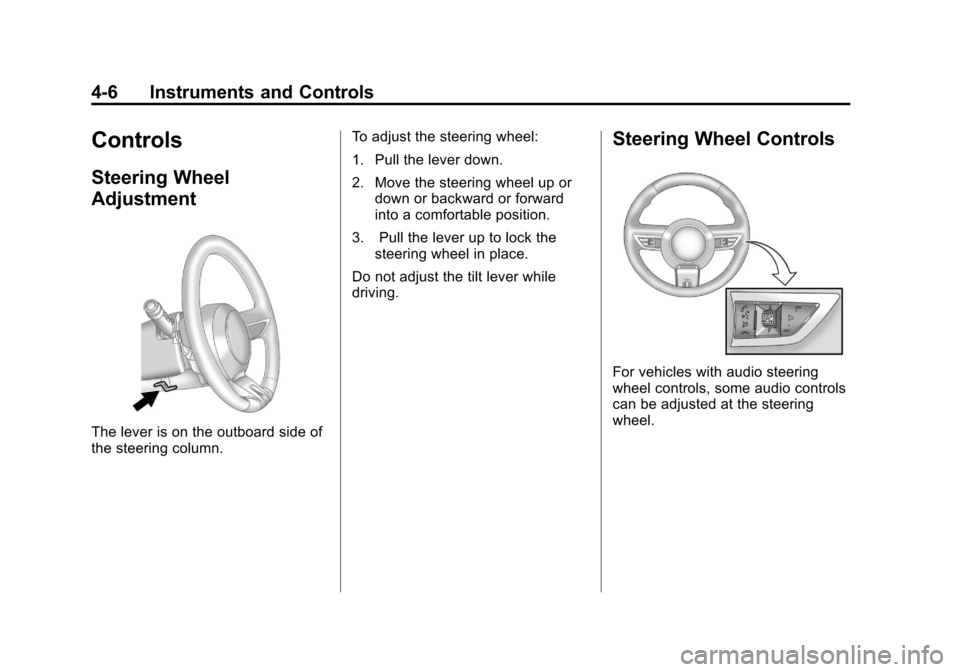
The lever is on the outboard side of
the steering column.To adjust the steering wheel:
1. Pull the lever down.
2. Move the steering wheel up or
down or backward or forward
into a comfortable position.
3. Pull the lever up to lock the steering wheel in place.
Do not adjust the tilt lever while
driving.
Steering Wheel Controls
For vehicles with audio steering
wheel controls, some audio controls
can be adjusted at the steering
wheel.
Page 90 of 378
Black plate (8,1)Chevrolet Camaro Owner Manual - 2010
4-8 Instruments and Controls
Windshield Washer:Pull the lever
toward you to spray washer fluid
on the windshield. The spray
continues until the lever is released.
The wipers will run a few times.
See Washer Fluid
on page 9‑26for
information on filling the windshield
washer fluid reservoir.
{WARNING
In freezing weather, do not
use your washer until the
windshield is warmed. Otherwise
the washer fluid can form ice on
the windshield, blocking your
vision.
Clear ice and snow from the wiper
blades before using them. If the
wiper blades are frozen to the
windshield, gently loosen or thaw
them. If they become damaged,
install new blades or blade inserts.
See Wiper Blade Replacement
on
page 9‑32. Heavy snow or ice can overload the
wiper motor. A circuit breaker will
stop the motor until it cools down.
Compass
The vehicle may have a compass
display on the Driver Information
Center (DIC). The compass receives
its heading and other information
from the Global Positioning
System (GPS) antenna, StabiliTrak,
and vehicle speed information.
Avoid covering the GPS antenna for
long periods of time with objects
that may interfere with the antenna's
ability to receive a satellite signal.
See
Backglass Antenna
on
page 6‑13and Satellite Radio
Antennaon page 6‑13for the
location of the vehicle's antennas.
The compass system is designed
to operate for a certain number of miles or degrees of turn before
needing a signal from the GPS
satellites. When the compass
display shows CAL, drive the
vehicle for a short distance in an
open area where it can receive
a GPS signal. The compass
system will automatically determine
when the GPS signal is restored
and provide a heading again.
See
Compass Messages
on
page 4‑32for more information
on the messages that may be
displayed for the compass.
Clock
The infotainment system controls
are used to access the time and
date settings through the menu
system. See Operation
on
page 6‑3for information about
how to use the menu system.
Page 105 of 378
Black plate (23,1)Chevrolet Camaro Owner Manual - 2010
Instruments and Controls 4-23
Brake System Warning
Light
The vehicle brake system
consists of two hydraulic circuits.
If one circuit is not working, the
remaining circuit can still work to
stop the vehicle. For normal braking
performance, both circuits need to
be working
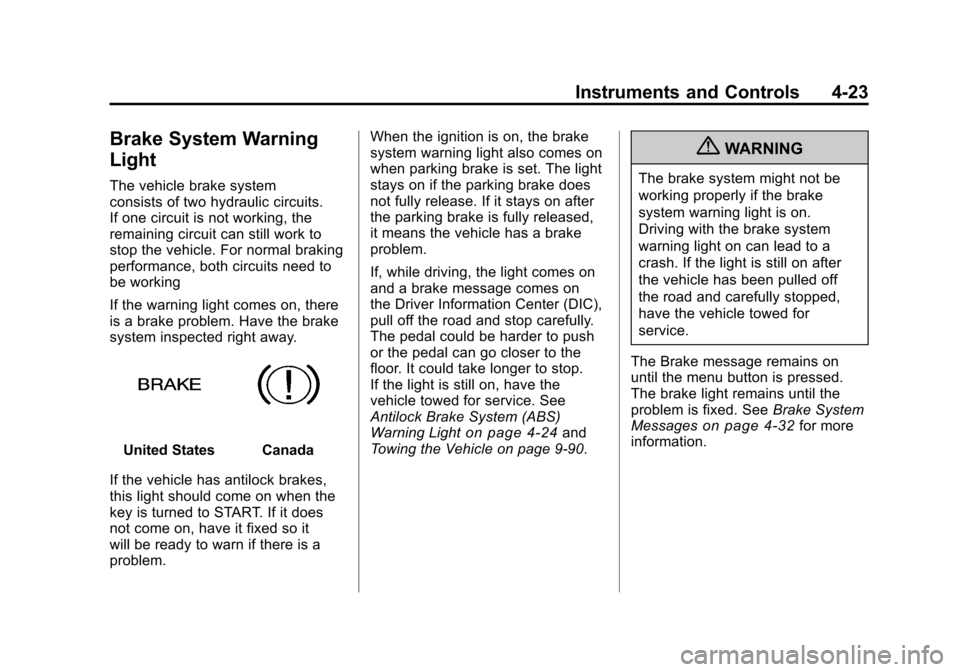
If the warning light comes on, there
is a brake problem. Have the brake
system inspected right away.
United StatesCanada
If the vehicle has antilock brakes,
this light should come on when the
key is turned to START. If it does
not come on, have it fixed so it
will be ready to warn if there is a
problem. When the ignition is on, the brake
system warning light also comes on
when parking brake is set. The light
stays on if the parking brake does
not fully release. If it stays on after
the parking brake is fully released,
it means the vehicle has a brake
problem.
If, while driving, the light comes on
and a brake message comes on
the Driver Information Center (DIC),
pull off the road and stop carefully.
The pedal could be harder to push
or the pedal can go closer to the
floor. It could take longer to stop.
If the light is still on, have the
vehicle towed for service. See
Antilock Brake System (ABS)
Warning Light
on page 4‑24and
Towing the Vehicle on page 9‑90.
{WARNING
The brake system might not be
working properly if the brake
system warning light is on.
Driving with the brake system
warning light on can lead to a
crash. If the light is still on after
the vehicle has been pulled off
the road and carefully stopped,
have the vehicle towed for
service.
The Brake message remains on
until the menu button is pressed.
The brake light remains until the
problem is fixed. See Brake System
Messages
on page 4‑32for more
information.
Page 106 of 378
Black plate (24,1)Chevrolet Camaro Owner Manual - 2010
4-24 Instruments and Controls
Antilock Brake System
(ABS) Warning Light
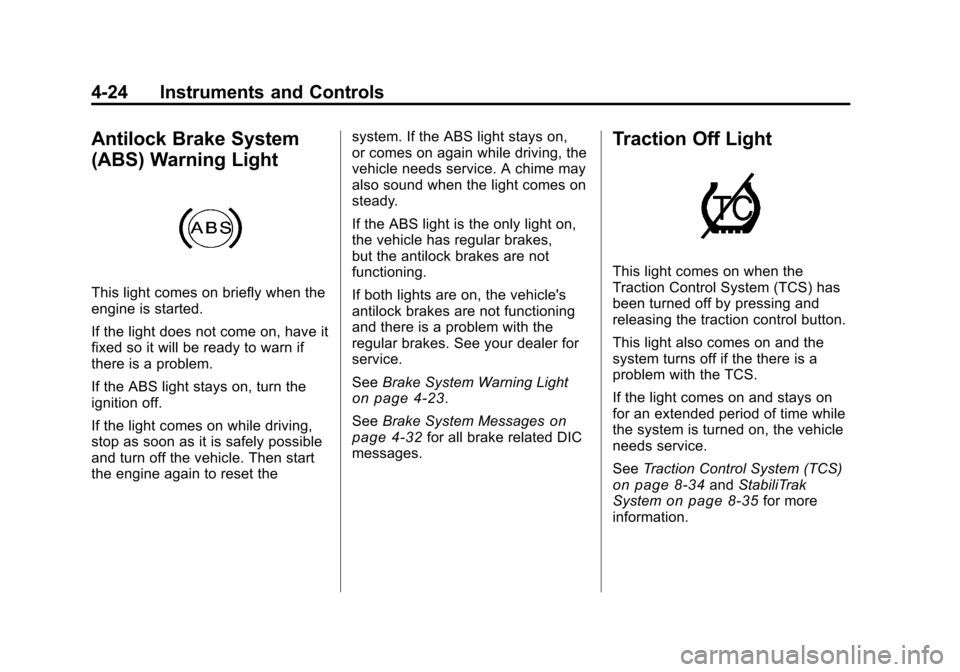
This light comes on briefly when the
engine is started.
If the light does not come on, have it
fixed so it will be ready to warn if
there is a problem.
If the ABS light stays on, turn the
ignition off.
If the light comes on while driving,
stop as soon as it is safely possible
and turn off the vehicle. Then start
the engine again to reset thesystem. If the ABS light stays on,
or comes on again while driving, the
vehicle needs service. A chime may
also sound when the light comes on
steady.
If the ABS light is the only light on,
the vehicle has regular brakes,
but the antilock brakes are not
functioning.
If both lights are on, the vehicle's
antilock brakes are not functioning
and there is a problem with the
regular brakes. See your dealer for
service.
See
Brake System Warning Light
on page 4‑23.
See Brake System Messages
on
page 4‑32for all brake related DIC
messages.
Traction Off Light
This light comes on when the
Traction Control System (TCS) has
been turned off by pressing and
releasing the traction control button.
This light also comes on and the
system turns off if the there is a
problem with the TCS.
If the light comes on and stays on
for an extended period of time while
the system is turned on, the vehicle
needs service.
See Traction Control System (TCS)
on page 8‑34andStabiliTrak
Systemon page 8‑35for more
information.
Page 109 of 378
Black plate (27,1)Chevrolet Camaro Owner Manual - 2010
Instruments and Controls 4-27
Immobilizer Light
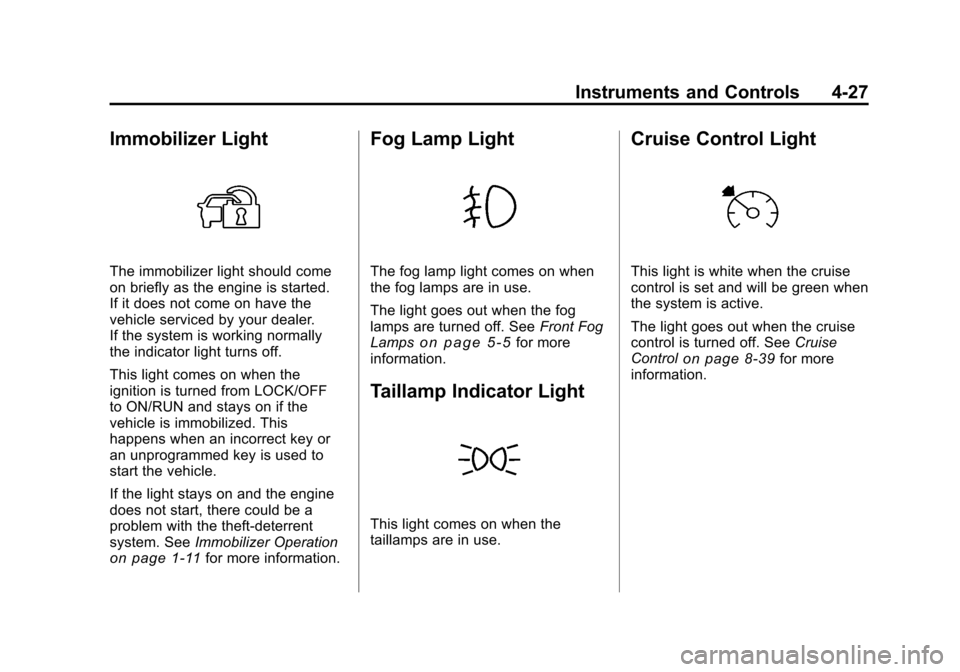
The immobilizer light should come
on briefly as the engine is started.
If it does not come on have the
vehicle serviced by your dealer.
If the system is working normally
the indicator light turns off.
This light comes on when the
ignition is turned from LOCK/OFF
to ON/RUN and stays on if the
vehicle is immobilized. This
happens when an incorrect key or
an unprogrammed key is used to
start the vehicle.
If the light stays on and the engine
does not start, there could be a
problem with the theft-deterrent
system. SeeImmobilizer Operation
on page 1‑11for more information.
Fog Lamp Light
The fog lamp light comes on when
the fog lamps are in use.
The light goes out when the fog
lamps are turned off. See Front Fog
Lamps
on page 5‑5for more
information.
Taillamp Indicator Light
This light comes on when the
taillamps are in use.
Cruise Control Light
This light is white when the cruise
control is set and will be green when
the system is active.
The light goes out when the cruise
control is turned off. See Cruise
Control
on page 8‑39for more
information.
Page 116 of 378
Black plate (34,1)Chevrolet Camaro Owner Manual - 2010
4-34 Instruments and Controls
Oil Pressure Low—Stop
Engine
This message displays if low oil
pressure levels occur. Stop the
vehicle as soon as safely possible
and do not operate it until the cause
of the low oil pressure has been
corrected. Check the oil as soon
as possible and have the vehicle
serviced by your dealer.
Engine Power Messages
Engine Power Is Reduced
This message displays when the
vehicle's engine power is reduced.
Reduced engine power can affect
the vehicle's ability to accelerate.
If this message is on, but there
is no reduction in performance,
proceed to your destination. The
performance may be reduced the
next time the vehicle is driven. The
vehicle may be driven at a reduced
speed while this message is on, but
maximum acceleration and speed
may be reduced. Anytime this message stays on, the vehicle
should be taken to your dealer for
service as soon as possible.
Fuel System Messages
Fuel Level Low
This message displays when the
vehicle is low on fuel. Refuel as
soon as possible
Tighten Gas Cap
This message displays when the
fuel cap is not on tight. Tighten the
fuel cap.
Key and Lock Messages
Number Of Keys Programmed
This message displays when
programming new keys to the
vehicle.
Replace Battery In Remote Key
This message displays when the
battery in the Remote Keyless Entry
(RKE) transmitter needs to be
replaced.
Lamp Messages
Automatic Light Control On
This message is displayed when the
automatic light control has been
turned on. See
Automatic Headlamp
System on page 5‑4.
Automatic Light Control Off
This message is displayed when the
automatic light control has been
turned off. See Automatic Headlamp
System on page 5‑4.
Left Front Turn Indicator
Failure
This message is displayed if the
turn signal bulb needs to be
replaced. See Headlamps, Front
Turn Signal and Parking Lamps
(Base Vehicle)
on page 9‑37or
Headlamps, Front Turn Signal and
Parking Lamps (Up-Level Vehicle)
on page 9‑38and Replacement
Bulbson page 9‑41for more
information.