ignition CHEVROLET CAMARO 2010 5.G Service Manual
[x] Cancel search | Manufacturer: CHEVROLET, Model Year: 2010, Model line: CAMARO, Model: CHEVROLET CAMARO 2010 5.GPages: 378, PDF Size: 5.75 MB
Page 208 of 378
Black plate (32,1)Chevrolet Camaro Owner Manual - 2010
8-32 Driving and Operating
If driving safely on a wet road
and it becomes necessary to slam
on the brakes and continue braking
to avoid a sudden obstacle, a
computer senses that the wheels
are slowing down. If one of the
wheels is about to stop rolling,
the computer will separately work
the brakes at each wheel.
ABS can change the brake pressure
to each wheel, as required, faster
than any driver could. This can help
the driver steer around the obstacle
while braking hard.
As the brakes are applied, the
computer keeps receiving updates
on wheel speed and controls
braking pressure accordingly.
Remember: ABS does not change
the time needed to get a foot up to
the brake pedal or always decreasestopping distance. If you get too
close to the vehicle in front of you,
there will not be enough time to
apply the brakes if that vehicle
suddenly slows or stops. Always
leave enough room up ahead to
stop, even with ABS.
Using ABS
Do not pump the brakes. Just hold
the brake pedal down firmly and let
ABS work. You might hear the ABS
pump or motor operating and feel
the brake pedal pulsate, but this is
normal.
Braking in Emergencies
ABS allows the driver to steer and
brake at the same time. In many
emergencies, steering can help
more than even the very best
braking.
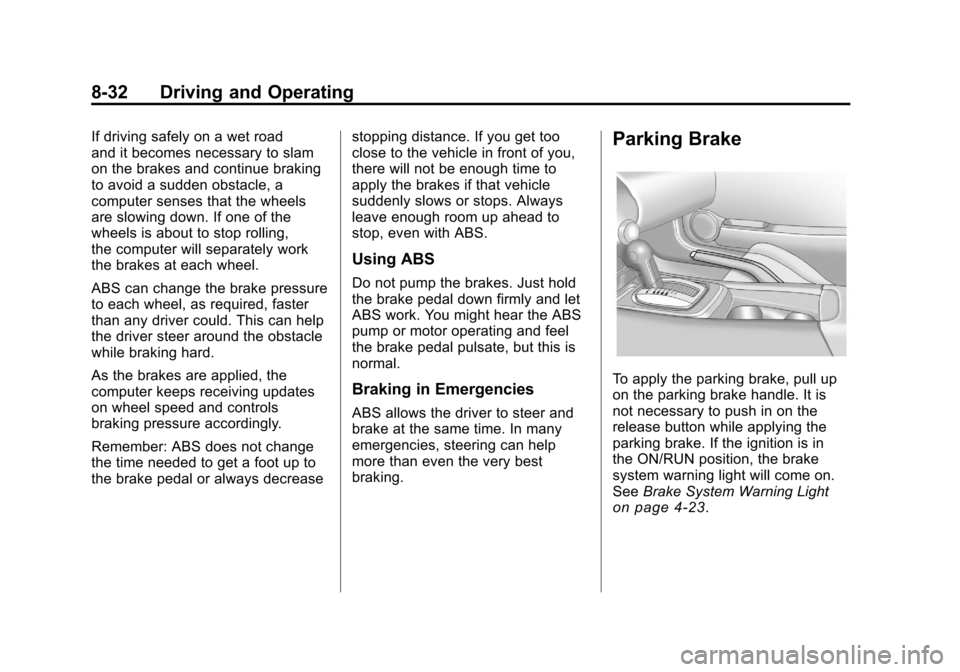
Parking Brake
To apply the parking brake, pull up
on the parking brake handle. It is
not necessary to push in on the
release button while applying the
parking brake. If the ignition is in
the ON/RUN position, the brake
system warning light will come on.
See
Brake System Warning Light
on page 4‑23.
Page 217 of 378
Black plate (41,1)Chevrolet Camaro Owner Manual - 2010
Driving and Operating 8-41
Ending Cruise Control
There are three ways to end the
cruise control:
.To disengage cruise control;
Step lightly on the brake pedal
or clutch.
.Press\to disengage the
cruise control.
.To turn off the cruise control,
press
5on the steering wheel.
Erasing Speed Memory
The cruise control set speed is
erased from memory by pressing
the
5button or if the ignition is
turned off.
Object Detection
Systems
Ultrasonic Parking Assist
For vehicles with the Ultrasonic
Rear Parking Assist (URPA)
system, it assists the driver with
parking and avoiding objects while
in R (Reverse). URPA operates at
speeds less than 8 km/h (5 mph),
and the sensors on the rear bumper
detect objects up to 2.5 m (8 ft)
behind the vehicle, and at least
20 cm (8 in) off the ground.
{WARNING
The Ultrasonic Rear Parking
Assist (URPA) system does not
replace driver vision. It cannot
detect:
.Objects that are below the
bumper, underneath the
vehicle, or too close or far
from the vehicle
.Children, pedestrians,
bicyclists, or pets.
If you do not use proper care
before and while backing, vehicle
damage, injury, or death could
occur. Even with URPA, always
check behind the vehicle before
backing up. While backing, be
sure to look for objects and check
the vehicle's mirrors.
Page 233 of 378
Black plate (1,1)Chevrolet Camaro Owner Manual - 2010
Vehicle Care 9-1
Vehicle Care
General Information
General Information . . . . . . . . . . . 9-3
California Proposition65 Warning . . . . . . . . . . . . . . . . . . 9-3
California Perchlorate Materials Requirements . . . . . . . . . . . . . . . 9-3
Accessories and Modifications . . . . . . . . . . . . . . . . 9-4
Vehicle Checks
Doing Your OwnService Work . . . . . . . . . . . . . . . . 9-4
Hood . . . . . . . . . . . . . . . . . . . . . . . . . . 9-5
Engine Compartment Overview . . . . . . . . . . . . . . . . . . . . 9-6
Engine Cover . . . . . . . . . . . . . . . . . 9-9
Engine Oil . . . . . . . . . . . . . . . . . . . 9-10
Engine Oil Life System . . . . . . 9-13
Automatic Transmission Fluid . . . . . . . . . . . . . . . . . . . . . . . 9-14 Manual Transmission
Fluid . . . . . . . . . . . . . . . . . . . . . . . 9-14
Hydraulic Clutch . . . . . . . . . . . . . 9-15
Engine Air Cleaner/Filter . . . . . 9-15
Cooling System . . . . . . . . . . . . . . 9-17
Engine Coolant . . . . . . . . . . . . . . 9-18
Engine Overheating . . . . . . . . . 9-23
Power Steering Fluid . . . . . . . . 9-25
Washer Fluid . . . . . . . . . . . . . . . . 9-26
Brakes . . . . . . . . . . . . . . . . . . . . . . . 9-27
Brake Fluid . . . . . . . . . . . . . . . . . . 9-28
Battery . . . . . . . . . . . . . . . . . . . . . . . 9-29
Rear Axle . . . . . . . . . . . . . . . . . . . . 9-29
Starter Switch Check . . . . . . . . 9-31
Automatic Transmission Shift Lock Control System
Check . . . . . . . . . . . . . . . . . . . . . . 9-31
Ignition Transmission Lock Check . . . . . . . . . . . . . . . . . . . . . . 9-32
Park Brake and P (Park) Mechanism Check . . . . . . . . . 9-32
Wiper Blade Replacement . . . 9-32
Headlamp Aiming
Headlamp Aiming . . . . . . . . . . . . 9-33
Bulb Replacement
Bulb Replacement . . . . . . . . . . . 9-36
Halogen Bulbs . . . . . . . . . . . . . . . 9-36
High Intensity Discharge (HID) Lighting . . . . . . . . . . . . . . . . . . . . 9-36
Headlamps, Front Turn Signal and Parking Lamps (Base
Vehicle) . . . . . . . . . . . . . . . . . . . . 9-37
Headlamps, Front Turn Signal and Parking Lamps
(Up-Level Vehicle) . . . . . . . . . . 9-38
Daytime Running Lamps (DRL) . . . . . . . . . . . . . . . 9-39
Fog Lamps . . . . . . . . . . . . . . . . . . 9-40
Taillamps, Turn Signal, and Stoplamps . . . . . . . . . . . . . . . . . . 9-40
License Plate Lamp . . . . . . . . . . 9-41
Replacement Bulbs . . . . . . . . . . 9-41
Page 245 of 378
Black plate (13,1)Chevrolet Camaro Owner Manual - 2010
Vehicle Care 9-13
Engine Oil Life System
When to Change Engine Oil
This vehicle has a computer system
that indicates when to change the
engine oil and filter. This is based
on engine revolutions and engine
temperature, and not on mileage.
Based on driving conditions, the
mileage at which an oil change is
indicated can vary considerably.
For the oil life system to work
properly, the system must be reset
every time the oil is changed.
When the system has calculated
that oil life has been diminished,
it indicates that an oil change is
necessary. A“Change Engine
Oil Soon” message comes on.
See Engine Oil Messages
on
page 4‑33. Change the oil as
soon as possible within the next 1 000 km (600 miles). It is possible
that, if driving under the best
conditions, the oil life system might
not indicate that an oil change is
necessary for over a year. However,
the engine oil and filter must be
changed at least once a year and at
this time the system must be reset.
Your dealer has trained service
people who will perform this work
using genuine parts and reset the
system. It is also important to check
the oil regularly and keep it at the
proper level.
If the system is ever reset
accidentally, the oil must be
changed at 5 000 km (3,000 miles)
since the last oil change.
Remember to reset the oil life
system whenever the oil is changed.
How to Reset the Engine Oil
Life System
Reset the system whenever the
engine oil is changed so that the
system can calculate the next
engine oil change. To reset the
system:
1. Turn the ignition to ON/RUN with
the engine off.
2. Fully press and release the accelerator pedal three times
within five seconds.
The system is reset when the
“Change Engine Oil Soon” message
goes off.
Page 251 of 378
Black plate (19,1)Chevrolet Camaro Owner Manual - 2010
Vehicle Care 9-19
Use a 50/50 mixture of clean,
drinkable water and DEX-COOL®
coolant. If using this mixture,
nothing else needs to be added.
This mixture:
.Gives freezing protection down
to−37°C (−34°F), outside
temperature.
.Gives boiling protection up
to 129°C (265°F), engine
temperature.
.Protects against rust and
corrosion.
.Will not damage aluminum parts.
.Helps keep the proper engine
temperature.
Notice: If an improper coolant
mixture is used, the engine could
overheat and be badly damaged.
The repair cost would not be
covered by the vehicle warranty.
Too much water in the mixture
can freeze and crack the engine,
radiator, heater core, and other
parts.
Checking Coolant
The vehicle must be on a level
surface when checking the coolant
level.
Check coolant as follows:
1. Turn the ignition OFF.
2. Locate the coolant recovery bottle. See Engine Compartment
Overview on page 9‑6.
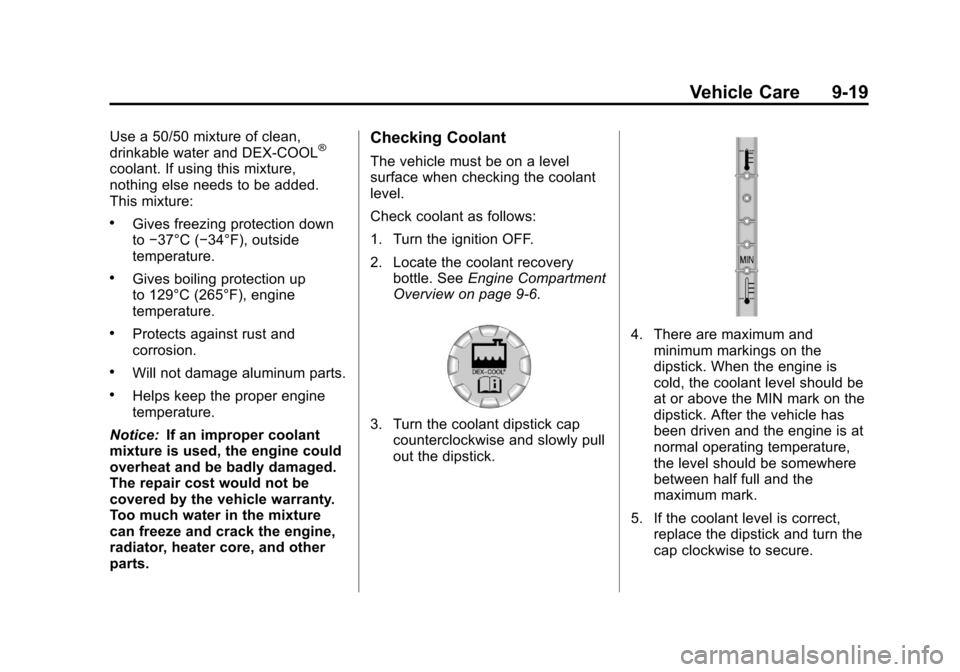
3. Turn the coolant dipstick cap counterclockwise and slowly pull
out the dipstick.
4. There are maximum andminimum markings on the
dipstick. When the engine is
cold, the coolant level should be
at or above the MIN mark on the
dipstick. After the vehicle has
been driven and the engine is at
normal operating temperature,
the level should be somewhere
between half full and the
maximum mark.
5. If the coolant level is correct, replace the dipstick and turn the
cap clockwise to secure.
Page 257 of 378
Black plate (25,1)Chevrolet Camaro Owner Manual - 2010
Vehicle Care 9-25
If the temperature overheat gauge
is no longer in the overheat zone
or an overheat warning no longer
displays, the vehicle can be driven.
Continue to drive the vehicle slow
for about 10 minutes. Keep a safe
vehicle distance from the car in front
of you. If the warning does not come
back on, continue to drive normally.
If the warning continues, pull over,
stop, and park the vehicle
right away.
If there is no sign of steam, idle
the engine for three minutes while
parked. If the warning is still
displayed, turn off the engine
until it cools down.Power Steering Fluid
The power steering fluid reservoir
is located under the engine cover
on the driver side toward the front
of the engine compartment. See
Engine Compartment Overview
on
page 9‑6.
When to Check Power Steering
Fluid
It is not necessary to regularly
check power steering fluid unless
you suspect there is a leak in the
system or an unusual noise is
heard. A fluid loss in this system
could indicate a problem. Have the
system inspected and repaired.
How to Check Power Steering
Fluid
Check the level after the vehicle
has been driven for at least
twenty minutes so the fluid is warm.
To check the power steering fluid:
1. Turn the ignition key to LOCK/OFF and let the engine
compartment cool down.
2. Remove the engine cover. Refer toEngine Cover on page 9‑9.
3. Wipe the cap and the top of the reservoir clean.
4. Turn the cap counterclockwise and pull it straight up.
5. Wipe the dipstick with a clean rag.
Page 264 of 378
Black plate (32,1)Chevrolet Camaro Owner Manual - 2010
9-32 Vehicle Care
3. With the engine off, turn theignition to ON/RUN, but do
not start the engine. Without
applying the regular brake, try
to move the shift lever out of
P (Park) with normal effort. If the
shift lever moves out of P (Park),
contact your dealer for service.
Ignition Transmission
Lock Check
While parked, and with the parking
brake set, try to turn the ignition
to LOCK/OFF in each shift lever
position.
.The ignition should turn to
LOCK/OFF only when the shift
lever is in P (Park).
.The ignition key should come
out only in LOCK/OFF.
Contact your dealer if service is
required.
Park Brake and P (Park)
Mechanism Check
{WARNING
When you are doing this check,
the vehicle could begin to move.
You or others could be injured
and property could be damaged.
Make sure there is room in front
of the vehicle in case it begins to
roll. Be ready to apply the regular
brake at once should the vehicle
begin to move.
Park on a fairly steep hill, with the
vehicle facing downhill. Keeping
your foot on the regular brake, set
the parking brake.
.To check the parking brake's
holding ability: With the engine
running and the transmission in
N (Neutral), slowly remove foot
pressure from the regular brake
pedal. Do this until the vehicle is
held by the parking brake only.
.To check the P (Park)
mechanism's holding ability:
With the engine running, shift
to P (Park). Then release the
parking brake followed by the
regular brake.
Contact your dealer if service is
required.
Wiper Blade Replacement
Windshield wiper blades should be
inspected for wear and cracking.
See Scheduled Maintenance
on
page 10‑2for more information.
Replacement blades come in
different types and are removed
in different ways. For proper type
and length, see Maintenance
Replacement Parts on page 10‑11.
Page 276 of 378
Black plate (44,1)Chevrolet Camaro Owner Manual - 2010
9-44 Vehicle Care
Mini Fuses Usage1 Air Conditioning
Compressor Clutch
2 Transmission
Control Module
5 Engine Control
Module Main
7 Pre-Catalytic
Converter Oxygen
Sensor
8 Post-Catalytic
Converter Oxygen
Sensor
9 Fuel
Injectors
–Even Mini Fuses Usage
10 Fuel Injectors –Odd
11 Cooling Fan Relay
14 Manifold Air Flow/
Chassis Control
15 Ignition
16 Run/Crank IP
17 Sensing Diagnostic
Module/Ignition
18 Run/Crank Body
19 Transmission
Control Module/
Ignition
20 Engine Control
Module/Ignition Mini Fuses Usage
31 Outside Rear View
Mirror
32 Canister Vent
Solenoid
33 Body Control
Module #6
34 Sunroof
35 Front Heated Seats
38 Washer Pump Front
40 Antilock Brake
System Valves
46 HID Headlamp
–
Left Front
Page 278 of 378
Black plate (46,1)Chevrolet Camaro Owner Manual - 2010
9-46 Vehicle Care
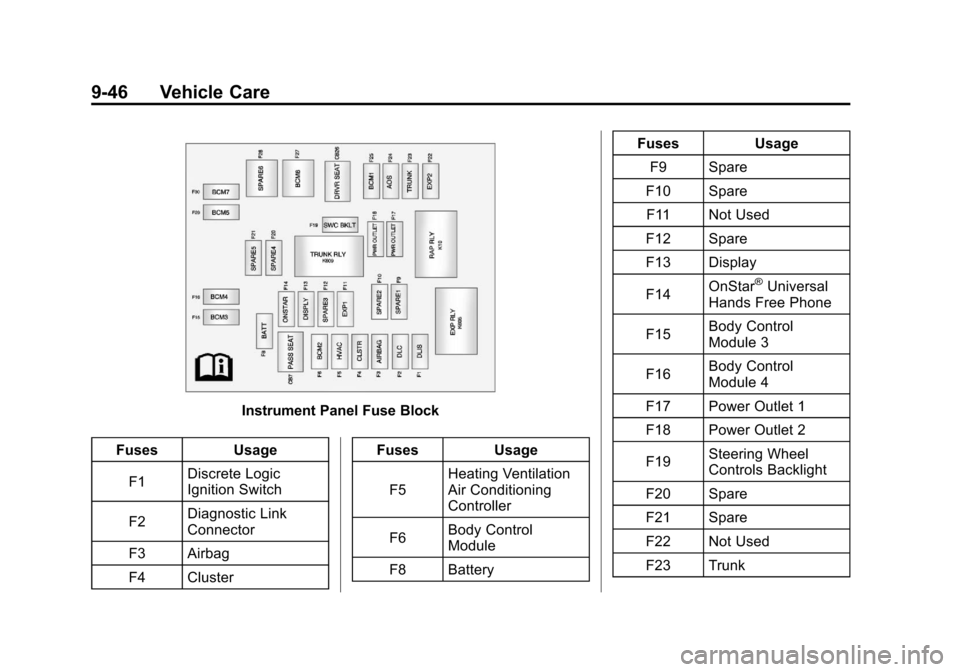
Instrument Panel Fuse Block
Fuses Usage
F1 Discrete Logic
Ignition Switch
F2 Diagnostic Link
Connector
F3 Airbag
F4 Cluster Fuses
Usage
F5 Heating Ventilation
Air Conditioning
Controller
F6 Body Control
Module
F8 Battery Fuses
Usage
F9 Spare
F10 Spare
F11 Not Used
F12 Spare
F13 Display
F14 OnStar
®Universal
Hands Free Phone
F15 Body Control
Module 3
F16 Body Control
Module 4
F17 Power Outlet 1
F18 Power Outlet 2
F19 Steering Wheel
Controls Backlight
F20 Spare
F21 Spare
F22 Not Used
F23 Trunk
Page 292 of 378
Black plate (60,1)Chevrolet Camaro Owner Manual - 2010
9-60 Vehicle Care
Tire Pressure Monitor
Operation
This vehicle may have a Tire
Pressure Monitor System (TPMS).
The TPMS is designed to warn
the driver when a low tire pressure
condition exists. TPMS sensors are
mounted onto each tire and wheel
assembly, excluding the spare tire
and wheel assembly, if the vehicle
has one. The TPMS sensors
monitor the air pressure in the
vehicle's tires and transmits the
tire pressure readings to a receiver
located in the vehicle.
Using the Driver Information Center
(DIC), the driver can also check
tire pressure levels using the DIC.
For additional information and
details about the DIC operation and
displays seeTire Messages
on
page 4‑36.
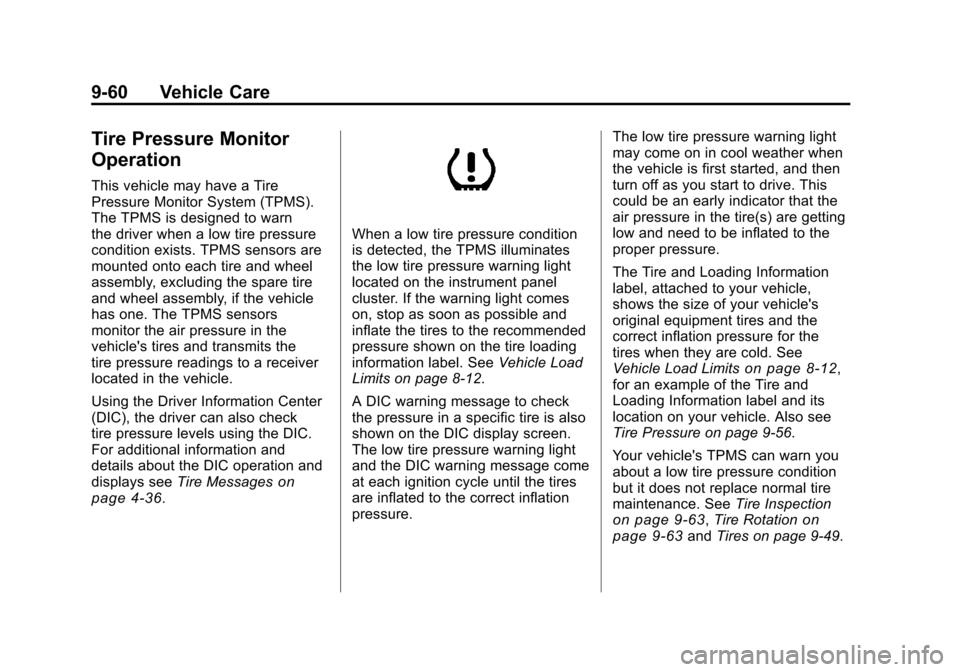
When a low tire pressure condition
is detected, the TPMS illuminates
the low tire pressure warning light
located on the instrument panel
cluster. If the warning light comes
on, stop as soon as possible and
inflate the tires to the recommended
pressure shown on the tire loading
information label. See Vehicle Load
Limits on page 8‑12.
A DIC warning message to check
the pressure in a specific tire is also
shown on the DIC display screen.
The low tire pressure warning light
and the DIC warning message come
at each ignition cycle until the tires
are inflated to the correct inflation
pressure. The low tire pressure warning light
may come on in cool weather when
the vehicle is first started, and then
turn off as you start to drive. This
could be an early indicator that the
air pressure in the tire(s) are getting
low and need to be inflated to the
proper pressure.
The Tire and Loading Information
label, attached to your vehicle,
shows the size of your vehicle's
original equipment tires and the
correct inflation pressure for the
tires when they are cold. See
Vehicle Load Limits
on page 8‑12,
for an example of the Tire and
Loading Information label and its
location on your vehicle. Also see
Tire Pressure on page 9‑56.
Your vehicle's TPMS can warn you
about a low tire pressure condition
but it does not replace normal tire
maintenance. See Tire Inspection
on page 9‑63,Tire Rotationon
page 9‑63and Tires on page 9‑49.