light CHEVROLET CAMARO 2011 5.G User Guide
[x] Cancel search | Manufacturer: CHEVROLET, Model Year: 2011, Model line: CAMARO, Model: CHEVROLET CAMARO 2011 5.GPages: 414, PDF Size: 6.24 MB
Page 24 of 414
Black plate (18,1)Chevrolet Camaro Owner Manual - 2011
1-18 In Brief
Performance and
Maintenance
Traction Control
System (TCS)
The traction control system limits
wheel spin. The system turns on
automatically every time the vehicle
is started.
.To turn off traction control, press
and release
glocated on the
console in front of the shift
lever.
iilluminates and the
appropriate DIC message is
displayed. See Ride Control
System Messages on page 5‑38.
.Press the button again to turn
traction control back on.
For more information, see Traction
Control System (TCS) on
page 9‑38.
StabiliTrak®System
StabiliTrak assists with directional
control of the vehicle in difficult
driving conditions. The system turns
on automatically every time the
vehicle is started.
.To turn off both traction control
and electronic stability control,
press and hold
guntildand
iilluminate and the appropriate
DIC message is displayed.
See Ride Control System
Messages on page 5‑38.
.Press the button again to turn on
both systems.
For more information, see
StabiliTrak
®System on page 9‑39.
Towing
The vehicle was neither designed
nor intended to be towed with any of
its wheels on the ground.
See Towing the Vehicle on
page 10‑95 andRecreational
Vehicle Towing on page 10‑95.
Tire Pressure Monitor
This vehicle may have a Tire
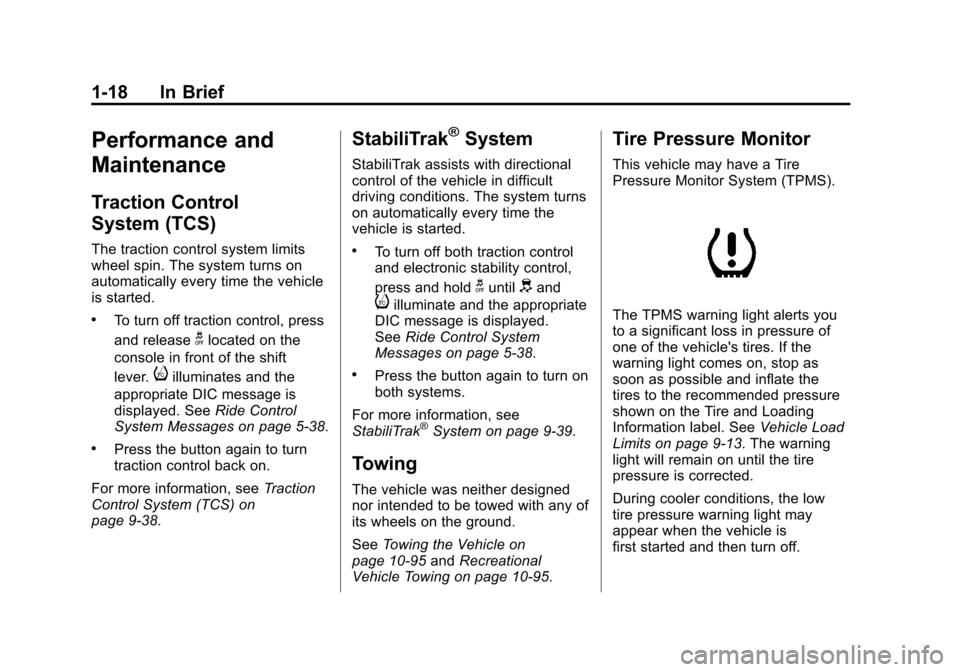
Pressure Monitor System (TPMS).
The TPMS warning light alerts you
to a significant loss in pressure of
one of the vehicle's tires. If the
warning light comes on, stop as
soon as possible and inflate the
tires to the recommended pressure
shown on the Tire and Loading
Information label. See Vehicle Load
Limits on page 9‑13. The warning
light will remain on until the tire
pressure is corrected.
During cooler conditions, the low
tire pressure warning light may
appear when the vehicle is
first started and then turn off.
Page 28 of 414
Black plate (22,1)Chevrolet Camaro Owner Manual - 2011
1-22 In Brief
If you try to add, connect, or modify
any equipment or software in the
vehicle, OnStar service may not
work. Other problems OnStar can’t
control may prevent service to you,
such as hills, tall buildings, tunnels,
weather, electrical system design
and architecture of the vehicle,
damage to important parts of the
vehicle in a crash, or wireless phone
network congestion or jamming.
SeeRadio Frequency Statement on
page 13‑19 for information
regarding Part 15 of the Federal
Communications Commission
(FCC) rules and Industry Canada
Standards RSS-210/220/310.OnStar Steering Wheel
Controls
This vehicle may have
a
b g/$ iTalk/Mute button
that can be used to interact
with OnStar Hands-Free calling.
See Steering Wheel Controls on
page 5‑2 for more information.
On some vehicles, the
$ ibutton
can be used to dial numbers into
voice mail systems, or to dial phone
extensions. See the OnStar Owner's
Guide for more information.
Your Responsibility
Increase the volume of the radio
if the OnStar Advisor cannot be
heard.
If the light next to the OnStar
buttons is red, the system may
not be functioning properly. Push
the
Qbutton and request a vehicle
diagnostic check. If the light
appears clear (no light appears),
your OnStar subscription has
expired and all services have been
deactivated. Push the
Qbutton to
confirm that the OnStar equipment
is active.
Page 38 of 414
Black plate (10,1)Chevrolet Camaro Owner Manual - 2011
2-10 Keys, Doors and Windows
Emergency Trunk Release
Handle
Notice:Do not use the
emergency trunk release handle
as a tie-down or anchor point
when securing items in the trunk
as it could damage the handle.
The emergency trunk release
handle is only intended to aid a
person trapped in a latched trunk,
enabling them to open the trunk
from the inside.
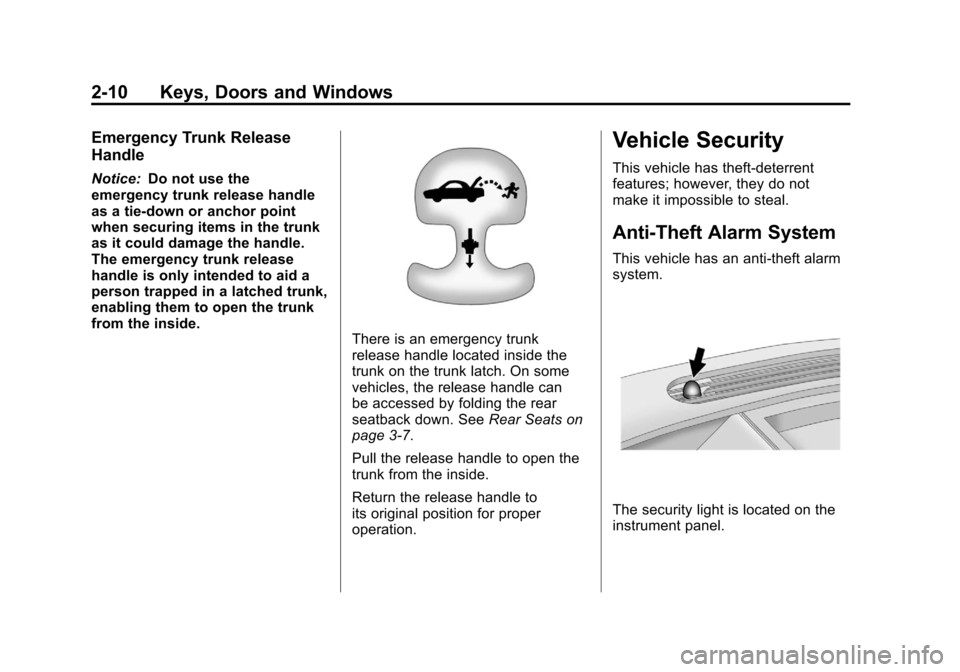
There is an emergency trunk
release handle located inside the
trunk on the trunk latch. On some
vehicles, the release handle can
be accessed by folding the rear
seatback down. See Rear Seats on
page 3‑7.
Pull the release handle to open the
trunk from the inside.
Return the release handle to
its original position for proper
operation.
Vehicle Security
This vehicle has theft-deterrent
features; however, they do not
make it impossible to steal.
Anti-Theft Alarm System
This vehicle has an anti-theft alarm
system.
The security light is located on the
instrument panel.
Page 39 of 414
Black plate (11,1)Chevrolet Camaro Owner Manual - 2011
Keys, Doors and Windows 2-11
Arming the System
To arm the system, pressQon the
RKE transmitter.
The alarm automatically arms after
about 30 seconds. The security
light, located on the instrument
panel, flashes.
Disarming the System
To disarm the system, do one of the
following:
.PressKon the RKE transmitter.
.Turn the ignition to ON/RUN.
The security light stays on for
approximately one second when
the vehicle is disarming.
If the system is armed when there
are people inside of the vehicle,
pulling the door handle from the
inside one time will unlock the door.
Pulling the handle a second time
will unlatch the door.
How the System Alarm is
Activated
To activate the system if it is armed,
open any door, the trunk, or hood.
The horn will sound and the hazard
warning flashers will flash.
How to Turn Off the System
Alarm
To turn off the system alarm, do one
of the following:
.PressKon the RKE transmitter.
.Turn the ignition to ON/RUN.
The theft-deterrent system is
disarmed when the alarm is
turned off.
How to Detect a Tamper
Condition
If the horn sounds and the turn
signal lamps flash three times
when
Kis pressed, an attempted
break-in has occurred while the
system was armed. The vehicle
may also display a message on the
DIC. See Anti-Theft Alarm System
Messages on page 5‑39 for more
information.
Immobilizer
See Radio Frequency Statement on
page 13‑19 for information
regarding Part 15 of the Federal
Communications Commission
(FCC) rules and Industry Canada
Standards RSS-210/220/310.
Page 40 of 414
Black plate (12,1)Chevrolet Camaro Owner Manual - 2011
2-12 Keys, Doors and Windows
Immobilizer Operation
This vehicle has a passive
theft-deterrent system.
The system does not have to be
manually armed or disarmed.
The vehicle is automatically
immobilized when the key is
removed from the ignition.
The system is automatically
disarmed when the vehicle is
started with the correct key.
The key uses a transponder that
matches an immobilizer control unit
in the vehicle and automatically
disarms the system. Only the
correct key starts the vehicle.
The vehicle may not start if the
key is damaged.
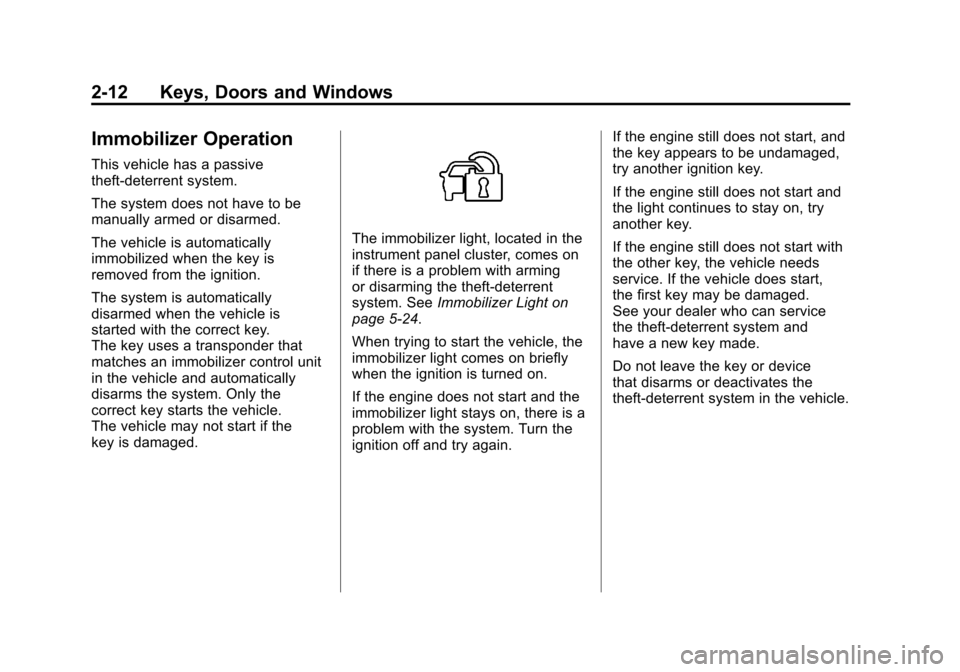
The immobilizer light, located in the
instrument panel cluster, comes on
if there is a problem with arming
or disarming the theft-deterrent
system. SeeImmobilizer Light on
page 5‑24.
When trying to start the vehicle, the
immobilizer light comes on briefly
when the ignition is turned on.
If the engine does not start and the
immobilizer light stays on, there is a
problem with the system. Turn the
ignition off and try again. If the engine still does not start, and
the key appears to be undamaged,
try another ignition key.
If the engine still does not start and
the light continues to stay on, try
another key.
If the engine still does not start with
the other key, the vehicle needs
service. If the vehicle does start,
the first key may be damaged.
See your dealer who can service
the theft-deterrent system and
have a new key made.
Do not leave the key or device
that disarms or deactivates the
theft-deterrent system in the vehicle.
Page 42 of 414
Black plate (14,1)Chevrolet Camaro Owner Manual - 2011
2-14 Keys, Doors and Windows
Heated Mirrors
For vehicles with heated mirrors:
<(Rear Window Defogger):
Press to heat the mirrors.
See “Rear Window Defogger”
under Climate Control Systems on
page 8‑1 for more information.
Automatic Dimming
Mirror
If the vehicle is equipped with an
automatic dimming outside mirror
on the driver side, the mirror will
adjust for the glare of headlamps
behind you.
Interior Mirrors
Manual Rearview Mirror
Adjust the inside rearview mirror
for a clear view of the area behind
your vehicle. To avoid glare of the
headlamps from behind, push the
tab forward for daytime and pull it
for nighttime use.
Vehicles with OnStar
®have three
additional control buttons located at
the bottom of the mirror. See your
dealer for more information about
OnStar and how to subscribe to it.
See the OnStar Owner's Guide for
more information about the services
OnStar provides.
Automatic Dimming
Rearview Mirror
The vehicle may have an automatic
dimming inside rearview mirror.
Automatic dimming reduces the
glare from the headlamps of the
vehicle behind you. The dimming
feature and the indicator light come
on each time the vehicle is started.
Vehicles with OnStar
®have three
additional control buttons located at
the bottom of the mirror. See your
dealer for more information about
OnStar and how to subscribe to it.
See the OnStar Owner's Guide for
more information about the services
OnStar provides.
Cleaning the Mirror
Do not spray glass cleaner directly
on the mirror. Use a soft towel
dampened with water.
Page 53 of 414
Black plate (7,1)Chevrolet Camaro Owner Manual - 2011
Seats and Restraints 3-7
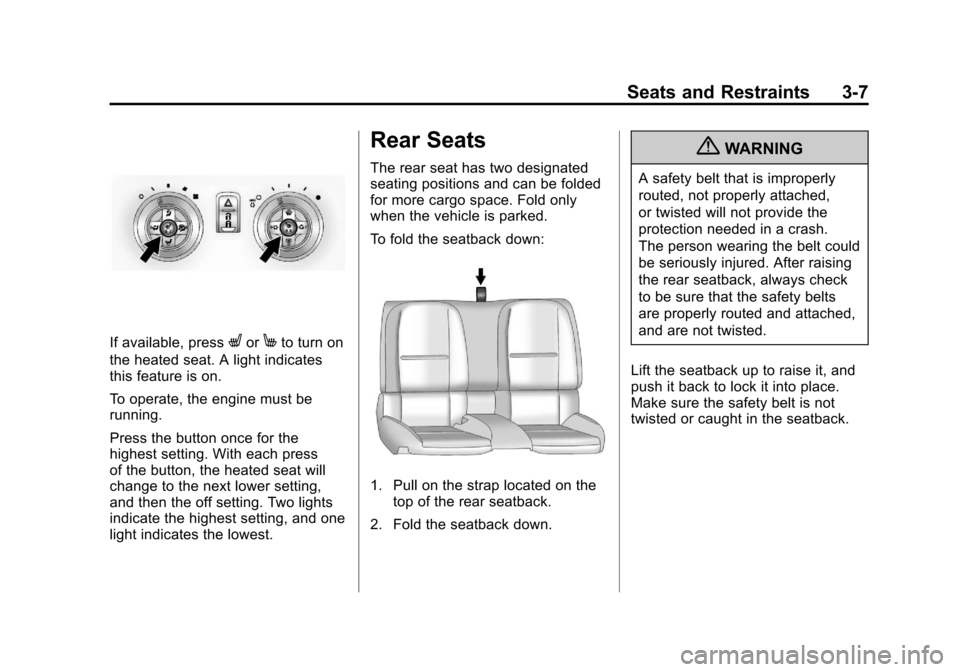
If available, pressLorMto turn on
the heated seat. A light indicates
this feature is on.
To operate, the engine must be
running.
Press the button once for the
highest setting. With each press
of the button, the heated seat will
change to the next lower setting,
and then the off setting. Two lights
indicate the highest setting, and one
light indicates the lowest.
Rear Seats
The rear seat has two designated
seating positions and can be folded
for more cargo space. Fold only
when the vehicle is parked.
To fold the seatback down:
1. Pull on the strap located on the top of the rear seatback.
2. Fold the seatback down.
{WARNING
A safety belt that is improperly
routed, not properly attached,
or twisted will not provide the
protection needed in a crash.
The person wearing the belt could
be seriously injured. After raising
the rear seatback, always check
to be sure that the safety belts
are properly routed and attached,
and are not twisted.
Lift the seatback up to raise it, and
push it back to lock it into place.
Make sure the safety belt is not
twisted or caught in the seatback.
Page 63 of 414
Black plate (17,1)Chevrolet Camaro Owner Manual - 2011
Seats and Restraints 3-17
Lap-Shoulder Belt
All seating positions in the vehicle
have a lap-shoulder belt.
The following instructions explain
how to wear a lap-shoulder belt
properly.
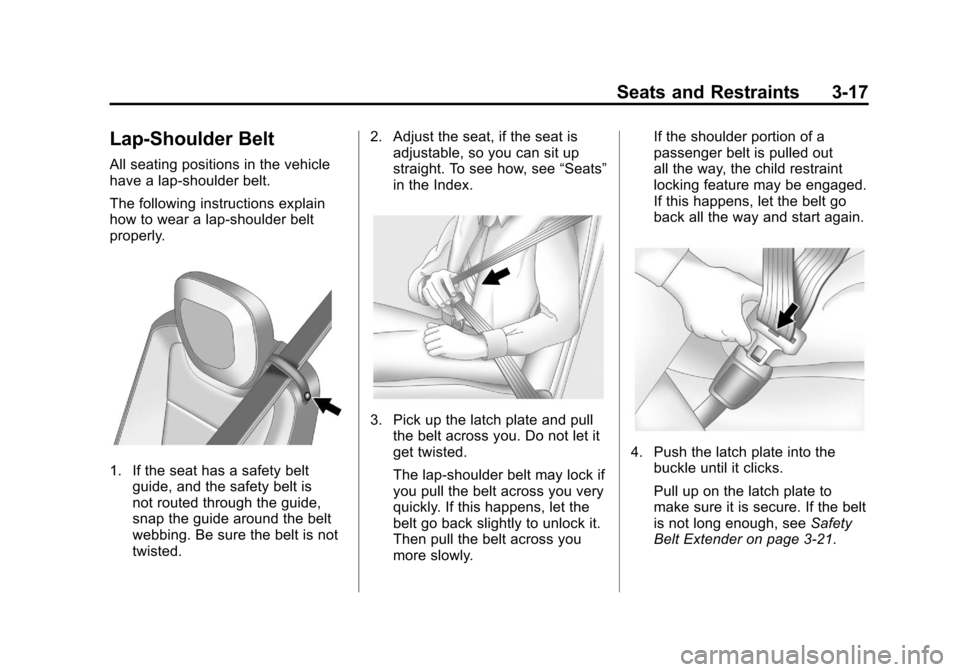
1. If the seat has a safety beltguide, and the safety belt is
not routed through the guide,
snap the guide around the belt
webbing. Be sure the belt is not
twisted. 2. Adjust the seat, if the seat is
adjustable, so you can sit up
straight. To see how, see “Seats”
in the Index.
3. Pick up the latch plate and pull the belt across you. Do not let it
get twisted.
The lap-shoulder belt may lock if
you pull the belt across you very
quickly. If this happens, let the
belt go back slightly to unlock it.
Then pull the belt across you
more slowly. If the shoulder portion of a
passenger belt is pulled out
all the way, the child restraint
locking feature may be engaged.
If this happens, let the belt go
back all the way and start again.
4. Push the latch plate into the
buckle until it clicks.
Pull up on the latch plate to
make sure it is secure. If the belt
is not long enough, see Safety
Belt Extender on page 3‑21.
Page 68 of 414
Black plate (22,1)Chevrolet Camaro Owner Manual - 2011
3-22 Seats and Restraints
Safety System Check
Now and then, check that the safety
belt reminder light, safety belts,
buckles, latch plates, retractors,
and anchorages are working
properly. Look for any other loose or
damaged safety belt system parts
that might keep a safety belt system
from doing its job. See your dealer
to have it repaired. Torn or frayed
safety belts may not protect you in
a crash. They can rip apart under
impact forces. If a belt is torn or
frayed, get a new one right away.
Make sure the safety belt reminder
light is working. SeeSafety Belt
Reminders on page 5‑14 for more
information.
Keep safety belts clean and dry.
See Safety Belt Care on page 3‑22.
Safety Belt Care
Keep belts clean and dry.
{WARNING
Do not bleach or dye safety belts.
It may severely weaken them.
In a crash, they might not be able
to provide adequate protection.
Clean safety belts only with mild
soap and lukewarm water.
Replacing Safety Belt
System Parts After a
Crash
{WARNING
A crash can damage the safety
belt system in the vehicle.
A damaged safety belt system
may not properly protect the
person using it, resulting in
serious injury or even death in
a crash. To help make sure the
safety belt systems are working
properly after a crash, have them
inspected and any necessary
replacements made as soon as
possible.
Page 69 of 414
Black plate (23,1)Chevrolet Camaro Owner Manual - 2011
Seats and Restraints 3-23
After a minor crash, replacement of
safety belts may not be necessary.
But the safety belt assemblies that
were used during any crash may
have been stressed or damaged.
See your dealer to have the safety
belt assemblies inspected or
replaced.
New parts and repairs may be
necessary even if the safety belt
system was not being used at the
time of the crash.
Have the safety belt pretensioners
checked if the vehicle has been in a
crash, or if the airbag readiness light
stays on after you start the vehicle
or while you are driving. SeeAirbag
Readiness Light on page 5‑15.Airbag System
The vehicle has the following
airbags:
.A frontal airbag for the driver.
.A frontal airbag for the right front
passenger.
.A seat-mounted side impact
airbag for the driver.
.A seat-mounted side impact
airbag for the right front
passenger.
The vehicle may also have the
following airbags:
.A roof-rail airbag for the driver
and the passenger seated
directly behind the driver.
.A roof-rail airbag for the right
front passenger and the
passenger seated directly
behind the right front passenger. All of the airbags in your vehicle will
have the word AIRBAG embossed
in the trim or on an attached label
near the deployment opening.
For frontal airbags, the word
AIRBAG will appear on the middle
part of the steering wheel for the
driver and on the instrument panel
for the right front passenger.
With seat-mounted side impact
airbags, the word AIRBAG will
appear on the side of the seatback
closest to the door.
With roof-rail airbags, the word
AIRBAG will appear along the
headliner or trim.
Airbags are designed to supplement
the protection provided by safety
belts. Even though today's airbags
are also designed to help reduce
the risk of injury from the force of an
inflating bag, all airbags must inflate
very quickly to do their job.