radio CHEVROLET CAMARO 2011 5.G User Guide
[x] Cancel search | Manufacturer: CHEVROLET, Model Year: 2011, Model line: CAMARO, Model: CHEVROLET CAMARO 2011 5.GPages: 414, PDF Size: 6.24 MB
Page 110 of 414
Black plate (4,1)Chevrolet Camaro Owner Manual - 2011
5-4 Instruments and Controls
When the windshield wiper lever
is released, additional wipes may
occur depending on how long
the windshield washer had been
activated. SeeWasher Fluid on
page 10‑28 for information on
filling the windshield washer
fluid reservoir.
{WARNING
In freezing weather, do not use
the washer until the windshield
is warmed. Otherwise the
washer fluid can form ice on the
windshield, blocking your vision.
Clear ice and snow from the
wiper blades before using them.
If they are frozen to the windshield,
carefully loosen or thaw them.
Damaged wiper blades should
be replaced. See Wiper Blade
Replacement on page 10‑34.
Heavy snow or ice can overload the
wipers. A circuit breaker stops them
until the motor cools.
Compass
The vehicle may have a compass
display on the Driver Information
Center (DIC). The compass
receives its heading and other
information from the Global
Positioning System (GPS) antenna,
StabiliTrak, and vehicle speed
information.
Avoid covering the GPS antenna
for long periods of time with
objects that may interfere with
the antenna's ability to receive a
satellite signal. See Backglass
Antenna on page 7‑13 andSatellite
Radio Antenna on page 7‑14 for the
location of the vehicle's antennas.
The compass system is designed
to operate for a certain number of
miles or degrees of turn before
needing a signal from the GPS
satellites. When the compass display shows CAL, drive the
vehicle for a short distance in an
open area where it can receive
a GPS signal. The compass
system will automatically determine
when the GPS signal is restored
and provide a heading again.
See
Compass Messages on
page 5‑35 for more information
on the messages that may be
displayed for the compass.
Clock
The infotainment system controls
are used to access the time and
date settings through the menu
system. See Operation on page 7‑4
for information about how to use the
menu system.
Page 123 of 414
Black plate (17,1)Chevrolet Camaro Owner Manual - 2011
Instruments and Controls 5-17
{WARNING
If the airbag readiness light ever
comes on and stays on, it means
that something may be wrong
with the airbag system. To help
avoid injury to yourself or others,
have the vehicle serviced right
away. SeeAirbag Readiness
Light on page 5‑15 for more
information, including important
safety information.
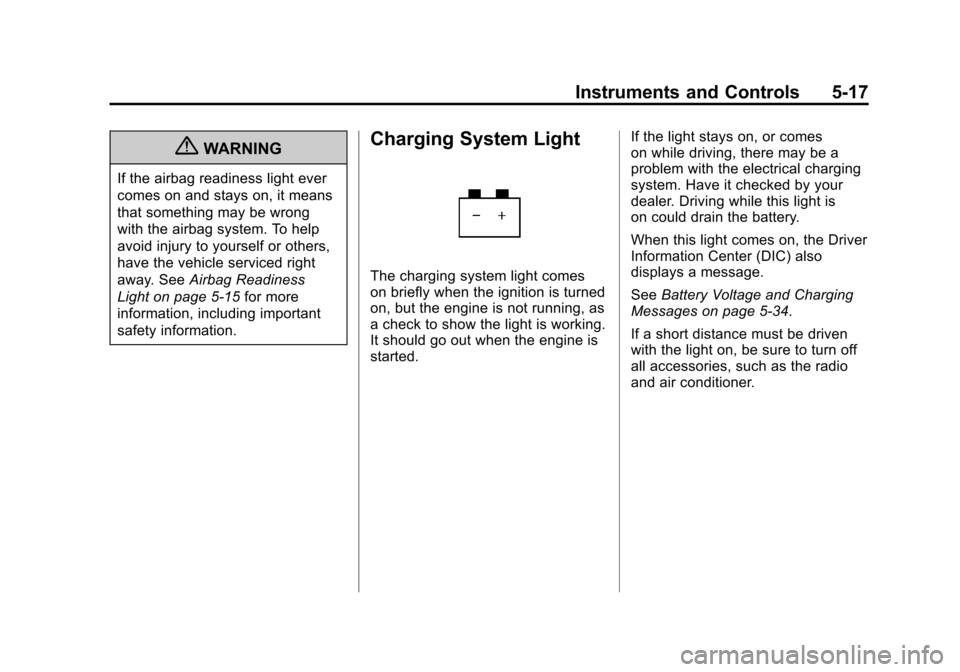
Charging System Light
The charging system light comes
on briefly when the ignition is turned
on, but the engine is not running, as
a check to show the light is working.
It should go out when the engine is
started. If the light stays on, or comes
on while driving, there may be a
problem with the electrical charging
system. Have it checked by your
dealer. Driving while this light is
on could drain the battery.
When this light comes on, the Driver
Information Center (DIC) also
displays a message.
See
Battery Voltage and Charging
Messages on page 5‑34.
If a short distance must be driven
with the light on, be sure to turn off
all accessories, such as the radio
and air conditioner.
Page 131 of 414
Black plate (25,1)Chevrolet Camaro Owner Manual - 2011
Instruments and Controls 5-25
If the light stays on and the engine
does not start, there could be a
problem with the theft-deterrent
system. SeeImmobilizer Operation
on page 2‑12 for more information.
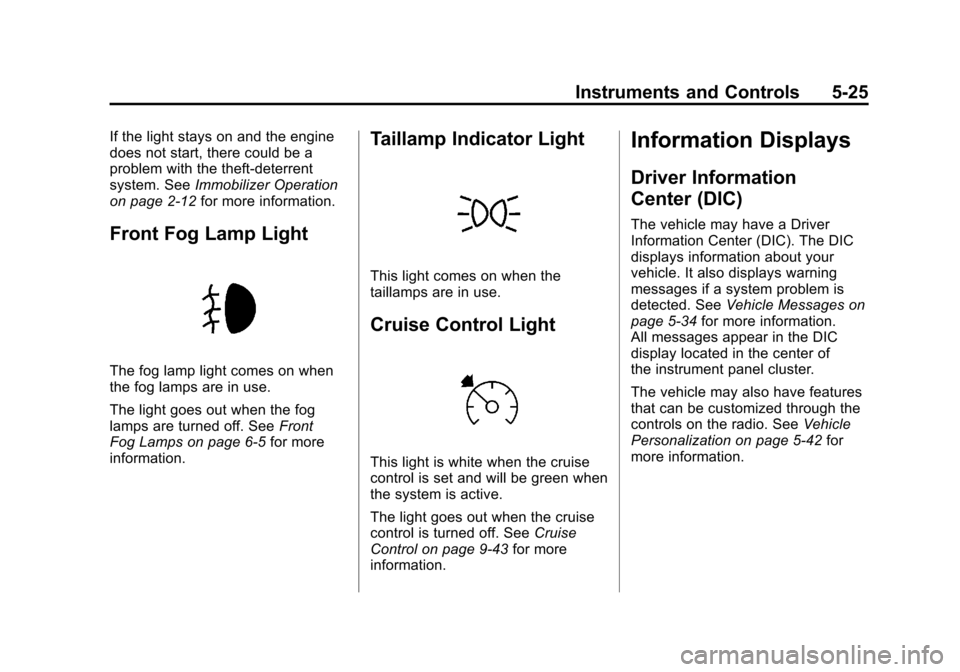
Front Fog Lamp Light
The fog lamp light comes on when
the fog lamps are in use.
The light goes out when the fog
lamps are turned off. See Front
Fog Lamps on page 6‑5 for more
information.
Taillamp Indicator Light
This light comes on when the
taillamps are in use.
Cruise Control Light
This light is white when the cruise
control is set and will be green when
the system is active.
The light goes out when the cruise
control is turned off. See Cruise
Control on page 9‑43 for more
information.
Information Displays
Driver Information
Center (DIC)
The vehicle may have a Driver
Information Center (DIC). The DIC
displays information about your
vehicle. It also displays warning
messages if a system problem is
detected. See Vehicle Messages on
page 5‑34 for more information.
All messages appear in the DIC
display located in the center of
the instrument panel cluster.
The vehicle may also have features
that can be customized through the
controls on the radio. See Vehicle
Personalization on page 5‑42 for
more information.
Page 135 of 414
Black plate (29,1)Chevrolet Camaro Owner Manual - 2011
Instruments and Controls 5-29
Battery Voltage
This display, available on some
vehicles, shows the current
battery voltage. If the voltage
is in the normal range, the value
will display. For example, the
display may read Battery Voltage
15.0 Volts. The vehicle's charging
system regulates voltage based on
the state of the battery. The battery
voltage can fluctuate while viewing
this information on the DIC. This is
normal. SeeCharging System Light
on page 5‑17 for more information.
If there is a problem with the
battery charging system, the DIC
will display a message. See Battery
Voltage and Charging Messages on
page 5‑34. Speed Warning
Speed Warning allows the driver to
set a speed that they do not want to
exceed. To set the Speed Warning,
press SET when Speed Warning is
displayed.
Compass
The vehicle may have a compass
display in the Driver Information
Center (DIC). See
Compass on
page 5‑4 for more information.
Head-Up Display (HUD)
{WARNING
If the HUD image is too bright or
too high in your field of view, it
may take you more time to see
things you need to see when it is
dark outside. Be sure to keep the
HUD image dim and placed low in
your field of view.
For vehicles with the Head-Up
Display (HUD), some information
concerning the operation of the
vehicle is projected onto the
windshield. This includes the
speedometer reading, RPM reading,
transmission position, outside air
temperature, compass heading and
a brief display of the current radio
station, including XM information
or CD track. It will also display
turn-by-turn navigation information if
the vehicle has a navigation radio.
Page 136 of 414
Black plate (30,1)Chevrolet Camaro Owner Manual - 2011
5-30 Instruments and Controls
The images are projected through
the HUD lens located on the driver
side of the instrument panel.
Notice:If you try to use the
HUD image as a parking aid, you
may misjudge the distance and
damage your vehicle. Do not use
the HUD image as a parking aid.
The tap shift gear will also appear
on the HUD if the vehicle has tap
shift and it is active.
The HUD information can be
displayed in one of three languages,
English, French, or Spanish.
The speedometer reading and other
numerical values can be displayed
in either English or metric units.
The language selection is changed
through the radio and the units
of measurement is changed
through the trip computer in the
Driver Information Center (DIC).
See AM-FM Radio on page 7‑8
and Driver Information Center (DIC)
on page 5‑25.
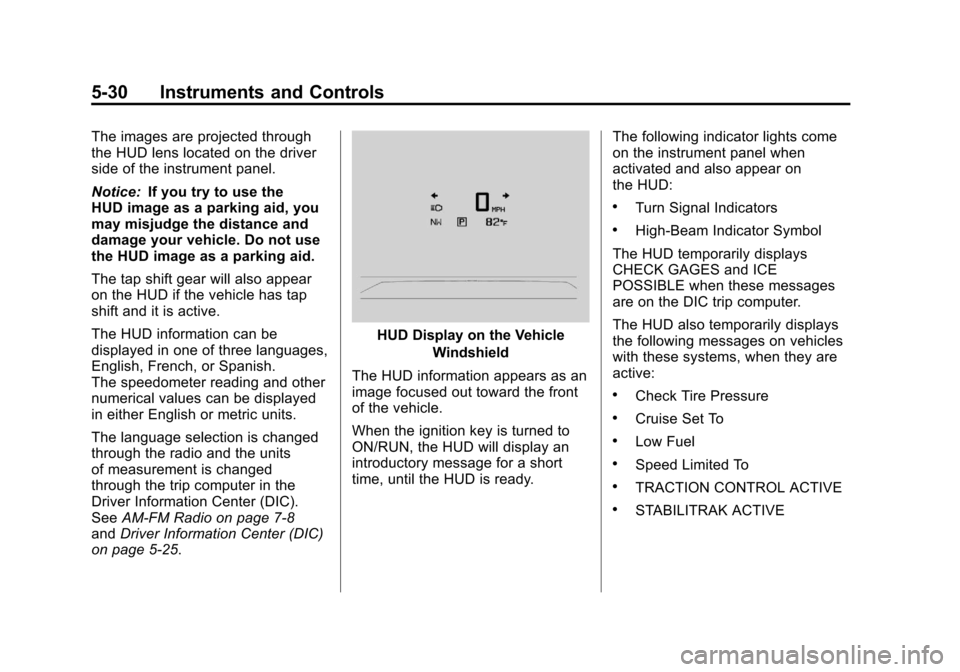
HUD Display on the Vehicle
Windshield
The HUD information appears as an
image focused out toward the front
of the vehicle.
When the ignition key is turned to
ON/RUN, the HUD will display an
introductory message for a short
time, until the HUD is ready. The following indicator lights come
on the instrument panel when
activated and also appear on
the HUD:
.Turn Signal Indicators
.High-Beam Indicator Symbol
The HUD temporarily displays
CHECK GAGES and ICE
POSSIBLE when these messages
are on the DIC trip computer.
The HUD also temporarily displays
the following messages on vehicles
with these systems, when they are
active:
.Check Tire Pressure
.Cruise Set To
.Low Fuel
.Speed Limited To
.TRACTION CONTROL ACTIVE
.STABILITRAK ACTIVE
Page 137 of 414
Black plate (31,1)Chevrolet Camaro Owner Manual - 2011
Instruments and Controls 5-31
When the HUD is on, the
speedometer reading is continually
displayed. The current radio
station or CD track number will
display for a short period of time
after the radio or CD track status
changes. This happens whenever
radio information is changed.
The speedometer size is reduced
when radio, CD information,
warnings, or turn-by-turn navigation
information is displayed on
the HUD.
When the phone feature is
activated, the HUD will briefly
display phone information,
if available.
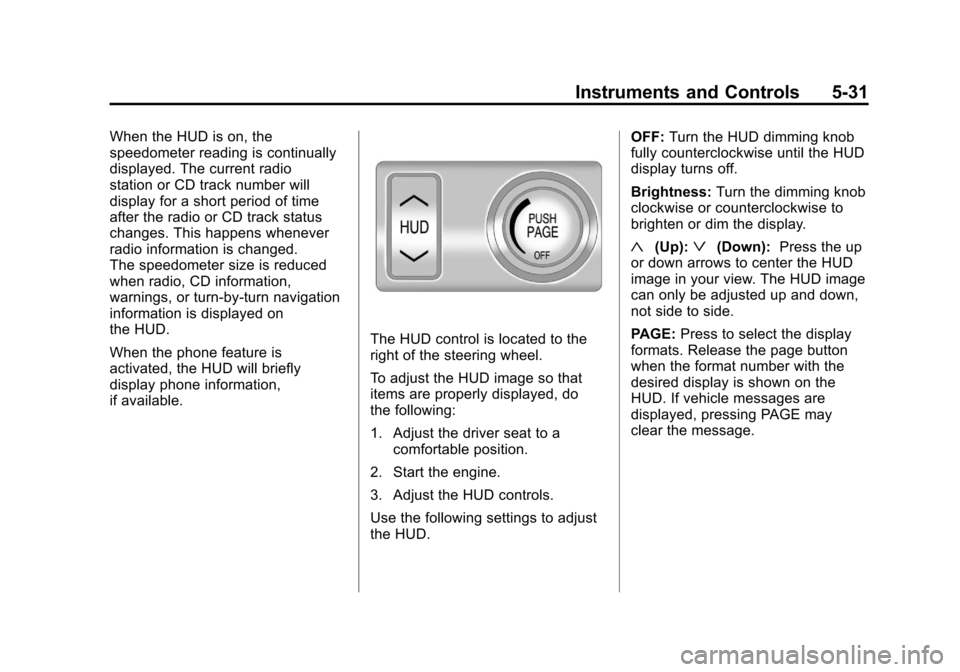
The HUD control is located to the
right of the steering wheel.
To adjust the HUD image so that
items are properly displayed, do
the following:
1. Adjust the driver seat to acomfortable position.
2. Start the engine.
3. Adjust the HUD controls.
Use the following settings to adjust
the HUD. OFF:
Turn the HUD dimming knob
fully counterclockwise until the HUD
display turns off.
Brightness: Turn the dimming knob
clockwise or counterclockwise to
brighten or dim the display.
«(Up):ª(Down): Press the up
or down arrows to center the HUD
image in your view. The HUD image
can only be adjusted up and down,
not side to side.
PAGE: Press to select the display
formats. Release the page button
when the format number with the
desired display is shown on the
HUD. If vehicle messages are
displayed, pressing PAGE may
clear the message.
Page 139 of 414
Black plate (33,1)Chevrolet Camaro Owner Manual - 2011
Instruments and Controls 5-33
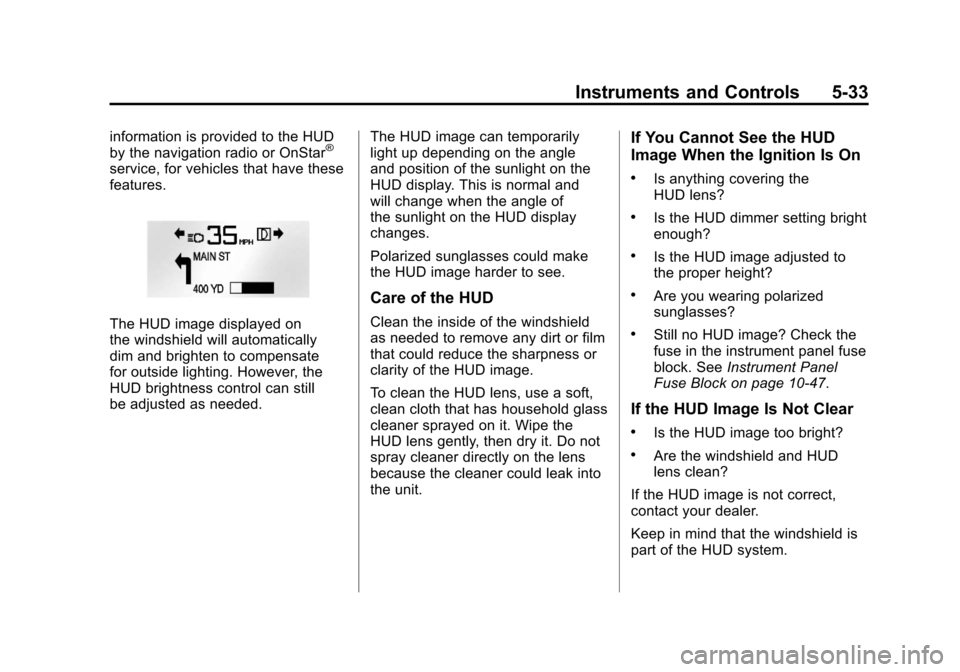
information is provided to the HUD
by the navigation radio or OnStar®
service, for vehicles that have these
features.
The HUD image displayed on
the windshield will automatically
dim and brighten to compensate
for outside lighting. However, the
HUD brightness control can still
be adjusted as needed.The HUD image can temporarily
light up depending on the angle
and position of the sunlight on the
HUD display. This is normal and
will change when the angle of
the sunlight on the HUD display
changes.
Polarized sunglasses could make
the HUD image harder to see.
Care of the HUD
Clean the inside of the windshield
as needed to remove any dirt or film
that could reduce the sharpness or
clarity of the HUD image.
To clean the HUD lens, use a soft,
clean cloth that has household glass
cleaner sprayed on it. Wipe the
HUD lens gently, then dry it. Do not
spray cleaner directly on the lens
because the cleaner could leak into
the unit.
If You Cannot See the HUD
Image When the Ignition Is On
.Is anything covering the
HUD lens?
.Is the HUD dimmer setting bright
enough?
.Is the HUD image adjusted to
the proper height?
.Are you wearing polarized
sunglasses?
.Still no HUD image? Check the
fuse in the instrument panel fuse
block. See
Instrument Panel
Fuse Block on page 10‑47.
If the HUD Image Is Not Clear
.Is the HUD image too bright?
.Are the windshield and HUD
lens clean?
If the HUD image is not correct,
contact your dealer.
Keep in mind that the windshield is
part of the HUD system.
Page 152 of 414
Black plate (46,1)Chevrolet Camaro Owner Manual - 2011
5-46 Instruments and Controls
Universal Remote
System
SeeRadio Frequency Statement on
page 13‑19 for information
regarding Part 15 of the Federal
Communications Commission
(FCC) rules and Industry Canada
Standards RSS-210/220/310.
Universal Remote System
Programming
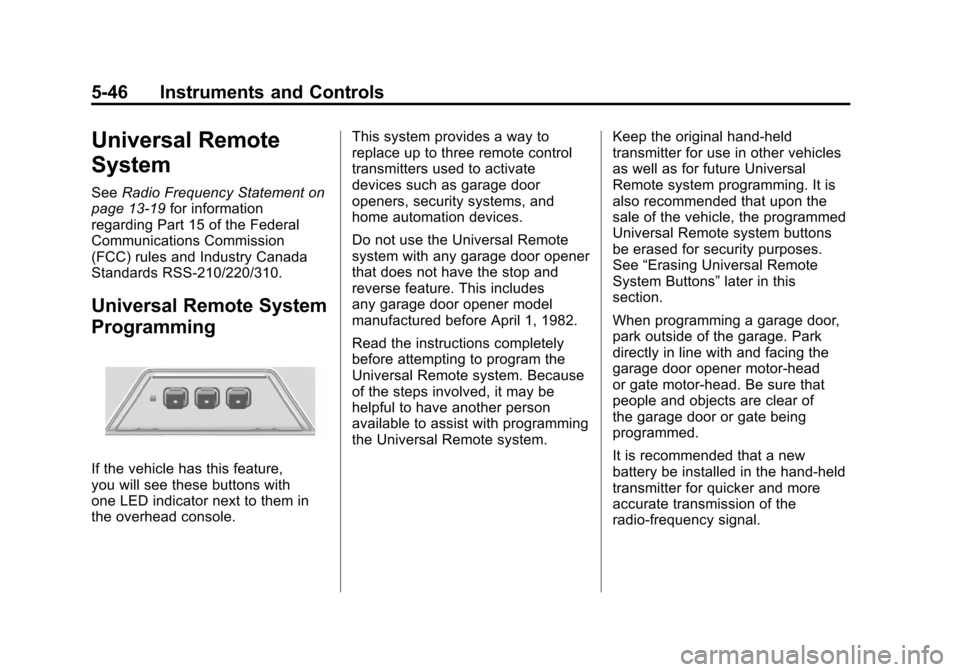
If the vehicle has this feature,
you will see these buttons with
one LED indicator next to them in
the overhead console. This system provides a way to
replace up to three remote control
transmitters used to activate
devices such as garage door
openers, security systems, and
home automation devices.
Do not use the Universal Remote
system with any garage door opener
that does not have the stop and
reverse feature. This includes
any garage door opener model
manufactured before April 1, 1982.
Read the instructions completely
before attempting to program the
Universal Remote system. Because
of the steps involved, it may be
helpful to have another person
available to assist with programming
the Universal Remote system.
Keep the original hand-held
transmitter for use in other vehicles
as well as for future Universal
Remote system programming. It is
also recommended that upon the
sale of the vehicle, the programmed
Universal Remote system buttons
be erased for security purposes.
See
“Erasing Universal Remote
System Buttons” later in this
section.
When programming a garage door,
park outside of the garage. Park
directly in line with and facing the
garage door opener motor-head
or gate motor-head. Be sure that
people and objects are clear of
the garage door or gate being
programmed.
It is recommended that a new
battery be installed in the hand-held
transmitter for quicker and more
accurate transmission of the
radio-frequency signal.
Page 155 of 414
Black plate (49,1)Chevrolet Camaro Owner Manual - 2011
Instruments and Controls 5-49
Gate Operator and Canadian
Programming
If you have questions or need help
programming the Universal Remote
system, call 1‐800‐355‐3515 or go
to www.homelink.com.
Canadian radio-frequency laws
require transmitter signals to time
out or quit after several seconds of
transmission. This may not be long
enough for the Universal Remote
system to pick up the signal during
programming. Similarly, some U.S.
gate operators are manufactured to
time out in the same manner.
If you live in Canada, or you are
having difficulty programming a gate
operator or garage door opener byusing the
“Programming the
Universal Remote System”
procedures, regardless of where
you live, replace Step 2 under
“Programming the Universal Remote
System” with the following:
2. Continue to press and hold
the Universal Remote system
button while you press and
release every two seconds (cycle)
the hand-held transmitter button
until the frequency signal has
been successfully accepted by
the Universal Remote system.
The Universal Remote system
indicator light will flash slowly at
first and then rapidly. Proceed with
Step 3 under “Programming the
Universal Remote System” to
complete.
Universal Remote System
Operation
Using the Universal Remote
System
Press and hold the appropriate
Universal Remote system
button for at least half of a second.
The indicator light will come on
while the signal is being transmitted.
Erasing Universal Remote
System Buttons
All programmed buttons should be
erased when the vehicle is sold or
the lease ends.
To erase all programmed buttons
on the Universal Remote system
device:
1. Press and hold down the
two outside buttons until the
indicator light begins to flash.
This should take about
10 seconds.
2. Release both buttons.
Page 160 of 414
Black plate (4,1)Chevrolet Camaro Owner Manual - 2011
6-4 Lighting
Automatic Headlamp
System
When it is dark enough outside and
the headlamp switch is in AUTO,
the automatic headlamp system will
turn on the headlamps at the normal
brightness along with other lamps
such as the taillamps, sidemarker,
parking lamps, license plate lamps,
and the instrument panel lights.
The radio lights will also be dim.
To turn off the automatic headlamp
system, turn the exterior lamps
switch to the off position and then
release. For vehicles first sold in
Canada, the transmission must be
in the P (Park) position, before the
automatic headlamp system can
be turned off.The vehicle has a light sensor
located on the top of the instrument
panel. Do not cover this sensor or
the system will come on whenever
the ignition is on.
The system may also turn on the
headlamps when driving through
a parking garage, heavy overcast
weather, or a tunnel. This is normal.
There is a delay in the transition
between the daytime and nighttime
operation of the Daytime Running
Lamps (DRL) and the automatic
headlamp systems so that driving
under bridges or bright overhead
street lights does not affect the
system. The DRL and automatic
headlamp system will only be
affected when the light sensor
sees a change in lighting lasting
longer than the delay.If the vehicle is started in a dark
garage, the automatic headlamp
system comes on immediately.
If it is light outside when the vehicle
leaves the garage, there will be a
slight delay before the automatic
headlamp system changes to
the DRL. During that delay, the
instrument panel cluster may not
be as bright as usual. Make sure
the instrument panel brightness
control is in the full bright position.
See
Instrument Panel Illumination
Control on page 6‑6.