warning CHEVROLET CAMARO 2011 5.G Repair Manual
[x] Cancel search | Manufacturer: CHEVROLET, Model Year: 2011, Model line: CAMARO, Model: CHEVROLET CAMARO 2011 5.GPages: 414, PDF Size: 6.24 MB
Page 132 of 414
Black plate (26,1)Chevrolet Camaro Owner Manual - 2011
5-26 Instruments and Controls
DIC Operation and Displays
The DIC has different displays
which can be accessed by using
the DIC buttons on the turn signal
lever located on the left side of the
steering wheel. The DIC displays
trip, fuel, vehicle system information,
and warning messages if a system
problem is detected.
The bottom of the DIC display
shows what position the shift lever
is in (Automatic Transmission Only),
the odometer, and the direction the
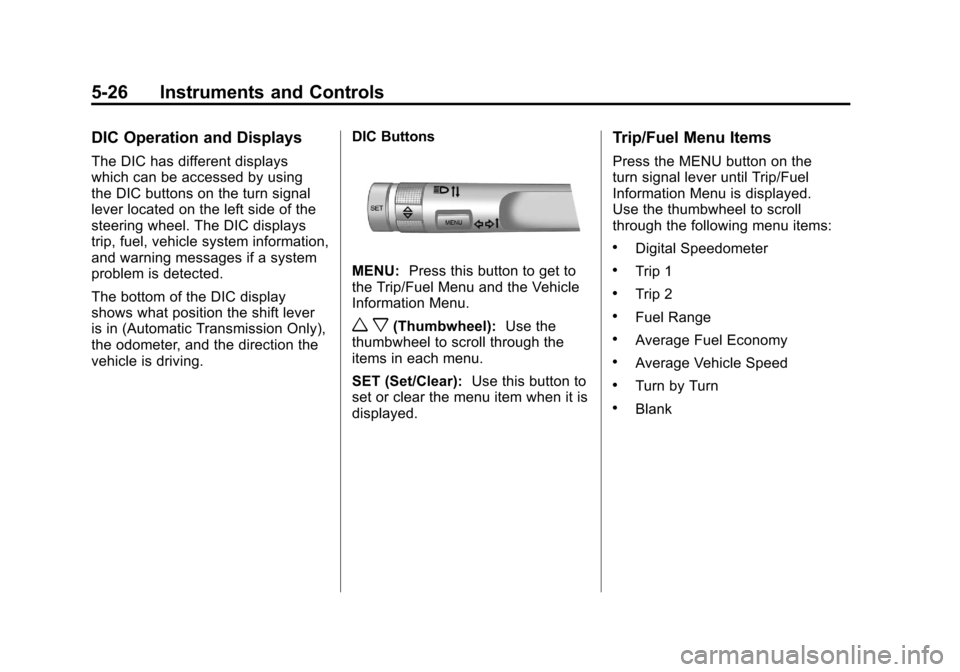
vehicle is driving.DIC Buttons
MENU:
Press this button to get to
the Trip/Fuel Menu and the Vehicle
Information Menu.
w x(Thumbwheel): Use the
thumbwheel to scroll through the
items in each menu.
SET (Set/Clear): Use this button to
set or clear the menu item when it is
displayed.
Trip/Fuel Menu Items
Press the MENU button on the
turn signal lever until Trip/Fuel
Information Menu is displayed.
Use the thumbwheel to scroll
through the following menu items:
.Digital Speedometer
.Trip 1
.Trip 2
.Fuel Range
.Average Fuel Economy
.Average Vehicle Speed
.Turn by Turn
.Blank
Page 133 of 414
Black plate (27,1)Chevrolet Camaro Owner Manual - 2011
Instruments and Controls 5-27
Digital Speedometer
The speedometer shows how fast
the vehicle is moving in either
kilometers per hour (km/h) or miles
per hour (mph). The speedometer
cannot be reset.
Trip 1 and Trip 2
The Trip display shows the
current distance traveled, in either
kilometers (km) or miles (mi), since
the last reset for the trip odometer.
The trip odometer can be reset to
zero by pressing the trip reset stem
or the SET button while the trip
odometer display is showing.
Fuel Range
The Fuel Range display shows the
approximate distance the vehicle
can be driven without refueling.
The fuel range estimate is based
on an average of the vehicle's fuel
economy over recent driving history
and the amount of fuel remaining in
the fuel tank. Fuel range cannot be
reset.Average Fuel Economy
The Average Fuel Economy
display shows the approximate
average liters per 100 kilometers
(L/100 km) or miles per
gallon (mpg). This number is
calculated based on the number
of L/100 km (mpg) recorded since
the last time this menu item was
reset. The fuel economy can be
reset by pressing the SET button
while the Average Fuel Economy
display is showing.
Average Vehicle Speed
The Average Vehicle Speed
display shows the average speed
of the vehicle in kilometers per
hour (km/h) or miles per hour (mph).
This average is calculated based on
the various vehicle speeds recorded
since the last reset of this value.
The average speed can be reset by
pressing the SET button while the
Average Vehicle Speed display is
showing.
Turn by Turn
This display is used for the OnStar
Turn by Turn guidance. See the
OnStar Owner's Guide for more
information.
Blank Display
This display shows no information.
Vehicle Information Menu
Items
Press the MENU button on the
turn signal lever until Vehicle
Information Menu is displayed.
Use the thumbwheel to scroll
through the following menu items:
.Unit
.Tire Pressure
.Remaining Oil Life
.Coolant Temp
.Battery Voltage
.Speed Warning
Page 135 of 414
Black plate (29,1)Chevrolet Camaro Owner Manual - 2011
Instruments and Controls 5-29
Battery Voltage
This display, available on some
vehicles, shows the current
battery voltage. If the voltage
is in the normal range, the value
will display. For example, the
display may read Battery Voltage
15.0 Volts. The vehicle's charging
system regulates voltage based on
the state of the battery. The battery
voltage can fluctuate while viewing
this information on the DIC. This is
normal. SeeCharging System Light
on page 5‑17 for more information.
If there is a problem with the
battery charging system, the DIC
will display a message. See Battery
Voltage and Charging Messages on
page 5‑34. Speed Warning
Speed Warning allows the driver to
set a speed that they do not want to
exceed. To set the Speed Warning,
press SET when Speed Warning is
displayed.
Compass
The vehicle may have a compass
display in the Driver Information
Center (DIC). See
Compass on
page 5‑4 for more information.
Head-Up Display (HUD)
{WARNING
If the HUD image is too bright or
too high in your field of view, it
may take you more time to see
things you need to see when it is
dark outside. Be sure to keep the
HUD image dim and placed low in
your field of view.
For vehicles with the Head-Up
Display (HUD), some information
concerning the operation of the
vehicle is projected onto the
windshield. This includes the
speedometer reading, RPM reading,
transmission position, outside air
temperature, compass heading and
a brief display of the current radio
station, including XM information
or CD track. It will also display
turn-by-turn navigation information if
the vehicle has a navigation radio.
Page 137 of 414
Black plate (31,1)Chevrolet Camaro Owner Manual - 2011
Instruments and Controls 5-31
When the HUD is on, the
speedometer reading is continually
displayed. The current radio
station or CD track number will
display for a short period of time
after the radio or CD track status
changes. This happens whenever
radio information is changed.
The speedometer size is reduced
when radio, CD information,
warnings, or turn-by-turn navigation
information is displayed on
the HUD.
When the phone feature is
activated, the HUD will briefly
display phone information,
if available.
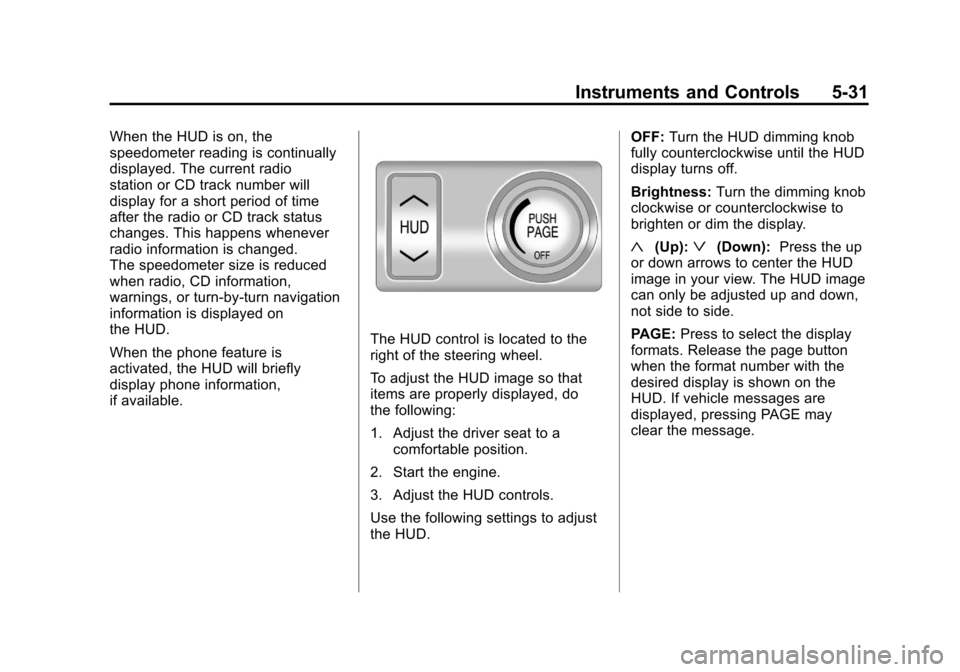
The HUD control is located to the
right of the steering wheel.
To adjust the HUD image so that
items are properly displayed, do
the following:
1. Adjust the driver seat to acomfortable position.
2. Start the engine.
3. Adjust the HUD controls.
Use the following settings to adjust
the HUD. OFF:
Turn the HUD dimming knob
fully counterclockwise until the HUD
display turns off.
Brightness: Turn the dimming knob
clockwise or counterclockwise to
brighten or dim the display.
«(Up):ª(Down): Press the up
or down arrows to center the HUD
image in your view. The HUD image
can only be adjusted up and down,
not side to side.
PAGE: Press to select the display
formats. Release the page button
when the format number with the
desired display is shown on the
HUD. If vehicle messages are
displayed, pressing PAGE may
clear the message.
Page 146 of 414
Black plate (40,1)Chevrolet Camaro Owner Manual - 2011
5-40 Instruments and Controls
The low tire pressure warning
light will also come on. SeeTire
Pressure Light on page 5‑23.
If a tire pressure message appears
on the DIC, stop as soon as you
can. Inflate the tires by adding air
until the tire pressure is equal to the
values shown on the Tire Loading
Information label. See Tires on
page 10‑50, Vehicle Load Limits on
page 9‑13, and Tire Pressure on
page 10‑58.
The DIC also shows the tire
pressure values. See Driver
Information Center (DIC) on
page 5‑25.
SERVICE TIRE MONITOR
SYSTEM
This message displays if there is
a problem with the Tire Pressure
Monitor System (TPMS). See Tire
Pressure Monitor Operation on
page 10‑62 for more information.
TIRE LEARNING ACTIVE
This message displays when the
system is learning new tires. See
Tire Pressure Monitor Operation on
page 10‑62for more information.
TIRE PRESSURE SYSTEM
RESET
This message displays when
resetting the TPMS. See Tire
Pressure Monitor Operation on
page 10‑62 for more information.
Transmission Messages
1–4 SHIFT
This message displays when you
can only shift from 1 (First) to
4 (Fourth) instead of 1 (First)
to 2 (Second). See Manual
Transmission on page 9‑34
for more information.
PRESS CLUTCH TO START
This message displays when
attempting to start a vehicle with
a manual transmission without
pressing on the clutch pedal.
SERVICE TRANSMISSION
This message displays if there is
a problem with the transmission.
See your dealer.
SHIFT DENIED
This message displays when
attempting to use the automatic
transmission manual mode to shift
to too low of a gear. See Manual
Mode on page 9‑32 for more
information.
SHIFT TO PARK
This message displays when the
transmission needs to be shifted
to park. This may appear when
attempting to remove the key from
the ignition if the vehicle is not in
P (Park).
Page 147 of 414
Black plate (41,1)Chevrolet Camaro Owner Manual - 2011
Instruments and Controls 5-41
TRANSMISSION HOT–IDLE
ENGINE
This message displays and a chime
sounds if the transmission fluid in
the vehicle gets hot. Driving with the
transmission fluid temperature high
can cause damage to the vehicle.
Stop the vehicle and let it idle to
allow the transmission to cool.
This message clears when the fluid
temperature reaches a safe level.
Vehicle Reminder
Messages
ICE POSSIBLE DRIVE
WITH CARE
This message is displayed when ice
conditions are possible.
TURN WIPER CONTROL TO
INTERMITTENT FIRST
This message is displayed when
attempting to adjust the intermittent
wiper speed without intermittent
selected on the wiper control.
See Windshield Wiper/Washer on
page 5‑3.
Vehicle Speed Messages
DRIVER SELECTED SPEED
LIMIT EXCEEDED
This message is displayed when the
vehicle speed is greater than the set
speed. See “Speed Warning” under
Driver Information Center (DIC) on
page 5‑25.
Window Messages
OPEN, THEN CLOSE DRIVER
WINDOW
This message is displayed when the
window needs to be reprogrammed.
If the vehicle's battery has been
recharged or disconnected, you
will need to reprogram each front
window for the express-up feature
to work. See Power Windows on
page 2‑15 for more information.
OPEN, THEN CLOSE
PASSENGER WINDOW
This message is displayed when the
window needs to be reprogrammed.
If the vehicle's battery has been
recharged or disconnected, you
will need to reprogram each front
window for the express-up feature
to work. See Power Windows on
page 2‑15 for more information.
Page 157 of 414
Black plate (1,1)Chevrolet Camaro Owner Manual - 2011
Lighting 6-1
Lighting
Exterior Lighting
Exterior Lamp Controls . . . . . . . . 6-1
Headlamp High/Low-BeamChanger . . . . . . . . . . . . . . . . . . . . . 6-2
Flash-to-Pass . . . . . . . . . . . . . . . . . 6-3
Daytime Running Lamps (DRL) . . . . . . . . . . . . . . . . 6-3
Automatic Headlamp System . . . . . . . . . . . . . . . . . . . . . . 6-4
Hazard Warning Flashers . . . . . 6-5
Turn and Lane-Change Signals . . . . . . . . . . . . . . . . . . . . . . 6-5
Front Fog Lamps . . . . . . . . . . . . . . 6-5
Interior Lighting
Instrument Panel Illumination Control . . . . . . . . . . . . . . . . . . . . . . 6-6
Dome Lamps . . . . . . . . . . . . . . . . . 6-6
Lighting Features
Entry Lighting . . . . . . . . . . . . . . . . . 6-6
Theater Dimming . . . . . . . . . . . . . . 6-6
Battery Load Management . . . . 6-7
Battery Power Protection . . . . . . 6-7
Exterior Lighting
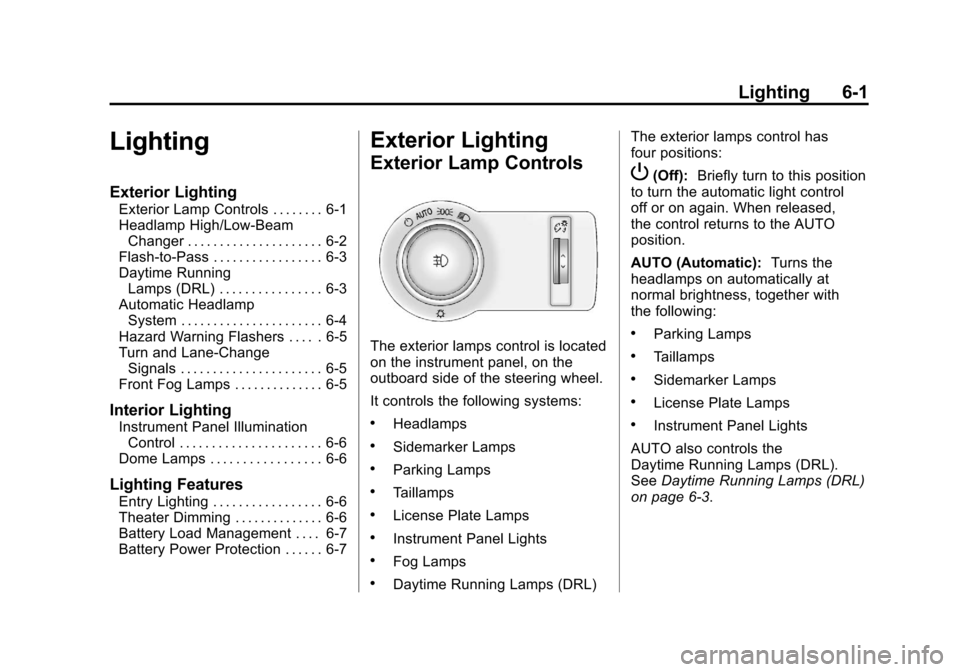
Exterior Lamp Controls
The exterior lamps control is located
on the instrument panel, on the
outboard side of the steering wheel.
It controls the following systems:
.Headlamps
.Sidemarker Lamps
.Parking Lamps
.Taillamps
.License Plate Lamps
.Instrument Panel Lights
.Fog Lamps
.Daytime Running Lamps (DRL) The exterior lamps control has
four positions:
P(Off):
Briefly turn to this position
to turn the automatic light control
off or on again. When released,
the control returns to the AUTO
position.
AUTO (Automatic): Turns the
headlamps on automatically at
normal brightness, together with
the following:
.Parking Lamps
.Taillamps
.Sidemarker Lamps
.License Plate Lamps
.Instrument Panel Lights
AUTO also controls the
Daytime Running Lamps (DRL).
See Daytime Running Lamps (DRL)
on page 6‑3.
Page 158 of 414
Black plate (2,1)Chevrolet Camaro Owner Manual - 2011
6-2 Lighting
;(Parking Lamps):Turns the
parking lamps on together with the
following:
.Taillamps
.Sidemarker Lamps
.License Plate Lamps
.Instrument Panel Lights
A warning chime sounds if the driver
door is opened when the ignition
switch is off and the parking lamps
are on.
5(Headlamps): Turns the
headlamps on together with the
lamps listed below.
.Parking Lamps
.Taillamps
.Sidemarker Lamps
.License Plate Lamps
.Instrument Panel Lights A warning chime sounds if the driver
door is opened when the ignition
switch is off and the headlamps
are on.
#(Front Fog Lamps):
Turns the
fog lamps on or off. The fog lamps
come on together with the following:
.Parking Lamps
.Taillamps
.Sidemarker Lamps
.License Plate Lamps
.Instrument Panel Lights
See Front Fog Lamps on page 6‑5.
Headlamp High/
Low-Beam Changer
Push the turn signal/lane change
lever away from you to turn the high
beams on.
Pull the lever toward you to return to
low beams.
This indicator light turns on in the
instrument panel cluster when the
high beam headlamps are on.
Page 161 of 414
Black plate (5,1)Chevrolet Camaro Owner Manual - 2011
Lighting 6-5
Hazard Warning Flashers
|
Hazard Warning Flasher:
Press this button located on the
instrument panel near the audio
system, to make the front and rear
turn signal lamps flash on and off.
This warns others that you are
having trouble. Press again to
turn the flashers off.
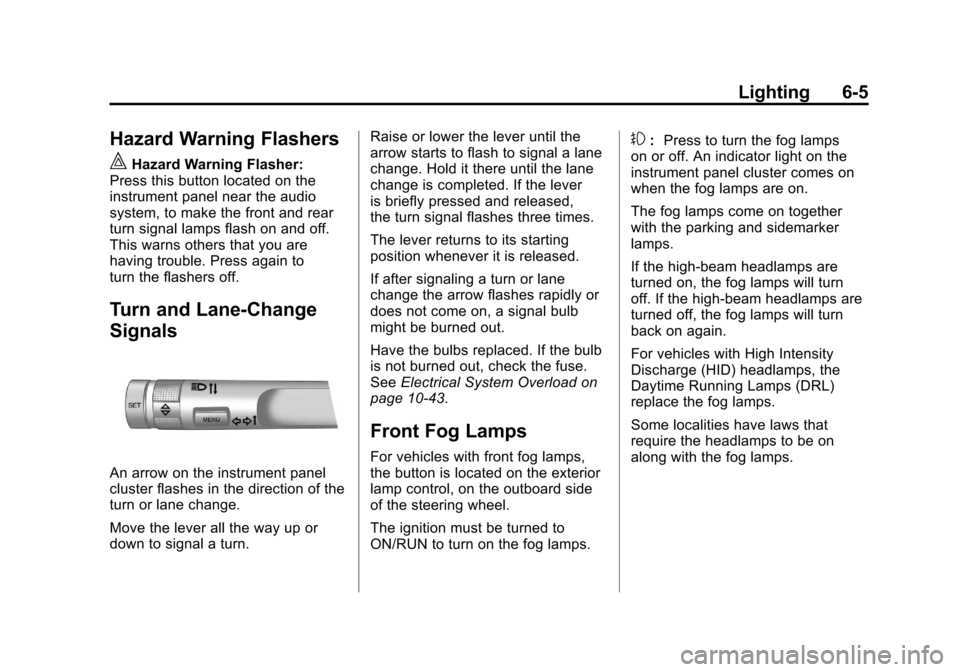
Turn and Lane-Change
Signals
An arrow on the instrument panel
cluster flashes in the direction of the
turn or lane change.
Move the lever all the way up or
down to signal a turn. Raise or lower the lever until the
arrow starts to flash to signal a lane
change. Hold it there until the lane
change is completed. If the lever
is briefly pressed and released,
the turn signal flashes three times.
The lever returns to its starting
position whenever it is released.
If after signaling a turn or lane
change the arrow flashes rapidly or
does not come on, a signal bulb
might be burned out.
Have the bulbs replaced. If the bulb
is not burned out, check the fuse.
See
Electrical System Overload on
page 10‑43.
Front Fog Lamps
For vehicles with front fog lamps,
the button is located on the exterior
lamp control, on the outboard side
of the steering wheel.
The ignition must be turned to
ON/RUN to turn on the fog lamps.
#: Press to turn the fog lamps
on or off. An indicator light on the
instrument panel cluster comes on
when the fog lamps are on.
The fog lamps come on together
with the parking and sidemarker
lamps.
If the high‐beam headlamps are
turned on, the fog lamps will turn
off. If the high‐beam headlamps are
turned off, the fog lamps will turn
back on again.
For vehicles with High Intensity
Discharge (HID) headlamps, the
Daytime Running Lamps (DRL)
replace the fog lamps.
Some localities have laws that
require the headlamps to be on
along with the fog lamps.
Page 165 of 414
Black plate (1,1)Chevrolet Camaro Owner Manual - 2011
Infotainment System 7-1
Infotainment
System
Introduction
Infotainment . . . . . . . . . . . . . . . . . . . 7-1
Theft-Deterrent Feature . . . . . . . 7-2
Overview . . . . . . . . . . . . . . . . . . . . . . 7-2
Operation . . . . . . . . . . . . . . . . . . . . . 7-4
Radio
AM-FM Radio . . . . . . . . . . . . . . . . . 7-8
Satellite Radio . . . . . . . . . . . . . . . 7-10
Radio Reception . . . . . . . . . . . . . 7-13
Backglass Antenna . . . . . . . . . . 7-13
Diversity Antenna System . . . 7-14
Satellite Radio Antenna . . . . . . 7-14
Audio Players
CD Player . . . . . . . . . . . . . . . . . . . 7-14
Auxiliary Devices . . . . . . . . . . . . 7-17
Phone
Bluetooth (Overview) . . . . . . . . 7-23
Bluetooth (InfotainmentControls) . . . . . . . . . . . . . . . . . . . 7-24
Bluetooth (Voice Recognition) . . . . . . . . . . . . . . . 7-28
Introduction
Infotainment
Read the following pages to
become familiar with the
infotainment system features.
{WARNING
Taking your eyes off the road
for extended periods could
cause a crash resulting in
injury or death to you or others.
Do not give extended attention to
entertainment tasks while driving.
This system provides access to
many audio and non‐audio listings. To minimize taking your eyes off the
road while driving, do the following
while the vehicle is parked:
.Become familiar with the
operation and controls of the
audio system.
.Set up the tone, speaker
adjustments, and preset
radio stations.
For more information, see Defensive
Driving on page 9‑2.
Notice: Contact your dealer
before adding any equipment.
Adding audio or communication
equipment could interfere with
the operation of the engine, radio,
or other systems, and could
damage them. Follow federal
rules covering mobile radio
and telephone equipment.