manual transmission CHEVROLET CAMARO 2013 5.G User Guide
[x] Cancel search | Manufacturer: CHEVROLET, Model Year: 2013, Model line: CAMARO, Model: CHEVROLET CAMARO 2013 5.GPages: 404, PDF Size: 5.45 MB
Page 106 of 404
Black plate (2,1)Chevrolet Camaro Owner Manual (Include Mex) - 2012
5-1 Instruments and Controls
Service Vehicle Messages . . . 5-37
Tire Messages . . . . . . . . . . . . . . . 5-37
Transmission Messages . . . . . 5-38
Vehicle ReminderMessages . . . . . . . . . . . . . . . . . . 5-38
Vehicle Speed Messages . . . . 5-38
Window Messages . . . . . . . . . . . 5-39
Vehicle Personalization
Vehicle Personalization . . . . . . 5-39
Universal Remote System
Universal Remote System . . . 5-43
Universal Remote System Programming . . . . . . . . . . . . . . . 5-43
Universal Remote System Operation . . . . . . . . . . . . . . . . . . 5-46
Controls
Steering Wheel
Adjustment
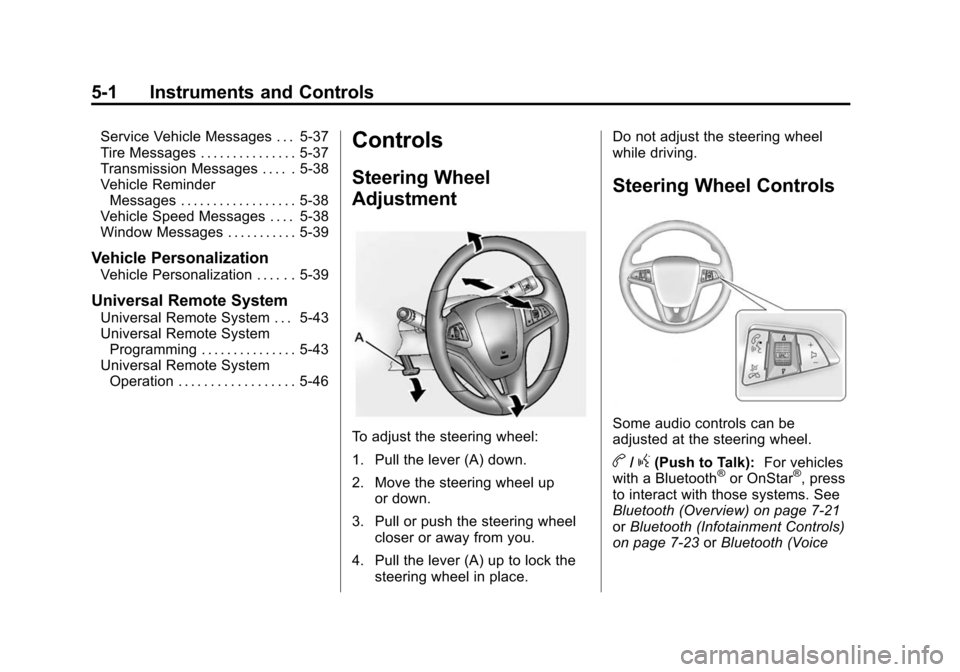
To adjust the steering wheel:
1. Pull the lever (A) down.
2. Move the steering wheel up
or down.
3. Pull or push the steering wheel closer or away from you.
4. Pull the lever (A) up to lock the steering wheel in place. Do not adjust the steering wheel
while driving.
Steering Wheel Controls
Some audio controls can be
adjusted at the steering wheel.
b/g(Push to Talk):
For vehicles
with a Bluetooth®or OnStar®, press
to interact with those systems. See
Bluetooth (Overview) on page 7‑21
or Bluetooth (Infotainment Controls)
on page 7‑23 orBluetooth (Voice
Page 111 of 404
Black plate (7,1)Chevrolet Camaro Owner Manual (Include Mex) - 2012
Instruments and Controls 5-7
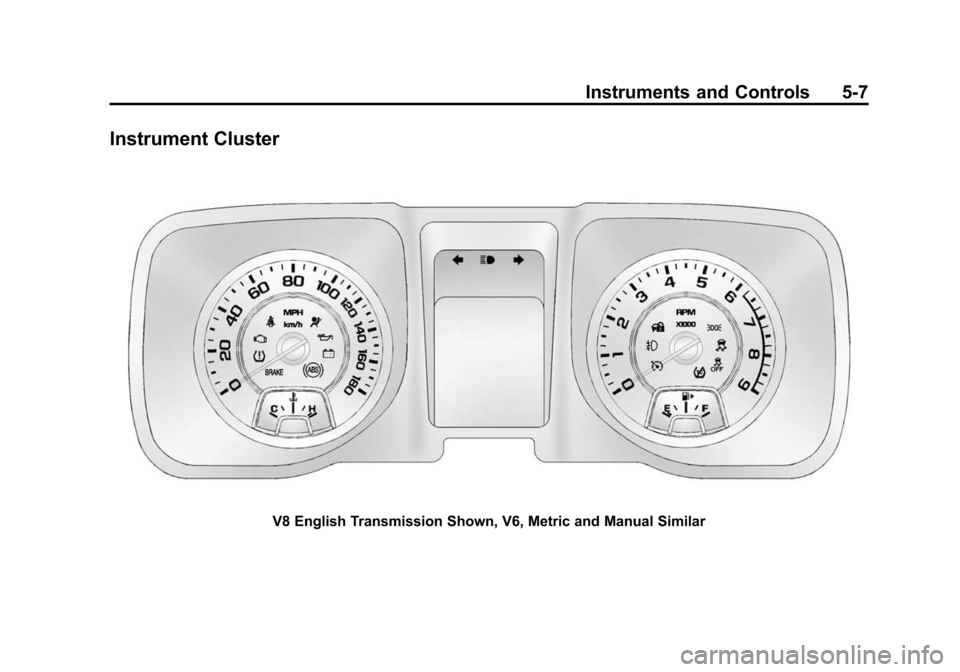
Instrument Cluster
V8 English Transmission Shown, V6, Metric and Manual Similar
Page 116 of 404
Black plate (12,1)Chevrolet Camaro Owner Manual (Include Mex) - 2012
5-12 Instruments and Controls
soon as possible. SeeEngine
Overheating on page 10‑24 for more
information.
Transmission
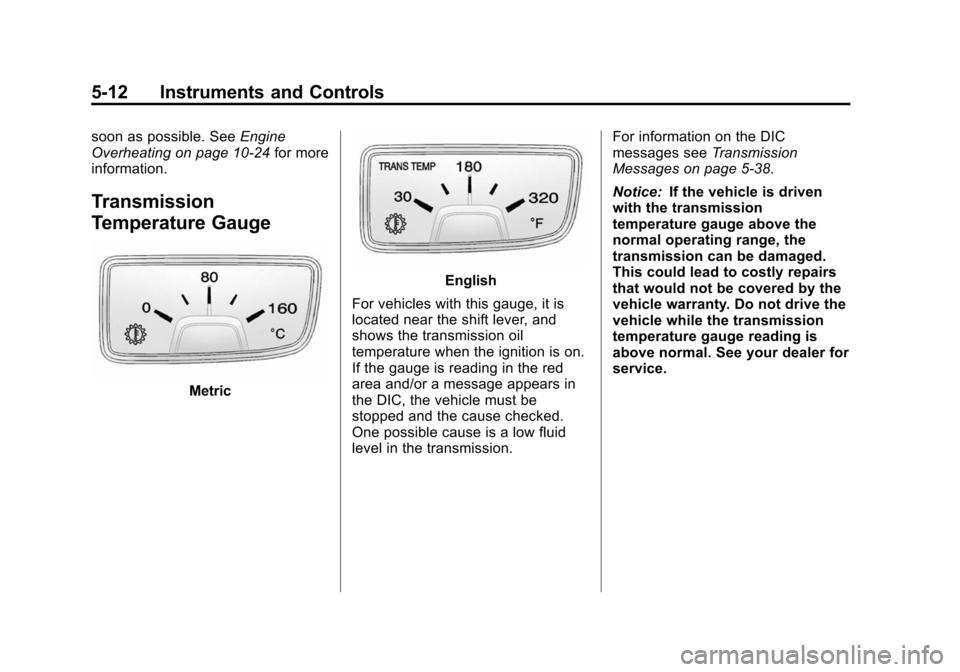
Temperature Gauge
Metric
English
For vehicles with this gauge, it is
located near the shift lever, and
shows the transmission oil
temperature when the ignition is on.
If the gauge is reading in the red
area and/or a message appears in
the DIC, the vehicle must be
stopped and the cause checked.
One possible cause is a low fluid
level in the transmission. For information on the DIC
messages see
Transmission
Messages on page 5‑38.
Notice: If the vehicle is driven
with the transmission
temperature gauge above the
normal operating range, the
transmission can be damaged.
This could lead to costly repairs
that would not be covered by the
vehicle warranty. Do not drive the
vehicle while the transmission
temperature gauge reading is
above normal. See your dealer for
service.
Page 120 of 404
Black plate (16,1)Chevrolet Camaro Owner Manual (Include Mex) - 2012
5-16 Instruments and Controls
a check to show the light is working.
It should go out when the engine is
started.
If the light stays on, or comes on
while driving, there may be a
problem with the electrical charging
system. Have it checked by your
dealer. Driving while this light is on
could drain the battery.
When this light comes on, the Driver
Information Center (DIC) also
displays a message.
SeeBattery Voltage and Charging
Messages on page 5‑31.
If a short distance must be driven
with the light on, be sure to turn off
all accessories, such as the radio
and air conditioner.
Malfunction
Indicator Lamp
A computer system called OBD II
(On-Board Diagnostics-Second
Generation) monitors the operation
of the vehicle to ensure emissions
are at acceptable levels, to produce a cleaner environment. This light
comes on when the vehicle is
placed in ON/RUN, as a check to
show it is working. If it does not,
have the vehicle serviced by your
dealer. See
Ignition Positions on
page 9‑16 for more information.
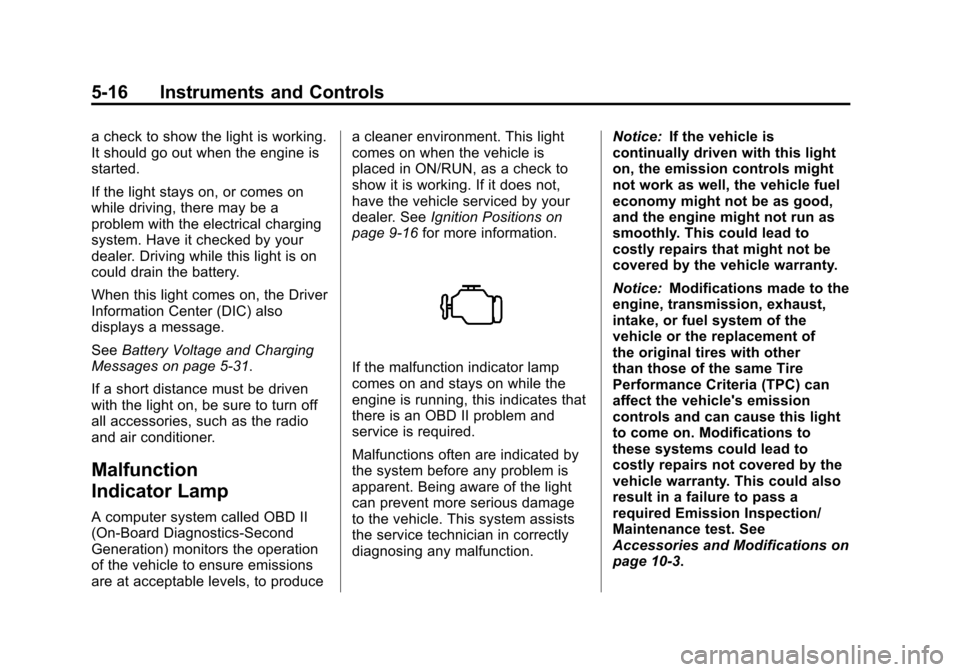
If the malfunction indicator lamp
comes on and stays on while the
engine is running, this indicates that
there is an OBD II problem and
service is required.
Malfunctions often are indicated by
the system before any problem is
apparent. Being aware of the light
can prevent more serious damage
to the vehicle. This system assists
the service technician in correctly
diagnosing any malfunction. Notice:
If the vehicle is
continually driven with this light
on, the emission controls might
not work as well, the vehicle fuel
economy might not be as good,
and the engine might not run as
smoothly. This could lead to
costly repairs that might not be
covered by the vehicle warranty.
Notice: Modifications made to the
engine, transmission, exhaust,
intake, or fuel system of the
vehicle or the replacement of
the original tires with other
than those of the same Tire
Performance Criteria (TPC) can
affect the vehicle's emission
controls and can cause this light
to come on. Modifications to
these systems could lead to
costly repairs not covered by the
vehicle warranty. This could also
result in a failure to pass a
required Emission Inspection/
Maintenance test. See
Accessories and Modifications on
page 10‑3.
Page 128 of 404
Black plate (24,1)Chevrolet Camaro Owner Manual (Include Mex) - 2012
5-24 Instruments and Controls
Cruise Control Light
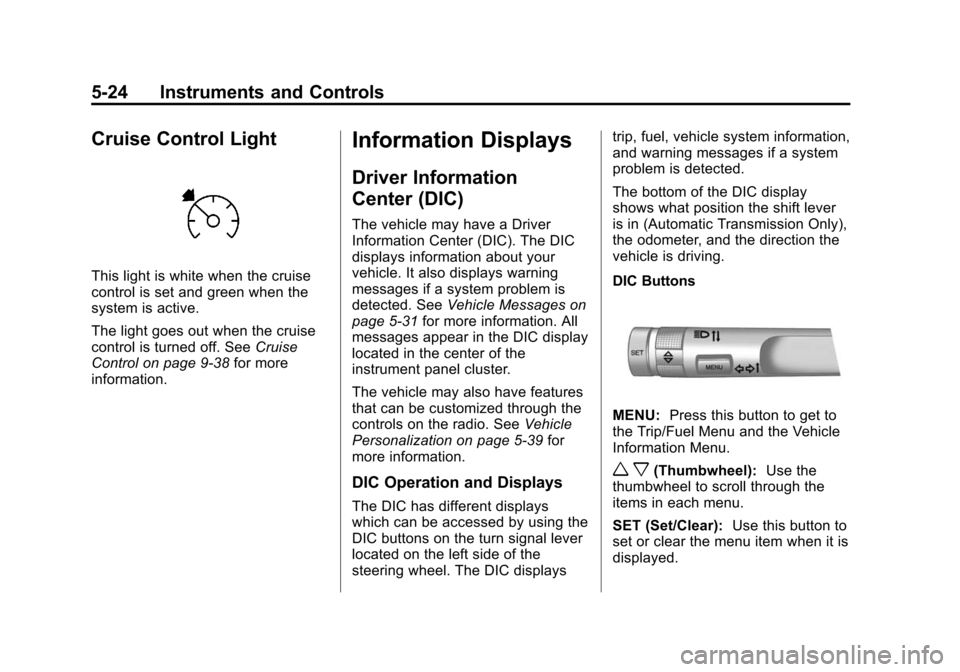
This light is white when the cruise
control is set and green when the
system is active.
The light goes out when the cruise
control is turned off. SeeCruise
Control on page 9‑38 for more
information.
Information Displays
Driver Information
Center (DIC)
The vehicle may have a Driver
Information Center (DIC). The DIC
displays information about your
vehicle. It also displays warning
messages if a system problem is
detected. See Vehicle Messages on
page 5‑31 for more information. All
messages appear in the DIC display
located in the center of the
instrument panel cluster.
The vehicle may also have features
that can be customized through the
controls on the radio. See Vehicle
Personalization on page 5‑39 for
more information.
DIC Operation and Displays
The DIC has different displays
which can be accessed by using the
DIC buttons on the turn signal lever
located on the left side of the
steering wheel. The DIC displays trip, fuel, vehicle system information,
and warning messages if a system
problem is detected.
The bottom of the DIC display
shows what position the shift lever
is in (Automatic Transmission Only),
the odometer, and the direction the
vehicle is driving.
DIC Buttons
MENU:
Press this button to get to
the Trip/Fuel Menu and the Vehicle
Information Menu.
w x(Thumbwheel): Use the
thumbwheel to scroll through the
items in each menu.
SET (Set/Clear): Use this button to
set or clear the menu item when it is
displayed.
Page 131 of 404
Black plate (27,1)Chevrolet Camaro Owner Manual (Include Mex) - 2012
Instruments and Controls 5-27
For example, the display may read
Battery Voltage 15.0 Volts. The
vehicle's charging system regulates
voltage based on the state of the
battery. The battery voltage can
fluctuate while viewing this
information on the DIC. This is
normal. SeeCharging System Light
on page 5‑15 for more information.
If there is a problem with the battery
charging system, the DIC will
display a message. See Battery
Voltage and Charging Messages on
page 5‑31.
Speed Warning
Speed Warning allows the driver to
set a speed that they do not want to
exceed. To set the Speed Warning,
press SET when Speed Warning is
displayed.
Compass
The vehicle may have a compass
display in the Driver Information
Center (DIC). See Compass on
page 5‑4 for more information.
Head-Up Display (HUD)
{WARNING
If the HUD image is too bright or
too high in your field of view, it
may take you more time to see
things you need to see when it is
dark outside. Be sure to keep the
HUD image dim and placed low in
your field of view.
For vehicles with the Head-Up
Display (HUD), some information
concerning the operation of the
vehicle is projected onto the
windshield. This includes the
speedometer reading, rpm reading,
transmission position, outside air
temperature, compass heading, and
a brief display of the current radio
station, including XM information or
CD track. The images are projected
through the HUD lens located on
the driver side of the instrument
panel. Notice:
If you try to use the HUD
image as a parking aid, you may
misjudge the distance and
damage your vehicle. Do not use
the HUD image as a parking aid.
The tap shift gear will also appear
on the HUD if the vehicle has tap
shift and it is active.
The HUD information can be
displayed in one of three languages:
English, French, or Spanish. The
speedometer reading and other
numerical values can be displayed
in either English or metric units.
The language selection is changed
through the radio and the units of
measurement selection is changed
through the trip computer in the
Driver Information Center (DIC).
See AM-FM Radio on page 7‑8 and
Driver Information Center (DIC) on
page 5‑24.
Page 133 of 404
Black plate (29,1)Chevrolet Camaro Owner Manual (Include Mex) - 2012
Instruments and Controls 5-29
To adjust the HUD image so that
items are properly displayed, do the
following:
1. Adjust the driver seat to acomfortable position.
2. Start the engine.
3. Adjust the HUD controls.
Use the following settings to adjust
the HUD.
OFF: Turn the HUD dimming knob
fully counterclockwise until the HUD
display turns off.
Brightness: Turn the dimming knob
clockwise or counterclockwise to
brighten or dim the display.
«(Up):ª(Down): Press the up
or down arrows to center the HUD
image in your view. The HUD image
can only be adjusted up and down,
not side to side.
PAGE: Press to select the display
formats. Release the PAGE button
when the format number with the
desired display is shown on the HUD. If vehicle messages are
displayed, pressing PAGE may
clear the message.
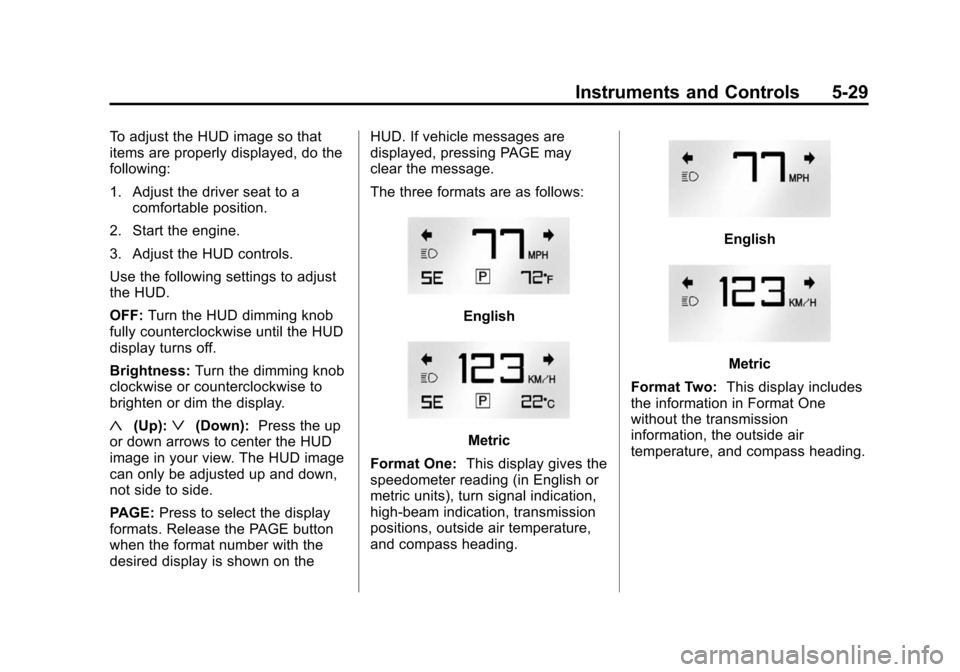
The three formats are as follows:
English
Metric
Format One: This display gives the
speedometer reading (in English or
metric units), turn signal indication,
high‐beam indication, transmission
positions, outside air temperature,
and compass heading.
English
Metric
Format Two: This display includes
the information in Format One
without the transmission
information, the outside air
temperature, and compass heading.
Page 142 of 404
Black plate (38,1)Chevrolet Camaro Owner Manual (Include Mex) - 2012
5-38 Instruments and Controls
Transmission Messages
1–4 SHIFT
This message displays when you
can only shift from 1 (First) to
4 (Fourth) instead of 1 (First) to
2 (Second). See Manual
Transmission on page 9‑30 for more
information.
PRESS CLUTCH TO START
This message displays when
attempting to start a vehicle with a
manual transmission without
pressing on the clutch pedal.
SERVICE TRANSMISSION
This message displays if there is a
problem with the transmission. See
your dealer.
SHIFT DENIED
This message displays when
attempting to use the automatic
transmission manual mode to shift
to too low of a gear. See Manual
Mode on page 9‑29 for more
information.
SHIFT TO PARK
This message displays when the
transmission needs to be shifted to
park. This may appear when
attempting to remove the key from
the ignition if the vehicle is not in
P (Park).
TRANSMISSION HOT –IDLE
ENGINE
This message displays and a chime
sounds if the transmission fluid in
the vehicle gets hot. Driving with the
transmission fluid temperature high
can cause damage to the vehicle.
Stop the vehicle and let it idle to
allow the transmission to cool. This
message clears when the fluid
temperature reaches a safe level.
Vehicle Reminder
Messages
ICE POSSIBLE DRIVE
WITH CARE
This message is displayed when ice
conditions are possible.
TURN WIPER CONTROL TO
INTERMITTENT FIRST
This message is displayed when
attempting to adjust the intermittent
wiper speed without intermittent
selected on the wiper control. See
Windshield Wiper/Washer on
page 5‑3.
Vehicle Speed Messages
DRIVER SELECTED SPEED
LIMIT EXCEEDED
This message is displayed when the
vehicle speed is greater than the set
speed. See “Speed Warning” under
Driver Information Center (DIC) on
page 5‑24.
Page 145 of 404
Black plate (41,1)Chevrolet Camaro Owner Manual (Include Mex) - 2012
Instruments and Controls 5-41
Exit Lighting
This allows the selection of how
long the exterior lamps stay on
when leaving the vehicle when it is
dark outside.
Press the MENU/SELECT knob
when Exit Lighting is highlighted.
Turn the knob to select Off,
30 Seconds, 1 Minute, or 2 Minutes.
Press the knob to confirm and go
back to the last menu.
Vehicle Locator Lights
This allows the vehicle locator lights
to be turned on or off.
Press the MENU/SELECT knob
when Vehicle Locator Lights is
highlighted. Turn the knob to select
On or Off. Press the knob to confirm
and go back to the last menu.Power Door Locks
Select Power Door Locks and the
following will be displayed:
.Unlocked Door Anti Lock Out
.Auto Door Unlock
.Delayed Door Lock
Unlocked Door Anti Lock Out
When on, this feature will keep the
driver door from locking when the
door is open. If off is selected, the
Delayed Door Lock menu will be
available.
Press the MENU/SELECT knob
when Auto Door Unlock is
highlighted. Turn the knob to select
On or Off. Press the knob to confirm
and go back to the last menu. Auto Door Unlock
This allows selection of which of the
doors will automatically unlock when
the vehicle is shifted into P (Park)
(automatic transmission) or when
the key is removed from the ignition
(manual transmission).
Press the MENU/SELECT knob
when Auto Door Unlock is
highlighted. Turn the knob to select
All Doors, Driver Door, or Off. Press
the knob to confirm and go back to
the last menu.
Delayed Door Lock
When on, this feature will delay the
locking of the doors. To override the
delay, press the power door lock on
the center console.
Press the MENU/SELECT knob
when Delayed Door Lock is
highlighted. Turn the knob to select
On or Off. Press the knob to confirm
and go back to the last menu.
Page 147 of 404
Black plate (43,1)Chevrolet Camaro Owner Manual (Include Mex) - 2012
Instruments and Controls 5-43
Universal Remote
System
SeeRadio Frequency Statement on
page 13‑20 for information
regarding Part 15 of the Federal
Communications Commission (FCC)
rules and Industry Canada
Standards RSS-GEN/210/220/310.
Universal Remote System
Programming
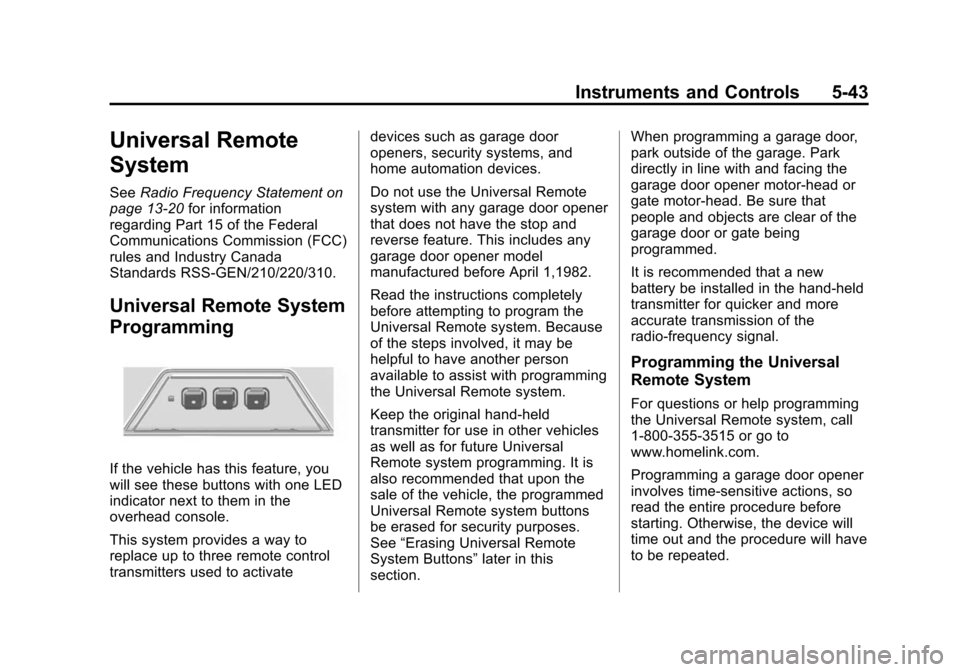
If the vehicle has this feature, you
will see these buttons with one LED
indicator next to them in the
overhead console.
This system provides a way to
replace up to three remote control
transmitters used to activate devices such as garage door
openers, security systems, and
home automation devices.
Do not use the Universal Remote
system with any garage door opener
that does not have the stop and
reverse feature. This includes any
garage door opener model
manufactured before April 1,1982.
Read the instructions completely
before attempting to program the
Universal Remote system. Because
of the steps involved, it may be
helpful to have another person
available to assist with programming
the Universal Remote system.
Keep the original hand-held
transmitter for use in other vehicles
as well as for future Universal
Remote system programming. It is
also recommended that upon the
sale of the vehicle, the programmed
Universal Remote system buttons
be erased for security purposes.
See
“Erasing Universal Remote
System Buttons” later in this
section. When programming a garage door,
park outside of the garage. Park
directly in line with and facing the
garage door opener motor-head or
gate motor-head. Be sure that
people and objects are clear of the
garage door or gate being
programmed.
It is recommended that a new
battery be installed in the hand-held
transmitter for quicker and more
accurate transmission of the
radio-frequency signal.
Programming the Universal
Remote System
For questions or help programming
the Universal Remote system, call
1‐800‐355‐3515 or go to
www.homelink.com.
Programming a garage door opener
involves time-sensitive actions, so
read the entire procedure before
starting. Otherwise, the device will
time out and the procedure will have
to be repeated.