lights CHEVROLET CAMARO 2014 5.G Owner's Manual
[x] Cancel search | Manufacturer: CHEVROLET, Model Year: 2014, Model line: CAMARO, Model: CHEVROLET CAMARO 2014 5.GPages: 432, PDF Size: 6.2 MB
Page 157 of 432
Black plate (3,1)Chevrolet Camaro Owner Manual (GMNA-Localizing-U.S./Canada/Mexico-
6042601) - 2014 - CRC - 1/21/14
Lighting 6-3
turn on the headlamps at the normal
brightness along with other lamps
such as the taillamps, sidemarker
lamps, parking lamps, license plate
lamps, and the instrument panel
lights. The radio lights will also
be dim.
To turn off the automatic headlamp
system, turn the exterior lamps
switch to the
Pposition and then
release. For vehicles first sold in
Canada, the transmission must be
in the P (Park) position, before the
automatic headlamp system can be
turned off.
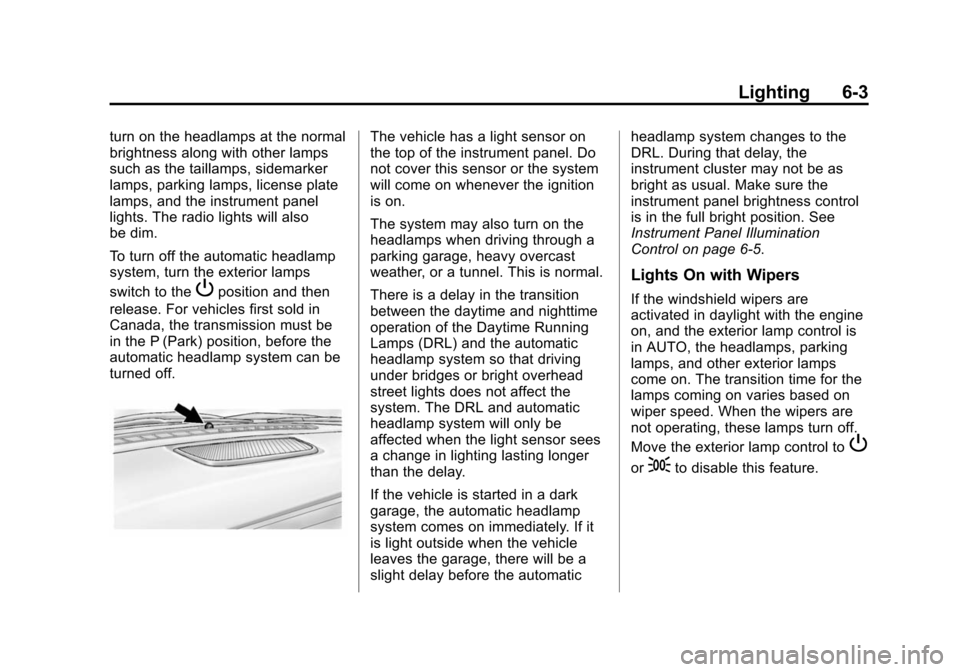
The vehicle has a light sensor on
the top of the instrument panel. Do
not cover this sensor or the system
will come on whenever the ignition
is on.
The system may also turn on the
headlamps when driving through a
parking garage, heavy overcast
weather, or a tunnel. This is normal.
There is a delay in the transition
between the daytime and nighttime
operation of the Daytime Running
Lamps (DRL) and the automatic
headlamp system so that driving
under bridges or bright overhead
street lights does not affect the
system. The DRL and automatic
headlamp system will only be
affected when the light sensor sees
a change in lighting lasting longer
than the delay.
If the vehicle is started in a dark
garage, the automatic headlamp
system comes on immediately. If it
is light outside when the vehicle
leaves the garage, there will be a
slight delay before the automatic headlamp system changes to the
DRL. During that delay, the
instrument cluster may not be as
bright as usual. Make sure the
instrument panel brightness control
is in the full bright position. See
Instrument Panel Illumination
Control on page 6-5.
Lights On with Wipers
If the windshield wipers are
activated in daylight with the engine
on, and the exterior lamp control is
in AUTO, the headlamps, parking
lamps, and other exterior lamps
come on. The transition time for the
lamps coming on varies based on
wiper speed. When the wipers are
not operating, these lamps turn off.
Move the exterior lamp control to
P
or;to disable this feature.
Page 159 of 432
Black plate (5,1)Chevrolet Camaro Owner Manual (GMNA-Localizing-U.S./Canada/Mexico-
6042601) - 2014 - CRC - 1/21/14
Lighting 6-5
#(Front Fog Lamps):Press to
turn the fog lamps on or off. An
indicator light on the instrument
cluster comes on when the fog
lamps are on.
The fog lamps come on together
with the parking and sidemarker
lamps.
If the high-beam headlamps are
turned on, the fog lamps will turn off.
If the high-beam headlamps are
turned off, the fog lamps will turn
back on again.
For vehicles with High Intensity
Discharge (HID) headlamps, the
Daytime Running Lamps (DRL)
replace the fog lamps.
Some localities have laws that
require the headlamps to be on
along with the fog lamps.Interior Lighting
Instrument Panel
Illumination Control
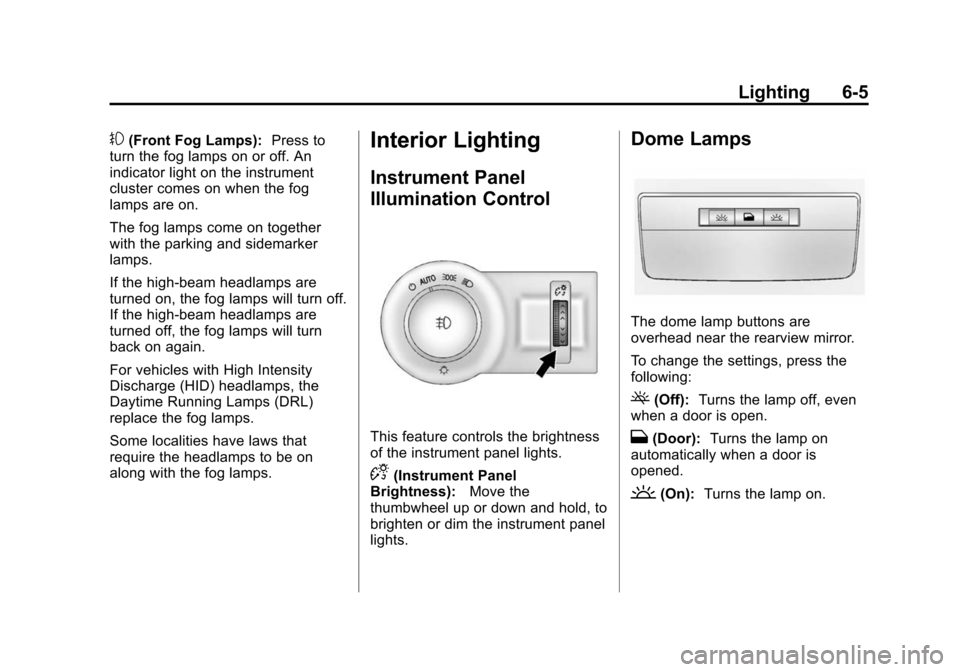
This feature controls the brightness
of the instrument panel lights.
D(Instrument Panel
Brightness): Move the
thumbwheel up or down and hold, to
brighten or dim the instrument panel
lights.
Dome Lamps
The dome lamp buttons are
overhead near the rearview mirror.
To change the settings, press the
following:
((Off): Turns the lamp off, even
when a door is open.
H(Door): Turns the lamp on
automatically when a door is
opened.
'(On): Turns the lamp on.
Page 160 of 432
Black plate (6,1)Chevrolet Camaro Owner Manual (GMNA-Localizing-U.S./Canada/Mexico-
6042601) - 2014 - CRC - 1/21/14
6-6 Lighting
Lighting Features
Entry Lighting
When it is dark enough outside or in
areas of limited lighting, the interior
lamps, headlamps, back-up lamps,
and parking lamps come on when
Kis pressed on the Remote
Keyless Entry (RKE) transmitter.
The lamps inside the vehicle come
on when any door is opened. They
stay on for about 20 seconds. When
all of the doors have been closed or
the ignition is turned to ON/RUN,
they gradually fade out.
This feature can be changed. See
“Vehicle Locator Lights” under
Vehicle Personalization on
page 5-43.
Exit Lighting
The headlamps, taillamps, parking
lamps, back-up lamps, outside
mirror lamps, and license plate
lamps come on at night, or in areas
with limited lighting, when the key is removed from the ignition. The
dome lamp comes on after the
ignition is changed to the OFF
position. The exterior lamps and
dome lamp remain on for a set
amount of time, then automatically
turn off.
The exterior lamps turn off
immediately by turning the exterior
lamp control off.
This feature can be changed. See
Vehicle Personalization on
page 5-43.
Theater Dimming
This feature allows for a three to five
second fade out of the courtesy
lamps instead of having them turn
off immediately.
Battery Load
Management
The vehicle has Electric Power
Management (EPM) that estimates
the battery's temperature and state
of charge. It then adjusts the voltage
for best performance and extended
life of the battery.
When the battery's state of charge
is low, the voltage is raised slightly
to quickly bring the charge back up.
When the state of charge is high,
the voltage is lowered slightly to
prevent overcharging. If the vehicle
has a voltmeter gauge or a voltage
display on the Driver Information
Center (DIC), you may see the
voltage move up or down. This is
normal. If there is a problem, an
alert will be displayed.
The battery can be discharged at
idle if the electrical loads are very
high. This is true for all vehicles.
This is because the generator
(alternator) may not be spinning fast
enough at idle to produce all of the
power needed for very high
electrical loads.
A high electrical load occurs when
several of the following are on, such
as: headlamps, high beams, fog
lamps, rear window defogger,
Page 165 of 432
Black plate (3,1)Chevrolet Camaro Owner Manual (GMNA-Localizing-U.S./Canada/Mexico-
6042601) - 2014 - CRC - 1/21/14
Infotainment System 7-3
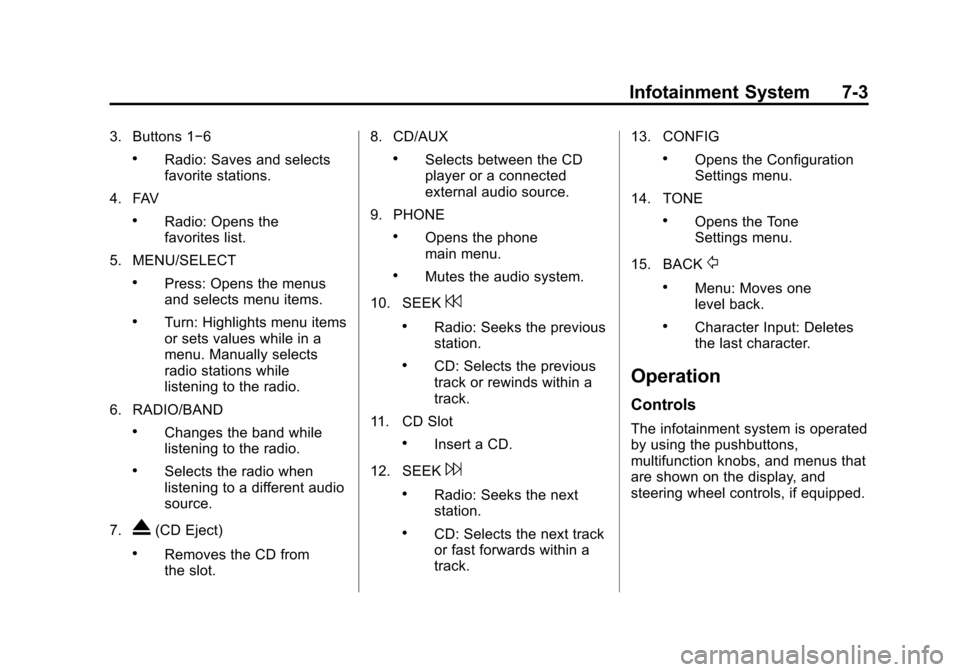
3. Buttons 1−6
.Radio: Saves and selects
favorite stations.
4. FAV
.Radio: Opens the
favorites list.
5. MENU/SELECT
.Press: Opens the menus
and selects menu items.
.Turn: Highlights menu items
or sets values while in a
menu. Manually selects
radio stations while
listening to the radio.
6. RADIO/BAND
.Changes the band while
listening to the radio.
.Selects the radio when
listening to a different audio
source.
7.
X(CD Eject)
.Removes the CD from
the slot. 8. CD/AUX
.Selects between the CD
player or a connected
external audio source.
9. PHONE
.Opens the phone
main menu.
.Mutes the audio system.
10. SEEK
7
.Radio: Seeks the previous
station.
.CD: Selects the previous
track or rewinds within a
track.
11. CD Slot
.Insert a CD.
12. SEEK
6
.Radio: Seeks the next
station.
.CD: Selects the next track
or fast forwards within a
track. 13. CONFIG
.Opens the Configuration
Settings menu.
14. TONE
.Opens the Tone
Settings menu.
15. BACK
/
.Menu: Moves one
level back.
.Character Input: Deletes
the last character.
Operation
Controls
The infotainment system is operated
by using the pushbuttons,
multifunction knobs, and menus that
are shown on the display, and
steering wheel controls, if equipped.
Page 219 of 432
Black plate (21,1)Chevrolet Camaro Owner Manual (GMNA-Localizing-U.S./Canada/Mexico-
6042601) - 2014 - CRC - 1/21/14
Driving and Operating 9-21
4. Set the parking brake. SeeParking Brake on page 9-37.
{Warning
Turning off the vehicle while
moving may cause loss of power
assist in the brake and steering
systems and disable the airbags.
While driving, only shut the
vehicle off in an emergency.
If the vehicle cannot be pulled over,
and must be shut off while driving,
turn the ignition to ACC/
ACCESSORY.
2 (ACC/ACCESSORY): This
position provides power to some of
the electrical accessories. It unlocks
the steering wheel and ignition. To
move the key from ACC/
ACCESSORY to LOCK/OFF, push
in the key and then turn it to
LOCK/OFF. 3 (ON/RUN):
The ignition switch
stays in this position when the
engine is running. This position can
be used to operate the electrical
accessories, including the
ventilation fan and 12-volt power
outlet, as well as to display some
warning and indicator lights. This
position can also be used for
service and diagnostics, and to
verify the proper operation of the
malfunction indicator lamp as may
be required for emission inspection
purposes. The transmission is also
unlocked in this position on
automatic transmission vehicles.
The battery could be drained if the
key is left in the ACC/ACCESSORY
or ON/RUN position with the engine
off. The vehicle might not start if the
battery is allowed to drain for an
extended period of time.
4 (START): This position starts the
engine. When the engine starts,
release the key. The ignition switch
will return to ON/RUN for normal
driving. A warning tone sounds when the
driver door is opened if the ignition
is still in ACC/ACCESSORY and the
key is in the ignition. If the ignition
becomes difficult to turn, see
Keys
on page 2-1.
Starting the Engine
Place the transmission in the
proper gear.
Automatic Transmission
Move the shift lever to P (Park) or
N (Neutral). The engine will not start
in any other position. To restart the
vehicle when it is already moving,
use N (Neutral) only.
{Caution
Do not try to shift to P (Park) if the
vehicle is moving. If you do, you
could damage the transmission.
Shift to P (Park) only when the
vehicle is stopped.
Page 231 of 432
Black plate (33,1)Chevrolet Camaro Owner Manual (GMNA-Localizing-U.S./Canada/Mexico-
6042601) - 2014 - CRC - 1/21/14
Driving and Operating 9-33
While in M (Manual Mode), the
transmission will prevent shifting to
a lower gear if the engine speed is
too high. If the tap down−(Minus)
paddle is held while the vehicle
slows down, the M in the DIC will
flash, and the downshift will be
allowed when vehicle speed is low
enough. Continuing to hold the tap
down −(Minus) paddle will not
cause the transmission to continue
downshifting. Each downshift must
be requested separately by
releasing and reapplying the tap
down −(Minus) paddle.
English
Metric
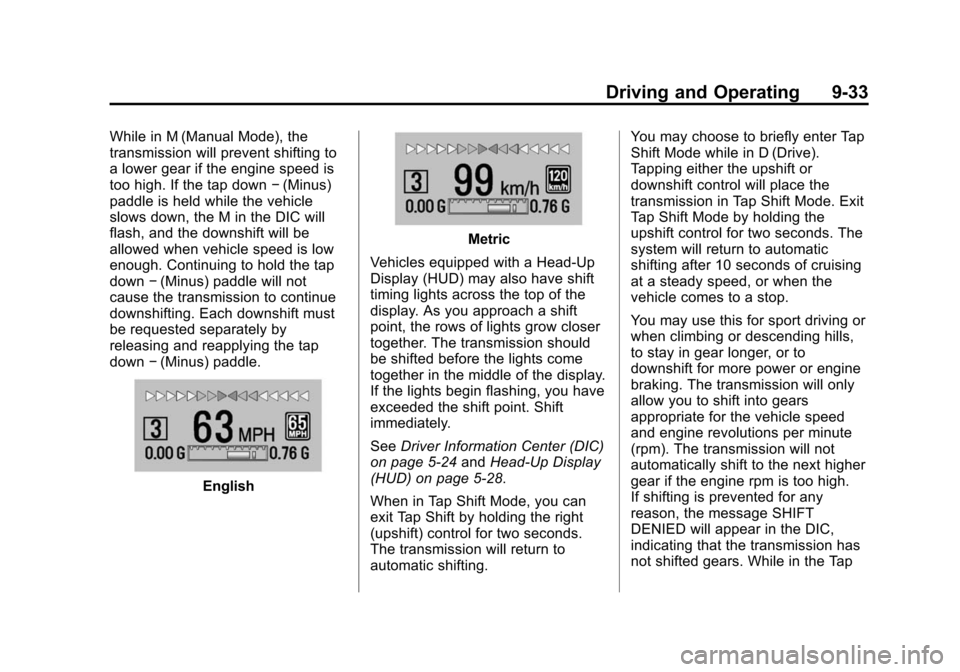
Vehicles equipped with a Head-Up
Display (HUD) may also have shift
timing lights across the top of the
display. As you approach a shift
point, the rows of lights grow closer
together. The transmission should
be shifted before the lights come
together in the middle of the display.
If the lights begin flashing, you have
exceeded the shift point. Shift
immediately.
See Driver Information Center (DIC)
on page 5-24 andHead-Up Display
(HUD) on page 5-28.
When in Tap Shift Mode, you can
exit Tap Shift by holding the right
(upshift) control for two seconds.
The transmission will return to
automatic shifting. You may choose to briefly enter Tap
Shift Mode while in D (Drive).
Tapping either the upshift or
downshift control will place the
transmission in Tap Shift Mode. Exit
Tap Shift Mode by holding the
upshift control for two seconds. The
system will return to automatic
shifting after 10 seconds of cruising
at a steady speed, or when the
vehicle comes to a stop.
You may use this for sport driving or
when climbing or descending hills,
to stay in gear longer, or to
downshift for more power or engine
braking. The transmission will only
allow you to shift into gears
appropriate for the vehicle speed
and engine revolutions per minute
(rpm). The transmission will not
automatically shift to the next higher
gear if the engine rpm is too high.
If shifting is prevented for any
reason, the message SHIFT
DENIED will appear in the DIC,
indicating that the transmission has
not shifted gears. While in the Tap
Page 234 of 432
Black plate (36,1)Chevrolet Camaro Owner Manual (GMNA-Localizing-U.S./Canada/Mexico-
6042601) - 2014 - CRC - 1/24/14
9-36 Driving and Operating
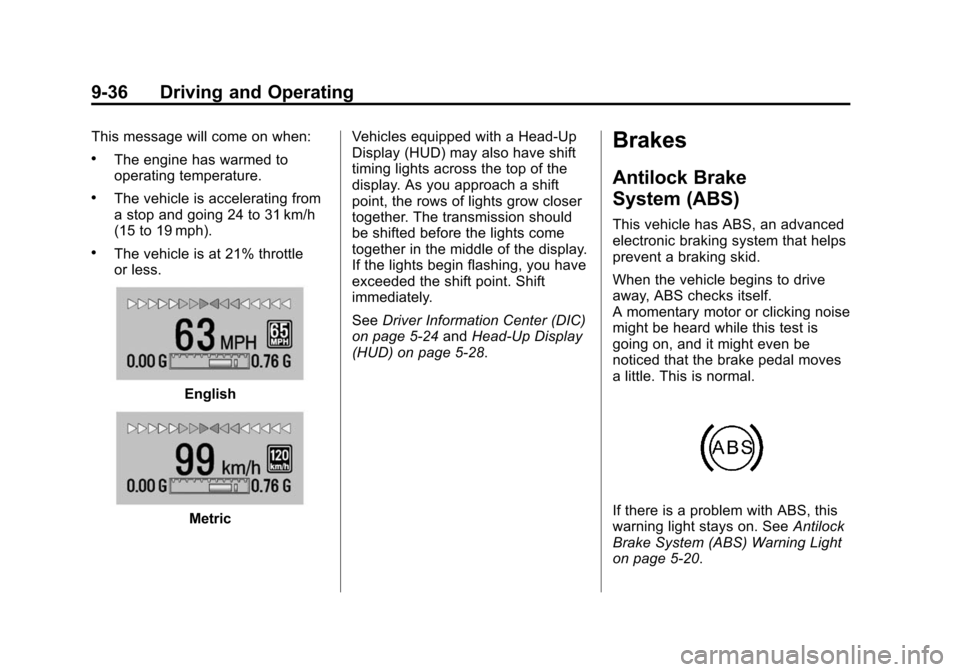
This message will come on when:
.The engine has warmed to
operating temperature.
.The vehicle is accelerating from
a stop and going 24 to 31 km/h
(15 to 19 mph).
.The vehicle is at 21% throttle
or less.
English
MetricVehicles equipped with a Head-Up
Display (HUD) may also have shift
timing lights across the top of the
display. As you approach a shift
point, the rows of lights grow closer
together. The transmission should
be shifted before the lights come
together in the middle of the display.
If the lights begin flashing, you have
exceeded the shift point. Shift
immediately.
See
Driver Information Center (DIC)
on page 5-24 andHead-Up Display
(HUD) on page 5-28.
Brakes
Antilock Brake
System (ABS)
This vehicle has ABS, an advanced
electronic braking system that helps
prevent a braking skid.
When the vehicle begins to drive
away, ABS checks itself.
A momentary motor or clicking noise
might be heard while this test is
going on, and it might even be
noticed that the brake pedal moves
a little. This is normal.
If there is a problem with ABS, this
warning light stays on. See Antilock
Brake System (ABS) Warning Light
on page 5-20.
Page 239 of 432
Black plate (41,1)Chevrolet Camaro Owner Manual (GMNA-Localizing-U.S./Canada/Mexico-
6042601) - 2014 - CRC - 1/21/14
Driving and Operating 9-41
Competitive Driving Mode
Competitive Driving Mode,
Performance Traction Management
(PTM), and Launch Control are
systems designed to allow
increased performance while
accelerating and/or cornering. This
is accomplished by regulating and
optimizing the engine, brakes, and
suspension performance. These
modes are for use at a closed
course race track and are not
intended for use on public roads.
They will not compensate for a
driver’s inexperience or lack of
familiarity with the race track.
Drivers who prefer to allow the
system to have more control of the
engine, brakes, and suspension are
advised to turn the normal TCS and
StabiliTrak systems on.{Caution
Attempting to shift when the drive
wheels are spinning and do not
have traction may cause damage
to the transmission. Damage
caused by misuse of the vehicle
is not covered by the vehicle
warranty. Do not attempt to shift
when the drive wheels do not
have traction.
Competitive Driving Mode (SS
and ZL1 Convertible Only)
Competitive Driving Mode allows full
engine power while the StabiliTrak
system helps maintain directional
control of the vehicle by selective
brake application. In this mode, TCS
is off and Launch Control is
available. Adjust your driving style
to account for the available engine
power. See “Launch Control (V8
with Manual Transmissions except
Z/28)” later in this section.
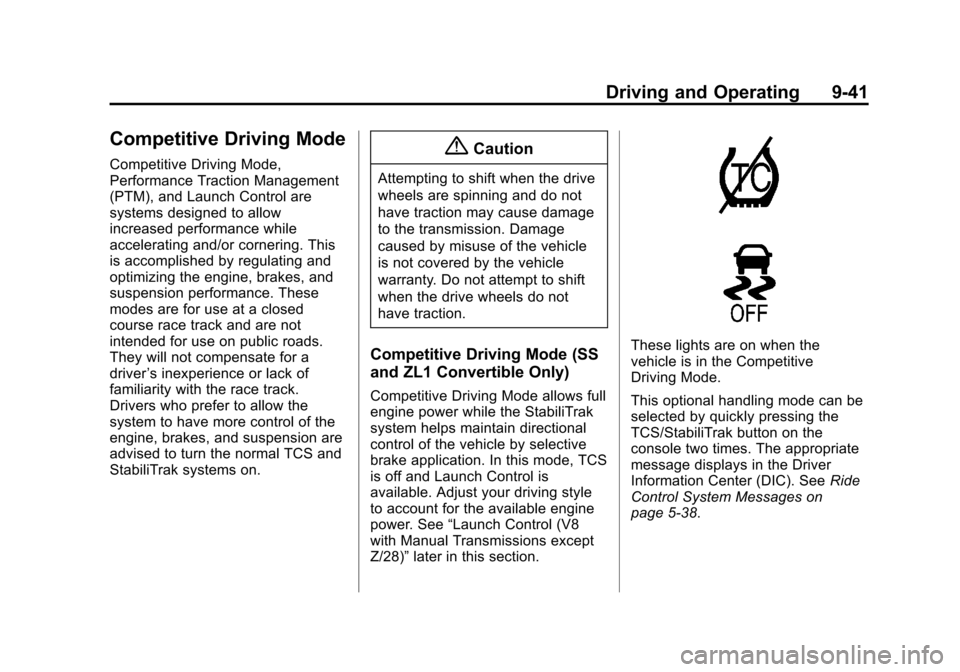
These lights are on when the
vehicle is in the Competitive
Driving Mode.
This optional handling mode can be
selected by quickly pressing the
TCS/StabiliTrak button on the
console two times. The appropriate
message displays in the Driver
Information Center (DIC). See Ride
Control System Messages on
page 5-38.
Page 240 of 432
Black plate (42,1)Chevrolet Camaro Owner Manual (GMNA-Localizing-U.S./Canada/Mexico-
6042601) - 2014 - CRC - 1/21/14
9-42 Driving and Operating
When the TCS/StabiliTrak button is
pressed again, the TCS and
StabiliTrak systems are on. The
appropriate message displays
briefly in the DIC.
Performance Traction
Management (PTM) (ZL1
Coupe and Z/28 Only)
PTM integrates the TCS,
StabiliTrak, and Selective Ride
Control systems to provide
improved and consistent
performance when cornering. The
amount of available engine power is
based on the mode selected, track
conditions, driver skill, and the
radius of each corner.
These lights are on when the
vehicle is in the PTM Mode.
This optional handling mode can be
selected by quickly pressing the
TCS/StabiliTrak button on the
console two times. The appropriate
message displays in the DIC. See
Ride Control System Messages on
page 5-38.
To experience the performance
benefit of this system, after entering
a curve and at the point where the
driver would normally start to
increase acceleration, the
accelerator pedal can be fully
pressed. The PTM system will
modify the level of engine power for
a smooth and consistent corner exit.
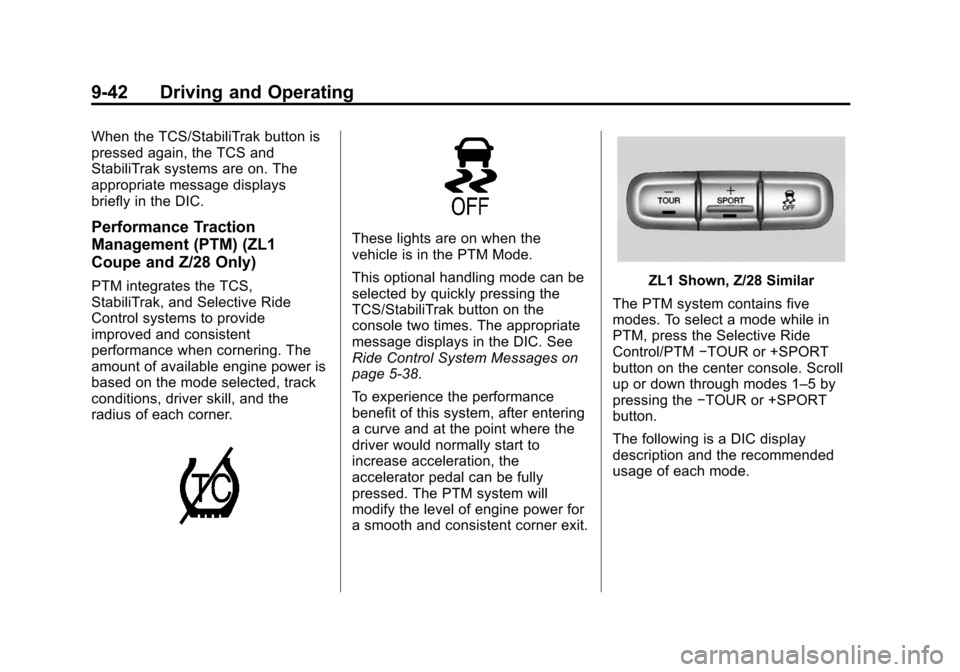
ZL1 Shown, Z/28 Similar
The PTM system contains five
modes. To select a mode while in
PTM, press the Selective Ride
Control/PTM −TOUR or +SPORT
button on the center console. Scroll
up or down through modes 1–5 by
pressing the −TOUR or +SPORT
button.
The following is a DIC display
description and the recommended
usage of each mode.
Page 243 of 432
Black plate (45,1)Chevrolet Camaro Owner Manual (GMNA-Localizing-U.S./Canada/Mexico-
6042601) - 2014 - CRC - 1/21/14
Driving and Operating 9-45
.Improved Handling Response
.Better Control of Body Ride
Motions
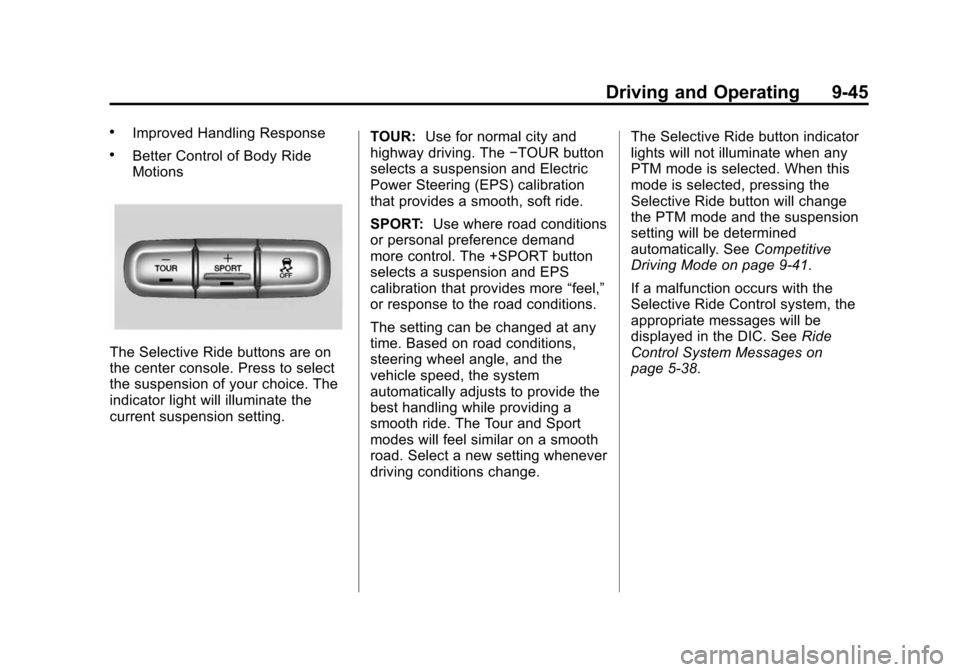
The Selective Ride buttons are on
the center console. Press to select
the suspension of your choice. The
indicator light will illuminate the
current suspension setting.TOUR:
Use for normal city and
highway driving. The −TOUR button
selects a suspension and Electric
Power Steering (EPS) calibration
that provides a smooth, soft ride.
SPORT: Use where road conditions
or personal preference demand
more control. The +SPORT button
selects a suspension and EPS
calibration that provides more “feel,”
or response to the road conditions.
The setting can be changed at any
time. Based on road conditions,
steering wheel angle, and the
vehicle speed, the system
automatically adjusts to provide the
best handling while providing a
smooth ride. The Tour and Sport
modes will feel similar on a smooth
road. Select a new setting whenever
driving conditions change. The Selective Ride button indicator
lights will not illuminate when any
PTM mode is selected. When this
mode is selected, pressing the
Selective Ride button will change
the PTM mode and the suspension
setting will be determined
automatically. See
Competitive
Driving Mode on page 9-41.
If a malfunction occurs with the
Selective Ride Control system, the
appropriate messages will be
displayed in the DIC. See Ride
Control System Messages on
page 5-38.