battery CHEVROLET CAMARO 2015 5.G User Guide
[x] Cancel search | Manufacturer: CHEVROLET, Model Year: 2015, Model line: CAMARO, Model: CHEVROLET CAMARO 2015 5.GPages: 435, PDF Size: 6.28 MB
Page 119 of 435
Black plate (14,1)Chevrolet Camaro Owner Manual (GMNA-Localizing-U.S./Canada/Mexico-
7695163) - 2015 - crc - 9/4/14
5-14 Instruments and Controls
The vehicle's charging system
regulates voltage based on the state
of charge of the battery. It is normal
for the voltmeter to fluctuate.
Readings between the low and high
warning zones indicate the normal
operating range.
Readings in the low warning zone
can occur when a large number of
electrical accessories are operating
in the vehicle and the engine is left
idling for an extended period.
If there is a problem with the battery
charging system, a message
appears in the Driver Information
Center (DIC) and/or the charging
system light comes on. SeeBattery
Voltage and Charging Messages on
page 5-33 andCharging System
Light on page 5-16.
However, readings in either warning
zone can indicate a possible
problem in the electrical system.
Have the vehicle serviced as soon
as possible.Safety Belt Reminders
Driver Safety Belt Reminder
Light
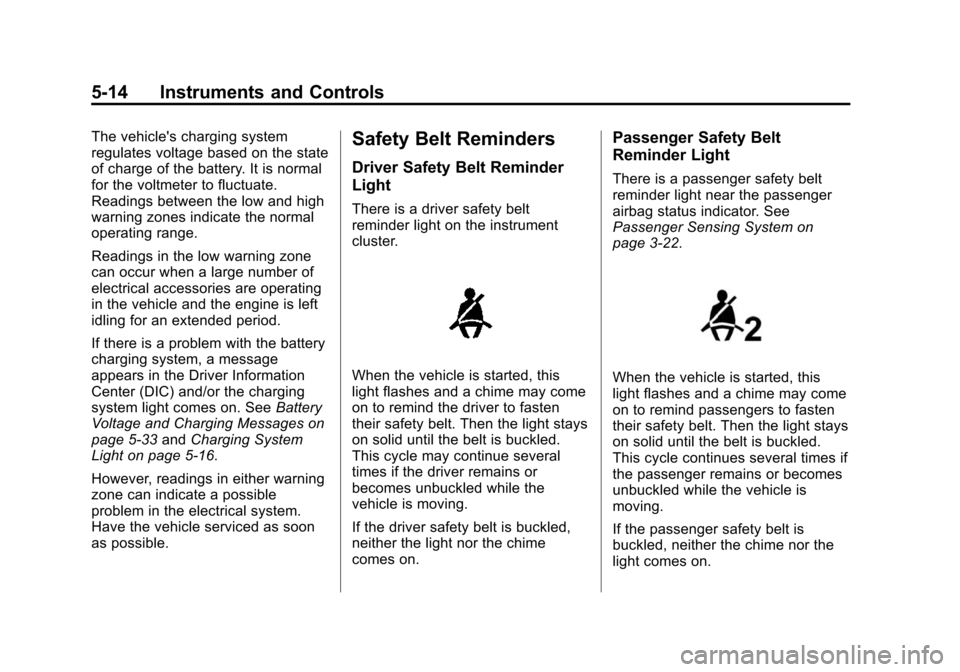
There is a driver safety belt
reminder light on the instrument
cluster.
When the vehicle is started, this
light flashes and a chime may come
on to remind the driver to fasten
their safety belt. Then the light stays
on solid until the belt is buckled.
This cycle may continue several
times if the driver remains or
becomes unbuckled while the
vehicle is moving.
If the driver safety belt is buckled,
neither the light nor the chime
comes on.
Passenger Safety Belt
Reminder Light
There is a passenger safety belt
reminder light near the passenger
airbag status indicator. See
Passenger Sensing System on
page 3-22.
When the vehicle is started, this
light flashes and a chime may come
on to remind passengers to fasten
their safety belt. Then the light stays
on solid until the belt is buckled.
This cycle continues several times if
the passenger remains or becomes
unbuckled while the vehicle is
moving.
If the passenger safety belt is
buckled, neither the chime nor the
light comes on.
Page 121 of 435
Black plate (16,1)Chevrolet Camaro Owner Manual (GMNA-Localizing-U.S./Canada/Mexico-
7695163) - 2015 - crc - 9/4/14
5-16 Instruments and Controls
as a system check. Then, after
several seconds, the status
indicator will light either ON or OFF,
or either the on or off symbol, to let
you know the status of the front
outboard passenger frontal airbag.
If the word ON or the on symbol is
lit on the passenger airbag status
indicator, it means that the front
outboard passenger frontal airbag is
allowed to inflate.
If the word OFF or the off symbol is
lit on the passenger airbag status
indicator, it means that the
passenger sensing system has
turned off the front outboard
passenger frontal airbag.
If, after several seconds, both status
indicator lights remain on, or if there
are no lights at all, there may be a
problem with the lights or the
passenger sensing system. See
your dealer for service.{Warning
If the airbag readiness light ever
comes on and stays on, it means
that something may be wrong
with the airbag system. To help
avoid injury to yourself or others,
have the vehicle serviced right
away. SeeAirbag Readiness
Light on page 5-15 for more
information, including important
safety information.
Charging System Light
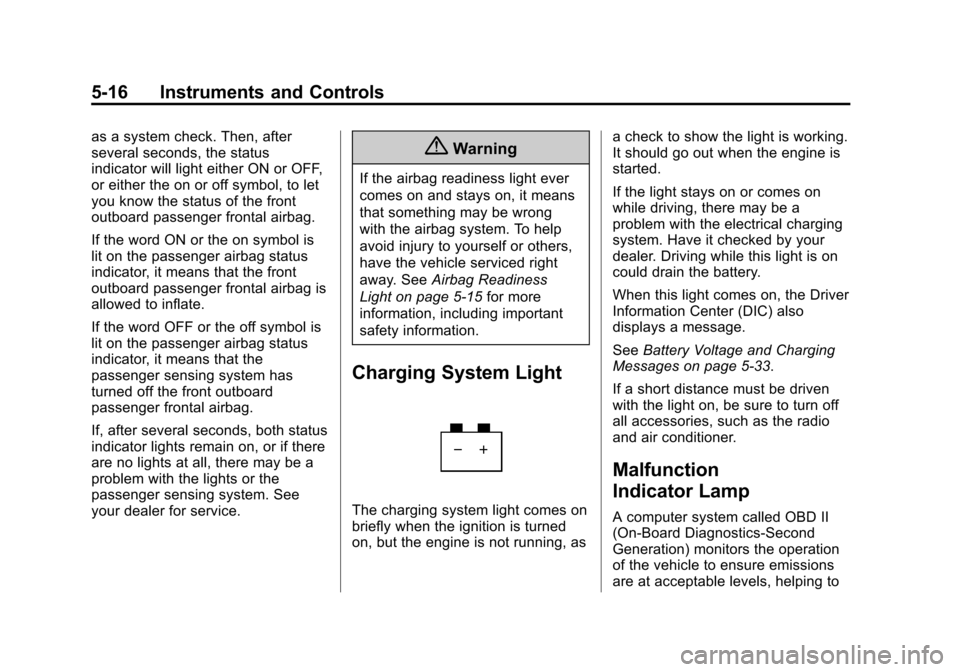
The charging system light comes on
briefly when the ignition is turned
on, but the engine is not running, as a check to show the light is working.
It should go out when the engine is
started.
If the light stays on or comes on
while driving, there may be a
problem with the electrical charging
system. Have it checked by your
dealer. Driving while this light is on
could drain the battery.
When this light comes on, the Driver
Information Center (DIC) also
displays a message.
See
Battery Voltage and Charging
Messages on page 5-33.
If a short distance must be driven
with the light on, be sure to turn off
all accessories, such as the radio
and air conditioner.
Malfunction
Indicator Lamp
A computer system called OBD II
(On-Board Diagnostics-Second
Generation) monitors the operation
of the vehicle to ensure emissions
are at acceptable levels, helping to
Page 124 of 435
Black plate (19,1)Chevrolet Camaro Owner Manual (GMNA-Localizing-U.S./Canada/Mexico-
7695163) - 2015 - crc - 9/4/14
Instruments and Controls 5-19
the ignition is turned to ON/RUN
while the engine is off. See your
dealer for assistance in verifying
proper operation of the
malfunction indicator lamp.
.The OBD II (On-Board
Diagnostics) system determines
that critical emission control
systems have not been
completely diagnosed. The
vehicle would be considered not
ready for inspection. This can
happen if the 12-volt battery has
recently been replaced or run
down. The diagnostic system is
designed to evaluate critical
emission control systems during
normal driving. This can take
several days of routine driving.
If this has been done and the
vehicle still does not pass the
inspection for lack of OBD II
system readiness, your dealer
can prepare the vehicle for
inspection.
Brake System Warning
Light
The vehicle brake system consists
of two hydraulic circuits. If one
circuit is not working, the remaining
circuit can still work to stop the
vehicle. For normal braking
performance, both circuits need to
be working
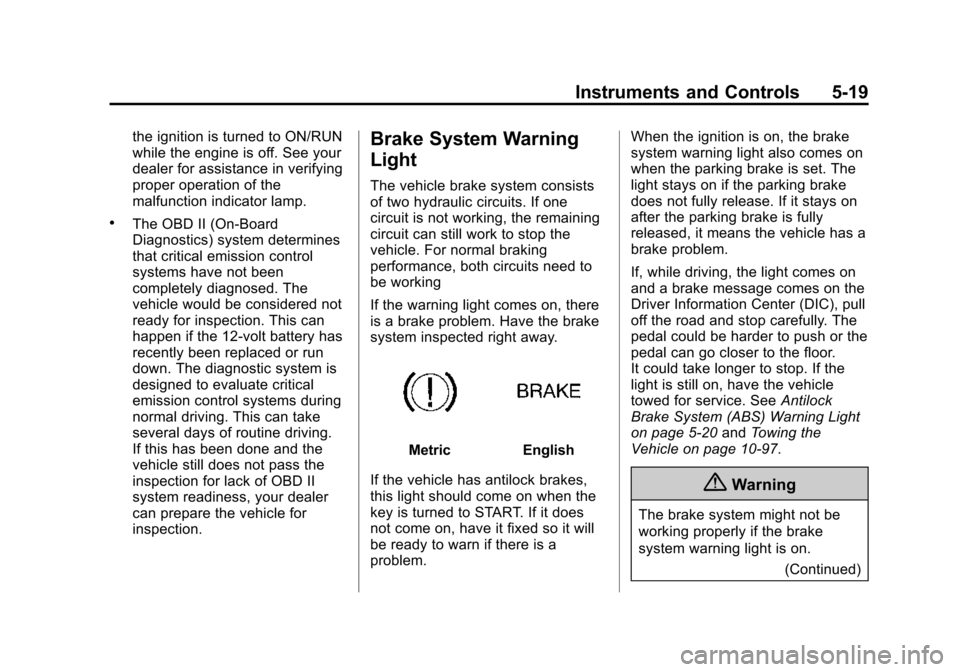
If the warning light comes on, there
is a brake problem. Have the brake
system inspected right away.
MetricEnglish
If the vehicle has antilock brakes,
this light should come on when the
key is turned to START. If it does
not come on, have it fixed so it will
be ready to warn if there is a
problem. When the ignition is on, the brake
system warning light also comes on
when the parking brake is set. The
light stays on if the parking brake
does not fully release. If it stays on
after the parking brake is fully
released, it means the vehicle has a
brake problem.
If, while driving, the light comes on
and a brake message comes on the
Driver Information Center (DIC), pull
off the road and stop carefully. The
pedal could be harder to push or the
pedal can go closer to the floor.
It could take longer to stop. If the
light is still on, have the vehicle
towed for service. See
Antilock
Brake System (ABS) Warning Light
on page 5-20 andTowing the
Vehicle on page 10-97.
{Warning
The brake system might not be
working properly if the brake
system warning light is on.
(Continued)
Page 130 of 435
Black plate (25,1)Chevrolet Camaro Owner Manual (GMNA-Localizing-U.S./Canada/Mexico-
7695163) - 2015 - crc - 9/4/14
Instruments and Controls 5-25
Trip 1 and Trip 2
The Trip display shows the current
distance traveled, in either
kilometers (km) or miles (mi), since
the last reset for the trip odometer.
The trip odometer can be reset to
zero by pressing the trip reset stem
or the SET/CLR button while the trip
odometer display is showing.
Fuel Range
The Fuel Range display shows the
approximate distance the vehicle
can be driven without refueling. The
fuel range estimate is based on an
average of the vehicle's fuel
economy over recent driving history
and the amount of fuel remaining in
the fuel tank. Fuel range cannot be
reset.
Average Fuel Economy
The Average Fuel Economy display
shows the approximate average
liters per 100 kilometers (L/100 km)
or miles per gallon (mpg). This
number reflects only the
approximate average fuel economythat the vehicle has right now, and
will change as driving conditions
change. This number is calculated
based on the number of L/
100 km (mpg) recorded since the
last time this menu item was reset.
The fuel economy can be reset by
pressing the SET/CLR button while
the Average Fuel Economy display
is showing.
Average Vehicle Speed
The Average Vehicle Speed display
shows the average speed of the
vehicle in kilometers per hour (km/h)
or miles per hour (mph). This
average is calculated based on the
various vehicle speeds recorded
since the last reset of this value.
The average speed can be reset by
pressing the SET/CLR button while
the Average Vehicle Speed display
is showing.
Turn-by-Turn
This display is used for the OnStar
Turn-by-Turn Navigation. See
OnStar Overview on page 14-1.
Blank
This display shows no information.
Vehicle Information Menu
Items
Press the MENU button on the turn
signal lever until Vehicle Information
Menu is displayed. Use the band to
scroll through the following menu
items:
.Unit
.Tire Pressure
.Remaining Oil Life
.Coolant Temperature
.Battery Voltage
.Speed Warning
Unit
Move the band up or down to switch
between US or Metric when the Unit
display is active. Press SET/CLR to
confirm the setting. This will change
the displays on the cluster and DIC
to either English (US) or metric
measurements.
Page 131 of 435
Black plate (26,1)Chevrolet Camaro Owner Manual (GMNA-Localizing-U.S./Canada/Mexico-
7695163) - 2015 - crc - 9/4/14
5-26 Instruments and Controls
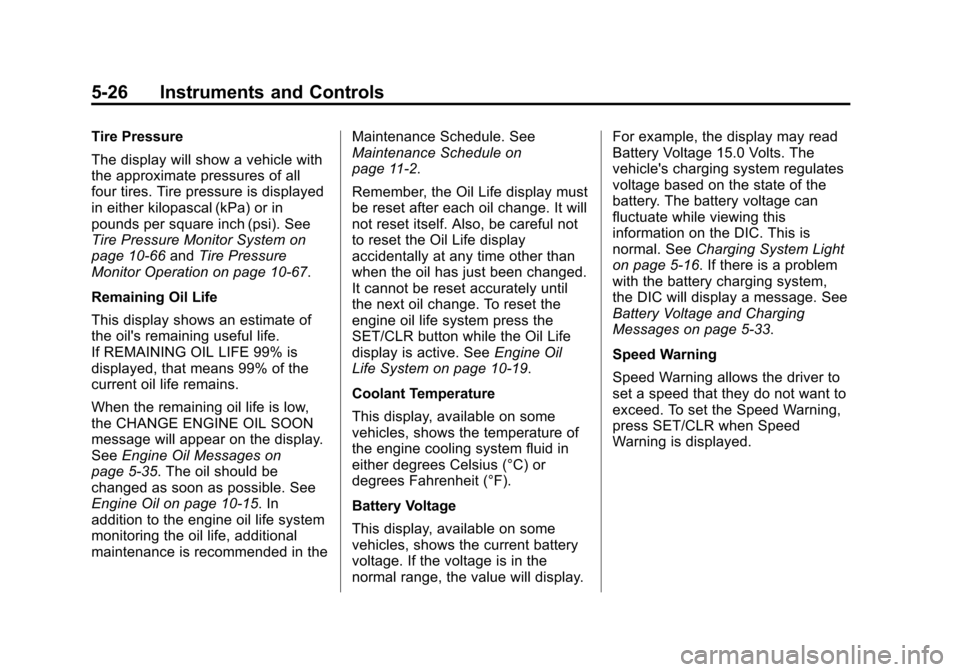
Tire Pressure
The display will show a vehicle with
the approximate pressures of all
four tires. Tire pressure is displayed
in either kilopascal (kPa) or in
pounds per square inch (psi). See
Tire Pressure Monitor System on
page 10-66andTire Pressure
Monitor Operation on page 10-67.
Remaining Oil Life
This display shows an estimate of
the oil's remaining useful life.
If REMAINING OIL LIFE 99% is
displayed, that means 99% of the
current oil life remains.
When the remaining oil life is low,
the CHANGE ENGINE OIL SOON
message will appear on the display.
See Engine Oil Messages on
page 5-35. The oil should be
changed as soon as possible. See
Engine Oil on page 10-15. In
addition to the engine oil life system
monitoring the oil life, additional
maintenance is recommended in the Maintenance Schedule. See
Maintenance Schedule on
page 11-2.
Remember, the Oil Life display must
be reset after each oil change. It will
not reset itself. Also, be careful not
to reset the Oil Life display
accidentally at any time other than
when the oil has just been changed.
It cannot be reset accurately until
the next oil change. To reset the
engine oil life system press the
SET/CLR button while the Oil Life
display is active. See
Engine Oil
Life System on page 10-19.
Coolant Temperature
This display, available on some
vehicles, shows the temperature of
the engine cooling system fluid in
either degrees Celsius (°C) or
degrees Fahrenheit (°F).
Battery Voltage
This display, available on some
vehicles, shows the current battery
voltage. If the voltage is in the
normal range, the value will display. For example, the display may read
Battery Voltage 15.0 Volts. The
vehicle's charging system regulates
voltage based on the state of the
battery. The battery voltage can
fluctuate while viewing this
information on the DIC. This is
normal. See
Charging System Light
on page 5-16. If there is a problem
with the battery charging system,
the DIC will display a message. See
Battery Voltage and Charging
Messages on page 5-33.
Speed Warning
Speed Warning allows the driver to
set a speed that they do not want to
exceed. To set the Speed Warning,
press SET/CLR when Speed
Warning is displayed.
Page 132 of 435
Black plate (27,1)Chevrolet Camaro Owner Manual (GMNA-Localizing-U.S./Canada/Mexico-
7695163) - 2015 - crc - 9/4/14
Instruments and Controls 5-27
Performance Menu
Some vehicles may have a
Performance Menu. Press the
MENU button on the turn signal
lever until Performance Menu is
displayed. Use the band to scroll
through the following menu items:
.Lap Timer
.Coolant Temperature and
Battery Voltage
.Oil Temperature and Oil
Pressure
.Acceleration
Lap Timer
The Lap Timer display shows total
time, lap times, top speed, average
speed, and average time when
active.
While in this display, press SET/
CLR to activate the lap timer
function. While timer is active, press
MENU to store the current lap time
and start timer for a new lap. Press
SET/CLR to pause or resume the lap timer. Press and hold SET/CLR
to clear and exit the lap timer
function.
Coolant Temperature and Battery
Voltage
The coolant temperature display
shows the temperature of the
engine cooling system fluid in either
degrees Celsius (°C) or degrees
Fahrenheit (°F).
The battery voltage display shows
the current battery voltage. The
vehicle's charging system regulates
voltage based on the state of the
battery. The battery voltage can
fluctuate while viewing this
information on the DIC. This is
normal. See
Charging System Light
on page 5-16. If there is a problem
with the battery charging system,
the DIC will display a message. See
Battery Voltage and Charging
Messages on page 5-33. Oil Temperature and Oil Pressure
The oil temperature display shows
the temperature of the engine oil in
either Celsius (C) or degrees
Fahrenheit (F). The oil pressure
display shows the current oil
pressure. Oil pressure varies with
engine load and RPM. If there is an
issue with oil pressure a message
will display on the DIC.
Acceleration
Longitudinal and lateral
accelerations are displayed showing
the vehicle's current acceleration
levels.
Compass
The vehicle may have a compass
display in the Driver Information
Center (DIC). See
Compass on
page 5-4.
Page 138 of 435
Black plate (33,1)Chevrolet Camaro Owner Manual (GMNA-Localizing-U.S./Canada/Mexico-
7695163) - 2015 - crc - 9/4/14
Instruments and Controls 5-33
Battery Voltage and
Charging Messages
BATTERY SAVER ACTIVE
This message displays when the
vehicle has detected that the battery
voltage is dropping beyond a
reasonable point. The battery saver
system starts reducing features of
the vehicle that may be noticed. At
the point that features are disabled,
this message displays. Turn off
unnecessary accessories to allow
the battery to recharge.
LOW BATTERY
This message is displayed when the
battery voltage is low. SeeBattery
on page 10-40.
SERVICE BATTERY
CHARGING SYSTEM
This message is displayed when
there is a fault in the battery
charging system. Take the vehicle to
your dealer for service.
Brake System Messages
BRAKE FLUID LOW
This message is displayed when the
brake fluid level is low; see Brake
Fluid on page 10-39.
CHANGE BRAKE PADS (Z/
28 Only)
This message is displayed when the
brake pads are worn.
HILL START ASSIST ACTIVE
This message is displayed when Hill
Start Assist (HSA) is preventing the
vehicle from rolling while driving off
on a grade. See Hill Start Assist
(HSA) on page 9-38.
RELEASE PARKING BRAKE
This message is displayed as a
reminder that the parking brake is
on. Release it before you attempt to
drive.
Compass Messages
CAL
This message is displayed when the
compass needs to be calibrated.
See Compass on page 5-4.
– –
Dashes will be displayed if the
compass needs service. See your
dealer for service.
Convertible Top
Messages
BATTERY VOLTAGE TOO LOW
–TOP DISABLED
This message displays when the
battery voltage is too low to operate
the convertible top.
EXTEND CARGO SHADE TO
OPERATE
This message displays if the rear
trunk partition is not extended and
engaged.
Page 141 of 435
Black plate (36,1)Chevrolet Camaro Owner Manual (GMNA-Localizing-U.S./Canada/Mexico-
7695163) - 2015 - crc - 9/4/14
5-36 Instruments and Controls
before filling to the recommended
level. If the oil is not low and this
message remains on, take the
vehicle to your dealer for service.
SeeEngine Oil on page 10-15.
OIL PRESSURE LOW —STOP
ENGINE
This message displays if low oil
pressure levels occur. Stop the
vehicle as soon as safely possible
and do not operate it until the cause
of the low oil pressure has been
corrected. Check the oil as soon as
possible and have the vehicle
serviced by your dealer.
Engine Power Messages
ENGINE POWER IS REDUCED
This message displays when the
vehicle's engine power is reduced.
Reduced engine power can affect
the vehicle's ability to accelerate.
If this message is on, but there is no
reduction in performance, proceed
to your destination. The
performance may be reduced the next time the vehicle is driven. The
vehicle may be driven at a reduced
speed while this message is on, but
maximum acceleration and speed
may be reduced. Anytime this
message stays on, the vehicle
should be taken to your dealer for
service as soon as possible.
Fuel System Messages
FUEL LEVEL LOW
This message displays when the
vehicle is low on fuel. Refuel as
soon as possible.
TIGHTEN GAS CAP
This message displays when the
fuel cap is not on tight. Tighten the
fuel cap.
Key and Lock Messages
NUMBER OF KEYS
PROGRAMMED
This message displays when
programming new keys to the
vehicle.
REPLACE BATTERY IN
REMOTE KEY
This message displays when the
battery in the Remote Keyless Entry
(RKE) transmitter needs to be
replaced.
Lamp Messages
AUTOMATIC LIGHT
CONTROL ON
This message is displayed when the
automatic light control has been
turned on. See
Automatic Headlamp
System on page 6-3.
AUTOMATIC LIGHT
CONTROL OFF
This message is displayed when the
automatic light control has been
turned off. See Automatic Headlamp
System on page 6-3.
Page 147 of 435
Black plate (42,1)Chevrolet Camaro Owner Manual (GMNA-Localizing-U.S./Canada/Mexico-
7695163) - 2015 - crc - 9/4/14
5-42 Instruments and Controls
TRANSMISSION HOT–IDLE
ENGINE
This message displays and a chime
sounds if the transmission fluid in
the vehicle gets hot. Driving with the
transmission fluid temperature high
can cause damage to the vehicle.
Stop the vehicle and let it idle to
allow the transmission to cool. This
message clears when the fluid
temperature reaches a safe level.
Vehicle Reminder
Messages
ICE POSSIBLE DRIVE
WITH CARE
This message is displayed when ice
conditions are possible.
TURN WIPER CONTROL TO
INTERMITTENT FIRST
This message is displayed when
attempting to adjust the intermittent
wiper speed without intermittent selected on the wiper control. See
Windshield Wiper/Washer on
page 5-3.
Vehicle Speed Messages
DRIVER SELECTED SPEED
LIMIT EXCEEDED
This message is displayed when the
vehicle speed is greater than the set
speed. See
“Speed Warning” under
Driver Information Center (DIC) on
page 5-24.
SPEED LIMITED TO XXX
(ZL1 Only)
This message displays when a
malfunction is present in the
Selective Ride Control system. The
vehicle speed will be limited to a
value determined by the vehicle
when the shock absorber system
has failed and the shocks are in
their full soft mode. Have the vehicle
serviced by your dealer as soon as
possible.
Window Messages
OPEN, THEN CLOSE DRIVER/
PASSENGER WINDOW
This message is displayed when the
window needs to be reprogrammed.
If the vehicle's battery has been
recharged or disconnected, you will
need to program each front window
for the express-up feature to work.
See Power Windows on page 2-16.
Page 154 of 435
Black plate (49,1)Chevrolet Camaro Owner Manual (GMNA-Localizing-U.S./Canada/Mexico-
7695163) - 2015 - crc - 9/4/14
Instruments and Controls 5-49
Make sure the hand-held transmitter
has a new battery for quick and
accurate transmission of the
radio-frequency signal.
Programming the Universal
Remote System
For questions or help programming
the Universal Remote system, call
1-800-355-3515 or see
www.homelink.com.
Programming involves
time-sensitive actions, and may time
out causing the procedure to be
repeated.
To program up to three devices:
1. Hold the end of the hand-heldtransmitter about 3 to 8 cm (1 to
3 in) away from the Universal
Remote system buttons with the
indicator light in view. The
hand-held transmitter was
supplied by the manufacturer of
the garage door opener receiver. 2. At the same time, press and
hold both the hand-held
transmitter button and one of the
three Universal Remote system
buttons to be used to operate
the garage door. Do not release
either button until the indicator
light changes from a slow to a
rapid flash. Then release both
buttons.
Some garage door openers may
require substitution of Step 2
with the procedure under in
“Radio Signals for Canada and
Some Gate Operators” later in
this section.
3. Press and hold the newly programmed Universal Remote
system button for five seconds
while watching the indicator light
and garage door activation.
.If the indicator light stays on
continuously or the garage
door moves when the
button is pressed, then programming is complete.
There is no need to
complete Steps 4–6.
.If the indicator light does
not come on or the garage
door does not move, a
second button press may
be required. For a second
time, press and hold the
newly programmed button
for five seconds. If the light
stays on or the garage door
moves, programming is
complete.
.If the indicator light blinks
rapidly for two seconds,
then changes to a solid light
and the garage door does
not move, continue with
programming Steps 4–6.