clock CHEVROLET CAMARO 2015 5.G User Guide
[x] Cancel search | Manufacturer: CHEVROLET, Model Year: 2015, Model line: CAMARO, Model: CHEVROLET CAMARO 2015 5.GPages: 435, PDF Size: 6.28 MB
Page 134 of 435
Black plate (29,1)Chevrolet Camaro Owner Manual (GMNA-Localizing-U.S./Canada/Mexico-
7695163) - 2015 - crc - 9/4/14
Instruments and Controls 5-29
The following indicator lights come
on in the instrument cluster when
activated and may also appear on
the HUD:
.Turn Signal Indicators
.High-Beam Indicator Symbol
The HUD also temporarily displays
the following messages on vehicles
with these systems, when they are
active:
.Check Tire Pressure
.Cruise Set To
.Fuel Level Low
.Speed Limited To
.Traction Control Active
.Stabilitrak Active
.Park Distance Unavailable
.Gap Alert Off
When the HUD is on, the
speedometer reading is continually
displayed. The current radio station
or CD track number may display for
a short period of time after the radio or CD track status changes. This
may happen whenever radio
information is changed. The
speedometer size is reduced when
radio, CD information, or warnings
are displayed on the HUD.
When the phone feature is
activated, the HUD will briefly
display phone information,
if available.
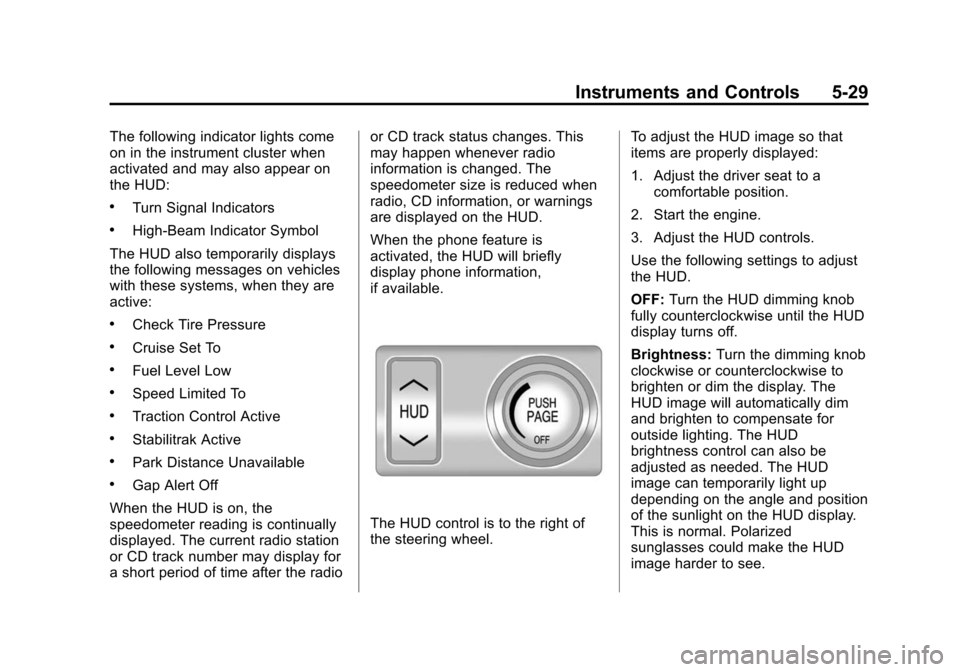
The HUD control is to the right of
the steering wheel.
To adjust the HUD image so that
items are properly displayed:
1. Adjust the driver seat to a
comfortable position.
2. Start the engine.
3. Adjust the HUD controls.
Use the following settings to adjust
the HUD.
OFF: Turn the HUD dimming knob
fully counterclockwise until the HUD
display turns off.
Brightness: Turn the dimming knob
clockwise or counterclockwise to
brighten or dim the display. The
HUD image will automatically dim
and brighten to compensate for
outside lighting. The HUD
brightness control can also be
adjusted as needed. The HUD
image can temporarily light up
depending on the angle and position
of the sunlight on the HUD display.
This is normal. Polarized
sunglasses could make the HUD
image harder to see.
Page 148 of 435
Black plate (43,1)Chevrolet Camaro Owner Manual (GMNA-Localizing-U.S./Canada/Mexico-
7695163) - 2015 - crc - 9/4/14
Instruments and Controls 5-43
Vehicle
Personalization
Use the audio system controls to
access the personalization menus
for customizing vehicle features.
The following are all possible
personalization features. Depending
on the vehicle, some may not be
available.
Infotainment System Audio
System Controls
Using the Faceplate
MENU/SELECT Knob
.Press to enter, select, or activate
a highlighted menu option.
.Turn to highlight a menu option.
.Press to enable or disable a
system setting.
/BACK
.Press to exit a menu.
.Press to return to a previous
screen.Using the Touch Screen
Press a screen feature to:
.View more feature options.
.Enable or disable the feature.
w:
Press to scroll up.
x:Press to scroll down.
Back: Press to return to the
previous menu.
To access the
personalization menu:
1. Press Config on the Home page
on the infotainment system
display or CONFIG on the
faceplate.
2. Select the desired feature to display a list of available
options.
3. Select the desired feature setting.
Personalization Menus
The following list of menu items may
be available:
.Languages
.Time and Date
.Radio Settings
.Phone Settings
.Navigation Settings
.Display Settings
.Vehicle Settings
Each menu is detailed in the
following information.
Languages
Select Language, then select from
the available language(s).
Time and Date
Manually set the time and date. See
Clock on page 5-4.
Radio Settings
Select and depending on the radio
the following may display:
.Auto Volume
.Gracenote Options
.XM Channel Art
.Max Startup Volume
Page 179 of 435
Black plate (14,1)Chevrolet Camaro Owner Manual (GMNA-Localizing-U.S./Canada/Mexico-
7695163) - 2015 - crc - 9/4/14
7-14 Infotainment System
Turn the MENU/SELECT knob
counterclockwise or clockwise to
select the previous or next track.
Using the CD Menu:
1. Press the MENU/SELECT knob.
2. Select Tracks list.
3. Select the track.
Playing Tracks in Random Order
Press the MENU/SELECT knob and
then set Shuffle Songs to On.
Fast Forward and Rewind
Press and hold SEEK
7or SEEK
6to fast forward or rewind within
the current track.
Selecting an MP3 Track
Using the control buttons:
Press SEEK
7or SEEK6to
select the previous or next track.
Turn the MENU/SELECT knob
counterclockwise or clockwise to
select the previous or next track. Using the CD Menu:
1. Press the MENU/SELECT knob.
2. Select Playlists/Folders.
3. Select the playlist or folder.
4. Select the track.
Searching for MP3 Tracks
It is normal for the search feature to
take some time to display the
information after reading the disc
due to the amount of information
stored on the disc. The infotainment
system automatically switches to
FM while the disc is being read.
Tracks can be searched by:
.Playlists
.Artists
.Albums
.Song Titles
.Genres
.Folder View
To search for tracks:
1. Press the MENU/SELECT knob. 2. Select Search.
3. Select: Playlists, Artists, Albums,
Song Titles, Genres,
or Folder View.
4. Select the track.
Auxiliary Devices
If equipped, the AUX input allows
portable devices to connect to the
vehicle using the 3.5 mm (1/8 in)
input jack, the USB port,
if equipped, or Bluetooth
®wireless
technology, if equipped.
Portable devices are controlled by
using the menu system described in
Operation on page 7-3.
Page 256 of 435
Black plate (55,1)Chevrolet Camaro Owner Manual (GMNA-Localizing-U.S./Canada/Mexico-
7695163) - 2015 - crc - 9/4/14
Driving and Operating 9-55
When replacing the fuel cap, turn it
clockwise until it clicks, otherwise
the malfunction indicator lamp may
turn on. The diagnostic system can
determine if the fuel cap has been
left off or improperly installed. This
would allow fuel to evaporate into
the atmosphere. SeeMalfunction
Indicator Lamp on page 5-16.
{Warning
If a fire starts while you are
refueling, do not remove the
nozzle. Shut off the flow of fuel by
shutting off the pump or by
notifying the station attendant.
Leave the area immediately.
{Caution
If a new fuel cap is needed, be
sure to get the right type of cap
from your dealer. The wrong type
of fuel cap may not fit properly,
(Continued)
Caution (Continued)
may cause the malfunction
indicator lamp to light, and could
damage the fuel tank and
emissions system. See
Malfunction Indicator Lamp on
page 5-16.
Filling a Portable Fuel
Container
{Warning
Filling a portable fuel container
while it is in the vehicle can cause
fuel vapors that can ignite either
by static electricity or other
means. You or others could be
badly burned and the vehicle
could be damaged. Always:
.Use approved fuel
containers.(Continued)
Warning (Continued)
.Remove the container from
the vehicle, trunk, or pickup
bed before filling.
.Place the container on the
ground.
.Place the nozzle inside the fill
opening of the container
before dispensing fuel, and
keep it in contact with the fill
opening until filling is
complete.
.Fill the container no more
than 95% full to allow for
expansion.
.Do not smoke, light matches,
or use lighters while
pumping fuel.
.Avoid using cell phones or
other electronic devices.
Page 294 of 435
Black plate (31,1)Chevrolet Camaro Owner Manual (GMNA-Localizing-U.S./Canada/Mexico-
7695163) - 2015 - crc - 9/4/14
Vehicle Care 10-31
Use a 50/50 mixture of clean,
drinkable water and DEX-COOL
coolant. If using this mixture,
nothing else needs to be added.
This mixture:
.Gives freezing protection down
to−37°C (−34°F), outside
temperature.
.Gives boiling protection up to
129°C (265°F), engine
temperature.
.Protects against rust and
corrosion.
.Will not damage aluminum parts.
.Helps keep the proper engine
temperature.
{Caution
If improper coolant mixture,
inhibitors, or additives are used in
the vehicle cooling system, the
engine could overheat and be
damaged. Too much water in the
(Continued)
Caution (Continued)
mixture can freeze and crack
engine cooling parts. The repairs
would not be covered by the
vehicle warranty. Use only the
proper mixture of engine coolant
for the cooling system. See
Recommended Fluids and
Lubricants on page 11-12.
Never dispose of engine coolant by
putting it in the trash, pouring it on
the ground, or into sewers, streams,
or bodies of water. Have the coolant
changed by an authorized service
center, familiar with legal
requirements regarding used
coolant disposal. This will help
protect the environment and your
health.
Checking Coolant
The vehicle must be on a level
surface when checking the coolant
level. Check coolant as follows:
1. Turn the ignition off.
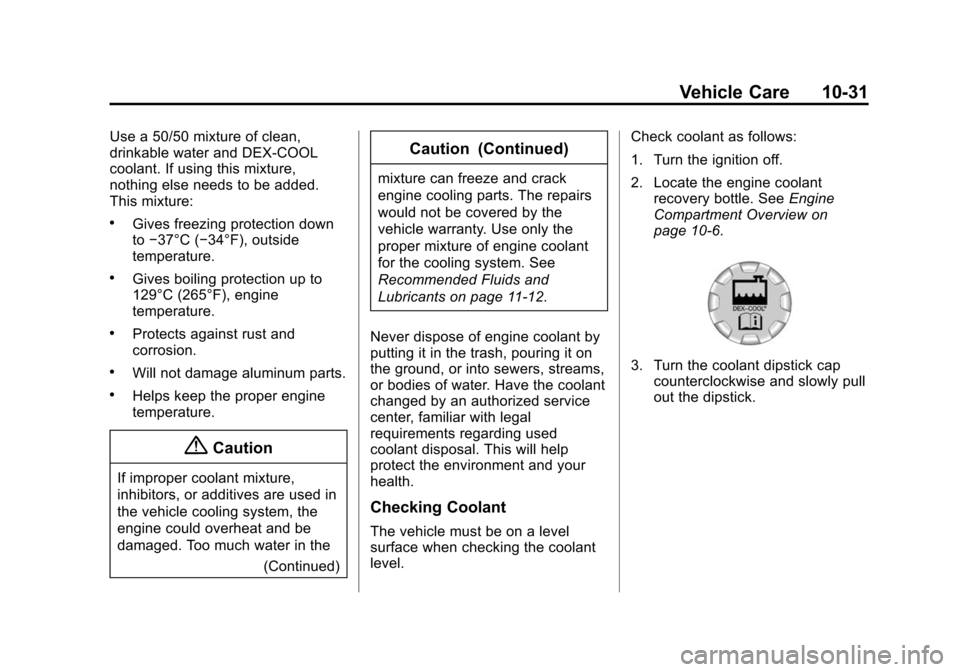
2. Locate the engine coolant
recovery bottle. See Engine
Compartment Overview on
page 10-6.
3. Turn the coolant dipstick cap counterclockwise and slowly pull
out the dipstick.
Page 295 of 435
Black plate (32,1)Chevrolet Camaro Owner Manual (GMNA-Localizing-U.S./Canada/Mexico-
7695163) - 2015 - crc - 9/4/14
10-32 Vehicle Care
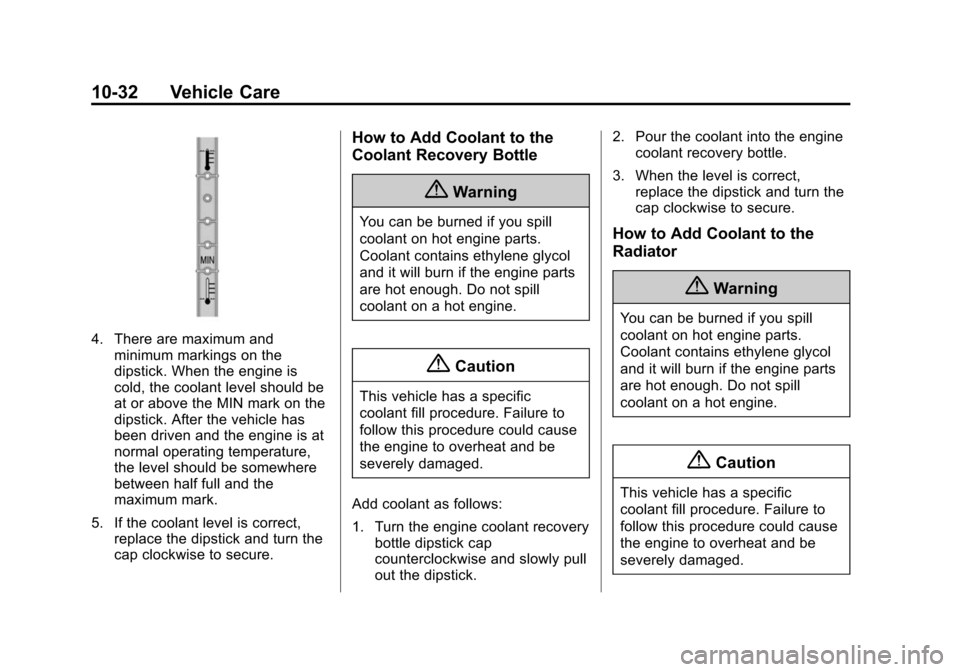
4. There are maximum andminimum markings on the
dipstick. When the engine is
cold, the coolant level should be
at or above the MIN mark on the
dipstick. After the vehicle has
been driven and the engine is at
normal operating temperature,
the level should be somewhere
between half full and the
maximum mark.
5. If the coolant level is correct, replace the dipstick and turn the
cap clockwise to secure.
How to Add Coolant to the
Coolant Recovery Bottle
{Warning
You can be burned if you spill
coolant on hot engine parts.
Coolant contains ethylene glycol
and it will burn if the engine parts
are hot enough. Do not spill
coolant on a hot engine.
{Caution
This vehicle has a specific
coolant fill procedure. Failure to
follow this procedure could cause
the engine to overheat and be
severely damaged.
Add coolant as follows:
1. Turn the engine coolant recovery bottle dipstick cap
counterclockwise and slowly pull
out the dipstick. 2. Pour the coolant into the engine
coolant recovery bottle.
3. When the level is correct, replace the dipstick and turn the
cap clockwise to secure.
How to Add Coolant to the
Radiator
{Warning
You can be burned if you spill
coolant on hot engine parts.
Coolant contains ethylene glycol
and it will burn if the engine parts
are hot enough. Do not spill
coolant on a hot engine.
{Caution
This vehicle has a specific
coolant fill procedure. Failure to
follow this procedure could cause
the engine to overheat and be
severely damaged.
Page 296 of 435
Black plate (33,1)Chevrolet Camaro Owner Manual (GMNA-Localizing-U.S./Canada/Mexico-
7695163) - 2015 - crc - 9/4/14
Vehicle Care 10-33
{Warning
An electric engine cooling fan
under the hood can start up even
when the engine is not running
and can cause injury. Keep
hands, clothing, and tools away
from any underhood electric fan.
{Warning
Steam and scalding liquids from a
hot cooling system can blow out
and burn you badly. They are
under pressure, and if you turn
the surge tank pressure
cap—even a little —they can
come out at high speed. Never
turn the cap when the cooling
system, including the surge tank
pressure cap, is hot. Wait for the
cooling system and surge tank
pressure cap to cool if you ever
have to turn the pressure cap. If coolant is needed, add the proper
mixture directly to the radiator, but
be sure the cooling system is cool
before this is done.
If no coolant is visible in the engine
coolant recovery bottle, add coolant
as follows:
3.6L V6 Engine Fill Procedure
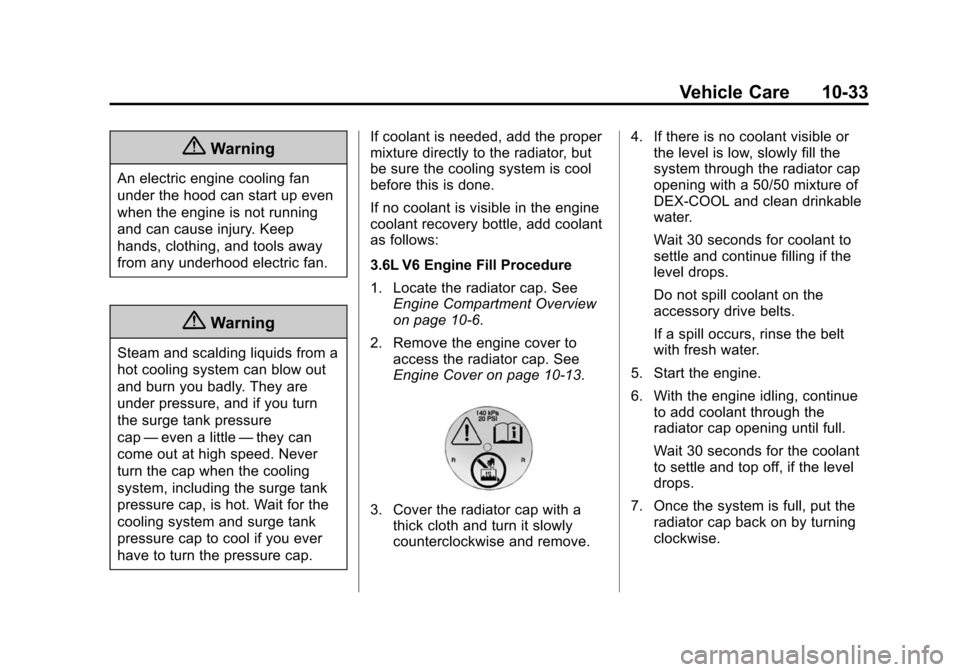
1. Locate the radiator cap. See
Engine Compartment Overview
on page 10-6.
2. Remove the engine cover to access the radiator cap. See
Engine Cover on page 10-13.
3. Cover the radiator cap with athick cloth and turn it slowly
counterclockwise and remove. 4. If there is no coolant visible or
the level is low, slowly fill the
system through the radiator cap
opening with a 50/50 mixture of
DEX-COOL and clean drinkable
water.
Wait 30 seconds for coolant to
settle and continue filling if the
level drops.
Do not spill coolant on the
accessory drive belts.
If a spill occurs, rinse the belt
with fresh water.
5. Start the engine.
6. With the engine idling, continue to add coolant through the
radiator cap opening until full.
Wait 30 seconds for the coolant
to settle and top off, if the level
drops.
7. Once the system is full, put the radiator cap back on by turning
clockwise.
Page 297 of 435
Black plate (34,1)Chevrolet Camaro Owner Manual (GMNA-Localizing-U.S./Canada/Mexico-
7695163) - 2015 - crc - 9/4/14
10-34 Vehicle Care
8. With the engine still running,raise the engine to 2500 rpm for
30–40 seconds.
9. Turn the engine off.
10. Repeat Steps 2–7 then turn the engine off.
11. Allow engine to cool for 45 minutes. Top off coolant
through the radiator cap
opening and reinstall the
radiator cap.
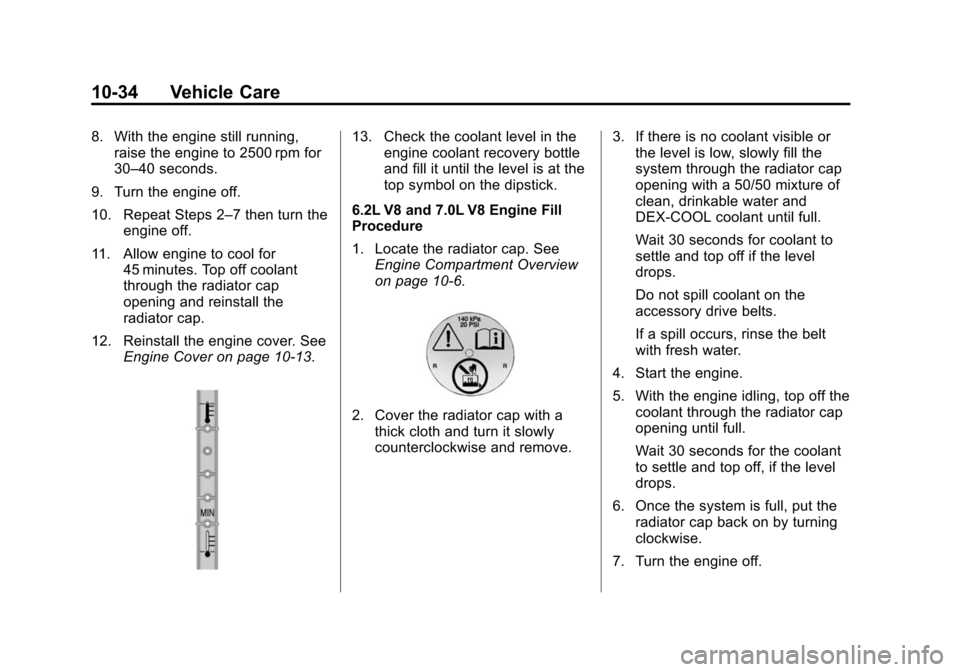
12. Reinstall the engine cover. See Engine Cover on page 10-13.13. Check the coolant level in theengine coolant recovery bottle
and fill it until the level is at the
top symbol on the dipstick.
6.2L V8 and 7.0L V8 Engine Fill
Procedure
1. Locate the radiator cap. See Engine Compartment Overview
on page 10-6.
2. Cover the radiator cap with athick cloth and turn it slowly
counterclockwise and remove. 3. If there is no coolant visible or
the level is low, slowly fill the
system through the radiator cap
opening with a 50/50 mixture of
clean, drinkable water and
DEX-COOL coolant until full.
Wait 30 seconds for coolant to
settle and top off if the level
drops.
Do not spill coolant on the
accessory drive belts.
If a spill occurs, rinse the belt
with fresh water.
4. Start the engine.
5. With the engine idling, top off the coolant through the radiator cap
opening until full.
Wait 30 seconds for the coolant
to settle and top off, if the level
drops.
6. Once the system is full, put the radiator cap back on by turning
clockwise.
7. Turn the engine off.
Page 300 of 435
Black plate (37,1)Chevrolet Camaro Owner Manual (GMNA-Localizing-U.S./Canada/Mexico-
7695163) - 2015 - crc - 9/4/14
Vehicle Care 10-37
When to Check Power Steering
Fluid
It is not necessary to regularly
check power steering fluid unless
you suspect there is a leak in the
system or an unusual noise is
heard. A fluid loss in this system
could indicate a problem. Have the
system inspected and repaired.
How to Check Power Steering
Fluid
Check the level after the vehicle has
been driven for at least 20 minutes
so the fluid is warm.
To check the power steering fluid:
1. Turn the ignition key to LOCK/OFF and let the engine
compartment cool down.
2. Remove the engine cover. See Engine Cover on page 10-13.
3. Wipe the cap and the top of the reservoir clean.
4. Turn the cap counterclockwise and pull it straight up. 5. Wipe the dipstick with a
clean rag.
6. Replace the cap and completely tighten it.
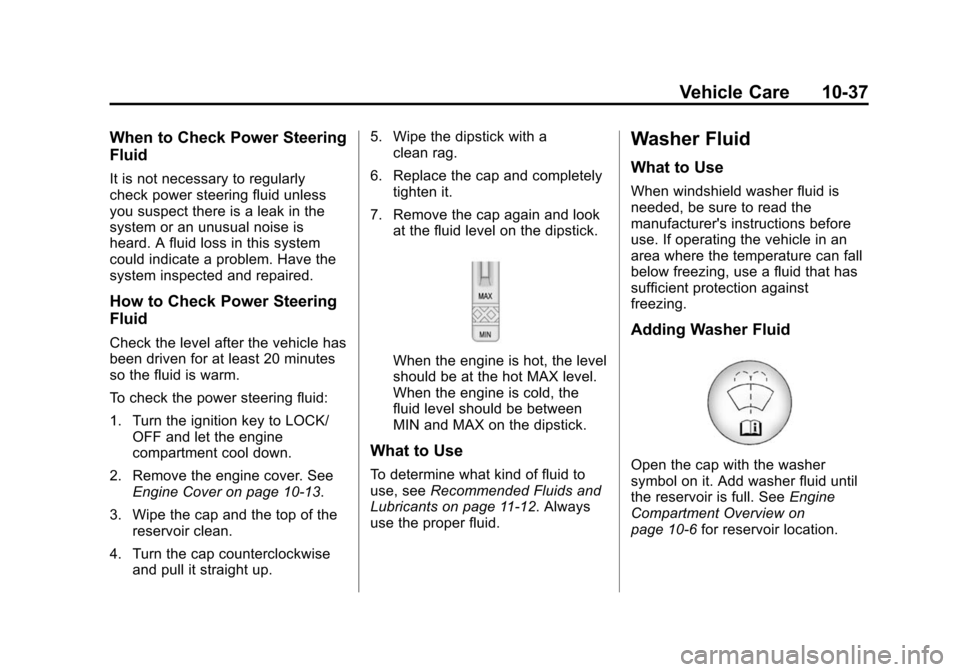
7. Remove the cap again and look at the fluid level on the dipstick.
When the engine is hot, the level
should be at the hot MAX level.
When the engine is cold, the
fluid level should be between
MIN and MAX on the dipstick.
What to Use
To determine what kind of fluid to
use, see Recommended Fluids and
Lubricants on page 11-12. Always
use the proper fluid.
Washer Fluid
What to Use
When windshield washer fluid is
needed, be sure to read the
manufacturer's instructions before
use. If operating the vehicle in an
area where the temperature can fall
below freezing, use a fluid that has
sufficient protection against
freezing.
Adding Washer Fluid
Open the cap with the washer
symbol on it. Add washer fluid until
the reservoir is full. See Engine
Compartment Overview on
page 10-6 for reservoir location.
Page 308 of 435
Black plate (45,1)Chevrolet Camaro Owner Manual (GMNA-Localizing-U.S./Canada/Mexico-
7695163) - 2015 - crc - 9/4/14
Vehicle Care 10-45
function of the HID headlamp. See
High Intensity Discharge (HID)
Lighting on page 10-44.
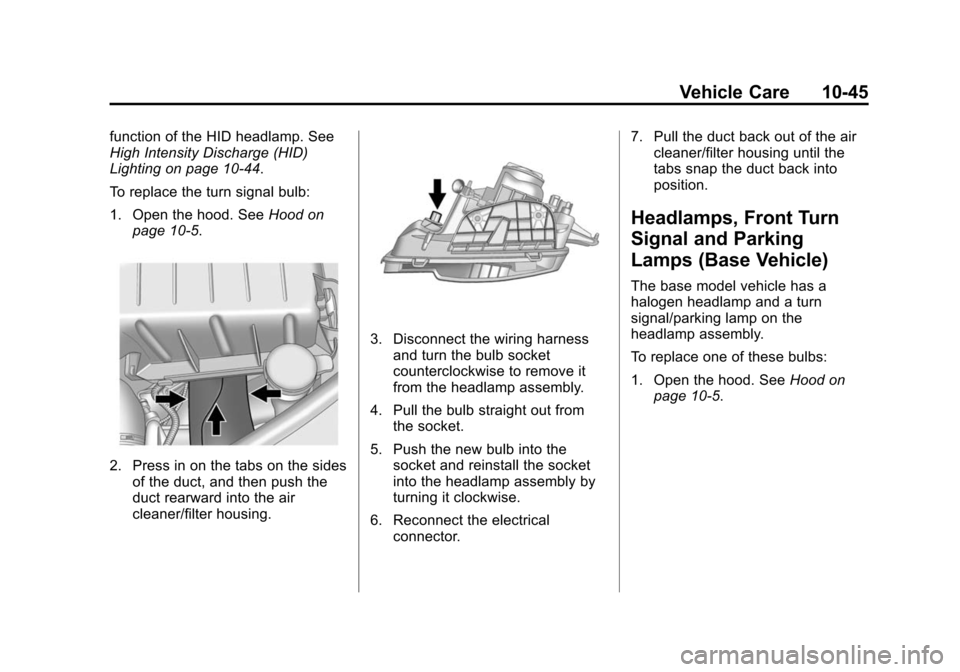
To replace the turn signal bulb:
1. Open the hood. SeeHood on
page 10-5.
2. Press in on the tabs on the sides of the duct, and then push the
duct rearward into the air
cleaner/filter housing.
3. Disconnect the wiring harness
and turn the bulb socket
counterclockwise to remove it
from the headlamp assembly.
4. Pull the bulb straight out from the socket.
5. Push the new bulb into the socket and reinstall the socket
into the headlamp assembly by
turning it clockwise.
6. Reconnect the electrical connector. 7. Pull the duct back out of the air
cleaner/filter housing until the
tabs snap the duct back into
position.
Headlamps, Front Turn
Signal and Parking
Lamps (Base Vehicle)
The base model vehicle has a
halogen headlamp and a turn
signal/parking lamp on the
headlamp assembly.
To replace one of these bulbs:
1. Open the hood. See Hood on
page 10-5.