lights CHEVROLET CAMARO 2015 5.G User Guide
[x] Cancel search | Manufacturer: CHEVROLET, Model Year: 2015, Model line: CAMARO, Model: CHEVROLET CAMARO 2015 5.GPages: 435, PDF Size: 6.28 MB
Page 126 of 435
Black plate (21,1)Chevrolet Camaro Owner Manual (GMNA-Localizing-U.S./Canada/Mexico-
7695163) - 2015 - crc - 9/4/14
Instruments and Controls 5-21
If the TCS is off, wheel spin is not
limited. Adjust driving accordingly.
SeeTraction Control/Electronic
Stability Control on page 9-38.
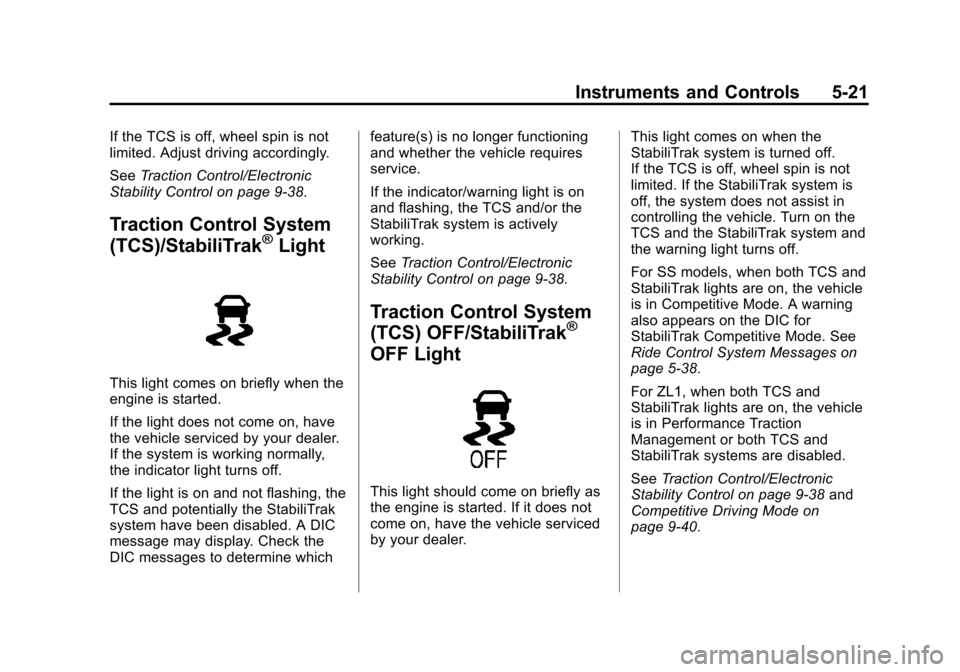
Traction Control System
(TCS)/StabiliTrak®Light
This light comes on briefly when the
engine is started.
If the light does not come on, have
the vehicle serviced by your dealer.
If the system is working normally,
the indicator light turns off.
If the light is on and not flashing, the
TCS and potentially the StabiliTrak
system have been disabled. A DIC
message may display. Check the
DIC messages to determine which feature(s) is no longer functioning
and whether the vehicle requires
service.
If the indicator/warning light is on
and flashing, the TCS and/or the
StabiliTrak system is actively
working.
See
Traction Control/Electronic
Stability Control on page 9-38.
Traction Control System
(TCS) OFF/StabiliTrak®
OFF Light
This light should come on briefly as
the engine is started. If it does not
come on, have the vehicle serviced
by your dealer. This light comes on when the
StabiliTrak system is turned off.
If the TCS is off, wheel spin is not
limited. If the StabiliTrak system is
off, the system does not assist in
controlling the vehicle. Turn on the
TCS and the StabiliTrak system and
the warning light turns off.
For SS models, when both TCS and
StabiliTrak lights are on, the vehicle
is in Competitive Mode. A warning
also appears on the DIC for
StabiliTrak Competitive Mode. See
Ride Control System Messages on
page 5-38.
For ZL1, when both TCS and
StabiliTrak lights are on, the vehicle
is in Performance Traction
Management or both TCS and
StabiliTrak systems are disabled.
See
Traction Control/Electronic
Stability Control on page 9-38 and
Competitive Driving Mode on
page 9-40.
Page 133 of 435
Black plate (28,1)Chevrolet Camaro Owner Manual (GMNA-Localizing-U.S./Canada/Mexico-
7695163) - 2015 - crc - 9/4/14
5-28 Instruments and Controls
Head-Up Display (HUD)
{Warning
If the HUD image is too bright or
too high in your field of view, it
may take you more time to see
things you need to see when it is
dark outside. Be sure to keep the
HUD image dim and placed low in
your field of view.
If equipped with HUD, some
information concerning the
operation of the vehicle is projected
onto the windshield. This includes
but is not limited to the speedometer
reading, rpm reading, transmission
position, outside air temperature,
compass heading, and a brief
display of the current radio station,
including SiriusXM information or
CD track. It will also display
Turn-by-Turn Navigation information
if the vehicle has OnStar
®. The images are projected through the
HUD lens on the driver side of the
instrument panel.
{Caution
If you try to use the HUD image
as a parking aid, you may
misjudge the distance and
damage your vehicle. Do not use
the HUD image as a parking aid.
The tap shift gear will appear on the
HUD if the vehicle has tap shift and
it is active. The shift timing lights
and a lateral acceleration (G-Force)
indicator may also appear.
The language of the HUD
information displayed can be
changed. The speedometer reading
and other numerical values can be
displayed in either English or metric
units.
The language selection is changed
through the radio and the units of
measurement selection is changed
through the trip computer in the Driver Information Center (DIC).
See the Infotainment Manual and
Driver Information Center (DIC) on
page 5-24.
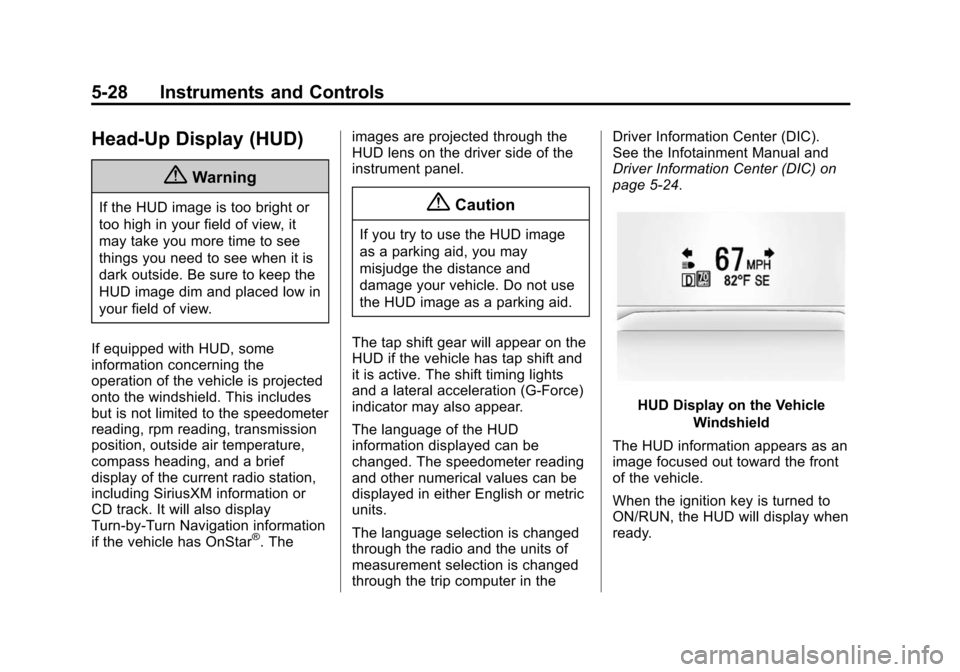
HUD Display on the Vehicle
Windshield
The HUD information appears as an
image focused out toward the front
of the vehicle.
When the ignition key is turned to
ON/RUN, the HUD will display when
ready.
Page 134 of 435
Black plate (29,1)Chevrolet Camaro Owner Manual (GMNA-Localizing-U.S./Canada/Mexico-
7695163) - 2015 - crc - 9/4/14
Instruments and Controls 5-29
The following indicator lights come
on in the instrument cluster when
activated and may also appear on
the HUD:
.Turn Signal Indicators
.High-Beam Indicator Symbol
The HUD also temporarily displays
the following messages on vehicles
with these systems, when they are
active:
.Check Tire Pressure
.Cruise Set To
.Fuel Level Low
.Speed Limited To
.Traction Control Active
.Stabilitrak Active
.Park Distance Unavailable
.Gap Alert Off
When the HUD is on, the
speedometer reading is continually
displayed. The current radio station
or CD track number may display for
a short period of time after the radio or CD track status changes. This
may happen whenever radio
information is changed. The
speedometer size is reduced when
radio, CD information, or warnings
are displayed on the HUD.
When the phone feature is
activated, the HUD will briefly
display phone information,
if available.
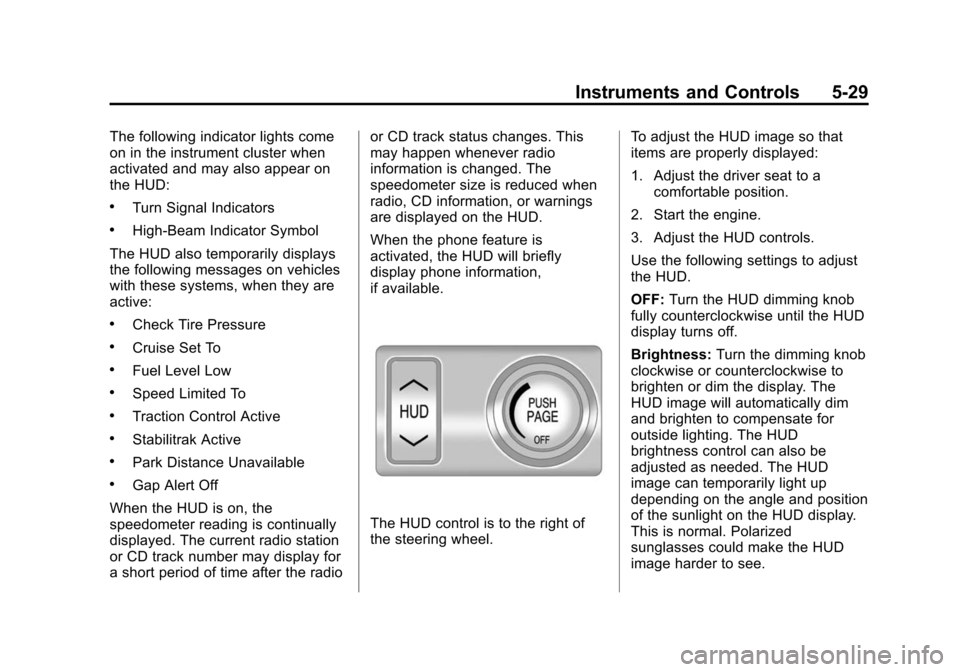
The HUD control is to the right of
the steering wheel.
To adjust the HUD image so that
items are properly displayed:
1. Adjust the driver seat to a
comfortable position.
2. Start the engine.
3. Adjust the HUD controls.
Use the following settings to adjust
the HUD.
OFF: Turn the HUD dimming knob
fully counterclockwise until the HUD
display turns off.
Brightness: Turn the dimming knob
clockwise or counterclockwise to
brighten or dim the display. The
HUD image will automatically dim
and brighten to compensate for
outside lighting. The HUD
brightness control can also be
adjusted as needed. The HUD
image can temporarily light up
depending on the angle and position
of the sunlight on the HUD display.
This is normal. Polarized
sunglasses could make the HUD
image harder to see.
Page 136 of 435
Black plate (31,1)Chevrolet Camaro Owner Manual (GMNA-Localizing-U.S./Canada/Mexico-
7695163) - 2015 - crc - 9/4/14
Instruments and Controls 5-31
English
Metric
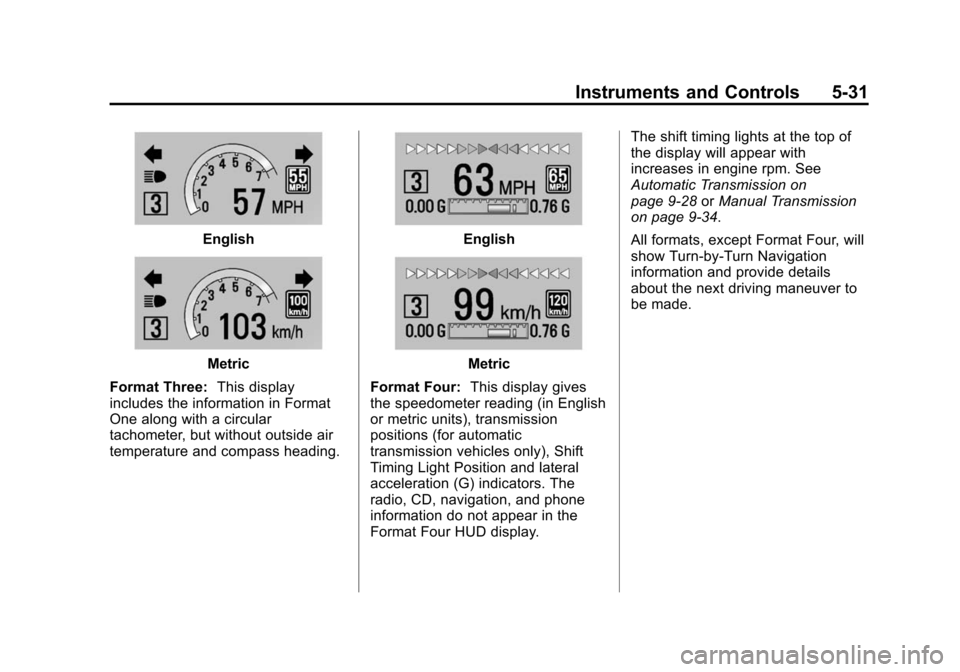
Format Three: This display
includes the information in Format
One along with a circular
tachometer, but without outside air
temperature and compass heading.
English
Metric
Format Four: This display gives
the speedometer reading (in English
or metric units), transmission
positions (for automatic
transmission vehicles only), Shift
Timing Light Position and lateral
acceleration (G) indicators. The
radio, CD, navigation, and phone
information do not appear in the
Format Four HUD display. The shift timing lights at the top of
the display will appear with
increases in engine rpm. See
Automatic Transmission on
page 9-28
orManual Transmission
on page 9-34.
All formats, except Format Four, will
show Turn-by-Turn Navigation
information and provide details
about the next driving maneuver to
be made.
Page 143 of 435
Black plate (38,1)Chevrolet Camaro Owner Manual (GMNA-Localizing-U.S./Canada/Mexico-
7695163) - 2015 - crc - 9/4/14
5-38 Instruments and Controls
Ride Control System
Messages
PERF TRACTION 1–WET
ACTIVE HANDLING ON
CHASSIS MODE TOUR (ZL1
Coupe and Z/28 Only)
This message displays when this
Performance Traction Management
(PTM) mode is selected. The TCS
and StabiliTrak OFF cluster lights
will also be on when this mode is
selected. Once this message is
acknowledged, PTM1 –WET ESC =
ON displays on the bottom of the
digital speed page. Launch Control
is available when this mode is
selected. In this mode, the Traction
Control and Active Handling System
are available but intended for use
on wet race track conditions. Adjust
your driving accordingly. See
“Performance Traction Management
(PTM) (ZL1 Coupe and Z/28 Only)”
and “Launch Control (V8 with
Manual Transmissions except Z/28)”
under Competitive Driving Mode on
page 9-40.
PERF TRACTION 2 –DRY
ACTIVE HANDLING ON
CHASSIS MODE TOUR (ZL1
Coupe and Z/28 Only)
This message displays when this
Performance Traction Management
(PTM) mode is selected. The TCS
and StabiliTrak OFF cluster lights
will also be on when this mode is
selected. Once this message is
acknowledged, PTM2 –DRY ESC =
ON displays on the bottom of the
digital speed page. Launch Control
is available when this mode is
selected. In this mode, the Traction
Control and Active Handling System
are available but intended for use
on dry race track conditions. Adjust
your driving accordingly. See
“Performance Traction Management
(PTM) (ZL1 Coupe and Z/28 Only)”
and “Launch Control (V8 with
Manual Transmissions except Z/28)”
under Competitive Driving Mode on
page 9-40.
PERF TRACTION 3 –SPORT 1
ACTIVE HANDLING ON
CHASSIS MODE SPORT (ZL1
Coupe and Z/28 Only)
This message displays when this
Performance Traction Management
(PTM) mode is selected. The TCS
and StabiliTrak OFF cluster lights
will also be on when this mode is
selected. Once this message is
acknowledged, PTM3 –SPORT1
ESC = ON displays on the bottom of
the digital speed page. Launch
Control is available when this mode
is selected. In this mode, the
Traction Control and Active
Handling System are available but
intended for use on dry race track
conditions. Adjust your driving
accordingly. See “Performance
Traction Management (PTM) (ZL1
Coupe and Z/28 Only)” and“Launch
Control (V8 with Manual
Transmissions except Z/28)” under
Competitive Driving Mode on
page 9-40.
Page 144 of 435
Black plate (39,1)Chevrolet Camaro Owner Manual (GMNA-Localizing-U.S./Canada/Mexico-
7695163) - 2015 - crc - 9/4/14
Instruments and Controls 5-39
PERF TRACTION 4–SPORT 2
ACTIVE HANDLING OFF
CHASSIS MODE SPORT (ZL1
Coupe and Z/28 Only)
This message displays when this
Performance Traction Management
(PTM) mode is selected. The TCS
and StabiliTrak OFF cluster lights
will also be on when this mode is
selected. Once this message is
acknowledged, PTM4 –SPORT2
ESC = OFF displays on the bottom
of the digital speed page. Launch
Control is available when this mode
is selected. In this mode, the
Traction Control is available but
intended for use on dry race track
conditions. The Active Handling
System is disabled when this mode
is selected. This mode will require
more driver skill than modes 1–3.
Adjust your driving accordingly. See
“Performance Traction Management
(PTM) (ZL1 Coupe and Z/28 Only)”
and “Launch Control (V8 with
Manual Transmissions except Z/28)”
under Competitive Driving Mode on
page 9-40.
PERF TRACTION 5 –RACE
ACTIVE HANDLING OFF
CHASSIS MODE TRACK (ZL1
Coupe and Z/28 Only)
This message displays when this
Performance Traction Management
(PTM) mode is selected. The TCS
and StabiliTrak OFF cluster lights
will also be on when this mode is
selected. Once this message is
acknowledged, PTM5 –RACE ESC
= OFF displays on the bottom of the
digital speed page. Launch Control
is available when this mode is
selected. In this mode, the Traction
Control is available but intended for
use on dry race track conditions.
The Active Handling System is
disabled when this mode is
selected. This mode will require
more driver skill than modes 1–4.
Adjust your driving accordingly. See
“Performance Traction Management
(PTM) (ZL1 Coupe and Z/28 Only)”
and “Launch Control (V8 with
Manual Transmissions except Z/28)”
under Competitive Driving Mode on
page 9-40.
SERVICE STABILITRAK
This message displays if there is a
problem with the StabiliTrak®
system. If this message appears, try
to reset the system. Stop; turn off
the engine and remove the key from
the ignition; open and close the
driver door and wait for at least
one minute. During this time you
should notice the lights on the
cluster turn off. After a minute has
passed, start the engine again.
If this message still comes on, it
means there is a problem. See your
dealer for service. The vehicle is
safe to drive; however, you do not
have the benefit of StabiliTrak, so
reduce your speed and drive
accordingly.
Page 151 of 435
Black plate (46,1)Chevrolet Camaro Owner Manual (GMNA-Localizing-U.S./Canada/Mexico-
7695163) - 2015 - crc - 9/4/14
5-46 Instruments and Controls
Select and follow the screen
prompts.
Restore Home Page Defaults
This feature will restore the Home
Page to the factory settings.
Select and follow the screen
prompts.
Rear Camera Options
For more information on Rear
Camera Options, seeRear Vision
Camera (RVC) on page 9-49.
Display Off
Press to turn the display off. The
display will return when any radio
buttons are pressed or the screen is
touched (if equipped).
Map Settings
See “Map Settings” in“Configure
Menu” in the infotainment manual.
Vehicle Settings
Select and the following may
display:
.Climate and Air Quality
.Comfort and Convenience
.Collision Detection Systems
.Lighting
.Power Door Locks
.Remote Lock/Unlock/Start
.Return to Factory Settings?
Climate and Air Quality
Select and the following may
display:
.Remote Start Auto Heated Seats
Remote Start Auto Heated Seats
When on, this feature will turn the
heated seats on when using remote
start.
Select enable or disable.
Comfort and Convenience
Select and the following may
display:
.Chime Volume
.Button Chime Chime Volume
This allows the selection of the
chime volume level to be changed.
Select Normal or High.
Button Chime
This allows this feature to be turned
on and off.
Select or deselect.
Collision Detection Systems
Select the following may display:
.Park Assist
Park Assist
This allows the Parking Assist
feature to be turned on or off.
Select On or Off.
Lighting
Select and the following may
display:
.Vehicle Locator Lights
.Exit Lighting
Page 152 of 435
Black plate (47,1)Chevrolet Camaro Owner Manual (GMNA-Localizing-U.S./Canada/Mexico-
7695163) - 2015 - crc - 9/4/14
Instruments and Controls 5-47
Vehicle Locator Lights
This allows the feature to be turned
on or off. When on, the headlamps,
parking lamps, taillamps, license
plate lamps, and back-up lamps will
illuminate at night when
Kis
pressed on the RKE transmitter.
Select to enable or disable.
Exit Lighting
This allows the selection of how
long the exterior lamps stay on
when leaving the vehicle and it is
dark outside.
Select OFF, 30 seconds, 1 minute,
or 2 minutes.
Power Door Locks
Select and depending on the radio
the following may display:
.Open Door Anti Lock Out
.Unlocked Door Anti Lock Out
.Auto Door Unlock
.Delayed Door Lock Open Door Anti Lock Out or
Unlocked Door Anti Lock Out
When on, this feature will keep the
driver door from locking until the
door is closed. If this feature is
turned on, the Delayed Door Lock
menu will not be available.
Select to enable or disable.
Auto Door Unlock
This allows selection of which doors
will automatically unlock when the
vehicle is shifted into P (Park).
Select All Doors, Driver Door,
or OFF.
Delayed Door Lock
When on, this feature will delay the
locking of the doors. See
Delayed
Locking on page 2-9.
Select to enable or disable.
Remote Lock/Unlock/Start
Select and depending on the radio
the following may display:
.Remote Unlock Feedback
.Remote Unlock Light Feedback
.Remote Lock Feedback
.Remote Door Unlock
Remote Unlock Feedback or
Remote Unlock Light Feedback
When on, the exterior lamps will
flash when unlocking the vehicle
with the RKE transmitter.
Depending on the radio select Flash
Lights or OFF, or select to enable or
disable.
Remote Lock Feedback
This allows selection of what
feedback is provided when
unlocking the vehicle with the RKE
transmitter.
Select Lights and Horn, Lights Only,
Horn Only, or OFF.
Remote Door Unlock
This allows selection of which doors
will unlock on the first press of
Kon
the RKE transmitter.
Select Driver Door or All Doors.
Page 159 of 435
Black plate (2,1)Chevrolet Camaro Owner Manual (GMNA-Localizing-U.S./Canada/Mexico-
7695163) - 2015 - crc - 9/4/14
6-2 Lighting
AUTO also controls the Daytime
Running Lamps (DRL). See
Daytime Running Lamps (DRL) on
page 6-2.
;(Parking Lamps):Turns on the
parking lamps including all lamps,
except the headlamps.
A warning chime sounds if the driver
door is opened when the ignition
switch is off and the parking lamps
are on.
5(Headlamps): Turns on the
headlamps together with the parking
lamps and instrument panel lights.
A warning chime sounds if the driver
door is opened when the ignition
switch is off and the headlamps
are on.
#(Front Fog Lamps): Press to
turn the fog lamps on or off. The fog
lamps come on together with the
parking lamps, taillamps,
sidemarker lamps, license plate
lamps, and instrument panel lights.
See Front Fog Lamps on page 6-5.
Headlamp High/
Low-Beam Changer
Push the turn signal lever away
from you and release to turn the
high beams on. To return to low
beams, push the lever again or pull
it toward you and release.
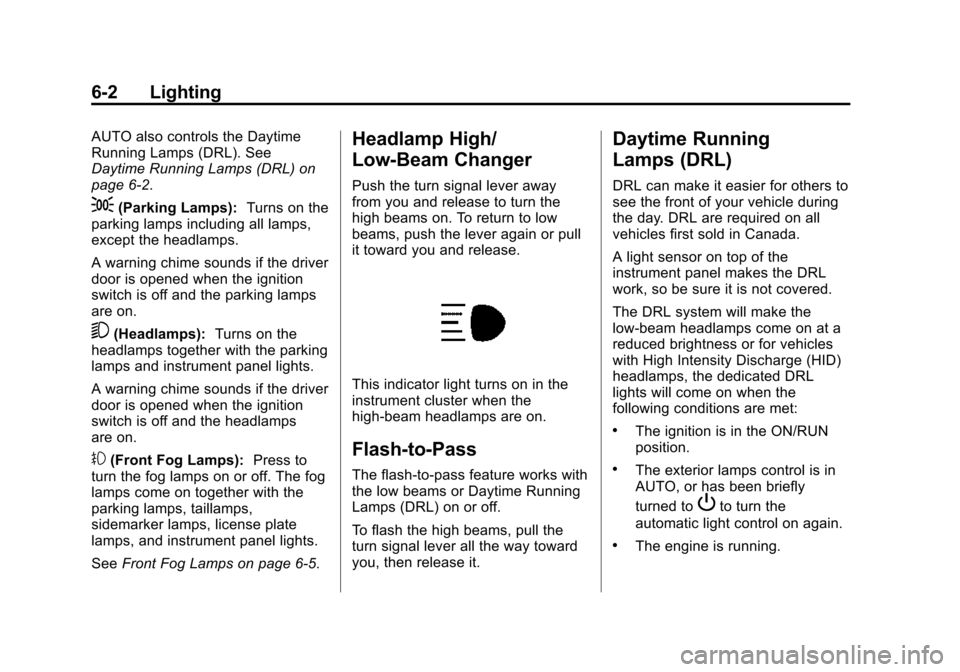
This indicator light turns on in the
instrument cluster when the
high-beam headlamps are on.
Flash-to-Pass
The flash-to-pass feature works with
the low beams or Daytime Running
Lamps (DRL) on or off.
To flash the high beams, pull the
turn signal lever all the way toward
you, then release it.
Daytime Running
Lamps (DRL)
DRL can make it easier for others to
see the front of your vehicle during
the day. DRL are required on all
vehicles first sold in Canada.
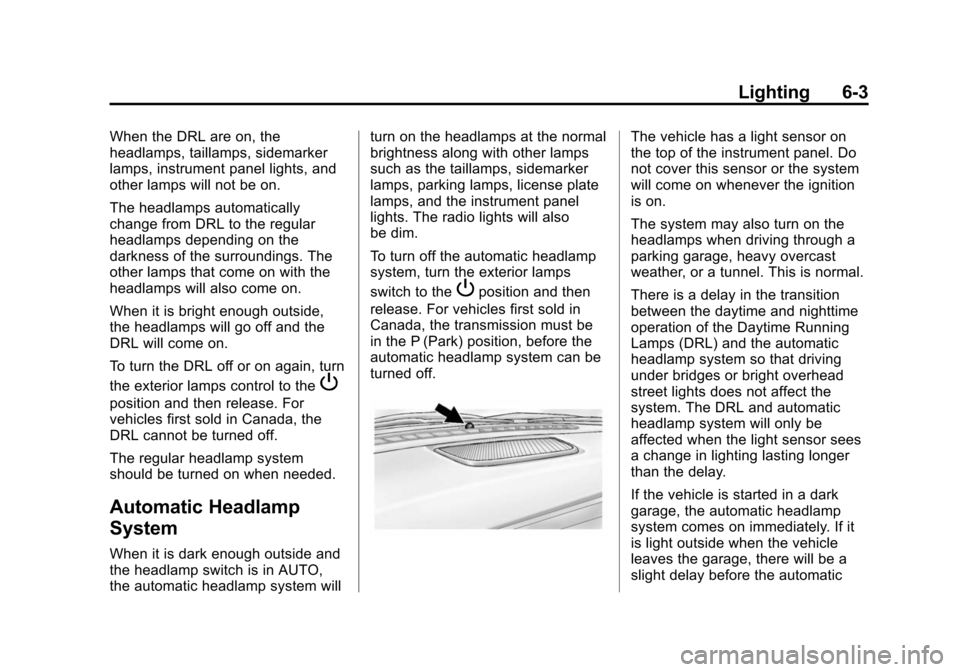
A light sensor on top of the
instrument panel makes the DRL
work, so be sure it is not covered.
The DRL system will make the
low-beam headlamps come on at a
reduced brightness or for vehicles
with High Intensity Discharge (HID)
headlamps, the dedicated DRL
lights will come on when the
following conditions are met:
.The ignition is in the ON/RUN
position.
.The exterior lamps control is in
AUTO, or has been briefly
turned to
Pto turn the
automatic light control on again.
.The engine is running.
Page 160 of 435
Black plate (3,1)Chevrolet Camaro Owner Manual (GMNA-Localizing-U.S./Canada/Mexico-
7695163) - 2015 - crc - 9/4/14
Lighting 6-3
When the DRL are on, the
headlamps, taillamps, sidemarker
lamps, instrument panel lights, and
other lamps will not be on.
The headlamps automatically
change from DRL to the regular
headlamps depending on the
darkness of the surroundings. The
other lamps that come on with the
headlamps will also come on.
When it is bright enough outside,
the headlamps will go off and the
DRL will come on.
To turn the DRL off or on again, turn
the exterior lamps control to the
P
position and then release. For
vehicles first sold in Canada, the
DRL cannot be turned off.
The regular headlamp system
should be turned on when needed.
Automatic Headlamp
System
When it is dark enough outside and
the headlamp switch is in AUTO,
the automatic headlamp system willturn on the headlamps at the normal
brightness along with other lamps
such as the taillamps, sidemarker
lamps, parking lamps, license plate
lamps, and the instrument panel
lights. The radio lights will also
be dim.
To turn off the automatic headlamp
system, turn the exterior lamps
switch to the
Pposition and then
release. For vehicles first sold in
Canada, the transmission must be
in the P (Park) position, before the
automatic headlamp system can be
turned off.
The vehicle has a light sensor on
the top of the instrument panel. Do
not cover this sensor or the system
will come on whenever the ignition
is on.
The system may also turn on the
headlamps when driving through a
parking garage, heavy overcast
weather, or a tunnel. This is normal.
There is a delay in the transition
between the daytime and nighttime
operation of the Daytime Running
Lamps (DRL) and the automatic
headlamp system so that driving
under bridges or bright overhead
street lights does not affect the
system. The DRL and automatic
headlamp system will only be
affected when the light sensor sees
a change in lighting lasting longer
than the delay.
If the vehicle is started in a dark
garage, the automatic headlamp
system comes on immediately. If it
is light outside when the vehicle
leaves the garage, there will be a
slight delay before the automatic