lock CHEVROLET CAMARO 2015 5.G Workshop Manual
[x] Cancel search | Manufacturer: CHEVROLET, Model Year: 2015, Model line: CAMARO, Model: CHEVROLET CAMARO 2015 5.GPages: 435, PDF Size: 6.28 MB
Page 164 of 435
Black plate (7,1)Chevrolet Camaro Owner Manual (GMNA-Localizing-U.S./Canada/Mexico-
7695163) - 2015 - crc - 9/4/14
Lighting 6-7
Battery Load
Management
The vehicle has Electric Power
Management (EPM) that estimates
the battery's temperature and state
of charge. It then adjusts the voltage
for best performance and extended
life of the battery.
When the battery's state of charge
is low, the voltage is raised slightly
to quickly bring the charge back up.
When the state of charge is high,
the voltage is lowered slightly to
prevent overcharging. If the vehicle
has a voltmeter gauge or a voltage
display on the Driver Information
Center (DIC), you may see the
voltage move up or down. This is
normal. If there is a problem, an
alert will be displayed.
The battery can be discharged at
idle if the electrical loads are very
high. This is true for all vehicles.
This is because the generator
(alternator) may not be spinning fastenough at idle to produce all of the
power needed for very high
electrical loads.
A high electrical load occurs when
several of the following are on, such
as: headlamps, high beams, fog
lamps, rear window defogger,
climate control fan at high speed,
heated seats, engine cooling fans,
trailer loads, and loads plugged into
accessory power outlets.
EPM works to prevent excessive
discharge of the battery. It does this
by balancing the generator's output
and the vehicle's electrical needs.
It can increase engine idle speed to
generate more power whenever
needed. It can temporarily reduce
the power demands of some
accessories.
Normally, these actions occur in
steps or levels, without being
noticeable. In rare cases at the
highest levels of corrective action,
this action may be noticeable to the
driver. If so, a DIC message might
be displayed, and it isrecommended that the driver reduce
the electrical loads as much as
possible. See
Battery Voltage and
Charging Messages on page 5-33.
Battery Power Protection
This feature shuts off the dome
lamp if it is left on for more than
10 minutes when the ignition is in
LOCK/OFF. This helps to prevent
the battery from running down.
If the exterior lamps are left on, they
turn off when the ignition is turned
off. If the parking lamps are turned
on after the ignition is in the LOCK/
OFF position, the parking lamps
remain on until they are manually
turned off.
Exterior Lighting Battery
Saver
The exterior lamps turn off about
10 minutes after the ignition is
turned off, if the parking lamps or
headlamps have been manually left
on. This protects against draining
the battery. To restart the 10-minute
Page 179 of 435
Black plate (14,1)Chevrolet Camaro Owner Manual (GMNA-Localizing-U.S./Canada/Mexico-
7695163) - 2015 - crc - 9/4/14
7-14 Infotainment System
Turn the MENU/SELECT knob
counterclockwise or clockwise to
select the previous or next track.
Using the CD Menu:
1. Press the MENU/SELECT knob.
2. Select Tracks list.
3. Select the track.
Playing Tracks in Random Order
Press the MENU/SELECT knob and
then set Shuffle Songs to On.
Fast Forward and Rewind
Press and hold SEEK
7or SEEK
6to fast forward or rewind within
the current track.
Selecting an MP3 Track
Using the control buttons:
Press SEEK
7or SEEK6to
select the previous or next track.
Turn the MENU/SELECT knob
counterclockwise or clockwise to
select the previous or next track. Using the CD Menu:
1. Press the MENU/SELECT knob.
2. Select Playlists/Folders.
3. Select the playlist or folder.
4. Select the track.
Searching for MP3 Tracks
It is normal for the search feature to
take some time to display the
information after reading the disc
due to the amount of information
stored on the disc. The infotainment
system automatically switches to
FM while the disc is being read.
Tracks can be searched by:
.Playlists
.Artists
.Albums
.Song Titles
.Genres
.Folder View
To search for tracks:
1. Press the MENU/SELECT knob. 2. Select Search.
3. Select: Playlists, Artists, Albums,
Song Titles, Genres,
or Folder View.
4. Select the track.
Auxiliary Devices
If equipped, the AUX input allows
portable devices to connect to the
vehicle using the 3.5 mm (1/8 in)
input jack, the USB port,
if equipped, or Bluetooth
®wireless
technology, if equipped.
Portable devices are controlled by
using the menu system described in
Operation on page 7-3.
Page 199 of 435
Black plate (2,1)Chevrolet Camaro Owner Manual (GMNA-Localizing-U.S./Canada/Mexico-
7695163) - 2015 - crc - 9/4/14
8-2 Climate Controls
#and the air conditioning system
is turned on and air is recirculated
inside the vehicle.
Air Delivery Mode Control: To
change the current mode, press one
of the following:
F (Vent): Air is directed to the
instrument panel outlets.
* (Bi-Level): Air is directed to the
instrument panel outlets and the
floor outlets.
7 (Floor): Air is directed to the
floor outlets.
W(Defog): Clears the windows of
fog or moisture. Air is directed to the
windshield and floor outlets.
0(Defrost): Clears the
windshield of fog or frost more
quickly. Air is directed to the
windshield and side window outlets.
For best results, clear all snow and
ice from the windshield before
defrosting.
Do not drive the vehicle until all
windows are clear.
Air Conditioning
#(Air Conditioning, If
Equipped): Press to turn the air
conditioning on or off. An indicator
light turns on. If the fan is turned off
or the outside temperature falls
below freezing, the air conditioning
will not work.
The air conditioning might
automatically come on when
0is
selected.
)(Recirculation): Press to turn
on the recirculation. An indicator
light comes on. Air is recirculated
inside the vehicle. It helps to quickly
cool the air inside the vehicle or
reduce the outside air and odors
that may enter.
Operation in the recirculation mode
while the air conditioner is off
increases humidity and may cause
the windows to fog.
Recirculation is not available in the
defrost or defog modes. To improve fuel efficiency and to
cool the vehicle faster, recirculation
may be automatically selected in
warm weather. The recirculation
light will not come on. Press the
)
to select recirculation; press it again
to select outside air.
Rear Window Defogger
1(Rear Defogger):
Press to turn
the rear window defogger on or off.
An indicator light on the button
comes on to show that the rear
window defogger is on. The
defogger turns off if the ignition is
turned to ACC/ACCESSORY or
LOCK/OFF.
Do not drive the vehicle until all
windows are clear.
{Caution
Do not use a razor blade or sharp
object to clear the inside rear
window. Do not adhere anything
to the defogger grid lines in the
(Continued)
Page 200 of 435
Black plate (3,1)Chevrolet Camaro Owner Manual (GMNA-Localizing-U.S./Canada/Mexico-
7695163) - 2015 - crc - 9/4/14
Climate Controls 8-3
Caution (Continued)
rear glass. These actions may
damage the rear defogger.
Repairs would not be covered by
the vehicle warranty.
L/M(Heated Seats, If
Equipped): Press to turn on or off.
See Heated Front Seats on
page 3-6.
Air Vents
Use the air outlets in the center and
on the side of the instrument panel
to direct the airflow. Use the
thumbwheels near the center air
outlets to direct airflow to the left or
right.
Operation Tips
.In defog or defrost mode, warm
air flows from some air outlets.
To improve side window
defogging or defrosting, direct
side air outlets toward the side
windows.
.Clear away any ice, snow,
or leaves from air inlets at the
base of the windshield that could
block the flow of air into the
vehicle.
.Keep the path under the front
seats clear of objects to help
circulate the air inside of the
vehicle more effectively.
.Use of non-GM approved hood
deflectors can adversely affect
the performance of the system.
Check with your dealer before
adding equipment to the outside
of the vehicle.
Page 202 of 435
Black plate (1,1)Chevrolet Camaro Owner Manual (GMNA-Localizing-U.S./Canada/Mexico-
7695163) - 2015 - crc - 9/4/14
Driving and Operating 9-1
Driving and
Operating
Driving Information
Distracted Driving . . . . . . . . . . . . . 9-2
Defensive Driving . . . . . . . . . . . . . 9-3
Drunk Driving . . . . . . . . . . . . . . . . . 9-3
Control of a Vehicle . . . . . . . . . . . 9-3
Braking . . . . . . . . . . . . . . . . . . . . . . . 9-3
Steering . . . . . . . . . . . . . . . . . . . . . . . 9-4
Off-Road Recovery . . . . . . . . . . . . 9-5
Loss of Control . . . . . . . . . . . . . . . . 9-5
Track Events and CompetitiveDriving . . . . . . . . . . . . . . . . . . . . . . . 9-6
Driving on Wet Roads . . . . . . . 9-10
Hill and Mountain Roads . . . . . 9-11
Winter Driving . . . . . . . . . . . . . . . 9-12
If the Vehicle Is Stuck . . . . . . . . 9-13
Vehicle Load Limits . . . . . . . . . . 9-14
Starting and Operating
New Vehicle Break-In . . . . . . . . 9-18
Ignition Positions . . . . . . . . . . . . 9-19
Starting the Engine . . . . . . . . . . 9-21
Engine Heater . . . . . . . . . . . . . . . 9-22
Retained Accessory Power (RAP) . . . . . . . . . . . . . . . 9-23 Shifting Into Park . . . . . . . . . . . . 9-24
Shifting out of Park . . . . . . . . . . 9-25
Parking (Manual
Transmission) . . . . . . . . . . . . . . 9-26
Parking over Things
That Burn . . . . . . . . . . . . . . . . . . 9-26
Active Fuel Management
®. . . 9-26
Engine Exhaust
Engine Exhaust . . . . . . . . . . . . . . 9-27
Running the Vehicle While Parked . . . . . . . . . . . . . . . . . . . . . 9-28
Automatic Transmission
Automatic Transmission . . . . . 9-28
Manual Mode . . . . . . . . . . . . . . . . 9-31
Manual Transmission
Manual Transmission . . . . . . . . 9-34
Brakes
Antilock BrakeSystem (ABS) . . . . . . . . . . . . . . 9-36
Parking Brake . . . . . . . . . . . . . . . 9-37
Brake Assist . . . . . . . . . . . . . . . . . 9-38
Hill Start Assist (HSA) . . . . . . . 9-38
Ride Control Systems
Traction Control/Electronic Stability Control . . . . . . . . . . . . 9-38
Competitive Driving Mode . . . 9-40
Limited-Slip Rear Axle . . . . . . . 9-44
Selective Ride Control . . . . . . . 9-44
Cruise Control
Cruise Control . . . . . . . . . . . . . . . 9-45
Driver Assistance Systems
Parking Assist . . . . . . . . . . . . . . . 9-48
Rear Vision Camera (RVC) . . . . . . . . . . . . . 9-49
Fuel
Fuel . . . . . . . . . . . . . . . . . . . . . . . . . 9-52
California FuelRequirements . . . . . . . . . . . . . . 9-53
Fuels in Foreign Countries . . . 9-53
Fuel Additives . . . . . . . . . . . . . . . 9-53
Filling the Tank . . . . . . . . . . . . . . 9-54
Filling a Portable Fuel Container . . . . . . . . . . . . . . . . . . . 9-55
Trailer Towing
General TowingInformation . . . . . . . . . . . . . . . . . 9-56
Driving Characteristics and Towing Tips . . . . . . . . . . . . . . . . 9-56
Page 206 of 435
Black plate (5,1)Chevrolet Camaro Owner Manual (GMNA-Localizing-U.S./Canada/Mexico-
7695163) - 2015 - crc - 9/4/14
Driving and Operating 9-5
Steering in Emergencies
.There are some situations when
steering around a problem may
be more effective than braking.
.Holding both sides of the
steering wheel allows you to turn
180 degrees without removing
a hand.
.The Antilock Brake System
(ABS) allows steering while
braking.
Off-Road Recovery
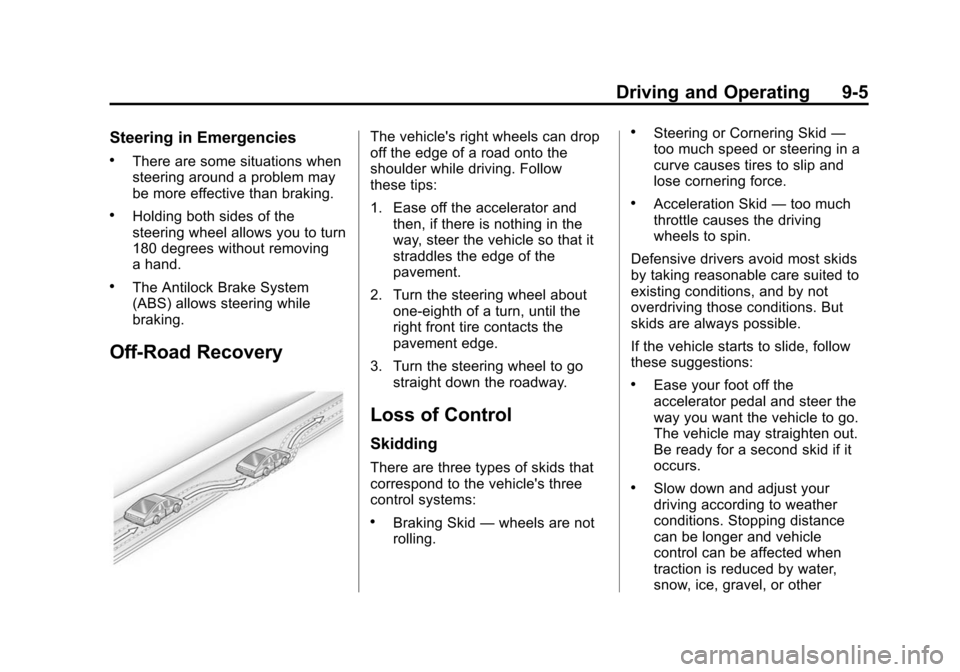
The vehicle's right wheels can drop
off the edge of a road onto the
shoulder while driving. Follow
these tips:
1. Ease off the accelerator andthen, if there is nothing in the
way, steer the vehicle so that it
straddles the edge of the
pavement.
2. Turn the steering wheel about one-eighth of a turn, until the
right front tire contacts the
pavement edge.
3. Turn the steering wheel to go straight down the roadway.
Loss of Control
Skidding
There are three types of skids that
correspond to the vehicle's three
control systems:
.Braking Skid —wheels are not
rolling.
.Steering or Cornering Skid —
too much speed or steering in a
curve causes tires to slip and
lose cornering force.
.Acceleration Skid —too much
throttle causes the driving
wheels to spin.
Defensive drivers avoid most skids
by taking reasonable care suited to
existing conditions, and by not
overdriving those conditions. But
skids are always possible.
If the vehicle starts to slide, follow
these suggestions:
.Ease your foot off the
accelerator pedal and steer the
way you want the vehicle to go.
The vehicle may straighten out.
Be ready for a second skid if it
occurs.
.Slow down and adjust your
driving according to weather
conditions. Stopping distance
can be longer and vehicle
control can be affected when
traction is reduced by water,
snow, ice, gravel, or other
Page 207 of 435
Black plate (6,1)Chevrolet Camaro Owner Manual (GMNA-Localizing-U.S./Canada/Mexico-
7695163) - 2015 - crc - 9/4/14
9-6 Driving and Operating
material on the road. Learn to
recognize warning clues—such
as enough water, ice, or packed
snow on the road to make a
mirrored surface —and slow
down when you have any doubt.
.Try to avoid sudden steering,
acceleration, or braking,
including reducing vehicle speed
by shifting to a lower gear. Any
sudden changes could cause
the tires to slide.
Remember: Antilock brakes help
avoid only the braking skid.
Track Events and
Competitive Driving
Track events or competitive driving
may affect the vehicle warranty. See
the warranty manual before using
the vehicle for racing or other
competitive driving. Engine Oil
{Caution
If you use the vehicle for racing or
other competitive driving, the
engine may use more oil than it
would with normal use. Low oil
levels can damage the engine.
For information on how to add oil,
see
Engine Oil on page 10-15.
Be sure to check the oil level
often during racing or other
competitive driving and keep the
level at or near the upper mark
that shows the proper operating
range on the engine oil dipstick.
For track events or competitive
driving, it is recommended that the
brake fluid be replaced with a high
performance brake fluid that has a
dry boiling point greater than 279°C
(534°F). After conversion to the high
performance brake fluid, follow the
brake fluid service recommendations outlined by the
fluid manufacturer. Do not use
silicone or DOT-5 brake fluids.{Caution
Extended track operation without
this kit installed may result in a
low oil level and could result in
engine damage.
1LE comes with an oil control kit
that should be installed for track use
only, to ensure proper oil control
and prevent engine damage. This is
not for street use. This kit may also
be purchased from your dealer.
Coolant
If operating a Z/28 on a closed
course during hot temperatures,
reduce the coolant/water mixture to
a 30/70 mix and increase under
hood airflow by removing the water
deflector on the engine side of the
hood scoop.
Page 209 of 435
Black plate (8,1)Chevrolet Camaro Owner Manual (GMNA-Localizing-U.S./Canada/Mexico-
7695163) - 2015 - crc - 9/4/14
9-8 Driving and Operating
increase. After the procedure is
complete, the brake pads may
appear white at the rotor contact.
Run this procedure in a safe
manner and in compliance with all
local and state ordinances/laws
regarding motor vehicle operation.
Run this procedure only on dry
pavement.
Racing/Track Brake Burnishing
Procedure
{Caution
Brake pedal fade will occur during
this track burnish procedure and
can cause brake pedal travel and
force to increase. This could
extend stopping distance until the
brakes are fully burnished.
1. Apply the brakes 25 times starting at 100 km/h (60 mph) to
50 km/h (30 mph) while
decelerating at 0.4 g. This is a
medium brake application. Drive
for at least 1 km (0.6 mi) between applying the brakes.
This first step may be skipped if
there are more than 320 km
(200 mi) on the brake pads.
2. Repeatedly apply the brakes from 100 km/h (60 mph) to
25 km/h (15 mph) while
decelerating at 0.8 g. This is a
hard brake application, without
activating the Antilock Brake
System (ABS). Drive for at least
1 km (0.6 mi) between stops.
Repeat until the brake pedal
travel starts to increase.
Depending on conditions, this
should take no longer than 25
brake applications.
3. Cool down: Drive at 100 km/h (60 mph) for approximately
15 km (10 mi) without using the
brakes.
4. Apply the brakes 25 times from 100 km/h (60 mph) to 50 km/h
(30 mph) while decelerating at
0.4 g. This is a medium brake application. Drive for at least
1 km (0.6 mi) between
applications.
Z/28 Brake Burnishing
{Caution
These procedures are specific to
the Z/28 with ceramic brake
rotors. These procedures should
not be run on other Camaro
models as damage may result.
{Caution
The new vehicle break-in period
should be completed before
performing the brake burnish
procedure or damage may occur
to the powertrain/engine. See
New Vehicle Break-In on
page 9-18.
Page 213 of 435
Black plate (12,1)Chevrolet Camaro Owner Manual (GMNA-Localizing-U.S./Canada/Mexico-
7695163) - 2015 - crc - 9/4/14
9-12 Driving and Operating
Winter Driving
Driving on Snow or Ice
Drive carefully when there is snow
or ice between the tires and the
road, creating less traction or grip.
Wet ice can occur at about 0°C (32°
F) when freezing rain begins to fall,
resulting in even less traction. Avoid
driving on wet ice or in freezing rain
until roads can be treated with salt
or sand.
Drive with caution, whatever the
condition. Accelerate gently so
traction is not lost. Accelerating too
quickly causes the wheels to spin
and makes the surface under the
tires slick, so there is even less
traction.
Traction Control should be turned
on. SeeTraction Control/Electronic
Stability Control on page 9-38.
The Antilock Brake System (ABS)
improves vehicle stability during
hard stops on slippery roads, but apply the brakes sooner than when
on dry pavement. See
Antilock
Brake System (ABS) on page 9-36.
Allow greater following distance on
any slippery road and watch for
slippery spots. Icy patches can
occur on otherwise clear roads in
shaded areas. The surface of a
curve or an overpass can remain icy
when the surrounding roads are
clear. Avoid sudden steering
maneuvers and braking while
on ice.
Turn off cruise control on slippery
surfaces.
Blizzard Conditions
Being stuck in snow can be a
serious situation. Stay with the
vehicle unless there is help nearby.
If possible, use Roadside
Assistance. See Roadside
Assistance Program on page 13-5.
To get help and keep everyone in
the vehicle safe:
.Turn on the hazard warning
flashers.
.Tie a red cloth to an outside
mirror.
{Warning
Snow can trap engine exhaust
under the vehicle. This may
cause exhaust gases to get
inside. Engine exhaust contains
carbon monoxide (CO) which
cannot be seen or smelled. It can
cause unconsciousness and even
death.
If the vehicle is stuck in the snow:
.Clear away snow from around
the base of your vehicle,
especially any that is blocking
the exhaust pipe.
.Check again from time to
time to be sure snow does
not collect there.
.Open a window about 5 cm
(2 in) on the side of the
vehicle that is away from the
wind to bring in fresh air.
(Continued)
Page 215 of 435
Black plate (14,1)Chevrolet Camaro Owner Manual (GMNA-Localizing-U.S./Canada/Mexico-
7695163) - 2015 - crc - 9/4/14
9-14 Driving and Operating
the vehicle out after a few tries, it
might need to be towed out. If the
vehicle does need to be towed out,
seeTowing the Vehicle on
page 10-97.
Vehicle Load Limits
It is very important to know how
much weight the vehicle can
carry. This weight is called the
vehicle capacity weight and
includes the weight of all
occupants, cargo and all
nonfactory-installed options.
Two labels on the vehicle show
how much weight it may
properly carry, the Tire and
Loading Information label and
the Certification label.
{Warning
Do not load the vehicle any
heavier than the Gross
Vehicle Weight Rating
(Continued)
Warning (Continued)
(GVWR), or either the
maximum front or rear Gross
Axle Weight Rating (GAWR).
This can cause systems to
break and change the way the
vehicle handles. This could
cause loss of control and a
crash. Overloading can also
shorten the life of the vehicle. Tire and Loading Information
Label
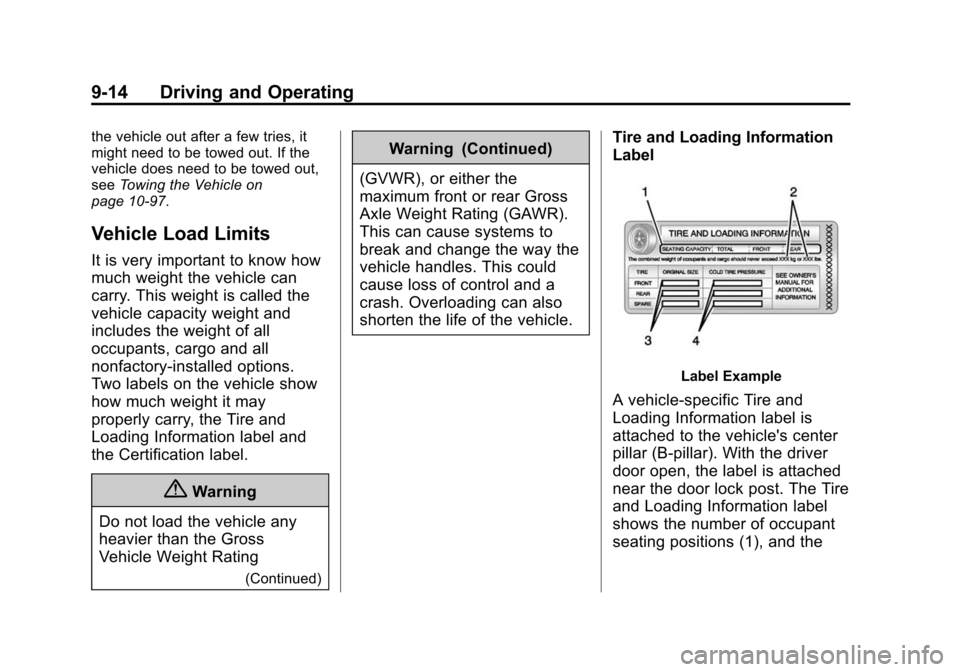
Label Example
A vehicle-specific Tire and
Loading Information label is
attached to the vehicle's center
pillar (B-pillar). With the driver
door open, the label is attached
near the door lock post. The Tire
and Loading Information label
shows the number of occupant
seating positions (1), and the