change time CHEVROLET CAMARO 2015 5.G Owners Manual
[x] Cancel search | Manufacturer: CHEVROLET, Model Year: 2015, Model line: CAMARO, Model: CHEVROLET CAMARO 2015 5.GPages: 435, PDF Size: 6.28 MB
Page 25 of 435
Black plate (18,1)Chevrolet Camaro Owner Manual (GMNA-Localizing-U.S./Canada/Mexico-
7695163) - 2015 - crc - 9/4/14
1-18 In Brief
.To turn off both traction control
and electronic stability control,
press and hold the TCS/
StabiliTrak button
gon the
console in front of the shift
lever.
iandgilluminate.
.Press the TCS/StabiliTrak button
again to turn on both systems.
See Traction Control/Electronic
Stability Control on page 9-38.
Tire Pressure Monitor
This vehicle may have a Tire
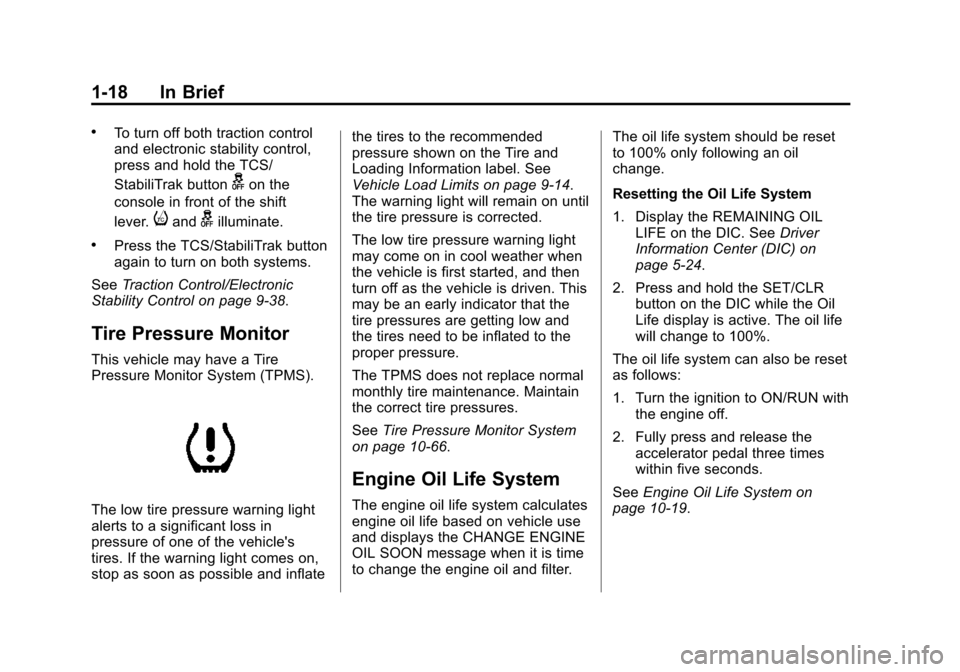
Pressure Monitor System (TPMS).
The low tire pressure warning light
alerts to a significant loss in
pressure of one of the vehicle's
tires. If the warning light comes on,
stop as soon as possible and inflate the tires to the recommended
pressure shown on the Tire and
Loading Information label. See
Vehicle Load Limits on page 9-14.
The warning light will remain on until
the tire pressure is corrected.
The low tire pressure warning light
may come on in cool weather when
the vehicle is first started, and then
turn off as the vehicle is driven. This
may be an early indicator that the
tire pressures are getting low and
the tires need to be inflated to the
proper pressure.
The TPMS does not replace normal
monthly tire maintenance. Maintain
the correct tire pressures.
See
Tire Pressure Monitor System
on page 10-66.
Engine Oil Life System
The engine oil life system calculates
engine oil life based on vehicle use
and displays the CHANGE ENGINE
OIL SOON message when it is time
to change the engine oil and filter. The oil life system should be reset
to 100% only following an oil
change.
Resetting the Oil Life System
1. Display the REMAINING OIL
LIFE on the DIC. See Driver
Information Center (DIC) on
page 5-24.
2. Press and hold the SET/CLR button on the DIC while the Oil
Life display is active. The oil life
will change to 100%.
The oil life system can also be reset
as follows:
1. Turn the ignition to ON/RUN with the engine off.
2. Fully press and release the accelerator pedal three times
within five seconds.
See Engine Oil Life System on
page 10-19.
Page 33 of 435
Black plate (6,1)Chevrolet Camaro Owner Manual (GMNA-Localizing-U.S./Canada/Mexico-
7695163) - 2015 - crc - 9/4/14
2-6 Keys, Doors, and Windows
Heated Seats”underHeated Front
Seats on page 3-6 andVehicle
Personalization on page 5-43.
Laws in some local communities
may restrict the use of remote
starters. For example, some laws
may require a person using remote
start to have the vehicle in view.
Check local regulations for any
requirements.
Other conditions can affect the
performance of the transmitter. See
Remote Keyless Entry (RKE)
System on page 2-3.
Starting the Engine Using Remote
Start
To start the engine using the remote
start feature:
1. Aim the RKE transmitter at the vehicle.
2. Press and release
Q. 3. Immediately after completing
Step 2, press and hold
/for at
least four seconds or until the
turn signal lamps flash. The turn
signal lamps flashing confirms
the request to remote start the
vehicle has been received.
When the engine starts, the
parking lamps will turn on and
remain on as long as the engine
is running. The vehicle's doors
will be locked and the climate
control system may come on.
The engine will continue to run
for 10 minutes. After
30 seconds, repeat the steps for
a 10-minute time extension.
Remote start can be extended
only once.
Insert the key and turn it to ON/RUN
before driving.
If the vehicle is low on fuel, do not
use the remote start feature. The
vehicle may run out of fuel. Extending Engine Run Time
The engine run time can also be
extended by another 10 minutes,
if during the first 10 minutes
Steps 1–3 are repeated while the
engine is still running. An extension
can be requested, 30 seconds after
starting. This provides a total of
20 minutes.
The remote start can only be
extended once.
When the remote start is extended,
the second 10-minute period is
added on to the first 10 minutes for
a total of 20 minutes.
A maximum of two remote starts,
or a remote start with an extension,
are allowed between ignition cycles.
The vehicle's ignition must be
changed to ON/RUN/START and
then back to OFF before the remote
start procedure can be used again.
Page 42 of 435
Black plate (15,1)Chevrolet Camaro Owner Manual (GMNA-Localizing-U.S./Canada/Mexico-
7695163) - 2015 - crc - 9/4/14
Keys, Doors, and Windows 2-15
Turn Signal Indicator
If equipped, an arrow on the mirror
flashes in the direction of the turn or
lane change.
Heated Mirrors
For vehicles with heated mirrors:
1(Rear Window Defogger):
Press to heat the mirrors.
See “Rear Window Defogger” under
Climate Control Systems on
page 8-1.
Automatic Dimming
Mirror
If the vehicle is equipped with an
automatic dimming outside mirror on
the driver side, the mirror will adjust
for the glare of headlamps
behind you.
Interior Mirrors
Interior Rearview Mirrors
Adjust the rearview mirror for a clear
view of the area behind your
vehicle.
If equipped with OnStar, the vehicle
may have three control buttons at
the bottom of the mirror. See your
dealer for more information about
OnStar and how to subscribe to it.
See OnStar Overview on page 14-1.
Do not spray glass cleaner directly
on the mirror. Use a soft towel
dampened with water.
Manual Rearview Mirror
If equipped with a manual rearview
mirror, push the tab forward for
daytime use and pull it for nighttime
use to avoid glare from the
headlamps from behind.
Automatic Dimming
Rearview Mirror
If equipped, automatic dimming
reduces the glare of headlamps
from behind. The dimming feature
comes on when the vehicle is
started.
Page 57 of 435
Black plate (6,1)Chevrolet Camaro Owner Manual (GMNA-Localizing-U.S./Canada/Mexico-
7695163) - 2015 - crc - 9/4/14
3-6 Seats and Restraints
Heated Front Seats
{Warning
If you cannot feel temperature
change or pain to the skin, the
seat heater may cause burns. To
reduce the risk of burns, people
with such a condition should use
care when using the seat heater,
especially for long periods of
time. Do not place anything on
the seat that insulates against
heat, such as a blanket, cushion,
cover, or similar item. This may
cause the seat heater to
overheat. An overheated seat
heater may cause a burn or may
damage the seat.
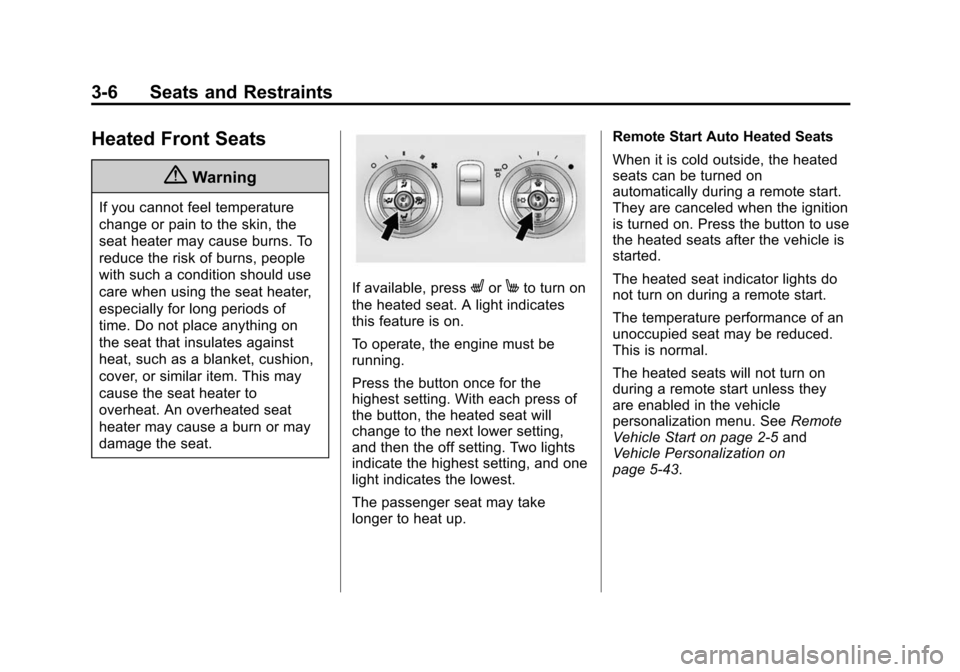
If available, pressLorMto turn on
the heated seat. A light indicates
this feature is on.
To operate, the engine must be
running.
Press the button once for the
highest setting. With each press of
the button, the heated seat will
change to the next lower setting,
and then the off setting. Two lights
indicate the highest setting, and one
light indicates the lowest.
The passenger seat may take
longer to heat up. Remote Start Auto Heated Seats
When it is cold outside, the heated
seats can be turned on
automatically during a remote start.
They are canceled when the ignition
is turned on. Press the button to use
the heated seats after the vehicle is
started.
The heated seat indicator lights do
not turn on during a remote start.
The temperature performance of an
unoccupied seat may be reduced.
This is normal.
The heated seats will not turn on
during a remote start unless they
are enabled in the vehicle
personalization menu. See
Remote
Vehicle Start on page 2-5 and
Vehicle Personalization on
page 5-43.
Page 82 of 435
Black plate (31,1)Chevrolet Camaro Owner Manual (GMNA-Localizing-U.S./Canada/Mexico-
7695163) - 2015 - crc - 9/4/14
Seats and Restraints 3-31
Infants and Young
Children
Everyone in a vehicle needs
protection! This includes infants and
all other children. Neither the
distance traveled nor the age and
size of the traveler changes the
need, for everyone, to use safety
restraints. In fact, the law in every
state in the United States and in
every Canadian province says
children up to some age must be
restrained while in a vehicle.
{Warning
Children can be seriously injured
or strangled if a shoulder belt is
wrapped around their neck. The
shoulder belt can tighten but
cannot be loosened if it is locked.
The shoulder belt locks when it is
pulled all the way out of the
retractor. It unlocks when the
shoulder belt is allowed to go all(Continued)
Warning (Continued)
the way back into the retractor,
but it cannot do this if it is
wrapped around a child’s neck.
If the shoulder belt is locked and
tightened around a child’s neck,
the only way to loosen the belt is
to cut it.
Never leave children unattended
in a vehicle and never allow
children to play with the safety
belts.
Every time infants and young
children ride in vehicles, they should
have the protection provided by
appropriate child restraints. Neither
the vehicle's safety belt system nor
its airbag system is designed
for them.
Children who are not restrained
properly can strike other people,
or can be thrown out of the vehicle.
{Warning
Never hold an infant or a child
while riding in a vehicle. Due to
crash forces, an infant or a child
will become so heavy it is not
possible to hold it during a crash.
For example, in a crash at only
40 km/h (25 mph), a 5.5 kg (12 lb)
infant will suddenly become a
110 kg (240 lb) force on a person's
arms. An infant should be
secured in an appropriate
restraint.
Page 130 of 435
Black plate (25,1)Chevrolet Camaro Owner Manual (GMNA-Localizing-U.S./Canada/Mexico-
7695163) - 2015 - crc - 9/4/14
Instruments and Controls 5-25
Trip 1 and Trip 2
The Trip display shows the current
distance traveled, in either
kilometers (km) or miles (mi), since
the last reset for the trip odometer.
The trip odometer can be reset to
zero by pressing the trip reset stem
or the SET/CLR button while the trip
odometer display is showing.
Fuel Range
The Fuel Range display shows the
approximate distance the vehicle
can be driven without refueling. The
fuel range estimate is based on an
average of the vehicle's fuel
economy over recent driving history
and the amount of fuel remaining in
the fuel tank. Fuel range cannot be
reset.
Average Fuel Economy
The Average Fuel Economy display
shows the approximate average
liters per 100 kilometers (L/100 km)
or miles per gallon (mpg). This
number reflects only the
approximate average fuel economythat the vehicle has right now, and
will change as driving conditions
change. This number is calculated
based on the number of L/
100 km (mpg) recorded since the
last time this menu item was reset.
The fuel economy can be reset by
pressing the SET/CLR button while
the Average Fuel Economy display
is showing.
Average Vehicle Speed
The Average Vehicle Speed display
shows the average speed of the
vehicle in kilometers per hour (km/h)
or miles per hour (mph). This
average is calculated based on the
various vehicle speeds recorded
since the last reset of this value.
The average speed can be reset by
pressing the SET/CLR button while
the Average Vehicle Speed display
is showing.
Turn-by-Turn
This display is used for the OnStar
Turn-by-Turn Navigation. See
OnStar Overview on page 14-1.
Blank
This display shows no information.
Vehicle Information Menu
Items
Press the MENU button on the turn
signal lever until Vehicle Information
Menu is displayed. Use the band to
scroll through the following menu
items:
.Unit
.Tire Pressure
.Remaining Oil Life
.Coolant Temperature
.Battery Voltage
.Speed Warning
Unit
Move the band up or down to switch
between US or Metric when the Unit
display is active. Press SET/CLR to
confirm the setting. This will change
the displays on the cluster and DIC
to either English (US) or metric
measurements.
Page 131 of 435
Black plate (26,1)Chevrolet Camaro Owner Manual (GMNA-Localizing-U.S./Canada/Mexico-
7695163) - 2015 - crc - 9/4/14
5-26 Instruments and Controls
Tire Pressure
The display will show a vehicle with
the approximate pressures of all
four tires. Tire pressure is displayed
in either kilopascal (kPa) or in
pounds per square inch (psi). See
Tire Pressure Monitor System on
page 10-66andTire Pressure
Monitor Operation on page 10-67.
Remaining Oil Life
This display shows an estimate of
the oil's remaining useful life.
If REMAINING OIL LIFE 99% is
displayed, that means 99% of the
current oil life remains.
When the remaining oil life is low,
the CHANGE ENGINE OIL SOON
message will appear on the display.
See Engine Oil Messages on
page 5-35. The oil should be
changed as soon as possible. See
Engine Oil on page 10-15. In
addition to the engine oil life system
monitoring the oil life, additional
maintenance is recommended in the Maintenance Schedule. See
Maintenance Schedule on
page 11-2.
Remember, the Oil Life display must
be reset after each oil change. It will
not reset itself. Also, be careful not
to reset the Oil Life display
accidentally at any time other than
when the oil has just been changed.
It cannot be reset accurately until
the next oil change. To reset the
engine oil life system press the
SET/CLR button while the Oil Life
display is active. See
Engine Oil
Life System on page 10-19.
Coolant Temperature
This display, available on some
vehicles, shows the temperature of
the engine cooling system fluid in
either degrees Celsius (°C) or
degrees Fahrenheit (°F).
Battery Voltage
This display, available on some
vehicles, shows the current battery
voltage. If the voltage is in the
normal range, the value will display. For example, the display may read
Battery Voltage 15.0 Volts. The
vehicle's charging system regulates
voltage based on the state of the
battery. The battery voltage can
fluctuate while viewing this
information on the DIC. This is
normal. See
Charging System Light
on page 5-16. If there is a problem
with the battery charging system,
the DIC will display a message. See
Battery Voltage and Charging
Messages on page 5-33.
Speed Warning
Speed Warning allows the driver to
set a speed that they do not want to
exceed. To set the Speed Warning,
press SET/CLR when Speed
Warning is displayed.
Page 133 of 435
Black plate (28,1)Chevrolet Camaro Owner Manual (GMNA-Localizing-U.S./Canada/Mexico-
7695163) - 2015 - crc - 9/4/14
5-28 Instruments and Controls
Head-Up Display (HUD)
{Warning
If the HUD image is too bright or
too high in your field of view, it
may take you more time to see
things you need to see when it is
dark outside. Be sure to keep the
HUD image dim and placed low in
your field of view.
If equipped with HUD, some
information concerning the
operation of the vehicle is projected
onto the windshield. This includes
but is not limited to the speedometer
reading, rpm reading, transmission
position, outside air temperature,
compass heading, and a brief
display of the current radio station,
including SiriusXM information or
CD track. It will also display
Turn-by-Turn Navigation information
if the vehicle has OnStar
®. The images are projected through the
HUD lens on the driver side of the
instrument panel.
{Caution
If you try to use the HUD image
as a parking aid, you may
misjudge the distance and
damage your vehicle. Do not use
the HUD image as a parking aid.
The tap shift gear will appear on the
HUD if the vehicle has tap shift and
it is active. The shift timing lights
and a lateral acceleration (G-Force)
indicator may also appear.
The language of the HUD
information displayed can be
changed. The speedometer reading
and other numerical values can be
displayed in either English or metric
units.
The language selection is changed
through the radio and the units of
measurement selection is changed
through the trip computer in the Driver Information Center (DIC).
See the Infotainment Manual and
Driver Information Center (DIC) on
page 5-24.
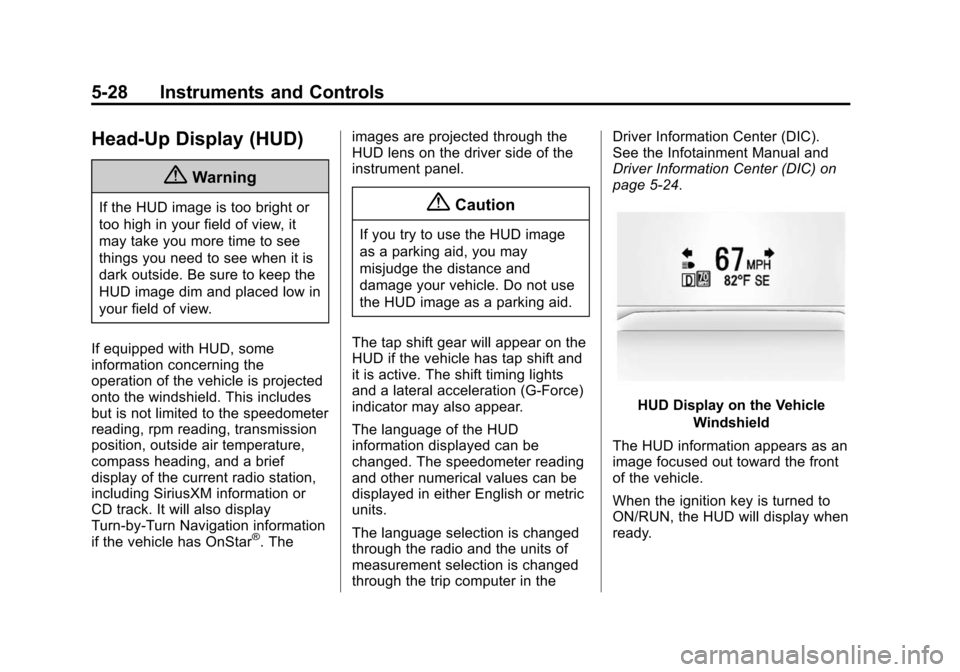
HUD Display on the Vehicle
Windshield
The HUD information appears as an
image focused out toward the front
of the vehicle.
When the ignition key is turned to
ON/RUN, the HUD will display when
ready.
Page 134 of 435
Black plate (29,1)Chevrolet Camaro Owner Manual (GMNA-Localizing-U.S./Canada/Mexico-
7695163) - 2015 - crc - 9/4/14
Instruments and Controls 5-29
The following indicator lights come
on in the instrument cluster when
activated and may also appear on
the HUD:
.Turn Signal Indicators
.High-Beam Indicator Symbol
The HUD also temporarily displays
the following messages on vehicles
with these systems, when they are
active:
.Check Tire Pressure
.Cruise Set To
.Fuel Level Low
.Speed Limited To
.Traction Control Active
.Stabilitrak Active
.Park Distance Unavailable
.Gap Alert Off
When the HUD is on, the
speedometer reading is continually
displayed. The current radio station
or CD track number may display for
a short period of time after the radio or CD track status changes. This
may happen whenever radio
information is changed. The
speedometer size is reduced when
radio, CD information, or warnings
are displayed on the HUD.
When the phone feature is
activated, the HUD will briefly
display phone information,
if available.
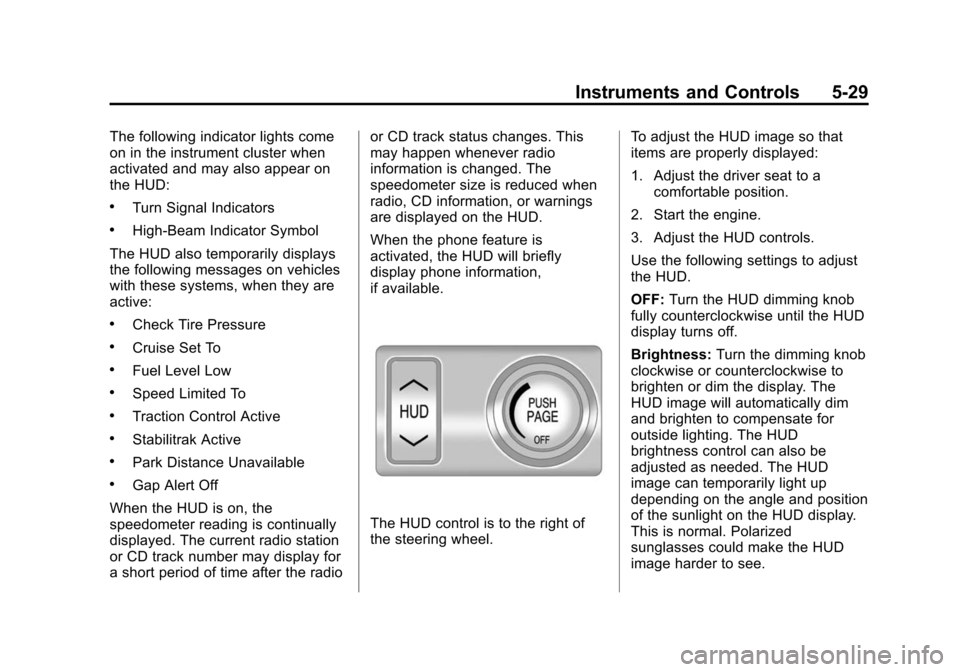
The HUD control is to the right of
the steering wheel.
To adjust the HUD image so that
items are properly displayed:
1. Adjust the driver seat to a
comfortable position.
2. Start the engine.
3. Adjust the HUD controls.
Use the following settings to adjust
the HUD.
OFF: Turn the HUD dimming knob
fully counterclockwise until the HUD
display turns off.
Brightness: Turn the dimming knob
clockwise or counterclockwise to
brighten or dim the display. The
HUD image will automatically dim
and brighten to compensate for
outside lighting. The HUD
brightness control can also be
adjusted as needed. The HUD
image can temporarily light up
depending on the angle and position
of the sunlight on the HUD display.
This is normal. Polarized
sunglasses could make the HUD
image harder to see.
Page 154 of 435
Black plate (49,1)Chevrolet Camaro Owner Manual (GMNA-Localizing-U.S./Canada/Mexico-
7695163) - 2015 - crc - 9/4/14
Instruments and Controls 5-49
Make sure the hand-held transmitter
has a new battery for quick and
accurate transmission of the
radio-frequency signal.
Programming the Universal
Remote System
For questions or help programming
the Universal Remote system, call
1-800-355-3515 or see
www.homelink.com.
Programming involves
time-sensitive actions, and may time
out causing the procedure to be
repeated.
To program up to three devices:
1. Hold the end of the hand-heldtransmitter about 3 to 8 cm (1 to
3 in) away from the Universal
Remote system buttons with the
indicator light in view. The
hand-held transmitter was
supplied by the manufacturer of
the garage door opener receiver. 2. At the same time, press and
hold both the hand-held
transmitter button and one of the
three Universal Remote system
buttons to be used to operate
the garage door. Do not release
either button until the indicator
light changes from a slow to a
rapid flash. Then release both
buttons.
Some garage door openers may
require substitution of Step 2
with the procedure under in
“Radio Signals for Canada and
Some Gate Operators” later in
this section.
3. Press and hold the newly programmed Universal Remote
system button for five seconds
while watching the indicator light
and garage door activation.
.If the indicator light stays on
continuously or the garage
door moves when the
button is pressed, then programming is complete.
There is no need to
complete Steps 4–6.
.If the indicator light does
not come on or the garage
door does not move, a
second button press may
be required. For a second
time, press and hold the
newly programmed button
for five seconds. If the light
stays on or the garage door
moves, programming is
complete.
.If the indicator light blinks
rapidly for two seconds,
then changes to a solid light
and the garage door does
not move, continue with
programming Steps 4–6.