reset CHEVROLET CAMARO 2015 5.G Owners Manual
[x] Cancel search | Manufacturer: CHEVROLET, Model Year: 2015, Model line: CAMARO, Model: CHEVROLET CAMARO 2015 5.GPages: 435, PDF Size: 6.28 MB
Page 25 of 435
Black plate (18,1)Chevrolet Camaro Owner Manual (GMNA-Localizing-U.S./Canada/Mexico-
7695163) - 2015 - crc - 9/4/14
1-18 In Brief
.To turn off both traction control
and electronic stability control,
press and hold the TCS/
StabiliTrak button
gon the
console in front of the shift
lever.
iandgilluminate.
.Press the TCS/StabiliTrak button
again to turn on both systems.
See Traction Control/Electronic
Stability Control on page 9-38.
Tire Pressure Monitor
This vehicle may have a Tire
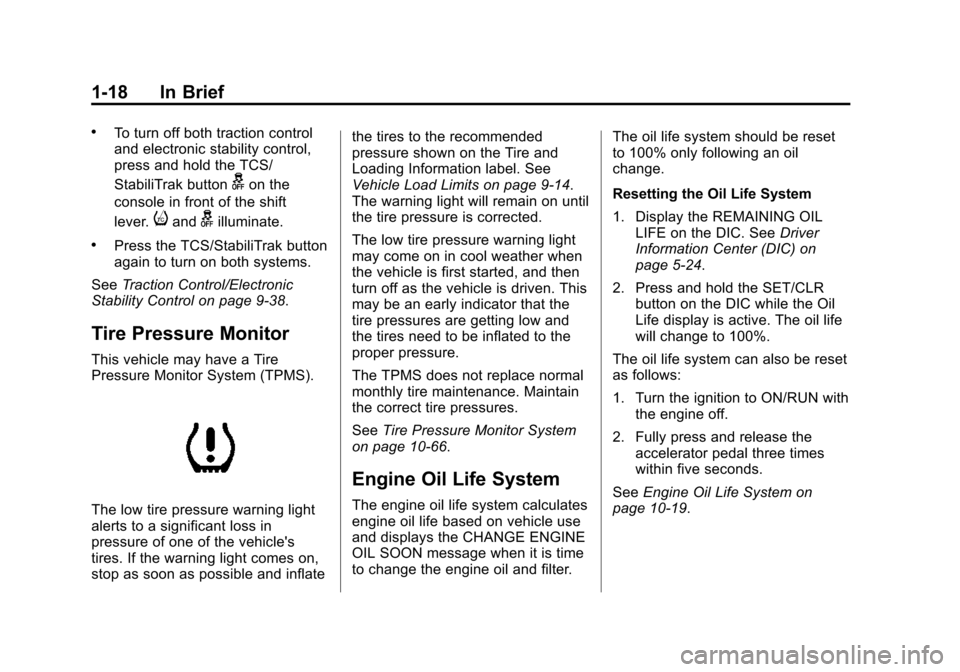
Pressure Monitor System (TPMS).
The low tire pressure warning light
alerts to a significant loss in
pressure of one of the vehicle's
tires. If the warning light comes on,
stop as soon as possible and inflate the tires to the recommended
pressure shown on the Tire and
Loading Information label. See
Vehicle Load Limits on page 9-14.
The warning light will remain on until
the tire pressure is corrected.
The low tire pressure warning light
may come on in cool weather when
the vehicle is first started, and then
turn off as the vehicle is driven. This
may be an early indicator that the
tire pressures are getting low and
the tires need to be inflated to the
proper pressure.
The TPMS does not replace normal
monthly tire maintenance. Maintain
the correct tire pressures.
See
Tire Pressure Monitor System
on page 10-66.
Engine Oil Life System
The engine oil life system calculates
engine oil life based on vehicle use
and displays the CHANGE ENGINE
OIL SOON message when it is time
to change the engine oil and filter. The oil life system should be reset
to 100% only following an oil
change.
Resetting the Oil Life System
1. Display the REMAINING OIL
LIFE on the DIC. See Driver
Information Center (DIC) on
page 5-24.
2. Press and hold the SET/CLR button on the DIC while the Oil
Life display is active. The oil life
will change to 100%.
The oil life system can also be reset
as follows:
1. Turn the ignition to ON/RUN with the engine off.
2. Fully press and release the accelerator pedal three times
within five seconds.
See Engine Oil Life System on
page 10-19.
Page 35 of 435
Black plate (8,1)Chevrolet Camaro Owner Manual (GMNA-Localizing-U.S./Canada/Mexico-
7695163) - 2015 - crc - 9/4/14
2-8 Keys, Doors, and Windows
Only the driver door has a key
cylinder. Unlock the door from the
outside by turning the key
counterclockwise.
Lock all doors from the outside by
turning the key clockwise.
The door lock cylinder turns freely
when either the wrong key is used,
or the correct key is not fully
inserted. The free turning door lock
feature prevents the lock from being
forced open.
To reset the lock, turn it to the
vertical position with the correct key
fully inserted. Remove the key and
insert it again.
If this does not reset the lock, turn
the key halfway around in the
cylinder and repeat the reset
procedure.Power Door Locks
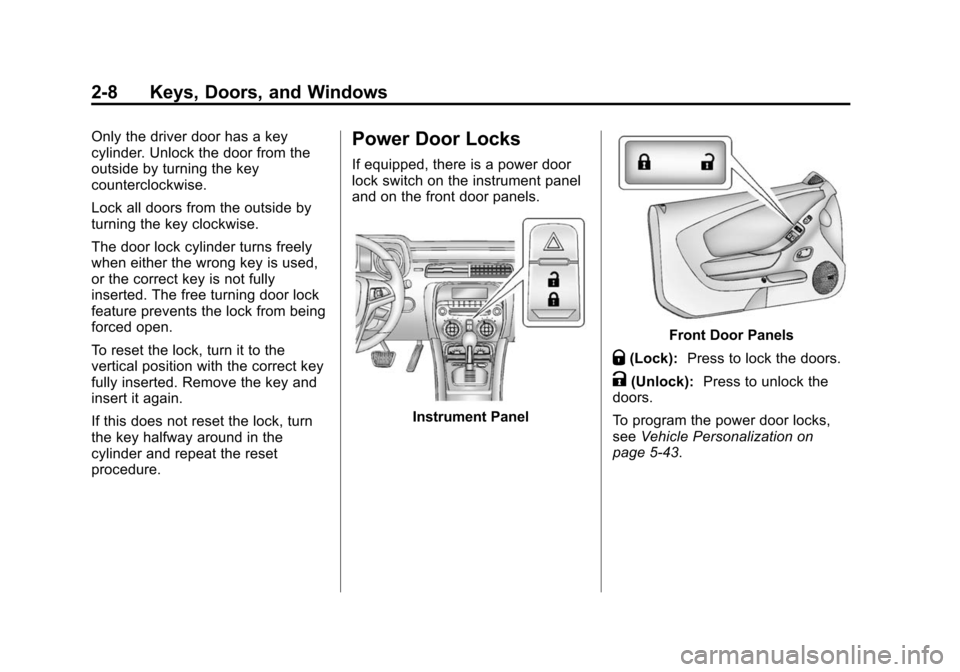
If equipped, there is a power door
lock switch on the instrument panel
and on the front door panels.
Instrument Panel
Front Door Panels
Q(Lock):Press to lock the doors.
K(Unlock): Press to unlock the
doors.
To program the power door locks,
see Vehicle Personalization on
page 5-43.
Page 36 of 435
Black plate (9,1)Chevrolet Camaro Owner Manual (GMNA-Localizing-U.S./Canada/Mexico-
7695163) - 2015 - crc - 9/4/14
Keys, Doors, and Windows 2-9
Delayed Locking
This feature delays the locking of
the doors until five seconds after all
doors are closed.
When
Qis pressed on the power
door lock switch while the door is
open, a chime will sound three
times indicating delayed locking is
active.
The doors will lock automatically
five seconds after all doors are
closed. If a door is reopened before
that time, the five-second timer will
reset when all doors are closed
again.
Press
Qon the door lock switch
again or press
Qon the RKE
transmitter to lock doors
immediately.
This feature can also be
programmed. See Vehicle
Personalization on page 5-43.
Automatic Door Locks
When the doors are closed, the
ignition is on, and the shift lever is
moved out of P (Park) for automatic
transmissions, or the vehicle speed
is above 13 km/h (8 mph) for
manual transmissions, the doors
will lock.
To unlock the doors:
.PressKon a power door lock
switch.
.If equipped with an automatic
transmission, shift the
transmission into P (Park).
.If equipped with a manual
transmission, remove the key
from the ignition when parked.
Automatic door unlocking can be
programmed through the Driver
Information Center (DIC). See
Vehicle Personalization on
page 5-43.
Lockout Protection
When locking is requested with the
driver door open and the key in the
ignition, all the doors will lock and
then the driver door will unlock. This
can be manually overridden by
pressing and holding
Qon the
power door lock switch.
If Open or Unlocked Door
Anti-Lockout is turned on, the
vehicle is off with the driver door
open, and door locking is requested,
all the doors will lock and only the
driver door will unlock. The Open or
Unlocked Door Anti-Lockout feature
can be turned on or off using the
vehicle personalization menus. See
Vehicle Personalization on
page 5-43.
Page 114 of 435
Black plate (9,1)Chevrolet Camaro Owner Manual (GMNA-Localizing-U.S./Canada/Mexico-
7695163) - 2015 - crc - 9/4/14
Instruments and Controls 5-9
Speedometer
The speedometer shows the
vehicle's speed in either kilometers
per hour (km/h) or miles per
hour (mph).
Odometer
The odometer shows how far the
vehicle has been driven, in either
kilometers or miles.
Trip Odometer
The trip odometer shows how far
the vehicle has been driven since
the trip odometer was last reset.
The trip odometer is accessed and
reset through the Driver Information
Center (DIC). SeeDriver
Information Center (DIC) on
page 5-24.
Tachometer
The tachometer displays the engine
speed in revolutions per
minute (rpm).
{Caution
If the engine is operated with the
rpm’s in the warning area at the
high end of the tachometer, the
vehicle could be damaged, and
the damage would not be covered
by the vehicle warranty. Do not
operate the engine with the rpm’s
in the warning area.
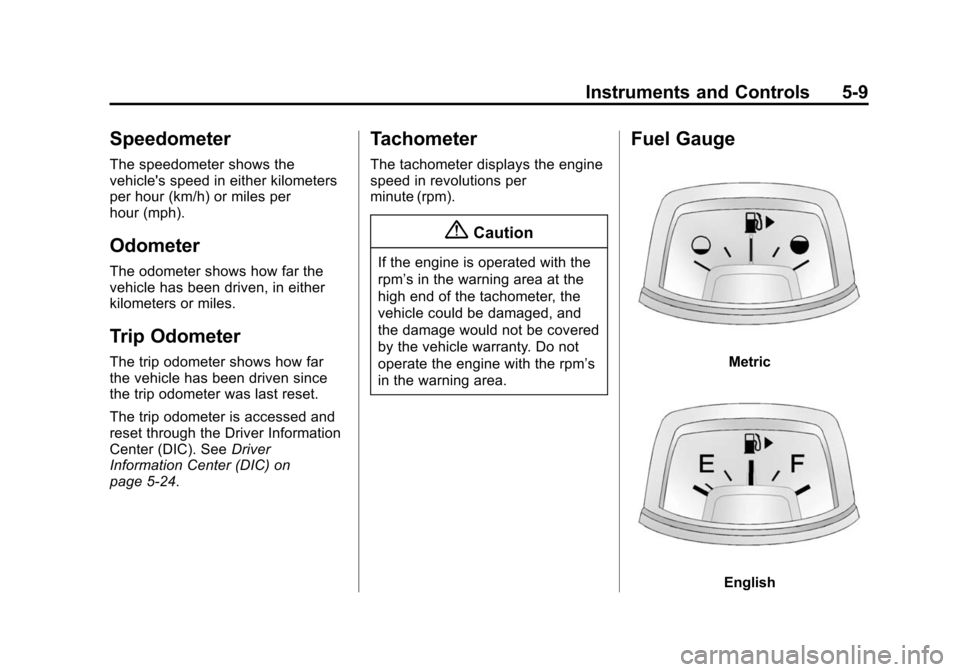
Fuel Gauge
Metric
English
Page 125 of 435
Black plate (20,1)Chevrolet Camaro Owner Manual (GMNA-Localizing-U.S./Canada/Mexico-
7695163) - 2015 - crc - 9/4/14
5-20 Instruments and Controls
Warning (Continued)
Driving with the brake system
warning light on can lead to a
crash. If the light is still on after
the vehicle has been pulled off
the road and carefully stopped,
have the vehicle towed for
service.
The brake message remains on until
the MENU button is pressed. The
brake light remains until the problem
is fixed. See Brake System
Messages on page 5-33 for more
information.
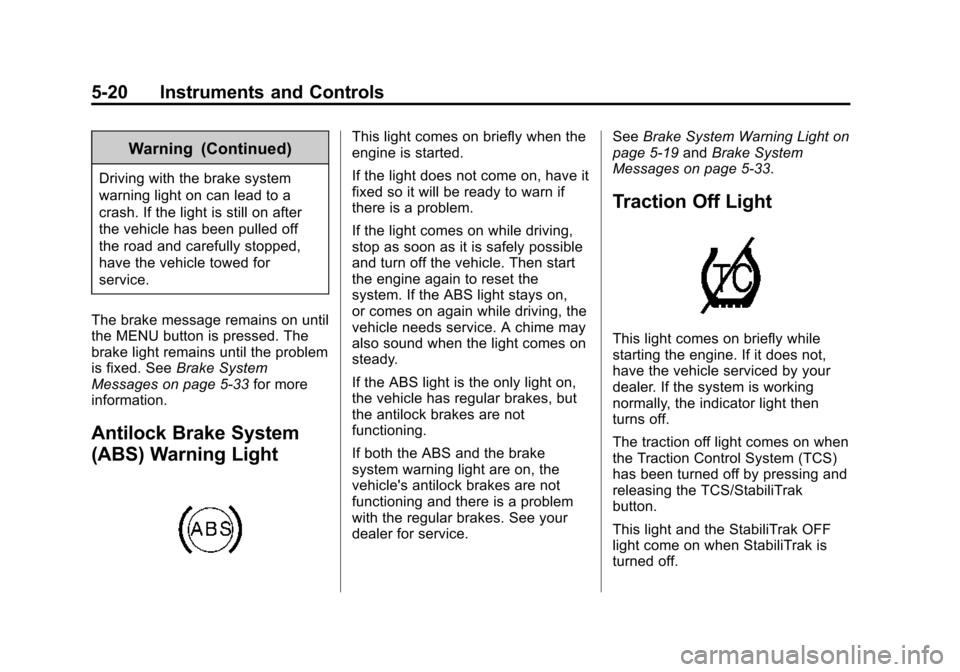
Antilock Brake System
(ABS) Warning Light
This light comes on briefly when the
engine is started.
If the light does not come on, have it
fixed so it will be ready to warn if
there is a problem.
If the light comes on while driving,
stop as soon as it is safely possible
and turn off the vehicle. Then start
the engine again to reset the
system. If the ABS light stays on,
or comes on again while driving, the
vehicle needs service. A chime may
also sound when the light comes on
steady.
If the ABS light is the only light on,
the vehicle has regular brakes, but
the antilock brakes are not
functioning.
If both the ABS and the brake
system warning light are on, the
vehicle's antilock brakes are not
functioning and there is a problem
with the regular brakes. See your
dealer for service. See
Brake System Warning Light on
page 5-19 andBrake System
Messages on page 5-33.
Traction Off Light
This light comes on briefly while
starting the engine. If it does not,
have the vehicle serviced by your
dealer. If the system is working
normally, the indicator light then
turns off.
The traction off light comes on when
the Traction Control System (TCS)
has been turned off by pressing and
releasing the TCS/StabiliTrak
button.
This light and the StabiliTrak OFF
light come on when StabiliTrak is
turned off.
Page 129 of 435
Black plate (24,1)Chevrolet Camaro Owner Manual (GMNA-Localizing-U.S./Canada/Mexico-
7695163) - 2015 - crc - 9/4/14
5-24 Instruments and Controls
Information Displays
Driver Information
Center (DIC)
The DIC displays information about
your vehicle. It also displays
warning messages if a system
problem is detected. SeeVehicle
Messages on page 5-32. All
messages appear in the DIC display
in the center of the instrument
cluster.
The vehicle may also have features
that can be customized through the
controls on the radio. See Vehicle
Personalization on page 5-43.
DIC Operation and Displays
The DIC has different displays
which can be accessed by using the
DIC buttons on the turn signal lever
on the left side of the steering
wheel. The DIC displays trip, fuel,
vehicle system information, and
warning messages if a system
problem is detected. The bottom of the DIC display
shows what position the shift lever
is in (automatic transmission only),
the odometer, and the direction the
vehicle is driving.
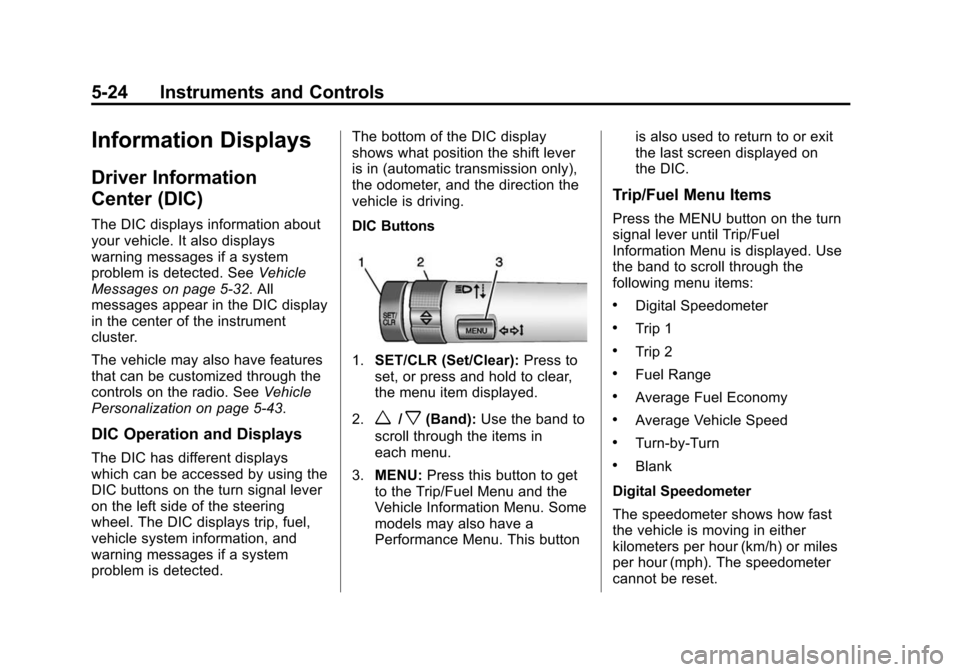
DIC Buttons
1.
SET/CLR (Set/Clear): Press to
set, or press and hold to clear,
the menu item displayed.
2.
w/x(Band): Use the band to
scroll through the items in
each menu.
3. MENU: Press this button to get
to the Trip/Fuel Menu and the
Vehicle Information Menu. Some
models may also have a
Performance Menu. This button is also used to return to or exit
the last screen displayed on
the DIC.
Trip/Fuel Menu Items
Press the MENU button on the turn
signal lever until Trip/Fuel
Information Menu is displayed. Use
the band to scroll through the
following menu items:
.Digital Speedometer
.Trip 1
.Trip 2
.Fuel Range
.Average Fuel Economy
.Average Vehicle Speed
.Turn-by-Turn
.Blank
Digital Speedometer
The speedometer shows how fast
the vehicle is moving in either
kilometers per hour (km/h) or miles
per hour (mph). The speedometer
cannot be reset.
Page 130 of 435
Black plate (25,1)Chevrolet Camaro Owner Manual (GMNA-Localizing-U.S./Canada/Mexico-
7695163) - 2015 - crc - 9/4/14
Instruments and Controls 5-25
Trip 1 and Trip 2
The Trip display shows the current
distance traveled, in either
kilometers (km) or miles (mi), since
the last reset for the trip odometer.
The trip odometer can be reset to
zero by pressing the trip reset stem
or the SET/CLR button while the trip
odometer display is showing.
Fuel Range
The Fuel Range display shows the
approximate distance the vehicle
can be driven without refueling. The
fuel range estimate is based on an
average of the vehicle's fuel
economy over recent driving history
and the amount of fuel remaining in
the fuel tank. Fuel range cannot be
reset.
Average Fuel Economy
The Average Fuel Economy display
shows the approximate average
liters per 100 kilometers (L/100 km)
or miles per gallon (mpg). This
number reflects only the
approximate average fuel economythat the vehicle has right now, and
will change as driving conditions
change. This number is calculated
based on the number of L/
100 km (mpg) recorded since the
last time this menu item was reset.
The fuel economy can be reset by
pressing the SET/CLR button while
the Average Fuel Economy display
is showing.
Average Vehicle Speed
The Average Vehicle Speed display
shows the average speed of the
vehicle in kilometers per hour (km/h)
or miles per hour (mph). This
average is calculated based on the
various vehicle speeds recorded
since the last reset of this value.
The average speed can be reset by
pressing the SET/CLR button while
the Average Vehicle Speed display
is showing.
Turn-by-Turn
This display is used for the OnStar
Turn-by-Turn Navigation. See
OnStar Overview on page 14-1.
Blank
This display shows no information.
Vehicle Information Menu
Items
Press the MENU button on the turn
signal lever until Vehicle Information
Menu is displayed. Use the band to
scroll through the following menu
items:
.Unit
.Tire Pressure
.Remaining Oil Life
.Coolant Temperature
.Battery Voltage
.Speed Warning
Unit
Move the band up or down to switch
between US or Metric when the Unit
display is active. Press SET/CLR to
confirm the setting. This will change
the displays on the cluster and DIC
to either English (US) or metric
measurements.
Page 131 of 435
Black plate (26,1)Chevrolet Camaro Owner Manual (GMNA-Localizing-U.S./Canada/Mexico-
7695163) - 2015 - crc - 9/4/14
5-26 Instruments and Controls
Tire Pressure
The display will show a vehicle with
the approximate pressures of all
four tires. Tire pressure is displayed
in either kilopascal (kPa) or in
pounds per square inch (psi). See
Tire Pressure Monitor System on
page 10-66andTire Pressure
Monitor Operation on page 10-67.
Remaining Oil Life
This display shows an estimate of
the oil's remaining useful life.
If REMAINING OIL LIFE 99% is
displayed, that means 99% of the
current oil life remains.
When the remaining oil life is low,
the CHANGE ENGINE OIL SOON
message will appear on the display.
See Engine Oil Messages on
page 5-35. The oil should be
changed as soon as possible. See
Engine Oil on page 10-15. In
addition to the engine oil life system
monitoring the oil life, additional
maintenance is recommended in the Maintenance Schedule. See
Maintenance Schedule on
page 11-2.
Remember, the Oil Life display must
be reset after each oil change. It will
not reset itself. Also, be careful not
to reset the Oil Life display
accidentally at any time other than
when the oil has just been changed.
It cannot be reset accurately until
the next oil change. To reset the
engine oil life system press the
SET/CLR button while the Oil Life
display is active. See
Engine Oil
Life System on page 10-19.
Coolant Temperature
This display, available on some
vehicles, shows the temperature of
the engine cooling system fluid in
either degrees Celsius (°C) or
degrees Fahrenheit (°F).
Battery Voltage
This display, available on some
vehicles, shows the current battery
voltage. If the voltage is in the
normal range, the value will display. For example, the display may read
Battery Voltage 15.0 Volts. The
vehicle's charging system regulates
voltage based on the state of the
battery. The battery voltage can
fluctuate while viewing this
information on the DIC. This is
normal. See
Charging System Light
on page 5-16. If there is a problem
with the battery charging system,
the DIC will display a message. See
Battery Voltage and Charging
Messages on page 5-33.
Speed Warning
Speed Warning allows the driver to
set a speed that they do not want to
exceed. To set the Speed Warning,
press SET/CLR when Speed
Warning is displayed.
Page 140 of 435
Black plate (35,1)Chevrolet Camaro Owner Manual (GMNA-Localizing-U.S./Canada/Mexico-
7695163) - 2015 - crc - 9/4/14
Instruments and Controls 5-35
PASSENGER DOOR OPEN
This message will display when the
passenger door is open. Close the
door completely.
TRUNK OPEN
This message will display when the
trunk is open. Close the trunk
completely.
Engine Cooling System
Messages
A/C OFF DUE TO HIGH
ENGINE TEMP
This message displays when the
engine coolant becomes hotter than
the normal operating temperature.
To avoid added strain on a hot
engine, the air conditioning
compressor automatically turns off.
When the coolant temperature
returns to normal, the air
conditioning compressor turns back
on. You can continue to drive the
vehicle.If this message continues to appear,
have the system repaired by your
dealer as soon as possible to avoid
damage to the engine.
COOLANT LEVEL LOW ADD
COOLANT
This message will display if the
coolant is low. See
Engine Coolant
on page 10-30.
ENGINE OVERHEATED —
IDLE ENGINE
This message displays when the
engine coolant temperature is too
hot. Stop and allow the vehicle to
idle until it cools down.
ENGINE OVERHEATED —
STOP ENGINE
This message displays and a
continuous chime sounds if the
engine cooling system reaches
unsafe temperatures for operation.
Stop and turn off the vehicle as
soon as it is safe to do so to avoid severe damage. This message
clears when the engine has cooled
to a safe operating temperature.
Engine Oil Messages
CHANGE ENGINE OIL SOON
This message displays when the
engine oil needs to be changed.
When you change the engine oil, be
sure to reset the oil life system. See
Engine Oil Life System on
page 10-19,
Driver Information
Center (DIC) on page 5-24, Engine
Oil on page 10-15, and Maintenance
Schedule on page 11-2.
ENGINE OIL HOT, IDLE
ENGINE
This message displays when the
engine oil temperature is too hot.
Stop and allow the vehicle to idle
until it cools down.
ENGINE OIL LOW —ADD OIL
On some vehicles, this message
displays when the engine oil level
may be too low. Check the oil level
Page 144 of 435
Black plate (39,1)Chevrolet Camaro Owner Manual (GMNA-Localizing-U.S./Canada/Mexico-
7695163) - 2015 - crc - 9/4/14
Instruments and Controls 5-39
PERF TRACTION 4–SPORT 2
ACTIVE HANDLING OFF
CHASSIS MODE SPORT (ZL1
Coupe and Z/28 Only)
This message displays when this
Performance Traction Management
(PTM) mode is selected. The TCS
and StabiliTrak OFF cluster lights
will also be on when this mode is
selected. Once this message is
acknowledged, PTM4 –SPORT2
ESC = OFF displays on the bottom
of the digital speed page. Launch
Control is available when this mode
is selected. In this mode, the
Traction Control is available but
intended for use on dry race track
conditions. The Active Handling
System is disabled when this mode
is selected. This mode will require
more driver skill than modes 1–3.
Adjust your driving accordingly. See
“Performance Traction Management
(PTM) (ZL1 Coupe and Z/28 Only)”
and “Launch Control (V8 with
Manual Transmissions except Z/28)”
under Competitive Driving Mode on
page 9-40.
PERF TRACTION 5 –RACE
ACTIVE HANDLING OFF
CHASSIS MODE TRACK (ZL1
Coupe and Z/28 Only)
This message displays when this
Performance Traction Management
(PTM) mode is selected. The TCS
and StabiliTrak OFF cluster lights
will also be on when this mode is
selected. Once this message is
acknowledged, PTM5 –RACE ESC
= OFF displays on the bottom of the
digital speed page. Launch Control
is available when this mode is
selected. In this mode, the Traction
Control is available but intended for
use on dry race track conditions.
The Active Handling System is
disabled when this mode is
selected. This mode will require
more driver skill than modes 1–4.
Adjust your driving accordingly. See
“Performance Traction Management
(PTM) (ZL1 Coupe and Z/28 Only)”
and “Launch Control (V8 with
Manual Transmissions except Z/28)”
under Competitive Driving Mode on
page 9-40.
SERVICE STABILITRAK
This message displays if there is a
problem with the StabiliTrak®
system. If this message appears, try
to reset the system. Stop; turn off
the engine and remove the key from
the ignition; open and close the
driver door and wait for at least
one minute. During this time you
should notice the lights on the
cluster turn off. After a minute has
passed, start the engine again.
If this message still comes on, it
means there is a problem. See your
dealer for service. The vehicle is
safe to drive; however, you do not
have the benefit of StabiliTrak, so
reduce your speed and drive
accordingly.