lights CHEVROLET CAMARO 2018 Owner's Manual
[x] Cancel search | Manufacturer: CHEVROLET, Model Year: 2018, Model line: CAMARO, Model: CHEVROLET CAMARO 2018Pages: 393, PDF Size: 5.77 MB
Page 13 of 393
Chevrolet Camaro Owner Manual (GMNA-Localizing-U.S./Canada/Mexico-
11348325) - 2018 - CRC - 10/23/17
12 In Brief
Heated and Ventilated
Seats
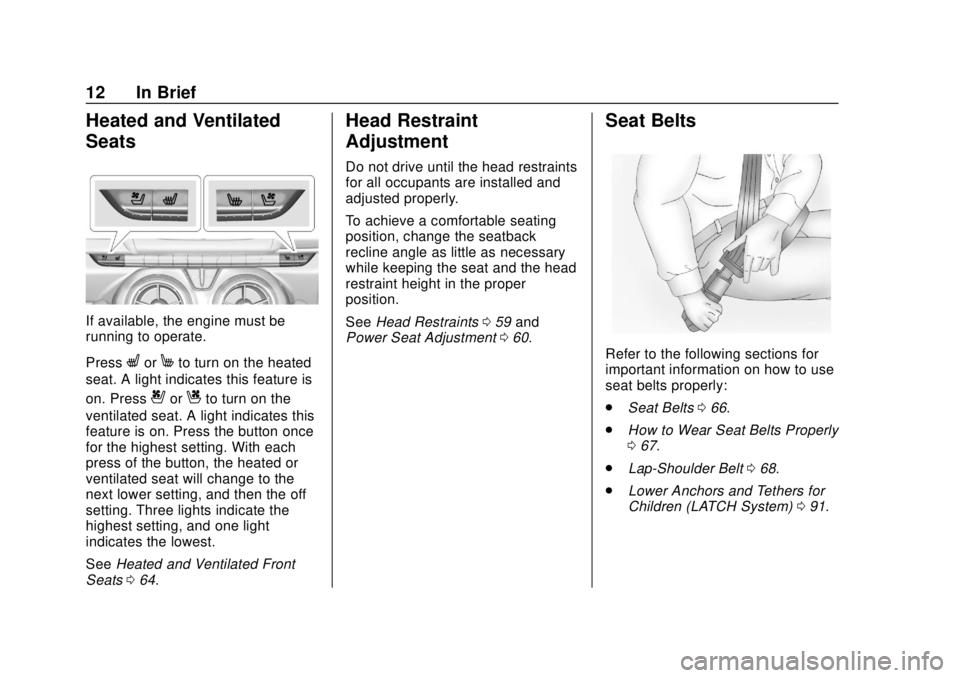
If available, the engine must be
running to operate.
Press
LorMto turn on the heated
seat. A light indicates this feature is
on. Press
{orCto turn on the
ventilated seat. A light indicates this
feature is on. Press the button once
for the highest setting. With each
press of the button, the heated or
ventilated seat will change to the
next lower setting, and then the off
setting. Three lights indicate the
highest setting, and one light
indicates the lowest.
See Heated and Ventilated Front
Seats 064.
Head Restraint
Adjustment
Do not drive until the head restraints
for all occupants are installed and
adjusted properly.
To achieve a comfortable seating
position, change the seatback
recline angle as little as necessary
while keeping the seat and the head
restraint height in the proper
position.
See Head Restraints 059 and
Power Seat Adjustment 060.
Seat Belts
Refer to the following sections for
important information on how to use
seat belts properly:
.
Seat Belts 066.
. How to Wear Seat Belts Properly
067.
. Lap-Shoulder Belt 068.
. Lower Anchors and Tethers for
Children (LATCH System) 091.
Page 14 of 393
Chevrolet Camaro Owner Manual (GMNA-Localizing-U.S./Canada/Mexico-
11348325) - 2018 - CRC - 10/23/17
In Brief 13
Passenger Sensing
System
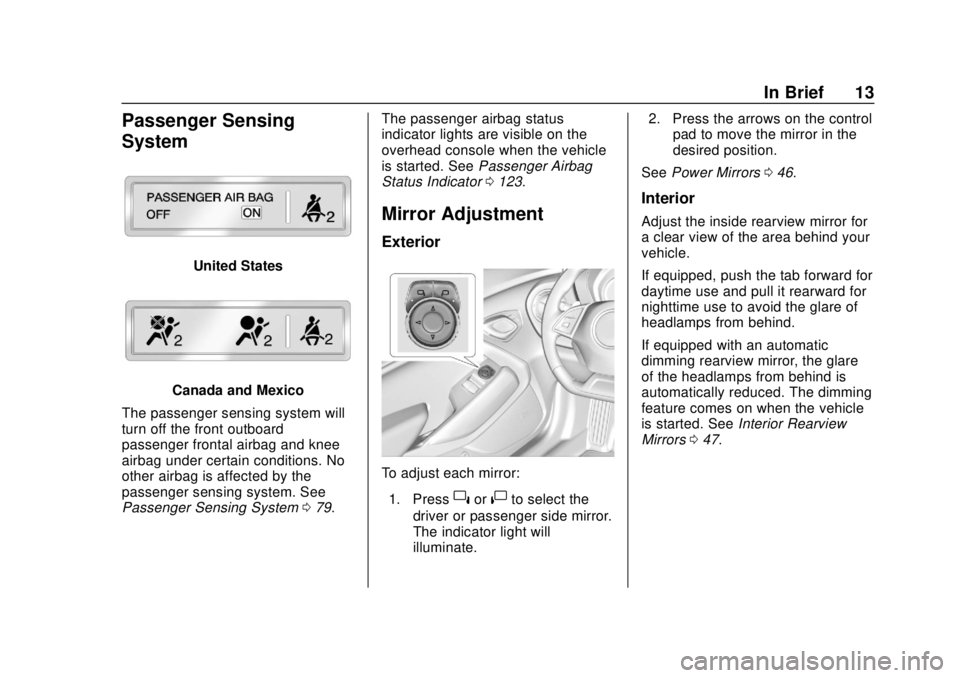
United States
Canada and Mexico
The passenger sensing system will
turn off the front outboard
passenger frontal airbag and knee
airbag under certain conditions. No
other airbag is affected by the
passenger sensing system. See
Passenger Sensing System 079. The passenger airbag status
indicator lights are visible on the
overhead console when the vehicle
is started. See
Passenger Airbag
Status Indicator 0123.
Mirror Adjustment
Exterior
To adjust each mirror:
1. Press
}or|to select the
driver or passenger side mirror.
The indicator light will
illuminate. 2. Press the arrows on the control
pad to move the mirror in the
desired position.
See Power Mirrors 046.
Interior
Adjust the inside rearview mirror for
a clear view of the area behind your
vehicle.
If equipped, push the tab forward for
daytime use and pull it rearward for
nighttime use to avoid the glare of
headlamps from behind.
If equipped with an automatic
dimming rearview mirror, the glare
of the headlamps from behind is
automatically reduced. The dimming
feature comes on when the vehicle
is started. See Interior Rearview
Mirrors 047.
Page 16 of 393
Chevrolet Camaro Owner Manual (GMNA-Localizing-U.S./Canada/Mexico-
11348325) - 2018 - CRC - 10/23/17
In Brief 15
AUTO :Automatically turns the
exterior lamps on and off,
depending on outside lighting.
;: Turns on the parking lamps
including all lamps, except the
headlamps.
5: Turns on the headlamps
together with the parking lamps and
instrument panel lights.
See:
. Exterior Lamp Controls 0150.
. Daytime Running Lamps (DRL)
0151.
Windshield Wiper/Washer
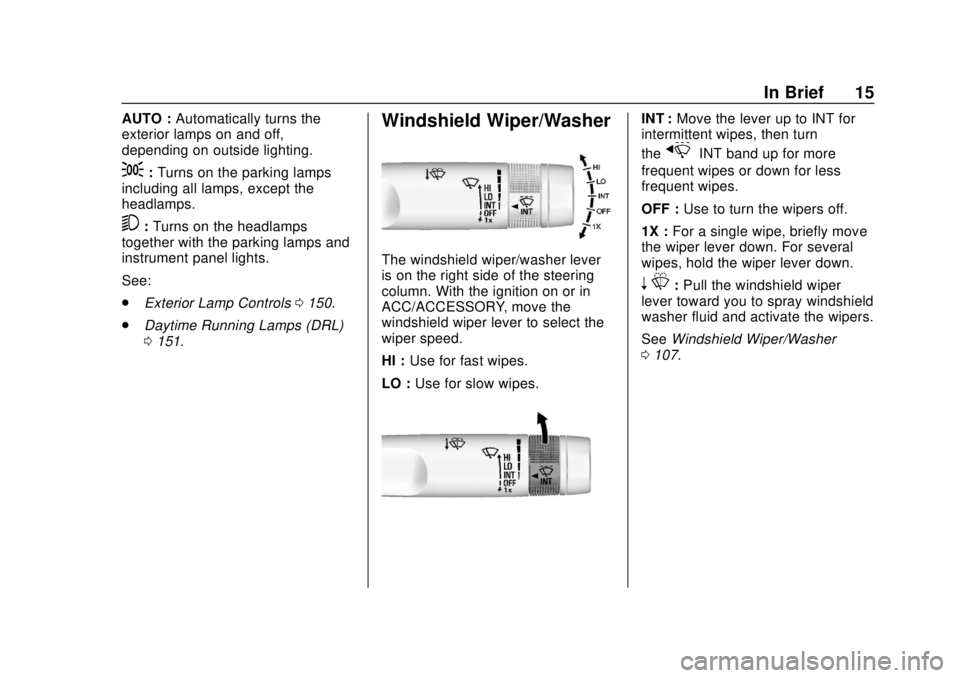
The windshield wiper/washer lever
is on the right side of the steering
column. With the ignition on or in
ACC/ACCESSORY, move the
windshield wiper lever to select the
wiper speed.
HI : Use for fast wipes.
LO : Use for slow wipes.
INT : Move the lever up to INT for
intermittent wipes, then turn
the
xINT band up for more
frequent wipes or down for less
frequent wipes.
OFF : Use to turn the wipers off.
1X : For a single wipe, briefly move
the wiper lever down. For several
wipes, hold the wiper lever down.
n L: Pull the windshield wiper
lever toward you to spray windshield
washer fluid and activate the wipers.
See Windshield Wiper/Washer
0 107.
Page 46 of 393
Chevrolet Camaro Owner Manual (GMNA-Localizing-U.S./Canada/Mexico-
11348325) - 2018 - CRC - 10/23/17
Keys, Doors, and Windows 45
If the driver door is opened without
first unlocking with the RKE
transmitter, the horn will chirp and
the lights will flash to indicate a
pre-alarm. If the vehicle is not
started, or the door is not unlocked
by pressing
Kon the RKE
transmitter during the 10-second
pre-alarm, the alarm will be
activated.
The alarm will also be activated if
the passenger door, the trunk, or the
hood is opened without first
disarming the system. When the
alarm is activated, the turn signals
flash and the horn sounds for about
30 seconds. The alarm system will
then re-arm to monitor for the next
unauthorized event.
Disarming the System
To disarm the system or turn off the
alarm if it has been activated, do
one of the following:
. Press
Kon the RKE transmitter.
. Start the vehicle.
To avoid setting off the alarm by
accident: .
Lock the vehicle with the RKE
transmitter after all occupants
have left the vehicle and all
doors are closed.
. Always unlock the vehicle with
the RKE transmitter. Unlocking
the driver door with the key will
not disarm the alarm.
How to Detect a Tamper
Condition
IfKis pressed on the RKE
transmitter and the horn chirps and
the lights flash three times, a
previous alarm occurred while the
system was armed.
If the alarm has been activated, a
message will appear on the Driver
Information Center (DIC).
Immobilizer
See Radio Frequency Statement
0 365.
Immobilizer Operation
This vehicle has a passive
theft-deterrent system. The system does not have to be
manually armed or disarmed.
The vehicle is automatically
immobilized when the transmitter
leaves the vehicle.
The immobilization system is
disarmed when the ignition button is
pressed and a valid transmitter is
found in the vehicle.
The security light in the instrument
cluster comes on when there is a
problem with arming or disarming
the theft-deterrent system.
The system has one or more
transmitters matched to an
immobilizer control unit in your
vehicle. Only a correctly matched
transmitter will start the vehicle.
If the transmitter is ever damaged,
you may not be able to start your
vehicle.
Page 65 of 393
Chevrolet Camaro Owner Manual (GMNA-Localizing-U.S./Canada/Mexico-
11348325) - 2018 - CRC - 10/23/17
64 Seats and Restraints
Seatback Latches
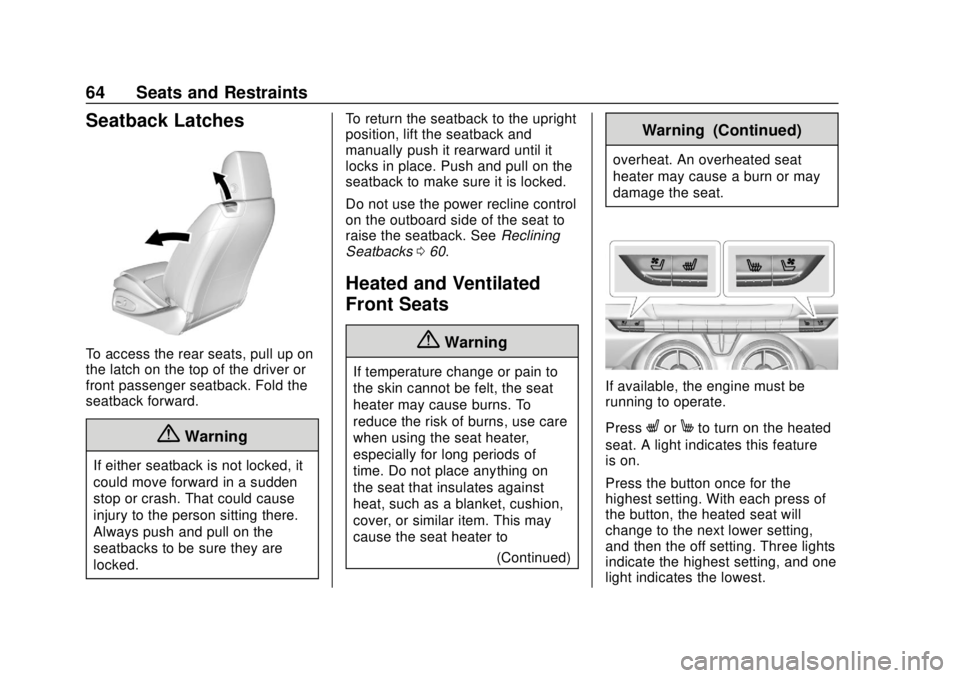
To access the rear seats, pull up on
the latch on the top of the driver or
front passenger seatback. Fold the
seatback forward.
{Warning
If either seatback is not locked, it
could move forward in a sudden
stop or crash. That could cause
injury to the person sitting there.
Always push and pull on the
seatbacks to be sure they are
locked.To return the seatback to the upright
position, lift the seatback and
manually push it rearward until it
locks in place. Push and pull on the
seatback to make sure it is locked.
Do not use the power recline control
on the outboard side of the seat to
raise the seatback. See
Reclining
Seatbacks 060.
Heated and Ventilated
Front Seats
{Warning
If temperature change or pain to
the skin cannot be felt, the seat
heater may cause burns. To
reduce the risk of burns, use care
when using the seat heater,
especially for long periods of
time. Do not place anything on
the seat that insulates against
heat, such as a blanket, cushion,
cover, or similar item. This may
cause the seat heater to
(Continued)
Warning (Continued)
overheat. An overheated seat
heater may cause a burn or may
damage the seat.
If available, the engine must be
running to operate.
Press
LorMto turn on the heated
seat. A light indicates this feature
is on.
Press the button once for the
highest setting. With each press of
the button, the heated seat will
change to the next lower setting,
and then the off setting. Three lights
indicate the highest setting, and one
light indicates the lowest.
Page 66 of 393
Chevrolet Camaro Owner Manual (GMNA-Localizing-U.S./Canada/Mexico-
11348325) - 2018 - CRC - 10/23/17
Seats and Restraints 65
The passenger seat may take
longer to heat up.
Press
{orCto turn on the
ventilated seat. A light indicates this
feature is on.
Press the button once for the
highest setting. With each press of
the button, the ventilated seat will
change to the next lower setting,
and then the off setting. Three lights
indicate the highest setting, and one
light indicates the lowest.
Remote Start Heated and
Ventilated Seats
If equipped, the heated seats will
turn on automatically during a
remote start if it is cold outside and
the ventilated seats will turn on
automatically if it is hot outside. The
heated and ventilated seat
indicators may not come on during
this operation. The heated and ventilated seats
may cancel when the vehicle is
started. These features can be
manually selected after the ignition
is turned on.
The temperature performance of an
unoccupied seat may be reduced.
This is normal.
The heated or ventilated seats will
not turn on during a remote start
unless they are enabled in the
vehicle personalization menu.
See
Remote Vehicle Start 036 and
Vehicle Personalization 0138.
Rear Seats
If equipped, the coupe seat can be
folded for more cargo space. The
rear seat has two designated
seating positions. Fold the seat only
when the vehicle is parked.
To fold the seatback down:
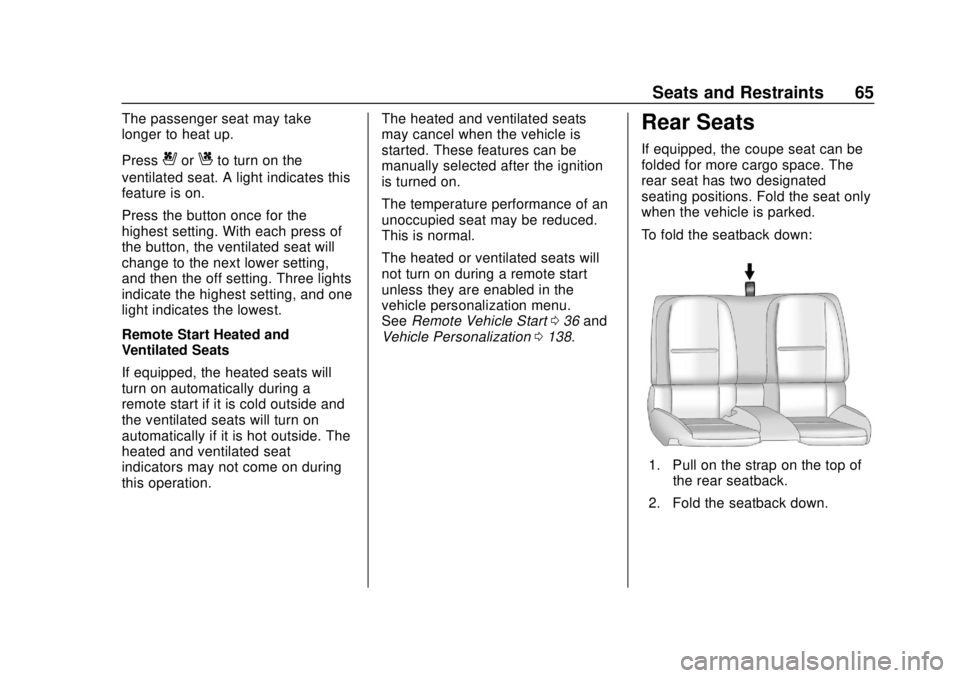
1. Pull on the strap on the top of
the rear seatback.
2. Fold the seatback down.
Page 105 of 393
Chevrolet Camaro Owner Manual (GMNA-Localizing-U.S./Canada/Mexico-
11348325) - 2018 - CRC - 10/23/17
104 Instruments and Controls
Instruments and
Controls
Controls
Steering Wheel Adjustment . . . 105
Steering Wheel Controls . . . . . . 106
Heated Steering Wheel . . . . . . . 107
Horn . . . . . . . . . . . . . . . . . . . . . . . . . . 107
Windshield Wiper/Washer . . . . 107
Compass . . . . . . . . . . . . . . . . . . . . . 108
Clock . . . . . . . . . . . . . . . . . . . . . . . . . 108
Power Outlets . . . . . . . . . . . . . . . . 110
Wireless Charging . . . . . . . . . . . . 110
Warning Lights, Gauges, and
Indicators
Warning Lights, Gauges, andIndicators . . . . . . . . . . . . . . . . . . . 112
Instrument Cluster . . . . . . . . . . . . 113
Speedometer . . . . . . . . . . . . . . . . . 117
Odometer . . . . . . . . . . . . . . . . . . . . . 117
Trip Odometer . . . . . . . . . . . . . . . . 117
Tachometer . . . . . . . . . . . . . . . . . . . 117
Fuel Gauge . . . . . . . . . . . . . . . . . . . 117
Boost Gauge (Uplevel Cluster Only) . . . . . . . . . . . . . . . . 118
Engine Oil Pressure Gauge (Uplevel Cluster Only) . . . . . . . 119 Engine Coolant Temperature
Gauge . . . . . . . . . . . . . . . . . . . . . . 120
Voltmeter Gauge (Uplevel Cluster Only) . . . . . . . . . . . . . . . . 121
Seat Belt Reminders . . . . . . . . . 122
Airbag Readiness Light . . . . . . . 122
Passenger Airbag Status
Indicator . . . . . . . . . . . . . . . . . . . . 123
Charging System Light . . . . . . . 124
Malfunction Indicator Lamp . . . 124
Brake System Warning Light . . . . . . . . . . . . . . . . . . . . . . . . 126
Electric Parking Brake Light . . . . . . . . . . . . . . . . . . . . . . . . 126
Service Electric Parking Brake Light . . . . . . . . . . . . . . . . . . . . . . . . 127
Antilock Brake System (ABS) Warning Light . . . . . . . . . . . . . . . 127
Traction Off Light . . . . . . . . . . . . . 127
StabiliTrak OFF Light . . . . . . . . . 128
Traction Control System (TCS)/ StabiliTrak Light . . . . . . . . . . . . . 128
Tire Pressure Light . . . . . . . . . . . 128
Engine Oil Pressure Light . . . . 129
Low Fuel Warning Light . . . . . . 129
Security Light . . . . . . . . . . . . . . . . . 130
High-Beam On Light . . . . . . . . . . 130
Lamps On Reminder . . . . . . . . . 130
Cruise Control Light . . . . . . . . . . 130
Door Ajar Light . . . . . . . . . . . . . . . 130
Information Displays
Driver Information Center (DIC) . . . . . . . . . . . . . . . . 131
Head-Up Display (HUD) . . . . . . 134
Vehicle Messages
Vehicle Messages . . . . . . . . . . . . 137
Engine Power Messages . . . . . 138
Vehicle Speed Messages . . . . . 138
Vehicle Personalization
Vehicle Personalization . . . . . . . 138
Universal Remote System
Universal Remote System . . . . 146
Universal Remote System Programming . . . . . . . . . . . . . . . 146
Universal Remote System Operation . . . . . . . . . . . . . . . . . . . 148
Page 113 of 393
Chevrolet Camaro Owner Manual (GMNA-Localizing-U.S./Canada/Mexico-
11348325) - 2018 - CRC - 10/23/17
112 Instruments and Controls
3. The$will appear on theVon
the infotainment display. This
indicates that the mobile device
is properly positioned and
charging. If a phone is placed
on the charging pad and
$does
not appear, remove the phone
from the pad, turn it
180 degrees, and wait
three seconds before placing/
aligning the phone on the pad
again.
Warning Lights,
Gauges, and
Indicators
Warning lights and gauges can
signal that something is wrong
before it becomes serious enough
to cause an expensive repair or
replacement. Paying attention to the
warning lights and gauges could
prevent injury. Some warning lights come on briefly
when the engine is started to
indicate they are working. When
one of the warning lights comes on
and stays on while driving, or when
one of the gauges shows there may
be a problem, check the section that
explains what to do. Waiting to do
repairs can be costly and even
dangerous.
Page 124 of 393
Chevrolet Camaro Owner Manual (GMNA-Localizing-U.S./Canada/Mexico-
11348325) - 2018 - CRC - 10/23/17
Instruments and Controls 123
The airbag readiness light comes on
for several seconds when the
vehicle is started. If the light does
not come on then, have it fixed
immediately.
{Warning
If the airbag readiness light stays
on after the vehicle is started or
comes on while driving, it means
the airbag system might not be
working properly. The airbags in
the vehicle might not inflate in a
crash, or they could even inflate
without a crash. To help avoid
injury, have the vehicle serviced
right away.
If there is a problem with the airbag
system, a Driver Information Center
(DIC) message may also come on.
Passenger Airbag Status
Indicator
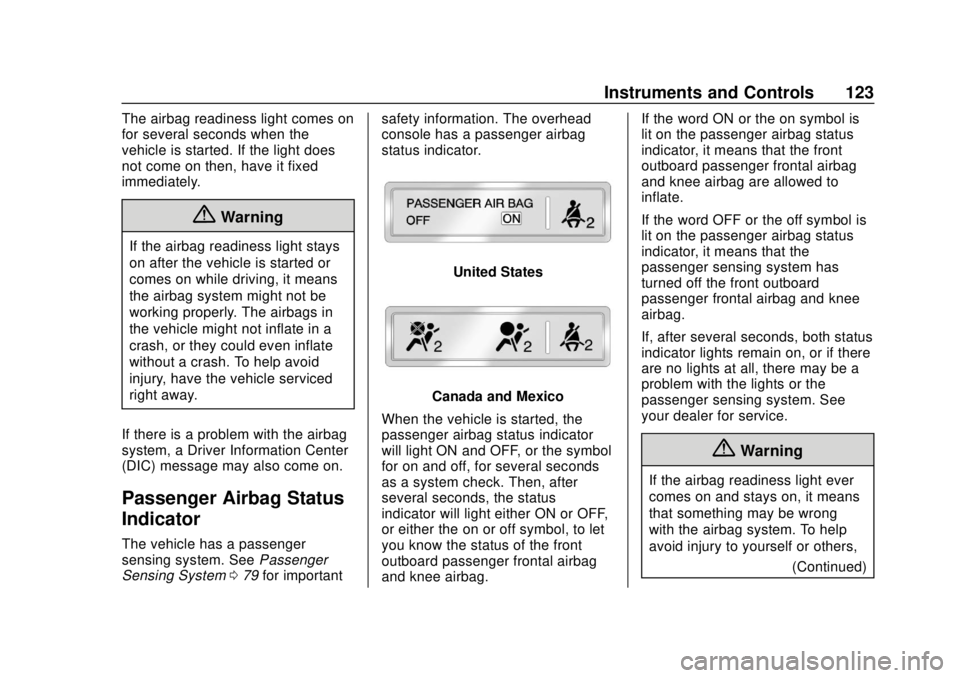
The vehicle has a passenger
sensing system. See Passenger
Sensing System 079 for important safety information. The overhead
console has a passenger airbag
status indicator.
United States
Canada and Mexico
When the vehicle is started, the
passenger airbag status indicator
will light ON and OFF, or the symbol
for on and off, for several seconds
as a system check. Then, after
several seconds, the status
indicator will light either ON or OFF,
or either the on or off symbol, to let
you know the status of the front
outboard passenger frontal airbag
and knee airbag. If the word ON or the on symbol is
lit on the passenger airbag status
indicator, it means that the front
outboard passenger frontal airbag
and knee airbag are allowed to
inflate.
If the word OFF or the off symbol is
lit on the passenger airbag status
indicator, it means that the
passenger sensing system has
turned off the front outboard
passenger frontal airbag and knee
airbag.
If, after several seconds, both status
indicator lights remain on, or if there
are no lights at all, there may be a
problem with the lights or the
passenger sensing system. See
your dealer for service.
{Warning
If the airbag readiness light ever
comes on and stays on, it means
that something may be wrong
with the airbag system. To help
avoid injury to yourself or others,
(Continued)
Page 135 of 393
Chevrolet Camaro Owner Manual (GMNA-Localizing-U.S./Canada/Mexico-
11348325) - 2018 - CRC - 10/23/17
134 Instruments and Controls
Blank :Shows no information.
Head-Up Display (HUD)
{Warning
If the HUD image is too bright or
too high in your field of view, it
may take you more time to see
things you need to see when it is
dark outside. Be sure to keep the
HUD image dim and placed low in
your field of view.
If equipped with HUD, some
information concerning the
operation of the vehicle is projected
onto the windshield.
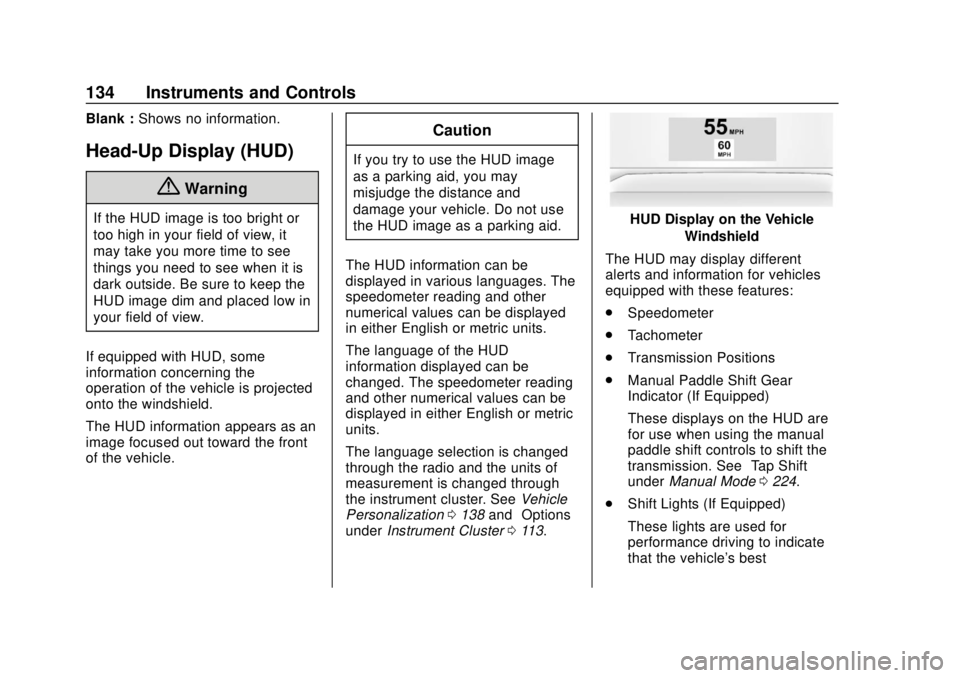
The HUD information appears as an
image focused out toward the front
of the vehicle.
Caution
If you try to use the HUD image
as a parking aid, you may
misjudge the distance and
damage your vehicle. Do not use
the HUD image as a parking aid.
The HUD information can be
displayed in various languages. The
speedometer reading and other
numerical values can be displayed
in either English or metric units.
The language of the HUD
information displayed can be
changed. The speedometer reading
and other numerical values can be
displayed in either English or metric
units.
The language selection is changed
through the radio and the units of
measurement is changed through
the instrument cluster. See Vehicle
Personalization 0138 and“Options”
under Instrument Cluster 0113.
HUD Display on the Vehicle
Windshield
The HUD may display different
alerts and information for vehicles
equipped with these features:
. Speedometer
. Tachometer
. Transmission Positions
. Manual Paddle Shift Gear
Indicator (If Equipped)
These displays on the HUD are
for use when using the manual
paddle shift controls to shift the
transmission. See “Tap Shift”
under Manual Mode 0224.
. Shift Lights (If Equipped)
These lights are used for
performance driving to indicate
that the vehicle's best