parking CHEVROLET CAMARO 2018 Owner's Manual
[x] Cancel search | Manufacturer: CHEVROLET, Model Year: 2018, Model line: CAMARO, Model: CHEVROLET CAMARO 2018Pages: 393, PDF Size: 5.77 MB
Page 6 of 393
Chevrolet Camaro Owner Manual (GMNA-Localizing-U.S./Canada/Mexico-
11348325) - 2018 - CRC - 10/23/17
In Brief 5
In Brief
Instrument Panel
Instrument Panel . . . . . . . . . . . . . . . . 6
Initial Drive Information
Initial Drive Information . . . . . . . . . . 8
Remote Keyless Entry (RKE)System . . . . . . . . . . . . . . . . . . . . . . . . 8
Remote Vehicle Start . . . . . . . . . . . 9
Door Locks . . . . . . . . . . . . . . . . . . . . . 9
Trunk Release . . . . . . . . . . . . . . . . . . 9
Windows . . . . . . . . . . . . . . . . . . . . . . . 10
Seat Adjustment . . . . . . . . . . . . . . . 10
Memory Features . . . . . . . . . . . . . . 11
Heated and Ventilated Seats . . . 12
Head Restraint Adjustment . . . . 12
Seat Belts . . . . . . . . . . . . . . . . . . . . . 12
Passenger Sensing System . . . 13
Mirror Adjustment . . . . . . . . . . . . . . 13
Steering Wheel Adjustment . . . . 14
Interior Lighting . . . . . . . . . . . . . . . . 14
Exterior Lighting . . . . . . . . . . . . . . . 14
Windshield Wiper/Washer . . . . . . 15
Climate Controls . . . . . . . . . . . . . . . 16
Transmission . . . . . . . . . . . . . . . . . . 17
Vehicle Features
Infotainment System . . . . . . . . . . . 19
Radio(s) . . . . . . . . . . . . . . . . . . . . . . . 19
Satellite Radio . . . . . . . . . . . . . . . . . 20
Portable Audio Devices . . . . . . . . 20
Bluetooth . . . . . . . . . . . . . . . . . . . . . . 20
Steering Wheel Controls . . . . . . . 21
Cruise Control . . . . . . . . . . . . . . . . . 22
Driver Information Center (DIC) . . . . . . . . . . . . . . . . . 22
Lane Change Alert (LCA) . . . . . . 23
Rear Vision Camera (RVC) . . . . 23
Rear Cross Traffic Alert (RCTA) System . . . . . . . . . . . . . . . . . . . . . . . 23
Parking Assist . . . . . . . . . . . . . . . . . 23
Power Outlets . . . . . . . . . . . . . . . . . 23
Universal Remote System . . . . . 24
Sunroof . . . . . . . . . . . . . . . . . . . . . . . . 24
Convertible . . . . . . . . . . . . . . . . . . . . 25
Performance and Maintenance
Traction Control/Electronic Stability Control . . . . . . . . . . . . . . 25
Tire Pressure Monitor . . . . . . . . . . 25
Fuel (3.6L V6 Engine) . . . . . . . . . . 26
Fuel (2.0L L4 Turbo Engine and 6.2L V8 Engine) . . . . . . . . . . . . . . 26
Fuel (6.2L V8 Supercharged Engine) . . . . . . . . . . . . . . . . . . . . . . . 26
E85 or FlexFuel . . . . . . . . . . . . . . . . 26 Engine Oil Life System . . . . . . . . 26
Car Wash Guidelines . . . . . . . . . . 27
Driving for Better Fuel
Economy . . . . . . . . . . . . . . . . . . . . . 27
Roadside Assistance
Program . . . . . . . . . . . . . . . . . . . . . . 27
Page 8 of 393

Chevrolet Camaro Owner Manual (GMNA-Localizing-U.S./Canada/Mexico-
11348325) - 2018 - CRC - 10/23/17
In Brief 7
1.Air Vents 0194.
2. Instrument Panel Illumination
Control 0153.
3. Exterior Lamp Controls 0150.
Turn Signal Lever. See Turn
and Lane-Change Signals
0 153.
Headlamp High/Low-Beam
Changer 0150.
4. Tap Shift (If Equipped). See Manual Mode 0224.
Active Rev Match 0228 (If
Equipped).
5. Instrument Cluster 0113.
6. Windshield Wiper/Washer
0107.
7. Infotainment 0157.
8. Light Sensor. See Automatic
Headlamp System 0151. 9.
Automatic Climate Control
System 0188 orDual
Automatic Climate Control
System 0191 (If Equipped).
Heated and Ventilated Front
Seats 064 (If Equipped).
10. Shift Lever. See Automatic
Transmission 0221 orManual
Transmission 0226.
11. Power Outlets 0110.
12. Electric Parking Brake 0229.
13. Traction Control/Electronic
Stability Control 0232.
Driver Mode Control 0234.
14. Hazard Warning Flashers
0152.
15. ENGINE START/STOP Button. SeeIgnition Positions 0213.
16. Steering Wheel Controls 0106.
Driver Information Center (DIC)
Controls. See Driver
Information Center (DIC) 0131. 17. Audio Controls. See
Steering
Wheel Controls 0106.
18. Horn 0107.
19. Steering Wheel Adjustment
0105.
20. Cruise Control 0239.
Heated Steering Wheel 0107
(If Equipped).
21. Head-Up Display (HUD) 0134
(If Equipped).
22. Data Link Connector (DLC) (Out of View). See Malfunction
Indicator Lamp 0124.
Hood Release (Out of View).
See Hood 0255.
Page 10 of 393
Chevrolet Camaro Owner Manual (GMNA-Localizing-U.S./Canada/Mexico-
11348325) - 2018 - CRC - 10/23/17
In Brief 9
Remote Vehicle Start
If equipped, the engine can be
started from outside of the vehicle.
Starting the Vehicle
1. Press and releaseQon the
RKE transmitter.
2. Immediately press and hold
/
for at least four seconds or until
the turn signal lamps flash.
Start the vehicle normally after
entering.
When the vehicle starts, the parking
lamps will turn on.
Remote start can be extended.
Canceling a Remote Start
To cancel a remote start, do one of
the following:
. Press and hold
/until the
parking lamps turn off.
. Turn on the hazard warning
flashers.
. Turn the vehicle on and then off.
See Remote Vehicle Start 036.
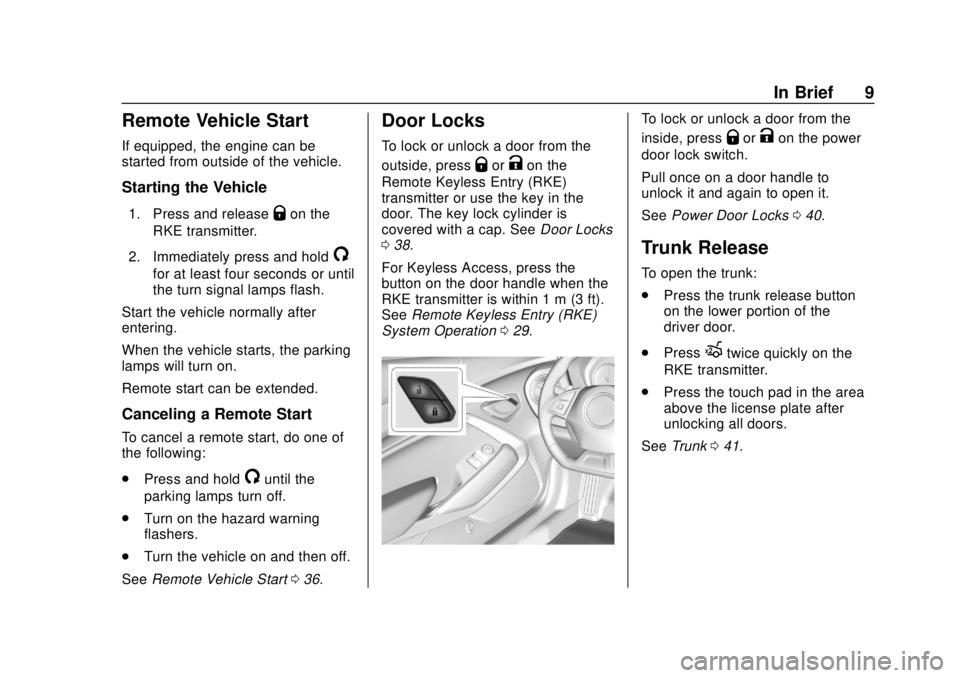
Door Locks
To lock or unlock a door from the
outside, press
QorKon the
Remote Keyless Entry (RKE)
transmitter or use the key in the
door. The key lock cylinder is
covered with a cap. See Door Locks
0 38.
For Keyless Access, press the
button on the door handle when the
RKE transmitter is within 1 m (3 ft).
See Remote Keyless Entry (RKE)
System Operation 029.
To lock or unlock a door from the
inside, press
QorKon the power
door lock switch.
Pull once on a door handle to
unlock it and again to open it.
See Power Door Locks 040.
Trunk Release
To open the trunk:
.
Press the trunk release button
on the lower portion of the
driver door.
. Press
Xtwice quickly on the
RKE transmitter.
. Press the touch pad in the area
above the license plate after
unlocking all doors.
See Trunk 041.
Page 16 of 393
Chevrolet Camaro Owner Manual (GMNA-Localizing-U.S./Canada/Mexico-
11348325) - 2018 - CRC - 10/23/17
In Brief 15
AUTO :Automatically turns the
exterior lamps on and off,
depending on outside lighting.
;: Turns on the parking lamps
including all lamps, except the
headlamps.
5: Turns on the headlamps
together with the parking lamps and
instrument panel lights.
See:
. Exterior Lamp Controls 0150.
. Daytime Running Lamps (DRL)
0151.
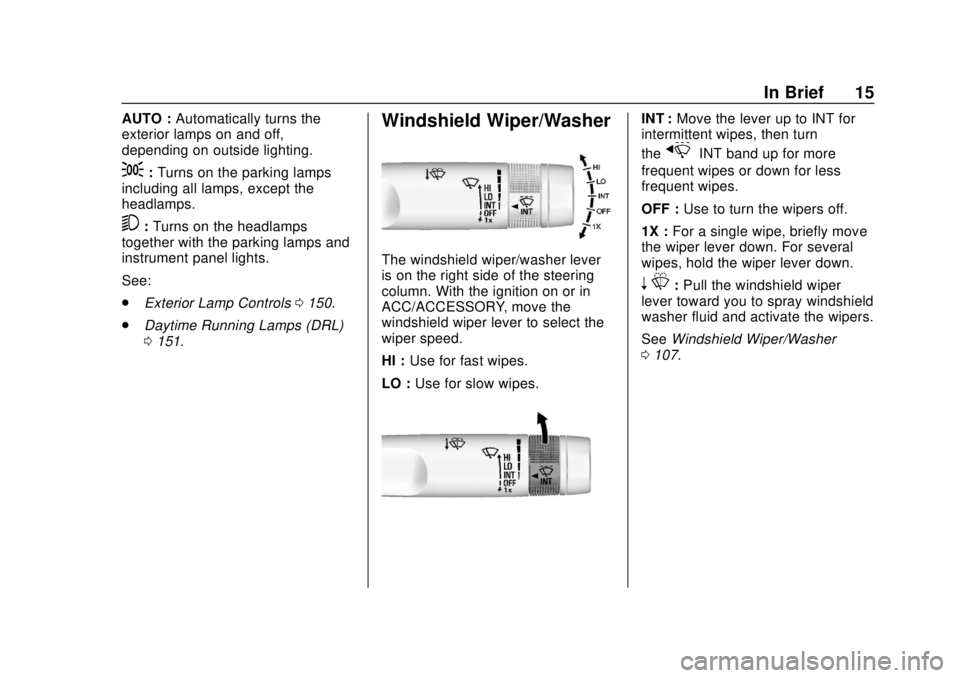
Windshield Wiper/Washer
The windshield wiper/washer lever
is on the right side of the steering
column. With the ignition on or in
ACC/ACCESSORY, move the
windshield wiper lever to select the
wiper speed.
HI : Use for fast wipes.
LO : Use for slow wipes.
INT : Move the lever up to INT for
intermittent wipes, then turn
the
xINT band up for more
frequent wipes or down for less
frequent wipes.
OFF : Use to turn the wipers off.
1X : For a single wipe, briefly move
the wiper lever down. For several
wipes, hold the wiper lever down.
n L: Pull the windshield wiper
lever toward you to spray windshield
washer fluid and activate the wipers.
See Windshield Wiper/Washer
0 107.
Page 24 of 393
Chevrolet Camaro Owner Manual (GMNA-Localizing-U.S./Canada/Mexico-
11348325) - 2018 - CRC - 10/23/17
In Brief 23
oorp:Pressoto open
application menus on the left.
Press
pto open interaction menus
on the right.
SEL : Press to select a menu item.
Press and hold to reset values on
certain screens.
See Driver Information Center (DIC)
0 131.
Lane Change Alert (LCA)
If equipped, the LCA system is a
lane-changing aid that assists
drivers with avoiding lane change
crashes that occur with moving
vehicles in the side blind zone (or
spot) areas or with vehicles rapidly
approaching these areas from
behind. The LCA warning display
will light up in the corresponding
outside mirror and will flash if the
turn signal is on. The Side Blind
Zone Alert (SBZA) system is
included as part of the LCA system.
See Side Blind Zone Alert (SBZA)
0 245 andLane Change Alert (LCA)
0 245.
Rear Vision
Camera (RVC)
If equipped, RVC shows a view of
the area behind the vehicle on the
infotainment display when the
vehicle is shifted into R (Reverse) to
aid with parking and low-speed
backing maneuvers.
See Assistance Systems for Parking
or Backing 0242.
Rear Cross Traffic Alert
(RCTA) System
If equipped, the RCTA system uses
a triangle with an arrow on the
infotainment display to warn of
traffic behind your vehicle that may
cross your vehicle's path while in
R (Reverse). In addition, beeps will
sound.
See Assistance Systems for Parking
or Backing 0242.
Parking Assist
If equipped, Rear Parking Assist
(RPA) uses sensors on the rear
bumper to assist with parking and
avoiding objects while in
R (Reverse). It operates at speeds
less than 8 km/h (5 mph). RPA may
show a warning triangle on the
infotainment display and/or a
graphic on the instrument cluster to
provide the object distance. In
addition, multiple beeps may occur
if very close to an object.
See Assistance Systems for Parking
or Backing 0242.
Power Outlets
The vehicle has an accessory
power outlet on the center floor
console in front of the cupholders.
It can be used to plug in electrical
equipment, such as a cell phone or
an MP3 player.
The accessory power outlet does
not work when the ignition is turned
off and the driver door is opened.
This helps to preserve the battery
life of the vehicle.
Page 38 of 393
Chevrolet Camaro Owner Manual (GMNA-Localizing-U.S./Canada/Mexico-
11348325) - 2018 - CRC - 10/23/17
Keys, Doors, and Windows 37
Other conditions can affect the
performance of the transmitter. See
Remote Keyless Entry (RKE)
System029.
Starting the Engine Using Remote
Start
To start the engine using the remote
start feature:
1. Press and release
Q.
2. Immediately after completing Step 1, press and hold
/for at
least four seconds or until the
turn signal lamps flash. The
turn signal lamps flashing
confirms the request to remote
start the vehicle has been
received.
When the engine starts, the
parking lamps will turn on and
remain on as long as the
engine is running. The
vehicle's doors will be locked
and the climate control system
may come on.
The engine will continue to run
for 10 minutes. After
30 seconds, repeat the steps for a 10-minute time extension.
Remote start can be extended
only once.
Start the vehicle before driving.
If the vehicle is low on fuel, do not
use the remote start feature. The
vehicle may run out of fuel.
Extending Engine Run Time
The engine run time can also be
extended by another 10 minutes,
if during the first 10 minutes
Steps 1 and 2 are repeated while
the engine is still running. An
extension can be requested,
30 seconds after starting. This
provides a total of 20 minutes.
The remote start can only be
extended once.
When the remote start is extended,
the second 10-minute period is
added on to the first 10 minutes for
a total of 20 minutes.
A maximum of two remote starts,
or a remote start with an extension,
are allowed between ignition cycles. The ignition must be turned on and
then OFF before the remote start
procedure can be used again.
Canceling a Remote Start
To cancel a remote start, do one of
the following:
.
Press and hold
/until the
parking lamps turn off.
. Turn on the hazard warning
flashers.
. Turn the vehicle on and then off.
Conditions in Which Remote Start
Will Not Work
The remote start will not operate if:
. The RKE transmitter is in the
vehicle.
. The hood is not closed.
. The hazard warning flashers
are on.
. There is an emission control
system malfunction.
. The engine coolant temperature
is too high.
. The oil pressure is low.
Page 43 of 393
Chevrolet Camaro Owner Manual (GMNA-Localizing-U.S./Canada/Mexico-
11348325) - 2018 - CRC - 10/23/17
42 Keys, Doors, and Windows
Warning (Continued)
and set the fan speed to the
highest setting. See
“Climate Control Systems”
in the Index.
. If the vehicle has a power
liftgate, disable the power
liftgate function.
For more information about
carbon monoxide, see Engine
Exhaust 0220.
Trunk Release
To open the trunk from outside of
the vehicle:
.
Press
Xtwice quickly on the
Remote Keyless Entry (RKE)
transmitter.
. Press the touch pad in the area
above the license plate after
unlocking all doors. .
For Keyless Access, press the
touch pad in the area above the
license plate when the
transmitter is within 1 m (3 ft) of
the rear of the vehicle.
For automatic transmissions, the
vehicle must be in P (Park). For
manual transmissions, the vehicle
must be off, or stationary with the
parking brake set.
From inside the vehicle, press|
on the lower portion of the
driver door.
Emergency Trunk Release
Handle
Caution
Do not use the emergency trunk
release handle as a tie-down or
anchor point when securing items
in the trunk as it could damage
the handle.
There is a glow-in-the-dark
emergency trunk release handle on
the trunk lid. This handle will glow
Page 48 of 393
Chevrolet Camaro Owner Manual (GMNA-Localizing-U.S./Canada/Mexico-
11348325) - 2018 - CRC - 10/23/17
Keys, Doors, and Windows 47
Side Blind Zone Alert (SBZA)
The vehicle may have SBZA. See
Side Blind Zone Alert (SBZA)0245.
Lane Change Alert (LCA)
The vehicle may have LCA. See
Lane Change Alert (LCA) 0245.
Heated Mirrors
If equipped with heated mirrors:
=:The rear window defogger also
heats the outside mirrors.
See Dual Automatic Climate Control
System 0191.
Automatic Dimming
Mirror
If the vehicle is equipped with an
automatic dimming outside mirror on
the driver side, the mirror will adjust
for the glare of headlamps
behind you.
Reverse Tilt Mirrors
If equipped with memory seats, the
passenger and/or driver mirror tilts
to a preselected position when the
vehicle is in R (Reverse). This
allows the curb to be seen when
parallel parking.
The mirror(s) return to the original
position when:
.
The vehicle is shifted out of
R (Reverse), or remains in
R (Reverse) for about
30 seconds.
. The ignition is turned off.
. The vehicle is driven in
R (Reverse) above a set speed.
To turn this feature on or off, see
Vehicle Personalization 0138.
Interior Mirrors
Interior Rearview Mirrors
Adjust the rearview mirror for a clear
view of the area behind your
vehicle.
If equipped with OnStar, the vehicle
may have three control buttons at
the bottom of the mirror. See OnStar
Overview 0369.
To avoid accidental OnStar calls,
clean the mirror with the ignition off.
Do not spray glass cleaner directly
on the mirror. Use a soft towel
dampened with water.
Page 64 of 393
Chevrolet Camaro Owner Manual (GMNA-Localizing-U.S./Canada/Mexico-
11348325) - 2018 - CRC - 10/23/17
Seats and Restraints 63
To turn Auto Memory Recall on or
off, see "Vehicle Personalization
Settings" previously in this section
andVehicle Personalization 0138.
For vehicles equipped with an
automatic transmission, the
transmission must be in P (Park) to
initiate Auto Memory Recall. Auto
Memory Recall will complete if the
vehicle is shifted out of P (Park)
prior to reaching the stored memory
position.
For vehicles equipped with a
manual transmission, the parking
brake must be set to initiate Auto
Memory Recall. Auto Memory
Recall will complete if the parking
brake is released prior to reaching
the stored memory position.
To stop Auto Memory Recall
movement, turn the ignition off or
press any of the following memory
controls:
. Power seat
. Memory SET, 1, 2, or
B
.Power mirror, with the driver or
passenger side mirror selected
If the stored memory seat position
does not automatically recall or
recalls to the wrong positions, the
driver ’s RKE transmitter number
(1 or 2) may not match the memory
button number that positions were
saved to. Try storing the position to
the other memory button or try the
other RKE transmitter.
Easy Exit Recall
Easy Exit Recall is not linked to an
RKE transmitter. The position stored
to
Bis used for all drivers. To turn
Easy Exit Recall on or off, see
"Vehicle Personalization Settings"
previously in this section and
Vehicle Personalization 0138.
If turned on, the positions saved to
Bare automatically recalled when
one of the following occurs:
. The vehicle is turned off and the
driver door is opened within a
short time. .
The vehicle is turned off with the
driver door open.
To stop Easy Exit Recall movement,
press any of the following memory
controls:
. Power seat
. Memory SET, 1, 2, or
B
.Power mirror, with the driver or
passenger side mirror selected
Obstructions
If something has blocked the driver
seat while recalling a memory
position, the recall may stop.
Remove the obstruction and try the
recall again. If the memory position
still does not recall, see your dealer
for service.
Page 105 of 393
Chevrolet Camaro Owner Manual (GMNA-Localizing-U.S./Canada/Mexico-
11348325) - 2018 - CRC - 10/23/17
104 Instruments and Controls
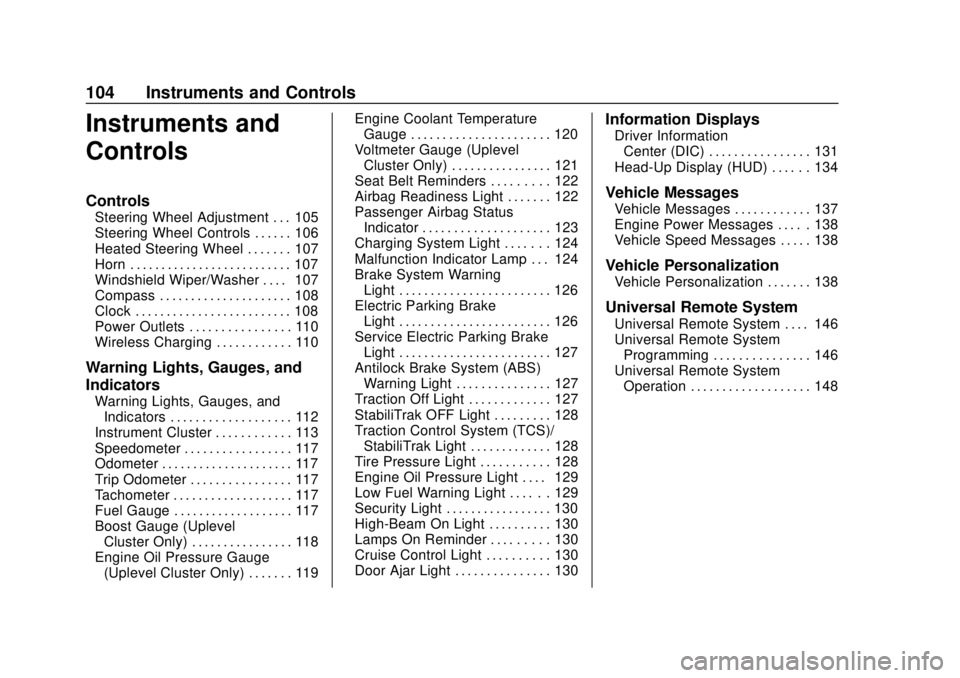
Instruments and
Controls
Controls
Steering Wheel Adjustment . . . 105
Steering Wheel Controls . . . . . . 106
Heated Steering Wheel . . . . . . . 107
Horn . . . . . . . . . . . . . . . . . . . . . . . . . . 107
Windshield Wiper/Washer . . . . 107
Compass . . . . . . . . . . . . . . . . . . . . . 108
Clock . . . . . . . . . . . . . . . . . . . . . . . . . 108
Power Outlets . . . . . . . . . . . . . . . . 110
Wireless Charging . . . . . . . . . . . . 110
Warning Lights, Gauges, and
Indicators
Warning Lights, Gauges, andIndicators . . . . . . . . . . . . . . . . . . . 112
Instrument Cluster . . . . . . . . . . . . 113
Speedometer . . . . . . . . . . . . . . . . . 117
Odometer . . . . . . . . . . . . . . . . . . . . . 117
Trip Odometer . . . . . . . . . . . . . . . . 117
Tachometer . . . . . . . . . . . . . . . . . . . 117
Fuel Gauge . . . . . . . . . . . . . . . . . . . 117
Boost Gauge (Uplevel Cluster Only) . . . . . . . . . . . . . . . . 118
Engine Oil Pressure Gauge (Uplevel Cluster Only) . . . . . . . 119 Engine Coolant Temperature
Gauge . . . . . . . . . . . . . . . . . . . . . . 120
Voltmeter Gauge (Uplevel Cluster Only) . . . . . . . . . . . . . . . . 121
Seat Belt Reminders . . . . . . . . . 122
Airbag Readiness Light . . . . . . . 122
Passenger Airbag Status
Indicator . . . . . . . . . . . . . . . . . . . . 123
Charging System Light . . . . . . . 124
Malfunction Indicator Lamp . . . 124
Brake System Warning Light . . . . . . . . . . . . . . . . . . . . . . . . 126
Electric Parking Brake Light . . . . . . . . . . . . . . . . . . . . . . . . 126
Service Electric Parking Brake Light . . . . . . . . . . . . . . . . . . . . . . . . 127
Antilock Brake System (ABS) Warning Light . . . . . . . . . . . . . . . 127
Traction Off Light . . . . . . . . . . . . . 127
StabiliTrak OFF Light . . . . . . . . . 128
Traction Control System (TCS)/ StabiliTrak Light . . . . . . . . . . . . . 128
Tire Pressure Light . . . . . . . . . . . 128
Engine Oil Pressure Light . . . . 129
Low Fuel Warning Light . . . . . . 129
Security Light . . . . . . . . . . . . . . . . . 130
High-Beam On Light . . . . . . . . . . 130
Lamps On Reminder . . . . . . . . . 130
Cruise Control Light . . . . . . . . . . 130
Door Ajar Light . . . . . . . . . . . . . . . 130
Information Displays
Driver Information Center (DIC) . . . . . . . . . . . . . . . . 131
Head-Up Display (HUD) . . . . . . 134
Vehicle Messages
Vehicle Messages . . . . . . . . . . . . 137
Engine Power Messages . . . . . 138
Vehicle Speed Messages . . . . . 138
Vehicle Personalization
Vehicle Personalization . . . . . . . 138
Universal Remote System
Universal Remote System . . . . 146
Universal Remote System Programming . . . . . . . . . . . . . . . 146
Universal Remote System Operation . . . . . . . . . . . . . . . . . . . 148