instrument cluster CHEVROLET CAMARO 2019 User Guide
[x] Cancel search | Manufacturer: CHEVROLET, Model Year: 2019, Model line: CAMARO, Model: CHEVROLET CAMARO 2019Pages: 375, PDF Size: 6.16 MB
Page 122 of 375
Chevrolet Camaro Owner Manual (GMNA-Localizing-U.S./Canada/Mexico-
12461811) - 2019 - crc - 11/5/18
Instruments and Controls 121
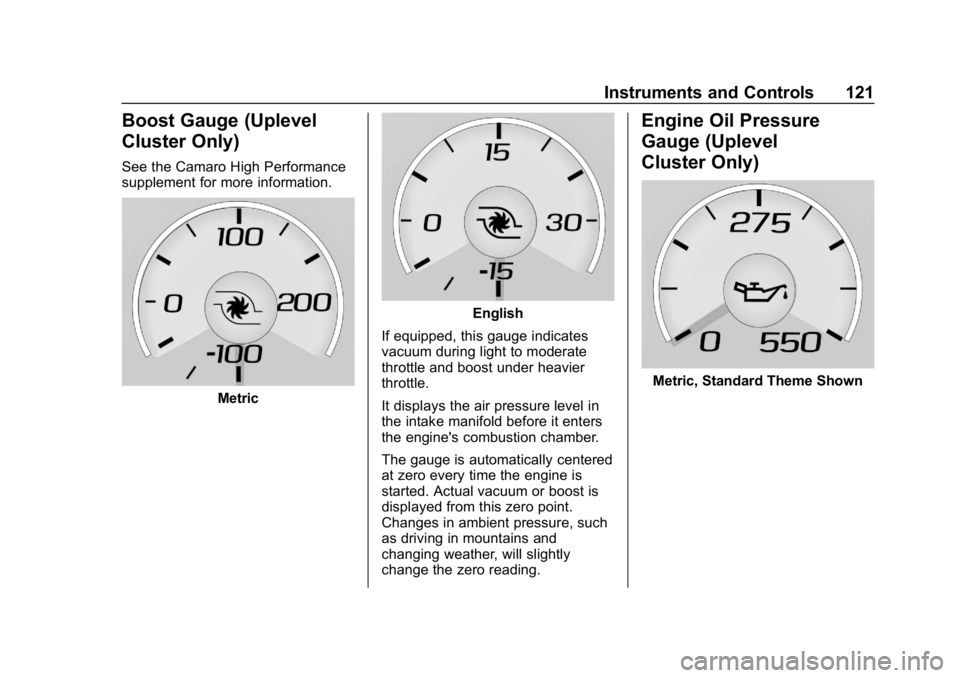
Boost Gauge (Uplevel
Cluster Only)
See the Camaro High Performance
supplement for more information.
Metric
English
If equipped, this gauge indicates
vacuum during light to moderate
throttle and boost under heavier
throttle.
It displays the air pressure level in
the intake manifold before it enters
the engine's combustion chamber.
The gauge is automatically centered
at zero every time the engine is
started. Actual vacuum or boost is
displayed from this zero point.
Changes in ambient pressure, such
as driving in mountains and
changing weather, will slightly
change the zero reading.
Engine Oil Pressure
Gauge (Uplevel
Cluster Only)
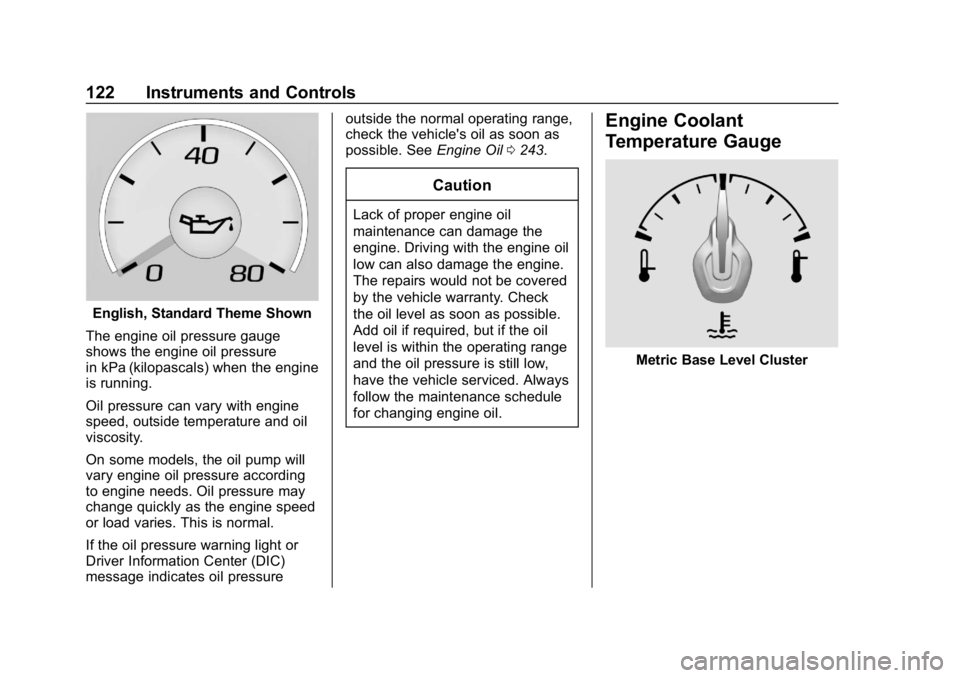
Metric, Standard Theme Shown
Page 123 of 375
Chevrolet Camaro Owner Manual (GMNA-Localizing-U.S./Canada/Mexico-
12461811) - 2019 - crc - 11/5/18
122 Instruments and Controls
English, Standard Theme Shown
The engine oil pressure gauge
shows the engine oil pressure
in kPa (kilopascals) when the engine
is running.
Oil pressure can vary with engine
speed, outside temperature and oil
viscosity.
On some models, the oil pump will
vary engine oil pressure according
to engine needs. Oil pressure may
change quickly as the engine speed
or load varies. This is normal.
If the oil pressure warning light or
Driver Information Center (DIC)
message indicates oil pressure outside the normal operating range,
check the vehicle's oil as soon as
possible. See
Engine Oil0243.
Caution
Lack of proper engine oil
maintenance can damage the
engine. Driving with the engine oil
low can also damage the engine.
The repairs would not be covered
by the vehicle warranty. Check
the oil level as soon as possible.
Add oil if required, but if the oil
level is within the operating range
and the oil pressure is still low,
have the vehicle serviced. Always
follow the maintenance schedule
for changing engine oil.
Engine Coolant
Temperature Gauge
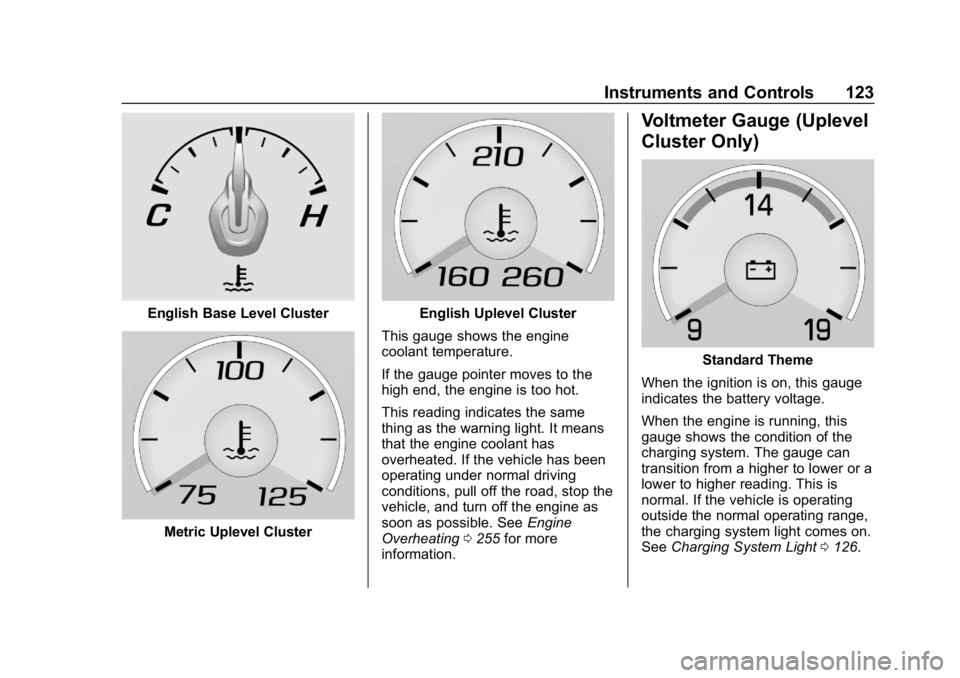
Metric Base Level Cluster
Page 124 of 375
Chevrolet Camaro Owner Manual (GMNA-Localizing-U.S./Canada/Mexico-
12461811) - 2019 - crc - 11/5/18
Instruments and Controls 123
English Base Level Cluster
Metric Uplevel Cluster
English Uplevel Cluster
This gauge shows the engine
coolant temperature.
If the gauge pointer moves to the
high end, the engine is too hot.
This reading indicates the same
thing as the warning light. It means
that the engine coolant has
overheated. If the vehicle has been
operating under normal driving
conditions, pull off the road, stop the
vehicle, and turn off the engine as
soon as possible. See Engine
Overheating 0255 for more
information.
Voltmeter Gauge (Uplevel
Cluster Only)
Standard Theme
When the ignition is on, this gauge
indicates the battery voltage.
When the engine is running, this
gauge shows the condition of the
charging system. The gauge can
transition from a higher to lower or a
lower to higher reading. This is
normal. If the vehicle is operating
outside the normal operating range,
the charging system light comes on.
See Charging System Light 0126.
Page 125 of 375
Chevrolet Camaro Owner Manual (GMNA-Localizing-U.S./Canada/Mexico-
12461811) - 2019 - crc - 11/5/18
124 Instruments and Controls
Readings outside the normal
operating range can also occur
when a large number of electrical
accessories are operating in the
vehicle and the engine is left idling
for an extended period. This
condition is normal since the
charging system is not able to
provide full power at engine idle. As
engine speeds are increased, this
condition should correct itself as
higher engine speeds allow the
charging system to create maximum
power.
The vehicle can only be driven for a
short time with the readings outside
the normal operating range. If the
vehicle must be driven, turn off all
accessories, such as the radio and
air conditioner, and unplug all
chargers and accessories.
Readings outside the normal
operating range indicate a possible
problem in the electrical system.
Have the vehicle serviced as soon
as possible.Seat Belt Reminders
Driver Seat Belt Reminder
Light
There is a driver seat belt reminder
light on the instrument cluster.
When the vehicle is started, this
light flashes and a chime may come
on to remind the driver to fasten
their seat belt. Then the light stays
on solid until the belt is buckled.
This cycle may continue several
times if the driver remains or
becomes unbuckled while the
vehicle is moving.
If the driver seat belt is buckled,
neither the light nor the chime
comes on.
Passenger Seat Belt Reminder
Light
There is a passenger seat belt
reminder light near the passenger
airbag status indicator. See
Passenger Sensing System081.
When the vehicle is started, this
light flashes and a chime may come
on to remind passengers to fasten
their seat belt. Then the light stays
on solid until the belt is buckled.
This cycle continues several times if
the passenger remains or becomes
unbuckled while the vehicle is
moving.
If the passenger seat belt is
buckled, neither the chime nor the
light comes on.
The front passenger seat belt
reminder light and chime may turn
on if an object is put on the seat
Page 134 of 375
Chevrolet Camaro Owner Manual (GMNA-Localizing-U.S./Canada/Mexico-
12461811) - 2019 - crc - 11/5/18
Instruments and Controls 133
High-Beam On Light
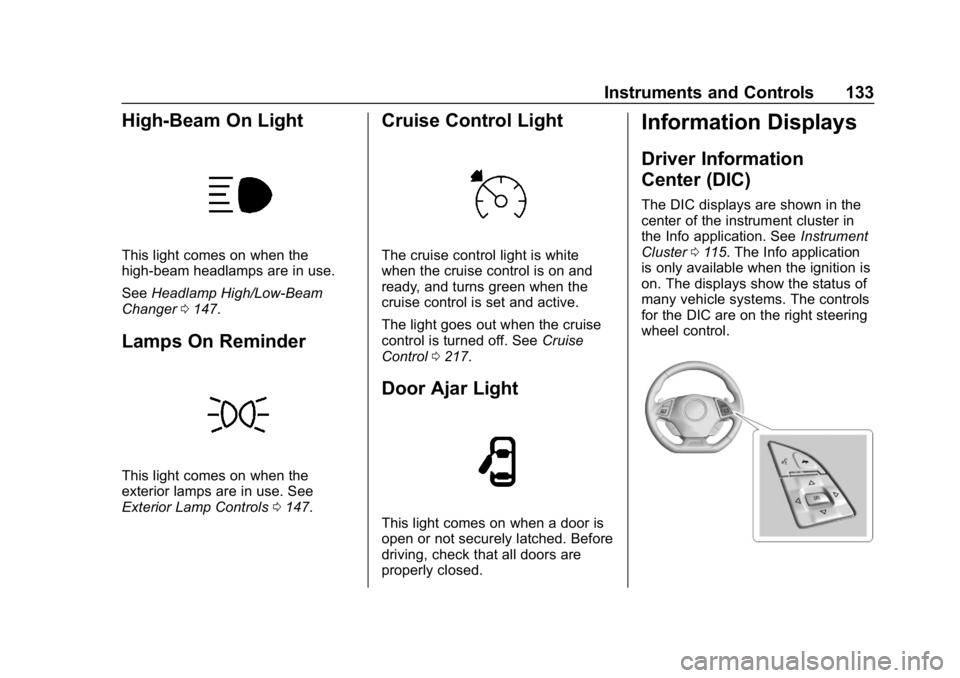
This light comes on when the
high-beam headlamps are in use.
SeeHeadlamp High/Low-Beam
Changer 0147.
Lamps On Reminder
This light comes on when the
exterior lamps are in use. See
Exterior Lamp Controls 0147.
Cruise Control Light
The cruise control light is white
when the cruise control is on and
ready, and turns green when the
cruise control is set and active.
The light goes out when the cruise
control is turned off. See Cruise
Control 0217.
Door Ajar Light
This light comes on when a door is
open or not securely latched. Before
driving, check that all doors are
properly closed.
Information Displays
Driver Information
Center (DIC)
The DIC displays are shown in the
center of the instrument cluster in
the Info application. See Instrument
Cluster 0115. The Info application
is only available when the ignition is
on. The displays show the status of
many vehicle systems. The controls
for the DIC are on the right steering
wheel control.
Page 135 of 375
Chevrolet Camaro Owner Manual (GMNA-Localizing-U.S./Canada/Mexico-
12461811) - 2019 - crc - 11/5/18
134 Instruments and Controls
worx:Press to move up or
down in a list.
oorp: Pressoto open
application menus on the left. Press
pto open interaction menus on the
right.
SEL : Press to select a menu item.
Press and hold to reset values on
certain screens.
DIC Info Pages
The following is the list of all
possible DIC info displays.
Depending on the vehicle, some
may not be available. Some items
may not be turned on by default but
can be turned on through the
Options app.
Current Speed : Displays the
vehicle speed in either kilometers
per hour (km/h) or miles per
hour (mph).
Trip A or B/Average Fuel
Economy : Trip displays the current
distance traveled, in either
kilometers (km) or miles (mi), since
the trip odometer was last reset. The trip odometer can be reset by
pressing and holding SEL while this
display is active.
Average Fuel Economy displays the
approximate average liters per
100 kilometers (L/100 km) or miles
per gallon (mpg). This number is
calculated based on the number of
L/100 km (mpg) recorded since the
last time this menu item was reset.
This number reflects only the
approximate average fuel economy
that the vehicle has right now, and
will change as driving conditions
change. The Average Fuel
Economy can be reset by pressing
and holding SEL while this display
is active.
Average Speed: Displays the
average speed of the vehicle in
kilometers per hour (km/h) or miles
per hour (mph). This average is
calculated based on the various
vehicle speeds recorded since the
last reset of this value. The average
speed can be reset by pressing and
holding SEL while this display is
active.
Fuel Range (Base Cluster) :
Fuel
Range displays the approximate
distance the vehicle can be driven
without refueling. LOW will be
displayed when the vehicle is low
on fuel. The fuel range estimate is
based on an average of the
vehicle's fuel economy over recent
driving history and the amount of
fuel remaining in the fuel tank.
Fuel Information (Base Cluster) or
Fuel Range/Instantaneous Fuel
Economy (Uplevel Cluster) : Fuel
Range displays the approximate
distance the vehicle can be driven
without refueling. LOW will be
displayed when the vehicle is low
on fuel. The fuel range estimate is
based on an average of the
vehicle's fuel economy over recent
driving history and the amount of
fuel remaining in the fuel tank.
Instantaneous Fuel Economy
displays the current fuel economy in
either liters per 100 kilometers (L/
100 km) or miles per gallon (mpg).
This number reflects only the
approximate fuel economy that the
Page 137 of 375
Chevrolet Camaro Owner Manual (GMNA-Localizing-U.S./Canada/Mexico-
12461811) - 2019 - crc - 11/5/18
136 Instruments and Controls
Coolant Temperature :Displays
the coolant temperature in either
degrees Celsius (°C) or degrees
Fahrenheit (°F).
Tire Pressure : Displays the
approximate pressures of all four
tires. Tire pressure is displayed in
either kilopascal (kPa) or in pounds
per square inch (psi). If the pressure
is low, the value for that tire is
shown in amber.
See Tire Pressure Monitor System
0 283 andTire Pressure Monitor
Operation 0284.
Battery Voltage : Displays the
current battery voltage. The battery
voltage can fluctuate while viewing
this information on the DIC. This is
normal.
Speed Limit (Uplevel Cluster) :
Displays sign information, which
comes from a roadway database in
the onboard navigation.
Oil Temperature (Base Cluster) :
Shows the current oil temperature in
either degrees Celsius (°C) or
degrees Fahrenheit (°F). This display is available in the
Performance app on the uplevel
cluster.
Oil Pressure (Base Cluster) :
Shows the current oil pressure in
either kilopascal (kPa) or in pounds
per square inch (psi). This display is
available in the Performance app on
the uplevel cluster.
Performance Timer (Base
Cluster) :
Press
pwhen
Performance Timer is displayed to
enter the menu. Press
pwhile Set
Start Speed is highlighted then use
worxto enter the start speed.
Press SEL to save it. Press
pwhile
Set End Speed is highlighted then
use
worxto enter the end speed.
Press SEL to save it. After the start
and end speeds have been entered,
press
oto set the Sport display to
the set speeds and the performance
timer is ready to use. On the next
acceleration, the performance time
will record the time. To reset the
timer, highlight Reset on the
performance timer menu and press SEL. This display is available in the
Performance app on the uplevel
cluster.
Lap Timer (Base Cluster) :
Use to
start, stop, or reset the lap timer.
A stopwatch icon will be displayed
when the lap timer is active. Press
SEL while the Lap Timer page is
active to start the timer. If the lamp
timer is active, pressing SEL on any
page will stop the current lap timer
and start a new lap. Also, pressing
and holding SEL on any page will
stop the lap timer. This display is
available in the Performance app on
the uplevel cluster.
G-Force (Base Cluster) : Gives the
driver an indication of the vehicle
performance in cornering. The
G-force is displayed in the center of
the DIC as a numerical value. This
display is available in the
Performance app on the uplevel
cluster.
Transmission Fluid Temperature
(Base Cluster) : Shows the
temperature of the transmission fluid
in either degrees Celsius (°C) or
degrees Fahrenheit (°F). This
Page 138 of 375
Chevrolet Camaro Owner Manual (GMNA-Localizing-U.S./Canada/Mexico-
12461811) - 2019 - crc - 11/5/18
Instruments and Controls 137
display is available in the
Performance app on the uplevel
cluster.
Blank :Shows no information.
Head-Up Display (HUD)
{Warning
If the HUD image is too bright or
too high in your field of view, it
may take you more time to see
things you need to see when it is
dark outside. Be sure to keep the
HUD image dim and placed low in
your field of view.
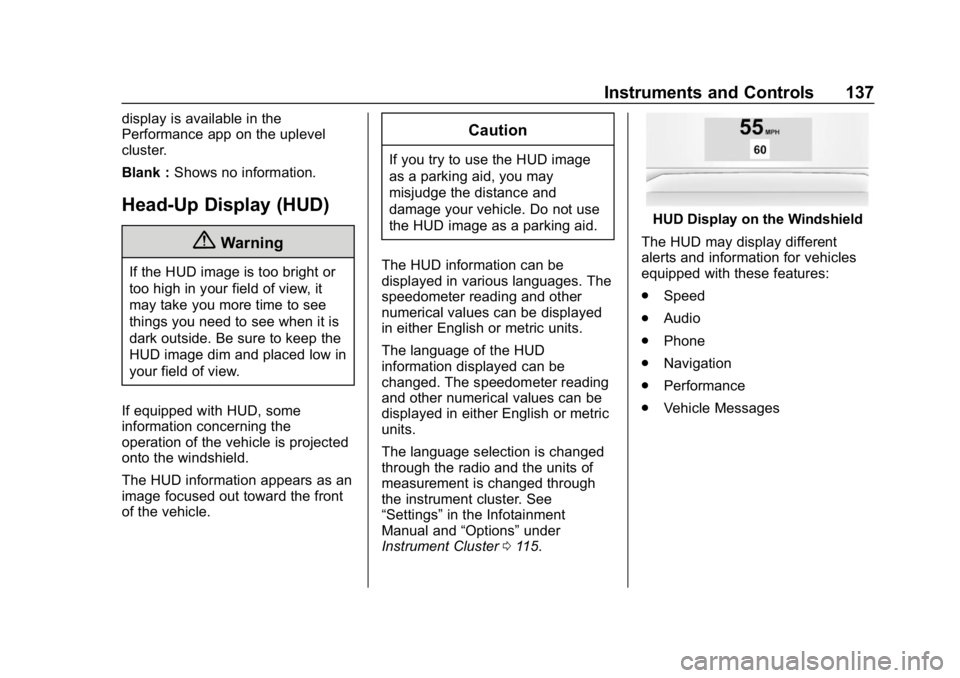
If equipped with HUD, some
information concerning the
operation of the vehicle is projected
onto the windshield.
The HUD information appears as an
image focused out toward the front
of the vehicle.
Caution
If you try to use the HUD image
as a parking aid, you may
misjudge the distance and
damage your vehicle. Do not use
the HUD image as a parking aid.
The HUD information can be
displayed in various languages. The
speedometer reading and other
numerical values can be displayed
in either English or metric units.
The language of the HUD
information displayed can be
changed. The speedometer reading
and other numerical values can be
displayed in either English or metric
units.
The language selection is changed
through the radio and the units of
measurement is changed through
the instrument cluster. See
“Settings” in the Infotainment
Manual and “Options”under
Instrument Cluster 0115.
HUD Display on the Windshield
The HUD may display different
alerts and information for vehicles
equipped with these features:
. Speed
. Audio
. Phone
. Navigation
. Performance
. Vehicle Messages
Page 140 of 375
Chevrolet Camaro Owner Manual (GMNA-Localizing-U.S./Canada/Mexico-
12461811) - 2019 - crc - 11/5/18
Instruments and Controls 139
Metric
English
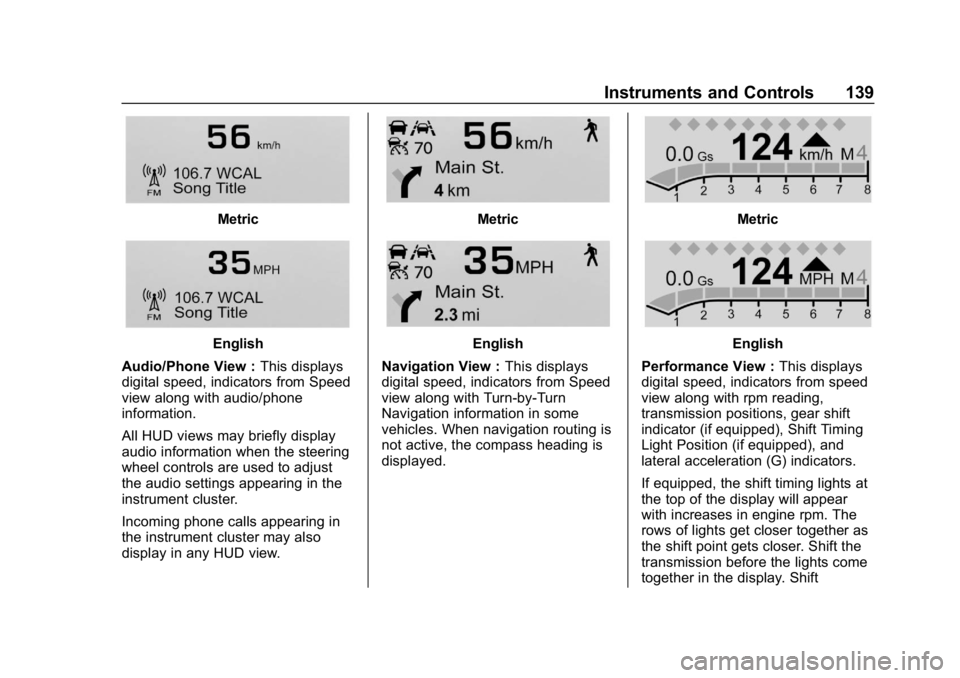
Audio/Phone View : This displays
digital speed, indicators from Speed
view along with audio/phone
information.
All HUD views may briefly display
audio information when the steering
wheel controls are used to adjust
the audio settings appearing in the
instrument cluster.
Incoming phone calls appearing in
the instrument cluster may also
display in any HUD view.
Metric
English
Navigation View : This displays
digital speed, indicators from Speed
view along with Turn-by-Turn
Navigation information in some
vehicles. When navigation routing is
not active, the compass heading is
displayed.
Metric
English
Performance View : This displays
digital speed, indicators from speed
view along with rpm reading,
transmission positions, gear shift
indicator (if equipped), Shift Timing
Light Position (if equipped), and
lateral acceleration (G) indicators.
If equipped, the shift timing lights at
the top of the display will appear
with increases in engine rpm. The
rows of lights get closer together as
the shift point gets closer. Shift the
transmission before the lights come
together in the display. Shift
Page 145 of 375
Chevrolet Camaro Owner Manual (GMNA-Localizing-U.S./Canada/Mexico-
12461811) - 2019 - crc - 11/5/18
144 Instruments and Controls
.Exit Lighting
Ambient Lighting
This setting allows the selection of
available colors for the ambient
lighting in the vehicle.
The Link to Drive Mode option will
change the ambient lighting to
match the color being used in the
instrument cluster based on the
setting of the drive mode button.
This feature can be turned off or on.
Vehicle Locator Lights
This setting flashes the vehicle’ s
headlamps when
Kis pressed on
the Remote Keyless Entry (RKE)
transmitter.
Touch Off or On.
Exit Lighting
This setting specifies how long the
headlamps stay on after the vehicle
is turned off and exited.
Touch Off, 30 Seconds, 60 Seconds,
or 120 Seconds.
Power Door Locks
Touch and the following may
display:
. Open Door Anti Lock Out
. Auto Door Unlock
. Delayed Door Lock
Open Door Anti Lock Out
This setting prevents the driver door
from locking when the door is open.
If this setting is on, the Delayed
Door Lock menu will not be
available.
Touch Off or On.
Auto Door Unlock
This allows selection of which of the
doors will automatically unlock when
the vehicle is shifted into P (Park)
with an automatic transmission or
when the vehicle is turned off with a
manual transmission.
Select Off, All Doors, or Driver Door. Delayed Door Lock
When on, this feature will delay the
locking of the doors. To override the
delay, press the power door lock
switch on the door.
Touch Off or On.
Remote Lock, Unlock, Start
Touch and the following may
display:
.
Remote Unlock Light Feedback
. Remote Lock Feedback
. Remote Door Unlock
. Remote Start Auto Cool Seats
. Remote Start Auto Heat Seats
. Remote Window Operation
. Passive Door Unlock
. Passive Door Lock
. Remote Left in Vehicle Alert
Remote Unlock Light Feedback
This setting flashes the exterior
lamps when the vehicle is unlocked
with the RKE transmitter.
Touch Off or Flash Lights.