ECO mode CHEVROLET CAMARO 2019 Owner's Manual
[x] Cancel search | Manufacturer: CHEVROLET, Model Year: 2019, Model line: CAMARO, Model: CHEVROLET CAMARO 2019Pages: 375, PDF Size: 6.16 MB
Page 3 of 375
Chevrolet Camaro Owner Manual (GMNA-Localizing-U.S./Canada/Mexico-
12461811) - 2019 - crc - 11/5/18
2 Introduction
Introduction
The names, logos, emblems,
slogans, vehicle model names, and
vehicle body designs appearing in
this manual including, but not limited
to, GM, the GM logo, CHEVROLET,
the CHEVROLET Emblem,
CAMARO, and the CAMARO
Emblem are trademarks and/or
service marks of General Motors
LLC, its subsidiaries, affiliates,
or licensors.
For vehicles first sold in Canada,
substitute the name“General
Motors of Canada Company” for
Chevrolet Motor Division wherever it
appears in this manual. This manual describes features that
may or may not be on the vehicle
because of optional equipment that
was not purchased on the vehicle,
model variants, country
specifications, features/applications
that may not be available in your
region, or changes subsequent to
the printing of this owner
’s manual.
Refer to the purchase
documentation relating to your
specific vehicle to confirm the
features.
Keep this manual in the vehicle for
quick reference.
Canadian Vehicle Owners
A French language manual can be
obtained from your dealer, at
www.helminc.com, or from:
Propriétaires Canadiens
On peut obtenir un exemplaire de
ce guide en français auprès du
concessionnaire ou à l'adresse
suivante: Helm, Incorporated
Attention: Customer Service
47911 Halyard Drive
Plymouth, MI 48170
USA
Using this Manual
To quickly locate information about
the vehicle, use the Index in the
back of the manual. It is an
alphabetical list of what is in the
manual and the page number where
it can be found.
Danger, Warning, and
Caution
Warning messages found on vehicle
labels and in this manual describe
hazards and what to do to avoid or
reduce them.
Litho in U.S.A.
Part No. 84210673 B Second Printing©2018 General Motors LLC. All Rights Reserved.
Page 19 of 375
Chevrolet Camaro Owner Manual (GMNA-Localizing-U.S./Canada/Mexico-
12461811) - 2019 - crc - 11/5/18
18 In Brief
2. Move the shift lever left into theside gate marked with +/−.
3. Tap the left paddle (−) to downshift, and the right
paddle (+) to upshift.
See Manual Mode 0201.
Manual Transmission
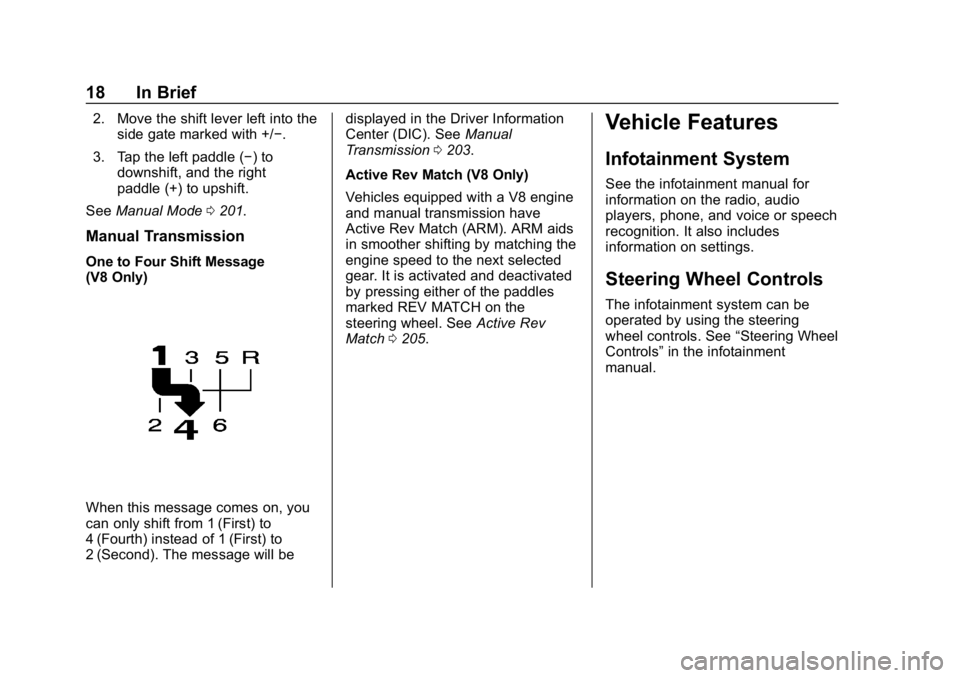
One to Four Shift Message
(V8 Only)
When this message comes on, you
can only shift from 1 (First) to
4 (Fourth) instead of 1 (First) to
2 (Second). The message will be displayed in the Driver Information
Center (DIC). See
Manual
Transmission 0203.
Active Rev Match (V8 Only)
Vehicles equipped with a V8 engine
and manual transmission have
Active Rev Match (ARM). ARM aids
in smoother shifting by matching the
engine speed to the next selected
gear. It is activated and deactivated
by pressing either of the paddles
marked REV MATCH on the
steering wheel. See Active Rev
Match 0205.
Vehicle Features
Infotainment System
See the infotainment manual for
information on the radio, audio
players, phone, and voice or speech
recognition. It also includes
information on settings.
Steering Wheel Controls
The infotainment system can be
operated by using the steering
wheel controls. See “Steering Wheel
Controls” in the infotainment
manual.
Page 22 of 375
Chevrolet Camaro Owner Manual (GMNA-Localizing-U.S./Canada/Mexico-
12461811) - 2019 - crc - 11/5/18
In Brief 21
SeeAssistance Systems for Parking
or Backing 0222.
Power Outlets
The vehicle has an accessory
power outlet on the center floor
console in front of the cupholders.
It can be used to plug in electrical
equipment, such as a cell phone or
an MP3 player.
The accessory power outlet does
not work when the ignition is turned
off and the driver door is opened.
This helps to preserve the battery
life of the vehicle.
See Power Outlets 0111.
Sunroof
If equipped, the sunroof only
operates when the ignition is on or
in ACC/ACCESSORY, or when
Retained Accessory Power (RAP) is
active. See Retained Accessory
Power (RAP) 0195.
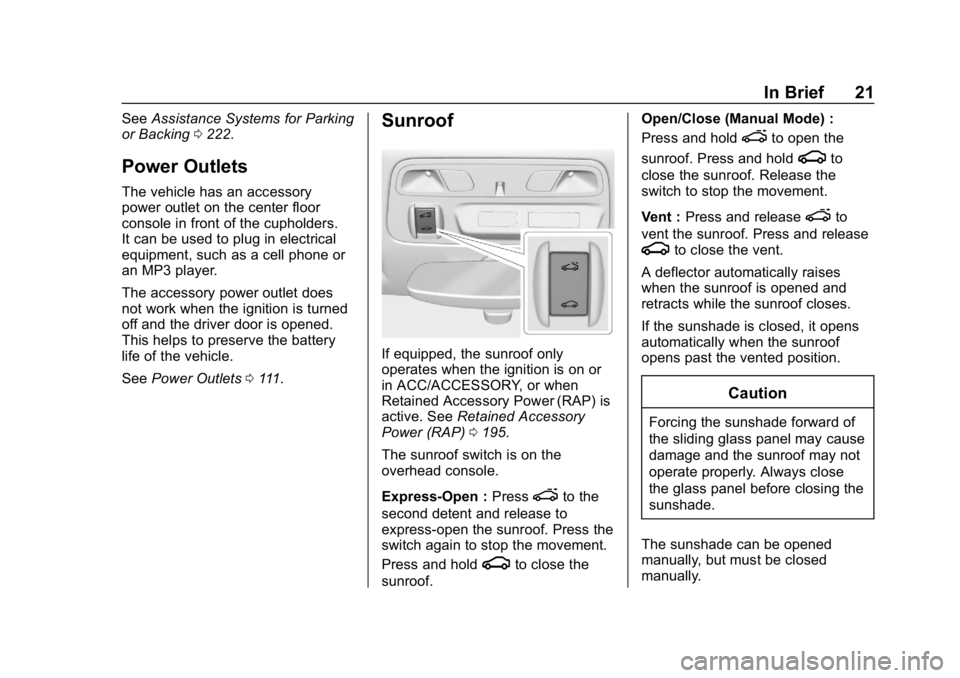
The sunroof switch is on the
overhead console.
Express-Open : Press
eto the
second detent and release to
express-open the sunroof. Press the
switch again to stop the movement.
Press and hold
gto close the
sunroof. Open/Close (Manual Mode) :
Press and hold
eto open the
sunroof. Press and hold
gto
close the sunroof. Release the
switch to stop the movement.
Vent : Press and release
eto
vent the sunroof. Press and release
gto close the vent.
A deflector automatically raises
when the sunroof is opened and
retracts while the sunroof closes.
If the sunshade is closed, it opens
automatically when the sunroof
opens past the vented position.
Caution
Forcing the sunshade forward of
the sliding glass panel may cause
damage and the sunroof may not
operate properly. Always close
the glass panel before closing the
sunshade.
The sunshade can be opened
manually, but must be closed
manually.
Page 33 of 375
Chevrolet Camaro Owner Manual (GMNA-Localizing-U.S./Canada/Mexico-
12461811) - 2019 - crc - 11/5/18
32 Keys, Doors, and Windows
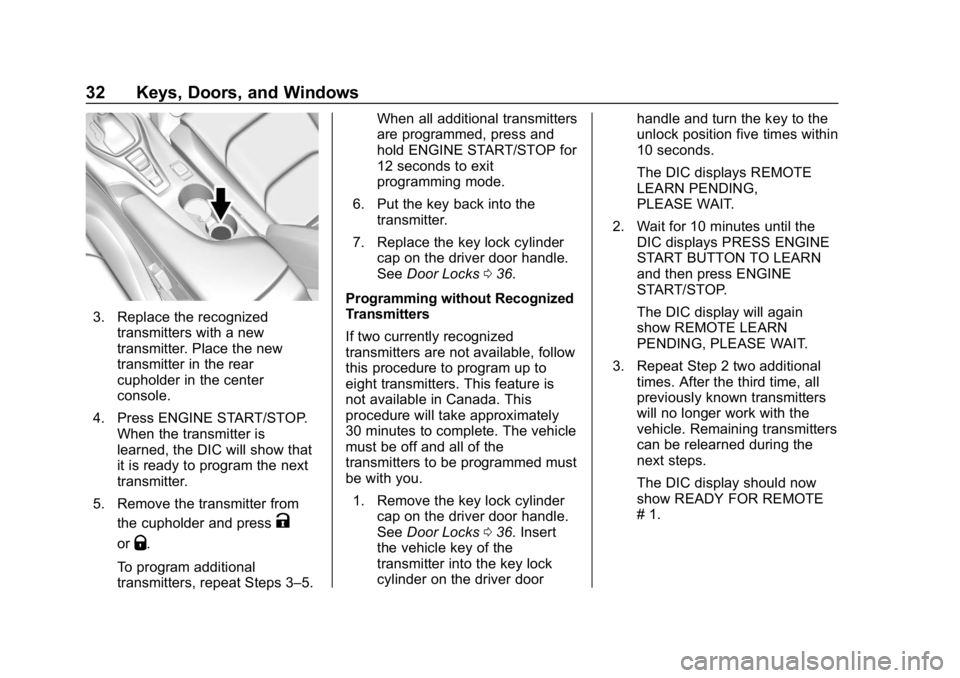
3. Replace the recognizedtransmitters with a new
transmitter. Place the new
transmitter in the rear
cupholder in the center
console.
4. Press ENGINE START/STOP. When the transmitter is
learned, the DIC will show that
it is ready to program the next
transmitter.
5. Remove the transmitter from the cupholder and press
K
orQ.
To program additional
transmitters, repeat Steps 3–5. When all additional transmitters
are programmed, press and
hold ENGINE START/STOP for
12 seconds to exit
programming mode.
6. Put the key back into the transmitter.
7. Replace the key lock cylinder cap on the driver door handle.
See Door Locks 036.
Programming without Recognized
Transmitters
If two currently recognized
transmitters are not available, follow
this procedure to program up to
eight transmitters. This feature is
not available in Canada. This
procedure will take approximately
30 minutes to complete. The vehicle
must be off and all of the
transmitters to be programmed must
be with you. 1. Remove the key lock cylinder cap on the driver door handle.
See Door Locks 036. Insert
the vehicle key of the
transmitter into the key lock
cylinder on the driver door handle and turn the key to the
unlock position five times within
10 seconds.
The DIC displays REMOTE
LEARN PENDING,
PLEASE WAIT.
2. Wait for 10 minutes until the DIC displays PRESS ENGINE
START BUTTON TO LEARN
and then press ENGINE
START/STOP.
The DIC display will again
show REMOTE LEARN
PENDING, PLEASE WAIT.
3. Repeat Step 2 two additional times. After the third time, all
previously known transmitters
will no longer work with the
vehicle. Remaining transmitters
can be relearned during the
next steps.
The DIC display should now
show READY FOR REMOTE
# 1.
Page 34 of 375
Chevrolet Camaro Owner Manual (GMNA-Localizing-U.S./Canada/Mexico-
12461811) - 2019 - crc - 11/5/18
Keys, Doors, and Windows 33
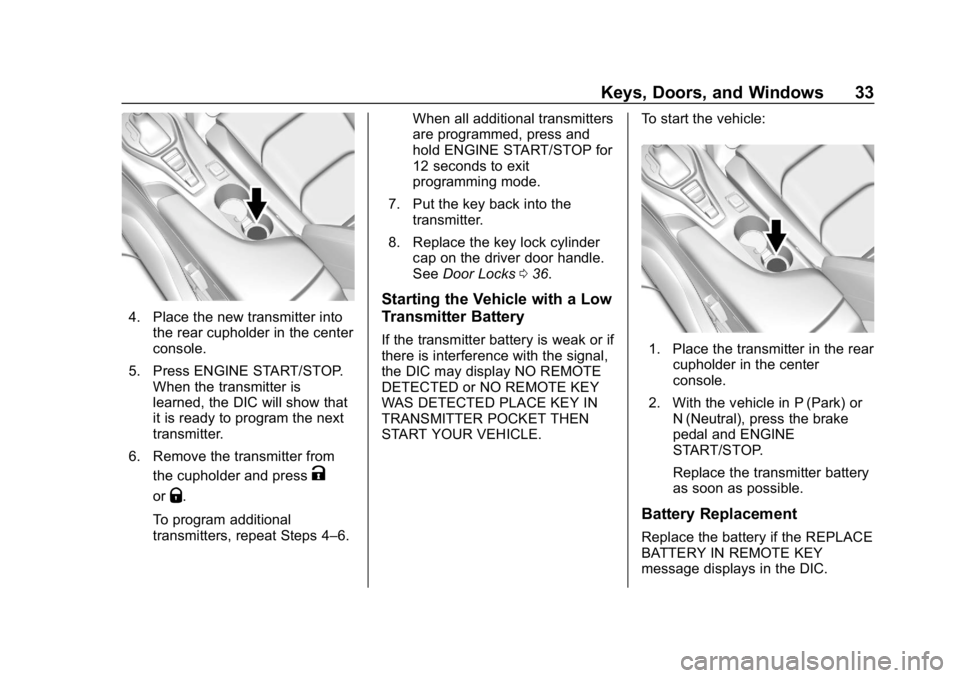
4. Place the new transmitter intothe rear cupholder in the center
console.
5. Press ENGINE START/STOP. When the transmitter is
learned, the DIC will show that
it is ready to program the next
transmitter.
6. Remove the transmitter from the cupholder and press
K
orQ.
To program additional
transmitters, repeat Steps 4–6. When all additional transmitters
are programmed, press and
hold ENGINE START/STOP for
12 seconds to exit
programming mode.
7. Put the key back into the transmitter.
8. Replace the key lock cylinder cap on the driver door handle.
See Door Locks 036.
Starting the Vehicle with a Low
Transmitter Battery
If the transmitter battery is weak or if
there is interference with the signal,
the DIC may display NO REMOTE
DETECTED or NO REMOTE KEY
WAS DETECTED PLACE KEY IN
TRANSMITTER POCKET THEN
START YOUR VEHICLE. To start the vehicle:1. Place the transmitter in the rear
cupholder in the center
console.
2. With the vehicle in P (Park) or N (Neutral), press the brake
pedal and ENGINE
START/STOP.
Replace the transmitter battery
as soon as possible.
Battery Replacement
Replace the battery if the REPLACE
BATTERY IN REMOTE KEY
message displays in the DIC.
Page 53 of 375
Chevrolet Camaro Owner Manual (GMNA-Localizing-U.S./Canada/Mexico-
12461811) - 2019 - crc - 11/5/18
52 Keys, Doors, and Windows
Roof
Sunroof
If equipped, the sunroof only
operates when the ignition is on or
in ACC/ACCESSORY, or when
Retained Accessory Power (RAP) is
active. SeeRetained Accessory
Power (RAP) 0195.
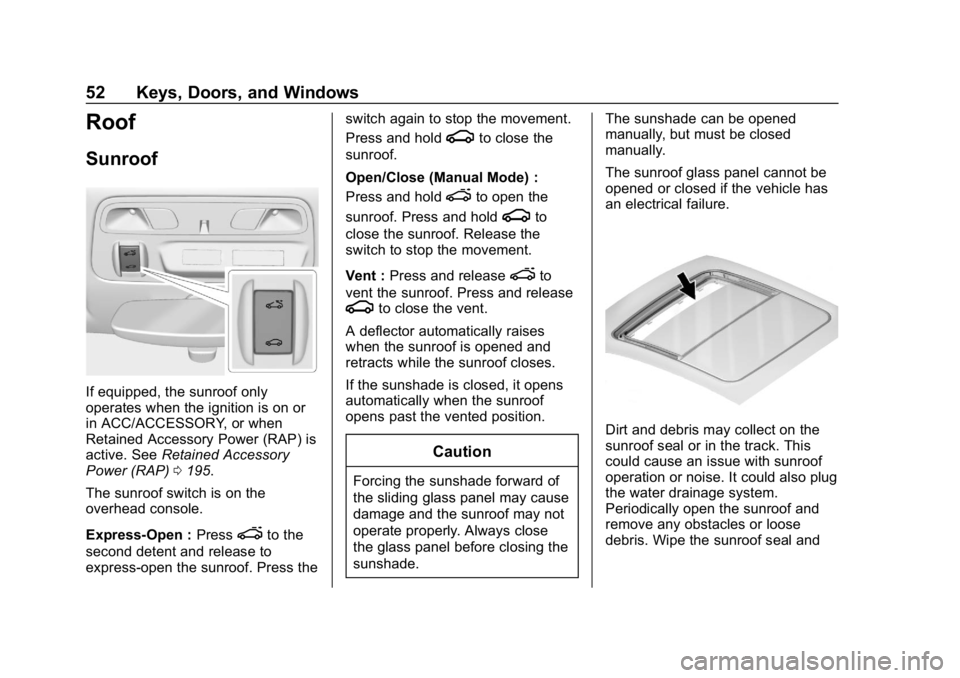
The sunroof switch is on the
overhead console.
Express-Open : Press
eto the
second detent and release to
express-open the sunroof. Press the switch again to stop the movement.
Press and hold
gto close the
sunroof.
Open/Close (Manual Mode) :
Press and hold
eto open the
sunroof. Press and hold
gto
close the sunroof. Release the
switch to stop the movement.
Vent : Press and release
eto
vent the sunroof. Press and release
gto close the vent.
A deflector automatically raises
when the sunroof is opened and
retracts while the sunroof closes.
If the sunshade is closed, it opens
automatically when the sunroof
opens past the vented position.
Caution
Forcing the sunshade forward of
the sliding glass panel may cause
damage and the sunroof may not
operate properly. Always close
the glass panel before closing the
sunshade. The sunshade can be opened
manually, but must be closed
manually.
The sunroof glass panel cannot be
opened or closed if the vehicle has
an electrical failure.
Dirt and debris may collect on the
sunroof seal or in the track. This
could cause an issue with sunroof
operation or noise. It could also plug
the water drainage system.
Periodically open the sunroof and
remove any obstacles or loose
debris. Wipe the sunroof seal and
Page 79 of 375
Chevrolet Camaro Owner Manual (GMNA-Localizing-U.S./Canada/Mexico-
12461811) - 2019 - crc - 11/5/18
78 Seats and Restraints
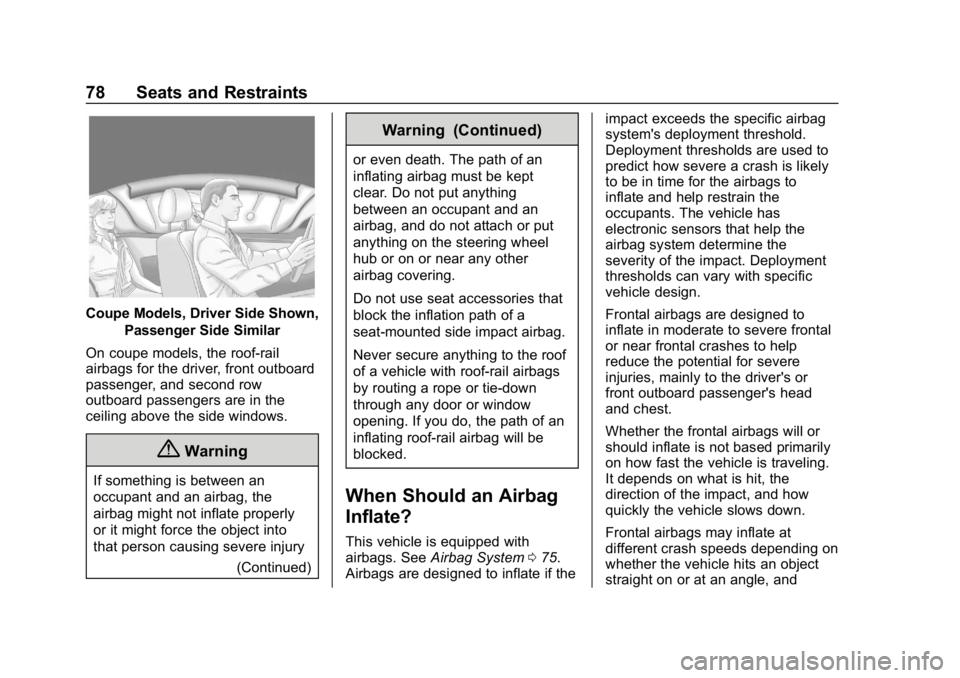
Coupe Models, Driver Side Shown,Passenger Side Similar
On coupe models, the roof-rail
airbags for the driver, front outboard
passenger, and second row
outboard passengers are in the
ceiling above the side windows.
{Warning
If something is between an
occupant and an airbag, the
airbag might not inflate properly
or it might force the object into
that person causing severe injury (Continued)
Warning (Continued)
or even death. The path of an
inflating airbag must be kept
clear. Do not put anything
between an occupant and an
airbag, and do not attach or put
anything on the steering wheel
hub or on or near any other
airbag covering.
Do not use seat accessories that
block the inflation path of a
seat-mounted side impact airbag.
Never secure anything to the roof
of a vehicle with roof-rail airbags
by routing a rope or tie‐down
through any door or window
opening. If you do, the path of an
inflating roof-rail airbag will be
blocked.
When Should an Airbag
Inflate?
This vehicle is equipped with
airbags. SeeAirbag System 075.
Airbags are designed to inflate if the impact exceeds the specific airbag
system's deployment threshold.
Deployment thresholds are used to
predict how severe a crash is likely
to be in time for the airbags to
inflate and help restrain the
occupants. The vehicle has
electronic sensors that help the
airbag system determine the
severity of the impact. Deployment
thresholds can vary with specific
vehicle design.
Frontal airbags are designed to
inflate in moderate to severe frontal
or near frontal crashes to help
reduce the potential for severe
injuries, mainly to the driver's or
front outboard passenger's head
and chest.
Whether the frontal airbags will or
should inflate is not based primarily
on how fast the vehicle is traveling.
It depends on what is hit, the
direction of the impact, and how
quickly the vehicle slows down.
Frontal airbags may inflate at
different crash speeds depending on
whether the vehicle hits an object
straight on or at an angle, and
Page 82 of 375
Chevrolet Camaro Owner Manual (GMNA-Localizing-U.S./Canada/Mexico-
12461811) - 2019 - crc - 11/5/18
Seats and Restraints 81
off and then on again, the fuel
system will return to normal
operation; the doors can be locked,
the interior lamps can be turned off,
and the hazard warning flashers can
be turned off using the controls for
those features. If any of these
systems are damaged in the crash
they may not operate as normal.
{Warning
A crash severe enough to inflate
the airbags may have also
damaged important functions in
the vehicle, such as the fuel
system, brake and steering
systems, etc. Even if the vehicle
appears to be drivable after a
moderate crash, there may be
concealed damage that could
make it difficult to safely operate
the vehicle.
Use caution if you should attempt
to restart the engine after a crash
has occurred.In many crashes severe enough to
inflate the airbag, windshields are
broken by vehicle deformation.
Additional windshield breakage may
also occur from the front outboard
passenger airbag.
.
Airbags are designed to inflate
only once. After an airbag
inflates, you will need some new
parts for the airbag system.
If you do not get them, the
airbag system will not be there
to help protect you in another
crash. A new system will include
airbag modules and possibly
other parts. The service manual
for the vehicle covers the need
to replace other parts.
. The vehicle has a crash sensing
and diagnostic module which
records information after a
crash.
See Vehicle Data Recording and
Privacy 0349 andEvent Data
Recorders 0349.
. Let only qualified technicians
work on the airbag systems.
Improper service can mean that an airbag system will not work
properly. See your dealer for
service.
Passenger Sensing
System
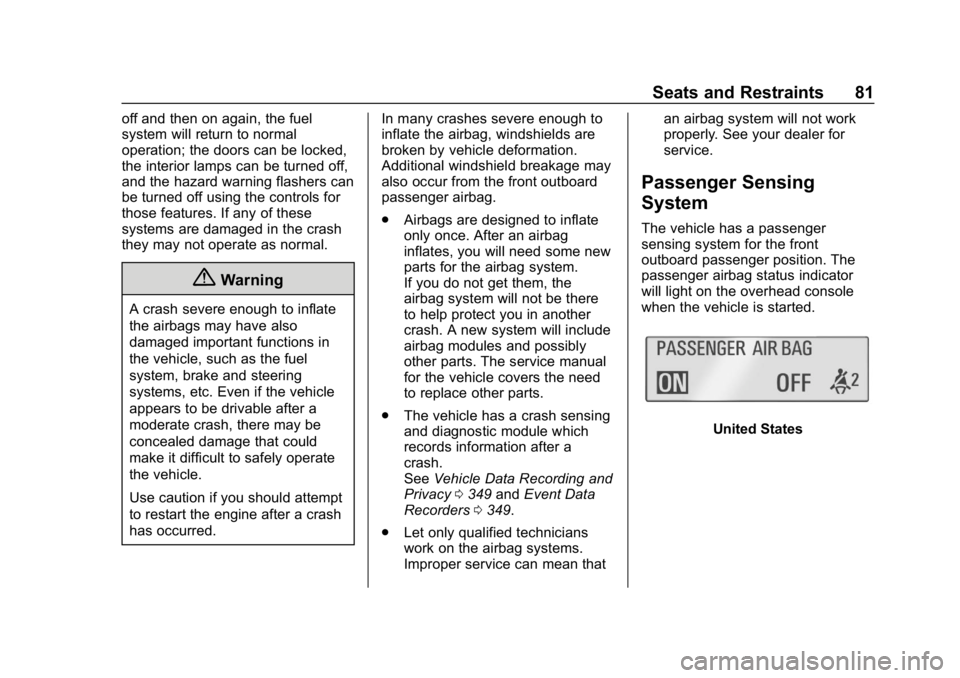
The vehicle has a passenger
sensing system for the front
outboard passenger position. The
passenger airbag status indicator
will light on the overhead console
when the vehicle is started.
United States
Page 96 of 375
Chevrolet Camaro Owner Manual (GMNA-Localizing-U.S./Canada/Mexico-
12461811) - 2019 - crc - 11/5/18
Seats and Restraints 95
vehicle. The LATCH system is
designed to make installation of a
child restraint easier.
In order to use the LATCH system in
your vehicle, you need a child
restraint that has LATCH
attachments. LATCH-compatible
rear-facing and forward-facing child
seats can be properly installed
using either the LATCH anchors or
the vehicle’s seat belts. Do not use
both the seat belts and the LATCH
anchorage system to secure a
rear-facing or forward-facing
child seat.
Booster seats use the vehicle’s seat
belts to secure the child and the
booster seat. If the manufacturer
recommends that the booster seat
be secured with the LATCH system,
this can be done as long as the
booster seat can be positioned
properly and there is no interference
with the proper positioning of the
lap-shoulder belt on the child.
Make sure to follow the instructions
that came with the child restraint,
and also the instructions in this
manual. When installing a child restraint with
a top tether, you must also use
either the lower anchors or the seat
belts to properly secure the child
restraint. A child restraint must
never be installed using only the top
tether and anchor.
The LATCH anchorage system can
be used until the combined weight
of the child plus the child restraint is
29.5 kg (65 lbs). Use the seat belt
alone instead of the LATCH
anchorage system once the
combined weight is more than
29.5 kg (65 lbs).
See
Securing Child Restraints (With
the Seat Belt in the Rear Seat)
0 100 orSecuring Child Restraints
(With the Seat Belt in the Front
Seat) 0102.
Child restraints built after March
2014 will be labeled with the
specific child weight up to which the
LATCH system can be used to
install the restraint.
The following explains how to attach
a child restraint with these
attachments in the vehicle. Not all vehicle seating positions
have lower anchors. In this case,
the seat belt must be used (with top
tether where available) to secure
the child restraint.
See
Securing Child Restraints (With
the Seat Belt in the Rear Seat)
0 100 orSecuring Child Restraints
(With the Seat Belt in the Front
Seat) 0102.
In Canada, the law requires that
forward-facing child restraints have
a top tether, and that the tether be
attached. Convertible models do not
have top tether anchors to secure a
child restraint. If a national or local
law requires that the top tether be
anchored, do not use a child
restraint in this vehicle because a
top tether cannot be properly
anchored.
Page 120 of 375
Chevrolet Camaro Owner Manual (GMNA-Localizing-U.S./Canada/Mexico-
12461811) - 2019 - crc - 11/5/18
Instruments and Controls 119
configuration of the uplevel cluster.
See“Reconfigurable Instrument
Cluster” earlier in this section.
Launch Control : The Launch
Control display allows the driver to
adjust the parameters of the Launch
Control System. See Track Events
and Competitive Driving 0173.
Head-Up Display (HUD)
Rotation : This feature allows for
adjusting the angle of the HUD
image. Press SEL on the steering
wheel controls while Head-Up
Display Rotation is highlighted to
enter Adjust Mode. Press
worx
to highlight OK, then press SEL to
save the setting. Cancel can also be
selected to cancel the setting. The
vehicle must be on P (Park).
Info Pages : Press
pwhile Info
Pages is highlighted to select the
items to be displayed in the DIC info
displays. See Driver Information
Center (DIC) 0133.
Software Info : Displays open
source software information.
Speedometer
The speedometer shows the
vehicle's speed in either kilometers
per hour (km/h) or miles per
hour (mph).
Odometer
The odometer shows how far the
vehicle has been driven, in either
kilometers or miles.
Trip Odometer
The trip odometer shows how far
the vehicle has been driven since
the trip odometer was last reset.
The trip odometer is accessed and
reset through the Driver Information
Center (DIC). See Driver
Information Center (DIC) 0133.
Tachometer
The tachometer displays the engine
speed in revolutions per
minute (rpm).
Caution
If the engine is operated with the
rpm’s in the warning area at the
high end of the tachometer, the
vehicle could be damaged, and
the damage would not be covered
by the vehicle warranty. Do not
operate the engine with the rpm’s
in the warning area.
Fuel Gauge
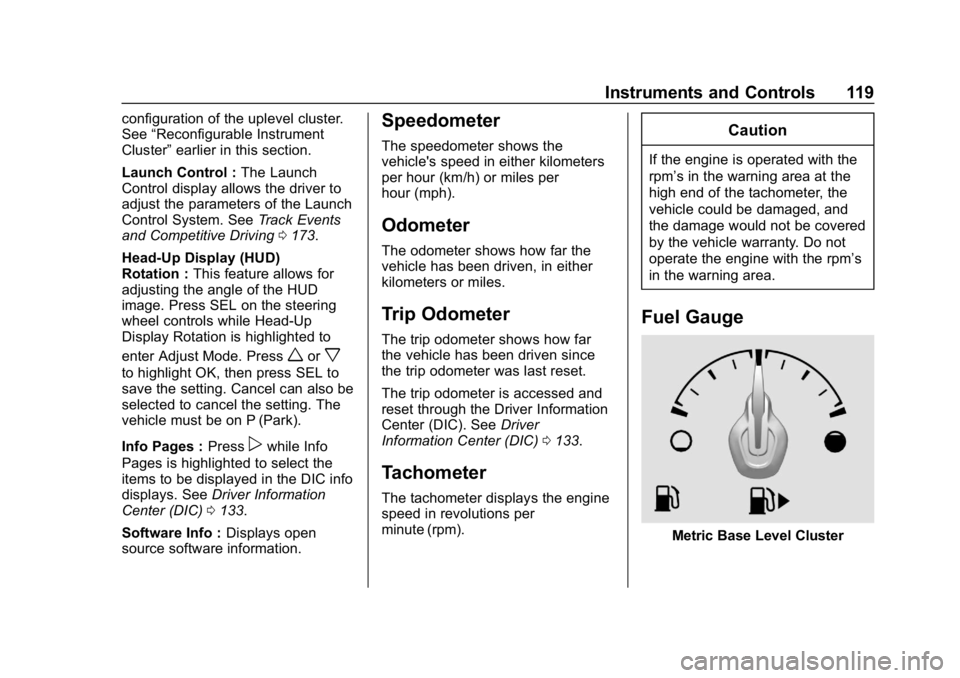
Metric Base Level Cluster