manual transmission CHEVROLET CAMARO 2020 Get To Know Guide
[x] Cancel search | Manufacturer: CHEVROLET, Model Year: 2020, Model line: CAMARO, Model: CHEVROLET CAMARO 2020Pages: 361, PDF Size: 3.27 MB
Page 132 of 361
Chevrolet Camaro Owner Manual (GMNA-Localizing-U.S./Canada/Mexico-
13556304) - 2020 - CRC - 9/3/19
Lighting 131
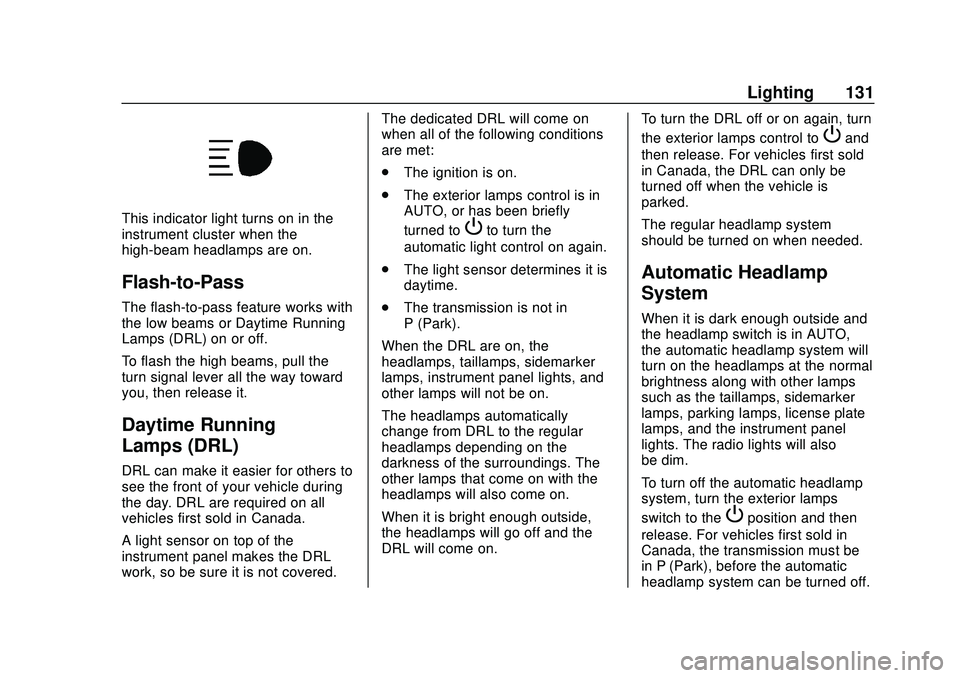
This indicator light turns on in the
instrument cluster when the
high-beam headlamps are on.
Flash-to-Pass
The flash-to-pass feature works with
the low beams or Daytime Running
Lamps (DRL) on or off.
To flash the high beams, pull the
turn signal lever all the way toward
you, then release it.
Daytime Running
Lamps (DRL)
DRL can make it easier for others to
see the front of your vehicle during
the day. DRL are required on all
vehicles first sold in Canada.
A light sensor on top of the
instrument panel makes the DRL
work, so be sure it is not covered.The dedicated DRL will come on
when all of the following conditions
are met:
.
The ignition is on.
. The exterior lamps control is in
AUTO, or has been briefly
turned to
Pto turn the
automatic light control on again.
. The light sensor determines it is
daytime.
. The transmission is not in
P (Park).
When the DRL are on, the
headlamps, taillamps, sidemarker
lamps, instrument panel lights, and
other lamps will not be on.
The headlamps automatically
change from DRL to the regular
headlamps depending on the
darkness of the surroundings. The
other lamps that come on with the
headlamps will also come on.
When it is bright enough outside,
the headlamps will go off and the
DRL will come on. To turn the DRL off or on again, turn
the exterior lamps control to
Pand
then release. For vehicles first sold
in Canada, the DRL can only be
turned off when the vehicle is
parked.
The regular headlamp system
should be turned on when needed.
Automatic Headlamp
System
When it is dark enough outside and
the headlamp switch is in AUTO,
the automatic headlamp system will
turn on the headlamps at the normal
brightness along with other lamps
such as the taillamps, sidemarker
lamps, parking lamps, license plate
lamps, and the instrument panel
lights. The radio lights will also
be dim.
To turn off the automatic headlamp
system, turn the exterior lamps
switch to the
Pposition and then
release. For vehicles first sold in
Canada, the transmission must be
in P (Park), before the automatic
headlamp system can be turned off.
Page 135 of 361

Chevrolet Camaro Owner Manual (GMNA-Localizing-U.S./Canada/Mexico-
13556304) - 2020 - CRC - 9/3/19
134 Lighting
Interior Lamps
Interior Spectrum Lighting
If equipped, this feature allows the
color of the interior lighting in the
vehicle to be chosen.
To access, press
{on the
infotainment controls, then touch
AMBIENT LIGHTING to display the
settings screen.
Touch to select from the following:
OFF : Turns the feature off.
LIGHT STRIPS : Turns on standard
mode. Touch the light strip color to
select a color for the interior lighting.
DEMO MODE : When the shift lever
is in P (Park) (automatic
transmission) or the park brake is
applied (manual transmission),
touch to turn the feature on in colors
chosen by the vehicle. When the
shift lever is not in P (Park) or the
park brake is not applied, the
interior color will default to the last
active color selected in light
strips mode. LINK TO DRIVE MODE :
The light
color is matched to the color being
used for the drive mode.
Reading Lamps
The reading lamps are in the
overhead console. The lamps go on
when a door is opened. When the
doors are closed, press
mornto
turn on each lamp.
Lighting Features
Entry Lighting
Some exterior lamps and interior
lamps turn on briefly at night, or in
areas with limited lighting, when
K
is pressed on the Remote Keyless
Entry (RKE) transmitter. When a
door is opened, the interior lamps
come on. They stay on for about
20 seconds. When all of the doors
have been closed or the ignition is
turned on, they gradually fade out.
This feature can be changed. See
“Vehicle Locator Lights” under
Vehicle Personalization 0125.
Exit Lighting
Some exterior lamps and interior
lights come on at night, or in areas
with limited lighting, when the driver
door is opened after the ignition is
turned off. The interior lamps come
on after the ignition is turned off.
The exterior lamps and interior
lamps remain on for a set amount of
time, then automatically turn off.
Page 141 of 361

Chevrolet Camaro Owner Manual (GMNA-Localizing-U.S./Canada/Mexico-
13556304) - 2020 - CRC - 9/3/19
140 Infotainment System
Delete Recording :Touch to delete
the video. A confirmation screen
displays. Touch Yes to delete or No
to cancel.
Pause/Play : Touch to play or
pause the video. The button will
change when touched.
/: Touch to display the previous
screen.
Exit : Touch to exit the current
display.
Choose Video Overlay
Touch Choose Video Overlay to
display the menu.
Select one:
. No Overlay
. Sport .
Track
. Performance Timing
No Overlay:
No vehicle data displays on top of
the recorded video. Vehicle data is
still available with the video when
accessed in the toolbox software.
Sport:
Displays these vehicle metrics:
. Vehicle Speed: Up to three digits
are displayed in km/h or MPH
depending on vehicle settings.
. Engine Rotations Per Minute
(RPMs): The vertical line and
triangle show current RPMs. As
the RPMs increase, the backfill
follows. .
Transmission State (Current
Gear): Automatic and manual
transmissions display 1, 2, etc.
. Lateral G-Force Graphic: Left
and Right G-Forces are
displayed. The graphic fills to the
left or the right depending on the
measure value. The measured
G-Force displays as a number at
the top of the graphic.
. Event Odometer: This displays
the distance driven since the
recording began.
Track:
Displays these vehicle metrics:
. Vehicle Speed: Same as Sport.
Page 142 of 361
Chevrolet Camaro Owner Manual (GMNA-Localizing-U.S./Canada/Mexico-
13556304) - 2020 - CRC - 9/3/19
Infotainment System 141
.GPS Tracking Map: Shows the
vehicle’s current position relative
to a known route.
. Engine Rotations Per Minute
(RPMs): The vertical line and
triangle indicate current RPMs.
As the RPMs increase, the
backfill follows.
. Transmission State (Current
Gear): Same as Sport.
. Friction Bubble Graphic: Lateral
and longitudinal G-Forces are
displayed as a dot within a
bubble. A red dot displays when
the vehicle starts braking and
turns green when the vehicle
accelerates. The dot is white
when the vehicle is not moving.
A white dot is the default.
. Brake and Throttle Graphic:
Displays the percentage value of
brake and throttle pedal position
from 0–100%.
. Steering Angle: The graphic fills
from the center to the left or right
depending on the direction of steering. The numerical steering
angle displays below the
graphic.
. StabiliTrak/Electronic Stability
Control (ESC) Active Indicator:
The graphic only displays if the
active handling systems are
activated.
. Performance Traction
Management (PTM) Mode:
Displays the current PTM mode.
The options are Wet, Dry, Sport
1, Sport 2, or Race.
. Current Lap Time: Displays the
elapsed lap time if the finish line
is defined and the vehicle has
crossed the defined finish line at
least once.
. Event Odometer: Displays the
distance driven since the
recording began.
. Drive Mode: Displays the
vehicle’s current drive mode.
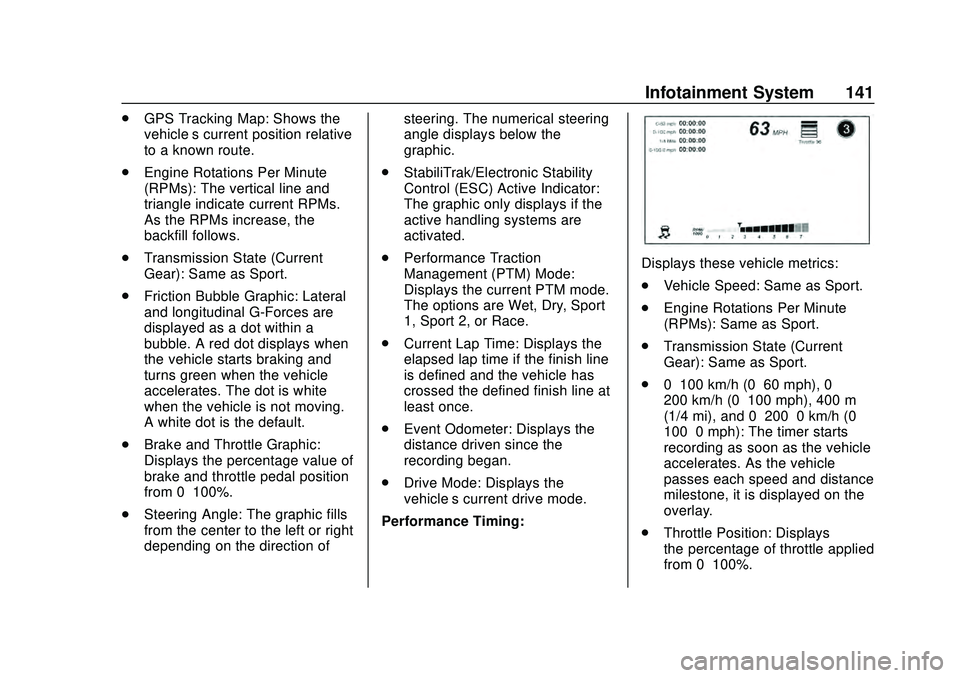
Performance Timing:
Displays these vehicle metrics:
. Vehicle Speed: Same as Sport.
. Engine Rotations Per Minute
(RPMs): Same as Sport.
. Transmission State (Current
Gear): Same as Sport.
. 0–100 km/h (0–60 mph), 0–
200 km/h (0–100 mph), 400 m
(1/4 mi), and 0–200–0 km/h (0–
100–0 mph): The timer starts
recording as soon as the vehicle
accelerates. As the vehicle
passes each speed and distance
milestone, it is displayed on the
overlay.
. Throttle Position: Displays
the percentage of throttle applied
from 0–100%.
Page 153 of 361
Chevrolet Camaro Owner Manual (GMNA-Localizing-U.S./Canada/Mexico-
13556304) - 2020 - CRC - 9/3/19
152 Driving and Operating
Driving and
Operating
Driving Information
Driving for Better FuelEconomy . . . . . . . . . . . . . . . . . . . . 153
Distracted Driving . . . . . . . . . . . . 153
Defensive Driving . . . . . . . . . . . . . 154
Drunk Driving . . . . . . . . . . . . . . . . . 154
Control of a Vehicle . . . . . . . . . . . 155
Braking . . . . . . . . . . . . . . . . . . . . . . . 155
Steering . . . . . . . . . . . . . . . . . . . . . . 155
Off-Road Recovery . . . . . . . . . . . 156
Loss of Control . . . . . . . . . . . . . . . 156
Track Events and Competitive Driving . . . . . . . . . . . . . . . . . . . . . . 157
Driving on Wet Roads . . . . . . . . 167
Hill and Mountain Roads . . . . . 167
Winter Driving . . . . . . . . . . . . . . . . 168
If the Vehicle Is Stuck . . . . . . . . 169
Vehicle Load Limits . . . . . . . . . . . 170
Starting and Operating
New Vehicle Break-In . . . . . . . . . 174
Ignition Positions . . . . . . . . . . . . . 175
Starting the Engine . . . . . . . . . . . 176
Engine Heater . . . . . . . . . . . . . . . . 178 Retained Accessory
Power (RAP) . . . . . . . . . . . . . . . . 179
Shifting Into Park . . . . . . . . . . . . . 180
Shifting out of Park . . . . . . . . . . . 180
Parking (Manual Transmission) . . . . . . . . . . . . . . . 181
Parking over Things That Burn . . . . . . . . . . . . . . . . . . . 181
Active Fuel Management . . . . . 181
Extended Parking . . . . . . . . . . . . 182
Engine Exhaust
Engine Exhaust . . . . . . . . . . . . . . 182
Running the Vehicle While Parked . . . . . . . . . . . . . . . . . . . . . . 183
Automatic Transmission
Automatic Transmission . . . . . . 183
Manual Mode . . . . . . . . . . . . . . . . . 186
Manual Transmission
Manual Transmission . . . . . . . . . 188
Active Rev Match . . . . . . . . . . . . . 190
Brakes
Antilock BrakeSystem (ABS) . . . . . . . . . . . . . . . 191
Electric Parking Brake . . . . . . . . 192
Brake Assist . . . . . . . . . . . . . . . . . . 193
Hill Start Assist (HSA) . . . . . . . . 194
Ride Control Systems
Traction Control/Electronic Stability Control . . . . . . . . . . . . . 194
Driver Mode Control . . . . . . . . . . 196
Competitive Driving Mode (SS, ZL1 and 1LE
Models Only) . . . . . . . . . . . . . . . . 200
Limited-Slip Rear Axle . . . . . . . . 202
Cruise Control
Cruise Control . . . . . . . . . . . . . . . . 202
Driver Assistance Systems
Driver Assistance Systems . . . 205
Assistance Systems for Parking or Backing . . . . . . . . . . 206
Forward Collision Alert (FCA) System . . . . . . . . . . . . . . . . . . . . . . 208
Side Blind Zone Alert (SBZA) . . . . . . . . . . . . . . . . 210
Lane Change Alert (LCA) . . . . . 211
Fuel
Top Tier Fuel . . . . . . . . . . . . . . . . . 213
Recommended Fuel (3.6L V6 Engine) . . . . . . . . . . . . . . . . . . 213
Recommended Fuel (2.0L L4 Turbo Engine and 6.2L
V8 Engine) . . . . . . . . . . . . . . . . . . 213
Recommended Fuel (6.2L V8 Supercharged Engine) . . . . . . 214
Page 159 of 361

Chevrolet Camaro Owner Manual (GMNA-Localizing-U.S./Canada/Mexico-
13556304) - 2020 - CRC - 9/3/19
158 Driving and Operating
Warning (Continued)
resulting in a crash. See
Capacities and Specifications
0320 for wheel nut torque
specifications.
Engine Oil
Caution
If you use the vehicle for racing or
other competitive driving, the
engine may use more oil than it
would with normal use. Low oil
levels can damage the engine.
For information on how to add oil,
seeEngine Oil 0229.
Be sure to check the oil level
often during racing or other
competitive driving and keep the
level at or near the upper mark
that shows the proper operating
range on the engine oil dipstick. 3.6L (LGX) V6 Engine
Change the engine oil to 0W-40 or
5W-40 that meets the dexos2
specification. If this oil is not
available, the following oil can be
used as an alternative: Valvoline
SYNPOWER MST 5W-40.
For LS/LT 1LE, add 0.9 L (1.0 qt) of
oil over the nominal fill level for a
track event. After the competitive
driving, remove the excess oil so
that the level on the dipstick is not
above the upper mark that shows
the proper operating range.
During track usage, do not follow
the Engine Oil Life System status.
Change the engine oil after four
hours of accumulative track usage.
Fuel
Use premium unleaded gasoline
with a posted octane rating of 93 at
a track event. Unleaded gasoline
with a posted octane rating of
91 may be used, but performance
will be degraded.
Automatic Transmission Fluid
Have the transmission fluid set to
the track specific oil level prior to
track usage. Transmission fluid
should be changed after every
15 hours of track usage. Any
transmission level set or change
should be performed at your dealer.
Manual Transmission Fluid
Manual transmission fluid should be
changed after every 15 hours of
track usage.
Rear Axle Fluid
Axles must have 2 400 km
(1,500 mi) before being used in
track driving.
The rear axle fluid temperatures
may be higher than when driving in
severe conditions. Drain and refill
with new fluid after the first racing or
competitive driving event, and then
after every 24 hours of racing or
competitive driving. See
Recommended Fluids and
Lubricants
0315.
Page 163 of 361
Chevrolet Camaro Owner Manual (GMNA-Localizing-U.S./Canada/Mexico-
13556304) - 2020 - CRC - 9/3/19
162 Driving and Operating
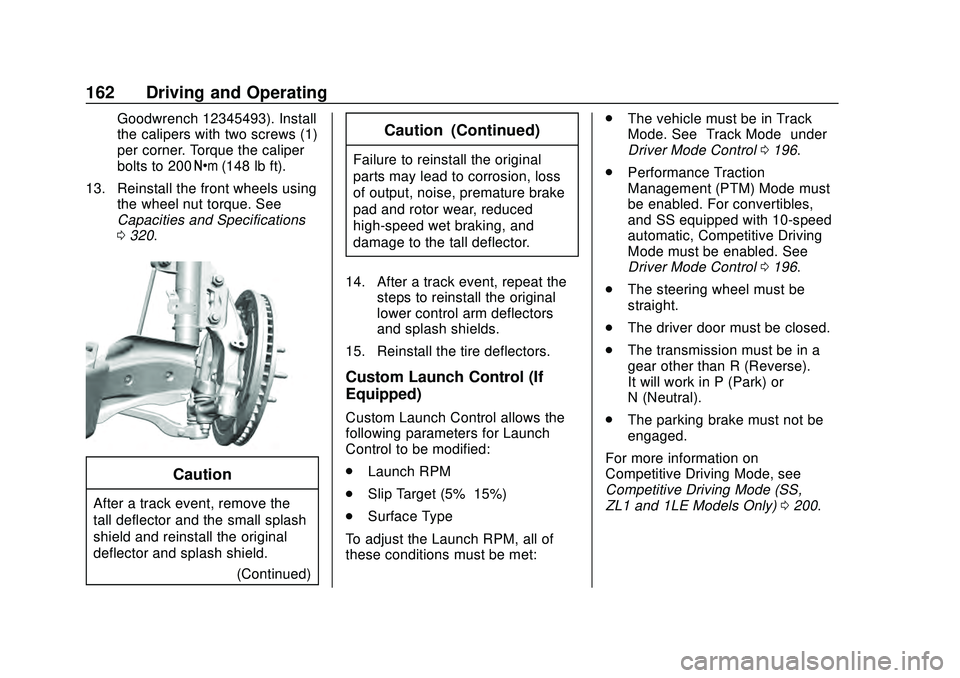
Goodwrench 12345493). Install
the calipers with two screws (1)
per corner. Torque the caliper
bolts to 200Y(148 lb ft).
13. Reinstall the front wheels using the wheel nut torque. See
Capacities and Specifications
0320.
Caution
After a track event, remove the
tall deflector and the small splash
shield and reinstall the original
deflector and splash shield.
(Continued)
Caution (Continued)
Failure to reinstall the original
parts may lead to corrosion, loss
of output, noise, premature brake
pad and rotor wear, reduced
high-speed wet braking, and
damage to the tall deflector.
14. After a track event, repeat the steps to reinstall the original
lower control arm deflectors
and splash shields.
15. Reinstall the tire deflectors.
Custom Launch Control (If
Equipped)
Custom Launch Control allows the
following parameters for Launch
Control to be modified:
. Launch RPM
. Slip Target (5%–15%)
. Surface Type
To adjust the Launch RPM, all of
these conditions must be met: .
The vehicle must be in Track
Mode. See “Track Mode” under
Driver Mode Control 0196.
. Performance Traction
Management (PTM) Mode must
be enabled. For convertibles,
and SS equipped with 10-speed
automatic, Competitive Driving
Mode must be enabled. See
Driver Mode Control 0196.
. The steering wheel must be
straight.
. The driver door must be closed.
. The transmission must be in a
gear other than R (Reverse).
It will work in P (Park) or
N (Neutral).
. The parking brake must not be
engaged.
For more information on
Competitive Driving Mode, see
Competitive Driving Mode (SS,
ZL1 and 1LE Models Only) 0200.
Page 165 of 361

Chevrolet Camaro Owner Manual (GMNA-Localizing-U.S./Canada/Mexico-
13556304) - 2020 - CRC - 9/3/19
164 Driving and Operating
8. Adjust the desired RPM usingworx:
1800–4000 RPM for manual
transmissions and 1200–2400
for automatic.
9. Press SEL to confirm the desired RPM.
Manual Transmission
10. In this example, Launch Control is set to custom
desired settings.
.Manual Trans: Apply full
throttle to activate Launch
Control and quickly release
the clutch pedal to launch
the vehicle.Automatic Transmission
. Auto Trans: Firmly press
and hold the brake pedal to
activate Launch Control.
11. Auto Trans Only - Quickly
apply full throttle. Release the
brake pedal to launch the
vehicle.
Page 166 of 361
Chevrolet Camaro Owner Manual (GMNA-Localizing-U.S./Canada/Mexico-
13556304) - 2020 - CRC - 9/3/19
Driving and Operating 165
Line Lock (If Equipped)
{Warning
The vehicle may move
unexpectedly when using Line
Lock, which could cause injury to
persons or property located
nearby. Only use Line Lock on a
closed track where there is a
large clear area around all sides
of the vehicle. Be ready to apply
the brakes immediately if the
vehicle begins to move. Do not
use Line Lock in an area that is
accessible to the public or where
people or property are located
near the vehicle.
Caution
Attempting to shift when the drive
wheels are spinning and do not
have traction may cause damage
to the transmission. Damage
caused by misuse of the vehicle(Continued)
Caution (Continued)
is not covered by the vehicle
warranty. Do not attempt to shift
when the drive wheels do not
have traction.
Line Lock allows for locking the front
brakes independently of the rear
brakes. This allows the rear tires to
spin when the throttle is applied.
To enter Line Lock, all of these
conditions must be met:
. The vehicle must be in
Track Mode.
. Performance Traction
Management (PTM) Mode must
be enabled. For convertibles,
Competitive Driving Mode must
be enabled.
. The steering wheel must be
straight.
. The driver door must be closed. .
The vehicle must be in D (Drive)
for an automatic transmission or
1 (First) gear for a manual
transmission.
. The parking brake must not be
engaged.
. The vehicle must be stopped on
level ground. The accelerator
pedal must not be applied.
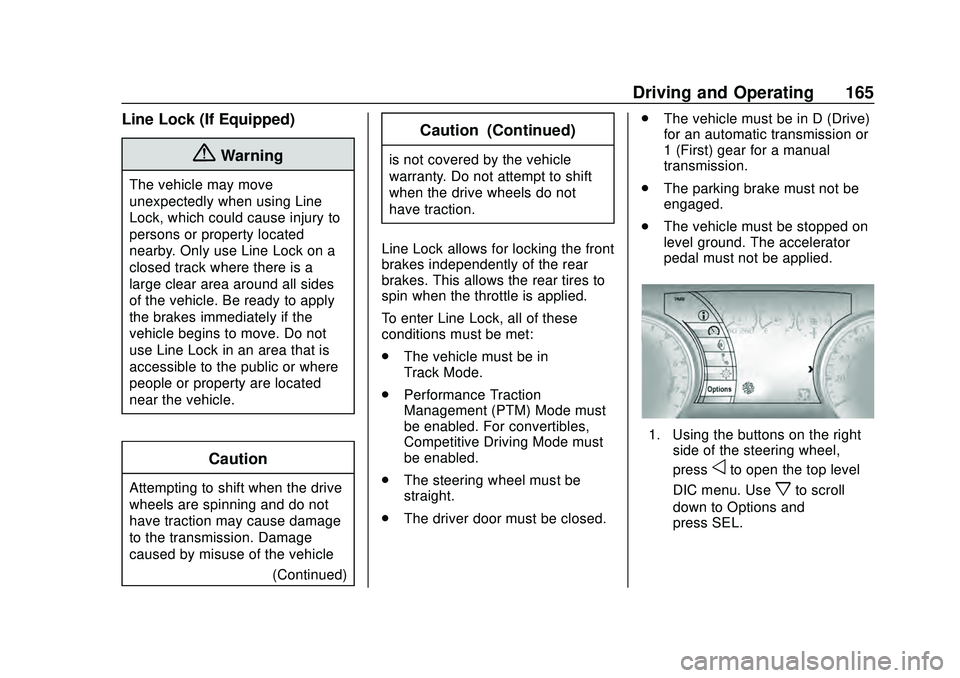
1. Using the buttons on the right
side of the steering wheel,
press
oto open the top level
DIC menu. Use
xto scroll
down to Options and
press SEL.
Page 169 of 361

Chevrolet Camaro Owner Manual (GMNA-Localizing-U.S./Canada/Mexico-
13556304) - 2020 - CRC - 9/3/19
168 Driving and Operating
.Keep the vehicle serviced and in
good shape.
. Check all fluid levels and brakes,
tires, cooling system, and
transmission.
. Shift to a lower gear when going
down steep or long hills.
{Warning
Using the brakes to slow the
vehicle on a long downhill slope
can cause brake overheating, can
reduce brake performance, and
could result in a loss of braking.
Shift the transmission to a lower
gear to let the engine assist the
brakes on a steep downhill slope.
{Warning
Coasting downhill in N (Neutral)
or with the ignition off is
dangerous. This can cause
overheating of the brakes and
(Continued)
Warning (Continued)
loss of steering assist. Always
have the engine running and the
vehicle in gear.
. Drive at speeds that keep the
vehicle in its own lane. Do not
swing wide or cross the
center line.
. Be alert on top of hills;
something could be in your lane
(e.g., stalled car, crash).
. Pay attention to special road
signs (e.g., falling rocks area,
winding roads, long grades,
passing or no-passing zones)
and take appropriate action.
Winter Driving
Driving on Snow or Ice
Snow or ice between the tires and
the road creates less traction or
grip, so drive carefully. Wet ice can
occur at about 0 °C (32 °F) when freezing rain begins to fall. Avoid
driving on wet ice or in freezing rain
until roads can be treated.
For Slippery Road Driving:
.
Accelerate gently. Accelerating
too quickly causes the wheels to
spin and makes the surface
under the tires slick.
. Turn on Traction Control. See
Traction Control/Electronic
Stability Control 0194.
. The Antilock Brake System
(ABS) improves vehicle stability
during hard stops, but the
brakes should be applied sooner
than when on dry pavement.
See Antilock Brake System
(ABS) 0191.
. Allow greater following distance
and watch for slippery spots. Icy
patches can occur on otherwise
clear roads in shaded areas.
The surface of a curve or an
overpass can remain icy when
the surrounding roads are clear.
Avoid sudden steering
maneuvers and braking while
on ice.