radio controls CHEVROLET CAMARO 2023 User Guide
[x] Cancel search | Manufacturer: CHEVROLET, Model Year: 2023, Model line: CAMARO, Model: CHEVROLET CAMARO 2023Pages: 345, PDF Size: 16.19 MB
Page 139 of 345
Chevrolet Camaro Owner Manual (GMNA-Localizing-U.S./Canada/Mexico-
16408685) - 2023 - CRC - 3/28/22
138 Infotainment System
Prompts and Infotainment Displays
While a voice recognition session is active,
there may be corresponding options
showing on the displays. A selection can be
made by manually touching the option,
or by speaking the number for the option to
select. Manual interaction in the voice
recognition session is permitted. Interaction
during a voice session may be completed
entirely using voice commands while some
manual commands may expedite a task. If a
selection is made using a manual control,
the voice recognition dialog will progress in
the same way as if the selection were made
using a voice command. Once the system
completes the task, or the session is
terminated, the voice recognition dialog
stops.
An example of this type of manual
intervention is touching an entry of a
displayed number list instead of speaking
the number associated with the entry
desired.
Canceling Voice Recognition
.Touch or say“Cancel”or“Exit” to
terminate the voice recognition session
and show the display where voice
recognition was initiated.
.Pression the steering wheel controls
to terminate the voice recognition session
and show the display where voice
recognition was initiated.
Natural Language Commands
Most languages do not support natural
language commands in sentence form. For
those languages, use direct commands like
the examples shown on the display.
Helpful Hints for Speaking Commands
Voice recognition can understand commands
that are naturally stated in sentence form or
direct commands that state the application
and the task.
For best results:
.Listen for the prompt before saying a
command or reply.
.Speak the command naturally, not too
fast, not too slow.
.Use direct commands without a lot of
extra words. For example, “Call
at work,” “Play” followed by the artist or
song name, or “Tune”followed by the
radio station number.
.Navigation destinations can be made in a
single command using keywords. A few
examples are: “I want directions to an
address,” “I need to find a place of
interest or (POI),” or“Find contact.”
The system responds by requesting more
details. For other POIs, say the name of a
category like “Restaurants,” “Shopping
Malls,” or“Hospitals.”
.Navigating to a destination outside of the
current country takes more than one
command. The first command is to tell
the system where the navigation will take
place, such as an Address, Intersection,
POI, or Contact. If Address or Intersection
is selected, the second command is to
say, “Change Country.” Once the system
responds, say the country before saying
the rest of the address and/or
intersection.
If POI is asked for, say “Change Location,”
then “Change Country.”
Direct commands might be more clearly
understood by the system. An example of a
direct command would be “Call
Examples of these direct commands are
displayed on most of the screens while a
voice session is active. If “Phone”or“Phone
Commands,” is spoken, the system
Page 143 of 345
Chevrolet Camaro Owner Manual (GMNA-Localizing-U.S./Canada/Mexico-
16408685) - 2023 - CRC - 3/28/22
142 Infotainment System
and allow them to be re-entered. Once the
entire number has been entered, the
command“Call”will start dialing the
number.
Phone Assistant Voice Recognition
Press and holdgon the steering wheel
controls to pass through and launch Google
phone assistant or Siri.
For the low radio, whether connected by
Bluetooth or phone projection, the only
available voice recognition is either Siri
(iPhone) or the Google Assistant (Android).
Performance Data
Recorder (PDR)
If equipped, the PDR icon displays on the
Home Page.
Important Information
Use of the PDR may be prohibited or legally
restricted in certain countries and situations.
Ensure compliance with applicable laws and
regulations, including, but not limited to:
privacy laws, laws related to camera
surveillance and recordings, road traffic and
security laws, and laws on the protection of
publicity and personality rights.
.Do not use the PDR if it causes
distraction.
.Do not rely on camera footage to steer
the vehicle.
.Comply with any notice and consent
requirements before capturing and/or
recording the voices or images of other
persons or before collecting other
personal data.
.Notify other drivers of your vehicle of the
above rules and require them to comply.
.General Motors does not accept any
responsibility or liability in connection
with use that is not permitted.
.Law enforcement authorities may have
the right to seize video recordings and
use them as evidence of criminal/driving
offenses against you or third parties.
The PDR records video, audio, and vehicle
data. This data is stored on a removable SD
card. The SD card reader is below the
instrument panel to the left of the steering
wheel and just above the hood release.
The recorded data is not stored anywhere
else and is only accessible from the SD card.
To begin, insert a FAT32 formatted SD card,
Class 10 required, 8, 16, or 32 GB
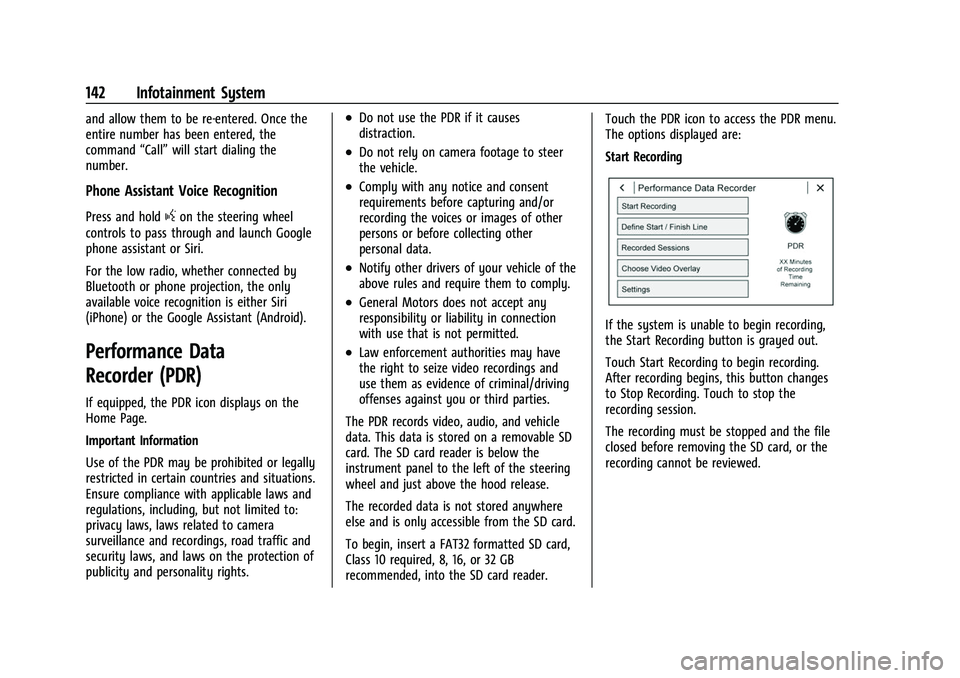
recommended, into the SD card reader. Touch the PDR icon to access the PDR menu.
The options displayed are:
Start Recording
If the system is unable to begin recording,
the Start Recording button is grayed out.
Touch Start Recording to begin recording.
After recording begins, this button changes
to Stop Recording. Touch to stop the
recording session.
The recording must be stopped and the file
closed before removing the SD card, or the
recording cannot be reviewed.
Page 175 of 345
Chevrolet Camaro Owner Manual (GMNA-Localizing-U.S./Canada/Mexico-
16408685) - 2023 - CRC - 3/28/22
174 Driving and Operating
Trailer Towing
General Towing Information . . . . . . . . . . . 226
Conversions and Add-Ons
Add-On Electrical Equipment . . . . . . . . . . . 226
Driving Information
Driving for Better Fuel Economy
Driving habits can affect fuel mileage. Here
are some driving tips to get the best fuel
economy possible.
.Set the climate controls to the desired
temperature after the engine is started,
or turn them off when not required.
.Avoid fast starts and accelerate smoothly.
.Brake gradually and avoid abrupt stops.
.Avoid idling the engine for long periods
of time.
.When road and weather conditions are
appropriate, use cruise control.
.Always follow posted speed limits or
drive more slowly when conditions
require.
.Keep vehicle tires properly inflated.
.Combine several trips into a single trip.
.Replace the vehicle's tires with the same
TPC Spec number molded into the tire's
sidewall near the size.
.Follow recommended scheduled
maintenance.
Distracted Driving
Distraction comes in many forms and can
take your focus from the task of driving.
Exercise good judgment and do not let other
activities divert your attention away from
the road. Many local governments have
enacted laws regarding driver distraction.
Become familiar with the local laws in
your area.
To avoid distracted driving, keep your eyes
on the road, keep your hands on the
steering wheel, and focus your attention on
driving.
.Do not use a phone in demanding driving
situations. Use a hands-free method to
place or receive necessary phone calls.
.Watch the road. Do not read, take notes,
or look up information on phones or
other electronic devices.
.Designate a front seat passenger to
handle potential distractions.
.Become familiar with vehicle features
before driving, such as programming
favorite radio stations and adjusting
climate control and seat settings. Program
all trip information into any navigation
device prior to driving.
Page 324 of 345
Chevrolet Camaro Owner Manual (GMNA-Localizing-U.S./Canada/Mexico-
16408685) - 2023 - CRC - 3/28/22
Customer Information 323
and notify General Motors of Canada
Company. Call Transport Canada at
1-800-333-0510; go to:
www.tc.gc.ca/recalls (English)
www.tc.gc.ca/rappels (French)
or write to:
Transport Canada
Motor Vehicle Safety Directorate
Defect Investigations and Recalls
Division
80 Noel Street
Gatineau
,QC J8Z 0A1
Reporting Safety Defects to
General Motors
In addition to notifying NHTSA (or Transport
Canada) in a situation like this, notify
General Motors.
In the U.S., call 1-800-222-1020, or write:
Chevrolet Motor Division
Chevrolet Customer Assistance Center
P.O. Box 33170
Detroit, MI 48232-5170
In Canada, call 1-800-263-3777 (English) or
1-800-263-7854 (French), or write:Customer Care Centre
General Motors of Canada Company
500 Wentworth Street W
Oshawa, ON L1J 0C5
In Mexico, call 800-466-0811 or
800-508-0000.
In other Central America and Caribbean
Countries, call 52-555-901-2369.
Vehicle Data Recording and
Privacy
The vehicle has a number of computers that
record information about the vehicle’s
performance and how it is driven or used.
For example, the vehicle uses computer
modules to monitor and control engine and
transmission performance, to monitor the
conditions for airbag deployment and
deploy them in a crash, and, if equipped, to
provide antilock braking to help the driver
control the vehicle. These modules may
store data to help the dealer technician
service the vehicle or to help GM improve
safety or features. Some modules may also
store data about how the vehicle is
operated, such as rate of fuel consumption
or average speed. These modules may retain
personal preferences, such as radio presets,
seat positions, and temperature settings.
Cybersecurity
GM collects information about the use of
your vehicle including operational and safety
related information. We collect this
information to provide, evaluate, improve,
and troubleshoot our products and services
and to develop new products and services.
The protection of vehicle electronics systems
and customer data from unauthorized
outside electronic access or control is
important to GM. GM maintains appropriate
security standards, practices, guidelines and
controls aimed at defending the vehicle and
the vehicle service ecosystem against
unauthorized electronic access, detecting
possible malicious activity in related
networks, and responding to suspected
cybersecurity incidents in a timely,
coordinated and effective manner. Security
incidents could impact your safety or
compromise your private data. To minimize
security risks, please do not connect your
vehicle electronic systems to unauthorized
devices or connect your vehicle to any
unknown or untrusted networks (such as
Bluetooth, WIFI or similar technology). In
Page 337 of 345
Chevrolet Camaro Owner Manual (GMNA-Localizing-U.S./Canada/Mexico-
16408685) - 2023 - CRC - 3/28/22
336 Index
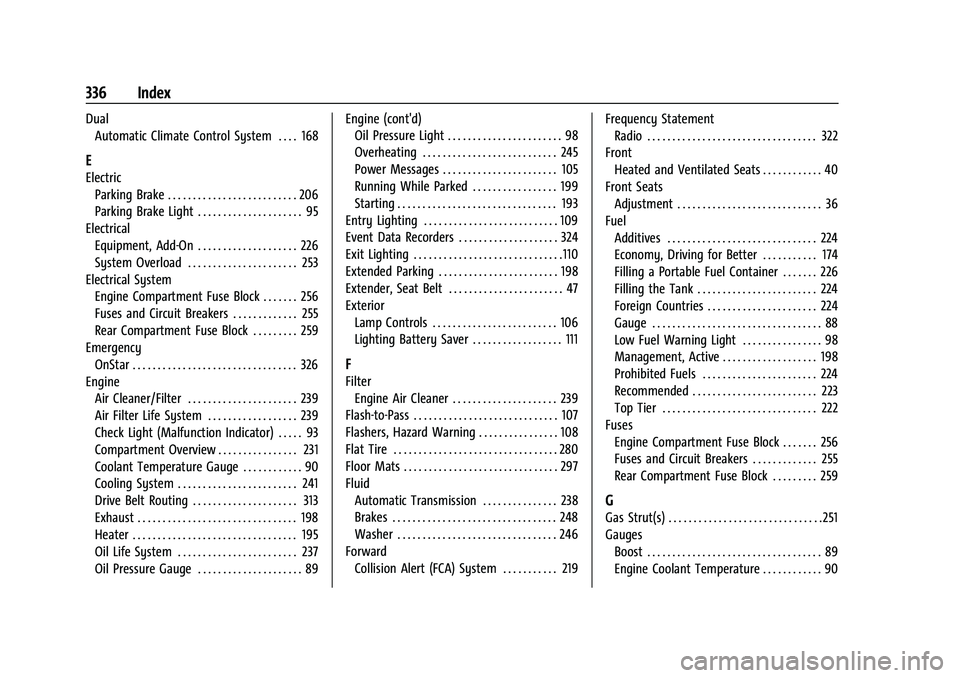
DualAutomatic Climate Control System . . . . 168
E
Electric
Parking Brake . . . . . . . . . . . . . . . . . . . . . . . . . . 206
Parking Brake Light . . . . . . . . . . . . . . . . . . . . . 95
Electrical Equipment, Add-On . . . . . . . . . . . . . . . . . . . . 226
System Overload . . . . . . . . . . . . . . . . . . . . . . 253
Electrical System Engine Compartment Fuse Block . . . . . . . 256
Fuses and Circuit Breakers . . . . . . . . . . . . . 255
Rear Compartment Fuse Block . . . . . . . . . 259
Emergency OnStar . . . . . . . . . . . . . . . . . . . . . . . . . . . . . . . . . 326
Engine
Air Cleaner/Filter . . . . . . . . . . . . . . . . . . . . . . 239
Air Filter Life System . . . . . . . . . . . . . . . . . . 239
Check Light (Malfunction Indicator) . . . . . 93
Compartment Overview . . . . . . . . . . . . . . . . 231
Coolant Temperature Gauge . . . . . . . . . . . . 90
Cooling System . . . . . . . . . . . . . . . . . . . . . . . . 241
Drive Belt Routing . . . . . . . . . . . . . . . . . . . . . 313
Exhaust . . . . . . . . . . . . . . . . . . . . . . . . . . . . . . . . 198
Heater . . . . . . . . . . . . . . . . . . . . . . . . . . . . . . . . . 195
Oil Life System . . . . . . . . . . . . . . . . . . . . . . . . 237
Oil Pressure Gauge . . . . . . . . . . . . . . . . . . . . . 89 Engine (cont'd)
Oil Pressure Light . . . . . . . . . . . . . . . . . . . . . . . 98
Overheating . . . . . . . . . . . . . . . . . . . . . . . . . . . 245
Power Messages . . . . . . . . . . . . . . . . . . . . . . . 105
Running While Parked . . . . . . . . . . . . . . . . . 199
Starting . . . . . . . . . . . . . . . . . . . . . . . . . . . . . . . . 193
Entry Lighting . . . . . . . . . . . . . . . . . . . . . . . . . . . 109
Event Data Recorders . . . . . . . . . . . . . . . . . . . . 324
Exit Lighting . . . . . . . . . . . . . . . . . . . . . . . . . . . . . .110
Extended Parking . . . . . . . . . . . . . . . . . . . . . . . . 198
Extender, Seat Belt . . . . . . . . . . . . . . . . . . . . . . . 47
Exterior
Lamp Controls . . . . . . . . . . . . . . . . . . . . . . . . . 106
Lighting Battery Saver . . . . . . . . . . . . . . . . . . 111
F
FilterEngine Air Cleaner . . . . . . . . . . . . . . . . . . . . . 239
Flash-to-Pass . . . . . . . . . . . . . . . . . . . . . . . . . . . . . 107
Flashers, Hazard Warning . . . . . . . . . . . . . . . . 108
Flat Tire . . . . . . . . . . . . . . . . . . . . . . . . . . . . . . . . . 280
Floor Mats . . . . . . . . . . . . . . . . . . . . . . . . . . . . . . . 297
Fluid Automatic Transmission . . . . . . . . . . . . . . . 238
Brakes . . . . . . . . . . . . . . . . . . . . . . . . . . . . . . . . . 248
Washer . . . . . . . . . . . . . . . . . . . . . . . . . . . . . . . . 246
Forward Collision Alert (FCA) System . . . . . . . . . . . 219 Frequency Statement
Radio . . . . . . . . . . . . . . . . . . . . . . . . . . . . . . . . . . 322
Front Heated and Ventilated Seats . . . . . . . . . . . . 40
Front Seats Adjustment . . . . . . . . . . . . . . . . . . . . . . . . . . . . . 36
Fuel
Additives . . . . . . . . . . . . . . . . . . . . . . . . . . . . . . 224
Economy, Driving for Better . . . . . . . . . . . 174
Filling a Portable Fuel Container . . . . . . . 226
Filling the Tank . . . . . . . . . . . . . . . . . . . . . . . . 224
Foreign Countries . . . . . . . . . . . . . . . . . . . . . . 224
Gauge . . . . . . . . . . . . . . . . . . . . . . . . . . . . . . . . . . 88
Low Fuel Warning Light . . . . . . . . . . . . . . . . 98
Management, Active . . . . . . . . . . . . . . . . . . . 198
Prohibited Fuels . . . . . . . . . . . . . . . . . . . . . . . 224
Recommended . . . . . . . . . . . . . . . . . . . . . . . . . 223
Top Tier . . . . . . . . . . . . . . . . . . . . . . . . . . . . . . . 222
Fuses Engine Compartment Fuse Block . . . . . . . 256
Fuses and Circuit Breakers . . . . . . . . . . . . . 255
Rear Compartment Fuse Block . . . . . . . . . 259
G
Gas Strut(s) . . . . . . . . . . . . . . . . . . . . . . . . . . . . . . . 251
GaugesBoost . . . . . . . . . . . . . . . . . . . . . . . . . . . . . . . . . . . 89
Engine Coolant Temperature . . . . . . . . . . . . 90
Page 342 of 345
Chevrolet Camaro Owner Manual (GMNA-Localizing-U.S./Canada/Mexico-
16408685) - 2023 - CRC - 3/28/22
Index 341
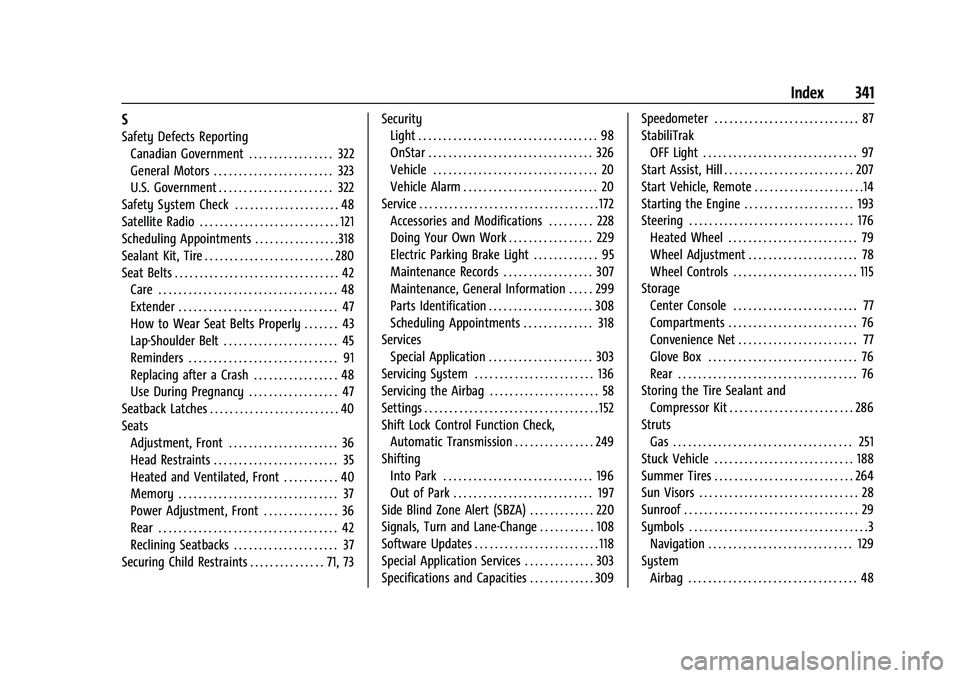
S
Safety Defects ReportingCanadian Government . . . . . . . . . . . . . . . . . 322
General Motors . . . . . . . . . . . . . . . . . . . . . . . . 323
U.S. Government . . . . . . . . . . . . . . . . . . . . . . . 322
Safety System Check . . . . . . . . . . . . . . . . . . . . . 48
Satellite Radio . . . . . . . . . . . . . . . . . . . . . . . . . . . . 121
Scheduling Appointments . . . . . . . . . . . . . . . . .318
Sealant Kit, Tire . . . . . . . . . . . . . . . . . . . . . . . . . . 280
Seat Belts . . . . . . . . . . . . . . . . . . . . . . . . . . . . . . . . . 42 Care . . . . . . . . . . . . . . . . . . . . . . . . . . . . . . . . . . . . 48
Extender . . . . . . . . . . . . . . . . . . . . . . . . . . . . . . . . 47
How to Wear Seat Belts Properly . . . . . . . 43
Lap-Shoulder Belt . . . . . . . . . . . . . . . . . . . . . . . 45
Reminders . . . . . . . . . . . . . . . . . . . . . . . . . . . . . . 91
Replacing after a Crash . . . . . . . . . . . . . . . . . 48
Use During Pregnancy . . . . . . . . . . . . . . . . . . 47
Seatback Latches . . . . . . . . . . . . . . . . . . . . . . . . . . 40
Seats Adjustment, Front . . . . . . . . . . . . . . . . . . . . . . 36
Head Restraints . . . . . . . . . . . . . . . . . . . . . . . . . 35
Heated and Ventilated, Front . . . . . . . . . . . 40
Memory . . . . . . . . . . . . . . . . . . . . . . . . . . . . . . . . 37
Power Adjustment, Front . . . . . . . . . . . . . . . 36
Rear . . . . . . . . . . . . . . . . . . . . . . . . . . . . . . . . . . . . 42
Reclining Seatbacks . . . . . . . . . . . . . . . . . . . . . 37
Securing Child Restraints . . . . . . . . . . . . . . . 71, 73 Security
Light . . . . . . . . . . . . . . . . . . . . . . . . . . . . . . . . . . . . 98
OnStar . . . . . . . . . . . . . . . . . . . . . . . . . . . . . . . . . 326
Vehicle . . . . . . . . . . . . . . . . . . . . . . . . . . . . . . . . . 20
Vehicle Alarm . . . . . . . . . . . . . . . . . . . . . . . . . . . 20
Service . . . . . . . . . . . . . . . . . . . . . . . . . . . . . . . . . . . . 172 Accessories and Modifications . . . . . . . . . 228
Doing Your Own Work . . . . . . . . . . . . . . . . . 229
Electric Parking Brake Light . . . . . . . . . . . . . 95
Maintenance Records . . . . . . . . . . . . . . . . . . 307
Maintenance, General Information . . . . . 299
Parts Identification . . . . . . . . . . . . . . . . . . . . . 308
Scheduling Appointments . . . . . . . . . . . . . . 318
Services Special Application . . . . . . . . . . . . . . . . . . . . . 303
Servicing System . . . . . . . . . . . . . . . . . . . . . . . . 136
Servicing the Airbag . . . . . . . . . . . . . . . . . . . . . . 58
Settings . . . . . . . . . . . . . . . . . . . . . . . . . . . . . . . . . . . 152
Shift Lock Control Function Check,
Automatic Transmission . . . . . . . . . . . . . . . . 249
Shifting
Into Park . . . . . . . . . . . . . . . . . . . . . . . . . . . . . . 196
Out of Park . . . . . . . . . . . . . . . . . . . . . . . . . . . . 197
Side Blind Zone Alert (SBZA) . . . . . . . . . . . . . 220
Signals, Turn and Lane-Change . . . . . . . . . . . 108
Software Updates . . . . . . . . . . . . . . . . . . . . . . . . . 118
Special Application Services . . . . . . . . . . . . . . 303
Specifications and Capacities . . . . . . . . . . . . . 309 Speedometer . . . . . . . . . . . . . . . . . . . . . . . . . . . . . 87
StabiliTrak
OFF Light . . . . . . . . . . . . . . . . . . . . . . . . . . . . . . . 97
Start Assist, Hill . . . . . . . . . . . . . . . . . . . . . . . . . . 207
Start Vehicle, Remote . . . . . . . . . . . . . . . . . . . . . .14
Starting the Engine . . . . . . . . . . . . . . . . . . . . . . 193
Steering . . . . . . . . . . . . . . . . . . . . . . . . . . . . . . . . . 176 Heated Wheel . . . . . . . . . . . . . . . . . . . . . . . . . . 79
Wheel Adjustment . . . . . . . . . . . . . . . . . . . . . . 78
Wheel Controls . . . . . . . . . . . . . . . . . . . . . . . . . 115
Storage
Center Console . . . . . . . . . . . . . . . . . . . . . . . . . 77
Compartments . . . . . . . . . . . . . . . . . . . . . . . . . . 76
Convenience Net . . . . . . . . . . . . . . . . . . . . . . . . 77
Glove Box . . . . . . . . . . . . . . . . . . . . . . . . . . . . . . 76
Rear . . . . . . . . . . . . . . . . . . . . . . . . . . . . . . . . . . . . 76
Storing the Tire Sealant and Compressor Kit . . . . . . . . . . . . . . . . . . . . . . . . . 286
Struts Gas . . . . . . . . . . . . . . . . . . . . . . . . . . . . . . . . . . . . 251
Stuck Vehicle . . . . . . . . . . . . . . . . . . . . . . . . . . . . 188
Summer Tires . . . . . . . . . . . . . . . . . . . . . . . . . . . . 264
Sun Visors . . . . . . . . . . . . . . . . . . . . . . . . . . . . . . . . 28
Sunroof . . . . . . . . . . . . . . . . . . . . . . . . . . . . . . . . . . . 29
Symbols . . . . . . . . . . . . . . . . . . . . . . . . . . . . . . . . . . . .3
Navigation . . . . . . . . . . . . . . . . . . . . . . . . . . . . . 129
System Airbag . . . . . . . . . . . . . . . . . . . . . . . . . . . . . . . . . . 48