turn signal CHEVROLET CAMARO 2023 Owner's Manual
[x] Cancel search | Manufacturer: CHEVROLET, Model Year: 2023, Model line: CAMARO, Model: CHEVROLET CAMARO 2023Pages: 345, PDF Size: 16.19 MB
Page 223 of 345
Chevrolet Camaro Owner Manual (GMNA-Localizing-U.S./Canada/Mexico-
16408685) - 2023 - CRC - 3/28/22
222 Driving and Operating
zone. If the turn signal is activated in the
same direction as a detected vehicle, this
display will flash as an extra warning not to
change lanes.
LCA can be disabled through vehicle
personalization.To view available settings
from the infotainment screen, touch Settings
> Vehicle > Collision/Detection Systems.
If LCA is disabled by the driver, the LCA
mirror displays will not light up.
When the System Does Not Seem to
Work Properly
The LCA system requires some driving for
the system to calibrate to maximum
performance. This calibration may occur
more quickly if the vehicle is driving on a
straight highway road with traffic and
roadside objects (e.g., guardrails, barriers).
LCA displays may not come on when
passing a vehicle quickly or for a stopped
vehicle. LCA may alert to objects attached to
the vehicle, such as a bicycle or object
extending out to either side of the vehicle.
Attached objects may also interfere with the
detection of vehicles. This is normal system
operation; the vehicle does not need service.LCA may not always alert the driver to
vehicles in the next lane over, especially in
wet conditions or when driving on sharp
curves. The system does not need to be
serviced. The system may light up due to
guardrails, signs, trees, shrubs, and other
non-moving objects. This is normal system
operation; the vehicle does not need service.
LCA may not operate when the LCA sensors
in the left or right corners of the rear
bumper are covered with mud, dirt, snow,
ice, or slush, or in heavy rainstorms. For
cleaning instructions, see "Washing the
Vehicle" under
Exterior Care0290. If the
DIC still displays the system unavailable
message after cleaning both sides of the
vehicle toward the rear corners of the
vehicle, see your dealer.
If the LCA displays do not light up when
moving vehicles are in the side blind zone or
rapidly approaching this zone and the
system is clean, the system may need
service. Take the vehicle to your dealer.
Radio Frequency Information
See Radio Frequency Statement 0322.
Fuel
Top Tier Fuel
GM recommends the use of TOP TIER
Detergent Gasoline to keep the engine clean,
reduce engine deposits, and maintain
optimal vehicle performance. Look for the
TOP TIER Logo or see www.toptiergas.com
for a list of TOP TIER Detergent Gasoline
marketers and applicable countries.
Page 272 of 345
Chevrolet Camaro Owner Manual (GMNA-Localizing-U.S./Canada/Mexico-
16408685) - 2023 - CRC - 3/28/22
Vehicle Care 271
sequence will continue upon subsequent
vehicle start-ups as long as the malfunction
exists.
When the malfunction indicator is
illuminated, the system may not be able to
detect or signal low tire pressure as
intended. TPMS malfunctions may occur for
a variety of reasons, including the
installation of replacement or alternate tires
or wheels on the vehicle that prevent the
TPMS from functioning properly. Always
check the TPMS malfunction telltale after
replacing one or more tires or wheels on
your vehicle to ensure that the replacement
or alternate tires and wheels allow the
TPMS to continue to function properly.
SeeTire Pressure Monitor Operation 0271.
See Radio Frequency Statement 0322.
Tire Pressure Monitor Operation
This vehicle may have a Tire Pressure
Monitor System (TPMS). The TPMS is
designed to warn the driver when a low tire
pressure condition exists. TPMS sensors are
mounted onto each tire and wheel
assembly, excluding the spare tire and
wheel assembly. The TPMS sensors monitor the air pressure in the tires and transmit the
tire pressure readings to a receiver located
in the vehicle.
When a low tire pressure condition is
detected, the TPMS illuminates the low tire
pressure warning light on the instrument
cluster. If the warning light comes on, stop
as soon as possible and inflate the tires to
the recommended pressure shown on the
Tire and Loading Information label. See
Vehicle Load Limits
0188.
A message to check the pressure in a
specific tire displays in the Driver
Information Center (DIC). The low tire
pressure warning light and the DIC warning
message come on at each ignition cycle
until the tires are inflated to the correct
inflation pressure. Using the DIC, tire
pressure levels can be viewed. For additional
information and details about the DIC
operation and displays see Driver
Information Center (DIC) 099. The low tire pressure warning light may
come on in cool weather when the vehicle is
first started, and then turn off as the vehicle
is driven. This could be an early indicator
that the air pressure is getting low and
needs to be inflated to the proper pressure.
A Tire and Loading Information label,
attached to your vehicle, shows the size of
the original equipment tires and the correct
inflation pressure for the tires when they
are cold. See
Vehicle Load Limits 0188, for
an example of the Tire and Loading
Information label and its location. Also see
Tire Pressure 0267.
The TPMS can warn about a low tire
pressure condition but it does not replace
normal tire maintenance. See Tire Inspection
0 274, Tire Rotation 0274, and Tires0262.
Caution
Tire sealant materials are not all the
same. A non-approved tire sealant could
damage the TPMS sensors. TPMS sensor
damage caused by using an incorrect tire
sealant is not covered by the vehicle
warranty. Always use only the GM
approved tire sealant available through
your dealer or included in the vehicle.
Page 273 of 345
Chevrolet Camaro Owner Manual (GMNA-Localizing-U.S./Canada/Mexico-
16408685) - 2023 - CRC - 3/28/22
272 Vehicle Care
Factory-installed Tire Inflator Kits use a GM
approved liquid tire sealant. Using
non-approved tire sealants could damage the
TPMS sensors. SeeTire Sealant and
Compressor Kit 0280 for information
regarding the inflator kit materials and
instructions.
TPMS Malfunction Light and Message
The TPMS will not function properly if one
or more of the TPMS sensors are missing or
inoperable. When the system detects a
malfunction, the low tire pressure warning
light flashes for about one minute and then
stays on for the remainder of the ignition
cycle. A DIC warning message also displays.
The malfunction light and DIC warning
message come on at each ignition cycle
until the problem is corrected. Some of the
conditions that can cause these to come
on are:
.One of the road tires has been replaced
with the spare tire. The spare tire does
not have a TPMS sensor. The malfunction
light and DIC message should go off after
the road tire is replaced and the sensor
matching process is performed
successfully. See “TPMS Sensor Matching
Process” later in this section.
.The TPMS sensor matching process was
not done or not completed successfully
after rotating the tires. The malfunction
light and the DIC message should go off
after successfully completing the sensor
matching process. See "TPMS Sensor
Matching Process" later in this section.
.One or more TPMS sensors are missing or
damaged. The malfunction light and the
DIC message should go off when the
TPMS sensors are installed and the sensor
matching process is performed
successfully. See your dealer for service.
.Replacement tires or wheels do not match
the original equipment tires or wheels.
Tires and wheels other than those
recommended could prevent the TPMS
from functioning properly. See Buying
New Tires 0276.
.Operating electronic devices or being near
facilities using radio wave frequencies
similar to the TPMS could cause the TPMS
sensors to malfunction.
If the TPMS is not functioning properly it
cannot detect or signal a low tire pressure
condition. See your dealer for service if the
TPMS malfunction light and DIC message
come on and stay on.
Tire Fill Alert (If Equipped)
This feature provides visual and audible
alerts outside the vehicle to help when
inflating an underinflated tire to the
recommended cold tire pressure.
When the low tire pressure warning light
comes on: 1. Park the vehicle in a safe, level place.
2. Set the parking brake firmly.
3. Place the vehicle in P (Park).
4. Add air to the tire that is underinflated. The turn signal lamp will flash.
When the recommended pressure is
reached, the horn sounds once and the
turn signal lamp will stop flashing and
briefly turn solid.
Repeat these steps for all underinflated tires
that have illuminated the low tire pressure
warning light.
{Warning
Overinflating a tire could cause the tire
to rupture and you or others could be
injured. Do not exceed the maximum (Continued)
Page 274 of 345
Chevrolet Camaro Owner Manual (GMNA-Localizing-U.S./Canada/Mexico-
16408685) - 2023 - CRC - 3/28/22
Vehicle Care 273
Warning (Continued)
pressure listed on the tire sidewall. See
Tire Sidewall Labeling0264 and
Vehicle Load Limits 0188.
If the tire is overinflated by more than
35 kPa (5 psi), the horn will sound multiple
times and the turn signal lamp will continue
to flash for several seconds after filling
stops. To release and correct the pressure,
while the turn signal lamp is still flashing,
briefly press the center of the valve stem.
When the recommended pressure is reached,
the horn sounds once.
If the turn signal lamp does not flash within
15 seconds after starting to inflate the tire,
the tire fill alert has not been activated or is
not working.
If the hazard warning flashers are on, the
tire fill alert visual feedback will not work
properly.
The TPMS will not activate the tire fill alert
properly under the following conditions:
.There is interference from an external
device or transmitter.
.The air pressure from the inflation device
is not sufficient to inflate the tire.
.There is a malfunction in the TPMS.
.There is a malfunction in the horn or turn
signal lamps.
.The identification code of the TPMS
sensor is not registered to the system.
.The battery of the TPMS sensor is low.
If the tire fill alert does not operate due to
TPMS interference, move the vehicle about
1 m (3 ft) back or forward and try again.
If the tire fill alert feature is not working,
use a tire pressure gauge.
TPMS Sensor Matching Process
Each TPMS sensor has a unique
identification code. The identification code
needs to be matched to a new tire/wheel
position after rotating the vehicle’s tires or
replacing one or more of the TPMS sensors.
The TPMS sensor matching process should
also be performed after replacing a spare
tire with a road tire containing the TPMS
sensor. The malfunction light and the DIC
message should go off at the next ignition
cycle. The sensors are matched to the tire/
wheel positions, using a TPMS relearn tool,
in the following order: driver side front tire,
passenger side front tire, passenger side rear
tire, and driver side rear. See your dealer for
service or to purchase a relearn tool. A TPMS relearn tool can also be purchased.
See Tire Pressure Monitor Sensor Activation
Tool at www.gmtoolsandequipment.com or
call 1-800-GM TOOLS (1-800-468-6657).
There are two minutes to match the first
tire/wheel position, and five minutes overall
to match all four tire/wheel positions. If it
takes longer, the matching process stops
and must be restarted.
The TPMS sensor matching process is:
1. Set the parking brake.
2. Place the vehicle in Service Mode. See Ignition Positions 0192.
3. Make sure the Tire Pressure info display option is turned on. The info displays on
the DIC can be turned on and off
through the Options menu. See Driver
Information Center (DIC) 099.
4. Use the five-way DIC control on the right side of the steering wheel to scroll to
the Tire Pressure screen under the DIC
info page. See Driver Information Center
(DIC) 099.
5. Press and hold SEL in the center of the five-way DIC control.
Page 275 of 345
Chevrolet Camaro Owner Manual (GMNA-Localizing-U.S./Canada/Mexico-
16408685) - 2023 - CRC - 3/28/22
274 Vehicle Care
The horn sounds twice to signal the
receiver is in relearn mode and the TIRE
LEARNING ACTIVE message displays on
the DIC screen.
6. Start with the driver side front tire.
7. Place the relearn tool against the tire sidewall, near the valve stem. Then press
the button to activate the TPMS sensor.
A horn chirp confirms that the sensor
identification code has been matched to
this tire and wheel position.
8. Proceed to the passenger side front tire, and repeat Step 7.
9. Proceed to the passenger side rear tire, and repeat Step 7.
10. Proceed to the driver side rear tire, and repeat Step 7. The horn sounds two
times to indicate the sensor
identification code has been matched to
the driver side rear tire, and the TPMS
sensor matching process is no longer
active. The TIRE LEARNING ACTIVE
message on the DIC display screen
goes off.
11. Turn the vehicle off.
12. Set all four tires to the recommended air pressure level as indicated on the Tire
and Loading Information label.Tire Inspection
We recommend that the tires, including
the spare tire, if the vehicle has one, be
inspected for signs of wear or damage
at least once a month.
Replace the tire if:
.The indicators at three or more
places around the tire can be seen.
.There is cord or fabric showing
through the tire's rubber.
.The tread or sidewall is cracked, cut,
or snagged deep enough to show
cord or fabric.
.The tire has a bump, bulge, or split.
.The tire has a puncture, cut, or other
damage that cannot be repaired well
because of the size or location of the
damage.
Tire Rotation
Tires should be rotated according to the
interval specified in the Maintenance
Schedule. See Maintenance Schedule
0 300. Tires are rotated to achieve a uniform
wear for all tires. The first rotation is
the most important.
Anytime unusual wear is noticed, rotate
the tires as soon as possible, check for
proper tire inflation pressure, and check
for damaged tires or wheels. If the
unusual wear continues after the
rotation, check the wheel alignment.
See
When It Is Time for New Tires 0275
and Wheel Replacement 0279.
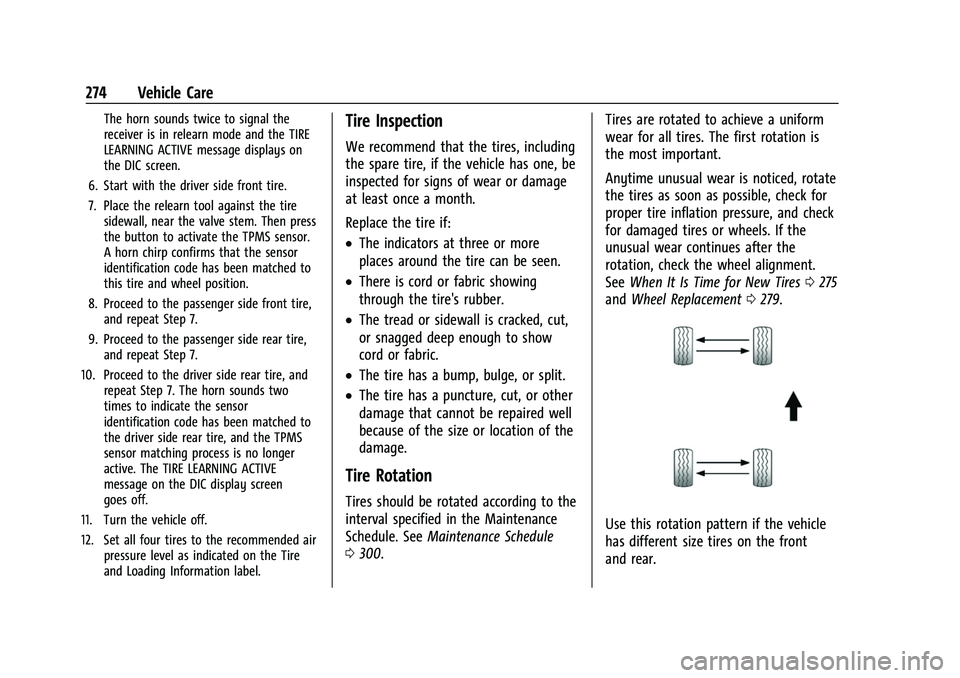
Use this rotation pattern if the vehicle
has different size tires on the front
and rear.
Page 329 of 345
Chevrolet Camaro Owner Manual (GMNA-Localizing-U.S./Canada/Mexico-
16408685) - 2023 - CRC - 3/28/22
328 OnStar
TTY Users
OnStar has the ability to communicate to
deaf, hard-of-hearing, or speech-impaired
customers while in the vehicle. The available
TTY system can provide in-vehicle access to
all OnStar services, except Virtual Advisor
and OnStar Turn-by-Turn Navigation.
If equipped, TTY mode can be turned on or
off by touching Settings, then Apps, and
then Phone. When TTY mode is on, phone
calls can be made or received with OnStar
using the infotainment display.
OnStar Personal Identification
Number (PIN)
A PIN is needed to access some OnStar
services. The PIN will need to be changed
the first time when speaking with an
Advisor. To change the OnStar PIN, contact
an OnStar Advisor by pressing
Qor calling
1-888-4ONSTAR.
Warranty
OnStar equipment may be warranted as part
of the vehicle warranty.
Languages
The vehicle can be programmed to respond
in multiple languages. Press
Qand ask for
an Advisor. Advisors are available in English,
Spanish, and French. Available languages
may vary by country.
Potential Issues
OnStar cannot perform Remote Door Unlock
or Stolen Vehicle Assistance after the vehicle
has been off continuously for an extended
period of time without an ignition cycle. To
find out the duration of time that applies
for the vehicle, contact an OnStar Advisor by
pressing
Qor calling 1-888-4ONSTAR. If the
vehicle has not been started for an extended
period of time, OnStar can contact Roadside
Assistance or a locksmith to help gain access
to the vehicle.
Global Positioning System (GPS)
.Obstruction of the GPS can occur in a
large city with tall buildings; in parking
garages; around airports; in tunnels and
underpasses; or in an area with very
dense trees. If GPS signals are not
available, the OnStar system should still operate to call OnStar. However, OnStar
could have difficulty identifying the exact
location.
.In emergency situations, OnStar can use
the last stored GPS location to send to
emergency responders.
A temporary loss of GPS can cause loss of
the ability to send a Turn-by-Turn
Navigation route. The Advisor may give a
verbal route or may ask for a call back after
the vehicle is driven into an open area.
Cellular and GPS Antennas
Cellular reception is required for OnStar to
send remote signals to the vehicle. Do not
place items over or near the antenna to
prevent blocking cellular and GPS signal
reception.
Unable to Connect to OnStar Message
If there is limited cellular coverage or the
cellular network has reached maximum
capacity, this message may come on. Press
Qto try the call again or try again after
driving a few miles into another
cellular area.
Page 332 of 345
Chevrolet Camaro Owner Manual (GMNA-Localizing-U.S./Canada/Mexico-
16408685) - 2023 - CRC - 3/28/22
Connected Services 331
Ensuring Security
.Change the default passwords for the
Wi-Fi hotspot and myChevrolet mobile
application. Make these passwords
different from each other and use a
combination of letters and numbers to
increase the security.
.Change the default name of the SSID
(Service Set Identifier). This is your
network’s name that is visible to other
wireless devices. Choose a unique name
and avoid family names or vehicle
descriptions.
Wi-Fi Hotspot (If Equipped)
The vehicle may have a built-in Wi-Fi
hotspot that provides access to the Internet
and web content at 4G LTE speed. Up to
seven mobile devices can be connected.
A data plan is required. Use the in-vehicle
controls only when it is safe to do so. 1. To retrieve Wi-Fi hotspot information, press
=to open the OnStar app on the
infotainment display, then select Wi-Fi
Hotspot. On some vehicles, touch Wi-Fi
or Wi-Fi Settings on the screen. 2. The Wi-Fi settings will display the Wi-Fi
hotspot name (SSID), password, and on
some vehicles, the connection type (no
Internet connection, 3G, 4G, 4G LTE), and
signal quality (poor, good, excellent).
3. To change the SSID or password, press
Qor call 1-888-4ONSTAR to connect
with an Advisor. On some vehicles, the
SSID and password can be changed in
the Wi-Fi Hotspot menu.
After initial set-up, your vehicle’s Wi-Fi
hotspot will connect automatically to your
mobile devices. Manage data usage by
turning Wi-Fi on or off on your mobile
device, using the myChevrolet mobile app,
or by contacting an OnStar Advisor. On
some vehicles, Wi-Fi can also be managed
from the Wi-Fi Hotspot menu.
MyChevrolet Mobile App (If Available)
Download the myChevrolet mobile app to
compatible Apple and Android smartphones.
Chevrolet users can access the following
services from a smartphone:
.Remotely start/stop the vehicle,
if factory-equipped.
.Lock/unlock doors, if equipped with
automatic locks.
.Activate the horn and lamps.
.Check the vehicle’s fuel level, oil life,
or tire pressure, if factory-equipped
with the Tire Pressure Monitor System.
.Send destinations to the vehicle.
.Locate the vehicle on a map (U.S.
market only).
.Turn the vehicle's Wi-Fi hotspot on/off,
manage settings, and monitor data
consumption, if equipped.
.Locate a dealer and schedule service.
.Request roadside assistance.
.Set a parking reminder with pin drop,
take a photo, make a note, and set a
timer.
.Connect with Chevrolet on social media.
Features are subject to change. For
myChevrolet mobile app information and
compatibility, see my.chevrolet.com.
An active OnStar or connected service plan
may be required. A compatible device,
factory-installed remote start, and power
locks are required. Data rates apply. See
www.onstar.com for details and system
limitations.
Page 342 of 345
Chevrolet Camaro Owner Manual (GMNA-Localizing-U.S./Canada/Mexico-
16408685) - 2023 - CRC - 3/28/22
Index 341
S
Safety Defects ReportingCanadian Government . . . . . . . . . . . . . . . . . 322
General Motors . . . . . . . . . . . . . . . . . . . . . . . . 323
U.S. Government . . . . . . . . . . . . . . . . . . . . . . . 322
Safety System Check . . . . . . . . . . . . . . . . . . . . . 48
Satellite Radio . . . . . . . . . . . . . . . . . . . . . . . . . . . . 121
Scheduling Appointments . . . . . . . . . . . . . . . . .318
Sealant Kit, Tire . . . . . . . . . . . . . . . . . . . . . . . . . . 280
Seat Belts . . . . . . . . . . . . . . . . . . . . . . . . . . . . . . . . . 42 Care . . . . . . . . . . . . . . . . . . . . . . . . . . . . . . . . . . . . 48
Extender . . . . . . . . . . . . . . . . . . . . . . . . . . . . . . . . 47
How to Wear Seat Belts Properly . . . . . . . 43
Lap-Shoulder Belt . . . . . . . . . . . . . . . . . . . . . . . 45
Reminders . . . . . . . . . . . . . . . . . . . . . . . . . . . . . . 91
Replacing after a Crash . . . . . . . . . . . . . . . . . 48
Use During Pregnancy . . . . . . . . . . . . . . . . . . 47
Seatback Latches . . . . . . . . . . . . . . . . . . . . . . . . . . 40
Seats Adjustment, Front . . . . . . . . . . . . . . . . . . . . . . 36
Head Restraints . . . . . . . . . . . . . . . . . . . . . . . . . 35
Heated and Ventilated, Front . . . . . . . . . . . 40
Memory . . . . . . . . . . . . . . . . . . . . . . . . . . . . . . . . 37
Power Adjustment, Front . . . . . . . . . . . . . . . 36
Rear . . . . . . . . . . . . . . . . . . . . . . . . . . . . . . . . . . . . 42
Reclining Seatbacks . . . . . . . . . . . . . . . . . . . . . 37
Securing Child Restraints . . . . . . . . . . . . . . . 71, 73 Security
Light . . . . . . . . . . . . . . . . . . . . . . . . . . . . . . . . . . . . 98
OnStar . . . . . . . . . . . . . . . . . . . . . . . . . . . . . . . . . 326
Vehicle . . . . . . . . . . . . . . . . . . . . . . . . . . . . . . . . . 20
Vehicle Alarm . . . . . . . . . . . . . . . . . . . . . . . . . . . 20
Service . . . . . . . . . . . . . . . . . . . . . . . . . . . . . . . . . . . . 172 Accessories and Modifications . . . . . . . . . 228
Doing Your Own Work . . . . . . . . . . . . . . . . . 229
Electric Parking Brake Light . . . . . . . . . . . . . 95
Maintenance Records . . . . . . . . . . . . . . . . . . 307
Maintenance, General Information . . . . . 299
Parts Identification . . . . . . . . . . . . . . . . . . . . . 308
Scheduling Appointments . . . . . . . . . . . . . . 318
Services Special Application . . . . . . . . . . . . . . . . . . . . . 303
Servicing System . . . . . . . . . . . . . . . . . . . . . . . . 136
Servicing the Airbag . . . . . . . . . . . . . . . . . . . . . . 58
Settings . . . . . . . . . . . . . . . . . . . . . . . . . . . . . . . . . . . 152
Shift Lock Control Function Check,
Automatic Transmission . . . . . . . . . . . . . . . . 249
Shifting
Into Park . . . . . . . . . . . . . . . . . . . . . . . . . . . . . . 196
Out of Park . . . . . . . . . . . . . . . . . . . . . . . . . . . . 197
Side Blind Zone Alert (SBZA) . . . . . . . . . . . . . 220
Signals, Turn and Lane-Change . . . . . . . . . . . 108
Software Updates . . . . . . . . . . . . . . . . . . . . . . . . . 118
Special Application Services . . . . . . . . . . . . . . 303
Specifications and Capacities . . . . . . . . . . . . . 309 Speedometer . . . . . . . . . . . . . . . . . . . . . . . . . . . . . 87
StabiliTrak
OFF Light . . . . . . . . . . . . . . . . . . . . . . . . . . . . . . . 97
Start Assist, Hill . . . . . . . . . . . . . . . . . . . . . . . . . . 207
Start Vehicle, Remote . . . . . . . . . . . . . . . . . . . . . .14
Starting the Engine . . . . . . . . . . . . . . . . . . . . . . 193
Steering . . . . . . . . . . . . . . . . . . . . . . . . . . . . . . . . . 176 Heated Wheel . . . . . . . . . . . . . . . . . . . . . . . . . . 79
Wheel Adjustment . . . . . . . . . . . . . . . . . . . . . . 78
Wheel Controls . . . . . . . . . . . . . . . . . . . . . . . . . 115
Storage
Center Console . . . . . . . . . . . . . . . . . . . . . . . . . 77
Compartments . . . . . . . . . . . . . . . . . . . . . . . . . . 76
Convenience Net . . . . . . . . . . . . . . . . . . . . . . . . 77
Glove Box . . . . . . . . . . . . . . . . . . . . . . . . . . . . . . 76
Rear . . . . . . . . . . . . . . . . . . . . . . . . . . . . . . . . . . . . 76
Storing the Tire Sealant and Compressor Kit . . . . . . . . . . . . . . . . . . . . . . . . . 286
Struts Gas . . . . . . . . . . . . . . . . . . . . . . . . . . . . . . . . . . . . 251
Stuck Vehicle . . . . . . . . . . . . . . . . . . . . . . . . . . . . 188
Summer Tires . . . . . . . . . . . . . . . . . . . . . . . . . . . . 264
Sun Visors . . . . . . . . . . . . . . . . . . . . . . . . . . . . . . . . 28
Sunroof . . . . . . . . . . . . . . . . . . . . . . . . . . . . . . . . . . . 29
Symbols . . . . . . . . . . . . . . . . . . . . . . . . . . . . . . . . . . . .3
Navigation . . . . . . . . . . . . . . . . . . . . . . . . . . . . . 129
System Airbag . . . . . . . . . . . . . . . . . . . . . . . . . . . . . . . . . . 48
Page 343 of 345
Chevrolet Camaro Owner Manual (GMNA-Localizing-U.S./Canada/Mexico-
16408685) - 2023 - CRC - 3/28/22
342 Index
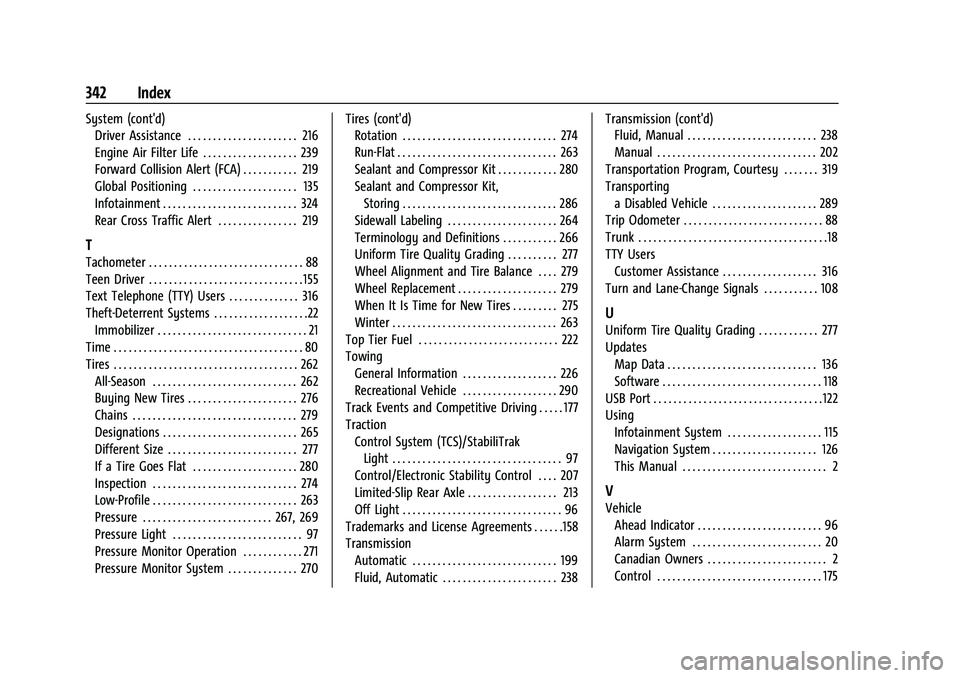
System (cont'd)Driver Assistance . . . . . . . . . . . . . . . . . . . . . . 216
Engine Air Filter Life . . . . . . . . . . . . . . . . . . . 239
Forward Collision Alert (FCA) . . . . . . . . . . . 219
Global Positioning . . . . . . . . . . . . . . . . . . . . . 135
Infotainment . . . . . . . . . . . . . . . . . . . . . . . . . . . 324
Rear Cross Traffic Alert . . . . . . . . . . . . . . . . 219
T
Tachometer . . . . . . . . . . . . . . . . . . . . . . . . . . . . . . . 88
Teen Driver . . . . . . . . . . . . . . . . . . . . . . . . . . . . . . . 155
Text Telephone (TTY) Users . . . . . . . . . . . . . . 316
Theft-Deterrent Systems . . . . . . . . . . . . . . . . . . .22
Immobilizer . . . . . . . . . . . . . . . . . . . . . . . . . . . . . . 21
Time . . . . . . . . . . . . . . . . . . . . . . . . . . . . . . . . . . . . . . 80
Tires . . . . . . . . . . . . . . . . . . . . . . . . . . . . . . . . . . . . . 262 All-Season . . . . . . . . . . . . . . . . . . . . . . . . . . . . . 262
Buying New Tires . . . . . . . . . . . . . . . . . . . . . . 276
Chains . . . . . . . . . . . . . . . . . . . . . . . . . . . . . . . . . 279
Designations . . . . . . . . . . . . . . . . . . . . . . . . . . . 265
Different Size . . . . . . . . . . . . . . . . . . . . . . . . . . 277
If a Tire Goes Flat . . . . . . . . . . . . . . . . . . . . . 280
Inspection . . . . . . . . . . . . . . . . . . . . . . . . . . . . . 274
Low-Profile . . . . . . . . . . . . . . . . . . . . . . . . . . . . . 263
Pressure . . . . . . . . . . . . . . . . . . . . . . . . . . 267, 269
Pressure Light . . . . . . . . . . . . . . . . . . . . . . . . . . 97
Pressure Monitor Operation . . . . . . . . . . . . 271
Pressure Monitor System . . . . . . . . . . . . . . 270 Tires (cont'd)
Rotation . . . . . . . . . . . . . . . . . . . . . . . . . . . . . . . 274
Run-Flat . . . . . . . . . . . . . . . . . . . . . . . . . . . . . . . . 263
Sealant and Compressor Kit . . . . . . . . . . . . 280
Sealant and Compressor Kit,
Storing . . . . . . . . . . . . . . . . . . . . . . . . . . . . . . . 286
Sidewall Labeling . . . . . . . . . . . . . . . . . . . . . . 264
Terminology and Definitions . . . . . . . . . . . 266
Uniform Tire Quality Grading . . . . . . . . . . 277
Wheel Alignment and Tire Balance . . . . 279
Wheel Replacement . . . . . . . . . . . . . . . . . . . . 279
When It Is Time for New Tires . . . . . . . . . 275
Winter . . . . . . . . . . . . . . . . . . . . . . . . . . . . . . . . . 263
Top Tier Fuel . . . . . . . . . . . . . . . . . . . . . . . . . . . . 222
Towing General Information . . . . . . . . . . . . . . . . . . . 226
Recreational Vehicle . . . . . . . . . . . . . . . . . . . 290
Track Events and Competitive Driving . . . . . 177
Traction Control System (TCS)/StabiliTrakLight . . . . . . . . . . . . . . . . . . . . . . . . . . . . . . . . . . 97
Control/Electronic Stability Control . . . . 207
Limited-Slip Rear Axle . . . . . . . . . . . . . . . . . . 213
Off Light . . . . . . . . . . . . . . . . . . . . . . . . . . . . . . . . 96
Trademarks and License Agreements . . . . . .158
Transmission Automatic . . . . . . . . . . . . . . . . . . . . . . . . . . . . . 199
Fluid, Automatic . . . . . . . . . . . . . . . . . . . . . . . 238 Transmission (cont'd)
Fluid, Manual . . . . . . . . . . . . . . . . . . . . . . . . . . 238
Manual . . . . . . . . . . . . . . . . . . . . . . . . . . . . . . . . 202
Transportation Program, Courtesy . . . . . . . 319
Transporting a Disabled Vehicle . . . . . . . . . . . . . . . . . . . . . 289
Trip Odometer . . . . . . . . . . . . . . . . . . . . . . . . . . . . 88
Trunk . . . . . . . . . . . . . . . . . . . . . . . . . . . . . . . . . . . . . .18
TTY Users
Customer Assistance . . . . . . . . . . . . . . . . . . . 316
Turn and Lane-Change Signals . . . . . . . . . . . 108
U
Uniform Tire Quality Grading . . . . . . . . . . . . 277
Updates Map Data . . . . . . . . . . . . . . . . . . . . . . . . . . . . . . 136
Software . . . . . . . . . . . . . . . . . . . . . . . . . . . . . . . . 118
USB Port . . . . . . . . . . . . . . . . . . . . . . . . . . . . . . . . . . 122
Using Infotainment System . . . . . . . . . . . . . . . . . . . 115
Navigation System . . . . . . . . . . . . . . . . . . . . . 126
This Manual . . . . . . . . . . . . . . . . . . . . . . . . . . . . . 2
V
VehicleAhead Indicator . . . . . . . . . . . . . . . . . . . . . . . . . 96
Alarm System . . . . . . . . . . . . . . . . . . . . . . . . . . 20
Canadian Owners . . . . . . . . . . . . . . . . . . . . . . . . 2
Control . . . . . . . . . . . . . . . . . . . . . . . . . . . . . . . . . 175