mirror CHEVROLET CAMARO 2023 Owners Manual
[x] Cancel search | Manufacturer: CHEVROLET, Model Year: 2023, Model line: CAMARO, Model: CHEVROLET CAMARO 2023Pages: 345, PDF Size: 16.19 MB
Page 7 of 345
Chevrolet Camaro Owner Manual (GMNA-Localizing-U.S./Canada/Mexico-
16408685) - 2023 - CRC - 3/28/22
6 Keys, Doors, and Windows
Keys, Doors, and
Windows
Keys and Locks
Keys . . . . . . . . . . . . . . . . . . . . . . . . . . . . . . . . . . . . . 6
Remote Key . . . . . . . . . . . . . . . . . . . . . . . . . . . . . 7
Remote Key Operation . . . . . . . . . . . . . . . . . . . 7
Remote Vehicle Start . . . . . . . . . . . . . . . . . . . 14
Door Locks . . . . . . . . . . . . . . . . . . . . . . . . . . . . . . 15
Power Door Locks . . . . . . . . . . . . . . . . . . . . . . . 17
Delayed Locking . . . . . . . . . . . . . . . . . . . . . . . . 17
Automatic Door Locks . . . . . . . . . . . . . . . . . . . 17
Lockout Protection . . . . . . . . . . . . . . . . . . . . . . 18
Doors
Trunk . . . . . . . . . . . . . . . . . . . . . . . . . . . . . . . . . . . 18
Vehicle Security
Vehicle Security . . . . . . . . . . . . . . . . . . . . . . . . 20
Vehicle Alarm System . . . . . . . . . . . . . . . . . . 20
Immobilizer . . . . . . . . . . . . . . . . . . . . . . . . . . . . . 21
Immobilizer Operation . . . . . . . . . . . . . . . . . . 22
Exterior Mirrors
Convex Mirrors . . . . . . . . . . . . . . . . . . . . . . . . . 22
Power Mirrors . . . . . . . . . . . . . . . . . . . . . . . . . . 23
Heated Mirrors . . . . . . . . . . . . . . . . . . . . . . . . . 23
Automatic Dimming Mirror . . . . . . . . . . . . . 23
Reverse Tilt Mirrors . . . . . . . . . . . . . . . . . . . . . 23
Interior Mirrors
Interior Rearview Mirrors . . . . . . . . . . . . . . . 23
Manual Rearview Mirror . . . . . . . . . . . . . . . . 24
Automatic Dimming Rearview Mirror . . . 24
Rear Camera Mirror . . . . . . . . . . . . . . . . . . . . 24
Windows
Windows . . . . . . . . . . . . . . . . . . . . . . . . . . . . . . . 26
Power Windows . . . . . . . . . . . . . . . . . . . . . . . . 26
Sun Visors . . . . . . . . . . . . . . . . . . . . . . . . . . . . . . 28
Roof
Sunroof . . . . . . . . . . . . . . . . . . . . . . . . . . . . . . . . 29
Convertible Top . . . . . . . . . . . . . . . . . . . . . . . . 29
Keys and Locks
Keys
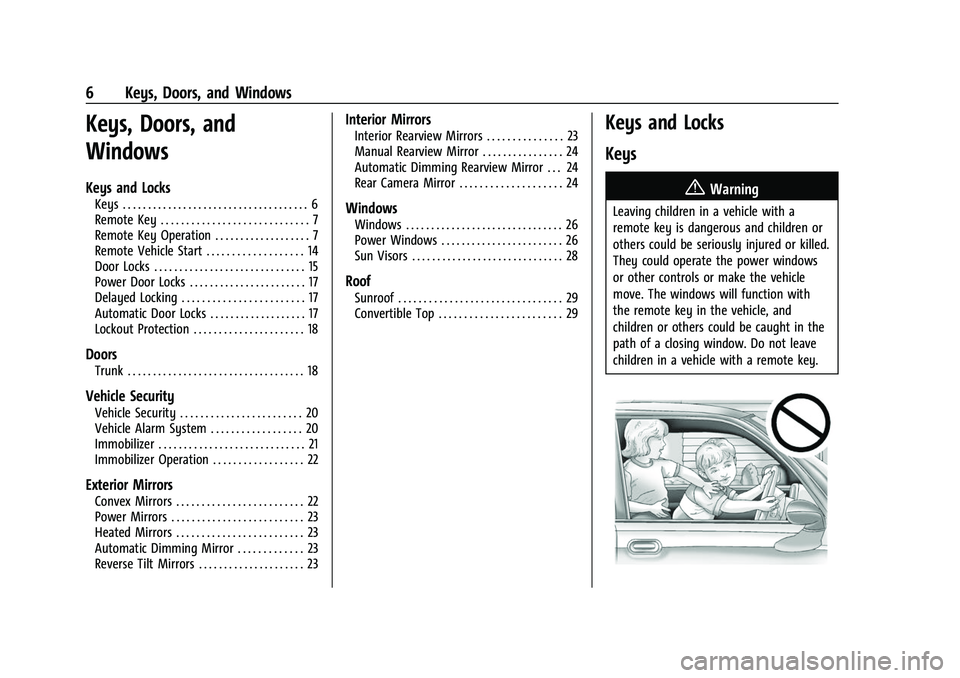
{Warning
Leaving children in a vehicle with a
remote key is dangerous and children or
others could be seriously injured or killed.
They could operate the power windows
or other controls or make the vehicle
move. The windows will function with
the remote key in the vehicle, and
children or others could be caught in the
path of a closing window. Do not leave
children in a vehicle with a remote key.
Page 23 of 345
Chevrolet Camaro Owner Manual (GMNA-Localizing-U.S./Canada/Mexico-
16408685) - 2023 - CRC - 3/28/22
22 Keys, Doors, and Windows
Immobilizer Operation
This vehicle has a passive theft-deterrent
system.
The system does not have to be manually
armed or disarmed.
The vehicle is automatically immobilized
when the remote key leaves the vehicle.
The immobilization system is disarmed
when the ignition button is pressed and a
valid remote key is found in the vehicle.
The security light in the instrument cluster
comes on when there is a problem with
arming or disarming the theft-deterrent
system.
The system has one or more remote keys
matched to an immobilizer control unit in
your vehicle. Only a correctly matched
remote key will start the vehicle. If the
remote key is ever damaged, you may not
be able to start your vehicle.When trying to start the vehicle, the
security light comes on briefly when the
ignition is turned on.
If the engine does not start and the security
light stays on, there is a problem with the
system. Turn the vehicle off and try again.
If the remote key appears to be undamaged,
try another remote key. Or, you may try
placing the remote key in the rear cupholder
in the center console. See
“Starting the
Vehicle with a Low Remote Key Battery”
under Remote Key Operation 07.
If the engine does not start with the other
remote key or when the remote key is in
the rear cupholder in the center console,
your vehicle needs service. See your dealer
who can service the theft-deterrent system
and have a new remote key programmed to
the vehicle.
Do not leave the remote key or device that
disarms or deactivates the theft-deterrent
system in the vehicle.
Exterior Mirrors
Convex Mirrors
{Warning
A convex mirror can make things, like
other vehicles, look farther away than
they really are. If you cut too sharply
into the right lane, you could hit a
vehicle on the right. Check the inside
mirror or glance over your shoulder
before changing lanes.
The passenger side mirror is convex shaped.
A convex mirror surface is curved so more
can be seen from the driver seat.
Page 24 of 345
Chevrolet Camaro Owner Manual (GMNA-Localizing-U.S./Canada/Mexico-
16408685) - 2023 - CRC - 3/28/22
Keys, Doors, and Windows 23
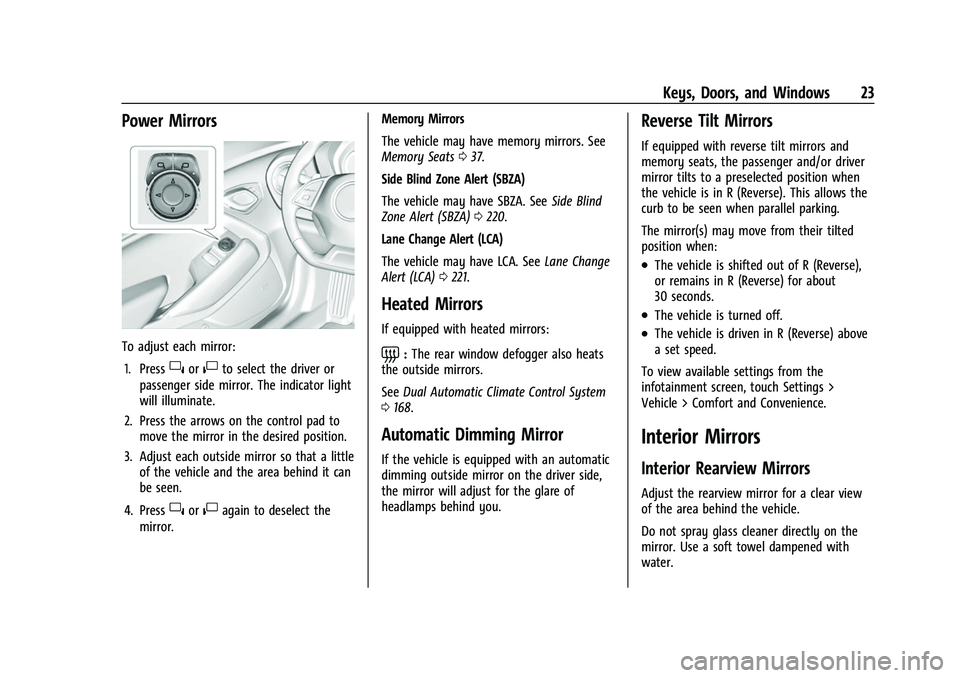
Power Mirrors
To adjust each mirror:1. Press
}or|to select the driver or
passenger side mirror. The indicator light
will illuminate.
2. Press the arrows on the control pad to move the mirror in the desired position.
3. Adjust each outside mirror so that a little of the vehicle and the area behind it can
be seen.
4. Press
}or|again to deselect the
mirror. Memory Mirrors
The vehicle may have memory mirrors. See
Memory Seats
037.
Side Blind Zone Alert (SBZA)
The vehicle may have SBZA. See Side Blind
Zone Alert (SBZA) 0220.
Lane Change Alert (LCA)
The vehicle may have LCA. See Lane Change
Alert (LCA) 0221.
Heated Mirrors
If equipped with heated mirrors:
=:The rear window defogger also heats
the outside mirrors.
See Dual Automatic Climate Control System
0 168.
Automatic Dimming Mirror
If the vehicle is equipped with an automatic
dimming outside mirror on the driver side,
the mirror will adjust for the glare of
headlamps behind you.
Reverse Tilt Mirrors
If equipped with reverse tilt mirrors and
memory seats, the passenger and/or driver
mirror tilts to a preselected position when
the vehicle is in R (Reverse). This allows the
curb to be seen when parallel parking.
The mirror(s) may move from their tilted
position when:
.The vehicle is shifted out of R (Reverse),
or remains in R (Reverse) for about
30 seconds.
.The vehicle is turned off.
.The vehicle is driven in R (Reverse) above
a set speed.
To view available settings from the
infotainment screen, touch Settings >
Vehicle > Comfort and Convenience.
Interior Mirrors
Interior Rearview Mirrors
Adjust the rearview mirror for a clear view
of the area behind the vehicle.
Do not spray glass cleaner directly on the
mirror. Use a soft towel dampened with
water.
Page 25 of 345
Chevrolet Camaro Owner Manual (GMNA-Localizing-U.S./Canada/Mexico-
16408685) - 2023 - CRC - 3/28/22
24 Keys, Doors, and Windows
Manual Rearview Mirror
If equipped, push the tab forward for
daytime use and pull it for nighttime use to
avoid glare from the headlamps from
behind.
Automatic Dimming Rearview
Mirror
If equipped, automatic dimming reduces the
glare of headlamps from behind. The
dimming feature comes on when the vehicle
is started.
Rear Camera Mirror
If equipped, the automatic dimming mirror
provides a wide angle camera view of the
area behind the vehicle.
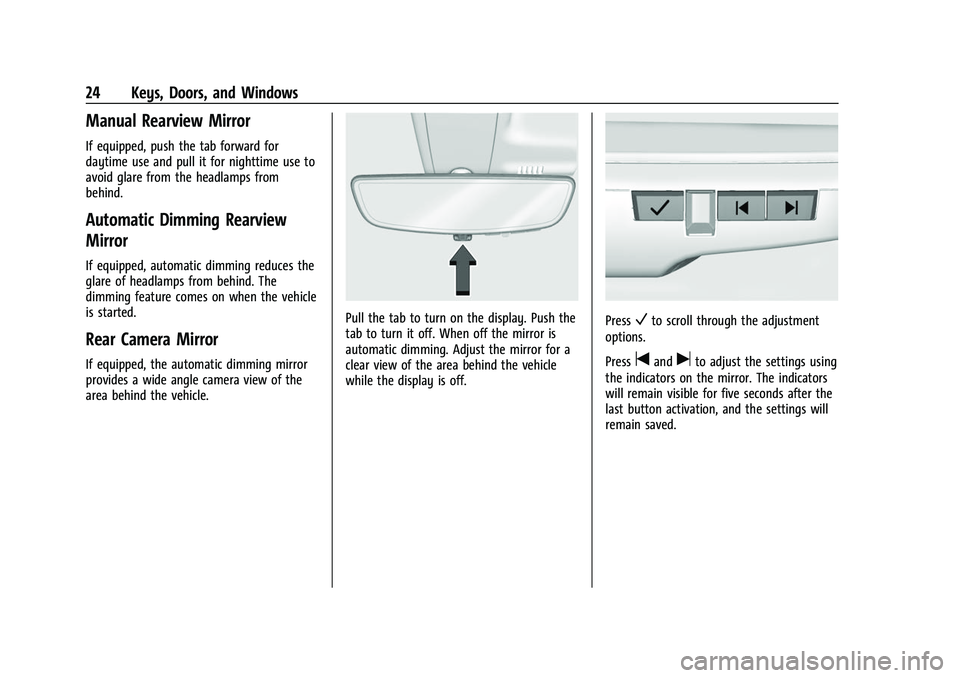
Pull the tab to turn on the display. Push the
tab to turn it off. When off the mirror is
automatic dimming. Adjust the mirror for a
clear view of the area behind the vehicle
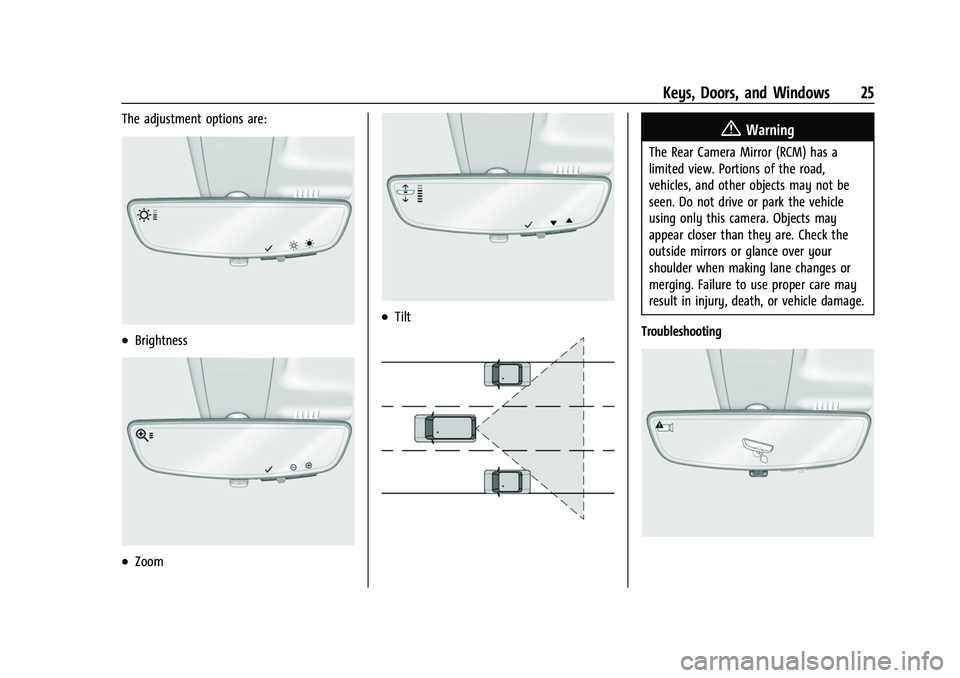
while the display is off.PressVto scroll through the adjustment
options.
Press
tanduto adjust the settings using
the indicators on the mirror. The indicators
will remain visible for five seconds after the
last button activation, and the settings will
remain saved.
Page 26 of 345
Chevrolet Camaro Owner Manual (GMNA-Localizing-U.S./Canada/Mexico-
16408685) - 2023 - CRC - 3/28/22
Keys, Doors, and Windows 25
The adjustment options are:
.Brightness
.Zoom
.Tilt
{Warning
The Rear Camera Mirror (RCM) has a
limited view. Portions of the road,
vehicles, and other objects may not be
seen. Do not drive or park the vehicle
using only this camera. Objects may
appear closer than they are. Check the
outside mirrors or glance over your
shoulder when making lane changes or
merging. Failure to use proper care may
result in injury, death, or vehicle damage.
Troubleshooting
Page 27 of 345
Chevrolet Camaro Owner Manual (GMNA-Localizing-U.S./Canada/Mexico-
16408685) - 2023 - CRC - 3/28/22
26 Keys, Doors, and Windows
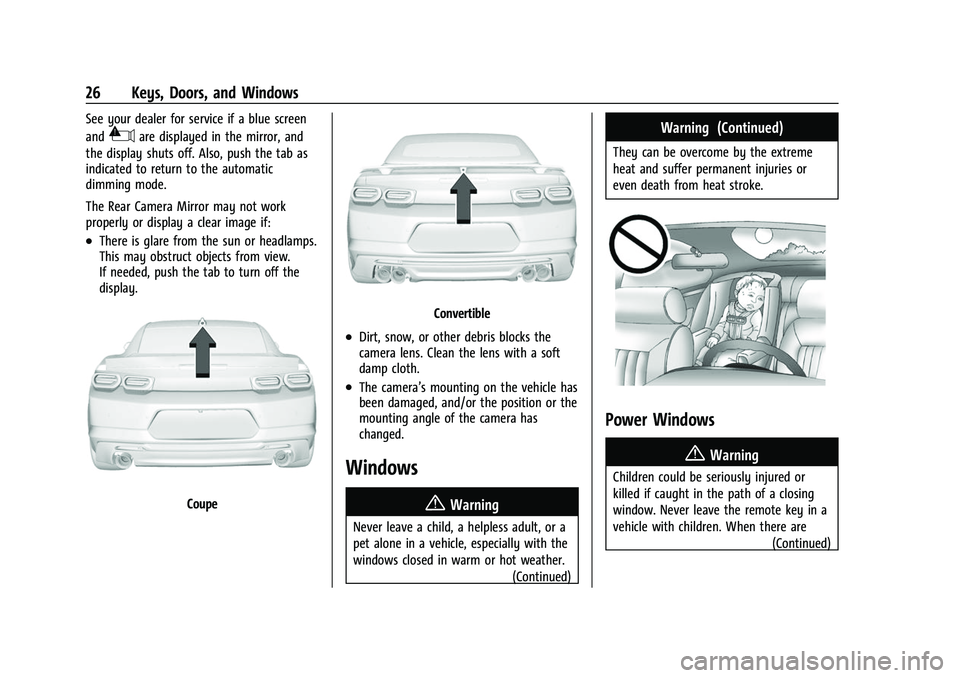
See your dealer for service if a blue screen
and
3are displayed in the mirror, and
the display shuts off. Also, push the tab as
indicated to return to the automatic
dimming mode.
The Rear Camera Mirror may not work
properly or display a clear image if:
.There is glare from the sun or headlamps.
This may obstruct objects from view.
If needed, push the tab to turn off the
display.
Coupe
Convertible
.Dirt, snow, or other debris blocks the
camera lens. Clean the lens with a soft
damp cloth.
.The camera’s mounting on the vehicle has
been damaged, and/or the position or the
mounting angle of the camera has
changed.
Windows
{
Warning
Never leave a child, a helpless adult, or a
pet alone in a vehicle, especially with the
windows closed in warm or hot weather. (Continued)
Warning (Continued)
They can be overcome by the extreme
heat and suffer permanent injuries or
even death from heat stroke.
Power Windows
{Warning
Children could be seriously injured or
killed if caught in the path of a closing
window. Never leave the remote key in a
vehicle with children. When there are(Continued)
Page 168 of 345
Chevrolet Camaro Owner Manual (GMNA-Localizing-U.S./Canada/Mexico-
16408685) - 2023 - CRC - 3/28/22
Climate Controls 167
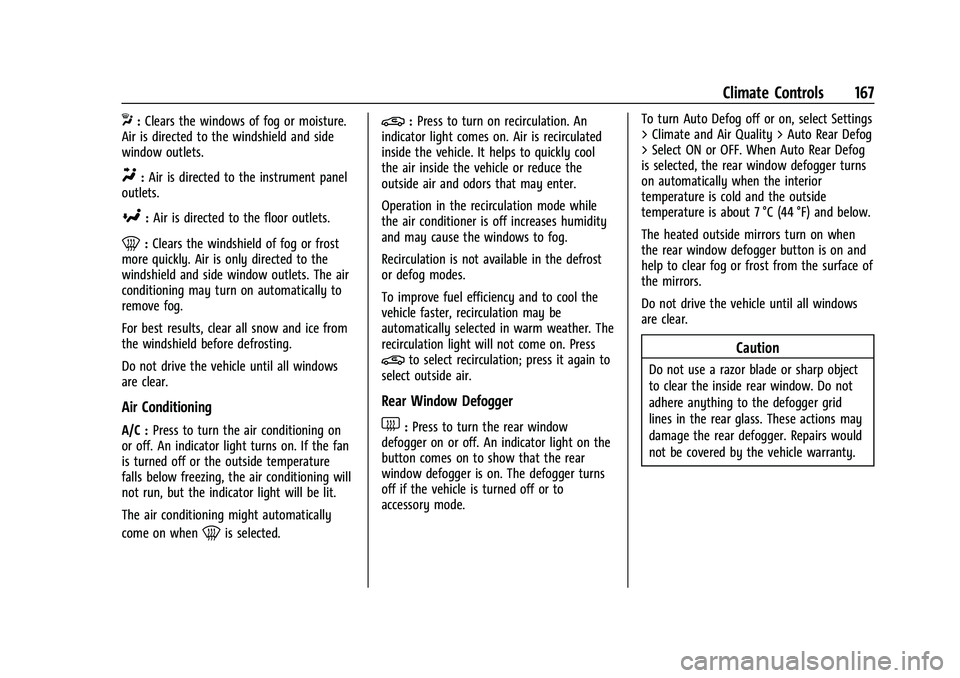
X:Clears the windows of fog or moisture.
Air is directed to the windshield and side
window outlets.
Y: Air is directed to the instrument panel
outlets.
[: Air is directed to the floor outlets.
0:Clears the windshield of fog or frost
more quickly. Air is only directed to the
windshield and side window outlets. The air
conditioning may turn on automatically to
remove fog.
For best results, clear all snow and ice from
the windshield before defrosting.
Do not drive the vehicle until all windows
are clear.
Air Conditioning
A/C : Press to turn the air conditioning on
or off. An indicator light turns on. If the fan
is turned off or the outside temperature
falls below freezing, the air conditioning will
not run, but the indicator light will be lit.
The air conditioning might automatically
come on when
0is selected.
@: Press to turn on recirculation. An
indicator light comes on. Air is recirculated
inside the vehicle. It helps to quickly cool
the air inside the vehicle or reduce the
outside air and odors that may enter.
Operation in the recirculation mode while
the air conditioner is off increases humidity
and may cause the windows to fog.
Recirculation is not available in the defrost
or defog modes.
To improve fuel efficiency and to cool the
vehicle faster, recirculation may be
automatically selected in warm weather. The
recirculation light will not come on. Press
@to select recirculation; press it again to
select outside air.
Rear Window Defogger
1: Press to turn the rear window
defogger on or off. An indicator light on the
button comes on to show that the rear
window defogger is on. The defogger turns
off if the vehicle is turned off or to
accessory mode. To turn Auto Defog off or on, select Settings
> Climate and Air Quality > Auto Rear Defog
> Select ON or OFF. When Auto Rear Defog
is selected, the rear window defogger turns
on automatically when the interior
temperature is cold and the outside
temperature is about 7 °C (44 °F) and below.
The heated outside mirrors turn on when
the rear window defogger button is on and
help to clear fog or frost from the surface of
the mirrors.
Do not drive the vehicle until all windows
are clear.
Caution
Do not use a razor blade or sharp object
to clear the inside rear window. Do not
adhere anything to the defogger grid
lines in the rear glass. These actions may
damage the rear defogger. Repairs would
not be covered by the vehicle warranty.
Page 171 of 345
Chevrolet Camaro Owner Manual (GMNA-Localizing-U.S./Canada/Mexico-
16408685) - 2023 - CRC - 3/28/22
170 Climate Controls
SYNC :Press to link the passenger climate
temperature settings to the driver setting.
The SYNC indicator light will turn on. When
the passenger settings are adjusted, the
SYNC indicator light turns off.
Manual Operation
O: Press to turn the fan off or on.
hori:Press to increase or decrease the
fan speed.
Air Delivery Mode Controls : Press
X,Y,
or
[to change the direction of the
airflow. Any combination of the three
buttons can be selected. The indicator light
in the button will turn on. The current mode
appears in the display screen. Pressing any
of the three buttons cancels automatic air
delivery control and the direction of the
airflow is controlled manually. Press AUTO
to return to automatic operation.
To change the current mode, select one or
more of the following:
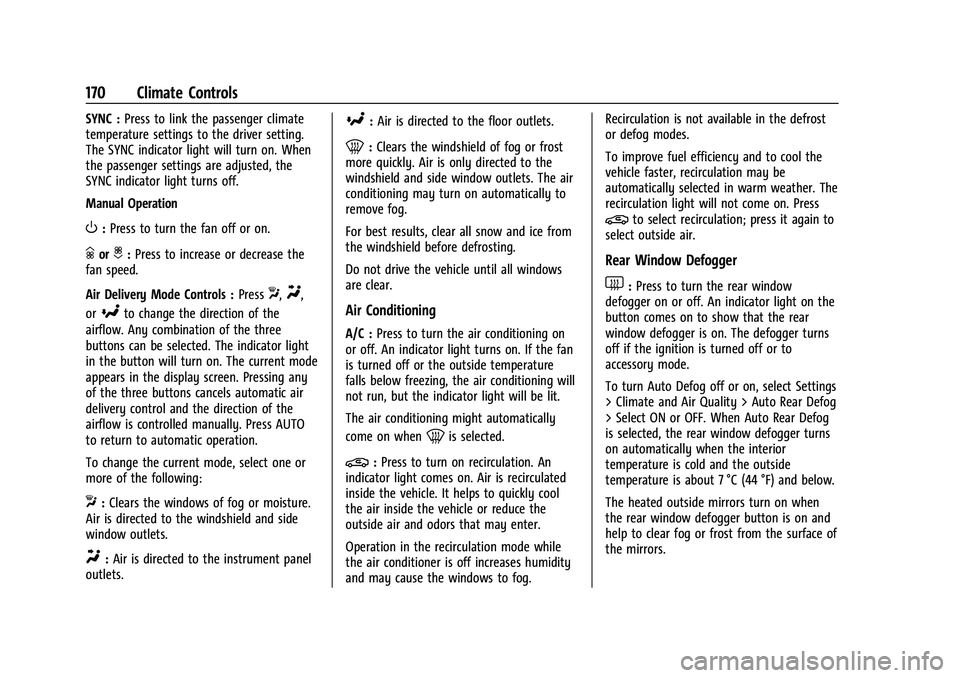
X: Clears the windows of fog or moisture.
Air is directed to the windshield and side
window outlets.
Y: Air is directed to the instrument panel
outlets.
[: Air is directed to the floor outlets.
0:Clears the windshield of fog or frost
more quickly. Air is only directed to the
windshield and side window outlets. The air
conditioning may turn on automatically to
remove fog.
For best results, clear all snow and ice from
the windshield before defrosting.
Do not drive the vehicle until all windows
are clear.
Air Conditioning
A/C : Press to turn the air conditioning on
or off. An indicator light turns on. If the fan
is turned off or the outside temperature
falls below freezing, the air conditioning will
not run, but the indicator light will be lit.
The air conditioning might automatically
come on when
0is selected.
@: Press to turn on recirculation. An
indicator light comes on. Air is recirculated
inside the vehicle. It helps to quickly cool
the air inside the vehicle or reduce the
outside air and odors that may enter.
Operation in the recirculation mode while
the air conditioner is off increases humidity
and may cause the windows to fog. Recirculation is not available in the defrost
or defog modes.
To improve fuel efficiency and to cool the
vehicle faster, recirculation may be
automatically selected in warm weather. The
recirculation light will not come on. Press
@to select recirculation; press it again to
select outside air.
Rear Window Defogger
1: Press to turn the rear window
defogger on or off. An indicator light on the
button comes on to show that the rear
window defogger is on. The defogger turns
off if the ignition is turned off or to
accessory mode.
To turn Auto Defog off or on, select Settings
> Climate and Air Quality > Auto Rear Defog
> Select ON or OFF. When Auto Rear Defog
is selected, the rear window defogger turns
on automatically when the interior
temperature is cold and the outside
temperature is about 7 °C (44 °F) and below.
The heated outside mirrors turn on when
the rear window defogger button is on and
help to clear fog or frost from the surface of
the mirrors.
Page 178 of 345
Chevrolet Camaro Owner Manual (GMNA-Localizing-U.S./Canada/Mexico-
16408685) - 2023 - CRC - 3/28/22
Driving and Operating 177
2. Turn the steering wheel aboutone-eighth of a turn, until the right front
tire contacts the pavement edge.
3. Turn the steering wheel to go straight down the roadway.
Loss of Control
Skidding
There are three types of skids that
correspond to the vehicle's three control
systems:
.Braking Skid —wheels are not rolling.
.Steering or Cornering Skid —too much
speed or steering in a curve causes tires
to slip and lose cornering force.
.Acceleration Skid —too much throttle
causes the driving wheels to spin.
Defensive drivers avoid most skids by taking
reasonable care suited to existing conditions,
and by not overdriving those conditions. But
skids are always possible.
If the vehicle starts to slide, follow these
suggestions:
.Ease your foot off the accelerator pedal
and steer the way you want the vehicle
to go. The vehicle may straighten out. Be
ready for a second skid if it occurs.
.Slow down and adjust your driving
according to weather conditions. Stopping
distance can be longer and vehicle control
can be affected when traction is reduced
by water, snow, ice, gravel, or other
material on the road. Learn to recognize
warning clues —such as enough water,
ice, or packed snow on the road to make
a mirrored surface —and slow down
when you have any doubt.
.Try to avoid sudden steering, acceleration,
or braking, including reducing vehicle
speed by shifting to a lower gear. Any
sudden changes could cause the tires to
slide.
Remember: Antilock brakes help avoid only
the braking skid.
Track Events and Competitive
Driving
{Danger
High-performance features are intended
for use only on closed tracks by
experienced and qualified drivers and
should not be used on public roads.
High-speed driving, aggressive cornering,
hard braking, and other high-performance (Continued)
Danger (Continued)
driving can be dangerous. Improper driver
inputs for the conditions may result in
loss of control of the vehicle, which could
injure or kill you or others. Always drive
safely.
If the vehicle is a Camaro High Performance
model, see the additional items in the
Camaro High Performance supplement.
Track events or competitive driving may
affect the vehicle warranty. See the
warranty manual before using the vehicle
for racing or other competitive driving.
The Engine Sound Management setting (if
equipped) should not be set to Stealth Mode
during track events and competitive driving.
See Driver Mode Control 0209.
{Warning
Prior to each track event and again
before returning to public roads, tighten
the wheel nuts with a torque wrench to
the proper torque specification. Wheel
nuts that are improperly or incorrectly
tightened can cause the wheels to
(Continued)
Page 188 of 345
Chevrolet Camaro Owner Manual (GMNA-Localizing-U.S./Canada/Mexico-
16408685) - 2023 - CRC - 3/28/22
Driving and Operating 187
{Warning
Coasting downhill in N (Neutral) or with
the ignition off is dangerous. This can
cause overheating of the brakes and loss
of steering assist. Always have the engine
running and the vehicle in gear.
.Drive at speeds that keep the vehicle in
its own lane. Do not swing wide or cross
the center line.
.Be alert on top of hills; something could
be in your lane (e.g., stalled car, crash).
.Pay attention to special road signs (e.g.,
falling rocks area, winding roads, long
grades, passing or no-passing zones) and
take appropriate action.
Winter Driving
Driving on Snow or IceCaution
To avoid damage to the wheels and
brake components, always clear snow and
ice from inside the wheels and
underneath the vehicle before driving. Snow or ice between the tires and the road
creates less traction or grip, so drive
carefully. Wet ice can occur at about 0 °C
(32 °F) when freezing rain begins to fall.
Avoid driving on wet ice or in freezing rain
until roads can be treated.
For Slippery Road Driving:
.Accelerate gently. Accelerating too quickly
causes the wheels to spin and makes the
surface under the tires slick.
.Turn on Traction Control. See
Traction
Control/Electronic Stability Control 0207.
.The Antilock Brake System (ABS) improves
vehicle stability during hard stops, but
the brakes should be applied sooner than
when on dry pavement. See Antilock
Brake System (ABS) 0205.
.Allow greater following distance and
watch for slippery spots. Icy patches can
occur on otherwise clear roads in shaded
areas. The surface of a curve or an
overpass can remain icy when the
surrounding roads are clear. Avoid sudden
steering maneuvers and braking while
on ice.
.Turn off cruise control.
Blizzard Conditions
Stop the vehicle in a safe place and signal
for help. Stay with the vehicle unless there
is help nearby. If possible, use Roadside
Assistance. See Roadside Assistance Program
0 317. To get help and keep everyone in the
vehicle safe:
.Turn on the hazard warning flashers.
.Tie a red cloth to an outside mirror.
{Warning
Snow can trap engine exhaust under the
vehicle. This may cause exhaust gases to
get inside. Engine exhaust contains
carbon monoxide (CO), which cannot be
seen or smelled. It can cause
unconsciousness and even death.
If the vehicle is stuck in snow:
.Clear snow from the base of the
vehicle, especially any blocking the
exhaust pipe.
.Open a window about 5 cm (2 in) on
the vehicle side that is away from the
wind, to bring in fresh air.
.Fully open the air outlets on or under
the instrument panel.
(Continued)