remote control CHEVROLET CAPTIVA SPORT 2013 User Guide
[x] Cancel search | Manufacturer: CHEVROLET, Model Year: 2013, Model line: CAPTIVA SPORT, Model: CHEVROLET CAPTIVA SPORT 2013Pages: 374, PDF Size: 6.66 MB
Page 34 of 374
Black plate (8,1)Chevrolet Captiva Sport Owner Manual - 2013 - crc - 11/12/12
2-8 Keys, Doors, and Windows
Doors Liftgate
{ WARNINGExhaust gases can enter the
vehicle if it is driven with the
liftgate, trunk/hatch open, or with
any objects that pass through the
seal between the body and the
trunk/hatch or liftgate. Engine
exhaust contains Carbon
Monoxide (CO) which cannot be
seen or smelled. It can cause
unconsciousness and even death.
If the vehicle must be driven with
the liftgate, or trunk/hatch open: .
Close all of the windows. .
Fully open the air outlets on
or under the instrument
panel.
(Continued) WARNING (Continued) .
Adjust the Climate Control
system to a setting that
brings in only outside air and
set the fan speed to the
highest setting. See Climate
Control System in the Index. .
If the vehicle is equipped with
a power liftgate, disable the
power liftgate function.
For more information about
carbon monoxide, see Engine
Exhaust on page 9 ‑ 19 .
Notice: To avoid damage to the
liftgate or liftgate glass, make
sure the area above and behind
the liftgate is clear before
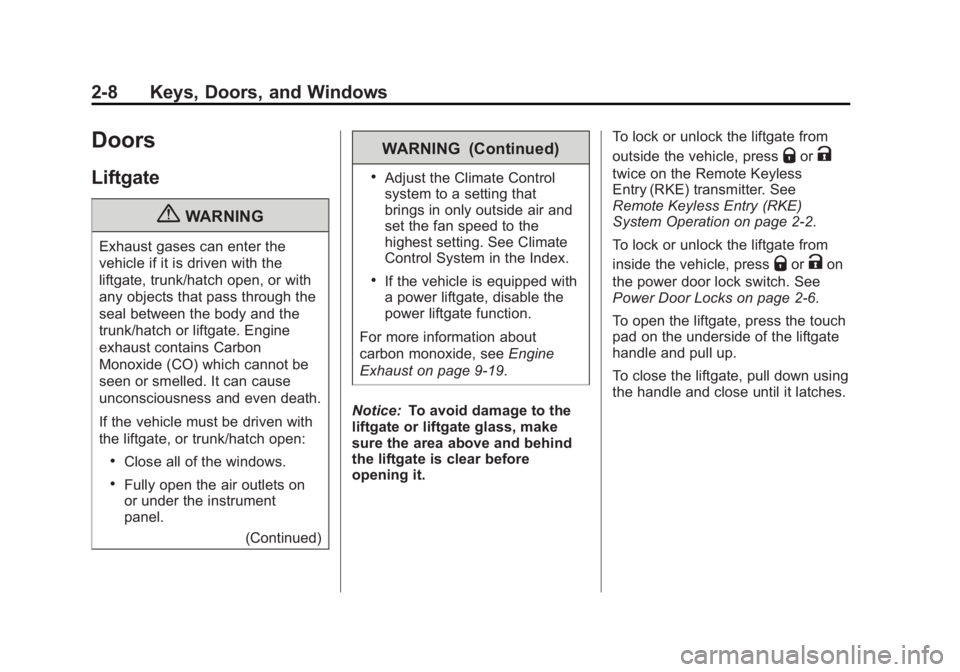
opening it. To lock or unlock the liftgate from
outside the vehicle, press
Q or
Ktwice on the Remote Keyless
Entry (RKE) transmitter. See
Remote Keyless Entry (RKE)
System Operation on page 2 ‑ 2 .
To lock or unlock the liftgate from
inside the vehicle, press
Q or
K on
the power door lock switch. See
Power Door Locks on page 2 ‑ 6 .
To open the liftgate, press the touch
pad on the underside of the liftgate
handle and pull up.
To close the liftgate, pull down using
the handle and close until it latches.
Page 98 of 374
Black plate (2,1)Chevrolet Captiva Sport Owner Manual - 2013 - crc - 11/12/12
5-2 Instruments and Controls Object Detection System
Messages . . . . . . . . . . . . . . . . . . 5-32
Ride Control System
Messages . . . . . . . . . . . . . . . . . . 5-32
Airbag System Messages . . . . 5-33
Service Vehicle Messages . . . 5-34
Tire Messages . . . . . . . . . . . . . . . 5-34
Transmission Messages . . . . . 5-35
Vehicle Reminder
Messages . . . . . . . . . . . . . . . . . . 5-35
Vehicle Personalization Vehicle Personalization . . . . . . 5-36
Universal Remote System Universal Remote System . . . 5-41
Universal Remote System
Programming . . . . . . . . . . . . . . . 5-41
Universal Remote System
Operation . . . . . . . . . . . . . . . . . . 5-44 Controls Steering Wheel
Adjustment
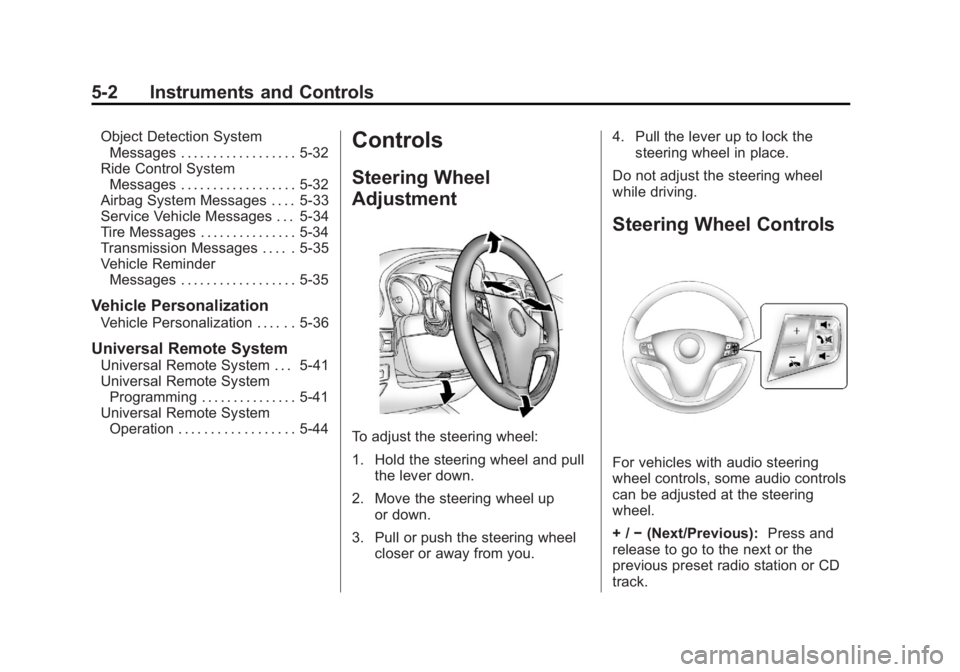
To adjust the steering wheel:
1. Hold the steering wheel and pull
the lever down.
2. Move the steering wheel up
or down.
3. Pull or push the steering wheel
closer or away from you. 4. Pull the lever up to lock the
steering wheel in place.
Do not adjust the steering wheel
while driving.
Steering Wheel Controls
For vehicles with audio steering
wheel controls, some audio controls
can be adjusted at the steering
wheel.
+ / − (Next/Previous): Press and
release to go to the next or the
previous preset radio station or CD
track.
Page 109 of 374
Black plate (13,1)Chevrolet Captiva Sport Owner Manual - 2013 - crc - 11/12/12
Instruments and Controls 5-13information. The instrument panel
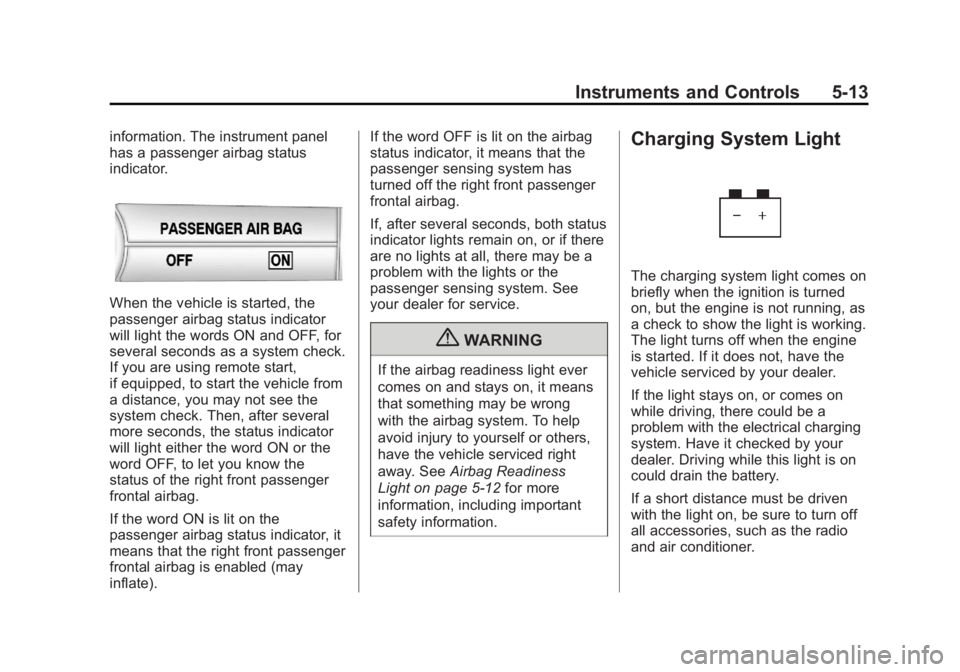
has a passenger airbag status
indicator.
When the vehicle is started, the
passenger airbag status indicator
will light the words ON and OFF, for
several seconds as a system check.
If you are using remote start,
if equipped, to start the vehicle from
a distance, you may not see the
system check. Then, after several
more seconds, the status indicator
will light either the word ON or the
word OFF, to let you know the
status of the right front passenger
frontal airbag.
If the word ON is lit on the
passenger airbag status indicator, it
means that the right front passenger
frontal airbag is enabled (may
inflate). If the word OFF is lit on the airbag
status indicator, it means that the
passenger sensing system has
turned off the right front passenger
frontal airbag.
If, after several seconds, both status
indicator lights remain on, or if there
are no lights at all, there may be a
problem with the lights or the
passenger sensing system. See
your dealer for service.
{ WARNINGIf the airbag readiness light ever
comes on and stays on, it means
that something may be wrong
with the airbag system. To help
avoid injury to yourself or others,
have the vehicle serviced right
away. See Airbag Readiness
Light on page 5 ‑ 12 for more
information, including important
safety information. Charging System Light
The charging system light comes on
briefly when the ignition is turned
on, but the engine is not running, as
a check to show the light is working.
The light turns off when the engine
is started. If it does not, have the
vehicle serviced by your dealer.
If the light stays on, or comes on
while driving, there could be a
problem with the electrical charging
system. Have it checked by your
dealer. Driving while this light is on
could drain the battery.
If a short distance must be driven
with the light on, be sure to turn off
all accessories, such as the radio
and air conditioner.
Page 125 of 374
Black plate (29,1)Chevrolet Captiva Sport Owner Manual - 2013 - crc - 11/12/12
Instruments and Controls 5-29STEP ON BRAKE TO
RELEASE PARK BRAKE For vehicles with the Electric
Parking Brake, this message
displays if you try to release the
parking brake without first pressing
the brake pedal. See Parking Brake
on page 9 ‑ 25 for more information.
Compass Messages CALIBRATING COMPASS:
TURN IN CIRCLES This message displays when
calibrating the compass. Drive the
vehicle in circles at less than
8 km/h (5 mph) to complete the
calibration. See Compass on
page 5 ‑ 4 .
COMPASS CALIBRATION
COMPLETE
This message displays when the
compass calibration is complete.
See Compass on page 5 ‑ 4 .Cruise Control Messages CRUISE SET TO XXX This message will display when the
cruise control is set and it will show
the speed it was set to. See Cruise
Control on page 9 ‑ 29 for more
information.
Door Ajar Messages DRIVER DOOR OPEN This message will display when the
driver door is not closed properly.
Close the door completely.
HOOD OPEN If the vehicle has the remote start
feature, this message displays
along with a chime when the hood is
not closed properly. Make sure that
the hood is closed completely. See
Hood on page 10 ‑ 3 . This message
displays while the ignition is in ON/
RUN. Press any of the DIC buttons
to acknowledge this message and
to clear it from the screen. This message continues to display
for two seconds if it has not been
acknowledged when the engine is
turned off. The message comes
back on for two seconds if it has
been acknowledged, but the
condition still exists when the
engine is turned off. If the condition
still exists, the message reappears
when the engine is turned on.
LIFTGATE OPEN This message will display when the
liftgate is not closed properly. Close
the liftgate completely.
PASSENGER DOOR OPEN This message will display when the
passenger doors are not closed
properly. Close the door completely.
Page 128 of 374
Black plate (32,1)Chevrolet Captiva Sport Owner Manual - 2013 - crc - 11/12/12
5-32 Instruments and Controls cap allows fuel to evaporate into the
atmosphere. A few driving trips with
the cap properly installed should
turn this light and message off.
Key and Lock Messages REPLACE REMOTE KEY FOB
BATTERY This message displays if a Remote
Keyless Entry (RKE) transmitter
battery is low. The battery needs to
be replaced in the transmitter. See
“ Battery Replacement ” under
Remote Keyless Entry (RKE)
System Operation on page 2 ‑ 2 .
Lamp Messages AUTOMATIC LIGHT
CONTROL ON
This message displays when the
automatic headlamp system is
activated by turning the exterior
lamps control to AUTO. AUTOMATIC LIGHT
CONTROL OFF This message displays when the
automatic headlamp system has
been turned off.
Object Detection System
Messages PARK ASST (Assist)
BLOCKED SEE OWNERS
MANUAL This message displays if there is
something interfering with the park
assist system. See Ultrasonic
Parking Assist on page 9 ‑ 31 for
more information.
PARK ASSIST OFF
After the vehicle has been started,
this message displays to remind the
driver that the URPA system has
been turned off. Press the set/reset
button or the trip odometer reset
stem to acknowledge this message and clear it from the DIC display.
For more information see Ultrasonic
Parking Assist on page 9 ‑ 31 .
SERVICE PARK ASSIST This message displays if there is a
problem with the Ultrasonic Rear
Parking Assist (URPA) system. Do
not use this system to help you
park. See Ultrasonic Parking Assist
on page 9 ‑ 31 for more information.
See your dealer for service.
Ride Control System
Messages SERVICE STABILITRAK This message displays if there is a
problem with the StabiliTrak ®
system. A warning light also
appears on the instrument cluster.
See StabiliTrak ®
Indicator Light on
page 5 ‑ 19 . See StabiliTrak ®
System
on page 9 ‑ 28 for more information.
If this message turns on while you
are driving, pull off the road as soon
as possible and stop carefully. Try
Page 133 of 374
Black plate (37,1)Chevrolet Captiva Sport Owner Manual - 2013 - crc - 11/12/12
Instruments and Controls 5-37AUTO DOOR LOCK
This feature allows you to select
when the vehicle's doors will
automatically lock. See Automatic
Door Locks on page 2 ‑ 6 .
Press
U until PRESS
V TO SET
AUTO DOOR LOCK appears on the
DIC display. Press
V once to
access the settings for this feature.
Then press
U to scroll through the
following settings:
SHIFT OUT OF PARK (default):
The doors will automatically lock
when the vehicle is shifted out of
P (Park).
AT VEHICLE SPEED: The doors
will automatically lock when the
vehicle speed is above 13 km/h
(8 mph) for three seconds.
NO CHANGE: No change will be
made to this feature. The current
setting will remain.
To select a setting, press
V while
the desired setting is displayed on
the DIC. AUTO DOOR UNLOCK
This feature allows you to select
whether or not to turn off the
automatic door unlocking feature.
It also allows you to select which
doors and when the doors will
automatically unlock. See Automatic
Door Locks on page 2 ‑ 6 .
Press
U until PRESS
V TO SET
AUTO DOOR UNLOCK appears on
the DIC display. Press
V once to
access the settings for this feature.
Then press
U to scroll through the
following settings:
OFF: None of the doors will
automatically unlock.
DRIVER DOOR AT KEY OUT:
Only the driver door will unlock
when the key is taken out of the
ignition.
DRIVER DOOR IN PARK: Only the
driver door will unlock when the
vehicle is shifted into P (Park). ALL DOORS AT KEY OUT: All of
the doors will unlock when the key
is taken out of the ignition.
ALL DOORS IN PARK (default):
All of the doors will unlock when the
vehicle is shifted into P (Park).
NO CHANGE: No change will be
made to this feature. The current
setting will remain.
To select a setting, press
V while
the desired setting is displayed on
the DIC.
REMOTE DOOR LOCK
This feature allows you to select the
type of feedback you will receive
when locking the vehicle with the
Remote Keyless Entry (RKE)
transmitter. You will not receive
feedback when locking the vehicle
with the RKE transmitter if the doors
are open. See Remote Keyless
Entry (RKE) System Operation on
page 2 ‑ 2 .
Page 134 of 374
Black plate (38,1)Chevrolet Captiva Sport Owner Manual - 2013 - crc - 11/12/12
5-38 Instruments and Controls Press
U until PRESS
V TO SET
REMOTE DOOR LOCK appears on
the DIC display. Press
V once to
access the settings for this feature.
Then press
U to scroll through the
following settings:
VERIFICATION OFF: There will be
no feedback when you press
Q on
the RKE transmitter.
VERIFICATION LIGHTS ONLY:
The exterior lamps will flash when
you press
Q on the RKE transmitter.
VERIFICATION HORN ONLY: The
horn will sound on the second press
of
Q on the RKE transmitter.
VERIFICATION HORN & LIGHTS
(default): The exterior lamps will
flash when you press
Q on the RKE
transmitter, and the horn will sound
when
Q is pressed again within
five seconds of the previous
command. VERIFICATION NO CHANGE: No
change will be made to this feature.
The current setting will remain.
To select a setting, press
V while
the desired setting is displayed on
the DIC.
REMOTE DOOR UNLOCK
This feature allows you to select the
type of feedback you will receive
when unlocking the vehicle with the
Remote Keyless Entry (RKE)
transmitter. You will not receive
feedback when unlocking the
vehicle with the RKE transmitter if
the doors are open. See Remote
Keyless Entry (RKE) System
Operation on page 2 ‑ 2 .
Press
U until PRESS
V TO SET
REMOTE DOOR UNLOCK appears
on the DIC display. Press
V once to
access the settings for this feature. Then press
U to scroll through the
following settings:
VERIF LIGHTS OFF: The exterior
lamps will not flash when you press
K on the RKE transmitter.
VERIF LIGHTS ON (default): The
exterior lamps will flash when you
press
K on the RKE transmitter.
VERIF NO CHANGE: No change
will be made to this feature. The
current setting will remain.
To select a setting, press
V while
the desired setting is displayed on
the DIC.
DELAY DOOR LOCK
This feature allows you to select
whether or not the locking of the
vehicle's doors will be delayed.
When locking the doors with the
power door lock switch and a door
is open, this feature will delay
locking the doors until five seconds
after the last door is closed. You will
hear three chimes to signal that the
delayed locking feature is in use.
Page 135 of 374
Black plate (39,1)Chevrolet Captiva Sport Owner Manual - 2013 - crc - 11/12/12
Instruments and Controls 5-39The key must be out of the ignition
for this feature to work. You can
temporarily override delayed locking
by pressing the power door lock
switch twice or the lock button on
the RKE transmitter twice. See
Delayed Locking on page 2 ‑ 6 .
Press
U until PRESS
V TO SET
DELAY DOOR LOCK appears on
the DIC display. Press
V once to
access the settings for this feature.
Then press
U to scroll through the
following settings:
OFF: There will be no delayed
locking of the vehicle's doors.
ON (default): The doors will not
lock until five seconds after the last
door is closed.
NO CHANGE: No change will be
made to this feature. The current
setting will remain.
To select a setting, press
V while
the desired setting is displayed on
the DIC. EXIT LIGHTING
This feature allows you to select the
amount of time you want the
exterior lamps to remain on when it
is dark enough outside. This
happens after the key is turned from
ON/RUN to LOCK/OFF.
Press
U until PRESS
V TO SET
EXIT LIGHTING appears on the DIC
display. Press
V once to access the
settings for this feature. Then press
U to scroll through the following
settings:
OFF: The exterior lamps will not
turn on.
10 SECONDS (default): The
exterior lamps will stay on for
10 seconds.
30 SECONDS: The exterior lamps
will stay on for 30 seconds.
2 MINUTES: The exterior lamps will
stay on for two minutes.
NO CHANGE: No change will be
made to this feature. The current
setting will remain. To select a setting, press
V while
the desired setting is displayed on
the DIC.
APPROACH LIGHTING
This feature allows you to select
whether or not to have the exterior
lamps turn on briefly during low light
periods after unlocking the vehicle
using the Remote Keyless Entry
(RKE) transmitter.
Press
U until PRESS
V TO SET
APPROACH LIGHTING appears on
the DIC display. Press
V once to
access the settings for this feature.
Then press
U to scroll through the
following settings:
OFF: The exterior lamps will not
turn on when you unlock the vehicle
with the RKE transmitter.
ON (default): If it is dark enough
outside, the exterior lamps will turn
on briefly when you unlock the
vehicle with the RKE transmitter.
Page 136 of 374
Black plate (40,1)Chevrolet Captiva Sport Owner Manual - 2013 - crc - 11/12/12
5-40 Instruments and Controls The lamps will remain on for
20 seconds or until
Q on the RKE
transmitter is pressed, or the vehicle
is no longer off. See Remote
Keyless Entry (RKE) System
Operation on page 2 ‑ 2 .
NO CHANGE: No change will be
made to this feature. The current
setting will remain.
To select a setting, press
V while
the desired setting is displayed on
the DIC.
CHIME VOLUME
This feature allows you to select the
volume level of the chime.
Press
U until PRESS
V TO SET
CHIME VOLUME appears on the
DIC display. Press
V once to
access the settings for this feature.
Then press
U to scroll through the
following settings:
NORMAL: The chime volume will
be set to a normal level. LOUD: The chime volume will be
set to a loud level.
NO CHANGE: No change will be
made to this feature. The current
setting will remain.
There is no default for chime
volume. The volume will stay at the
last known setting.
To select a setting, press
V while
the desired setting is displayed on
the DIC.
REMOTE START
If the vehicle has this feature, it
allows you to turn the remote start
off or on. The remote start feature
allows you to start the engine from
outside of the vehicle using the
Remote Keyless Entry (RKE)
transmitter. See Remote Vehicle
Start on page 2 ‑ 4 . Press
U until PRESS
V TO SET
REMOTE START appears on the
DIC display. Press
V once to
access the settings for this feature.
Then press
U to scroll through the
following settings:
OFF: The remote start feature will
be disabled.
ON (default): The remote start
feature will be enabled.
NO CHANGE: No change will be
made to this feature. The current
setting will remain.
To select a setting, press
V while
the desired setting is displayed on
the DIC.
FACTORY SETTINGS
This feature allows you to set all of
the customization features back to
their factory default settings.
Page 137 of 374
Black plate (41,1)Chevrolet Captiva Sport Owner Manual - 2013 - crc - 11/12/12
Instruments and Controls 5-41Press
U until PRESS
V TO
RESTORE DEFAULTS appears on
the DIC display. Press
V once to
access the settings for this feature.
Then press
U to scroll through the
following settings:
RESTORE (default): The
customization features will be set to
their factory default settings.
NO CHANGE: The customization
features will not be set to their
factory default settings.
To select a setting, press
V while
the desired setting is displayed on
the DIC.
EXIT FEATURE SETTINGS
This feature allows you to exit the
feature settings menu.
Press
U until PRESS
V TO EXIT
FEATURE SETTINGS appears in
the DIC display. Press
V once to
exit the menu. If you do not exit, pressing
U again
will return you to the beginning of
the feature settings menu.
Exiting the Feature
Settings Menu The feature settings menu will be
exited when any of the following
occurs: .
The vehicle is no longer in
ON/RUN. .
The
3 or
T DIC buttons are
pressed. .
The end of the feature settings
menu is reached and exited. .
A 40-second time period has
elapsed with no selection made. Universal Remote
System See Radio Frequency Statement on
page 13 ‑ 20 for information
regarding Part 15 of the Federal
Communications Commission (FCC)
rules and Industry Canada
Standards RSS-GEN/210/220/310.
Universal Remote System
Programming
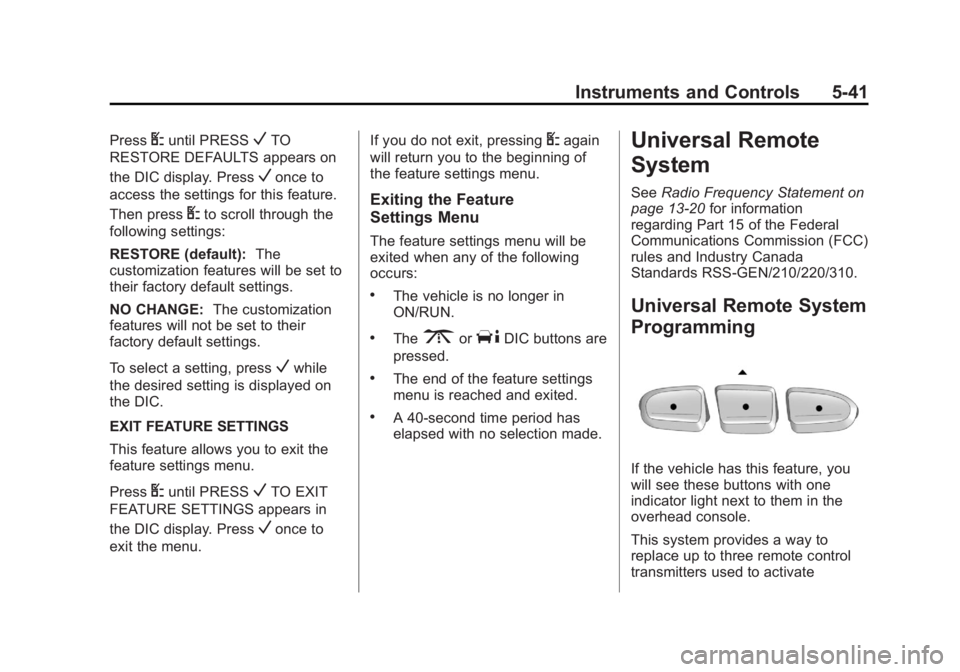
If the vehicle has this feature, you
will see these buttons with one
indicator light next to them in the
overhead console.
This system provides a way to
replace up to three remote control
transmitters used to activate