battery CHEVROLET CAPTIVA SPORT 2013 Owners Manual
[x] Cancel search | Manufacturer: CHEVROLET, Model Year: 2013, Model line: CAPTIVA SPORT, Model: CHEVROLET CAPTIVA SPORT 2013Pages: 374, PDF Size: 6.66 MB
Page 28 of 374
Black plate (2,1)Chevrolet Captiva Sport Owner Manual - 2013 - crc - 11/12/12
2-2 Keys, Doors, and Windows
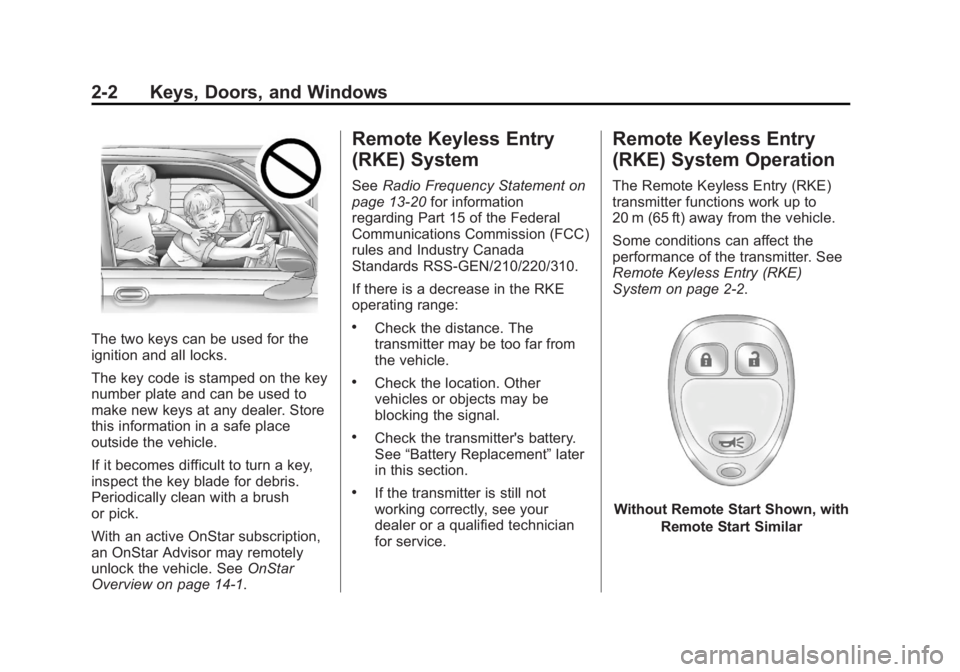
The two keys can be used for the
ignition and all locks.
The key code is stamped on the key
number plate and can be used to
make new keys at any dealer. Store
this information in a safe place
outside the vehicle.
If it becomes difficult to turn a key,
inspect the key blade for debris.
Periodically clean with a brush
or pick.
With an active OnStar subscription,
an OnStar Advisor may remotely
unlock the vehicle. See OnStar
Overview on page 14 ‑ 1 . Remote Keyless Entry
(RKE) System See Radio Frequency Statement on
page 13 ‑ 20 for information
regarding Part 15 of the Federal
Communications Commission (FCC)
rules and Industry Canada
Standards RSS-GEN/210/220/310.
If there is a decrease in the RKE
operating range: .
Check the distance. The
transmitter may be too far from
the vehicle. .
Check the location. Other
vehicles or objects may be
blocking the signal. .
Check the transmitter's battery.
See “ Battery Replacement ” later
in this section. .
If the transmitter is still not
working correctly, see your
dealer or a qualified technician
for service. Remote Keyless Entry
(RKE) System Operation The Remote Keyless Entry (RKE)
transmitter functions work up to
20 m (65 ft) away from the vehicle.
Some conditions can affect the
performance of the transmitter. See
Remote Keyless Entry (RKE)
System on page 2 ‑ 2 .
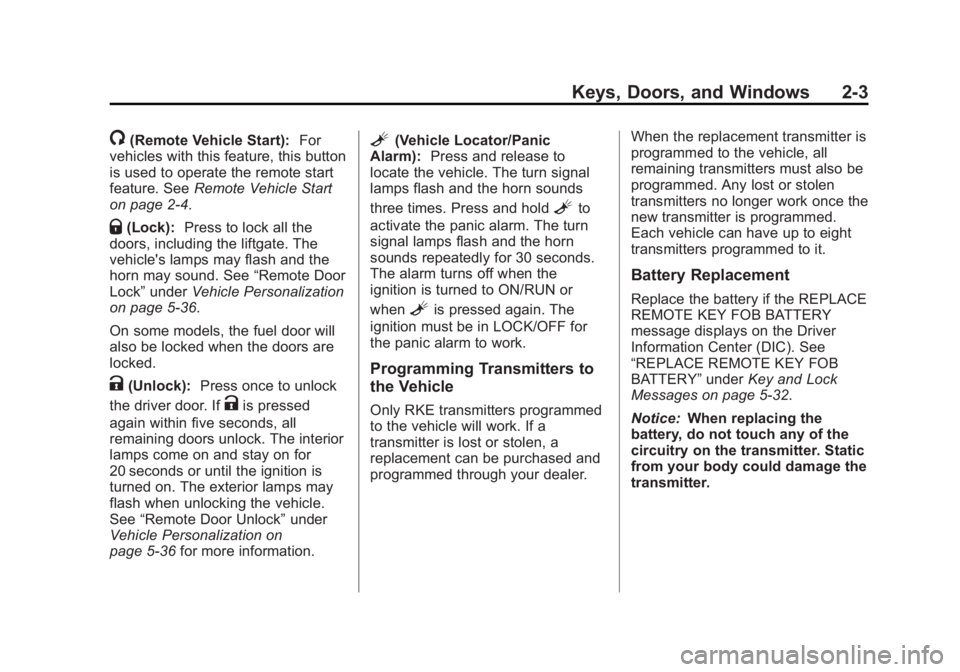
Without Remote Start Shown, with
Remote Start Similar
Page 29 of 374
Black plate (3,1)Chevrolet Captiva Sport Owner Manual - 2013 - crc - 11/12/12
Keys, Doors, and Windows 2-3
/ (Remote Vehicle Start): For
vehicles with this feature, this button
is used to operate the remote start
feature. See Remote Vehicle Start
on page 2 ‑ 4 .
Q (Lock): Press to lock all the
doors, including the liftgate. The
vehicle's lamps may flash and the
horn may sound. See “ Remote Door
Lock ” under Vehicle Personalization
on page 5 ‑ 36 .
On some models, the fuel door will
also be locked when the doors are
locked.
K (Unlock): Press once to unlock
the driver door. If
K is pressed
again within five seconds, all
remaining doors unlock. The interior
lamps come on and stay on for
20 seconds or until the ignition is
turned on. The exterior lamps may
flash when unlocking the vehicle.
See “ Remote Door Unlock ” under
Vehicle Personalization on
page 5 ‑ 36 for more information. L (Vehicle Locator/Panic
Alarm): Press and release to
locate the vehicle. The turn signal
lamps flash and the horn sounds
three times. Press and hold
L to
activate the panic alarm. The turn
signal lamps flash and the horn
sounds repeatedly for 30 seconds.
The alarm turns off when the
ignition is turned to ON/RUN or
when
L is pressed again. The
ignition must be in LOCK/OFF for
the panic alarm to work.
Programming Transmitters to
the Vehicle Only RKE transmitters programmed
to the vehicle will work. If a
transmitter is lost or stolen, a
replacement can be purchased and
programmed through your dealer. When the replacement transmitter is
programmed to the vehicle, all
remaining transmitters must also be
programmed. Any lost or stolen
transmitters no longer work once the
new transmitter is programmed.
Each vehicle can have up to eight
transmitters programmed to it.
Battery Replacement Replace the battery if the REPLACE
REMOTE KEY FOB BATTERY
message displays on the Driver
Information Center (DIC). See
“ REPLACE REMOTE KEY FOB
BATTERY ” under Key and Lock
Messages on page 5 ‑ 32 .
Notice: When replacing the
battery, do not touch any of the
circuitry on the transmitter. Static
from your body could damage the
transmitter.
Page 30 of 374
Black plate (4,1)Chevrolet Captiva Sport Owner Manual - 2013 - crc - 11/12/12
2-4 Keys, Doors, and Windows
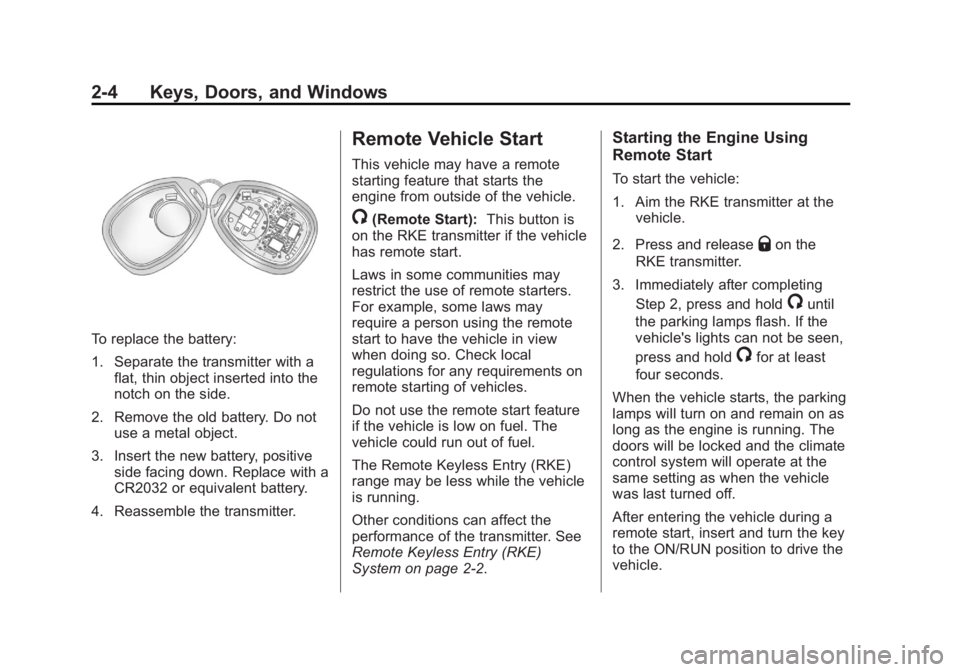
To replace the battery:
1. Separate the transmitter with a
flat, thin object inserted into the
notch on the side.
2. Remove the old battery. Do not
use a metal object.
3. Insert the new battery, positive
side facing down. Replace with a
CR2032 or equivalent battery.
4. Reassemble the transmitter. Remote Vehicle Start This vehicle may have a remote
starting feature that starts the
engine from outside of the vehicle.
/ (Remote Start): This button is
on the RKE transmitter if the vehicle
has remote start.
Laws in some communities may
restrict the use of remote starters.
For example, some laws may
require a person using the remote
start to have the vehicle in view
when doing so. Check local
regulations for any requirements on
remote starting of vehicles.
Do not use the remote start feature
if the vehicle is low on fuel. The
vehicle could run out of fuel.
The Remote Keyless Entry (RKE)
range may be less while the vehicle
is running.
Other conditions can affect the
performance of the transmitter. See
Remote Keyless Entry (RKE)
System on page 2 ‑ 2 . Starting the Engine Using
Remote Start To start the vehicle:
1. Aim the RKE transmitter at the
vehicle.
2. Press and release
Q on the
RKE transmitter.
3. Immediately after completing
Step 2, press and hold
/ until
the parking lamps flash. If the
vehicle's lights can not be seen,
press and hold
/ for at least
four seconds.
When the vehicle starts, the parking
lamps will turn on and remain on as
long as the engine is running. The
doors will be locked and the climate
control system will operate at the
same setting as when the vehicle
was last turned off.
After entering the vehicle during a
remote start, insert and turn the key
to the ON/RUN position to drive the
vehicle.
Page 35 of 374
Black plate (9,1)Chevrolet Captiva Sport Owner Manual - 2013 - crc - 11/12/12
Keys, Doors, and Windows 2-9Liftgate Operation with Loss of
Power
To open the liftgate if the vehicle's
battery is disconnected or the
voltage is low, access the release
lever. Remove the interior trim cover
on the inside of the liftgate. Use a
tool to push the lever on the latch
until the liftgate releases. Vehicle Security This vehicle has theft-deterrent
features; however, they do not make
the vehicle impossible to steal.
Vehicle Alarm System The vehicle may have a content
theft-deterrent alarm system.
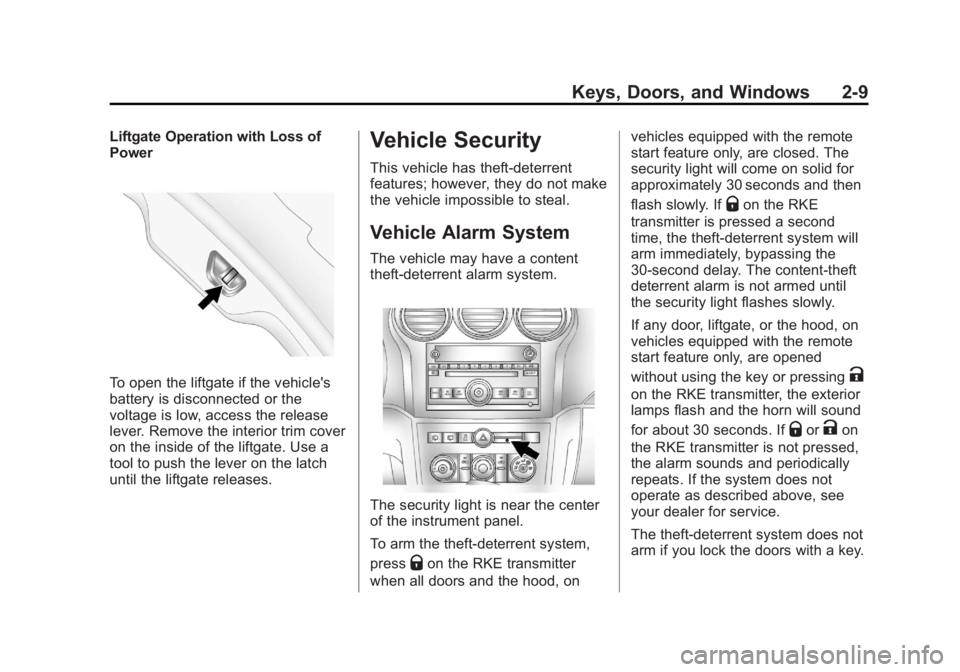
The security light is near the center
of the instrument panel.
To arm the theft-deterrent system,
press
Q on the RKE transmitter
when all doors and the hood, on vehicles equipped with the remote
start feature only, are closed. The
security light will come on solid for
approximately 30 seconds and then
flash slowly. If
Q on the RKE
transmitter is pressed a second
time, the theft-deterrent system will
arm immediately, bypassing the
30-second delay. The content-theft
deterrent alarm is not armed until
the security light flashes slowly.
If any door, liftgate, or the hood, on
vehicles equipped with the remote
start feature only, are opened
without using the key or pressing
Kon the RKE transmitter, the exterior
lamps flash and the horn will sound
for about 30 seconds. If
Q or
K on
the RKE transmitter is not pressed,
the alarm sounds and periodically
repeats. If the system does not
operate as described above, see
your dealer for service.
The theft-deterrent system does not
arm if you lock the doors with a key.
Page 71 of 374
Black plate (29,1)Chevrolet Captiva Sport Owner Manual - 2013 - crc - 11/12/12
Seats and Restraints 3-29If the shoulder portion of the belt is
pulled out all the way, the child
restraint locking feature will be
engaged. This may unintentionally
cause the passenger sensing
system to turn the airbag(s) off for
some adult size occupants. If this
happens, let the belt go back all the
way and start again.
A thick layer of additional material,
such as a blanket or cushion,
or aftermarket equipment such as
seat covers, seat heaters, and seat
massagers can affect how well the
passenger sensing system
operates. We recommend that you
not use seat covers or other
aftermarket equipment except when
approved by GM for your specific
vehicle. See Adding Equipment to
the Airbag-Equipped Vehicle on
page 3 ‑ 29 for more information
about modifications that can affect
how the system operates.
The on indicator may be lit if an
object, such as a briefcase,
handbag, grocery bag, laptop or
other electronic device, is put on an unoccupied seat. If this is not
desired remove the object from
the seat.
{ WARNINGStowing of articles under the
passenger seat or between the
passenger seat cushion and
seatback may interfere with the
proper operation of the passenger
sensing system.
Servicing the
Airbag-Equipped Vehicle Airbags affect how the vehicle
should be serviced. There are parts
of the airbag system in several
places around the vehicle. Your
dealer and the service manual have
information about servicing the
vehicle and the airbag system. To
purchase a service manual, see
Service Publications Ordering
Information on page 13 ‑ 16 .{ WARNINGFor up to 10 seconds after the
vehicle is turned off and the
battery is disconnected, an airbag
can still inflate during improper
service. You can be injured if you
are close to an airbag when it
inflates. Avoid yellow connectors.
They are probably part of the
airbag system. Be sure to follow
proper service procedures, and
make sure the person performing
work for you is qualified to do so.
Adding Equipment to the
Airbag-Equipped Vehicle Q: Is there anything I might add
to or change about the vehicle
that could keep the airbags
from working properly?
A: Yes. If you add things that
change the vehicle's frame,
bumper system, height, front end
or side sheet metal, they may
Page 103 of 374
Black plate (7,1)Chevrolet Captiva Sport Owner Manual - 2013 - crc - 11/12/12
Instruments and Controls 5-75. To decrease the time or date do
one of the following: .
Press
© SEEK or
s REV..
Turn
f counterclockwise.
The date does not automatically
display. To see the date press
Hwhile the radio is on. The date with
display times out after a few
seconds and goes back to the
normal radio and time display.
To change the time default setting
from 12 hour to 24 hour or to
change the date default setting from
month/day/year to day/month/year:
1. Press
H and then the softkey
below the forward arrow label to
select the time 12H and 24H,
and the date MM/DD/YYYY
(month, day, and year) and DD/
MM/YYYY (day, month, and
year) display.
2. Press the softkey below the
desired option. 3. Press
H again to apply the
selected default, or let the
screen time out.
Power Outlets The accessory power outlets can be
used to plug in electrical equipment,
such as a cell phone or MP3 player.
The power outlets are inside the
center floor console, on the rear of
the center floor console, and in the
rear cargo compartment.
The power outlet located in the rear
cargo area is powered at all times.
Remove the cover to access and
replace when not in use.
Notice: Leaving electrical
equipment plugged in for an
extended period of time while the
vehicle is off will drain the
battery. Always unplug electrical
equipment when not in use and
do not plug in equipment that
exceeds the maximum 20 ampere
rating. Certain electrical accessories may
not be compatible with the
accessory power outlet and could
overload vehicle or adapter fuses.
If a problem is experienced, see
your dealer.
When adding electrical equipment,
be sure to follow the installation
instructions included with the
equipment. See Add-On Electrical
Equipment on page 9 ‑ 45 .
Notice: Hanging heavy
equipment from the power outlet
can cause damage not covered
by the vehicle warranty. The
power outlets are designed for
accessory power plugs only, such
as cell phone charge cords.
Page 109 of 374
Black plate (13,1)Chevrolet Captiva Sport Owner Manual - 2013 - crc - 11/12/12
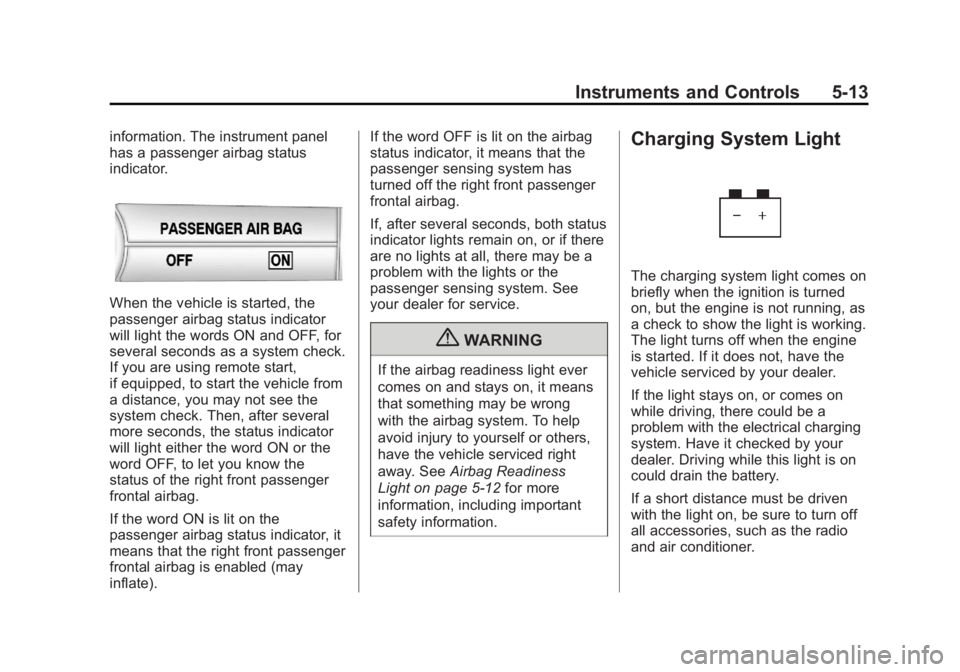
Instruments and Controls 5-13information. The instrument panel
has a passenger airbag status
indicator.
When the vehicle is started, the
passenger airbag status indicator
will light the words ON and OFF, for
several seconds as a system check.
If you are using remote start,
if equipped, to start the vehicle from
a distance, you may not see the
system check. Then, after several
more seconds, the status indicator
will light either the word ON or the
word OFF, to let you know the
status of the right front passenger
frontal airbag.
If the word ON is lit on the
passenger airbag status indicator, it
means that the right front passenger
frontal airbag is enabled (may
inflate). If the word OFF is lit on the airbag
status indicator, it means that the
passenger sensing system has
turned off the right front passenger
frontal airbag.
If, after several seconds, both status
indicator lights remain on, or if there
are no lights at all, there may be a
problem with the lights or the
passenger sensing system. See
your dealer for service.
{ WARNINGIf the airbag readiness light ever
comes on and stays on, it means
that something may be wrong
with the airbag system. To help
avoid injury to yourself or others,
have the vehicle serviced right
away. See Airbag Readiness
Light on page 5 ‑ 12 for more
information, including important
safety information. Charging System Light
The charging system light comes on
briefly when the ignition is turned
on, but the engine is not running, as
a check to show the light is working.
The light turns off when the engine
is started. If it does not, have the
vehicle serviced by your dealer.
If the light stays on, or comes on
while driving, there could be a
problem with the electrical charging
system. Have it checked by your
dealer. Driving while this light is on
could drain the battery.
If a short distance must be driven
with the light on, be sure to turn off
all accessories, such as the radio
and air conditioner.
Page 112 of 374
Black plate (16,1)Chevrolet Captiva Sport Owner Manual - 2013 - crc - 11/12/12
5-16 Instruments and Controls the ignition is turned to ON/RUN
while the engine is off. See your
dealer for assistance in verifying
proper operation of the
malfunction indicator lamp. .
The OBD II (On-Board
Diagnostics) system determines
that critical emission control
systems have not been
completely diagnosed. The
vehicle would be considered not
ready for inspection. This can
happen if the 12-volt battery has
recently been replaced or run
down. The diagnostic system is
designed to evaluate critical
emission control systems during
normal driving. This can take
several days of routine driving.
If this has been done and the
vehicle still does not pass the
inspection for lack of OBD II
system readiness, your dealer
can prepare the vehicle for
inspection. Service Vehicle Soon
Light
The service vehicle soon light
comes on if a condition exists that
may require the vehicle to be taken
in for service.
If the light comes on, take the
vehicle to your dealer for service as
soon as possible.
Brake System Warning
Light The vehicle brake system consists
of two hydraulic circuits. If one
circuit is not working, the remaining
circuit can still work to stop the
vehicle. For normal braking
performance, both circuits need to
be working Metric English
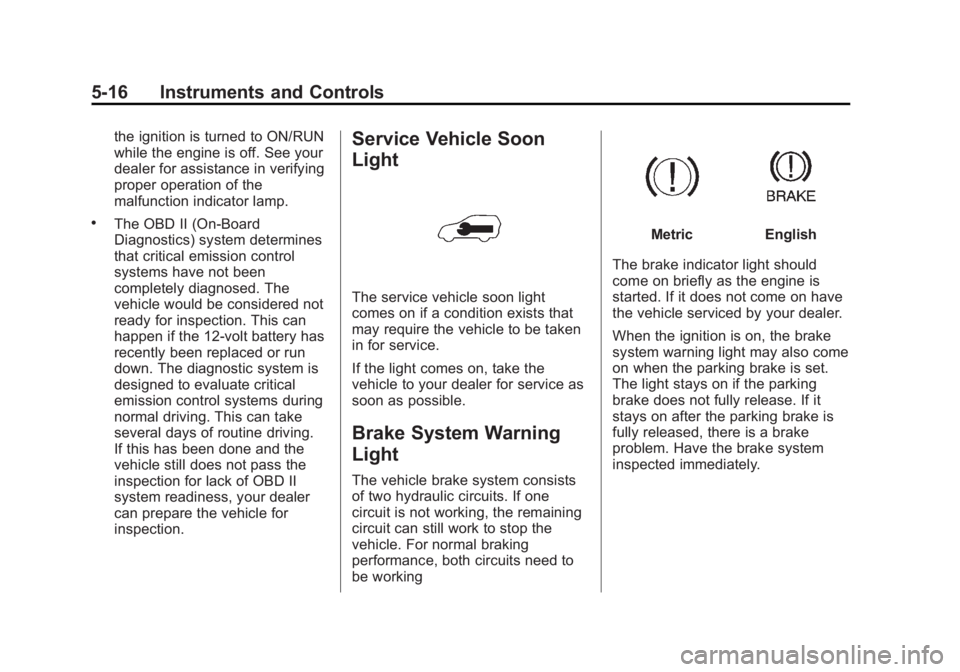
The brake indicator light should
come on briefly as the engine is
started. If it does not come on have
the vehicle serviced by your dealer.
When the ignition is on, the brake
system warning light may also come
on when the parking brake is set.
The light stays on if the parking
brake does not fully release. If it
stays on after the parking brake is
fully released, there is a brake
problem. Have the brake system
inspected immediately.
Page 120 of 374
Black plate (24,1)Chevrolet Captiva Sport Owner Manual - 2013 - crc - 11/12/12
5-24 Instruments and Controls The buttons are the trip/fuel, vehicle
information, customization, and set/
reset buttons. The button functions
are detailed in the following pages.
3 (Trip/Fuel): Press this button
to display the odometer, trip
odometer, fuel range, average
economy, fuel used, and elapsed
time. Some vehicles also display
instantaneous economy. The
compass and outside temperature
will also be shown in the display.
The temperature will be shown
in °C or °F depending on the units
selected.
T (Vehicle Information): Press
this button to display the oil life, rear
park assist, units, tire pressure
readings and tire pressure sensor
learning for vehicles with the Tire
Pressure Monitor System (TPMS),
compass zone setting, compass
recalibration on vehicles with this
feature, coolant temperature, and
battery voltage. U (Customization): Press this
button to customize the feature
settings on the vehicle. See Vehicle
Personalization on page 5 ‑ 36 for
more information.
V (Set/Reset): Press this button to
set or reset certain functions and to
turn off or acknowledge messages
on the DIC.
Trip/Fuel Menu Items
3 (Trip/Fuel): Press this button
to scroll through the following menu
items:
Odometer
Press
3 until ODOMETER
displays. This display shows the
distance the vehicle has been
driven in either kilometers (km) or
miles (mi). Pressing the trip
odometer reset stem will also
display the odometer.
To switch between metric and
English measurements, see “ Units ”
later in this section. Trip Odometer
Press
3 until TRIP A or TRIP B
displays. This display shows the
current distance traveled in either
kilometers (km) or miles (mi) since
the last reset for the trip odometer.
Pressing the trip odometer reset
stem will also display the trip
odometer.
Each trip odometer can be reset to
zero separately by pressing
V while
the trip odometer is displayed. You
can also reset the trip odometer
while it is displayed by pressing and
holding the trip odometer
reset stem.
Fuel Range
Press
3 until RANGE displays.
This display shows the approximate
number of remaining kilometers (km)
or miles (mi) the vehicle can be
driven without refueling. This display
will show LOW if the fuel level
is low.
Page 123 of 374
Black plate (27,1)Chevrolet Captiva Sport Owner Manual - 2013 - crc - 11/12/12
Instruments and Controls 5-27measurement. Once in this display,
press
V to select between METRIC
or ENGLISH units. All of the vehicle
information will then be displayed in
the unit of measurement selected.
Coolant Temperature
Press
T until the coolant
temperature is displayed. The
temperature will be shown in °C
or °F depending on the units
selected.
If the coolant temperature display
shows dashes instead of a value,
there may be a problem with the
vehicle. If this happens often, see
your dealer for service.
Battery Voltage
Press
T until the battery voltage is
displayed.
If the battery voltage display shows
dashes instead of a value, there
may be a problem with the vehicle.
If this happens often, see your
dealer for service. Tire Pressure
If the vehicle has the Tire Pressure
Monitor System (TPMS), the
pressure for each tire can be viewed
in the DIC. The tire pressure will be
shown in either kilopascals (kPa) or
pounds per square inch (psi). Press
T until the DIC displays FRONT
TIRES kPa (PSI) LEFT ##
RIGHT ##. Press
T again until the
DIC displays REAR TIRES kPa
(PSI) LEFT ## RIGHT ##.
If a low or high tire pressure
condition is detected by the system
while driving, a message advising
you to check the pressure in a
specific tire will appear in the
display. See Tire Pressure on
page 10 ‑ 43 and Tire Messages on
page 5 ‑ 34 for more information.
If the tire pressure display shows
dashes instead of a value, there
may be a problem with the vehicle.
If this consistently occurs, see your
dealer for service. For information on relearning tire
positions see “ TPMS Sensor
Matching Process ” under Tire
Pressure Monitor Operation on
page 10 ‑ 46 .
Compass Zone Setting
This display allows for setting the
compass zone. See Compass on
page 5 ‑ 4 for more information.
Compass Recalibration
This display allows for calibrating
the compass. See Compass on
page 5 ‑ 4 for more information.
Blank Display
This display shows no information.