bluetooth CHEVROLET CAPTIVA SPORT 2013 Owners Manual
[x] Cancel search | Manufacturer: CHEVROLET, Model Year: 2013, Model line: CAPTIVA SPORT, Model: CHEVROLET CAPTIVA SPORT 2013Pages: 374, PDF Size: 6.66 MB
Page 5 of 374
Black plate (1,1)Chevrolet Captiva Sport Owner Manual - 2013 - crc - 11/12/12
In Brief 1-1
In Brief Instrument Panel Instrument Panel Overview . . . . 1-2
Initial Drive Information Initial Drive Information . . . . . . . . 1-4
Remote Keyless Entry (RKE)
System . . . . . . . . . . . . . . . . . . . . . . 1-4
Remote Vehicle Start . . . . . . . . . 1-4
Door Locks . . . . . . . . . . . . . . . . . . . 1-5
Liftgate . . . . . . . . . . . . . . . . . . . . . . . . 1-6
Windows . . . . . . . . . . . . . . . . . . . . . . 1-6
Seat Adjustment . . . . . . . . . . . . . . 1-7
Second Row Seats . . . . . . . . . . . 1-9
Heated Seats . . . . . . . . . . . . . . . . . 1-9
Head Restraint
Adjustment . . . . . . . . . . . . . . . . . 1-10
Safety Belts . . . . . . . . . . . . . . . . . . 1-10 Passenger Sensing System
(United States) . . . . . . . . . . . . . 1-10
Mirror Adjustment . . . . . . . . . . . . 1-11
Steering Wheel
Adjustment . . . . . . . . . . . . . . . . . 1-12
Interior Lighting . . . . . . . . . . . . . . 1-12
Exterior Lighting . . . . . . . . . . . . . 1-13
Windshield Wiper/Washer . . . . 1-13
Climate Controls . . . . . . . . . . . . . 1-14
Transmission . . . . . . . . . . . . . . . . 1-15
Vehicle Features Radio(s) . . . . . . . . . . . . . . . . . . . . . 1-16
Satellite Radio . . . . . . . . . . . . . . . 1-16
Portable Audio Devices . . . . . . 1-17
Bluetooth ®
. . . . . . . . . . . . . . . . . . . 1-17
Steering Wheel Controls . . . . . 1-17
Cruise Control . . . . . . . . . . . . . . . 1-17
Driver Information
Center (DIC) . . . . . . . . . . . . . . . 1-18 Rear Vision
Camera (RVC) . . . . . . . . . . . . . 1-18
Ultrasonic Parking Assist . . . . 1-18
Power Outlets . . . . . . . . . . . . . . . 1-19
Universal Remote System . . . 1-19
Performance and Maintenance Traction Control
System (TCS) . . . . . . . . . . . . . . 1-19
StabiliTrak ®
System . . . . . . . . . 1-20
Tire Pressure Monitor . . . . . . . . 1-20
Engine Oil Life System . . . . . . 1-20
Fuel E85 (85% Ethanol) . . . . . 1-21
Driving for Better Fuel
Economy . . . . . . . . . . . . . . . . . . . 1-21
Roadside Assistance
Program . . . . . . . . . . . . . . . . . . . . 1-21
OnStar ®
. . . . . . . . . . . . . . . . . . . . . 1-22
Page 21 of 374
Black plate (17,1)Chevrolet Captiva Sport Owner Manual - 2013 - crc - 11/12/12
In Brief 1-17
Portable Audio Devices The vehicle may have a 3.5 mm
(1/8 in) auxiliary input jack on the
audio faceplate and a USB port in
the center console. Some portable
audio devices such as iPods ®
, MP3
players, and USB storage devices
can be connected to the vehicle
using a 3.5 mm (1/8 in) cable or a
USB cable.
See Auxiliary Devices on page 7 ‑ 19 .
Bluetooth ®
For vehicles with a Bluetooth
system, it allows users with a
Bluetooth-enabled cell phone to
make and receive hands-free calls
using the vehicle ’ s audio system
and controls.
The Bluetooth-enabled cell phone
must be paired with the Bluetooth
system before it can be used in the
vehicle. Not all phones will support
all functions. For more information,
see www.gm.com/bluetooth and
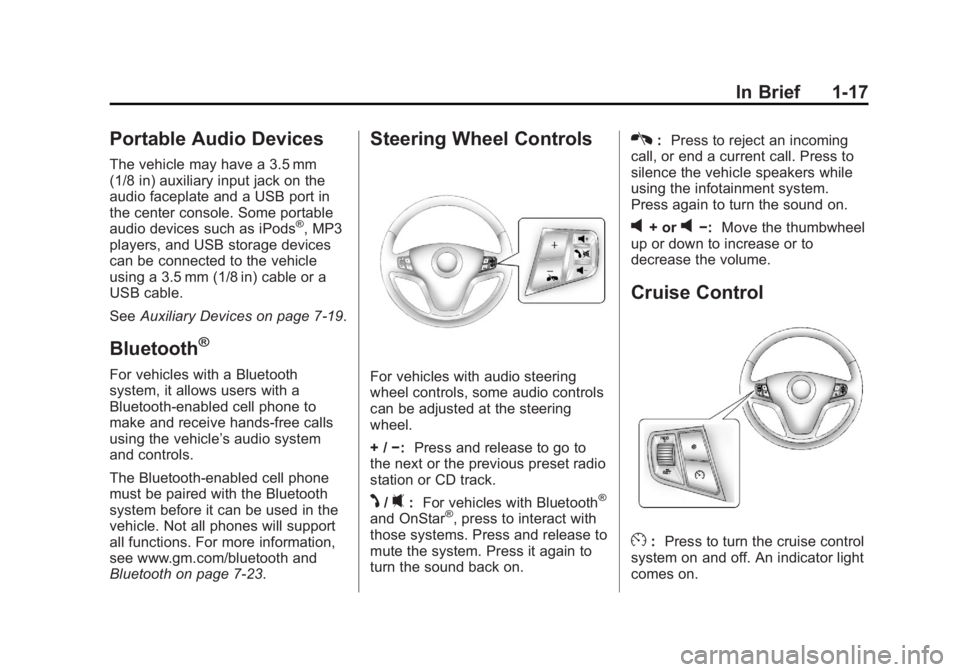
Bluetooth on page 7 ‑ 23 . Steering Wheel Controls
For vehicles with audio steering
wheel controls, some audio controls
can be adjusted at the steering
wheel.
+ / − : Press and release to go to
the next or the previous preset radio
station or CD track.
J /
0 : For vehicles with Bluetooth ®
and OnStar ®
, press to interact with
those systems. Press and release to
mute the system. Press it again to
turn the sound back on. K : Press to reject an incoming
call, or end a current call. Press to
silence the vehicle speakers while
using the infotainment system.
Press again to turn the sound on.
v + or
v − : Move the thumbwheel
up or down to increase or to
decrease the volume.
Cruise Control
E : Press to turn the cruise control
system on and off. An indicator light
comes on.
Page 99 of 374
Black plate (3,1)Chevrolet Captiva Sport Owner Manual - 2013 - crc - 11/12/12
Instruments and Controls 5-3
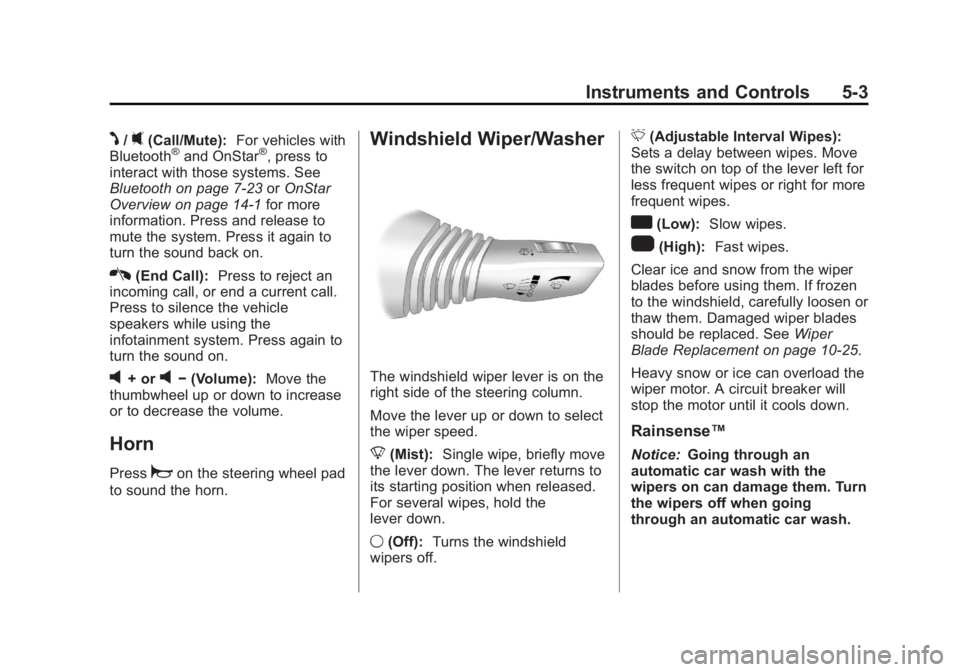
J /
0 (Call/Mute): For vehicles with
Bluetooth ®
and OnStar ®
, press to
interact with those systems. See
Bluetooth on page 7 ‑ 23 or OnStar
Overview on page 14 ‑ 1 for more
information. Press and release to
mute the system. Press it again to
turn the sound back on.
K (End Call): Press to reject an
incoming call, or end a current call.
Press to silence the vehicle
speakers while using the
infotainment system. Press again to
turn the sound on.
v + or
v − (Volume): Move the
thumbwheel up or down to increase
or to decrease the volume.
Horn Press
a on the steering wheel pad
to sound the horn. Windshield Wiper/Washer
The windshield wiper lever is on the
right side of the steering column.
Move the lever up or down to select
the wiper speed.
8 (Mist): Single wipe, briefly move
the lever down. The lever returns to
its starting position when released.
For several wipes, hold the
lever down.
9 (Off): Turns the windshield
wipers off. 3 (Adjustable Interval Wipes):
Sets a delay between wipes. Move
the switch on top of the lever left for
less frequent wipes or right for more
frequent wipes.
a (Low): Slow wipes.
1 (High): Fast wipes.
Clear ice and snow from the wiper
blades before using them. If frozen
to the windshield, carefully loosen or
thaw them. Damaged wiper blades
should be replaced. See Wiper
Blade Replacement on page 10 ‑ 25 .
Heavy snow or ice can overload the
wiper motor. A circuit breaker will
stop the motor until it cools down.
Rainsense ™Notice: Going through an
automatic car wash with the
wipers on can damage them. Turn
the wipers off when going
through an automatic car wash.
Page 149 of 374
Black plate (1,1)Chevrolet Captiva Sport Owner Manual - 2013 - crc - 11/12/12
Infotainment System 7-1
Infotainment
System Introduction Infotainment . . . . . . . . . . . . . . . . . . . 7-1
Theft-Deterrent Feature . . . . . . . 7-2
Overview . . . . . . . . . . . . . . . . . . . . . . 7-2
Operation . . . . . . . . . . . . . . . . . . . . . 7-3
Radio AM-FM Radio . . . . . . . . . . . . . . . . . 7-5
Satellite Radio . . . . . . . . . . . . . . . . 7-6
Radio Reception . . . . . . . . . . . . . . 7-9
Fixed Mast Antenna . . . . . . . . . 7-10
Satellite Radio Antenna . . . . . . 7-10
Audio Players CD Player . . . . . . . . . . . . . . . . . . . 7-10
MP3 . . . . . . . . . . . . . . . . . . . . . . . . . 7-15
Auxiliary Devices . . . . . . . . . . . . 7-19
Phone Bluetooth . . . . . . . . . . . . . . . . . . . . 7-23 Introduction Infotainment Read the following pages to
become familiar with the
infotainment system features.
{ WARNINGTaking your eyes off the road for
extended periods could cause a
crash resulting in injury or death
to you or others. Do not give
extended attention to infotainment
tasks while driving.
This system provides access to
many audio and non ‐ audio listings.
To minimize taking your eyes off the
road while driving, do the following
while the vehicle is parked: .
Become familiar with the
operation and controls of the
audio system. .
Set up the tone, speaker
adjustments, and preset radio
stations.
For more information, see Defensive
Driving on page 9 ‑ 3 .
Notice: Contact your dealer
before adding any equipment.
Adding audio or communication
equipment could interfere with
the operation of the engine, radio,
or other systems, and could
damage them. Follow federal
rules covering mobile radio and
telephone equipment.
The vehicle has Retained
Accessory Power (RAP). With RAP,
the infotainment system can play
even after the ignition is turned off.
See Retained Accessory Power
(RAP) on page 9 ‑ 17 for more
information.
Page 171 of 374
Black plate (23,1)Chevrolet Captiva Sport Owner Manual - 2013 - crc - 11/12/12
Infotainment System 7-23
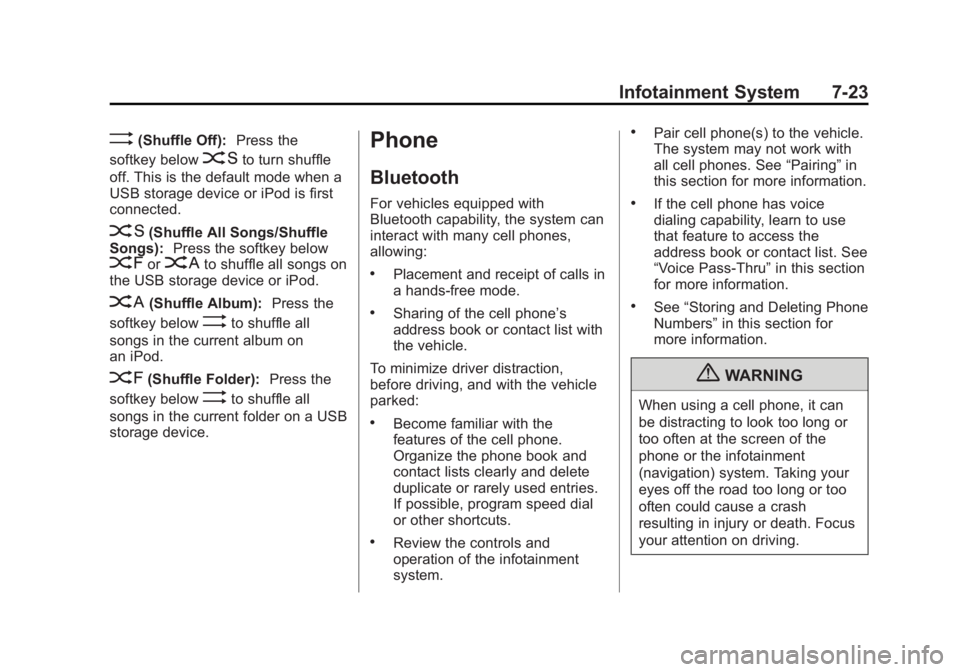
> (Shuffle Off): Press the
softkey below
2 to turn shuffle
off. This is the default mode when a
USB storage device or iPod is first
connected.
2 (Shuffle All Songs/Shuffle
Songs): Press the softkey below
= or
C to shuffle all songs on
the USB storage device or iPod.
C (Shuffle Album): Press the
softkey below
> to shuffle all
songs in the current album on
an iPod.
= (Shuffle Folder): Press the
softkey below
> to shuffle all
songs in the current folder on a USB
storage device. Phone Bluetooth For vehicles equipped with
Bluetooth capability, the system can
interact with many cell phones,
allowing: .
Placement and receipt of calls in
a hands-free mode. .
Sharing of the cell phone ’ s
address book or contact list with
the vehicle.
To minimize driver distraction,
before driving, and with the vehicle
parked: .
Become familiar with the
features of the cell phone.
Organize the phone book and
contact lists clearly and delete
duplicate or rarely used entries.
If possible, program speed dial
or other shortcuts. .
Review the controls and
operation of the infotainment
system. .
Pair cell phone(s) to the vehicle.
The system may not work with
all cell phones. See “ Pairing ” in
this section for more information. .
If the cell phone has voice
dialing capability, learn to use
that feature to access the
address book or contact list. See
“ Voice Pass-Thru ” in this section
for more information. .
See “ Storing and Deleting Phone
Numbers ” in this section for
more information.
{ WARNING
When using a cell phone, it can
be distracting to look too long or
too often at the screen of the
phone or the infotainment
(navigation) system. Taking your
eyes off the road too long or too
often could cause a crash
resulting in injury or death. Focus
your attention on driving.
Page 172 of 374
Black plate (24,1)Chevrolet Captiva Sport Owner Manual - 2013 - crc - 11/12/12
7-24 Infotainment System A Bluetooth system can use a
Bluetooth-capable cell phone with a
Hands-Free Profile to make and
receive phone calls. The system
can be used while the key is in the
ON/RUN or ACC/ACCESSORY
position. The range of the Bluetooth
system can be up to 9.1 m (30 ft).
Not all phones support all functions,
and not all phones work with the
in-vehicle Bluetooth system. See
www.gm.com/bluetooth for more
information on compatible phones.
Voice Recognition The Bluetooth system uses voice
recognition to interpret voice
commands to dial phone numbers
and name tags.
For additional information, say
“ Help ” while you are in a voice
recognition menu.
Noise: Keep interior noise levels to
a minimum. The system may not
recognize voice commands if there
is too much background noise. When to Speak: A short tone
sounds after the system responds
indicating when it is waiting for a
voice command. Wait until the tone
and then speak.
How to Speak: Speak clearly in a
calm and natural voice.
Audio System When using the in-vehicle Bluetooth
system, sound comes through the
vehicle's front audio system
speakers and overrides the audio
system. Use the audio system
volume knob, during a call, to
change the volume level. The
adjusted volume level remains in
memory for later calls. To prevent
missed calls, a minimum volume
level is used if the volume is turned
down too low.
Bluetooth Controls
Use the buttons on the steering
wheel to operate the in-vehicle
Bluetooth system. See Steering
Wheel Controls on page 5 ‑ 2 .J /
0 (Call/Mute): Press to answer
incoming calls, confirm system
information, and start speech
recognition.
K (End Call): Press to end a call,
reject a call, or cancel an operation.
Pairing A Bluetooth-enabled cell phone
must be paired to the Bluetooth
system and then connected to the
vehicle before it can be used. See
the cell phone manufacturer's user
guide for Bluetooth functions before
pairing the cell phone. If a Bluetooth
phone is not connected, calls will be
made using OnStar Hands-Free
Calling, if equipped. See OnStar
Overview on page 14 ‑ 1 .
Pairing Information .
A Bluetooth phone with MP3
capability cannot be paired to
the vehicle as a phone and an
MP3 player at the same time. .
Up to five cell phones can be
paired to the Bluetooth system.
Page 173 of 374
Black plate (25,1)Chevrolet Captiva Sport Owner Manual - 2013 - crc - 11/12/12
Infotainment System 7-25.
The pairing process is disabled
when the vehicle is moving. .
Pairing only needs to be
completed once, unless the
pairing information on the cell
phone changes or the cell phone
is deleted from the system. .
Only one paired cell phone can
be connected to the Bluetooth
system at a time. .
If multiple paired cell phones are
within range of the system, the
system connects to the first
available paired cell phone in the
order that they were first paired
to the system. To connect to a
different paired phone, see
“ Connecting to a Different
Phone ” later in this section.
Pairing a Phone
1. Press and hold
J /
0 for
two seconds.
2. Say “ Bluetooth. ” This command
can be skipped. 3. Say “ Pair. ” The system responds
with instructions and a four-digit
Personal Identification Number
(PIN). The PIN is used in Step 5.
4. Start the pairing process on the
cell phone that you want to pair.
For help with this process, see
the cell phone manufacturer's
user guide.
5. Locate the device named “ Your
Vehicle ” in the list on the cell
phone. Follow the instructions
on the cell phone to enter the
PIN provided in Step 3. After the
PIN is successfully entered, the
system prompts you to provide a
name for the paired cell phone.
This name will be used to
indicate which phones are
paired and connected to the
vehicle. The system responds
with “
successfully paired ” after the
pairing process is complete.
6. Repeat Steps 1 – 5 to pair
additional phones. Listing All Paired and Connected
Phones
The system can list all cell phones
paired to it. If a paired cell phone is
also connected to the vehicle, the
system responds with “ is connected ”
after that phone name.
1. Press and hold
J /
0 for
two seconds.
2. Say “ Bluetooth. ”
3. Say “ List. ”
Deleting a Paired Phone
If the phone name you want to
delete is unknown, see “ Listing All
Paired and Connected Phones. ”
1. Press and hold
J /
0 for
two seconds.
2. Say “ Bluetooth. ”
3. Say “ Delete. ” The system asks
which phone to delete.
4. Say the name of the phone you
want to delete.
Page 174 of 374
Black plate (26,1)Chevrolet Captiva Sport Owner Manual - 2013 - crc - 11/12/12
7-26 Infotainment System Connecting to a Different Phone
To connect to a different cell phone,
the Bluetooth system looks for the
next available cell phone in the
order in which all available cell
phones were paired. Depending on
which cell phone you want to
connect to, you may have to use
this command several times.
1. Press and hold
J /
0 for
two seconds.
2. Say “ Bluetooth. ”
3. Say “ Change phone. ”.
If another cell phone is
found, the response will be
“
connected. ”.
If another cell phone is not
found, the original phone
remains connected. Storing and Deleting Phone
Numbers The system can store up to 30
phone numbers as name tags in the
Hands-Free Directory that is shared
between the Bluetooth and OnStar
systems, if equipped.
The following commands are used
to delete and store phone numbers.
Store: This command will store a
phone number, or a group of
numbers as a name tag.
Digit Store: This command allows
a phone number to be stored as a
name tag by entering the digits one
at a time.
Delete: This command is used to
delete individual name tags.
Delete All Name Tags: This
command deletes all stored name
tags in the Hands-Free Calling
Directory and the OnStar
Turn-by-Turn Destinations Directory,
if equipped. Using the “ Store ” Command
1. Press and hold
J /
0 for
two seconds.
2. Say “ Store. ”
3. Say the phone number or group
of numbers you want to store all
at once with no pauses, then
follow the directions given by the
system to save a name tag for
this number.
Using the “ Digit Store ” Command
If an unwanted number is
recognized by the system, say
“ Clear ” at any time to clear the last
number.
To hear all of the numbers
recognized by the system, say
“ Verify ” at any time.
1. Press and hold
J /
0 for
two seconds.
2. Say “ Digit Store. ”
3. Say each digit, one at a time,
that you want to store. After
each digit is entered, the system
Page 177 of 374
Black plate (29,1)Chevrolet Captiva Sport Owner Manual - 2013 - crc - 11/12/12
Infotainment System 7-29Ending a Call Press
K to end a call.
Muting a Call During a call, all sounds from inside
the vehicle can be muted so that the
person on the other end of the call
cannot hear them. .
To mute a call, press
J /
0 , and
then say “ Mute call. ”.
To cancel mute, press
J /
0 ,
and then say “ Un-mute call. ”
Transferring a Call Audio can be transferred between
the Bluetooth system and the cell
phone.
The cell phone must be paired and
connected with the Bluetooth
system before a call can be
transferred. The connection process
can take up to two minutes after the
ignition is turned to ON/RUN. Transferring Audio from the
Bluetooth System to a Cell Phone
During a call with the audio in the
vehicle:
1. Press
J /
0 .
2. Say “ Transfer Call. ”
Transferring Audio to the
Bluetooth System from a Cell
Phone
During a call with the audio on the
cell phone, press
J /
0 . The audio
transfers to the vehicle. If the audio
does not transfer to the vehicle, use
the audio transfer feature on the cell
phone. See your cell phone
manufacturer's user guide for more
information.
Voice Pass-Thru
Voice pass-thru allows access to the
voice recognition commands on the
cell phone. See your cell phone
manufacturer's user guide to see if
the cell phone supports this feature. To access contacts stored in the cell
phone:
1. Press and hold
J /
0 for
two seconds.
2. Say “ Bluetooth. ” This command
can be skipped.
3. Say “ Voice. ” The system
responds “ OK, accessing
The cell phone's normal prompt
messages will go through their cycle
according to the phone's operating
instructions.
Dual Tone Multi-Frequency
(DTMF) Tones The Bluetooth system can send
numbers and the numbers stored as
name tags during a call. You can
use this feature when calling a
menu-driven phone system.
Account numbers can also be
stored for use.
Page 178 of 374
Black plate (30,1)Chevrolet Captiva Sport Owner Manual - 2013 - crc - 11/12/12
7-30 Infotainment System Sending a Number or Name Tag
During a Call
1. Press
J /
0 . The system
responds “ Ready, ” followed by
a tone.
2. Say “ Dial. ”
3. Say the number or name tag
to send.
Clearing the System Unless information is deleted out of
the in-vehicle Bluetooth system, it
will be retained indefinitely. This
includes all saved name tags in the
phone book and phone pairing
information. For information on how
to delete this information, see the
previous section “ Deleting a Paired
Phone ” and the previous sections
on deleting name tags. Other Information The Bluetooth ®
word mark and
logos are owned by the Bluetooth ®
SIG, Inc. and any use of such marks
by General Motors is under license.
Other trademarks and trade names
are those of their respective owners.
See Radio Frequency Statement on
page 13 ‑ 20 for information
regarding Part 15 of the Federal
Communications Commission (FCC)
rules and Industry Canada
Standards RSS-GEN/210/220/310.