stop start CHEVROLET CAPTIVA SPORT 2013 Owners Manual
[x] Cancel search | Manufacturer: CHEVROLET, Model Year: 2013, Model line: CAPTIVA SPORT, Model: CHEVROLET CAPTIVA SPORT 2013Pages: 374, PDF Size: 6.66 MB
Page 24 of 374
Black plate (20,1)Chevrolet Captiva Sport Owner Manual - 2013 - crc - 11/12/12
1-20 In Brief
StabiliTrak ®
SystemThe StabiliTrak system assists with
directional control of the vehicle in
difficult driving conditions. The
system is on when the vehicle is
started. .
To turn off both Traction Control
and StabiliTrak, press and hold
the TCS/StabiliTrak button
guntil
g illuminates and the
appropriate DIC message
displays. See Ride Control
System Messages on page 5 ‑ 32 ..
Press the TCS/StabiliTrak
button
g again to turn on both
systems.
See StabiliTrak ®
System on
page 9 ‑ 28 .
Tire Pressure Monitor This vehicle may have a Tire
Pressure Monitor System (TPMS). The low tire pressure warning light
alerts to a significant loss in
pressure of one of the vehicle's
tires. If the warning light comes on,
stop as soon as possible and inflate
the tires to the recommended
pressure shown on the Tire and
Loading Information label. See
Vehicle Load Limits on page 9 ‑ 10 .
The warning light will remain on until
the tire pressure is corrected.
The low tire pressure warning light
may come on in cool weather when
the vehicle is first started, and then
turn off as the vehicle is driven. This
may be an early indicator that the
tire pressures are getting low and
the tires need to be inflated to the
proper pressure. The TPMS does not replace normal
monthly tire maintenance. Maintain
the correct tire pressures.
See Tire Pressure Monitor System
on page 10 ‑ 45 .
Engine Oil Life System The engine oil life system calculates
engine oil life based on vehicle use
and displays a CHANGE ENGINE
OIL SOON or CHANGE ENGINE
OIL NOW message when it is time
to change the engine oil and filter.
Resetting the Oil Life System
Reset the system whenever the
engine oil is changed so that the
system can calculate the next
engine oil change. To reset the
system:
1. Press the DIC vehicle
information button to display OIL
LIFE REMAINING on the DIC.
See Driver Information Center
(DIC) on page 5 ‑ 23 and Engine
Oil Messages on page 5 ‑ 30 .
Page 25 of 374
Black plate (21,1)Chevrolet Captiva Sport Owner Manual - 2013 - crc - 11/12/12
In Brief 1-212. Press the DIC Set/Reset button
for five seconds to reset the oil
life at 100%.
Be careful not to reset the oil life
display accidentally at any time
other than after the oil is
changed. It cannot be reset
accurately until the next oil
change.
The oil life system can also be reset
as follows:
1. Turn the ignition key to ON/RUN
with the engine off.
2. Fully press and release the
accelerator pedal three times
within five seconds.
If the OIL LIFE REMAINING
value is not 100%, the system
needs to be reset again.
See Engine Oil Life System on
page 10 ‑ 10 . Fuel E85 (85% Ethanol) Vehicles with a yellow fuel cap can
use either unleaded gasoline or
ethanol fuel containing up to 85%
ethanol (E85). See Fuel E85 (85%
Ethanol) on page 9 ‑ 36 . For all other
vehicles, use only the unleaded
gasoline described under
Recommended Fuel on page 9 ‑ 35 .
Driving for Better Fuel
Economy Driving habits can affect fuel
mileage. Here are some driving tips
to get the best fuel economy
possible. .
Avoid fast starts and accelerate
smoothly. .
Brake gradually and avoid
abrupt stops. .
Avoid idling the engine for long
periods of time. .
When road and weather
conditions are appropriate, use
cruise control. .
Always follow posted speed
limits or drive more slowly when
conditions require. .
Keep vehicle tires properly
inflated. .
Combine several trips into a
single trip. .
Replace the vehicle's tires with
the same TPC Spec number
molded into the tire's sidewall
near the size. .
Follow recommended scheduled
maintenance.
Roadside Assistance
Program U.S.: 1-800-243-8872
TTY Users (U.S. Only):
1-888-889-2438
Canada: 1-800-268-6800
Mexico: 01-800-466-0800
New Chevrolet owners are
automatically enrolled in the
Roadside Assistance Program.
Page 96 of 374
Black plate (4,1)Chevrolet Captiva Sport Owner Manual - 2013 - crc - 11/12/12
4-4 Storage Notice: Loading cargo on the
roof rack that weighs more than
75 kg (165 lbs) or hangs over the
rear or sides of the vehicle may
damage the vehicle. Load cargo
so that it rests evenly between
the crossrails, making sure to
fasten cargo securely.
To prevent damage or loss of cargo
when driving, check to make sure
crossrails and cargo are securely
fastened. Loading cargo on the roof
rack will make the vehicle ’ s center
of gravity higher. Avoid high speeds,
sudden starts, sharp turns, sudden
braking, or abrupt maneuvers;
otherwise it may result in loss of
control. If driving for a long distance,
on rough roads, or at high speeds,
occasionally stop the vehicle to
make sure the cargo remains in its
place. Do not exceed the maximum vehicle
capacity when loading the vehicle.
For more information on vehicle
capacity and loading, see Vehicle
Load Limits on page 9 ‑ 10 .
Check that all cargo is securely
fastened to prevent damage or loss
while driving.
Page 99 of 374
Black plate (3,1)Chevrolet Captiva Sport Owner Manual - 2013 - crc - 11/12/12
Instruments and Controls 5-3
J /
0 (Call/Mute): For vehicles with
Bluetooth ®
and OnStar ®
, press to
interact with those systems. See
Bluetooth on page 7 ‑ 23 or OnStar
Overview on page 14 ‑ 1 for more
information. Press and release to
mute the system. Press it again to
turn the sound back on.
K (End Call): Press to reject an
incoming call, or end a current call.
Press to silence the vehicle
speakers while using the
infotainment system. Press again to
turn the sound on.
v + or
v − (Volume): Move the
thumbwheel up or down to increase
or to decrease the volume.
Horn Press
a on the steering wheel pad
to sound the horn. Windshield Wiper/Washer
The windshield wiper lever is on the
right side of the steering column.
Move the lever up or down to select
the wiper speed.
8 (Mist): Single wipe, briefly move
the lever down. The lever returns to
its starting position when released.
For several wipes, hold the
lever down.
9 (Off): Turns the windshield
wipers off. 3 (Adjustable Interval Wipes):
Sets a delay between wipes. Move
the switch on top of the lever left for
less frequent wipes or right for more
frequent wipes.
a (Low): Slow wipes.
1 (High): Fast wipes.
Clear ice and snow from the wiper
blades before using them. If frozen
to the windshield, carefully loosen or
thaw them. Damaged wiper blades
should be replaced. See Wiper
Blade Replacement on page 10 ‑ 25 .
Heavy snow or ice can overload the
wiper motor. A circuit breaker will
stop the motor until it cools down.
Rainsense ™Notice: Going through an
automatic car wash with the
wipers on can damage them. Turn
the wipers off when going
through an automatic car wash.
Page 111 of 374
Black plate (15,1)Chevrolet Captiva Sport Owner Manual - 2013 - crc - 11/12/12
Instruments and Controls 5-15If the light continues to flash, find a
safe place to stop and park the
vehicle. Turn the vehicle off, wait at
least 10 seconds, and restart the
engine. If the light is still flashing,
follow the previous steps and see
your dealer for service as soon as
possible.
Light On Steady: An emission
control system malfunction has
been detected on the vehicle.
Diagnosis and service might be
required.
The following may correct an
emission control system
malfunction: .
Check that the fuel cap is fully
installed. See Filling the Tank on
page 9 ‑ 37 . The diagnostic
system can determine if the fuel
cap has been left off or
improperly installed. A loose or
missing fuel cap allows fuel to
evaporate into the atmosphere.
A few driving trips with the cap
properly installed should turn the
light off. .
Check that good quality fuel is
used. Poor fuel quality causes
the engine not to run as
efficiently as designed and may
cause stalling after start-up,
stalling when the vehicle is
changed into gear, misfiring,
hesitation on acceleration,
or stumbling on acceleration.
These conditions might go away
once the engine is warmed up.
If one or more of these conditions
occurs, change the fuel brand used.
It may require at least one full tank
of the proper fuel to turn the light off.
See Recommended Fuel on
page 9 ‑ 35 .
If none of the above have made the
light turn off, your dealer can check
the vehicle. The dealer has the
proper test equipment and
diagnostic tools to fix any
mechanical or electrical problems
that might have developed. Emissions Inspection and
Maintenance Programs Depending on where you live, your
vehicle may be required to
participate in an emission control
system inspection and maintenance
program. For the inspection, the
emission system test equipment will
likely connect to the vehicle's Data
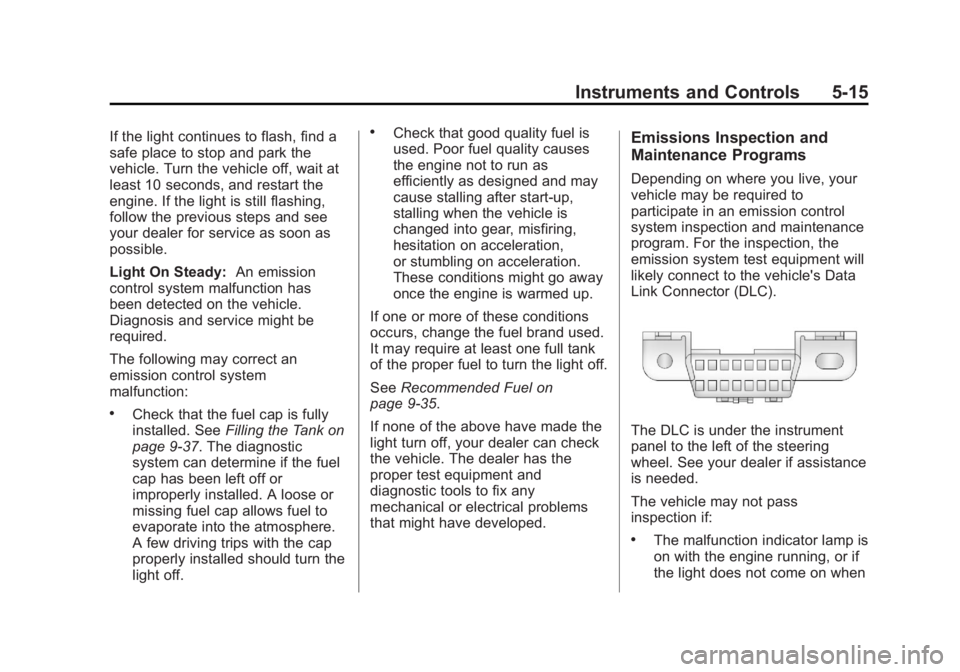
Link Connector (DLC).
The DLC is under the instrument
panel to the left of the steering
wheel. See your dealer if assistance
is needed.
The vehicle may not pass
inspection if: .
The malfunction indicator lamp is
on with the engine running, or if
the light does not come on when
Page 112 of 374
Black plate (16,1)Chevrolet Captiva Sport Owner Manual - 2013 - crc - 11/12/12
5-16 Instruments and Controls the ignition is turned to ON/RUN
while the engine is off. See your
dealer for assistance in verifying
proper operation of the
malfunction indicator lamp. .
The OBD II (On-Board
Diagnostics) system determines
that critical emission control
systems have not been
completely diagnosed. The
vehicle would be considered not
ready for inspection. This can
happen if the 12-volt battery has
recently been replaced or run
down. The diagnostic system is
designed to evaluate critical
emission control systems during
normal driving. This can take
several days of routine driving.
If this has been done and the
vehicle still does not pass the
inspection for lack of OBD II
system readiness, your dealer
can prepare the vehicle for
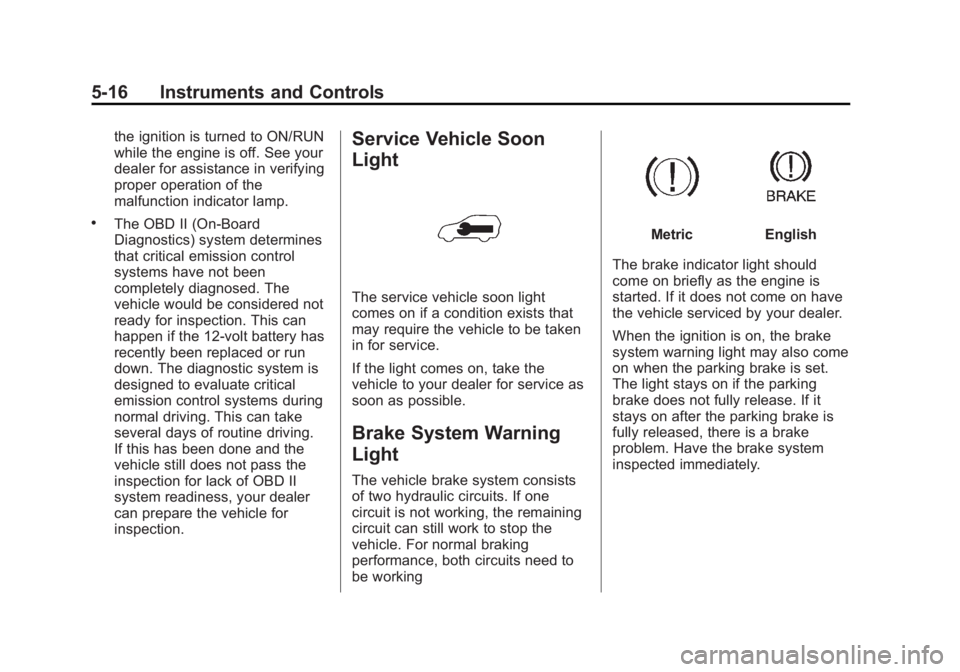
inspection. Service Vehicle Soon
Light
The service vehicle soon light
comes on if a condition exists that
may require the vehicle to be taken
in for service.
If the light comes on, take the
vehicle to your dealer for service as
soon as possible.
Brake System Warning
Light The vehicle brake system consists
of two hydraulic circuits. If one
circuit is not working, the remaining
circuit can still work to stop the
vehicle. For normal braking
performance, both circuits need to
be working Metric English
The brake indicator light should
come on briefly as the engine is
started. If it does not come on have
the vehicle serviced by your dealer.
When the ignition is on, the brake
system warning light may also come
on when the parking brake is set.
The light stays on if the parking
brake does not fully release. If it
stays on after the parking brake is
fully released, there is a brake
problem. Have the brake system
inspected immediately.
Page 116 of 374
Black plate (20,1)Chevrolet Captiva Sport Owner Manual - 2013 - crc - 11/12/12
5-20 Instruments and Controls
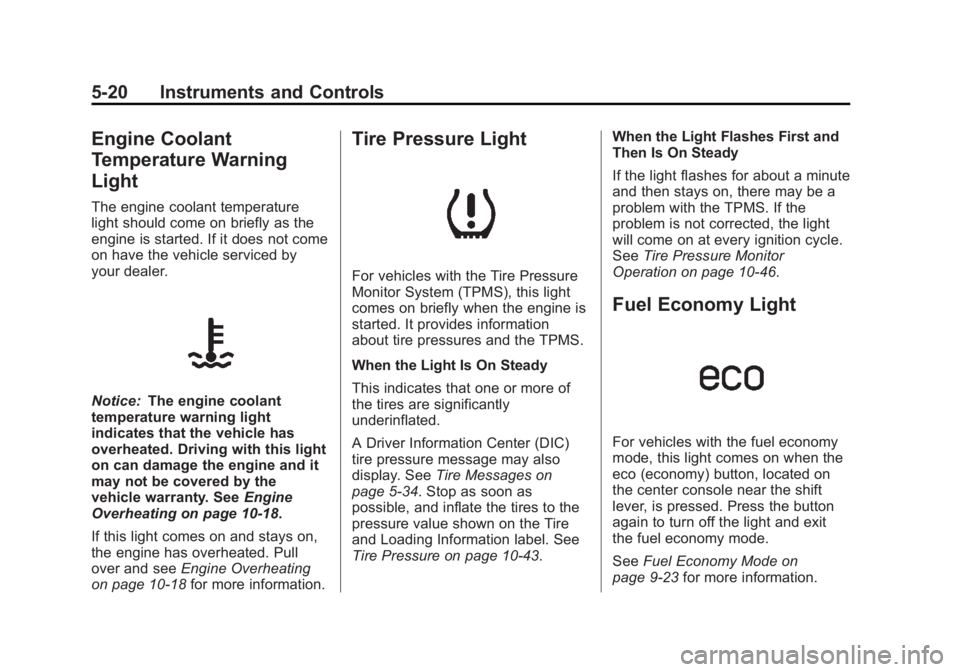
Engine Coolant
Temperature Warning
Light The engine coolant temperature
light should come on briefly as the
engine is started. If it does not come
on have the vehicle serviced by
your dealer.
Notice: The engine coolant
temperature warning light
indicates that the vehicle has
overheated. Driving with this light
on can damage the engine and it
may not be covered by the
vehicle warranty. See Engine
Overheating on page 10 ‑ 18 .
If this light comes on and stays on,
the engine has overheated. Pull
over and see Engine Overheating
on page 10 ‑ 18 for more information. Tire Pressure Light
For vehicles with the Tire Pressure
Monitor System (TPMS), this light
comes on briefly when the engine is
started. It provides information
about tire pressures and the TPMS.
When the Light Is On Steady
This indicates that one or more of
the tires are significantly
underinflated.
A Driver Information Center (DIC)
tire pressure message may also
display. See Tire Messages on
page 5 ‑ 34 . Stop as soon as
possible, and inflate the tires to the
pressure value shown on the Tire
and Loading Information label. See
Tire Pressure on page 10 ‑ 43 . When the Light Flashes First and
Then Is On Steady
If the light flashes for about a minute
and then stays on, there may be a
problem with the TPMS. If the
problem is not corrected, the light
will come on at every ignition cycle.
See Tire Pressure Monitor
Operation on page 10 ‑ 46 .
Fuel Economy Light
For vehicles with the fuel economy
mode, this light comes on when the
eco (economy) button, located on
the center console near the shift
lever, is pressed. Press the button
again to turn off the light and exit
the fuel economy mode.
See Fuel Economy Mode on
page 9 ‑ 23 for more information.
Page 117 of 374
Black plate (21,1)Chevrolet Captiva Sport Owner Manual - 2013 - crc - 11/12/12
Instruments and Controls 5-21
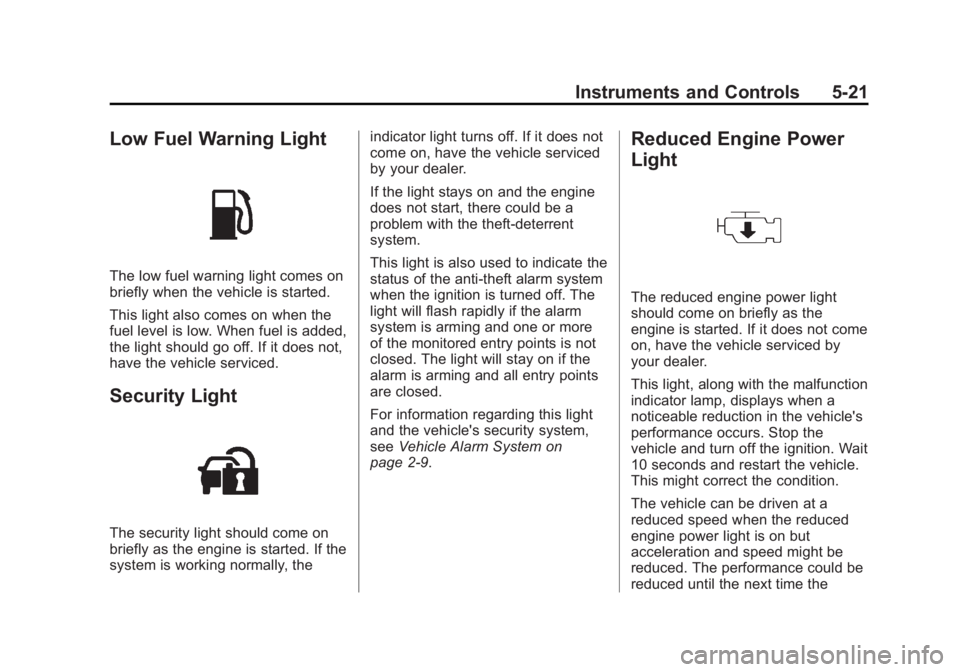
Low Fuel Warning Light
The low fuel warning light comes on
briefly when the vehicle is started.
This light also comes on when the
fuel level is low. When fuel is added,
the light should go off. If it does not,
have the vehicle serviced.
Security Light
The security light should come on
briefly as the engine is started. If the
system is working normally, the indicator light turns off. If it does not
come on, have the vehicle serviced
by your dealer.
If the light stays on and the engine
does not start, there could be a
problem with the theft-deterrent
system.
This light is also used to indicate the
status of the anti-theft alarm system
when the ignition is turned off. The
light will flash rapidly if the alarm
system is arming and one or more
of the monitored entry points is not
closed. The light will stay on if the
alarm is arming and all entry points
are closed.
For information regarding this light
and the vehicle's security system,
see Vehicle Alarm System on
page 2 ‑ 9 . Reduced Engine Power
Light
The reduced engine power light
should come on briefly as the
engine is started. If it does not come
on, have the vehicle serviced by
your dealer.
This light, along with the malfunction
indicator lamp, displays when a
noticeable reduction in the vehicle's
performance occurs. Stop the
vehicle and turn off the ignition. Wait
10 seconds and restart the vehicle.
This might correct the condition.
The vehicle can be driven at a
reduced speed when the reduced
engine power light is on but
acceleration and speed might be
reduced. The performance could be
reduced until the next time the
Page 121 of 374
Black plate (25,1)Chevrolet Captiva Sport Owner Manual - 2013 - crc - 11/12/12
Instruments and Controls 5-25The fuel range estimate is based on
an average of the vehicle's fuel
economy over recent driving history
and the amount of fuel remaining in
the fuel tank. This estimate will
change if driving conditions change.
For example, if driving in traffic and
making frequent stops, this display
may read one number, but if the
vehicle is driven on a freeway, the
number may change even though
the same amount of fuel is in the
fuel tank. This is because different
driving conditions produce different
fuel economies. Generally, freeway
driving produces better fuel
economy than city driving. Fuel
range cannot be reset.
If the vehicle is low on fuel, the
FUEL LEVEL LOW message will be
displayed. See “ FUEL LEVEL LOW ”
under Fuel System Messages on
page 5 ‑ 31 . Average Fuel Economy
Press
3 until AVERAGE FUEL
ECONOMY displays. This display
shows the approximate average
liters per 100 kilometers (L/100 km)
or kilometers per liter (km/L) or
miles per gallon (mpg). This number
is calculated based on the number
of L/100 km (km/L) (mpg) recorded
since the last time this menu item
was reset. To reset the AVERAGE
FUEL ECONOMY, press and
hold
V . The display will show zero.
Fuel Used
Press
3 until FUEL USED
displays. This display shows the
number of liters (L) or gallons (gal)
of fuel used since the last reset of
this menu item. To reset the fuel
used information, press and hold
Vwhile FUEL USED is displayed. Elapsed Time
Press
3 until ELAPSED TIME
displays. This display can be used
as a timer.
To start the timer, press the set/
reset button while ELAPSED TIME
is displayed. The display will show
the amount of time that has passed
since the timer was last reset, not
including time the ignition is off.
Time will continue to be counted as
long as the ignition is on, even if
another display is being shown on
the DIC. The timer will record up to
99 hours, 59 minutes and
59 seconds (99:59:59) after which
the display will return to zero.
To stop the timer, press
V briefly
while ELAPSED TIME is displayed.
To reset the timer to zero, press and
hold
V while ELAPSED TIME is
displayed.
Page 128 of 374
Black plate (32,1)Chevrolet Captiva Sport Owner Manual - 2013 - crc - 11/12/12
5-32 Instruments and Controls cap allows fuel to evaporate into the
atmosphere. A few driving trips with
the cap properly installed should
turn this light and message off.
Key and Lock Messages REPLACE REMOTE KEY FOB
BATTERY This message displays if a Remote
Keyless Entry (RKE) transmitter
battery is low. The battery needs to
be replaced in the transmitter. See
“ Battery Replacement ” under
Remote Keyless Entry (RKE)
System Operation on page 2 ‑ 2 .
Lamp Messages AUTOMATIC LIGHT
CONTROL ON
This message displays when the
automatic headlamp system is
activated by turning the exterior
lamps control to AUTO. AUTOMATIC LIGHT
CONTROL OFF This message displays when the
automatic headlamp system has
been turned off.
Object Detection System
Messages PARK ASST (Assist)
BLOCKED SEE OWNERS
MANUAL This message displays if there is
something interfering with the park
assist system. See Ultrasonic
Parking Assist on page 9 ‑ 31 for
more information.
PARK ASSIST OFF
After the vehicle has been started,
this message displays to remind the
driver that the URPA system has
been turned off. Press the set/reset
button or the trip odometer reset
stem to acknowledge this message and clear it from the DIC display.
For more information see Ultrasonic
Parking Assist on page 9 ‑ 31 .
SERVICE PARK ASSIST This message displays if there is a
problem with the Ultrasonic Rear
Parking Assist (URPA) system. Do
not use this system to help you
park. See Ultrasonic Parking Assist
on page 9 ‑ 31 for more information.
See your dealer for service.
Ride Control System
Messages SERVICE STABILITRAK This message displays if there is a
problem with the StabiliTrak ®
system. A warning light also
appears on the instrument cluster.
See StabiliTrak ®
Indicator Light on
page 5 ‑ 19 . See StabiliTrak ®
System
on page 9 ‑ 28 for more information.
If this message turns on while you
are driving, pull off the road as soon
as possible and stop carefully. Try