instrument panel CHEVROLET CAPTIVA SPORT 2014 Owner's Manual
[x] Cancel search | Manufacturer: CHEVROLET, Model Year: 2014, Model line: CAPTIVA SPORT, Model: CHEVROLET CAPTIVA SPORT 2014Pages: 382, PDF Size: 4.12 MB
Page 1 of 382
Black plate (1,1)Chevrolet Captiva Sport Owner Manual (GMNA-Localizing-U.S./Mexico-
6014141) - 2014 - crc - 8/13/13
2014 Chevrolet Captiva Sport Owner ManualM
In Brief. . . . . . . . . . . . . . . . . . . . . . . . 1-1
Instrument Panel . . . . . . . . . . . . . . 1-2
Initial Drive Information . . . . . . . . 1-4
Vehicle Features . . . . . . . . . . . . . 1-16
Performance and Maintenance . . . . . . . . . . . . . . . . 1-20
Keys, Doors, and Windows . . . . . . . . . . . . . . . . . . . . 2-1
Keys and Locks . . . . . . . . . . . . . . . 2-1
Doors . . . . . . . . . . . . . . . . . . . . . . . . . . 2-8
Vehicle Security . . . . . . . . . . . . . . . . 2-9
Exterior Mirrors . . . . . . . . . . . . . . . 2-11
Interior Mirrors . . . . . . . . . . . . . . . . 2-13
Windows . . . . . . . . . . . . . . . . . . . . . 2-13
Roof . . . . . . . . . . . . . . . . . . . . . . . . . . 2-14
Seats and Restraints . . . . . . . . . 3-1
Head Restraints . . . . . . . . . . . . . . . 3-2
Front Seats . . . . . . . . . . . . . . . . . . . . 3-3
Rear Seats . . . . . . . . . . . . . . . . . . . . 3-8
Safety Belts . . . . . . . . . . . . . . . . . . . . 3-9
Airbag System . . . . . . . . . . . . . . . . 3-17
Child Restraints . . . . . . . . . . . . . . 3-30 Storage
. . . . . . . . . . . . . . . . . . . . . . . 4-1
Storage Compartments . . . . . . . . 4-1
Additional Storage Features . . . 4-2
Roof Rack System . . . . . . . . . . . . . 4-3
Instruments and Controls . . . . 5-1
Controls . . . . . . . . . . . . . . . . . . . . . . . 5-2
Warning Lights, Gauges, and
Indicators . . . . . . . . . . . . . . . . . . . . 5-8
Information Displays . . . . . . . . . . 5-24
Vehicle Messages . . . . . . . . . . . . 5-28
Vehicle Personalization . . . . . . . 5-36
Universal Remote System . . . . 5-42
Lighting . . . . . . . . . . . . . . . . . . . . . . . 6-1
Exterior Lighting . . . . . . . . . . . . . . . 6-1
Interior Lighting . . . . . . . . . . . . . . . . 6-4
Lighting Features . . . . . . . . . . . . . . 6-6
Infotainment System . . . . . . . . . 7-1
Introduction . . . . . . . . . . . . . . . . . . . . 7-1
Radio . . . . . . . . . . . . . . . . . . . . . . . . . . 7-5
Audio Players . . . . . . . . . . . . . . . . 7-11
Phone . . . . . . . . . . . . . . . . . . . . . . . . 7-24 Climate Controls
. . . . . . . . . . . . . 8-1
Climate Control Systems . . . . . . 8-1
Air Vents . . . . . . . . . . . . . . . . . . . . . . . 8-9
Maintenance . . . . . . . . . . . . . . . . . . . 8-9
Driving and Operating . . . . . . . . 9-1
Driving Information . . . . . . . . . . . . . 9-2
Starting and Operating . . . . . . . 9-14
Engine Exhaust . . . . . . . . . . . . . . 9-20
Automatic Transmission . . . . . . 9-21
Drive Systems . . . . . . . . . . . . . . . . 9-25
Brakes . . . . . . . . . . . . . . . . . . . . . . . 9-25
Ride Control Systems . . . . . . . . 9-28
Cruise Control . . . . . . . . . . . . . . . . 9-30
Driver Assistance Systems . . . 9-32
Fuel . . . . . . . . . . . . . . . . . . . . . . . . . . 9-35
Trailer Towing . . . . . . . . . . . . . . . . 9-40
Conversions and Add-Ons . . . 9-47
Vehicle Care . . . . . . . . . . . . . . . . . 10-1
General Information . . . . . . . . . . 10-2
Vehicle Checks . . . . . . . . . . . . . . . 10-3
Headlamp Aiming . . . . . . . . . . . 10-27
Bulb Replacement . . . . . . . . . . 10-27
Electrical System . . . . . . . . . . . . 10-30
Wheels and Tires . . . . . . . . . . . 10-37
Page 7 of 382
Black plate (1,1)Chevrolet Captiva Sport Owner Manual (GMNA-Localizing-U.S./Mexico-
6014141) - 2014 - crc - 8/13/13
In Brief 1-1
In Brief
Instrument Panel
Instrument Panel Overview . . . . 1-2
Initial Drive Information
Initial Drive Information . . . . . . . . 1-4
Remote Keyless Entry (RKE)System . . . . . . . . . . . . . . . . . . . . . . 1-4
Remote Vehicle Start . . . . . . . . . 1-4
Door Locks . . . . . . . . . . . . . . . . . . . 1-5
Liftgate . . . . . . . . . . . . . . . . . . . . . . . . 1-6
Windows . . . . . . . . . . . . . . . . . . . . . . 1-6
Seat Adjustment . . . . . . . . . . . . . . 1-7
Second Row Seats . . . . . . . . . . . 1-9
Heated Seats . . . . . . . . . . . . . . . . . 1-9
Head Restraint Adjustment . . . . . . . . . . . . . . . . . 1-10
Safety Belts . . . . . . . . . . . . . . . . . . 1-10 Passenger Sensing
System . . . . . . . . . . . . . . . . . . . . . 1-10
Mirror Adjustment . . . . . . . . . . . . 1-11
Steering Wheel Adjustment . . . . . . . . . . . . . . . . . 1-12
Interior Lighting . . . . . . . . . . . . . . 1-12
Exterior Lighting . . . . . . . . . . . . . 1-13
Windshield Wiper/Washer . . . . 1-13
Climate Controls . . . . . . . . . . . . . 1-14
Transmission . . . . . . . . . . . . . . . . 1-15
Vehicle Features
Radio(s) . . . . . . . . . . . . . . . . . . . . . 1-16
Satellite Radio . . . . . . . . . . . . . . . 1-17
Portable Audio Devices . . . . . . 1-17
Bluetooth
®. . . . . . . . . . . . . . . . . . . 1-17
Steering Wheel Controls . . . . . 1-17
Cruise Control . . . . . . . . . . . . . . . 1-18
Infotainment System . . . . . . . . . 1-18 Driver Information
Center (DIC) . . . . . . . . . . . . . . . 1-18
Rear Vision Camera (RVC) . . . . . . . . . . . . . 1-19
Ultrasonic Parking Assist . . . . 1-19
Power Outlets . . . . . . . . . . . . . . . 1-19
Universal Remote System . . . 1-19
Performance and Maintenance
Traction Control/Electronic
Stability Control . . . . . . . . . . . . 1-20
Tire Pressure Monitor . . . . . . . . 1-20
Engine Oil Life System . . . . . . 1-21
E85 or FlexFuel . . . . . . . . . . . . . . 1-21
Driving for Better Fuel Economy . . . . . . . . . . . . . . . . . . . 1-21
Roadside Assistance
Program . . . . . . . . . . . . . . . . . . . . 1-22
OnStar
®. . . . . . . . . . . . . . . . . . . . . 1-22
Page 8 of 382
Black plate (2,1)Chevrolet Captiva Sport Owner Manual (GMNA-Localizing-U.S./Mexico-
6014141) - 2014 - crc - 8/13/13
1-2 In Brief
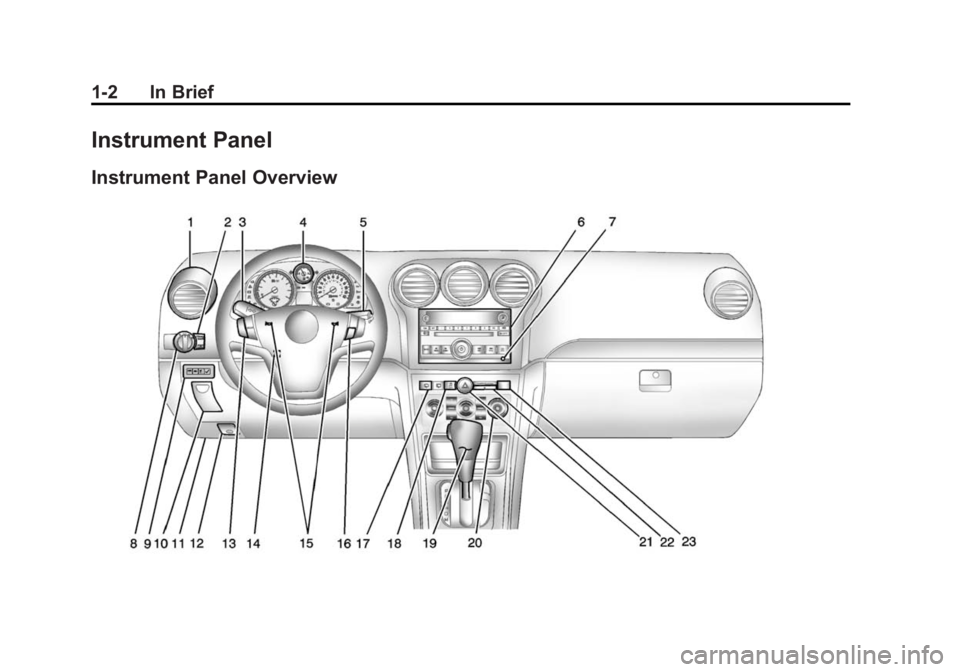
Instrument Panel
Instrument Panel Overview
Page 9 of 382
Black plate (3,1)Chevrolet Captiva Sport Owner Manual (GMNA-Localizing-U.S./Mexico-
6014141) - 2014 - crc - 8/13/13
In Brief 1-3
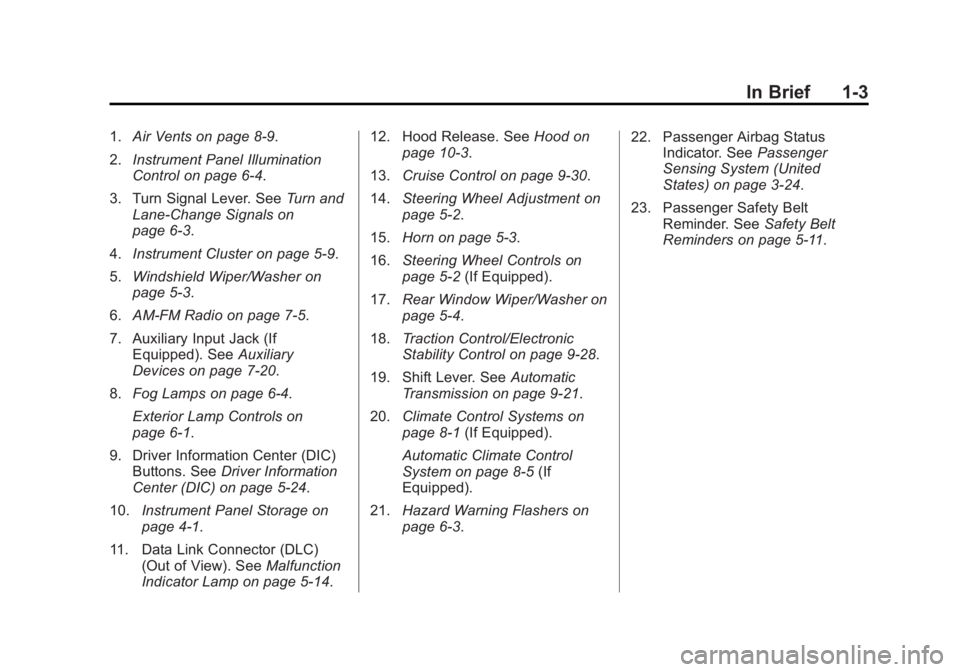
1.Air Vents on page 8-9.
2. Instrument Panel Illumination
Control on page 6-4.
3. Turn Signal Lever. See Turn and
Lane-Change Signals on
page 6-3.
4. Instrument Cluster on page 5-9.
5. Windshield Wiper/Washer on
page 5-3.
6. AM-FM Radio on page 7-5.
7. Auxiliary Input Jack (If Equipped). See Auxiliary
Devices on page 7-20.
8. Fog Lamps on page 6-4.
Exterior Lamp Controls on
page 6-1.
9. Driver Information Center (DIC) Buttons. See Driver Information
Center (DIC) on page 5-24.
10. Instrument Panel Storage on
page 4-1.
11. Data Link Connector (DLC) (Out of View). See Malfunction
Indicator Lamp on page 5-14. 12. Hood Release. See
Hood on
page 10-3.
13. Cruise Control on page 9-30.
14. Steering Wheel Adjustment on
page 5-2.
15. Horn on page 5-3.
16. Steering Wheel Controls on
page 5-2 (If Equipped).
17. Rear Window Wiper/Washer on
page 5-4.
18. Traction Control/Electronic
Stability Control on page 9-28.
19. Shift Lever. See Automatic
Transmission on page 9-21.
20. Climate Control Systems on
page 8-1 (If Equipped).
Automatic Climate Control
System on page 8-5 (If
Equipped).
21. Hazard Warning Flashers on
page 6-3. 22. Passenger Airbag Status
Indicator. See Passenger
Sensing System (United
States) on page 3-24.
23. Passenger Safety Belt Reminder. See Safety Belt
Reminders on page 5-11.
Page 16 of 382
Black plate (10,1)Chevrolet Captiva Sport Owner Manual (GMNA-Localizing-U.S./Mexico-
6014141) - 2014 - crc - 8/13/13
1-10 In Brief
and then to the off setting. The
lights indicate two for the highest
setting and one for the lowest.
SeeHeated Front Seats on
page 3-6.
Head Restraint
Adjustment
Do not drive until the head restraints
for all occupants are installed and
adjusted properly.
To achieve a comfortable seating
position, change the seatback
recline angle as little as necessary
while keeping the seat and the head
restraint height in the proper
position.
See Head Restraints on page 3-2
and Seat Adjustment on page 3-3.
Safety Belts
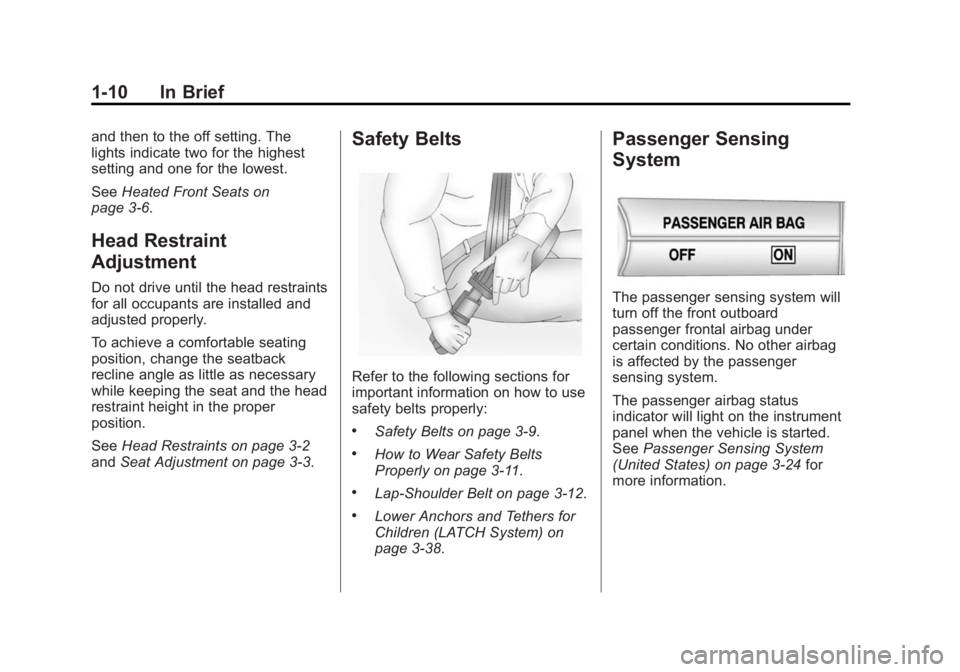
Refer to the following sections for
important information on how to use
safety belts properly:
.Safety Belts on page 3-9.
.How to Wear Safety Belts
Properly on page 3-11.
.Lap-Shoulder Belt on page 3-12.
.Lower Anchors and Tethers for
Children (LATCH System) on
page 3-38.
Passenger Sensing
System
The passenger sensing system will
turn off the front outboard
passenger frontal airbag under
certain conditions. No other airbag
is affected by the passenger
sensing system.
The passenger airbag status
indicator will light on the instrument
panel when the vehicle is started.
See Passenger Sensing System
(United States) on page 3-24 for
more information.
Page 19 of 382
Black plate (13,1)Chevrolet Captiva Sport Owner Manual (GMNA-Localizing-U.S./Mexico-
6014141) - 2014 - crc - 8/13/13
In Brief 1-13
The rear reading lamps are in the
headliner.
To turn the reading lamps on or off,
press the button next to each lamp.
Exterior Lighting
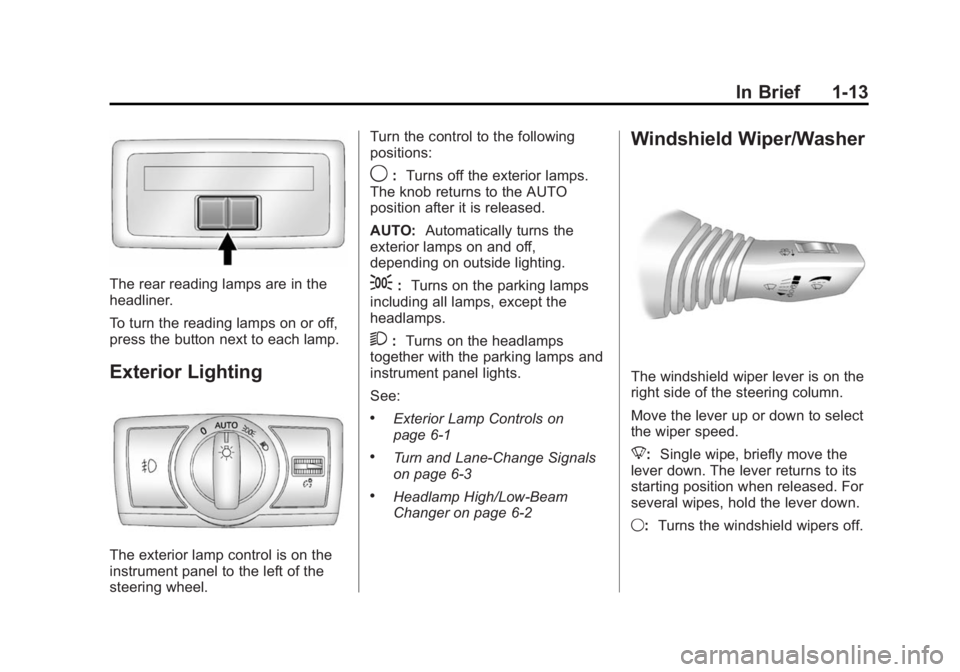
The exterior lamp control is on the
instrument panel to the left of the
steering wheel.Turn the control to the following
positions:
9:
Turns off the exterior lamps.
The knob returns to the AUTO
position after it is released.
AUTO: Automatically turns the
exterior lamps on and off,
depending on outside lighting.
;: Turns on the parking lamps
including all lamps, except the
headlamps.
2: Turns on the headlamps
together with the parking lamps and
instrument panel lights.
See:
.Exterior Lamp Controls on
page 6-1
.Turn and Lane-Change Signals
on page 6-3
.Headlamp High/Low-Beam
Changer on page 6-2
Windshield Wiper/Washer
The windshield wiper lever is on the
right side of the steering column.
Move the lever up or down to select
the wiper speed.
8: Single wipe, briefly move the
lever down. The lever returns to its
starting position when released. For
several wipes, hold the lever down.
9: Turns the windshield wipers off.
Page 20 of 382
Black plate (14,1)Chevrolet Captiva Sport Owner Manual (GMNA-Localizing-U.S./Mexico-
6014141) - 2014 - crc - 8/13/13
1-14 In Brief
3:Sets a delay between wipes.
Move the switch on top of the lever
left for less frequent wipes or right
for more frequent wipes.
a: Slow wipes.
1:Fast wipes.
Windshield Washer
Pull the windshield wiper lever to
spray windshield washer fluid and
activate the wipers. The wipers will
continue until the lever is released
or the maximum wash time is
reached.
Rear Window Wiper/Washer
The rear wiper and rear wash button
is on the instrument panel above the
climate control system.
=: Press to wash and wipe the
rear window.
5: Press to turn the delayed
wiping on or off.
See Windshield Wiper/Washer on
page 5-3 andRear Window Wiper/
Washer on page 5-4.
Climate Controls
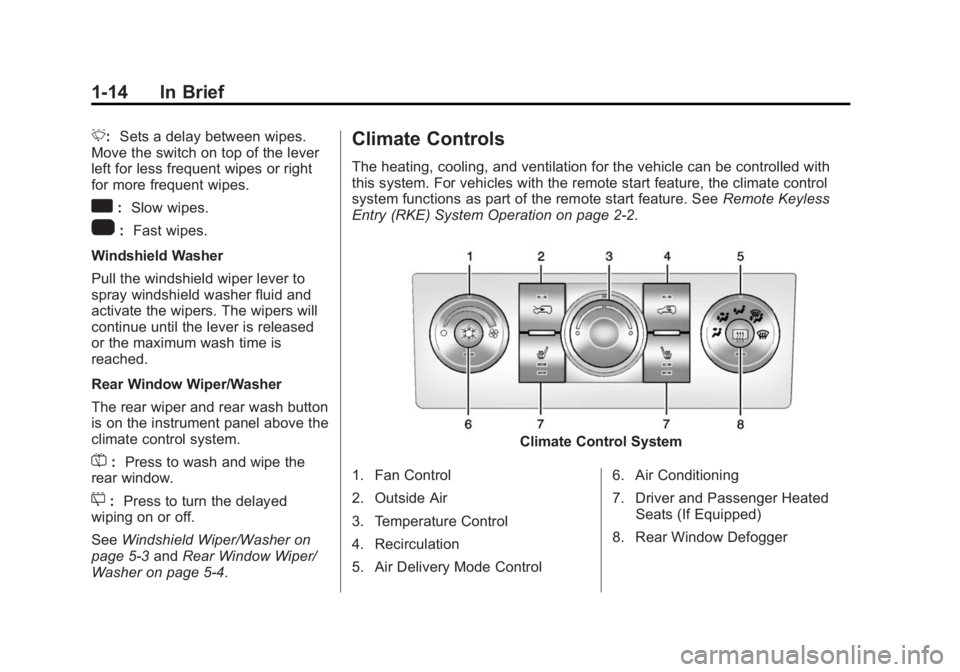
The heating, cooling, and ventilation for the vehicle can be controlled with
this system. For vehicles with the remote start feature, the climate control
system functions as part of the remote start feature. See Remote Keyless
Entry (RKE) System Operation on page 2-2.
Climate Control System
1. Fan Control
2. Outside Air
3. Temperature Control
4. Recirculation
5. Air Delivery Mode Control 6. Air Conditioning
7. Driver and Passenger Heated
Seats (If Equipped)
8. Rear Window Defogger
Page 24 of 382
Black plate (18,1)Chevrolet Captiva Sport Owner Manual (GMNA-Localizing-U.S./Mexico-
6014141) - 2014 - crc - 8/13/13
1-18 In Brief
K:Press to reject an incoming
call, or end a current call.
v+ orv−: Move the thumbwheel
up or down to increase or to
decrease the volume.
Cruise Control
E: Press to turn the cruise control
system on and off. The indicator
light on the button turns on or off.
RES+: Move the thumbwheel up
briefly to make the vehicle resume
to a previously set speed or hold upwards to accelerate. If cruise
control is already active, use to
increase vehicle speed.
−SET:
Move the thumbwheel down
briefly to set the speed and activate
cruise control. If cruise control is
already active, use to decrease
speed.
See Cruise Control on page 9-30.
Infotainment System
If the vehicle has a base radio it is
included in this manual. See the
infotainment manual for information
on the connected radios, audio
players, phone, navigation system,
settings, and voice or speech
recognition.
Driver Information
Center (DIC)
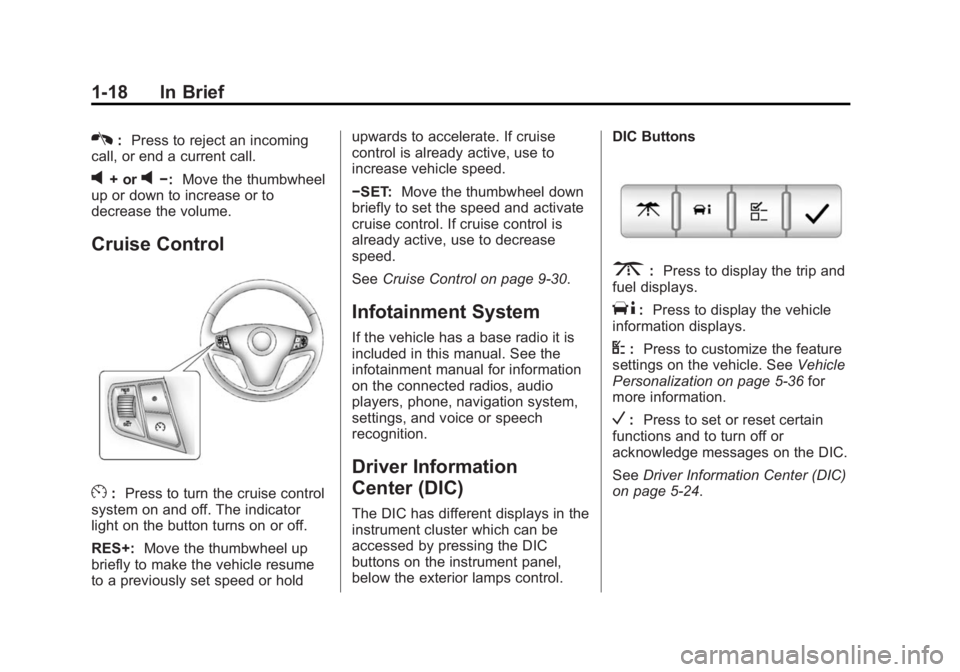
The DIC has different displays in the
instrument cluster which can be
accessed by pressing the DIC
buttons on the instrument panel,
below the exterior lamps control. DIC Buttons
3:
Press to display the trip and
fuel displays.
T: Press to display the vehicle
information displays.
U: Press to customize the feature
settings on the vehicle. See Vehicle
Personalization on page 5-36 for
more information.
V: Press to set or reset certain
functions and to turn off or
acknowledge messages on the DIC.
See Driver Information Center (DIC)
on page 5-24.
Page 25 of 382
Black plate (19,1)Chevrolet Captiva Sport Owner Manual (GMNA-Localizing-U.S./Mexico-
6014141) - 2014 - crc - 8/13/13
In Brief 1-19
Vehicle Personalization
Some vehicle features can be
programmed by using the DIC
buttons on the instrument panel to
the left of the steering wheel. These
features include:
.Language
.Door Lock and Unlock Settings
.Lighting
.Chime Volume
.Remote Start
See Vehicle Personalization on
page 5-36.
Rear Vision
Camera (RVC)
If equipped, RVC displays a view of
the area behind the vehicle, on the
center stack display, when the
vehicle is shifted into R (Reverse).
See Rear Vision Camera (RVC) on
page 9-34.
Ultrasonic Parking Assist
If equipped, this system uses
sensors on the rear bumper to
assist with parking and avoiding
objects while in R (Reverse).
It operates at speeds less than
8 km/h (5 mph). Ultrasonic Rear
Parking Assist (URPA) uses audible
beeps to provide distance and
system information.
Keep the sensors on the vehicle's
rear bumper clean to ensure proper
operation.
See Ultrasonic Parking Assist on
page 9-32.
Power Outlets
The accessory power outlets can be
used to plug in electrical equipment,
such as a cell phone or MP3 player.
The power outlets are located inside
the center floor console, on the rear
of the center floor console, and in
the rear cargo compartment. Remove the cover to access and
replace when not in use.
See
Power Outlets on page 5-7.
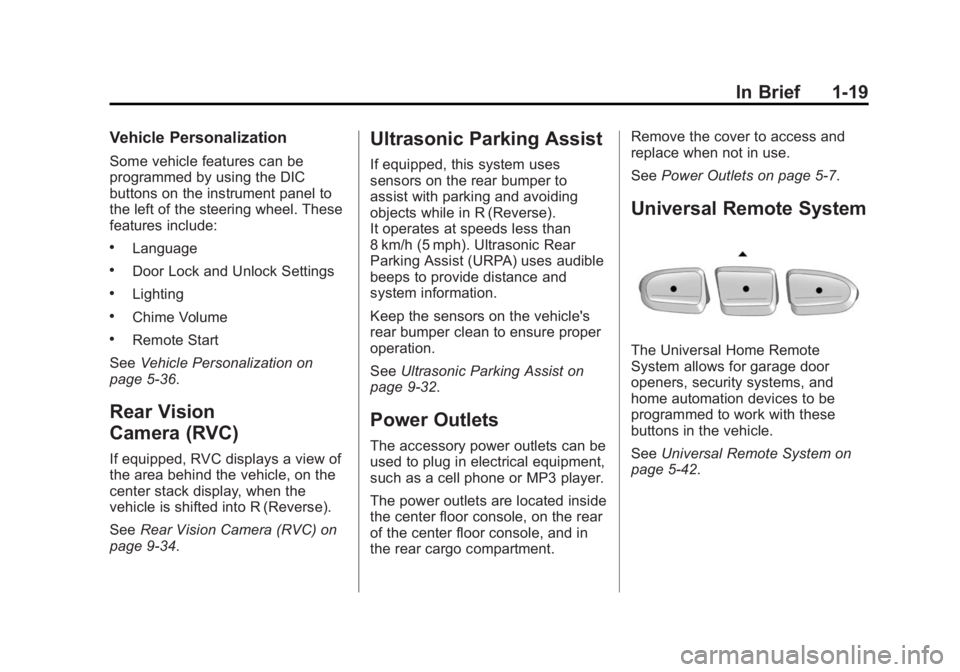
Universal Remote System
The Universal Home Remote
System allows for garage door
openers, security systems, and
home automation devices to be
programmed to work with these
buttons in the vehicle.
SeeUniversal Remote System on
page 5-42.
Page 26 of 382
Black plate (20,1)Chevrolet Captiva Sport Owner Manual (GMNA-Localizing-U.S./Mexico-
6014141) - 2014 - crc - 8/13/13
1-20 In Brief
Performance and
Maintenance
Traction Control/
Electronic Stability
Control
The Traction Control System (TCS)
limits wheel spin. The system turns
on automatically every time the
vehicle is started.
The StabiliTrak system assists with
directional control of the vehicle in
difficult driving conditions. The
system also turns on automatically
every time the vehicle is started.
.To turn off or on TCS, press and
release the TCS/StabiliTrak
button
gon the instrument
panel. The appropriate DIC
message displays.
.To turn off both Traction Control
and StabiliTrak, press and hold
the TCS/StabiliTrak button
g
until the StabiliTrak Off lightg
illuminates and the appropriate
DIC message displays.
.Press the TCS/StabiliTrak
button
gagain to turn on both
systems. The appropriate DIC
message displays.
See Traction Control/Electronic
Stability Control on page 9-28.
This vehicle also has a Brake Pedal
Override feature that limits engine
torque when the brake pedal is
applied. See Traction Control/
Electronic Stability Control on
page 9-28.
Tire Pressure Monitor
This vehicle may have a Tire
Pressure Monitor System (TPMS).
The low tire pressure warning light
alerts to a significant loss in
pressure of one of the vehicle's
tires. If the warning light comes on,
stop as soon as possible and inflate
the tires to the recommended
pressure shown on the Tire and
Loading Information label. See
Vehicle Load Limits on page 9-10.
The warning light will remain on until
the tire pressure is corrected.
The low tire pressure warning light
may come on in cool weather when
the vehicle is first started, and then
turn off as the vehicle is driven. This
may be an early indicator that the