reset CHEVROLET CAPTIVA SPORT 2014 Owner's Manual
[x] Cancel search | Manufacturer: CHEVROLET, Model Year: 2014, Model line: CAPTIVA SPORT, Model: CHEVROLET CAPTIVA SPORT 2014Pages: 382, PDF Size: 4.12 MB
Page 23 of 382
Black plate (17,1)Chevrolet Captiva Sport Owner Manual (GMNA-Localizing-U.S./Mexico-
6014141) - 2014 - crc - 8/13/13
In Brief 1-17
4. Press the softkey below the tabto be changed.
5. Increase or decrease the time or date by turning
fclockwise or
counterclockwise.
See Clock on page 5-6.
Satellite Radio
If equipped, SiriusXM®is a satellite
radio service based in the
48 contiguous United States and
10 Canadian provinces.
SiriusXM satellite radio has a wide
variety of programming and
commercial-free music, coast to
coast, and in digital-quality sound.
A fee is required to receive the
SiriusXM service.
For more information, refer to:
.www.siriusxm.com or call
1-866-635-2349 (U.S.)
.www.xmradio.ca or call
1-877-209-0079 (Canada)
See Satellite Radio on page 7-6.
Portable Audio Devices
The vehicle may have a 3.5 mm
(1/8 in) auxiliary input jack on the
audio faceplate and a USB port in
the center console. Some portable
audio devices such as iPods
®, MP3
players, and USB storage devices
can be connected to the vehicle
using a 3.5 mm (1/8 in) cable or a
USB cable.
See Auxiliary Devices on page 7-20.
Bluetooth®
If equipped with a Bluetooth system,
it allows users with a
Bluetooth-enabled cell phone to
make and receive hands-free calls
using the vehicle’ s audio system
and controls.
The Bluetooth-enabled cell phone
must be paired with the Bluetooth
system before it can be used in the
vehicle. Not all phones will support
all functions. For more information,
see www.gm.com/bluetooth and
Bluetooth on page 7-24.
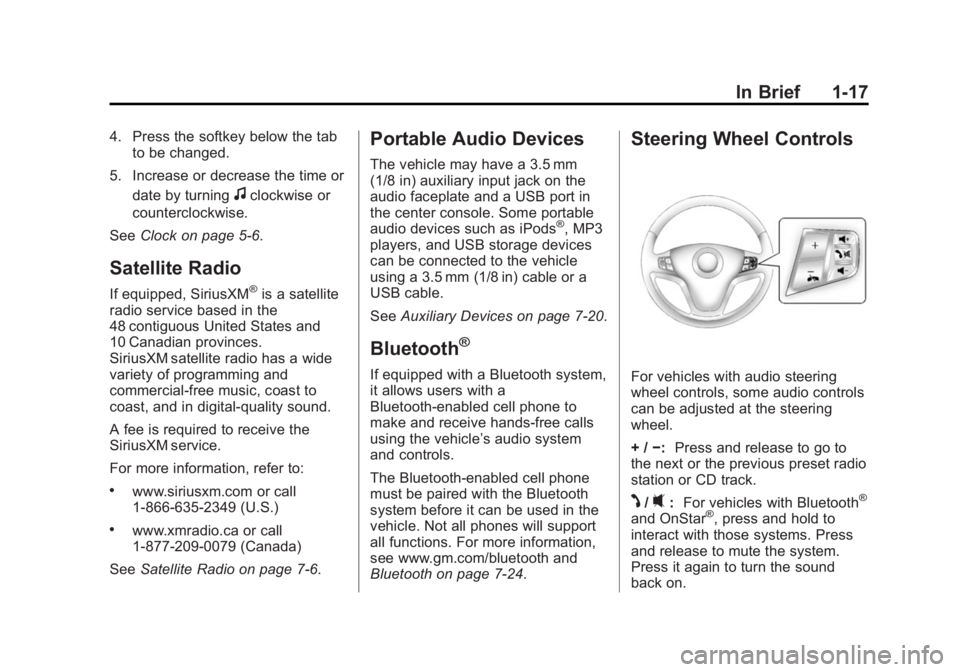
Steering Wheel Controls
For vehicles with audio steering
wheel controls, some audio controls
can be adjusted at the steering
wheel.
+ / −: Press and release to go to
the next or the previous preset radio
station or CD track.
J/0: For vehicles with Bluetooth®
and OnStar®, press and hold to
interact with those systems. Press
and release to mute the system.
Press it again to turn the sound
back on.
Page 24 of 382
Black plate (18,1)Chevrolet Captiva Sport Owner Manual (GMNA-Localizing-U.S./Mexico-
6014141) - 2014 - crc - 8/13/13
1-18 In Brief
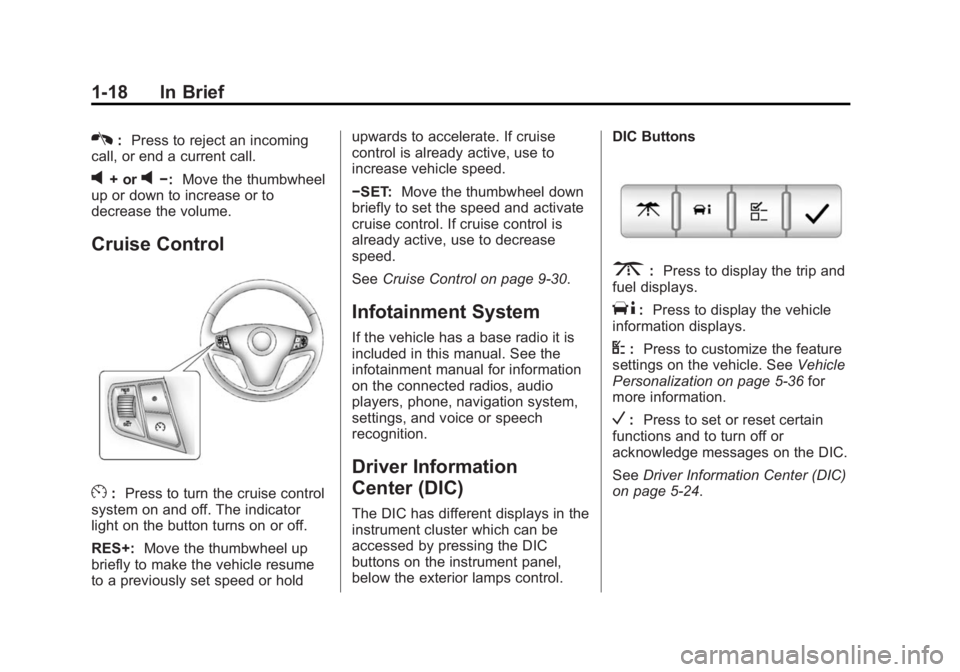
K:Press to reject an incoming
call, or end a current call.
v+ orv−: Move the thumbwheel
up or down to increase or to
decrease the volume.
Cruise Control
E: Press to turn the cruise control
system on and off. The indicator
light on the button turns on or off.
RES+: Move the thumbwheel up
briefly to make the vehicle resume
to a previously set speed or hold upwards to accelerate. If cruise
control is already active, use to
increase vehicle speed.
−SET:
Move the thumbwheel down
briefly to set the speed and activate
cruise control. If cruise control is
already active, use to decrease
speed.
See Cruise Control on page 9-30.
Infotainment System
If the vehicle has a base radio it is
included in this manual. See the
infotainment manual for information
on the connected radios, audio
players, phone, navigation system,
settings, and voice or speech
recognition.
Driver Information
Center (DIC)
The DIC has different displays in the
instrument cluster which can be
accessed by pressing the DIC
buttons on the instrument panel,
below the exterior lamps control. DIC Buttons
3:
Press to display the trip and
fuel displays.
T: Press to display the vehicle
information displays.
U: Press to customize the feature
settings on the vehicle. See Vehicle
Personalization on page 5-36 for
more information.
V: Press to set or reset certain
functions and to turn off or
acknowledge messages on the DIC.
See Driver Information Center (DIC)
on page 5-24.
Page 27 of 382
Black plate (21,1)Chevrolet Captiva Sport Owner Manual (GMNA-Localizing-U.S./Mexico-
6014141) - 2014 - crc - 8/13/13
In Brief 1-21
tire pressures are getting low and
the tires need to be inflated to the
proper pressure.
The TPMS does not replace normal
monthly tire maintenance. Maintain
the correct tire pressures.
SeeTire Pressure Monitor System
on page 10-46.
Engine Oil Life System
The engine oil life system calculates
engine oil life based on vehicle use
and displays a CHANGE ENGINE
OIL SOON message when it is time
to change the engine oil and filter.
Resetting the Oil Life System
Reset the system whenever the
engine oil is changed so that the
system can calculate the next
engine oil change. To reset the
system:
1. Display OIL LIFE REMAINING on the DIC. See Driver
Information Center (DIC) on
page 5-24 andEngine Oil
Messages on page 5-31. 2. Press
Vfor five seconds to
reset the oil life at 100%.
Be careful not to reset the oil life
display accidentally at any time
other than after the oil is
changed. It cannot be reset
accurately until the next oil
change.
The oil life system can also be reset
as follows:
1. Turn the ignition key to ON/RUN with the engine off.
2. Fully press and release the accelerator pedal three times
within five seconds.
If the OIL LIFE REMAINING
value is not 100%, the system
needs to be reset again.
See Engine Oil Life System on
page 10-10.E85 or FlexFuel
Vehicles with a yellow fuel cap can
use either unleaded gasoline or
ethanol fuel containing up to 85%
ethanol (E85). See E85 or FlexFuel
on page 9-37. For all other vehicles,
use only the unleaded gasoline
described under Recommended
Fuel on page 9-36.
Driving for Better Fuel
Economy
Driving habits can affect fuel
mileage. Here are some driving tips
to get the best fuel economy
possible.
.Avoid fast starts and accelerate
smoothly.
.Brake gradually and avoid
abrupt stops.
.Avoid idling the engine for long
periods of time.
.When road and weather
conditions are appropriate, use
cruise control.
Page 100 of 382
Black plate (2,1)Chevrolet Captiva Sport Owner Manual (GMNA-Localizing-U.S./Mexico-
6014141) - 2014 - crc - 8/13/13
5-2 Instruments and Controls
Tire Messages . . . . . . . . . . . . . . . 5-34
Transmission Messages . . . . . 5-35
Vehicle ReminderMessages . . . . . . . . . . . . . . . . . . 5-36
Vehicle Personalization
Vehicle Personalization . . . . . . 5-36
Universal Remote System
Universal Remote System . . . 5-42
Universal Remote SystemProgramming . . . . . . . . . . . . . . . 5-42
Universal Remote System Operation . . . . . . . . . . . . . . . . . . 5-45
Controls
Steering Wheel
Adjustment
To adjust the steering wheel:
1. Hold the steering wheel and pull
the lever down.
2. Move the steering wheel up or down.
3. Pull or push the steering wheel closer or away from you. 4. Pull the lever up to lock the
steering wheel in place.
Do not adjust the steering wheel
while driving.
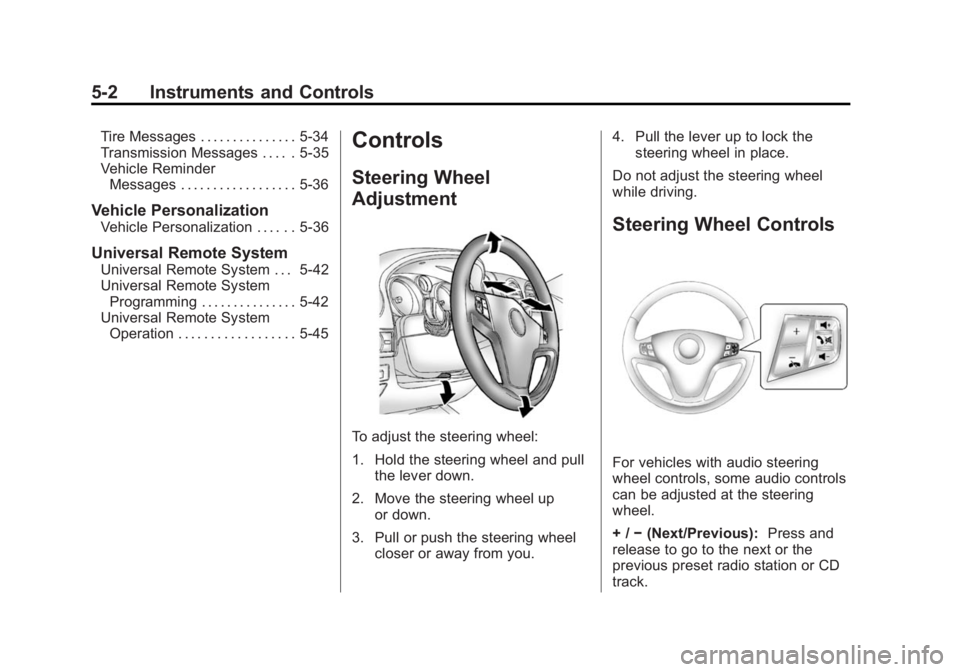
Steering Wheel Controls
For vehicles with audio steering
wheel controls, some audio controls
can be adjusted at the steering
wheel.
+ / −(Next/Previous): Press and
release to go to the next or the
previous preset radio station or CD
track.
Page 103 of 382
Black plate (5,1)Chevrolet Captiva Sport Owner Manual (GMNA-Localizing-U.S./Mexico-
6014141) - 2014 - crc - 8/13/13
Instruments and Controls 5-5
necessary to compensate for
compass variance by resetting the
zone through the DIC if the zone is
not set correctly.
Compass variance is the difference
between the earth's magnetic north
and true geographic north. If the
compass is not set to the zone
where you live, the compass may
give false readings. The compass
must be set to the variance zone in
which the vehicle is traveling.
To adjust for compass variance, use
the following procedure:
Compass Variance (Zone)
Procedure
1. Do not set the compass zonewhen the vehicle is moving. Only
set it when the vehicle is in
P (Park).
Press the vehicle information
button until PRESS
VTO SET
COMPASS ZONE: ## displays.
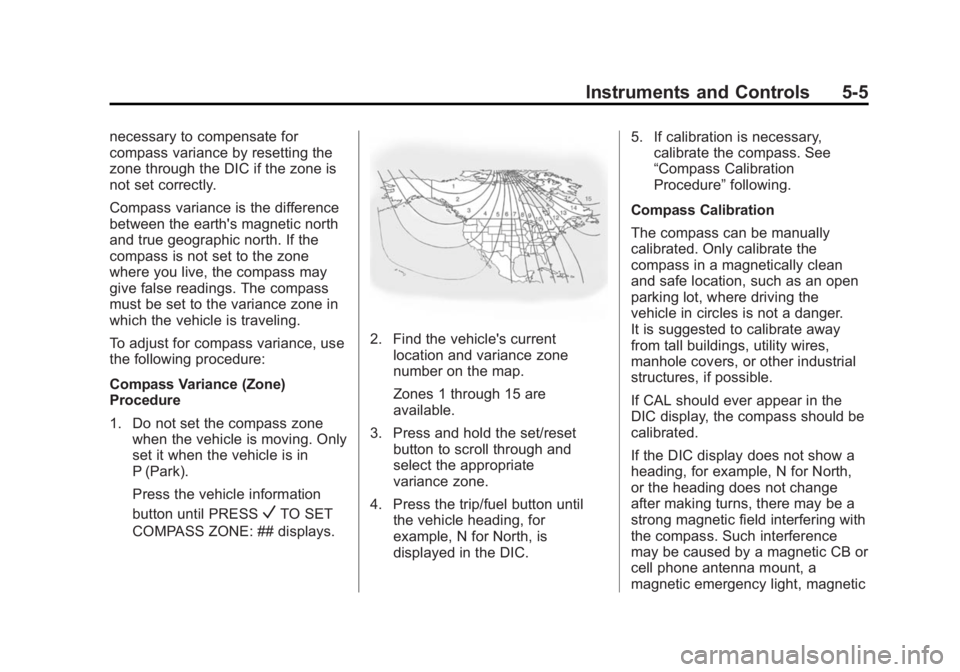
2. Find the vehicle's current location and variance zone
number on the map.
Zones 1 through 15 are
available.
3. Press and hold the set/reset button to scroll through and
select the appropriate
variance zone.
4. Press the trip/fuel button until the vehicle heading, for
example, N for North, is
displayed in the DIC. 5. If calibration is necessary,
calibrate the compass. See
“Compass Calibration
Procedure” following.
Compass Calibration
The compass can be manually
calibrated. Only calibrate the
compass in a magnetically clean
and safe location, such as an open
parking lot, where driving the
vehicle in circles is not a danger.
It is suggested to calibrate away
from tall buildings, utility wires,
manhole covers, or other industrial
structures, if possible.
If CAL should ever appear in the
DIC display, the compass should be
calibrated.
If the DIC display does not show a
heading, for example, N for North,
or the heading does not change
after making turns, there may be a
strong magnetic field interfering with
the compass. Such interference
may be caused by a magnetic CB or
cell phone antenna mount, a
magnetic emergency light, magnetic
Page 104 of 382
Black plate (6,1)Chevrolet Captiva Sport Owner Manual (GMNA-Localizing-U.S./Mexico-
6014141) - 2014 - crc - 8/13/13
5-6 Instruments and Controls
note pad holder, or any other
magnetic item. Turn off the vehicle,
move the magnetic item, then turn
on the vehicle and calibrate the
compass.
To calibrate the compass, use the
following procedure:
Compass Calibration Procedure
1. Before calibrating the compass,make sure the compass is set to
the variance zone in which the
vehicle is located. See
“Compass Variance (Zone)
Procedure” earlier in this
section.
Do not operate any switches
such as window, sunroof,
climate controls, seats, etc.
during the calibration procedure.
2. Press the vehicle information button until PRESS
VTO
CALIBRATE COMPASS
displays.
3. Press the set/reset button to start the compass calibration. 4. The DIC will display
CALIBRATING COMPASS:
TURN IN CIRCLES. Drive the
vehicle in tight circles at less
than 8 km/h (5 mph) to complete
the calibration. The DIC will
display COMPASS
CALIBRATION COMPLETE for a
few seconds when the
calibration is complete. The DIC
display will then return to the
previous menu.
Clock
To set the time and date:
1. Turn the ignition key to ACC/ACCESSORY or ON/RUN.
Press
Oto turn the radio on.
2. Press
Hand HR, MIN, MM, DD,
and YYYY (hour, minute, month,
day, and year) display.
3. Press the softkey below any one of the tabs to be changed. 4. To increase the time or date do
one of the following:
.Press the softkey below the
selected tab.
.Press¨SEEK, or\FWD.
.Turnfclockwise.
5. To decrease the time or date do one of the following:
.Press©SEEK orsREV.
.Turnfcounterclockwise.
The date does not automatically
display. To see the date press
H
while the radio is on. The date with
display times out after a few
seconds and goes back to the
normal radio and time display.
Page 108 of 382
Black plate (10,1)Chevrolet Captiva Sport Owner Manual (GMNA-Localizing-U.S./Mexico-
6014141) - 2014 - crc - 8/13/13
5-10 Instruments and Controls
Speedometer
The speedometer shows the
vehicle's speed in either kilometers
per hour (km/h) or miles per
hour (mph).
Odometer
The odometer shows how far the
vehicle has been driven, in either
kilometers or miles.
This vehicle has a tamper-resistant
odometer. If the vehicle needs a
new odometer installed, the new
one is set to the mileage of the old
odometer. If this is not possible, it is
set at zero and a label is put on the
driver door to show the old mileage
reading.
Trip Odometer
The trip odometer can record the
number of miles, or kilometers,
traveled for up to two trips.
Cycle between the odometer and
trip odometers A and B by pressing
the reset button located in the lowerright area of the speedometer. Press
the reset button to tell how many
miles or kilometers have been
recorded on either Trip A or Trip B
since the trip odometer was last set
back to zero.
To reset each trip odometer to zero,
press and hold the reset button. The
reset button resets only the trip
odometer that is being displayed.
Each trip odometer must be reset
individually.
Tachometer
The tachometer displays the engine
speed in revolutions per
minute (rpm).
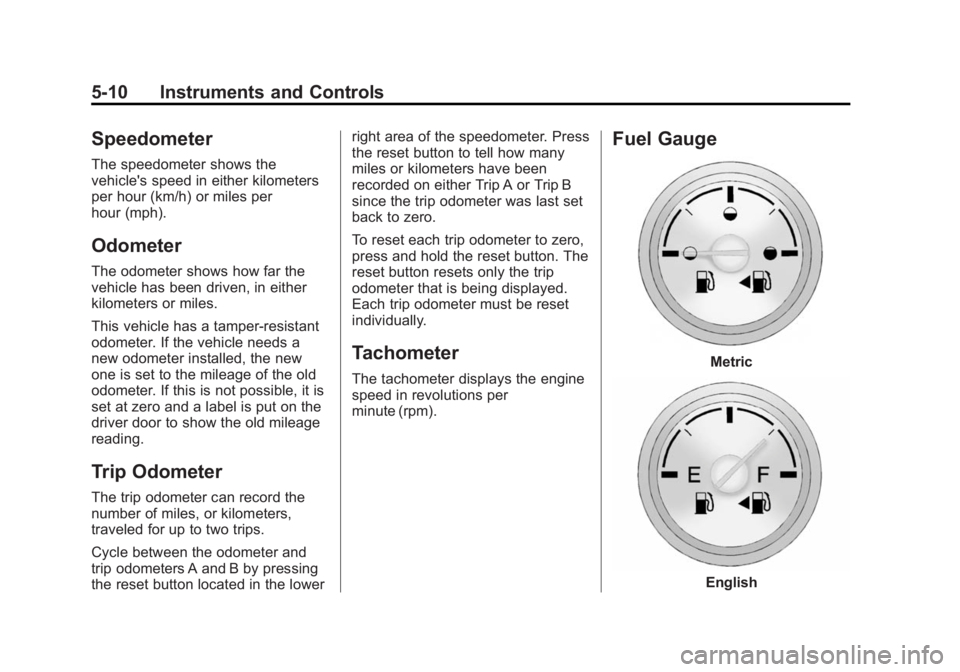
Fuel Gauge
Metric
English
Page 116 of 382
Black plate (18,1)Chevrolet Captiva Sport Owner Manual (GMNA-Localizing-U.S./Mexico-
6014141) - 2014 - crc - 8/13/13
5-18 Instruments and Controls
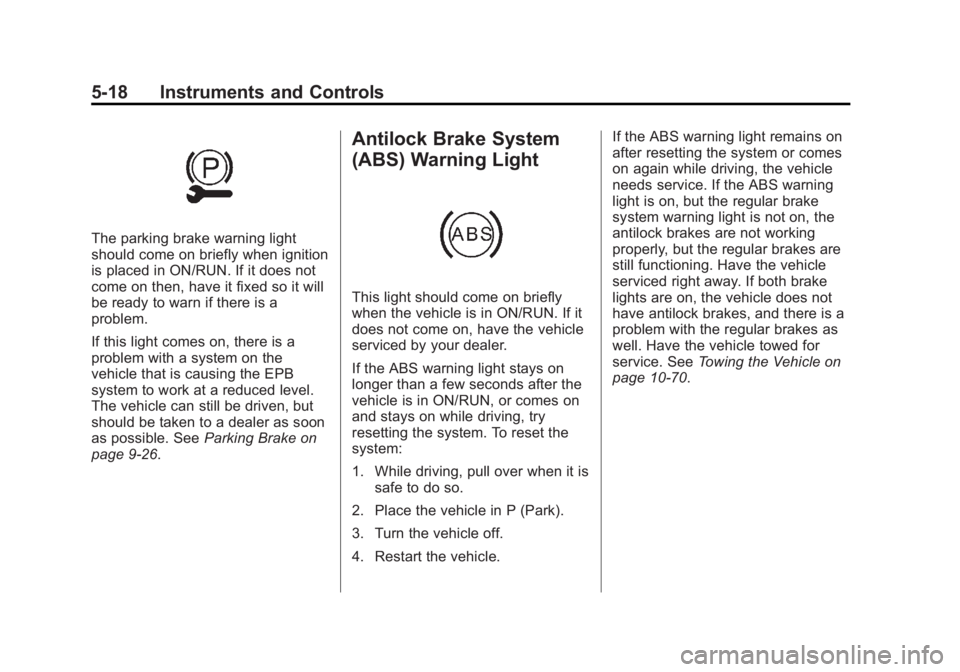
The parking brake warning light
should come on briefly when ignition
is placed in ON/RUN. If it does not
come on then, have it fixed so it will
be ready to warn if there is a
problem.
If this light comes on, there is a
problem with a system on the
vehicle that is causing the EPB
system to work at a reduced level.
The vehicle can still be driven, but
should be taken to a dealer as soon
as possible. SeeParking Brake on
page 9-26.
Antilock Brake System
(ABS) Warning Light
This light should come on briefly
when the vehicle is in ON/RUN. If it
does not come on, have the vehicle
serviced by your dealer.
If the ABS warning light stays on
longer than a few seconds after the
vehicle is in ON/RUN, or comes on
and stays on while driving, try
resetting the system. To reset the
system:
1. While driving, pull over when it is
safe to do so.
2. Place the vehicle in P (Park).
3. Turn the vehicle off.
4. Restart the vehicle. If the ABS warning light remains on
after resetting the system or comes
on again while driving, the vehicle
needs service. If the ABS warning
light is on, but the regular brake
system warning light is not on, the
antilock brakes are not working
properly, but the regular brakes are
still functioning. Have the vehicle
serviced right away. If both brake
lights are on, the vehicle does not
have antilock brakes, and there is a
problem with the regular brakes as
well. Have the vehicle towed for
service. See
Towing the Vehicle on
page 10-70.
Page 122 of 382
Black plate (24,1)Chevrolet Captiva Sport Owner Manual (GMNA-Localizing-U.S./Mexico-
6014141) - 2014 - crc - 8/13/13
5-24 Instruments and Controls
Information Displays
Driver Information
Center (DIC)
The vehicle has a Driver Information
Center (DIC).
All information appears in the DIC
display in the instrument cluster.
The DIC comes on when the ignition
is on. After a short delay, the DIC
displays the information that was
last displayed before the engine
was turned off.
The DIC displays trip, fuel, and
vehicle system information, and
warning messages if a system
problem is detected.
The DIC also displays the compass
direction, outside air temperature,
and shift position indicator at the top
of the DIC display. If there is a
problem with the system that
controls the temperature display, the
numbers will be replaced with
dashes. If this occurs, have thevehicle serviced by your dealer.
If an abnormal temperature reading
is displayed for an extended period
of time, consult your dealer. Under
certain circumstances, especially
when the engine is idling, a delay in
updating the temperature display is
normal.
See
Compass on page 5-4 and
Automatic Transmission on
page 9-21.
The DIC has different displays
which can be accessed by pressing
the DIC buttons on the instrument
panel, below the exterior lamps
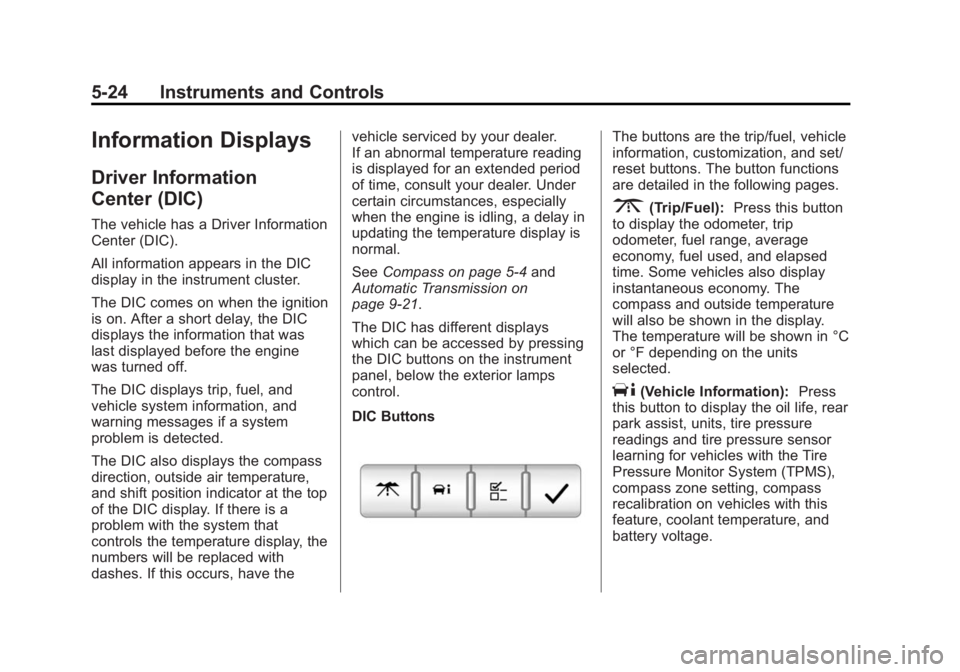
control.
DIC Buttons
The buttons are the trip/fuel, vehicle
information, customization, and set/
reset buttons. The button functions
are detailed in the following pages.
3(Trip/Fuel): Press this button
to display the odometer, trip
odometer, fuel range, average
economy, fuel used, and elapsed
time. Some vehicles also display
instantaneous economy. The
compass and outside temperature
will also be shown in the display.
The temperature will be shown in °C
or °F depending on the units
selected.
T(Vehicle Information): Press
this button to display the oil life, rear
park assist, units, tire pressure
readings and tire pressure sensor
learning for vehicles with the Tire
Pressure Monitor System (TPMS),
compass zone setting, compass
recalibration on vehicles with this
feature, coolant temperature, and
battery voltage.
Page 123 of 382
Black plate (25,1)Chevrolet Captiva Sport Owner Manual (GMNA-Localizing-U.S./Mexico-
6014141) - 2014 - crc - 8/13/13
Instruments and Controls 5-25
U(Customization):Press this
button to customize the feature
settings on the vehicle. See Vehicle
Personalization on page 5-36 for
more information.
V(Set/Reset): Press this button to
set or reset certain functions and to
turn off or acknowledge messages
on the DIC.
Trip/Fuel Menu Items
3(Trip/Fuel): Press this button
to scroll through the following menu
items:
Odometer
Press
3until ODOMETER
displays. This display shows the
distance the vehicle has been
driven in either kilometers (km) or
miles (mi). Pressing the trip
odometer reset stem will also
display the odometer.
To switch between metric and
English measurements, see “Units”
later in this section. Trip Odometer
Press
3until TRIP A or TRIP B
displays. This display shows the
current distance traveled in either
kilometers (km) or miles (mi) since
the last reset for the trip odometer.
Pressing the trip odometer reset
stem will also display the trip
odometer.
Each trip odometer can be reset to
zero separately by pressing
Vwhile
the trip odometer is displayed. You
can also reset the trip odometer
while it is displayed by pressing and
holding the trip odometer
reset stem.
Fuel Range
Press
3until RANGE displays.
This display shows the approximate
number of remaining kilometers (km)
or miles (mi) the vehicle can be
driven without refueling. This display
will show LOW if the fuel level
is low. The fuel range estimate is based on
an average of the vehicle's fuel
economy over recent driving history
and the amount of fuel remaining in
the fuel tank. This estimate will
change if driving conditions change.
For example, if driving in traffic and
making frequent stops, this display
may read one number, but if the
vehicle is driven on a freeway, the
number may change even though
the same amount of fuel is in the
fuel tank. This is because different
driving conditions produce different
fuel economies. Generally, freeway
driving produces better fuel
economy than city driving. Fuel
range cannot be reset.
If the vehicle is low on fuel, the
FUEL LEVEL LOW message will be
displayed. See
“FUEL LEVEL LOW”
under Fuel System Messages on
page 5-32.