light CHEVROLET CAPTIVA SPORT 2015 Owner's Manual
[x] Cancel search | Manufacturer: CHEVROLET, Model Year: 2015, Model line: CAPTIVA SPORT, Model: CHEVROLET CAPTIVA SPORT 2015Pages: 373, PDF Size: 4.11 MB
Page 2 of 373
Black plate (1,1)Chevrolet Captiva Sport Owner Manual (GMNA-Localizing-U.S./Mexico-
7576028) - 2015 - First Edition - 3/21/14
2015 Chevrolet Captiva Sport Owner ManualM
In Brief. . . . . . . . . . . . . . . . . . . . . . . . 1-1
Instrument Panel . . . . . . . . . . . . . . 1-2
Initial Drive Information . . . . . . . . 1-4
Vehicle Features . . . . . . . . . . . . . 1-16
Performance and Maintenance . . . . . . . . . . . . . . . . 1-20
Keys, Doors, and Windows . . . . . . . . . . . . . . . . . . . . 2-1
Keys and Locks . . . . . . . . . . . . . . . 2-1
Doors . . . . . . . . . . . . . . . . . . . . . . . . . . 2-8
Vehicle Security . . . . . . . . . . . . . . . . 2-9
Exterior Mirrors . . . . . . . . . . . . . . . 2-11
Interior Mirrors . . . . . . . . . . . . . . . . 2-12
Windows . . . . . . . . . . . . . . . . . . . . . 2-13
Roof . . . . . . . . . . . . . . . . . . . . . . . . . . 2-14
Seats and Restraints . . . . . . . . . 3-1
Head Restraints . . . . . . . . . . . . . . . 3-2
Front Seats . . . . . . . . . . . . . . . . . . . . 3-3
Rear Seats . . . . . . . . . . . . . . . . . . . . 3-8
Safety Belts . . . . . . . . . . . . . . . . . . . . 3-9
Airbag System . . . . . . . . . . . . . . . . 3-17
Child Restraints . . . . . . . . . . . . . . 3-30 Storage
. . . . . . . . . . . . . . . . . . . . . . . 4-1
Storage Compartments . . . . . . . . 4-1
Additional Storage Features . . . 4-2
Roof Rack System . . . . . . . . . . . . . 4-3
Instruments and Controls . . . . 5-1
Controls . . . . . . . . . . . . . . . . . . . . . . . 5-2
Warning Lights, Gauges, and
Indicators . . . . . . . . . . . . . . . . . . . . 5-8
Information Displays . . . . . . . . . . 5-23
Vehicle Messages . . . . . . . . . . . . 5-28
Vehicle Personalization . . . . . . . 5-35
Universal Remote System . . . . 5-41
Lighting . . . . . . . . . . . . . . . . . . . . . . . 6-1
Exterior Lighting . . . . . . . . . . . . . . . 6-1
Interior Lighting . . . . . . . . . . . . . . . . 6-4
Lighting Features . . . . . . . . . . . . . . 6-6
Infotainment System . . . . . . . . . 7-1
Introduction . . . . . . . . . . . . . . . . . . . . 7-1
Radio . . . . . . . . . . . . . . . . . . . . . . . . . . 7-5
Audio Players . . . . . . . . . . . . . . . . . . 7-9
Phone . . . . . . . . . . . . . . . . . . . . . . . . 7-19 Climate Controls
. . . . . . . . . . . . . 8-1
Climate Control Systems . . . . . . 8-1
Air Vents . . . . . . . . . . . . . . . . . . . . . . . 8-8
Maintenance . . . . . . . . . . . . . . . . . . . 8-9
Driving and Operating . . . . . . . . 9-1
Driving Information . . . . . . . . . . . . . 9-2
Starting and Operating . . . . . . . 9-14
Engine Exhaust . . . . . . . . . . . . . . 9-20
Automatic Transmission . . . . . . 9-21
Drive Systems . . . . . . . . . . . . . . . . 9-24
Brakes . . . . . . . . . . . . . . . . . . . . . . . 9-25
Ride Control Systems . . . . . . . . 9-28
Cruise Control . . . . . . . . . . . . . . . . 9-30
Driver Assistance Systems . . . 9-32
Fuel . . . . . . . . . . . . . . . . . . . . . . . . . . 9-36
Trailer Towing . . . . . . . . . . . . . . . . 9-40
Conversions and Add-Ons . . . 9-47
Vehicle Care . . . . . . . . . . . . . . . . . 10-1
General Information . . . . . . . . . . 10-2
Vehicle Checks . . . . . . . . . . . . . . . 10-3
Headlamp Aiming . . . . . . . . . . . 10-27
Bulb Replacement . . . . . . . . . . 10-27
Electrical System . . . . . . . . . . . . 10-30
Wheels and Tires . . . . . . . . . . . 10-37
Page 5 of 373
Black plate (4,1)Chevrolet Captiva Sport Owner Manual (GMNA-Localizing-U.S./Mexico-
7576028) - 2015 - First Edition - 3/21/14
iv Introduction
{Caution
Caution indicates a hazard that
could result in property or vehicle
damage.
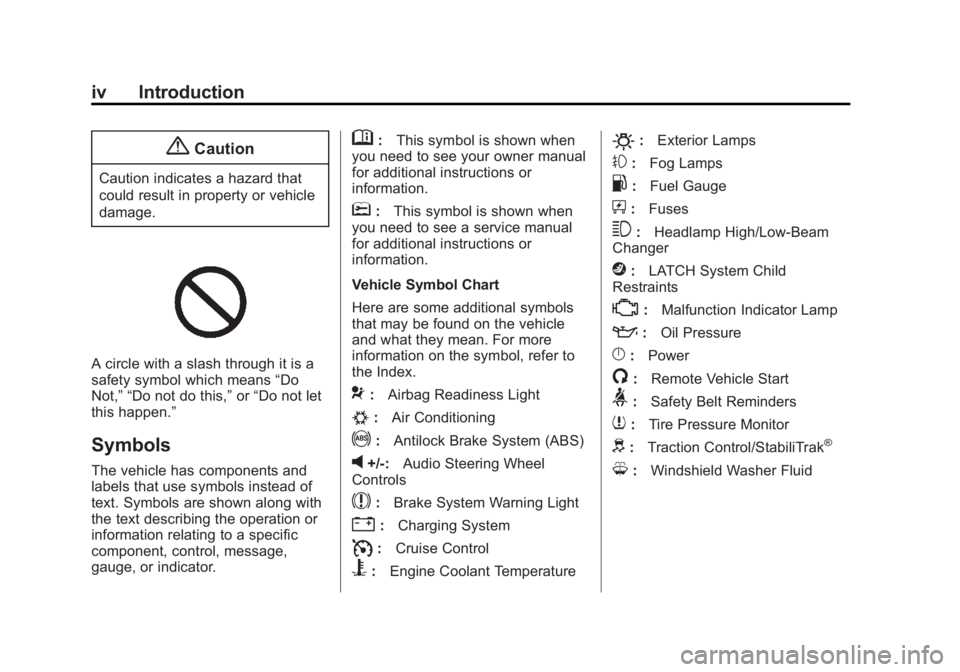
A circle with a slash through it is a
safety symbol which means“Do
Not,” “Do not do this,” or“Do not let
this happen.”
Symbols
The vehicle has components and
labels that use symbols instead of
text. Symbols are shown along with
the text describing the operation or
information relating to a specific
component, control, message,
gauge, or indicator.
M: This symbol is shown when
you need to see your owner manual
for additional instructions or
information.
*: This symbol is shown when
you need to see a service manual
for additional instructions or
information.
Vehicle Symbol Chart
Here are some additional symbols
that may be found on the vehicle
and what they mean. For more
information on the symbol, refer to
the Index.
9: Airbag Readiness Light
#:Air Conditioning
!:Antilock Brake System (ABS)
v+/-: Audio Steering Wheel
Controls
$: Brake System Warning Light
":Charging System
I:Cruise Control
B:Engine Coolant Temperature
O:Exterior Lamps
#:Fog Lamps
.:Fuel Gauge
+:Fuses
3:Headlamp High/Low-Beam
Changer
j: LATCH System Child
Restraints
*: Malfunction Indicator Lamp
::Oil Pressure
}:Power
/:Remote Vehicle Start
>:Safety Belt Reminders
7:Tire Pressure Monitor
d:Traction Control/StabiliTrak®
M:Windshield Washer Fluid
Page 6 of 373
Black plate (1,1)Chevrolet Captiva Sport Owner Manual (GMNA-Localizing-U.S./Mexico-
7576028) - 2015 - First Edition - 3/21/14
In Brief 1-1
In Brief
Instrument Panel
Instrument Panel . . . . . . . . . . . . . . 1-2
Initial Drive Information
Initial Drive Information . . . . . . . . 1-4
Remote Keyless Entry (RKE)System . . . . . . . . . . . . . . . . . . . . . . 1-4
Remote Vehicle Start . . . . . . . . . 1-4
Door Locks . . . . . . . . . . . . . . . . . . . 1-5
Liftgate . . . . . . . . . . . . . . . . . . . . . . . . 1-6
Windows . . . . . . . . . . . . . . . . . . . . . . 1-6
Seat Adjustment . . . . . . . . . . . . . . 1-7
Second Row Seats . . . . . . . . . . . 1-9
Heated Seats . . . . . . . . . . . . . . . . . 1-9
Head Restraint Adjustment . . . . . . . . . . . . . . . . . 1-10 Safety Belts . . . . . . . . . . . . . . . . . . 1-10
Passenger Sensing System
(United States) . . . . . . . . . . . . . 1-10
Mirror Adjustment . . . . . . . . . . . . 1-11
Steering Wheel Adjustment . . . . . . . . . . . . . . . . . 1-12
Interior Lighting . . . . . . . . . . . . . . 1-12
Exterior Lighting . . . . . . . . . . . . . 1-13
Windshield Wiper/Washer . . . . 1-13
Climate Controls . . . . . . . . . . . . . 1-14
Transmission . . . . . . . . . . . . . . . . 1-15
Vehicle Features
Radio(s) . . . . . . . . . . . . . . . . . . . . . 1-16
Satellite Radio . . . . . . . . . . . . . . . 1-17
Portable Audio Devices . . . . . . 1-17
Bluetooth
®. . . . . . . . . . . . . . . . . . . 1-17
Steering Wheel Controls . . . . . 1-17
Cruise Control . . . . . . . . . . . . . . . 1-18 Driver Information
Center (DIC) . . . . . . . . . . . . . . . 1-18
Rear Vision Camera (RVC) . . . . . . . . . . . . . 1-19
Parking Assist . . . . . . . . . . . . . . . 1-19
Power Outlets . . . . . . . . . . . . . . . 1-19
Universal Remote System . . . 1-19
Performance and Maintenance
Traction Control/Electronic
Stability Control . . . . . . . . . . . . 1-20
Tire Pressure Monitor . . . . . . . . 1-20
Engine Oil Life System . . . . . . 1-21
E85 or FlexFuel . . . . . . . . . . . . . . 1-21
Driving for Better Fuel Economy . . . . . . . . . . . . . . . . . . . 1-21
Roadside Assistance
Program . . . . . . . . . . . . . . . . . . . . 1-22
OnStar
®. . . . . . . . . . . . . . . . . . . . . 1-22
Page 9 of 373
Black plate (4,1)Chevrolet Captiva Sport Owner Manual (GMNA-Localizing-U.S./Mexico-
7576028) - 2015 - First Edition - 3/21/14
1-4 In Brief
Initial Drive
Information
This section provides a brief
overview about some of the
important features that may or may
not be on your specific vehicle.
For more detailed information, refer
to each of the features which can be
found later in this owner manual.
Remote Keyless Entry
(RKE) System
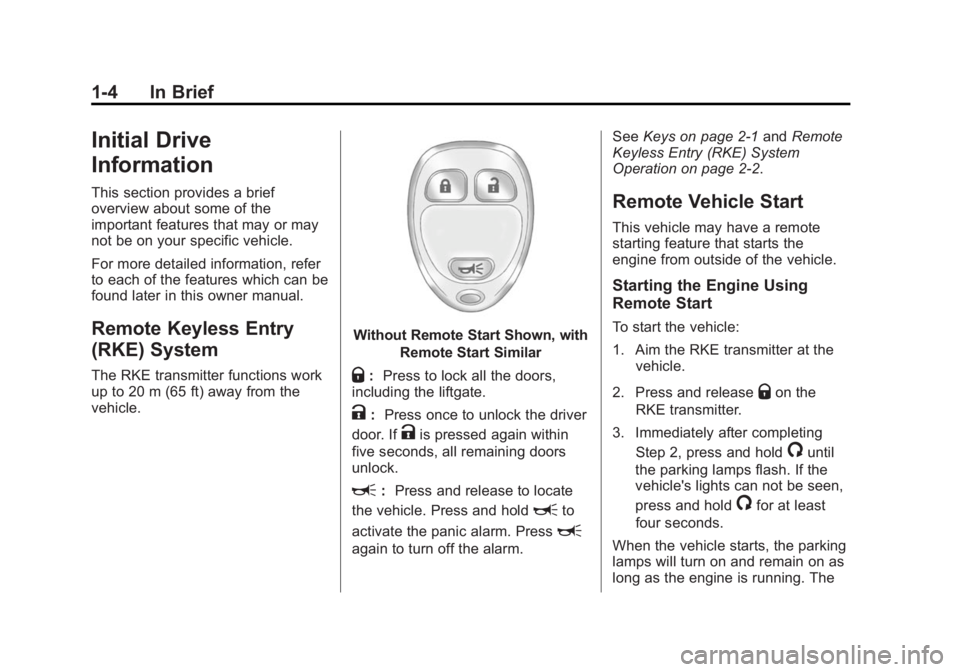
The RKE transmitter functions work
up to 20 m (65 ft) away from the
vehicle.
Without Remote Start Shown, withRemote Start Similar
Q:Press to lock all the doors,
including the liftgate.
K: Press once to unlock the driver
door. If
Kis pressed again within
five seconds, all remaining doors
unlock.
L: Press and release to locate
the vehicle. Press and hold
Lto
activate the panic alarm. Press
L
again to turn off the alarm. See
Keys on page 2-1 andRemote
Keyless Entry (RKE) System
Operation on page 2-2.
Remote Vehicle Start
This vehicle may have a remote
starting feature that starts the
engine from outside of the vehicle.
Starting the Engine Using
Remote Start
To start the vehicle:
1. Aim the RKE transmitter at the
vehicle.
2. Press and release
Qon the
RKE transmitter.
3. Immediately after completing Step 2, press and hold
/until
the parking lamps flash. If the
vehicle's lights can not be seen,
press and hold
/for at least
four seconds.
When the vehicle starts, the parking
lamps will turn on and remain on as
long as the engine is running. The
Page 15 of 373
Black plate (10,1)Chevrolet Captiva Sport Owner Manual (GMNA-Localizing-U.S./Mexico-
7576028) - 2015 - First Edition - 3/21/14
1-10 In Brief
and then to the off setting. The
lights indicate two for the highest
setting and one for the lowest.
SeeHeated Front Seats on
page 3-6.
Head Restraint
Adjustment
Do not drive until the head restraints
for all occupants are installed and
adjusted properly.
To achieve a comfortable seating
position, change the seatback
recline angle as little as necessary
while keeping the seat and the head
restraint height in the proper
position.
See Head Restraints on page 3-2
and Seat Adjustment on page 3-3.
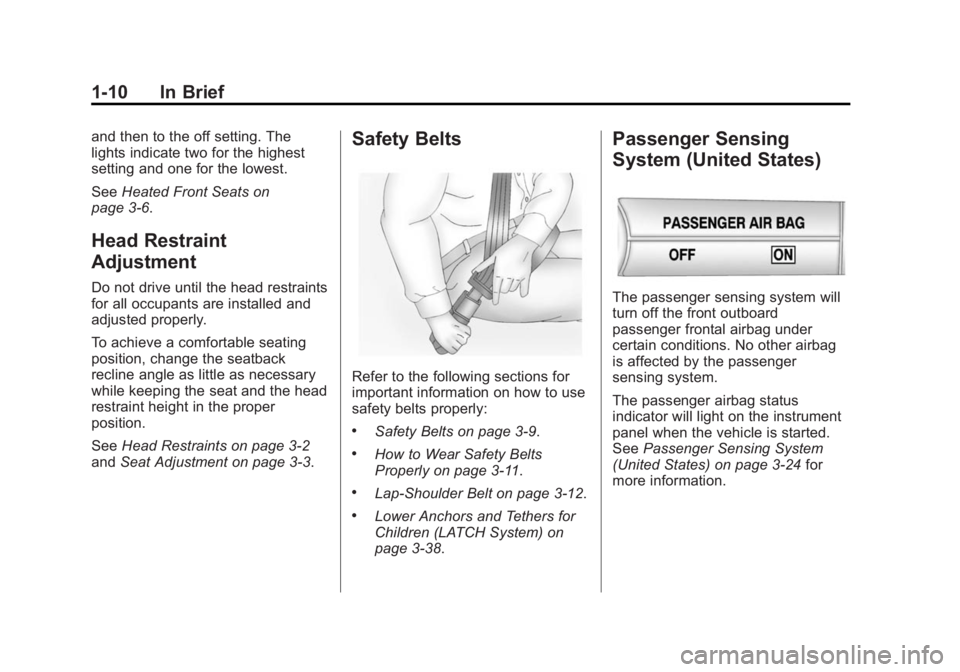
Safety Belts
Refer to the following sections for
important information on how to use
safety belts properly:
.Safety Belts on page 3-9.
.How to Wear Safety Belts
Properly on page 3-11.
.Lap-Shoulder Belt on page 3-12.
.Lower Anchors and Tethers for
Children (LATCH System) on
page 3-38.
Passenger Sensing
System (United States)
The passenger sensing system will
turn off the front outboard
passenger frontal airbag under
certain conditions. No other airbag
is affected by the passenger
sensing system.
The passenger airbag status
indicator will light on the instrument
panel when the vehicle is started.
See Passenger Sensing System
(United States) on page 3-24 for
more information.
Page 17 of 373
Black plate (12,1)Chevrolet Captiva Sport Owner Manual (GMNA-Localizing-U.S./Mexico-
7576028) - 2015 - First Edition - 3/21/14
1-12 In Brief
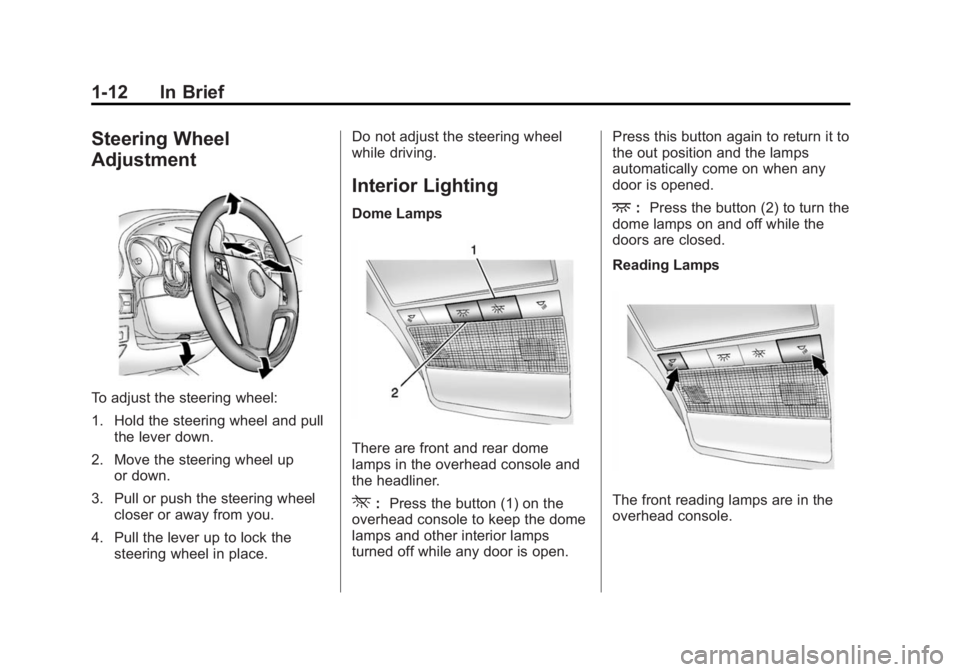
Steering Wheel
Adjustment
To adjust the steering wheel:
1. Hold the steering wheel and pullthe lever down.
2. Move the steering wheel up or down.
3. Pull or push the steering wheel closer or away from you.
4. Pull the lever up to lock the steering wheel in place. Do not adjust the steering wheel
while driving.
Interior Lighting
Dome Lamps
There are front and rear dome
lamps in the overhead console and
the headliner.
*:
Press the button (1) on the
overhead console to keep the dome
lamps and other interior lamps
turned off while any door is open. Press this button again to return it to
the out position and the lamps
automatically come on when any
door is opened.
+:
Press the button (2) to turn the
dome lamps on and off while the
doors are closed.
Reading Lamps
The front reading lamps are in the
overhead console.
Page 18 of 373
Black plate (13,1)Chevrolet Captiva Sport Owner Manual (GMNA-Localizing-U.S./Mexico-
7576028) - 2015 - First Edition - 3/21/14
In Brief 1-13
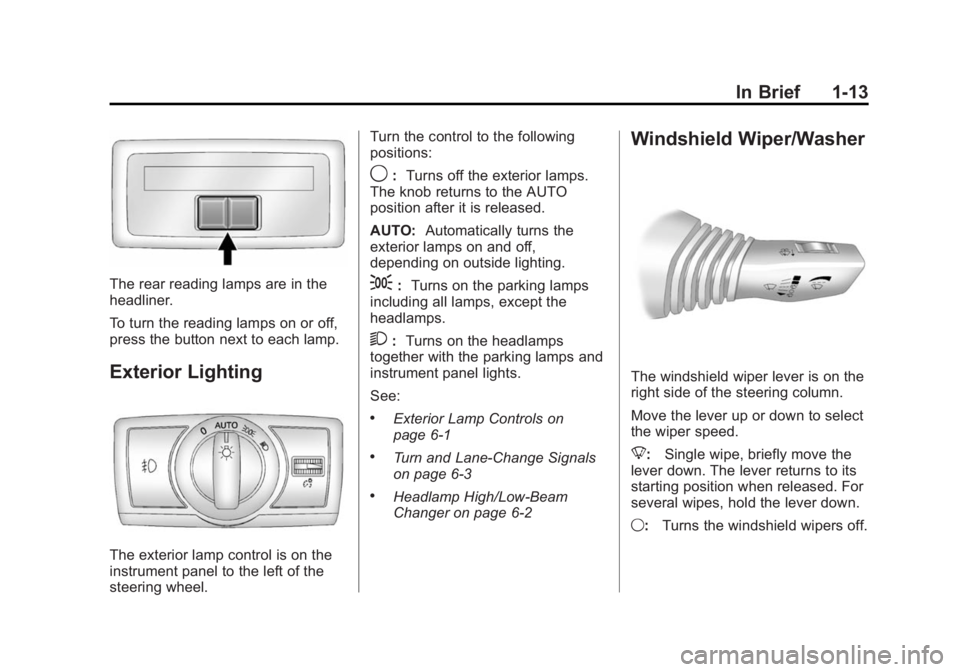
The rear reading lamps are in the
headliner.
To turn the reading lamps on or off,
press the button next to each lamp.
Exterior Lighting
The exterior lamp control is on the
instrument panel to the left of the
steering wheel.Turn the control to the following
positions:
9:
Turns off the exterior lamps.
The knob returns to the AUTO
position after it is released.
AUTO: Automatically turns the
exterior lamps on and off,
depending on outside lighting.
;: Turns on the parking lamps
including all lamps, except the
headlamps.
2: Turns on the headlamps
together with the parking lamps and
instrument panel lights.
See:
.Exterior Lamp Controls on
page 6-1
.Turn and Lane-Change Signals
on page 6-3
.Headlamp High/Low-Beam
Changer on page 6-2
Windshield Wiper/Washer
The windshield wiper lever is on the
right side of the steering column.
Move the lever up or down to select
the wiper speed.
8: Single wipe, briefly move the
lever down. The lever returns to its
starting position when released. For
several wipes, hold the lever down.
9: Turns the windshield wipers off.
Page 23 of 373
Black plate (18,1)Chevrolet Captiva Sport Owner Manual (GMNA-Localizing-U.S./Mexico-
7576028) - 2015 - First Edition - 3/21/14
1-18 In Brief
K:Press to reject an incoming
call, or end a current call.
v+ orv−: Move the thumbwheel
up or down to increase or to
decrease the volume.
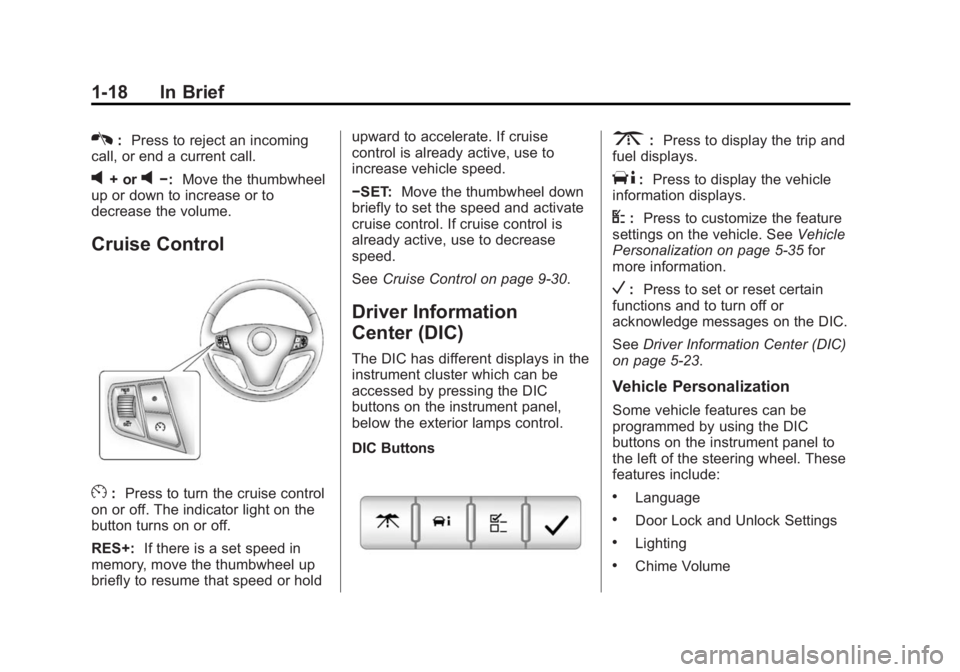
Cruise Control
E: Press to turn the cruise control
on or off. The indicator light on the
button turns on or off.
RES+: If there is a set speed in
memory, move the thumbwheel up
briefly to resume that speed or hold upward to accelerate. If cruise
control is already active, use to
increase vehicle speed.
−SET:
Move the thumbwheel down
briefly to set the speed and activate
cruise control. If cruise control is
already active, use to decrease
speed.
See Cruise Control on page 9-30.
Driver Information
Center (DIC)
The DIC has different displays in the
instrument cluster which can be
accessed by pressing the DIC
buttons on the instrument panel,
below the exterior lamps control.
DIC Buttons
3:Press to display the trip and
fuel displays.
T: Press to display the vehicle
information displays.
U: Press to customize the feature
settings on the vehicle. See Vehicle
Personalization on page 5-35 for
more information.
V: Press to set or reset certain
functions and to turn off or
acknowledge messages on the DIC.
See Driver Information Center (DIC)
on page 5-23.
Vehicle Personalization
Some vehicle features can be
programmed by using the DIC
buttons on the instrument panel to
the left of the steering wheel. These
features include:
.Language
.Door Lock and Unlock Settings
.Lighting
.Chime Volume
Page 25 of 373
Black plate (20,1)Chevrolet Captiva Sport Owner Manual (GMNA-Localizing-U.S./Mexico-
7576028) - 2015 - First Edition - 3/21/14
1-20 In Brief
Performance and
Maintenance
Traction Control/
Electronic Stability
Control
The Traction Control System (TCS)
limits wheel spin. The system turns
on automatically every time the
vehicle is started.
The StabiliTrak system assists with
directional control of the vehicle in
difficult driving conditions. The
system also turns on automatically
every time the vehicle is started.
.To turn off or on TCS, press and
release the TCS/StabiliTrak
button
gon the instrument
panel. The appropriate DIC
message displays.
.To turn off both Traction Control
and StabiliTrak, press and hold
the TCS/StabiliTrak button
g
until the StabiliTrak Off lightg
illuminates and the appropriate
DIC message displays.
.Press the TCS/StabiliTrak buttongagain to turn on both systems.
The appropriate DIC message
displays.
See Traction Control/Electronic
Stability Control on page 9-28.
This vehicle also has a Brake Pedal
Override feature that limits engine
torque when the brake pedal is
applied. See Traction Control/
Electronic Stability Control on
page 9-28.
Tire Pressure Monitor
This vehicle may have a Tire
Pressure Monitor System (TPMS).
The low tire pressure warning light
alerts to a significant loss in
pressure of one of the vehicle's
tires. If the warning light comes on,
stop as soon as possible and inflate
the tires to the recommended
pressure shown on the Tire and
Loading Information label. See
Vehicle Load Limits on page 9-10.
The warning light will remain on until
the tire pressure is corrected.
The low tire pressure warning light
may come on in cool weather when
the vehicle is first started, and then
turn off as the vehicle is driven. This
may be an early indicator that the
tire pressures are getting low and
the tires need to be inflated to the
proper pressure.
The TPMS does not replace normal
monthly tire maintenance. Maintain
the correct tire pressures.
See Tire Pressure Monitor System
on page 10-46.
Page 31 of 373
Black plate (4,1)Chevrolet Captiva Sport Owner Manual (GMNA-Localizing-U.S./Mexico-
7576028) - 2015 - First Edition - 3/21/14
2-4 Keys, Doors, and Windows
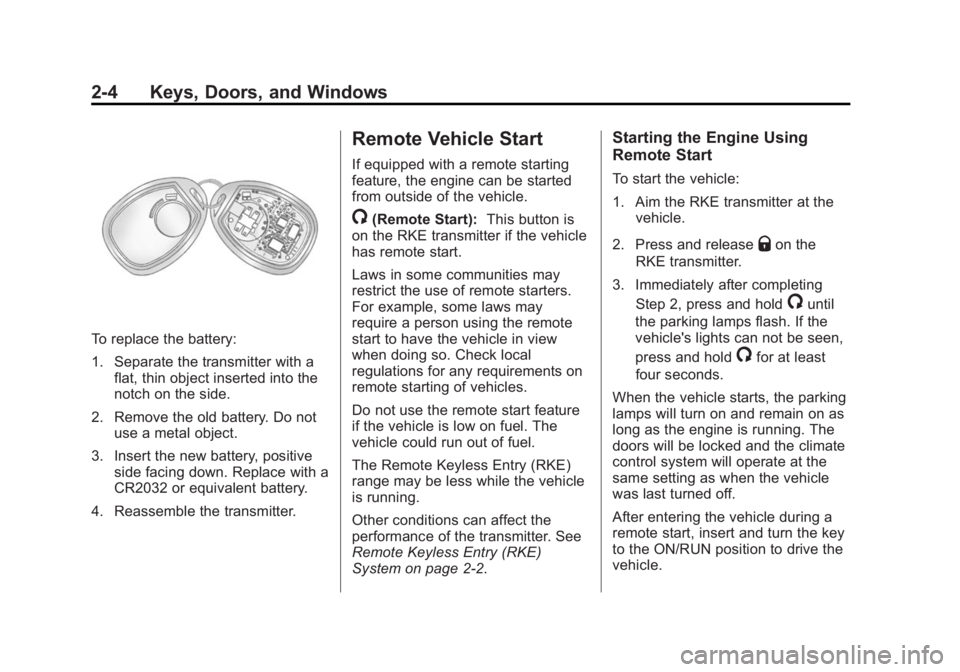
To replace the battery:
1. Separate the transmitter with aflat, thin object inserted into the
notch on the side.
2. Remove the old battery. Do not use a metal object.
3. Insert the new battery, positive side facing down. Replace with a
CR2032 or equivalent battery.
4. Reassemble the transmitter.
Remote Vehicle Start
If equipped with a remote starting
feature, the engine can be started
from outside of the vehicle.
/(Remote Start): This button is
on the RKE transmitter if the vehicle
has remote start.
Laws in some communities may
restrict the use of remote starters.
For example, some laws may
require a person using the remote
start to have the vehicle in view
when doing so. Check local
regulations for any requirements on
remote starting of vehicles.
Do not use the remote start feature
if the vehicle is low on fuel. The
vehicle could run out of fuel.
The Remote Keyless Entry (RKE)
range may be less while the vehicle
is running.
Other conditions can affect the
performance of the transmitter. See
Remote Keyless Entry (RKE)
System on page 2-2.
Starting the Engine Using
Remote Start
To start the vehicle:
1. Aim the RKE transmitter at the vehicle.
2. Press and release
Qon the
RKE transmitter.
3. Immediately after completing Step 2, press and hold
/until
the parking lamps flash. If the
vehicle's lights can not be seen,
press and hold
/for at least
four seconds.
When the vehicle starts, the parking
lamps will turn on and remain on as
long as the engine is running. The
doors will be locked and the climate
control system will operate at the
same setting as when the vehicle
was last turned off.
After entering the vehicle during a
remote start, insert and turn the key
to the ON/RUN position to drive the
vehicle.