cruise control CHEVROLET CAVALIER 1993 1.G Owners Manual
[x] Cancel search | Manufacturer: CHEVROLET, Model Year: 1993, Model line: CAVALIER, Model: CHEVROLET CAVALIER 1993 1.GPages: 308, PDF Size: 15.62 MB
Page 49 of 308
Downloaded from www.Manualslib.com manuals search engine ..
.; . I
Here you can learn about the
many standard and optional features
on your Chevrolet. and information
on starting. shifting and braking
.
Also explained are the instrument
panel and the warning systems that
tell you
if everything is working
properly-and what to
do if you have
a problem
.
Part 2
Features & Controls
Keys ............................................................ 48
Locks ........................................................... 49
GloveBox ....................................................... 53
Ignition ......................................................... 55
StartingYourEngine ............................................... 56
Engine Block Heater ............................................... 59
Shifting the Transaxle
.............................................. 60
ParkingBrake .................................................... 66
ShiftingintoPark .................................................. 67
Windows
........................................................ 71
Turn SignaVHeadlight Beam Lever
................................... -73
Cruisecontrol
.................................................... 74
Headlights
....................................................... 78
Interior Lights
.................................................... 81
Windshield Wipers
................................................ 83
Windshield Washer
................................................ 84
Mirrors
......................................................... 85
Ashtrays and Lighter
............................................... 87
Sunroof ......................................................... 88
Instrumentpanel .................................................. 93
Warning Lights, Gages and Indicators
.................................. 96
47
c
...
Page 75 of 308
Downloaded from www.Manualslib.com manuals search engine Tilt Steering Wheel (OPTION)
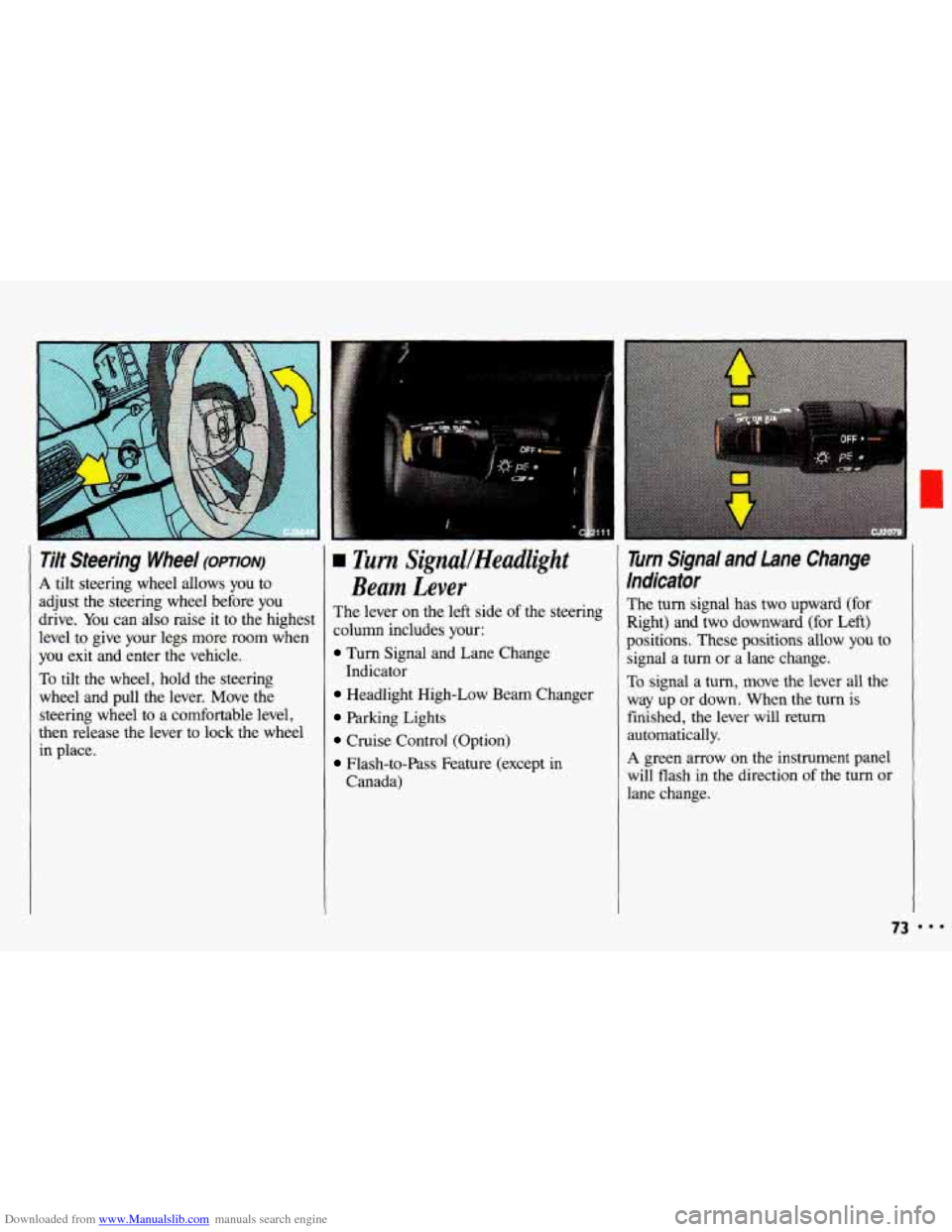
A tilt steering wheel allows you to
adjust the steering wheel before you
drive. You can also raise it to the highest
level to give your legs more room when
you exit and enter the vehicle.
To tilt the wheel, hold the steering
wheel and pull the lever. Move the steering wheel to a comfortable level,
then release the lever
to lock the wheel
in place.
L rim SignuUHeadlight
Beam Lever
The lever on the left side of the steering
column includes your:
Turn Signal and Lane Change
Headlight High-Low Beam Changer
Parking Lights
Cruise Control (Option)
Flash-to-Pass Feature (except in
Indicator
Canada)
Turn Signal and Lane Change
Indicator
The turn signal has two upward (for
Right) and two downward (for Left)
positions. These positions allow you to
signal a turn or a lane change.
To signal a turn, move the lever all the
way up or down. When the turn is
finished, the lever will return
automatically.
A green arrow on the instrument panel
will flash in the direction
of the turn or
lane change.
73
Page 76 of 308
Downloaded from www.Manualslib.com manuals search engine Features & Controls
Turn Signal and Lane Change
Indicator
(CONI)
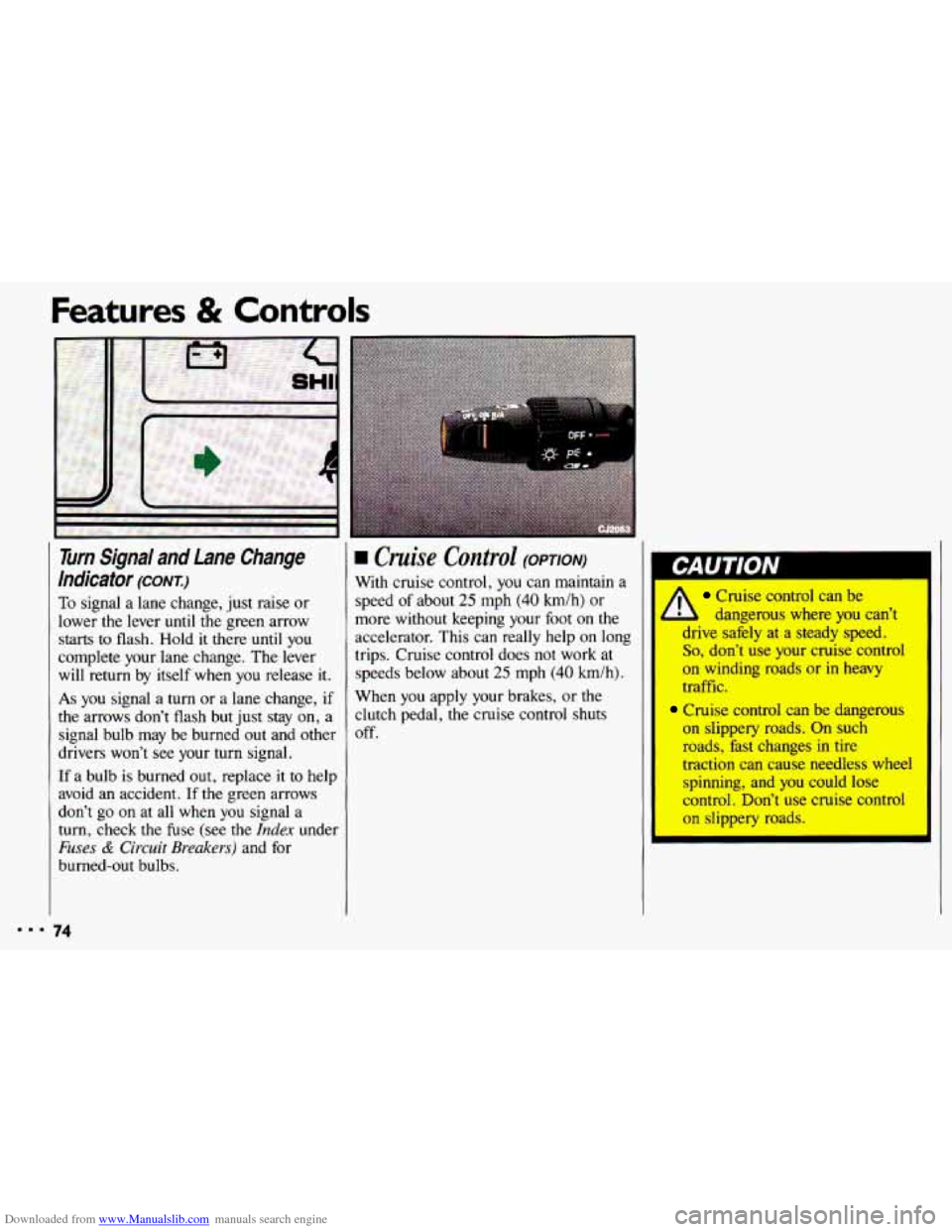
To signal a lane change, just raise or
lower the lever
until the green arrow
starts to flash. Hold it there until you
complete your lane change. The lever
will return by itself when you release it.
As you signal a turn or a lane change, if
the arrows don’t flash but just stay on, a
signal bulb may be burned out and other
drivers won’t see your turn signal.
If a bulb is burned out, replace it to help
avoid an accident.
If the green arrows
don’t go
on at all when you signal a
turn, check the fuse (see
the Index under
Fuses & Circuit Breakers) and for
burned-out bulbs.
74
rn Cruise Control (OPTION)
With cruise control, you can maintain a
speed of about
25 mph (40 h/h) or
more without keeping your foot on the
accelerator. This can really help on long
trips. Cruise control does not work at
speeds below about
25 mph (40 km/h).
When you apply your brakes, or the
clutch pedal, the cruise control shuts
off.
Cruise control can be
l dangerous where you can’t
drive safely at a steady speed.
So, don’t use your cruise control
on winding roads or-in heavy
traffic.
Cruise control can be dangerous
on slippery roads. On such
roads, hst changes in
tire
traction can cause needless wheel
spinning, and you could
lose
control. Don’t use cruise control
on slippery roads.
Page 77 of 308
Downloaded from www.Manualslib.com manuals search engine To Set Cruise Control
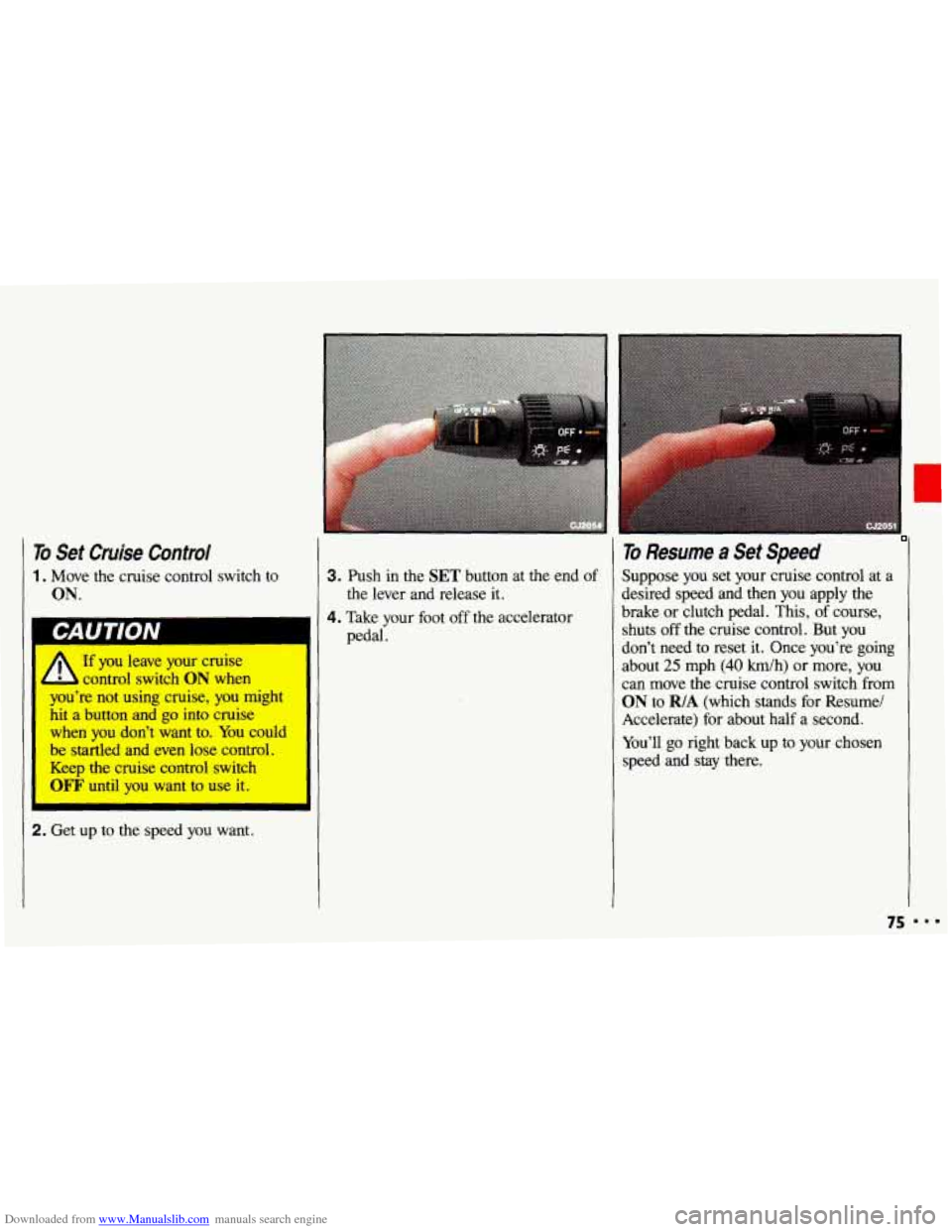
1. Move the cruise control switch to
ON.
If you leave your cruise
control switch
ON when I
I you're not using cruise, you might
hit
a button and go into cruise I
I when you don't .want to. You could
be startled and even lose control.
I Keep the cruise control switch
WF' until you want to use it. I
2. Get up to the speed you want.
3. Push in the SET button at the end of
4. Take your foot off the accelerator the lever and release
it.
pedal.
To Resume a Set Speed
Suppose you set your cruise control at a
desired speed and then you apply the
brake or clutch pedal. This, of course,
shuts off the cruise control. But you
don't need to reset it. Once you're going
about
25 mph (40 h/h) or more, you
can move the cruise control switch from
ON to R/A (which stands for Resume/
Accelerate) for about half a second.
You'll
go right back up to your chosen
speed and stay there.
75 I..
Page 78 of 308
Downloaded from www.Manualslib.com manuals search engine Features & Controls
‘0 Resume a Set Speed (CONT.)
I
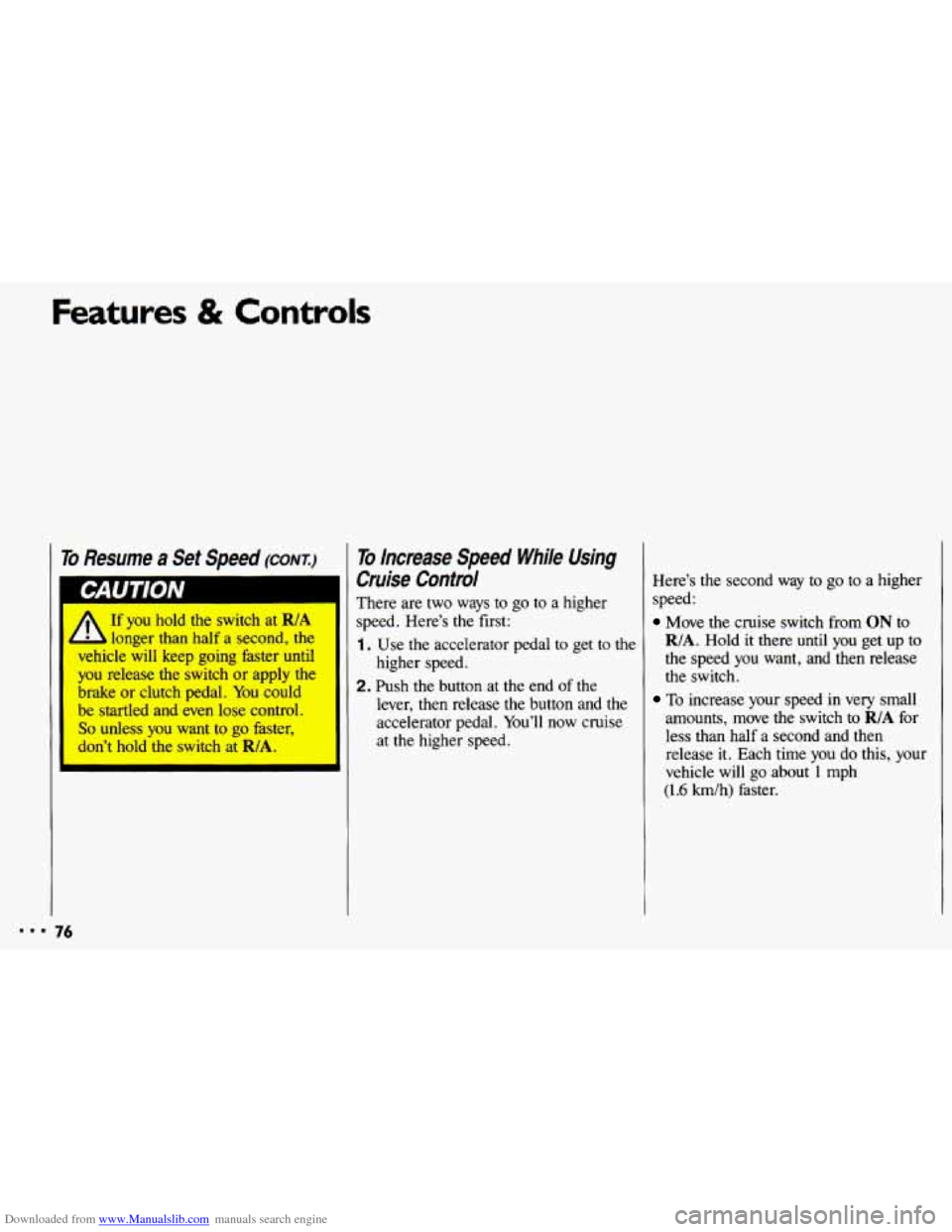
A
If you hold the switch at RIA
longer than half a second, the
vehicle will keep going faster until
you release the switch or apply the
brake or clutch pedal. You could
be startled and even lose control.
So unless you want to go faster,
don’t hold the switch at
RIA.
To Increase Speed While Using
Cruise Control
There are two ways to go to a higher
speed. Here’s
the first:
1. Use the accelerator pedal to get to the
2. Push the button at the end of the
higher
speed.
lever, then release
the button and the
accelerator pedal. You’ll now cruise
at the higher speed. Here’s
the second way to go to a higher
speed:
Move the cruise switch from ON to
R/A. Hold it there until you get up to
the speed
you want, and then release
the switch.
To increase your speed in very small
amounts, move
the switch to RIA for
less than half a second and then release
it. Each time you do this, your
vehicle will go about
1 mph
(1.6 km/h) faster.
Page 79 of 308
Downloaded from www.Manualslib.com manuals search engine To Reduce Speed While Using
Cruise Control
There are two ways to reduce your
speed while using cruise control:
Push in the button at the end of the
lever until you reach the lower speed
you want, then release it.
To slow down in very small amounts,
push the button for less than half a
second. Each time
you do this, you’ll
go
1 mph (1.6 km/h) slower.
Passing Another Vehicle While
Using Cruise Control
Use the accelerator pedal to increase
your speed. When
you take your foot off
the pedal, your vehicle will slow down
to the cruise control speed you set
earlier.
Using Cruise Control on Hills
How well your cruise control will work
on hills depends upon your speed, load,
and the steepness of the hills. When
going
up steep hills, you may have to
step on
the accelerator pedal to maintain
your speed. When going downhill, you
may have to brake or shift to a lower
gear to keep your speed down. Of
course, applying the brake
or clutch
pedal takes you out
of cruise control.
Many drivers find this to be too much
trouble and don’t use cruise control on
steep hills.
77
Page 80 of 308
Downloaded from www.Manualslib.com manuals search engine Features & Controls
To Get Out of Cruise Control
There are several ways to turn off the
cruise control:
Step lightly on the brake pedal, or
push the clutch pedal,
if you have a
manual transaxle; OR
Move the cruise switch to OFF.
To Erase Cruise Speed Memory
When you turn off the cruise control or
the ignition, your cruise control set
speed memory
is erased.
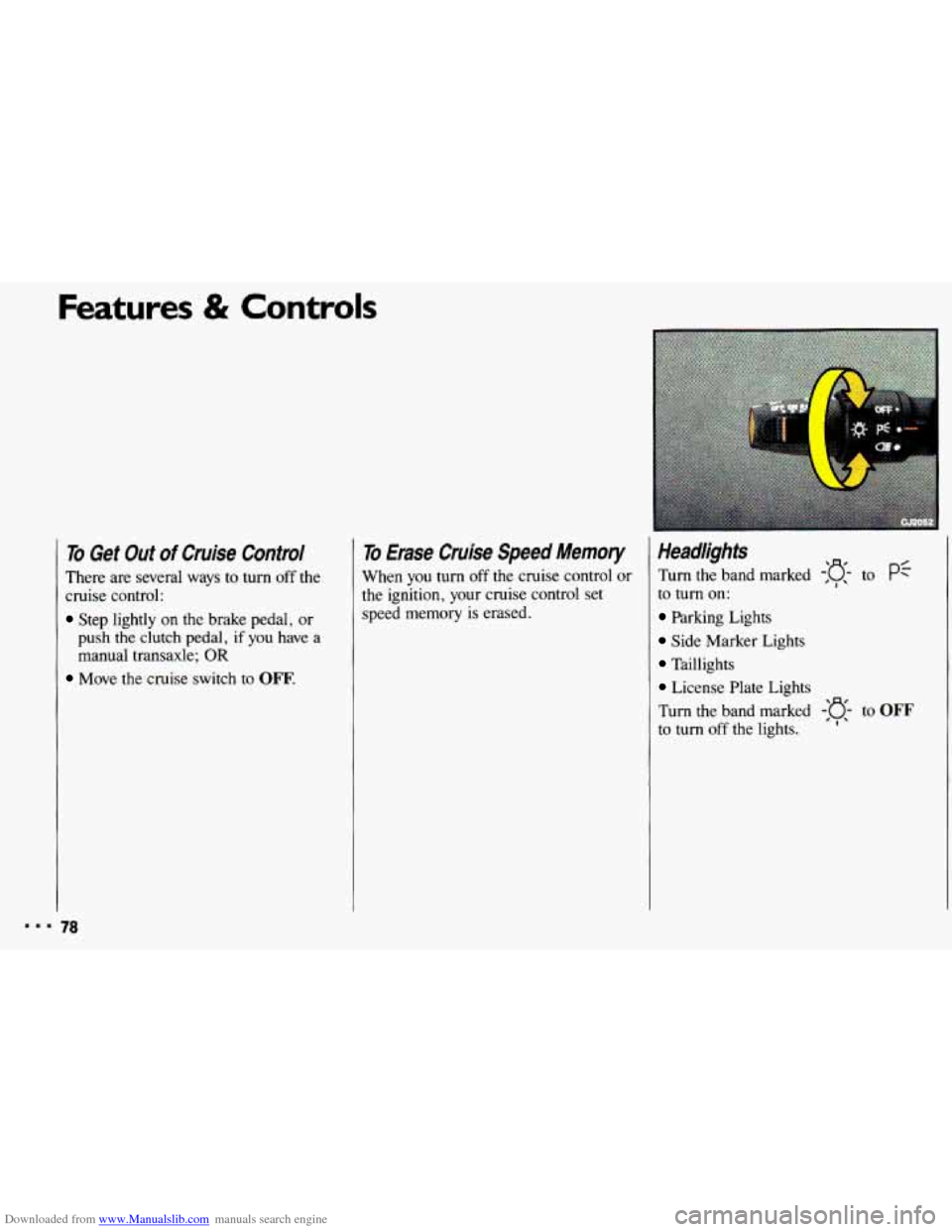
Headlights
Turn the band marked -:g- to pf
to turn on:
Parking Lights
Side Marker Lights
Taillights
License Plate Lights
Turn the band marked
-'o- to OFF
to turn off the lights. 'I'
Page 250 of 308
Downloaded from www.Manualslib.com manuals search engine Service & Appearance Care
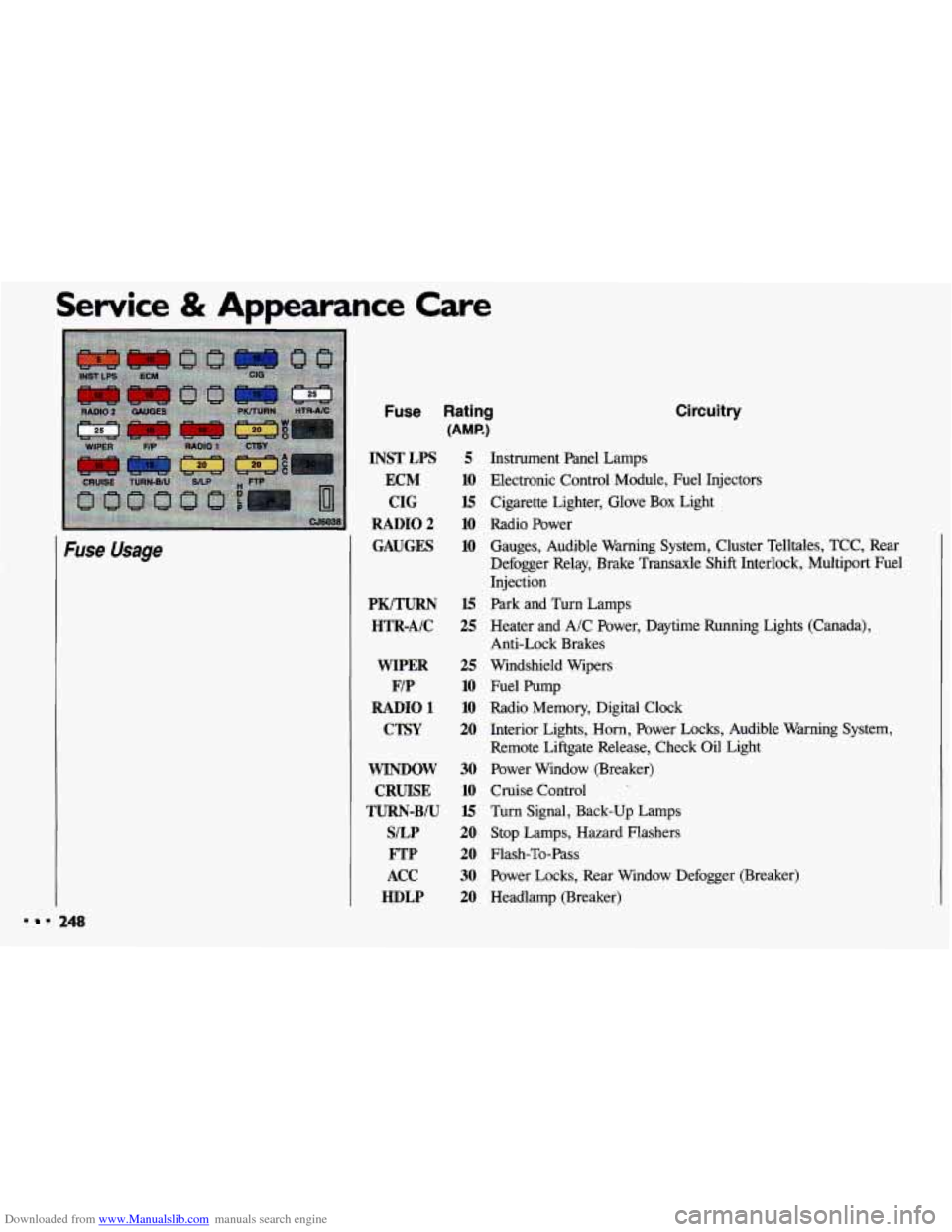
Fuse Usage
Fuse Rating
(AMP.)
INSTLPS 5
ECM 10
CIG 15
RADIO2 10
GAUGES 10
PK/TURN HTR-AIC
WIPER
F/P
RADIO 1
CTSY
WINDOW CRUISE
TURN-BIU
S/LP FTP
ACC
HDLP
15
25
25
10
10
20
30
10
15
20
20
30
20
Circuitry
Instrument Panel Lamps
Electronic Control Module, Fuel Injectors Cigarette Lighter, Glove
Box Light
Radio Power Gauges, Audible Warning System, Cluster Telltales, TCC, Rear
Defogger Relay, Brake Transaxle Shift Interlock, Multiport Fuel
Injection
Park and Turn Lamps
Heater and A/C Power, Daytime Running Lights (Canada),
Anti-Lock Brakes
Windshield Wipers
Fuel Pump
Radio Memory, Digital Clock
Interior Lights, Horn, Power Locks, Audible Warning System,
Remote Liftgate Release, Check Oil Light
Power Window (Breaker)
Cruise Control
Turn Signal, Back-up Lamps Stop Lamps, Hazard Flashers
Flash-To-Pass
Power Locks, Rear Window Defogger (Breaker)
Headlamp (Breaker)
248
Page 298 of 308
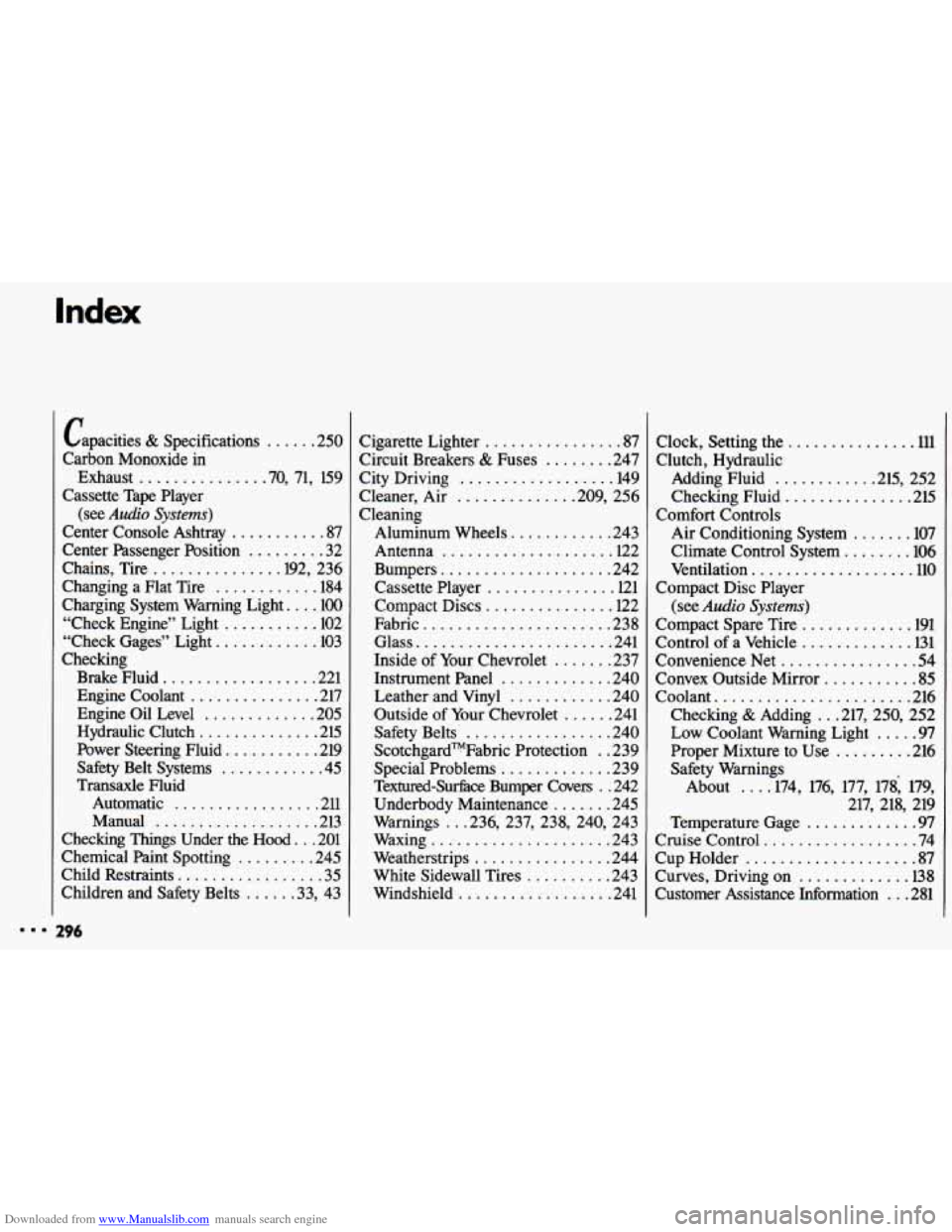
Downloaded from www.Manualslib.com manuals search engine Capacities & Specifications ...... 250
Carbon Monoxide in
Cassette Tape Player
Center Console Ashtray
........... 87
Center Passenger Position
......... 32
Chains. Tire
.............. .192. 236
Exhaust
.............. .70.
71. 159
(see
Audio Systems)
Changing a Flat Tire ............ 184
Charging System Warning Light
... -100
“Check Engine” Light
........... 102
“Check Gages” Light
............ 103
Checking Brake Fluid
.................. 221
Engine
Oil Level ............. 205
Hydraulic Clutch
.............. 215
Safety Belt Systems
............ 45
Transaxle Fluid
Automatic
................. 211
Manual
................... 213
Chemical Paint Spotting
......... 245
Child Restraints
................. 35
Children and Safety Belts
..... .33. 43
196
Engine Coolant ............... 217
Power Steering Fluid
........... 219
Checking Things Under the
Hood ... 201 Cigarette Lighter
................ 87
Circuit Breakers
8z Fuses ........ 247
Cleaner. Air
............. .209. 256
Cleaning Aluminum Wheels
............ 243
Antenna
.................... 122
Bumpers
.................... 242
Cassette Player
............... 121
Compact Discs
............... 122
Fabric
...................... 238
Glass
....................... 241
Inside of Your Chevrolet
....... 237
Instrument Panel
............. 240
Leather and Vinyl
............ 240
Outside
of Your Chevrolet ...... 241
Safety Belts
................. 240
ScotchgardTMFabric Protection
. . 239
Special Problems
............. 239
Textured-Surhce Bumper Coven
. . 242
Underbody Maintenance
....... 245
Warnings
.. .236. 237. 238. 240. 243
Waxing
..................... 243
Weatherstrips
................ 244
White Sidewall Tires
.......... 243
Windshield
.................. 241
City
Driving
.................. 149 Clock.
Setting the
............... 111
Clutch. Hydraulic
Adding Fluid
........... .215. 252
Checking Fluid
.............. -215
Air Conditioning System
....... 107
Climate Control System
........ 106
Ventilation
................... 110
Compact Disc Player
(see
Audio Systems)
Compact Spare Tire ............. 191
Control of a Vehicle
............. 131
Convenience Net
................ 54
Convex Outside Mirror ........... 85
Coolant ....................... 216
Checking
& Adding .. .217. 250. 252
Low Coolant Warning Light ..... 97
Proper Mixture to Use
......... 216
Safety Warnings About
... .174. 176. 177. 1781 179. 217. 218. 219
Temperature Gage
............. 97
Cruise Control .................. 74
Cup Holder
.................... 87
Curves. Driving on
............. 138
Customer Assistance Information
... 281
Comfort Controls
Page 303 of 308
Downloaded from www.Manualslib.com manuals search engine Rocking Your Vehicle ............ 193
Stuck. If You Are ............. 192
Roof Luggage Carrier ............. 91
Rotation. Tire .................. 231
S afety Belts .................... 17
Adults ....................... 22
Automatic Lap-Shoulder Belt ..... 23
Care ....................... 240
Center Passenger Position ....... 32
Checking .................... 45
Children
................. .33. 43
Child Restraints ............... 35
Child Restraints-How to Install Them
................ 35
Child Restraints. Where to Put
................ 35
Cleaning .................... 240
Driver Position ............... 23
Extender ..................... 44
How to Wear ................. 22
Passenger Belts ................ 27
Pregnancy, Use During .......... 27
Questions & Answers .. .21. 25. 44. 45
Rear Safety Belts .............. 28
Replacement .............. : .. 45
Right Front. Adult Passenger .... 27
Smaller Children
and Babies
................. 34
TopStrap .................... 36
Torn ........................ 45
Twisted ..................... 26
Vehicles First Sold in Canada .... 23
Warning Light ............ .18. 22
Why You Should Wear
Safety Belts
................. 18
Scheduled Maintenance Services
. . 262
Seat Belts (see Safety Belts)
Seat Controls
Safety Defects. Reporting
........ 286
Easy-Entry ................... 15
Manual Front
Seat ............. 12
Manual Reclining Seatback ...... 12
Seat. Split Fold-Down Rear ...... 15
Seats. Split Folding.
Rear Wagon
................. 16
Seatback Latches .............. 14
Service Parts Identification
Label
...................... 246
Service Publications ............ 288
Service Publications Order Form . . 291
Service Station Information ...... 304
Manual 4-Way Adjustable ....... 14
Setting the Clock ............... 111
Setting the Trip Odometer
........ 95
Shift Light ................ .65. 101
Shifting Into P (Park) ............ 67
Shifting Out of P (Park) .......... 69
Shifting the Transaxle
Automatic Transaxle
........... 60
Manual Transaxle ............. 64
Signaling Turns ............ .73, 127
Signs. Road ................... 124
Skidding
...................... 142
Snow or Ice. Driving On ......... 158
Snowstorm. If You’re
Caught in
a .................. 159
Sound Equipment. Adding ........ 111
Sound Systems (see Audio Systems)
Spare Tire. Compact ............ 191
Specifications
& Capacities ...... 250
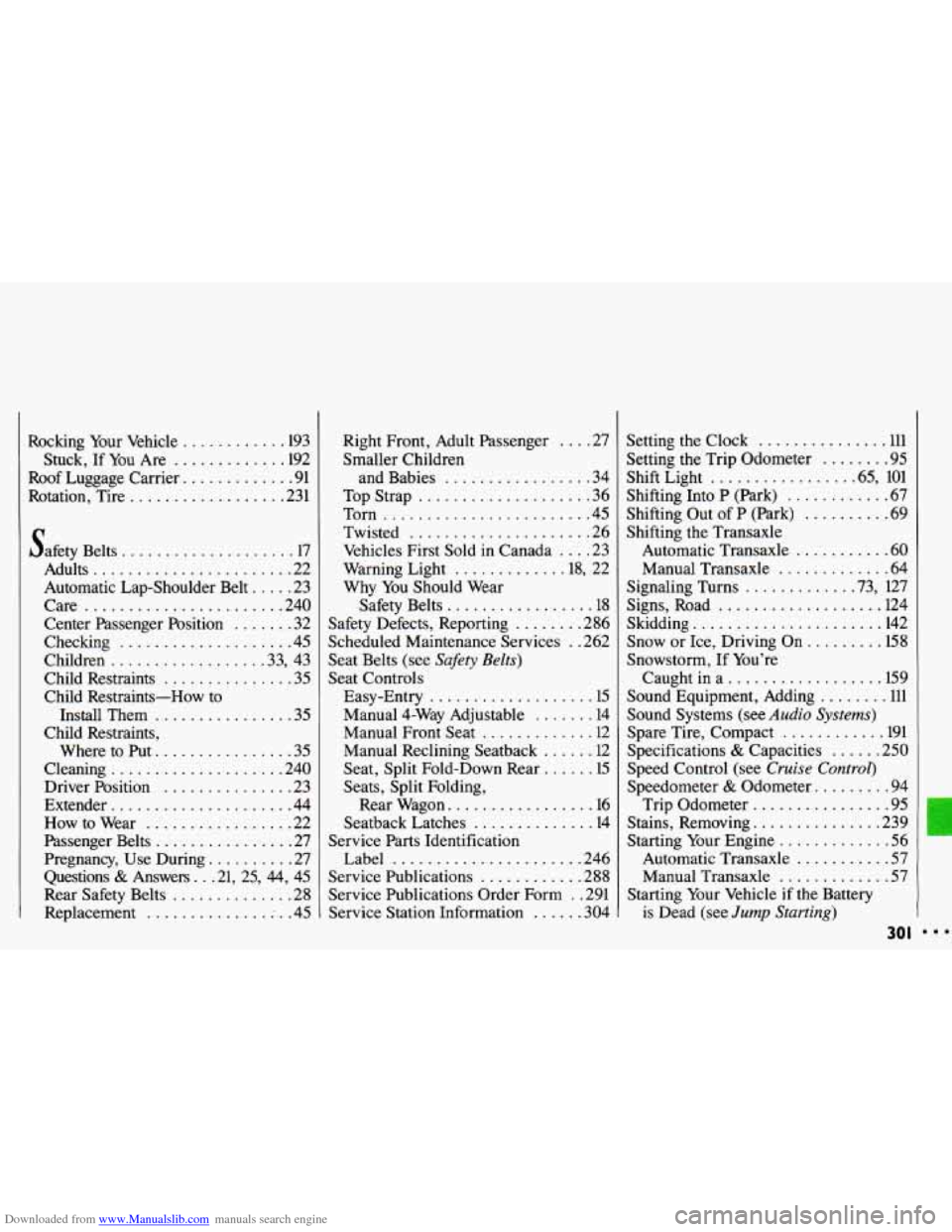
Speed Control (see Cruise Control)
Speedometer & Odometer ......... 94
Trip Odometer ................ 95
Stains. Removing ............... 239
Starting Your Engine ............. 56
Automatic Transaxle ........... 57
Manual Transaxle ............. 57
is Dead (see Jump Starting)
Starting Your Vehicle if the Battery
30 I