ECU CHEVROLET CAVALIER 1995 3.G User Guide
[x] Cancel search | Manufacturer: CHEVROLET, Model Year: 1995, Model line: CAVALIER, Model: CHEVROLET CAVALIER 1995 3.GPages: 340, PDF Size: 17.09 MB
Page 60 of 340
Downloaded from www.Manualslib.com manuals search engine 1 Power Door Locks (Option) ~
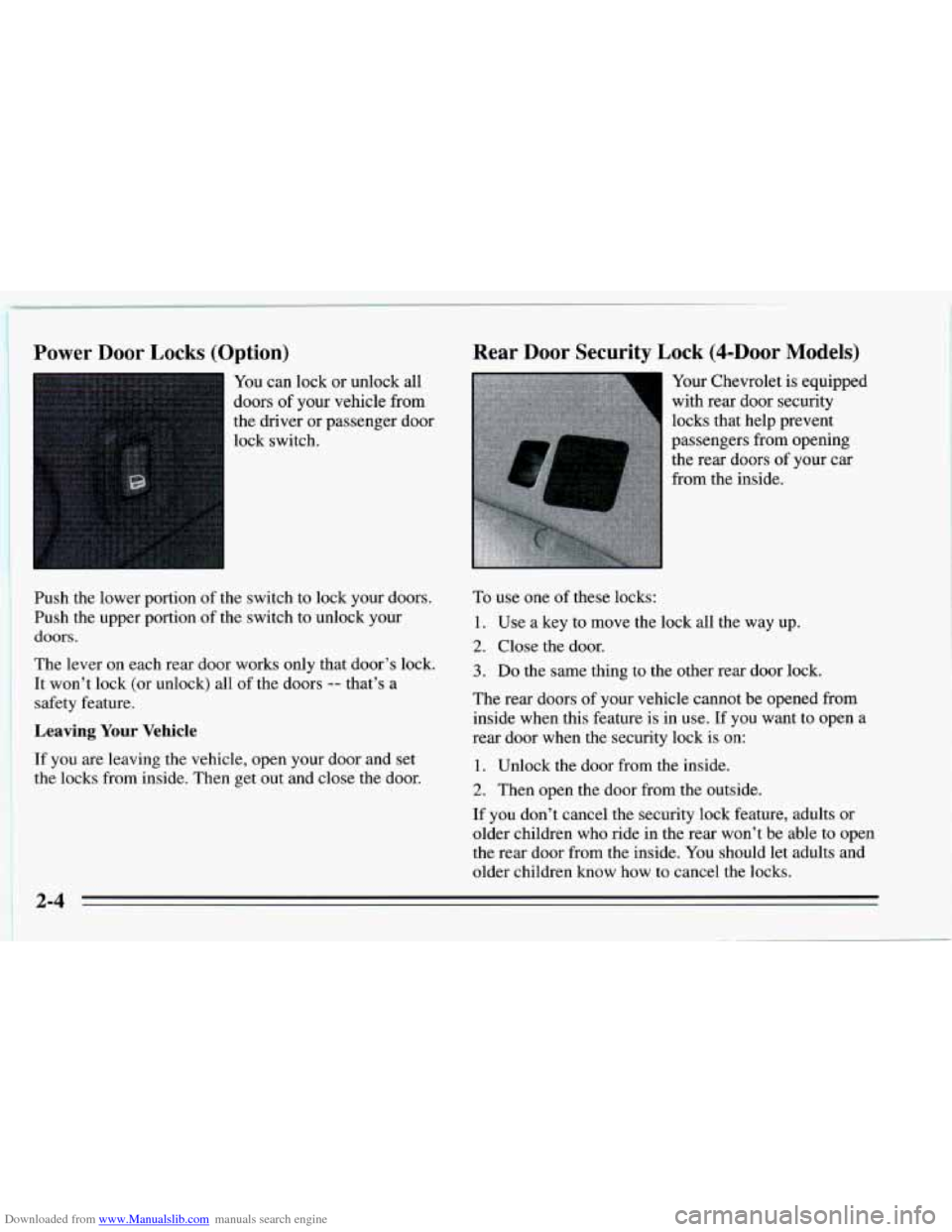
You can lock or unlock all
doors
of your vehicle from
the driver or passenger door
lock switch.
Push the lower portion of the switch to lock your doors.
Push the upper portion of the switch to unlock your
doors.
The lever on each rear door works only that door’s lock.
It won’t lock (or unlock) all of the doors
-- that’s a
safety feature.
Leaving Your Vehicle
If you are leaving the vehicle, open your door and set
the locks from inside. Then get out and close the door.
Rear Door Security Lock (4-DOOr Models)
Your Chevrolet is equipped
with rear door security
locks that help prevent
passengers from opening the rear doors
of your car
from the inside.
To use one of these locks:
1. Use a key to move the lock all the way up.
2. Close the door.
3. Do the same thing to the other rear door lock.
The rear doors of your vehicle cannot be opened from
inside when this feature is in use. If you want to open a
rear door when the security lock
is on:
1. Unlock the door from the inside.
2. Then open the door from the outside.
If you don’t cancel the security lock feature, adults or
older children who ride in the rear won’t be able to open
the rear door from the inside. You should let adults and
older children know
how to cancel the locks.
Page 100 of 340
Downloaded from www.Manualslib.com manuals search engine Convenience Net (Option) Sun Visors
To block out glare, you can swing down the visors. You
can
also swing them to the side.
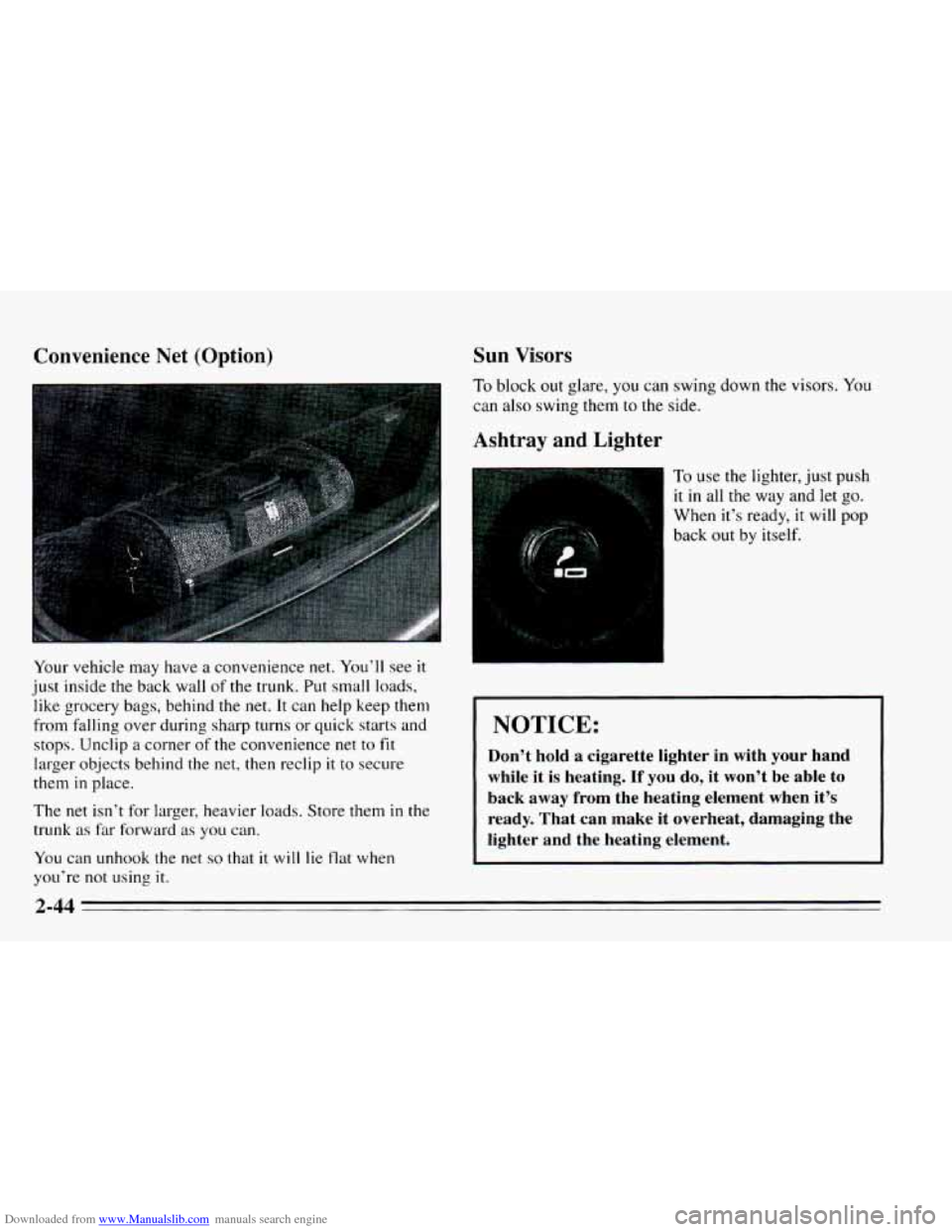
Your vehicle may have
a convenience net. You’ll see it
just inside the back wall of the trunk. Put small loads,
like grocery bags, behind the net. It can help keep them
from falling over during sharp turns or quick starts and
stops. Unclip
a corner of the convenience net to fit
larger objects behind the net, then reclip it to secure
them
in place.
The net isn’t for larger, heavier loads. Store them
in the
trunk as far forward as you can.
You can unhook the net.
so that it will lie tlat when
you’re not using
it.
Ashtray and Lighter
To use the lighter, just push
it in all the way and let go.
When it’s ready, it will pop
back out by itself.
’ NOTICE:
1 Don’t hold a cigarette lighter in with your hand
, while it is heating. If you do, it won’t be able to
~ back away from the heating element when it’s
1 ready. That can make it overheat, damaging the
, lighter and the heating element.
Page 103 of 340
Downloaded from www.Manualslib.com manuals search engine Convertible Top (Option)
The following steps explain the proper operation of your
convertible top.
NOTICE:
Remove any items from the convertible top
storage area before you lower the top. Even
small items in the storage area can damage
the top or other parts of the system.
Don’t raise or lower the convertible top
when the temperature is below
20°F
(-7°C). The cold can cause cracks and
other damage to the top as it is being
lowered or raised.
Don’t raise or lower the convertible top
while the vehicle is moving. The wind could
damage the top. Bring the vehicle to
a
complete stop before attempting to raise or
lower the top. Always make sure that the
top is securely latched before driving the
vehicle.
Lowering the Top
1. Set the parking brake and shift your automatic
transaxle
to PARK (P) or your manual transaxle to
NEUTRAL (N). Shut
off the engine.
2. Turn the ignition to the RUN position. Don’t start the
engine. Lower
the side door windows.
3. Push the button in the latch handle and turn the
handle down
to unhook the latch pins from the holes
over
the windshield.
2-47
Page 136 of 340
Downloaded from www.Manualslib.com manuals search engine PREV Press to play a track again. If you keep pressing
the PREV button, the disc will keep backing up to
previous tracks.
NEXT: Press to advance to the next track. If you keep
pressing the NEXT button, the disc will keep advancing
to other tracks.
STPPL: Press this button to switch between the radio
and disc when a disc is
in the player.
EJECT Press this button to remove the disc. The radio
will play.
If
you turn off the ignition or radio with a disc in the
player, it will stay in the player. When
you turn on the
ignition or system, the disc will start playing where it
was stopped.
CD Player Anti-Theft Feature
Delco LOC II@ is a security feature that can be used or
ignored. If
you ignore it, the radio will play normally. If
you
use it, your radio cannot be turned on if it is stolen.
These instructions will
tell you how to enter a secret
code
into the radio. If battery power is lost for any
reason, the secret code must
be entered again before
your audio system can be turned on.
To Set the Anti-Theft System:
1. Write down any six-digit number and keep it in a
safe place. This is your secret code.
2. Turn the ignition on.
3. Rotate the PWR-VOL knob to turn the radio off.
4. Press station preset buttons 1 and 4 at the same time
and hold until
“---” shows on the display.
You now have only
I5 seconds between each of the
following steps.
5. Press SET and “000” will appear on the display.
6. Press SCAN until the first digit of your code
appears.
7. Press SEEK until the second and third digits of your
code appear.
8. Press the TUNE knob (“000” will appear on the
display).
9. Press SCAN until the fourth digit of your code
appears.
10. Press SEEK until the fifth and sixth digits of your
code appear.
3-10
Page 137 of 340
Downloaded from www.Manualslib.com manuals search engine 11. Press the TUNE knob (“rEP” will appear for five
12. Repeat steps
6 through 10. Then press the TUNE
seconds,
then
“000”).
knob again. SEC will appear, indicating that Delco
LOC
I1 is set, and your radio is secure. If “---”
appears, the steps were not successful and you must
repeat the entire procedure.
To Disable the Anti-Theft System
Enter your secret code by following these steps (you
will have only 15 seconds between each step).
1.
2.
3.
4.
5.
Turn the ignition on and the radio off, then press
station preset buttons 1 and
4. SEC will appear,
showing the radio is secure.
Press
SET and “000” will appear on the display.
Press SCAN until the first digit of your secret code
appears.
Press
SEEK until the second and third digits of your
code appear.
Press
the TUNE knob (“000” will appear on the
display). 6.
Press SCAN until the fourth digit of your code
appears.
7. Press SEEK until the fifth and sixth digits of your
code appear.
8. Press the TUNE knob. If the display shows “---,” the
radio is unsecured and will play again. If the display
shows SEC, the steps were not successful and the
numbers did not match the secret code.
If you lose or forget your code, see your dealer.
If you lose battery power, when the battery is
reconnected the radio will not turn on and
LOC will
appear. Follow Steps
1 through 8 for disabling your
system, and the time will appear if you are successful. If
SEC appears, the numbers did not match and your
unit
is still locked.
Understanding Radio Reception
FM Stereo
FM Stereo will give you the best sound, but FM signals
will reach only about
10 to 40 miles (16 to 65 km). Tall
buildings or hills can interfere with
FM signals, causing
the sound to come and go.
3-11
Page 162 of 340
Downloaded from www.Manualslib.com manuals search engine Winter Driving
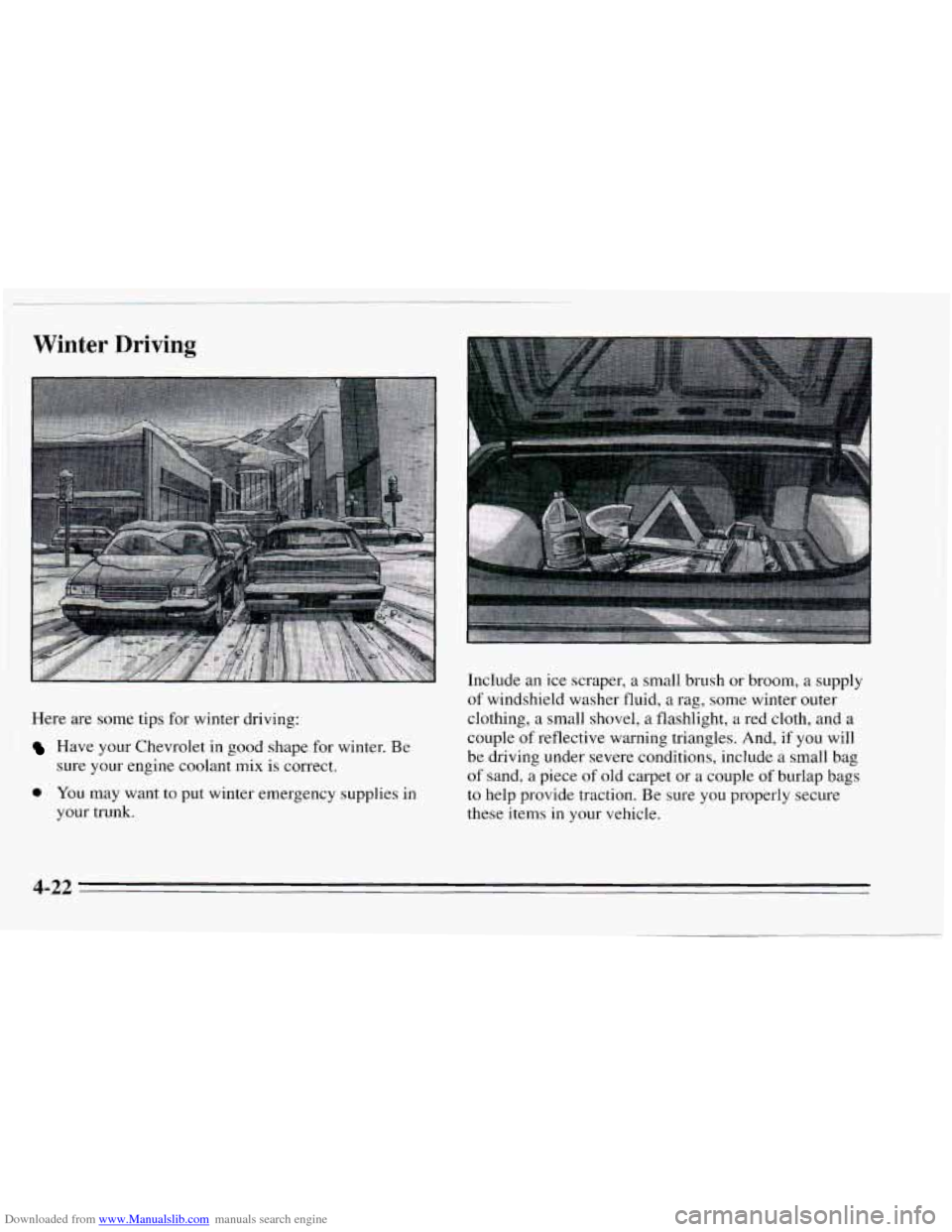
Here are some tips for winter driving:
Have your Chevrolet in good shape for winter. Be
sure your engine coolant
mix is correct.
0 YOU may want to put winter emergency supplies in
your trunk. Include
an ice scraper, a small brush or broom, a supply
of windshield washer fluid, a rag, some winter outer
clothing, a small shovel, a flashlight, a red cloth, and a
couple of reflective warning triangles. And, if you will
be driving under severe conditions, include a small bag
of sand, a piece of old carpet or a couple of burlap bags
to help provide traction. Be sure you properly secure
these items in your vehicle.
4-22
Page 174 of 340
Downloaded from www.Manualslib.com manuals search engine Driving with a Trailer
Towing a trailer requires a certain amount of experience.
Before setting
out for the open road, you’ll want to get
to know your rig. Acquaint yourself with the feel of
handling and braking with the added weight
of the
trailer. And always keep in mind that
the vehicle you are
driving is now a good deal longer and not nearly as
responsive
as your vehicle is by itself.
Before
you start, check the trailer hitch and platform
(and attachments), safety chains, electrical connector,
lamps, tires and mirror adjustment. If the trailer has
electric brakes, start your vehicle and trailer moving and
then apply the trailer brake controller by hand
to be sure
the brakes are working. This lets you check your
electrical connection at the same time.
During your trip, check occasionally to be sure that the
load is secure, and that the lamps and any trailer brakes
are still working.
Passing
You’ll need more passing distance up ahead when
you’re towing
a trailer. And, because you’re a good deal
longer, you’ll need to
go much farther beyond the
passed vehicle before you can return to your lane.
Backing Up
Hold the bottom of the steering wheel with one hand.
Then, to move
the trailer to the left, just move that hand
to the left. To move the trailer to the right, move your
hand to the right. Always back up slowly and,
if
possible, have someone guide you.
Making Turns
Following Distance
Stay at least twice as far behind the vehicle ahead as you
would when driving your vehicle without a trailer. This
can help you avoid situations that require heavy braking
and sudden turns.
I NOTICE:
Making very sharp turns while trailering could
cause the trailer to come in contact with the
vehicle. Your vehicle could
be damaged. Avoid
making very sharp turns while trailering.
When you’re turning with a trailer, make wider turns than
normal.
Do this so your trailer won’t strike soft shoulders,
curbs. road signs, trees, or other objects. Avoid jerky or
sudden maneuvers. Signal well
in advance.
4-34
Page 197 of 340
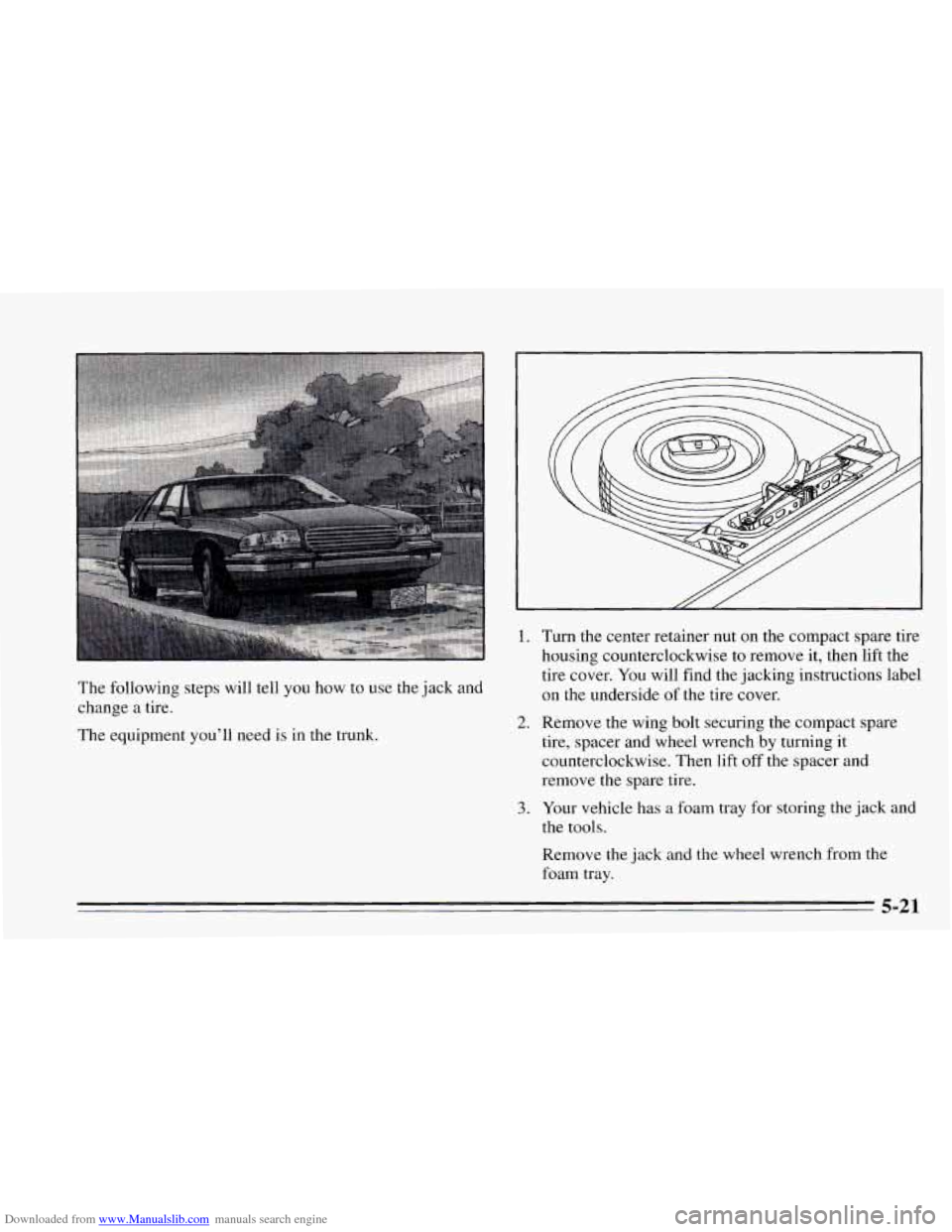
Downloaded from www.Manualslib.com manuals search engine The following steps will tell you how to use the jack and
change a tire.
The equipment you'll need is in the trunk.
1.
2.
3.
Turn the center retainer nut on the compact spare tire
housing counterclockwise to remove it, then lift the
tire cover. You will find the jacking instructions label
on the underside of the tire cover.
Remove the wing bolt securing the compact spare
tire, spacer and wheel wrench by turning it
counterclockwise. Then lift
off the spacer and
remove the spare tire.
Your vehicle has a foam tray for storing the jack and
the tools.
Remove the jack and the wheel wrench from the
foam tray.
5-21
Page 202 of 340
Downloaded from www.Manualslib.com manuals search engine ~ Don’t try
to put a wheel cover on your compact spare
~ tire, It won’t fit. Store the wheel cover and plastic cap ! nuts in the trunk or rear area until you have the flat tire
repaired or replaced.
NOTICE:
Wheel covers won’t fit on your compact spare. If
you try to put a wheel cover on your compact
spare, you could damage the cover or the spare.
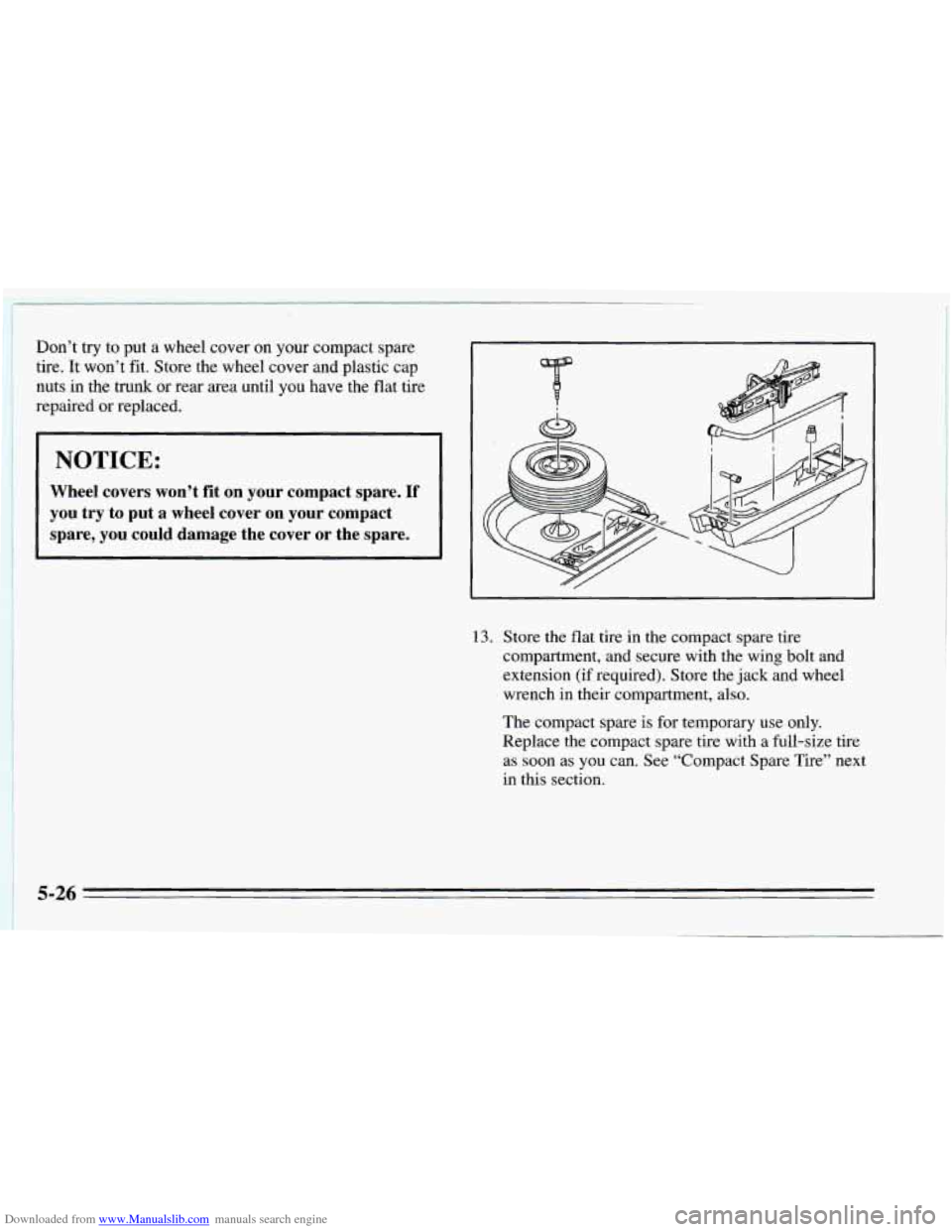
13. Store the flat tire in the compact spare tire
compartment, and secure with the wing bolt and
extension (if required). Store the jack and wheel
wrench in their compartment, also.
The compact spare is for temporary use only.
Replace the compact spare tire with a full-size tire
as soon as you can. See “Compact Spare Tire” next
in this section.
5-26
Page 245 of 340
Downloaded from www.Manualslib.com manuals search engine Used Replacement Wheels Tire Chains
I NOTICE:
If your Chevrolet has P195/65R15 or P205/55R16
size tires, don’t use tire chains; they can damage
your vehicle.
If you have other tires, use tire chains only where
legal and only when you must. Use only
SAE
Class “S” type chains that are the proper size for
your tires. Install them on the front tires and
tighten them as tightly as possible with the ends
securely fastened. Drive slowly and follow the
chain manufacturer’s instructions.
If you can
hear the chains contacting your vehicle, stop and
retighten them.
If the contact continues, slow
down until it stops. Driving too fast or spinning
the wheels with chains on
will damage your
vehicle.
6-41