instrument panel CHEVROLET CAVALIER 1999 3.G User Guide
[x] Cancel search | Manufacturer: CHEVROLET, Model Year: 1999, Model line: CAVALIER, Model: CHEVROLET CAVALIER 1999 3.GPages: 368, PDF Size: 2.79 MB
Page 107 of 368
yellowblue
2-43
A flashing DRL telltale indicates a possible burned out
headlamp, or that the vehicle may need service to repair
a stuck DRL relay.
When the DRL are on, only your high
-beam headlamps
will be on at reduced brightness. The taillamps,
sidemarker and other lamps won't be on. Your
instrument panel won't be lit up either.
When you turn on the headlamp switch, your high
-beam
headlamps will go out, and your headlamps will come
on. The other lamps that come on with your headlamps
will also come on.
When you turn off the headlamp switch, the regular
lamps will go off, and your high
-beam headlamps will
come on at reduced brightness.
To idle your vehicle with the DRL off, set the parking
brake. The DRL will stay off until you release the
parking brake.
As with any vehicle, you should turn on the regular
headlamp system when you need it.
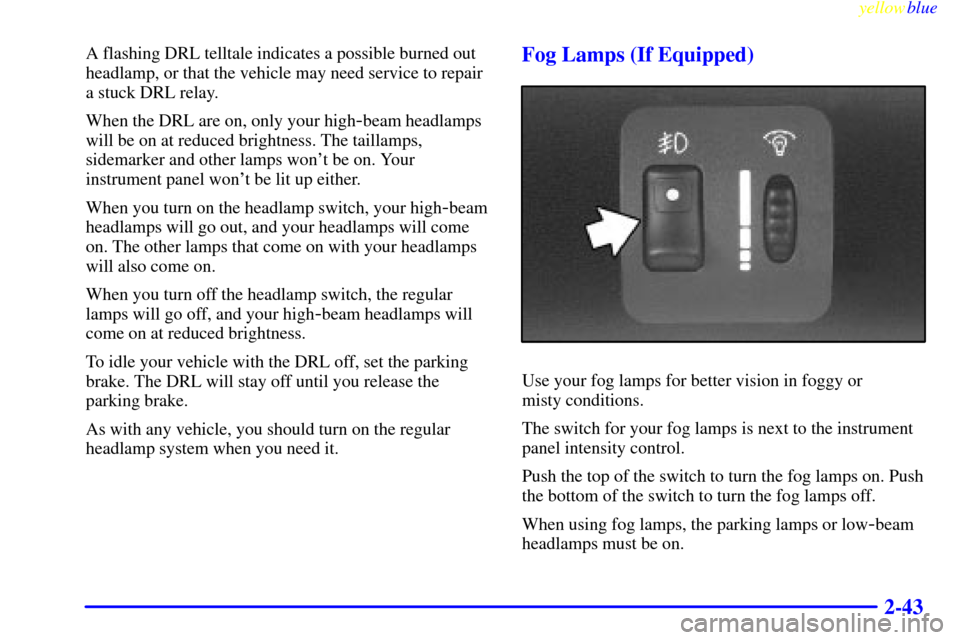
Fog Lamps (If Equipped)
Use your fog lamps for better vision in foggy or
misty conditions.
The switch for your fog lamps is next to the instrument
panel intensity control.
Push the top of the switch to turn the fog lamps on. Push
the bottom of the switch to turn the fog lamps off.
When using fog lamps, the parking lamps or low
-beam
headlamps must be on.
Page 108 of 368
yellowblue
2-44
Fog lamps will go off whenever the high-beam
headlamps come on. When the high beams go off, the
fog lamps will come on again.
Interior Lamps
Instrument Panel Intensity Control
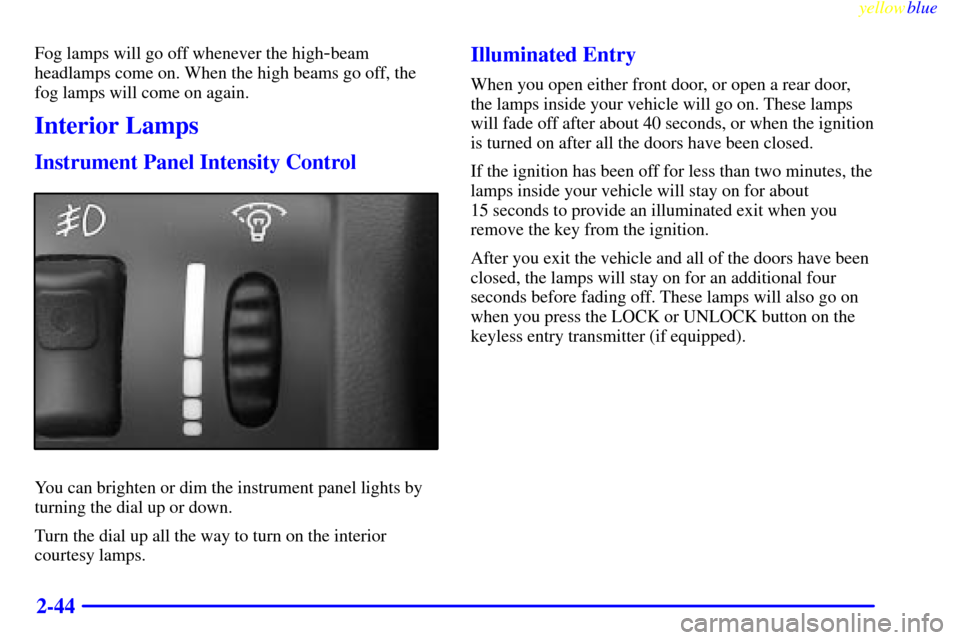
You can brighten or dim the instrument panel lights by
turning the dial up or down.
Turn the dial up all the way to turn on the interior
courtesy lamps.
Illuminated Entry
When you open either front door, or open a rear door,
the lamps inside your vehicle will go on. These lamps
will fade off after about 40 seconds, or when the ignition
is turned on after all the doors have been closed.
If the ignition has been off for less than two minutes, the
lamps inside your vehicle will stay on for about
15 seconds to provide an illuminated exit when you
remove the key from the ignition.
After you exit the vehicle and all of the doors have been
closed, the lamps will stay on for an additional four
seconds before fading off. These lamps will also go on
when you press the LOCK or UNLOCK button on the
keyless entry transmitter (if equipped).
Page 112 of 368
yellowblue
2-48
NOTICE:
Don't hold a cigarette lighter in with your hand
while it is heating. If you do, it won't be able to
back away from the heating element when it's
ready. That can make it overheat, damaging the
lighter and the heating element.
To clean the center console ashtray, remove the entire
ashtray and empty it.
To clean the rear ashtray, open it, push down on the
snuffer, and pull it out.
NOTICE:
Don't put papers and other things that burn into
your ashtrays. If you do, cigarettes or other
smoking materials could set them on fire,
causing damage.
Sun Visors
To block out glare, you can swing down the visors.
You can also swing them to the side.
Accessory Power Outlet
(If Equipped)
The accessory power outlet is located on the instrument
panel to the right of the steering wheel. Just remove the
plug from the outlet and follow the proper installation
instructions that are included with any electrical
equipment you install.
These circuits are protected by a fuse and have
maximum current levels.
Page 124 of 368

yellowblue
2-60
The Instrument Panel -- Your Information System
Page 125 of 368

yellowblue
2-61
The main components of your instrument panel are:
A. Instrument Panel Intensity Control
B. Turn Signal/Multifunction Lever
C. Hazard Warning Flashers Switch
D. Ignition Switch
E. Windshield Wiper/Washer Controls
F. Cigarette Lighter/Accessory Power Outlet
G. Audio SystemH. Climate Controls and Rear Window Defogger
I. Shift Lever
J. Parking Brake Lever
K. Tilt Steering Wheel Lever (If Equipped)
L. Hood Release Lever
M. Fuse Panel
Page 126 of 368

yellowblue
2-62
Instrument Panel Clusters
Your instrument panel cluster is designed to let you know at a glance how your vehicle is running. You'll know how
fast you're going, about how much fuel is left in the tank, and many other things you'll need to drive safely
and economically.
Standard Cluster
Page 130 of 368

yellowblue
2-66 Air Bag Readiness Light
There is an air bag readiness light on the instrument
panel, which shows AIR BAG. The system checks the
air bag's electrical system for malfunctions. The light
tells you if there is an electrical problem. The system
check includes the air bag sensor, the air bag modules,
the wiring and the crash sensing and diagnostic module.
For more information on the air bag system, see ªAir
Bagº in the Index.
This light will come on
when you start your engine,
and it will flash for a few
seconds. Then the light
should go out. This means
the system is ready.
If the air bag readiness light stays on after you start the
engine or comes on when you are driving, your air bag
system may not work properly. Have your vehicle
serviced right away.
The air bag readiness light should flash for a few
seconds when you turn the ignition key to RUN. If the
light doesn't come on then, have it fixed so it will be
ready to warn you if there is a problem.
Charging System Light
The charging system light
will come on briefly when
you turn on the ignition, and
the engine is not running, as
a check to show you it
is working.
Then it should go out when the engine is started.
If it stays on, or comes on while you are driving, you
may have a problem with the electrical charging system.
It could indicate that you have a loose generator drive
belt, or another electrical problem. Have it checked right
away. Driving while this light is on could drain
your battery.
If you must drive a short distance with the light on, be
certain to turn off all your accessories, such as the radio
and air conditioner.
Page 142 of 368
yellowblue
3-2
Comfort Controls
This section tells you how to make your air system work
for you. The optional climate control system with air
conditioning uses ozone
-friendly R-134a refrigerant.
With these systems, you can control the ventilation
and heating in your vehicle. Your vehicle also has
the flow
-through ventilation system described later
in this section.
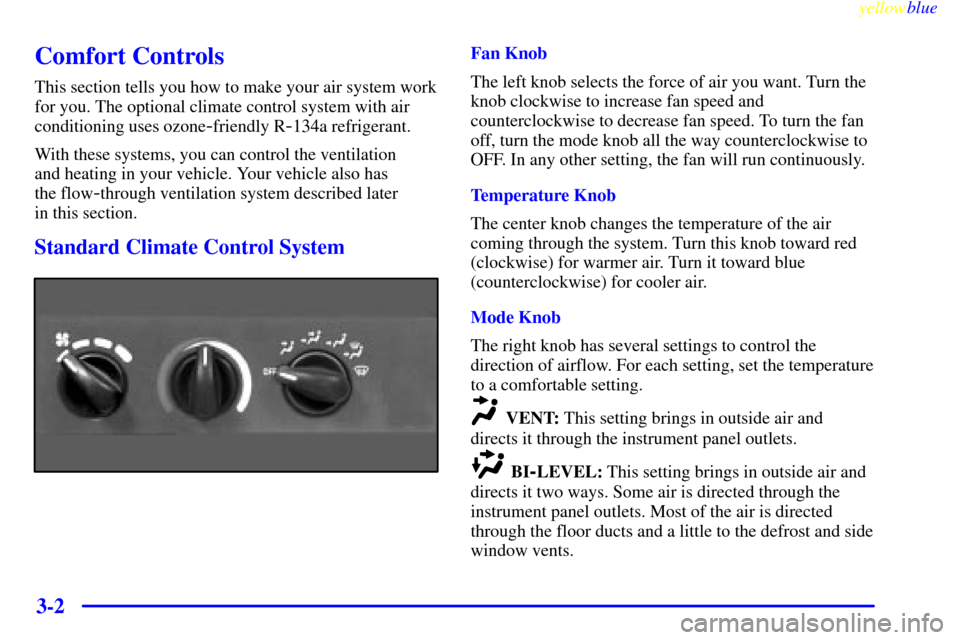
Standard Climate Control System
Fan Knob
The left knob selects the force of air you want. Turn the
knob clockwise to increase fan speed and
counterclockwise to decrease fan speed. To turn the fan
off, turn the mode knob all the way counterclockwise to
OFF. In any other setting, the fan will run continuously.
Temperature Knob
The center knob changes the temperature of the air
coming through the system. Turn this knob toward red
(clockwise) for warmer air. Turn it toward blue
(counterclockwise) for cooler air.
Mode Knob
The right knob has several settings to control the
direction of airflow. For each setting, set the temperature
to a comfortable setting.
VENT: This setting brings in outside air and
directs it through the instrument panel outlets.
BI-LEVEL: This setting brings in outside air and
directs it two ways. Some air is directed through the
instrument panel outlets. Most of the air is directed
through the floor ducts and a little to the defrost and side
window vents.
Page 143 of 368
yellowblue
3-3
FLOOR: This setting sends most of the air
through the ducts near the floor. The rest comes out of
the defroster and side window vents.
DEFOG: This setting allows half of the air to go
to the floor ducts and half to the defroster and side
window vents.
DEFROST: This setting directs most of the air
through the defroster and side window vents. Some of
the air goes to the floor ducts.
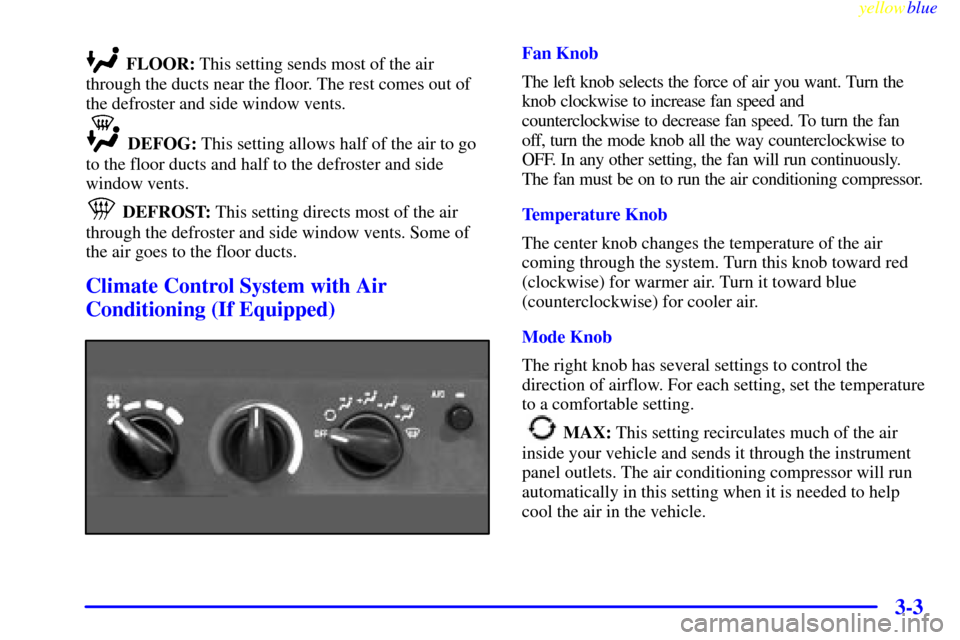
Climate Control System with Air
Conditioning (If Equipped)
Fan Knob
The left knob selects the force of air you want. Turn the
knob clockwise to increase fan speed and
counterclockwise to decrease fan speed. To turn the fan
off, turn the mode knob all the way counterclockwise to
OFF. In any other setting, the fan will run continuously.
The fan must be on to run the air conditioning compressor.
Temperature Knob
The center knob changes the temperature of the air
coming through the system. Turn this knob toward red
(clockwise) for warmer air. Turn it toward blue
(counterclockwise) for cooler air.
Mode Knob
The right knob has several settings to control the
direction of airflow. For each setting, set the temperature
to a comfortable setting.
MAX: This setting recirculates much of the air
inside your vehicle and sends it through the instrument
panel outlets. The air conditioning compressor will run
automatically in this setting when it is needed to help
cool the air in the vehicle.
Page 144 of 368

yellowblue
3-4
VENT: This setting brings in outside air and
directs it through the instrument panel outlets.
BI-LEVEL: This setting brings in outside air and
directs it two ways. Some air is directed through the
instrument panel outlets. Most of the air is directed
through the floor ducts and a little to the defrost and side
window vents.
FLOOR: This setting sends most of the air
through the ducts near the floor. The rest comes out of
the defroster and side window vents.
DEFOG: This setting allows half of the air to go to the
floor ducts and half to the defroster and side window vents.
DEFROST: This setting directs most of the air
through the defroster and side window vents. Some of the air
goes to the floor ducts. The air conditioning compressor will
run automatically in this setting when it is needed to help dry
the air in the vehicle.
Air Conditioning Compressor Button
Press the A/C button to operate the air conditioner
compressor. The indicator light above the button will
glow when the air conditioning compressor is running.
You don't have to press the button to run the compressor
in MAX or DEFROST.
Air Conditioning (If Equipped)
On very hot days, open the windows long enough to let hot,
inside air escape. This reduces the time it takes for your
vehicle to cool down, which should help fuel economy.
For quick cool
-down on very hot days, use MAX with
the temperature knob all the way in the blue area. If this
setting is used for long periods of time, the air in your
vehicle may become too dry.
For normal cooling on hot days, use VENT with the
temperature knob in the blue area and the A/C button
pushed in. The system will bring in outside air and cool it.
On cool, but sunny days, the sun may warm your upper
body, but your lower body may not be warm enough.
You can use BI
-LEVEL with the temperature knob in
the middle and the A/C button pushed in. The system
will bring in outside air and direct slightly warmer air to
your lower body. You may notice this temperature
difference more at some times than others.