ECU CHEVROLET CAVALIER 2003 3.G Owner's Manual
[x] Cancel search | Manufacturer: CHEVROLET, Model Year: 2003, Model line: CAVALIER, Model: CHEVROLET CAVALIER 2003 3.GPages: 364, PDF Size: 2.44 MB
Page 73 of 364
Resynchronization
Your remote keyless entry system is equipped with a
security system that prevents anyone from recording and
playing back your signal. The transmitter does not
send the same signal twice to the receiver. The receiver
will not respond to a signal that has been sent to it
more than once.
Normally, the transmitter and receiver resynchronize
automatically. However, under certain circumstances,
manual resynchronization may be required.
To resynchronize your transmitter and receiver, follow
these directions:
1. Stand close to your vehicle.
2. Press and hold the LOCK and UNLOCK buttons on
the transmitter at the same time.
3. Hold the buttons for at least 10 seconds. During this
time, the doors should lock and unlock once. This
con®rms the resynchronization. If the doors do
not lock and unlock, see your dealer for service.
Doors and Locks
Door Locks
{CAUTION:
Unlocked doors can be dangerous.
·Passengers Ð especially children Ð can
easily open the doors and fall out of a
moving vehicle. When a door is locked, the
handle won't open it. You increase the
chance of being thrown out of the vehicle
in a crash if the doors aren't locked. So,
wear safety belts properly and lock the
doors whenever you drive.
·Young children who get into unlocked
vehicles may be unable to get out. A child
can be overcome by extreme heat and can
suffer permanent injuries or even death
from heat stroke. Always lock your vehicle
whenever you leave it.
·Outsiders can easily enter through an
unlocked door when you slow down or
stop your vehicle. Locking your doors can
help prevent this from happening.
2-7
Page 75 of 364
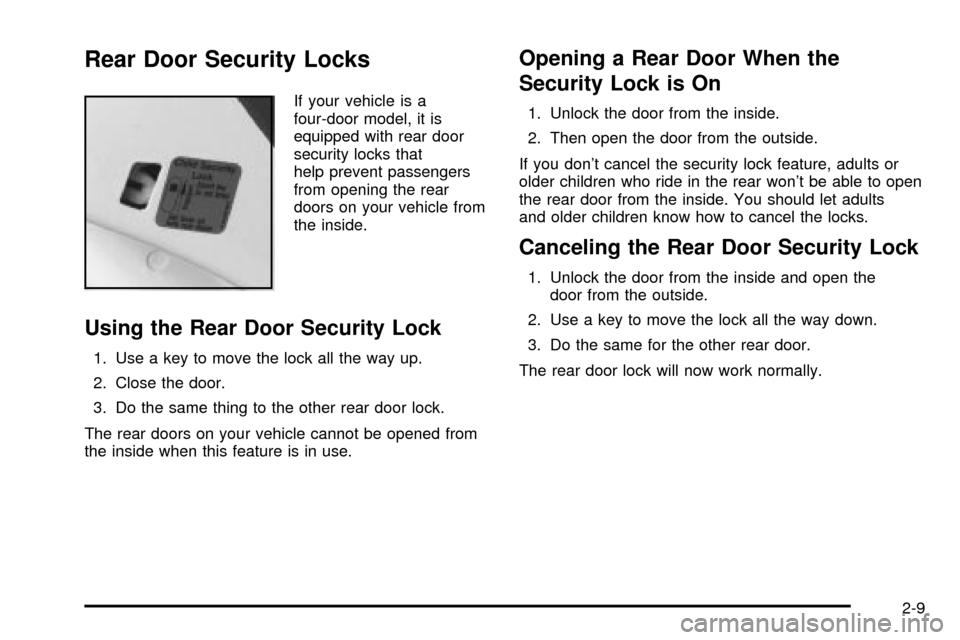
Rear Door Security Locks
If your vehicle is a
four-door model, it is
equipped with rear door
security locks that
help prevent passengers
from opening the rear
doors on your vehicle from
the inside.
Using the Rear Door Security Lock
1. Use a key to move the lock all the way up.
2. Close the door.
3. Do the same thing to the other rear door lock.
The rear doors on your vehicle cannot be opened from
the inside when this feature is in use.
Opening a Rear Door When the
Security Lock is On
1. Unlock the door from the inside.
2. Then open the door from the outside.
If you don't cancel the security lock feature, adults or
older children who ride in the rear won't be able to open
the rear door from the inside. You should let adults
and older children know how to cancel the locks.
Canceling the Rear Door Security Lock
1. Unlock the door from the inside and open the
door from the outside.
2. Use a key to move the lock all the way down.
3. Do the same for the other rear door.
The rear door lock will now work normally.
2-9
Page 78 of 364

Emergency Trunk Release Handle
Notice:The emergency trunk release handle is not
designed to be used to tie down the trunk lid or
as an anchor point when securing items in the trunk.
Improper use of the emergency trunk release
handle could damage it.There is a glow-in-the-dark emergency trunk release
handle located on the inside of the trunk lid of your
vehicle. This handle will glow following exposure to light.
Pull the release handle up to open the trunk from the
inside.
Trap-Resistant Trunk Kit
To help prevent a child from becoming trapped in your
trunk, you can order a trap-resistant trunk kit from
your dealer. This kit includes:
·a modi®ed trunk latch,
·a lighted release handle, and
·seatback tethers (for vehicles with folding rear
seatbacks).
See your dealer for additional information.
2-12
Page 81 of 364

Theft-Deterrent Systems
Vehicle theft is big business, especially in some cities.
Although your vehicle has a number of theft-deterrent
features, we know that nothing we put on it can make it
impossible to steal.
Content Theft-Deterrent
Arming the System
With the ignition off, pressing the remote keyless entry
transmitter LOCK button will arm the system
immediately after all doors and the trunk are closed. If
the transmitter LOCK button is pressed again within ®ve
seconds, the horn will chirp to con®rm that the system
has been armed.
Once the system is armed, the THEFT SYSTEM light
on your instrument panel will ¯ash and remain ¯ashing.
This con®rms the system is armed and monitoring
the doors and trunk. If the light is on solid, the system is
not properly activated due to either a door or the
trunk being ajar.
If you don't want to arm the system, lock the car with
the lock levers on the doors or with the power door lock
switch.
Disarming the System
If the system is armed, pressing the UNLOCK button on
the transmitter will disarm the system. The THEFT
SYSTEM light will stop ¯ashing.
If the system is armed, turning the key to START will
also disarm the system.
If the system is armed and the trunk is opened using
the trunk release button on the transmitter, the system
will temporarily disarm itself and re-arm when the
trunk has been closed. This allows the customer to exit
the vehicle, lock the doors using the transmitter, and
open the trunk using the transmitter without having
to disarm and subsequently re-arm the system.
How the System Alarm is Activated
If the system is armed, opening any door or trunk, or
using a wrong key to start the vehicle will cause a
pre-alarm chirp for 10 seconds and then a full alarm of
horn and headlights for two minutes.
If an alarm event has ®nished and all doors and trunk
are closed, the content theft security system will re-arm
itself.
2-15
Page 82 of 364

How to Turn Off the System Alarm
If the system alarm is active, it can be deactivated by:
·Pressing the transmitter LOCK or panic button to
turn off the alarm. The system will also re-arm if
all doors and trunk are later closed, or
·pressing the transmitter UNLOCK or trunk button to
turn off the alarm and disarm the system, or
·putting the key in the ignition and turning it to
START to turn off the alarm and disarm the system.
How to Detect a Tamper Condition
If you hear three horn chirps when you press the
UNLOCK, LOCK or trunk buttons on your transmitter,
that means the content theft security system alarm was
triggered while you were away.
Your dealer can change the settings to disable the
headlamp ¯ash and horn chirp features. Your dealer can
also change the settings to allow the horn to chirp
twice on the ®rst press of the UNLOCK button. See your
dealer for more information.
Passlockž
Your vehicle is equipped with the
Passlockžtheft-deterrent system.
Passlock
žis a passive theft-deterrent system.
Passlockženables fuel if the ignition lock cylinder is
turned with a valid key. If a correct key is not used or the
ignition lock cylinder is tampered with, fuel is disabled.
During normal operation, the THEFT SYSTEM light
will go off approximately ®ve seconds after the key is
turned to the RUN ignition position following an
engine start.
If the engine stalls and the THEFT SYSTEM light
¯ashes, wait until the light stops ¯ashing before trying to
restart the engine. Remember to release the key from
START as soon as the engine starts.
If the engine is running and the THEFT SYSTEM light
comes on, you will be able to restart the engine if
you turn the engine off. However, your
Passlock
žsystem is not working properly and must be
serviced by your dealer. Your vehicle is not protected
by Passlock
žat this time. You may also want to check
the fuses, seeFuses and Circuit Breakers on
page 5-81. See your dealer for service. Also, seeRoadside Assistance Program on page 7-6for more
information.
2-16
Page 100 of 364
3. With your right hand, move the adjustment lever
handle (inside the vehicle) in order to align the T
end of the lever with the lever slide.
4. Fold the mirror back to the original position in order
to engage the T end of the lever with the lever
slide.
5. Make sure the mirror housing is fully seated to
its base.
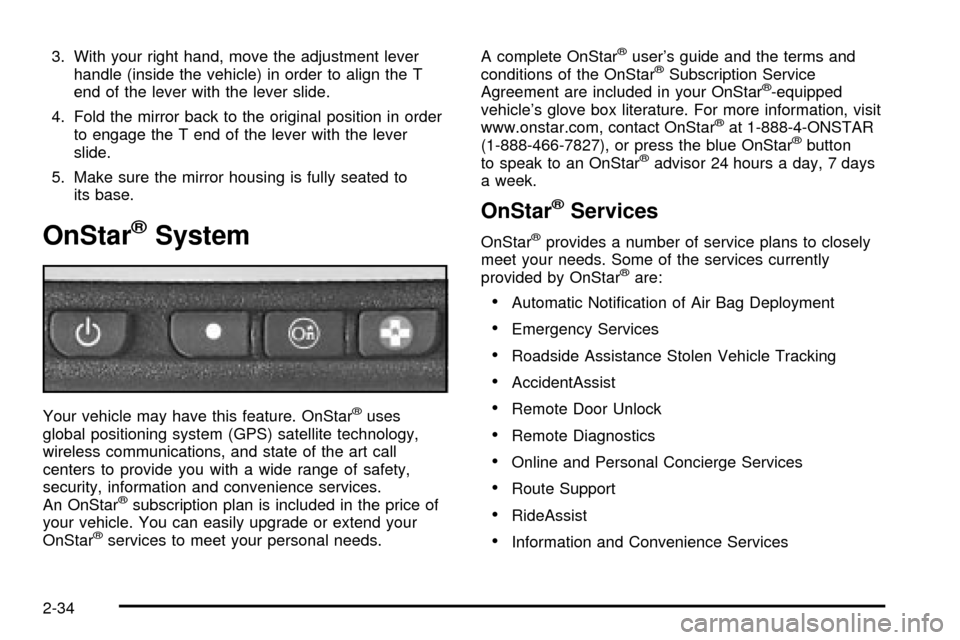
OnStaržSystem
Your vehicle may have this feature. OnStaržuses
global positioning system (GPS) satellite technology,
wireless communications, and state of the art call
centers to provide you with a wide range of safety,
security, information and convenience services.
An OnStar
žsubscription plan is included in the price of
your vehicle. You can easily upgrade or extend your
OnStar
žservices to meet your personal needs.A complete OnStar
žuser's guide and the terms and
conditions of the OnStaržSubscription Service
Agreement are included in your OnStarž-equipped
vehicle's glove box literature. For more information, visit
www.onstar.com, contact OnStar
žat 1-888-4-ONSTAR
(1-888-466-7827), or press the blue OnStaržbutton
to speak to an OnStaržadvisor 24 hours a day, 7 days
a week.
OnStaržServices
OnStaržprovides a number of service plans to closely
meet your needs. Some of the services currently
provided by OnStar
žare:
·Automatic Noti®cation of Air Bag Deployment
·Emergency Services
·Roadside Assistance Stolen Vehicle Tracking
·AccidentAssist
·Remote Door Unlock
·Remote Diagnostics
·Online and Personal Concierge Services
·Route Support
·RideAssist
·Information and Convenience Services
2-34
Page 102 of 364
Convenience Net
Your vehicle may have a convenience net. You'll see it
inside the back wall of the trunk. Put small loads,
like grocery bags, behind the net. It can help keep them
from falling over during sharp turns or quick starts
and stops.
Unclip a corner of the convenience net to ®t larger
objects behind the net, then reclip it to secure them in
place. The net isn't for larger, heavier loads. Store them
in the trunk as far forward as you can.
You can unhook the net so that it will lie ¯at when
you're not using it.
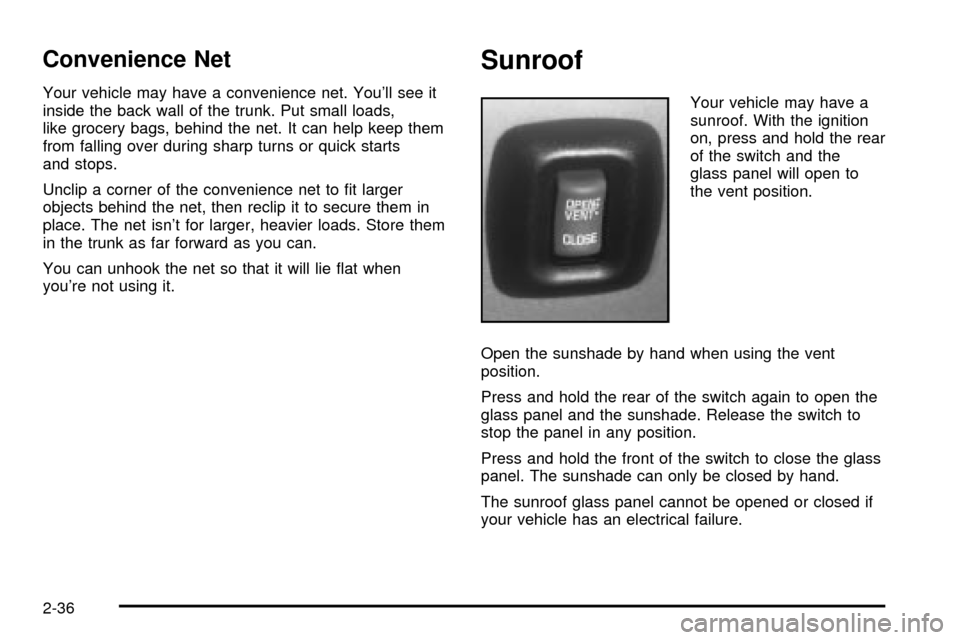
Sunroof
Your vehicle may have a
sunroof. With the ignition
on, press and hold the rear
of the switch and the
glass panel will open to
the vent position.
Open the sunshade by hand when using the vent
position.
Press and hold the rear of the switch again to open the
glass panel and the sunshade. Release the switch to
stop the panel in any position.
Press and hold the front of the switch to close the glass
panel. The sunshade can only be closed by hand.
The sunroof glass panel cannot be opened or closed if
your vehicle has an electrical failure.
2-36
Page 136 of 364
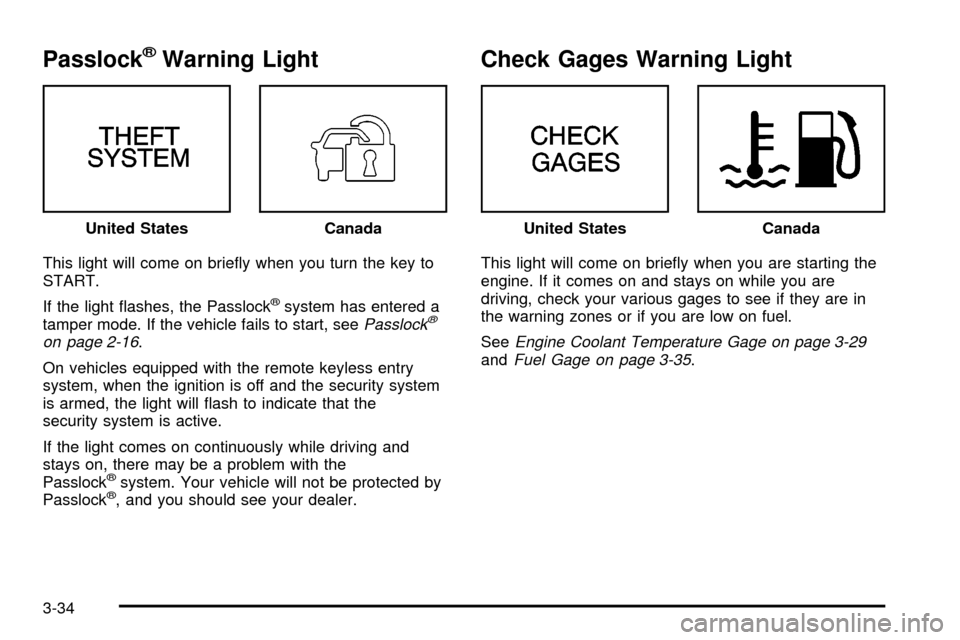
PasslockžWarning Light
This light will come on brie¯y when you turn the key to
START.
If the light ¯ashes, the Passlock
žsystem has entered a
tamper mode. If the vehicle fails to start, seePasslockž
on page 2-16.
On vehicles equipped with the remote keyless entry
system, when the ignition is off and the security system
is armed, the light will ¯ash to indicate that the
security system is active.
If the light comes on continuously while driving and
stays on, there may be a problem with the
Passlock
žsystem. Your vehicle will not be protected by
Passlockž, and you should see your dealer.
Check Gages Warning Light
This light will come on brie¯y when you are starting the
engine. If it comes on and stays on while you are
driving, check your various gages to see if they are in
the warning zones or if you are low on fuel.
See
Engine Coolant Temperature Gage on page 3-29andFuel Gage on page 3-35. United States
CanadaUnited StatesCanada
3-34
Page 148 of 364
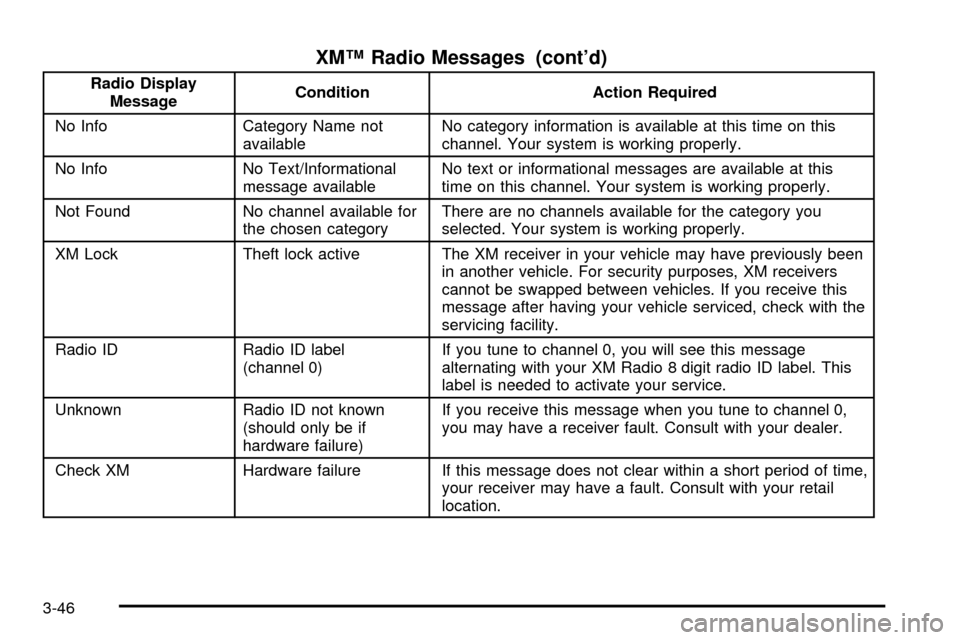
XMŸ Radio Messages (cont'd)
Radio Display
MessageCondition Action Required
No Info Category Name not
availableNo category information is available at this time on this
channel. Your system is working properly.
No Info No Text/Informational
message availableNo text or informational messages are available at this
time on this channel. Your system is working properly.
Not Found No channel available for
the chosen categoryThere are no channels available for the category you
selected. Your system is working properly.
XM Lock Theft lock active The XM receiver in your vehicle may have previously been
in another vehicle. For security purposes, XM receivers
cannot be swapped between vehicles. If you receive this
message after having your vehicle serviced, check with the
servicing facility.
Radio ID Radio ID label
(channel 0)If you tune to channel 0, you will see this message
alternating with your XM Radio 8 digit radio ID label. This
label is needed to activate your service.
Unknown Radio ID not known
(should only be if
hardware failure)If you receive this message when you tune to channel 0,
you may have a receiver fault. Consult with your dealer.
Check XM Hardware failure If this message does not clear within a short period of time,
your receiver may have a fault. Consult with your retail
location.
3-46
Page 158 of 364
XMŸ Radio Messages (cont'd)
Radio Display
MessageCondition Action Required
No Info Category Name not
availableNo category information is available at this time on this
channel. Your system is working properly.
No Info No Text/Informational
message availableNo text or informational messages are available at this
time on this channel. Your system is working properly.
Not Found No channel available for
the chosen categoryThere are no channels available for the category you
selected. Your system is working properly.
XM Lock Theft lock active The XM receiver in your vehicle may have previously been
in another vehicle. For security purposes, XM receivers
cannot be swapped between vehicles. If you receive this
message after having your vehicle serviced, check with the
servicing facility.
Radio ID Radio ID label
(channel 0)If you tune to channel 0, you will see this message
alternating with your XM Radio 8 digit radio ID label. This
label is needed to activate your service.
Unknown Radio ID not known
(should only be if
hardware failure)If you receive this message when you tune to channel 0,
you may have a receiver fault. Consult with your dealer.
Check XM Hardware failure If this message does not clear within a short period of time,
your receiver may have a fault. Consult with your retail
location.
3-56