stop start CHEVROLET CAVALIER 2004 3.G User Guide
[x] Cancel search | Manufacturer: CHEVROLET, Model Year: 2004, Model line: CAVALIER, Model: CHEVROLET CAVALIER 2004 3.GPages: 354, PDF Size: 2.42 MB
Page 128 of 354
Notice:If you keep driving your vehicle with this
light on, after a while, your emission controls
may not work as well, your fuel economy may not
be as good and your engine may not run as
smoothly. This could lead to costly repairs that may
not be covered by your warranty.
Notice:Modications made to the engine,
transaxle, exhaust, intake or fuel system of your
vehicle or the replacement of the original tires with
other than those of the same Tire Performance
Criteria (TPC) can affect your vehicle’s emission
controls and may cause this light to come on.
Modications to these systems could lead to costly
repairs not covered by your warranty. This may
also result in a failure to pass a required Emission
Inspection/Maintenance test.
This light should come on, as a check to show you it is
working, when the ignition is on and the engine is
not running. If the light does not come on, have it
repaired. This light will also come on during a
malfunction in one of two ways:
Light Flashing— A misre condition has been
detected. A misre increases vehicle emissions and
may damage the emission control system on your
vehicle. Diagnosis and service may be required.
Light On Steady— An emission control system
malfunction has been detected on your vehicle.
Diagnosis and service may be required.
If the Light Is Flashing
The following may prevent more serious damage to
your vehicle:
Reducing vehicle speed.
Avoiding hard accelerations.
Avoiding steep uphill grades.
If you are towing a trailer, reduce the amount of
cargo being hauled as soon as it is possible.
If the light stops ashing and remains on steady, see “If
the Light Is On Steady” following.
If the light continues to ash, when it is safe to do so,
stop the vehicle.
Find a safe place to park your vehicle. Turn the key off,
wait at least 10 seconds and restart the engine. If
the light remains on steady, see “If the Light Is On
Steady” following. If the light is still ashing, follow the
previous steps, and see your dealer for service as soon
as possible.
3-30
Page 130 of 354
Your vehicle will not pass this inspection if the OBD
(on-board diagnostic) system determines that critical
emission control systems have not been completely
diagnosed by the system. The vehicle would be
considered not ready for inspection. This can happen if
you have recently replaced your battery or if your
battery has run down. The diagnostic system is
designed to evaluate critical emission control systems
during normal driving. This may take several days
of routine driving. If you have done this and your vehicle
still does not pass the inspection for lack of OBD
system readiness, your GM dealer can prepare the
vehicle for inspection.
Oil Pressure Light
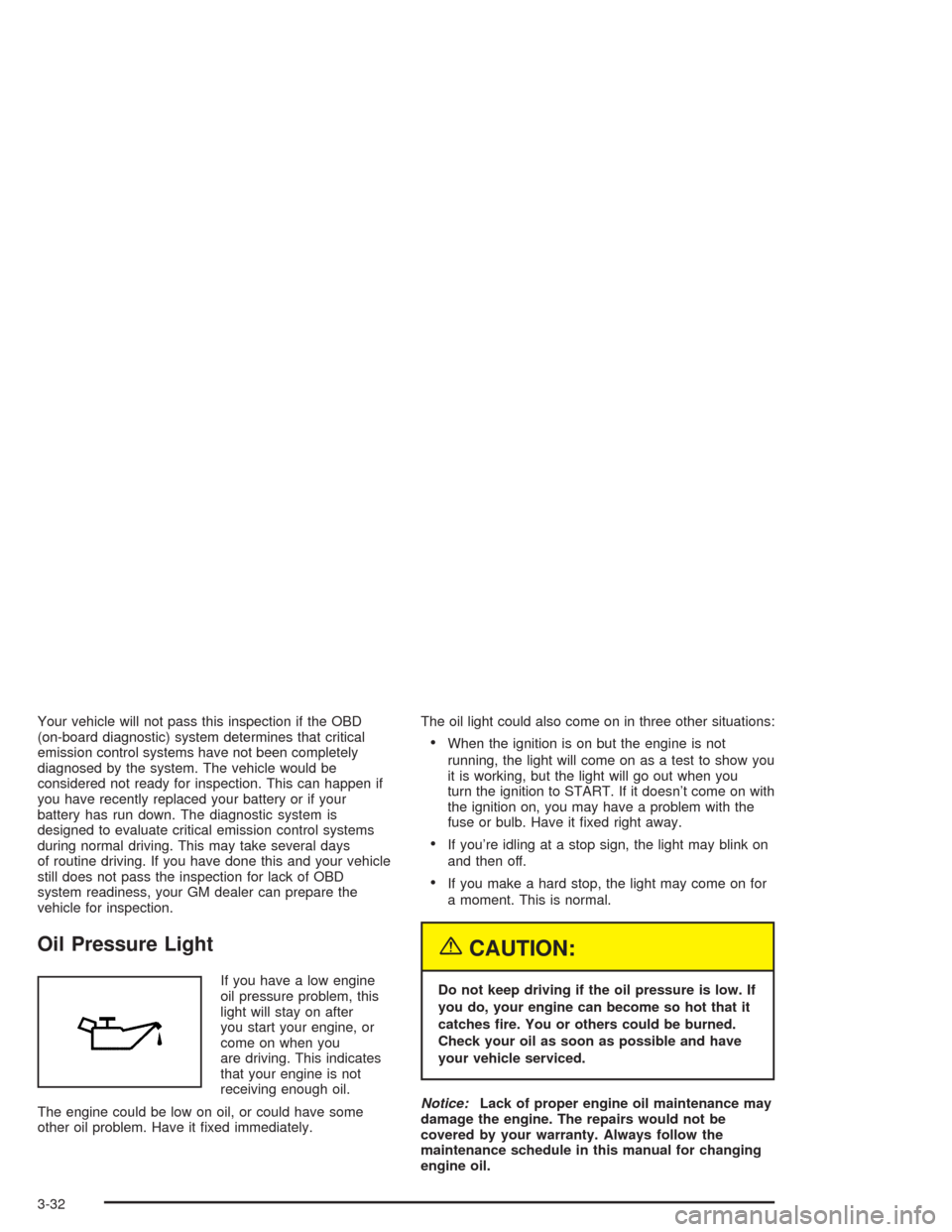
If you have a low engine
oil pressure problem, this
light will stay on after
you start your engine, or
come on when you
are driving. This indicates
that your engine is not
receiving enough oil.
The engine could be low on oil, or could have some
other oil problem. Have it xed immediately.The oil light could also come on in three other situations:
When the ignition is on but the engine is not
running, the light will come on as a test to show you
it is working, but the light will go out when you
turn the ignition to START. If it doesn’t come on with
the ignition on, you may have a problem with the
fuse or bulb. Have it xed right away.
If you’re idling at a stop sign, the light may blink on
and then off.
If you make a hard stop, the light may come on for
a moment. This is normal.
{CAUTION:
Do not keep driving if the oil pressure is low. If
you do, your engine can become so hot that it
catches re. You or others could be burned.
Check your oil as soon as possible and have
your vehicle serviced.
Notice:Lack of proper engine oil maintenance may
damage the engine. The repairs would not be
covered by your warranty. Always follow the
maintenance schedule in this manual for changing
engine oil.
3-32
Page 139 of 354
To adjust both tone controls and both speaker controls
to the middle position, rst end out of audio mode
by pressing another button, causing the radio to perform
that function, or by waiting ve seconds for the display
to return to the time of day. Then press and hold AUDIO
for more than two seconds until you hear a beep.
CEN will appear on the display.
Radio Messages
CAL (Calibration):Your audio system has been
calibrated for your vehicle from the factory. If CAL
appears on the display it means that your radio has not
been congured properly for your vehicle and must
be returned to the dealer for service.
Playing a CD
With the ignition on, insert a CD partway into the slot,
label side up. The player will pull it in and the CD should
begin playing. CD will appear on the display. If you
want to insert a CD with the ignition off, rst press the
eject button or the RCL knob.
If you turn off the ignition or radio with a CD in the
player, it will stay in the player. When you turn on the
ignition or the radio, the CD will start playing where
it stopped, if it was the last selected audio source.
As each new track starts to play, the track number will
appear on the display.The CD player can play the smaller 8 cm single CDs
with an adapter ring. Full-size CDs and the smaller CDs
are loaded in the same manner.
If playing a CD-R the sound quality may be reduced
due to CD-R quality, the method of recording, the quality
of the music that has been recorded, and the way the
CD-R has been handled. You may experience an
increase in skipping, difficulty in nding tracks and/or
difficulty in loading and ejecting. If these problems occur
try a known good CD.
Do not add paper labels to CDs, they could get caught
in the CD player.
Do not play 3 inch CDs without a standard adapter CD.
If an error appears on the display, see “CD Messages”
later in this section.
1 PREV (Previous):Press this pushbutton to go to the
previous track if the current track has been playing
for less than eight seconds. If pressed when the current
track has been playing for more than eight seconds,
it will go to the beginning of the current track. The track
number will appear on the display. If you hold the
pushbutton or press it more than once, the player will
continue moving back through the CD.
2 NEXT:Press this pushbutton to go to the next track.
The track number will appear on the display. If you
hold the pushbutton or press it more than once,
the player will continue moving forward through the CD.
3-41
Page 148 of 354
Playing a CD
With the ignition on, insert a CD partway into the slot,
label side up. The player will pull it in, and the CD should
begin playing The CD symbol will appear on the
display. If you want to insert a CD with the ignition off,
rst press the EJT button or the DISPL knob.
If you turn off the ignition or radio with a CD in the
player it will stay in the player. When you turn on the
ignition or radio, the CD will start to play where it
stopped, if it was the last selected audio source.
As each new track starts to play, the track number will
appear on the display.
The CD player can play the smaller 8cm single CDs
with an adapter ring. Full-size CDs and the smaller CDs
are loaded in the same manner.
If playing a CD-R the sound quality may be reduced
due to CD-R quality, the method of recording, the quality
of the music that has been recorded, and the way the
CD-R has been handled. You may experience an
increase in skipping, difficulty in nding tracks and/or
difficulty in loading and ejecting. If these problems occur
try a known good CD.
Do not add paper labels to CDs, they could get caught
in the CD player.
Do not play 3 inch CDs without a standard adapter CD.
If an error appears on the display, see “CD Messages”
later in this section.1 PREV (Previous):Press this pushbutton to go to the
start of the current track if more than eight seconds
have played. TRACK and the track number will appear
on the display. If you hold this pushbutton or press
it more than once, the player will continue moving
backward through the CD.
2 NEXT:Press this pushbutton to go to the next track.
TRACK and the track number will appear on the
display. If you hold this pushbutton or press it more than
once, the player will continue moving forward through
the CD.
3 REV (Reverse):Press and hold this pushbutton to
reverse quickly within a track. Once you get to the
beginning of the track the track will begin to play. Press
and hold this pushbutton for less than two seconds
to reverse at ten times the normal playing speed. Press
and hold it for more than two seconds to reverse at
20 times the normal playing speed. Release the
pushbutton to play the track. The display will show REV
and the elapsed time of the track.
4 FWD (Forward):Press and hold this pushbutton to
advance quickly within a track. Press and hold this
pushbutton for less than two seconds to advance at six
times the normal playing speed. Press and hold it for
more than two seconds to advance at 17 times the
normal playing speed. Release the pushbutton to play
the track. The display will show ET and the elapsed time
of the track.
3-50
Page 158 of 354
Playing a CD
Insert a CD partway into the slot, label side up. The
player will pull it in, and READING will appear on
the display. The CD should begin playing and the CD
symbol will appear on the display. If you want to insert a
CD with the ignition off, rst press the EJT button or
the DISPL knob.
If you turn off the ignition or radio with a CD in the
player it will stay in the player. When you turn on the
ignition or radio, the CD will start to play where it
stopped, if it was the last selected audio source.
As each new track starts to play, the track number will
appear on the display.
The CD player can play the smaller 8cm single CDs
with an adapter ring. Full-size CDs and the smaller CDs
are loaded in the same manner.
If playing a CD-R the sound quality may be reduced
due to CD-R quality, the method of recording, the quality
of the music that has been recorded, and the way the
CD-R has been handled. You may experience an
increase in skipping, difficulty in nding tracks and/or
difficulty in loading and ejecting. If these problems occur
try a known good CD.Do not add paper labels to CDs, they could get caught
in the CD player.
Do not play 3 inch CDs without a standard adapter CD.
If an error appears on the display, see “CD Messages”
later in this section.
1 FLD
x(Previous):Press this pushbutton to go to
the start of the current track if more than eight seconds
have played. TRACK and the track number will
appear on the display. If you hold this pushbutton or
press it more than once, the player will continue moving
backward through the CD.
2 FLD
w(Next):Press this pushbutton to go to the
next track. TRACK and the track number will appear on
the display. If you hold this pushbutton or press it
more than once, the player will continue moving forward
through the CD.
3 REV (Reverse):Press and hold this pushbutton to
reverse quickly within a track. Press and hold this
pushbutton for less than two seconds to reverse at 10
times the normal playing speed. Press and hold it
for more than two seconds to reverse at 20 times the
normal playing speed. Release the pushbutton to
play the passage. The display will show REV and the
elapsed time of the track.
3-60
Page 159 of 354
4 FWD (Forward):Press and hold this pushbutton to
advance quickly within a track. Press and hold this
pushbutton for less than two seconds to advance at six
times the normal playing speed. Press and hold it for
more than two seconds to advance at 17 times the
normal playing speed. Release the pushbutton to play
the passage. The display will show ET and the elapsed
time of the track.
6 RDM (Random):Press this pushbutton to hear the
tracks in random, rather than sequential, order. RDM ON
will appear on the display. RDM T and the track
number will appear on the display when each track
starts to play. Press RDM again to turn off random play.
RDM OFF will appear on the display.
oSEEKp:Press the left arrow to go to the start of
the current or the previous track. Press the right
arrow to go to the start of the next track. Pressing either
arrow for more than two seconds will search the
previous or next tracks at two tracks per second. When
you see the track number that you would like to play,
release the button to stop searching and to play
the track.
TUNE:Turning the TUNE knob will fast track reverse or
advance through tracks. The track number will appear
on the display for each track.
DISPL (Display):Press this knob to see how long the
current track has been playing. ET and the elapsedtime of the track will appear on the display. To change
the default on the display (track or elapsed time),
press this knob until you see the display you want, then
hold the knob for two seconds. The radio will produce
one beep and the selected display will now be the
default.
BAND:Press this button to listen to the radio when a
CD is playing. The inactive CD will remain safely
inside the radio for future listening.
CD AUX (Auxiliary):Press this button to play a CD
when listening to the radio. The CD symbol will appear
on the display when a CD is loaded.
ZEJT (Eject):Press this button to eject a CD. Eject
may be activated with either the ignition or radio off.
CDs may be loaded with the ignition and radio off if this
button is pressed rst.
Using an MP3 CD
MP3 Format
This MP3 player will accept MP3 les that were recorded
on an up to 700 MB CD-R CD. The les can be
recorded with the following xed bit rates: 32 kbps,
40 kpbs, 56 kpbs, 64 kpbs, 80 kpbs, 96 kpbs,
112 kpbs, 128 kpbs, 160 kpbs, 192 kpbs, 224 kpbs,
256 kpbs, and 320 kpbs or a variable bit rate. Song title,
artist name, and album will be available when recorded
using ID3 tags versions 1 and 2.
3-61
Page 162 of 354
If you turn off the ignition or radio with a CD in the
player it will stay in the player. When you turn on the
ignition or radio, the CD will start to play where it
stopped, if it was the last selected audio source.
As each new track starts to play, the track number will
appear on the display.
The CD player can play the smaller 8cm single CDs
with an adapter ring. Full-size CDs and the smaller CDs
are loaded in the same manner.
If playing a CD-R the sound quality may be reduced
due to CD-R quality, the method of recording, the quality
of the music that has been recorded, and the way the
CD-R has been handled. You may experience an
increase in skipping, difficulty in nding tracks and/or
difficulty in loading and ejecting. If these problems occur
try a known good CD.
Do not add paper labels to CDs, they could get caught
in the CD player.
Do not play 3 inch CDs without a standard adapter CD.
If an error appears on the display, see “CD Messages”
later in this section.
1 FLD
x(Previous Folder):Press this pushbutton to
go to the rst track in the previous folder. Pressing
this button while in folder random mode will take you to
the previous folder and random the tracks in that
folder.2 FLD
w(Next Folder):Press this pushbutton to go to
the rst track in the next folder. Pressing this button
while in folder random mode will take you to the
next folder and random the tracks in that folder.
3 REV (Reverse):Press and hold this pushbutton to
reverse quickly within a track. Press and hold this
pushbutton for less than two seconds to reverse at 10
times the normal playing speed. Press and hold it
for more than two seconds to reverse at 20 times the
normal playing speed. Release the pushbutton to
play the track. The display will show REV and the
elapsed time of the track.
4 FWD (Forward):Press and hold this pushbutton to
advance quickly within a track. Press and hold this
pushbutton for less than two seconds to advance at 10
times the normal playing speed. Press and hold it
for more than two seconds to advance at 20 times the
normal playing speed. Release the pushbutton to
play the track. The display will show FWD and the
elapsed time of the track.
6 RDM (Random):To random the tracks in the current
folder or playlist, press and release this pushbutton.
FLDR RDM will appear on the display. Once all of the
tracks in the current folder or playlist have been
played the system will move on to the next folder or
playlist and play all of the tracks in random order.
3-64
Page 163 of 354
To random all the tracks on the CD, press and hold this
pushbutton for two seconds. You will hear a beep
and CD RDM will appear on the display. This feature
will not work with playlists.
When in random, pressing and releasing either SEEK
arrow will take you to the next or previous random track.
Press and release this pushbutton again to turn off
random play. NO RDM will appear on the display.
oSEEKp:Press the left arrow to go to the start of
the previous track. Press the right arrow to go to the
start of the next track. Pressing either arrow for
more than two seconds will search the previous or next
tracks at two tracks per second. When you see the
track number that you would like to play, release
the button to stop searching and to play the track.
TUNE:Turning the TUNE knob will fast track reverse or
advance through the tracks in all folders or playlists.
The track number and le name will appear on the
display for each track. Turning this knob while in random
will fast track reverse or advance the tracks in
sequential order.
DISPL (Display):Press this knob to switch between
track mode, folder/playlist mode, and time of day mode.
The display will show only eight characters, but there
can be up to four pages of text. If there are more
than eight characters in the song, folder, or playlistname, pressing this knob within two seconds will take
you to the next page of text. If there are no other pages
to be shown, pressing this knob within two seconds
will take you to the next display mode.
Track mode will display the current track number and
the ID3 tag song name.
Folder/playlist mode will display the current folder or
playlist number and the folder/playlist name.
Time of day mode will display the time of day and the
ID3 tag song name.
To change the default on the display, press the DISPL
knob until you see the display you want, then hold
this knob for two seconds. The radio will produce one
beep and the selected display will now be the default.
INFO (Information):INFO will appear on the display
whenever a current track has ID3 tag information. Press
this button to display the artist name and album
contained in the tag. INFO will disappear from the
display when the information in the ID3 tag has nished.
BAND:Press this button to listen to the radio when a
CD is playing. The inactive CD will remain safely
inside the radio for future listening.
CD AUX (Auxiliary):Press this button to play a CD
when listening to the radio. The CD symbol will appear
on the display when a CD is loaded.
3-65
Page 172 of 354
Avoid needless heavy braking. Some people drive in
spurts — heavy acceleration followed by heavy
braking — rather than keeping pace with traffic. This is
a mistake. Your brakes may not have time to cool
between hard stops. Your brakes will wear out much
faster if you do a lot of heavy braking. If you keep pace
with the traffic and allow realistic following distances,
you will eliminate a lot of unnecessary braking.
That means better braking and longer brake life.
If your engine ever stops while you are driving, brake
normally but do not pump your brakes. If you do,
the pedal may get harder to push down. If your engine
stops, you will still have some power brake assist.
But you will use it when you brake. Once the power
assist is used up, it may take longer to stop and
the brake pedal will be harder to push.
Anti-lock Brake System (ABS)
Your vehicle may have anti-lock brakes. ABS is an
advanced electronic braking system that will help
prevent a braking skid.
If your vehicle has anti-lock
brakes, this warning light
on the instrument panel will
come on briey when
you start your vehicle.When you start your engine, or when you begin to drive
away, your anti-lock brake system will check itself.
You may hear a momentary motor or clicking noise while
this test is going on, and you may even notice that
your brake pedal moves or pulses a little. This is normal.
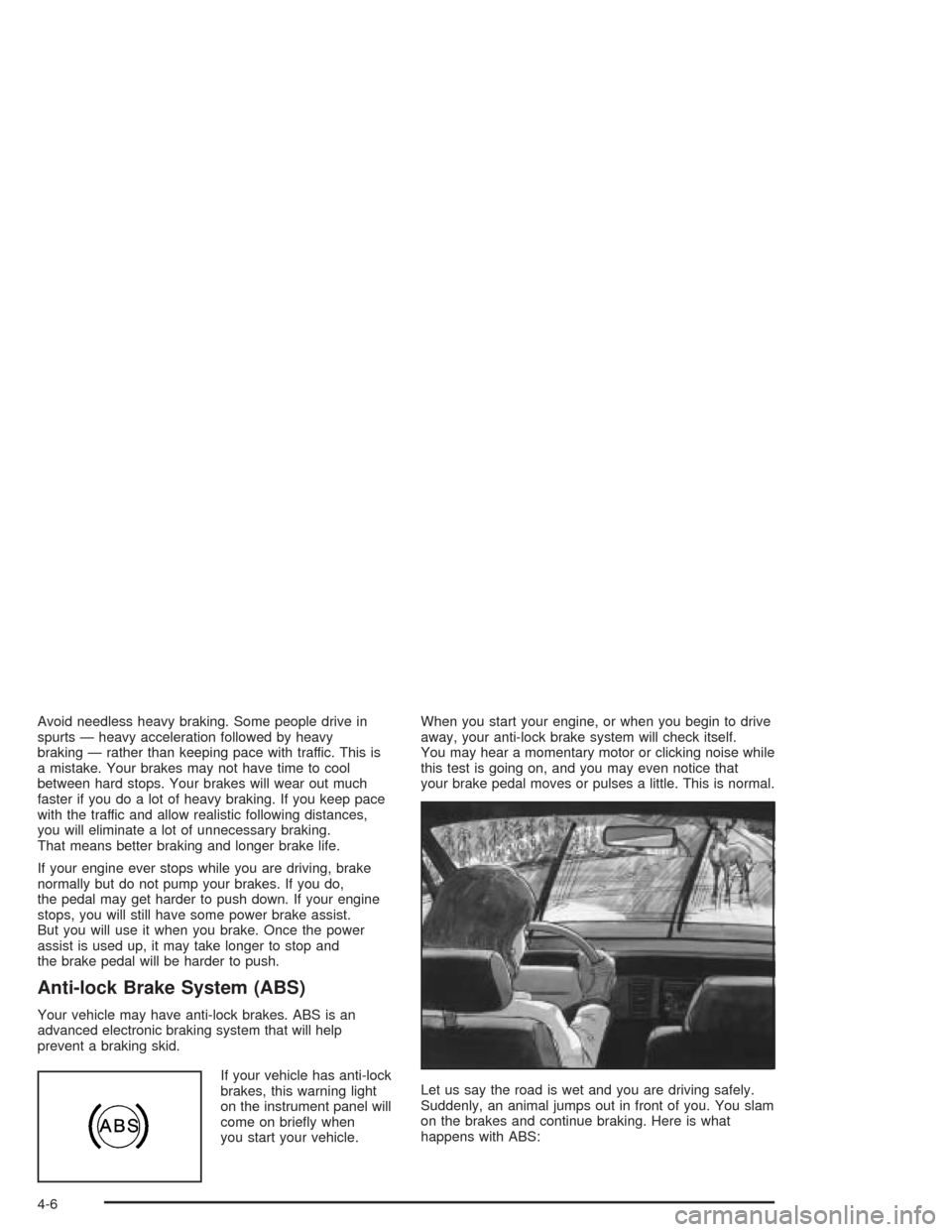
Let us say the road is wet and you are driving safely.
Suddenly, an animal jumps out in front of you. You slam
on the brakes and continue braking. Here is what
happens with ABS:
4-6
Page 178 of 354
Passing
The driver of a vehicle about to pass another on a
two-lane highway waits for just the right moment,
accelerates, moves around the vehicle ahead, then
goes back into the right lane again. A simple maneuver?
Not necessarily! Passing another vehicle on a two-lane
highway is a potentially dangerous move, since the
passing vehicle occupies the same lane as oncoming
traffic for several seconds. A miscalculation, an error in
judgment, or a brief surrender to frustration or anger
can suddenly put the passing driver face to face with the
worst of all traffic accidents — the head-on collision.
So here are some tips for passing:
“Drive ahead.” Look down the road, to the sides
and to crossroads for situations that might affect
your passing patterns. If you have any doubt
whatsoever about making a successful pass, wait
for a better time.
Watch for traffic signs, pavement markings and
lines. If you can see a sign up ahead that might
indicate a turn or an intersection, delay your pass.
A broken center line usually indicates it is all
right to pass (providing the road ahead is clear).
Never cross a solid line on your side of the lane or
a double solid line, even if the road seems empty
of approaching traffic.
Do not get too close to the vehicle you want to
pass while you are awaiting an opportunity. For one
thing, following too closely reduces your area of
vision, especially if you are following a larger
vehicle. Also, you will not have adequate space if
the vehicle ahead suddenly slows or stops.
Keep back a reasonable distance.
When it looks like a chance to pass is coming up,
start to accelerate but stay in the right lane and
do not get too close. Time your move so you will be
increasing speed as the time comes to move into
the other lane. If the way is clear to pass, you
will have a “running start” that more than makes up
for the distance you would lose by dropping
back. And if something happens to cause you to
cancel your pass, you need only slow down
and drop back again and wait for another
opportunity.
If other vehicles are lined up to pass a slow vehicle,
wait your turn. But take care that someone is not
trying to pass you as you pull out to pass the slow
vehicle. Remember to glance over your shoulder
and check the blind spot.
4-12