trunk CHEVROLET CAVALIER 2004 3.G User Guide
[x] Cancel search | Manufacturer: CHEVROLET, Model Year: 2004, Model line: CAVALIER, Model: CHEVROLET CAVALIER 2004 3.GPages: 354, PDF Size: 2.42 MB
Page 101 of 354
The main components of your instrument panel are the following:
A. Fog Lamp Button. See “Fog Lamps” underExterior
Lamps on page 3-11.
B. Instrument Panel Brightness Control. See
“Instrument Panel Brightness” underInterior Lamps
on page 3-14.
C. Turn Signal/Multifunction Lever. SeeTurn
Signal/Multifunction Lever on page 3-6.
D. Instrument Panel Cluster. SeeInstrument Panel
Cluster on page 3-21.
E. Hazard Warning Flashers Switch. SeeHazard
Warning Flashers on page 3-4.
F. Ignition Switch. SeeIgnition Positions on page 2-16.
G. Windshield Wiper/Washer Controls. See “Windshield
Wipers” and “Windshield Washers” underTurn
Signal/Multifunction Lever on page 3-6.
H. Cigarette Lighter. SeeAshtrays and Cigarette
Lighter on page 3-16.
I. Audio System. SeeAudio System(s) on page 3-35.J. Climate Controls and Rear Window Defogger. See
Climate Control System on page 3-16.
K. Fuse Panel. See “Instrument Panel Fuse Block”
underFuses and Circuit Breakers on page 5-81.
L. Remote Trunk Release Button. See “Remote Trunk
Release” underTrunk on page 2-10.
M. Hood Release Lever. SeeHood Release on
page 5-10.
N. Tilt Steering Wheel Lever. SeeTilt Wheel on
page 3-5.
O. Parking Brake Lever. SeeParking Brake on
page 2-25.
P. Accessory Power Outlet. SeeAccessory Power
Outlets on page 3-15.
Q. Shift Lever. SeeAutomatic Transaxle Operation on
page 2-20andManual Transaxle Operation on
page 2-23.
3-3
Page 113 of 354
Battery Run-Down Protection
Your vehicle is equipped with a battery saver feature
designed to protect your vehicle’s battery.
When any interior lamp (trunk, reading, dome, etc.) is
left on and the ignition is turned off, the battery rundown
protection system will automatically turn the lamp off
after 20 minutes. This will avoid draining the battery.
This system does not protect against leaving on
the headlamps or parking lamps.
To reactivate the interior lamps, do one of the following:
Turn the ignition on.
Turn the activated interior lamp off, then on.
Open any door.
The battery rundown protection feature will also be
activated when any door is left open.
Accessory Power Outlets
The accessory power outlet can be used to connect
electrical equipment such as a cellular phone or
CB radio.
The accessory power outlet is located on the lower
console on the passenger’s side.To use the outlet, remove the cover. When not in use,
always cover the outlet with the protective cap.
Notice:Leaving electrical equipment on for
extended periods will drain the battery. Always turn
off electrical equipment when not in use and do
not plug in equipment that exceeds the maximum
amperage rating.
Certain electrical accessories may not be compatible
with the accessory power outlet and could result
in blown vehicle or adapter fuses. If you experience a
problem, see your dealer for additional information
on the accessory power outlet.
Notice:Adding any electrical equipment to your
vehicle may damage it or keep other components
from working as they should. The repairs would not
be covered by your warranty. Check with your
dealer before adding electrical equipment.
When adding electrical equipment, be sure to follow the
installation instructions included with the equipment.
Notice:Improper use of the power outlet can cause
damage not covered by your warranty. Do not
hang any type of accessory or accessory bracket
from the plug because the power outlets are
designed for accessory power plugs only.
3-15
Page 190 of 354
Winter Driving
Here are some tips for winter driving:
Have your vehicle in good shape for winter.
You may want to put winter emergency supplies in
your trunk.
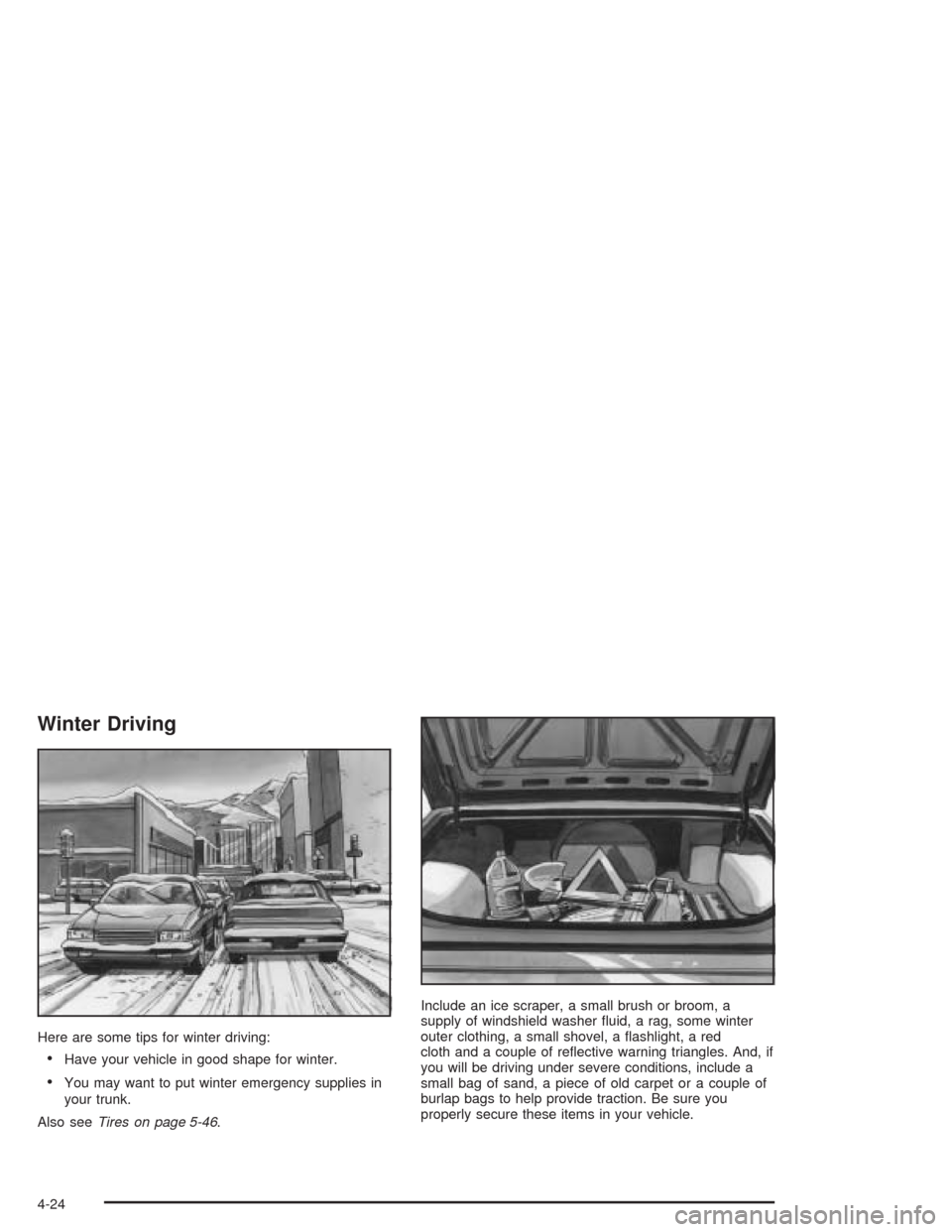
Also seeTires on page 5-46.Include an ice scraper, a small brush or broom, a
supply of windshield washer uid, a rag, some winter
outer clothing, a small shovel, a ashlight, a red
cloth and a couple of reective warning triangles. And, if
you will be driving under severe conditions, include a
small bag of sand, a piece of old carpet or a couple of
burlap bags to help provide traction. Be sure you
properly secure these items in your vehicle.
4-24
Page 201 of 354
Certication Label
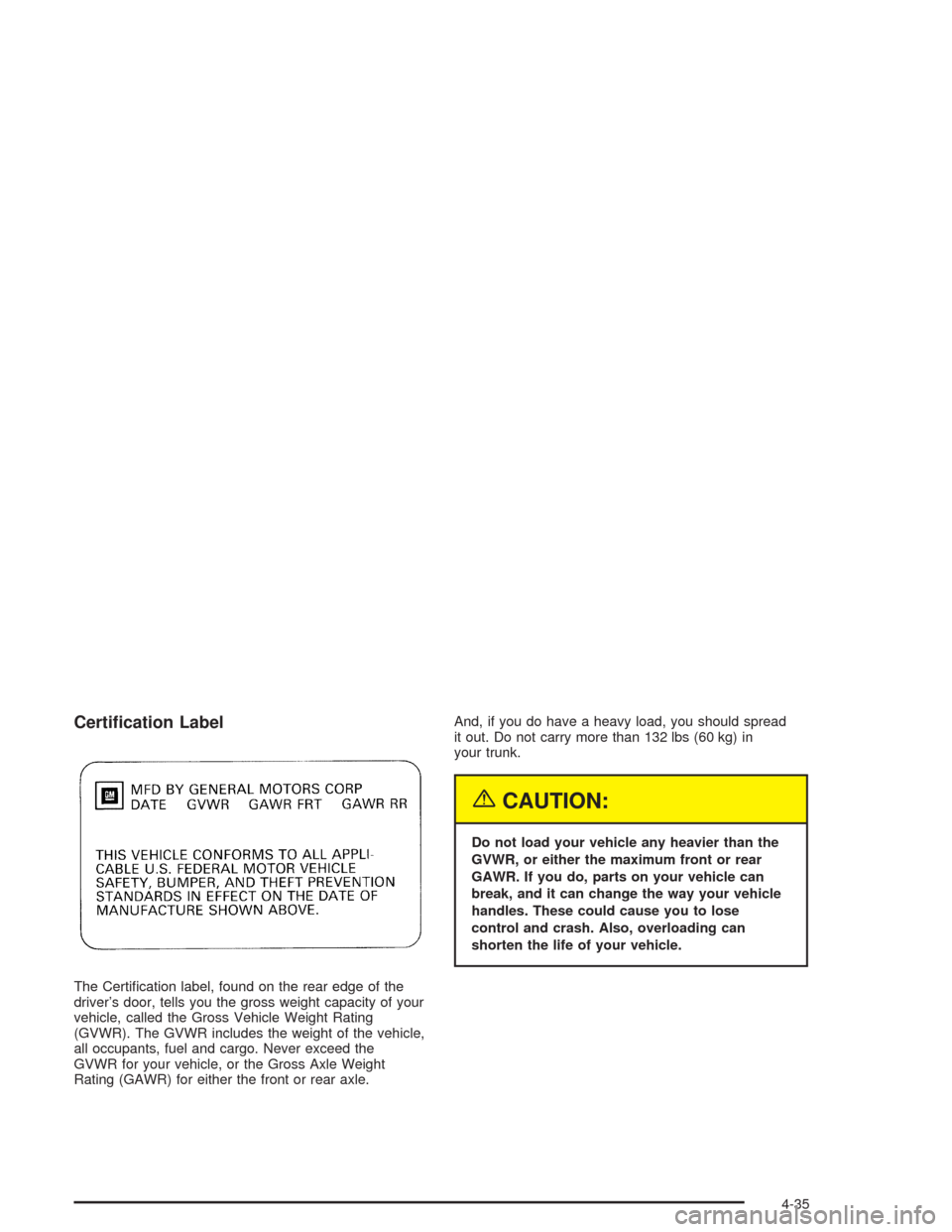
The Certication label, found on the rear edge of the
driver’s door, tells you the gross weight capacity of your
vehicle, called the Gross Vehicle Weight Rating
(GVWR). The GVWR includes the weight of the vehicle,
all occupants, fuel and cargo. Never exceed the
GVWR for your vehicle, or the Gross Axle Weight
Rating (GAWR) for either the front or rear axle.And, if you do have a heavy load, you should spread
it out. Do not carry more than 132 lbs (60 kg) in
your trunk.
{CAUTION:
Do not load your vehicle any heavier than the
GVWR, or either the maximum front or rear
GAWR. If you do, parts on your vehicle can
break, and it can change the way your vehicle
handles. These could cause you to lose
control and crash. Also, overloading can
shorten the life of your vehicle.
4-35
Page 202 of 354
If you put things inside your vehicle — like suitcases,
tools, packages, or anything else — they will go as fast
as the vehicle goes. If you have to stop or turn
quickly, or if there is a crash, they will keep going.
{CAUTION:
Things you put inside your vehicle can strike
and injure people in a sudden stop or turn, or
in a crash.
Put things in the trunk or rear area of your
vehicle. In a trunk, put them as far forward
as you can. Try to spread the weight
evenly. If you have fold-down rear seats,
you will nd four anchors on the back wall
of your trunk. You can use these anchors
to tie down lighter loads. They are not
strong enough for heavy things, however,
so put them as far forward as you can in
the trunk or rear area.
CAUTION: (Continued)
CAUTION: (Continued)
Never stack heavier things, like suitcases,
inside the vehicle so that some of them
are above the tops of the seats.
Do not leave an unsecured child restraint
in your vehicle.
When you carry something inside the
vehicle, secure it whenever you can.
Do not leave a seat folded down unless
you need to.
4-36
Page 219 of 354
When you put the fuel cap back on, turn it to the right
(clockwise) until you hear a clicking sound. Make
sure you fully install the cap. The diagnostic system can
determine if the fuel cap has been left off or improperly
installed. This would allow fuel to evaporate into the
atmosphere. SeeMalfunction Indicator Lamp on
page 3-29.
{CAUTION:
If a re starts while you are refueling, do not
remove the nozzle. Shut off the ow of fuel by
shutting off the pump or by notifying the
station attendant. Leave the area immediately.
Notice:If you need a new fuel cap, be sure to get
the right type. Your dealer can get one for you.
If you get the wrong type, it may not t properly.
This may cause your malfunction indicator lamp to
light and may damage your fuel tank and emissions
system. SeeMalfunction Indicator Lamp on
page 3-29.
Filling a Portable Fuel Container
{CAUTION:
Never ll a portable fuel container while it is in
your vehicle. Static electricity discharge from
the container can ignite the gasoline vapor.
You can be badly burned and your vehicle
damaged if this occurs. To help avoid injury to
you and others:
Dispense gasoline only into approved
containers.
Do not ll a container while it is inside a
vehicle, in a vehicle’s trunk, pickup bed or
on any surface other than the ground.
Bring the ll nozzle in contact with the
inside of the ll opening before operating
the nozzle. Contact should be maintained
until the lling is complete.
Do not smoke while pumping gasoline.
5-9
Page 254 of 354
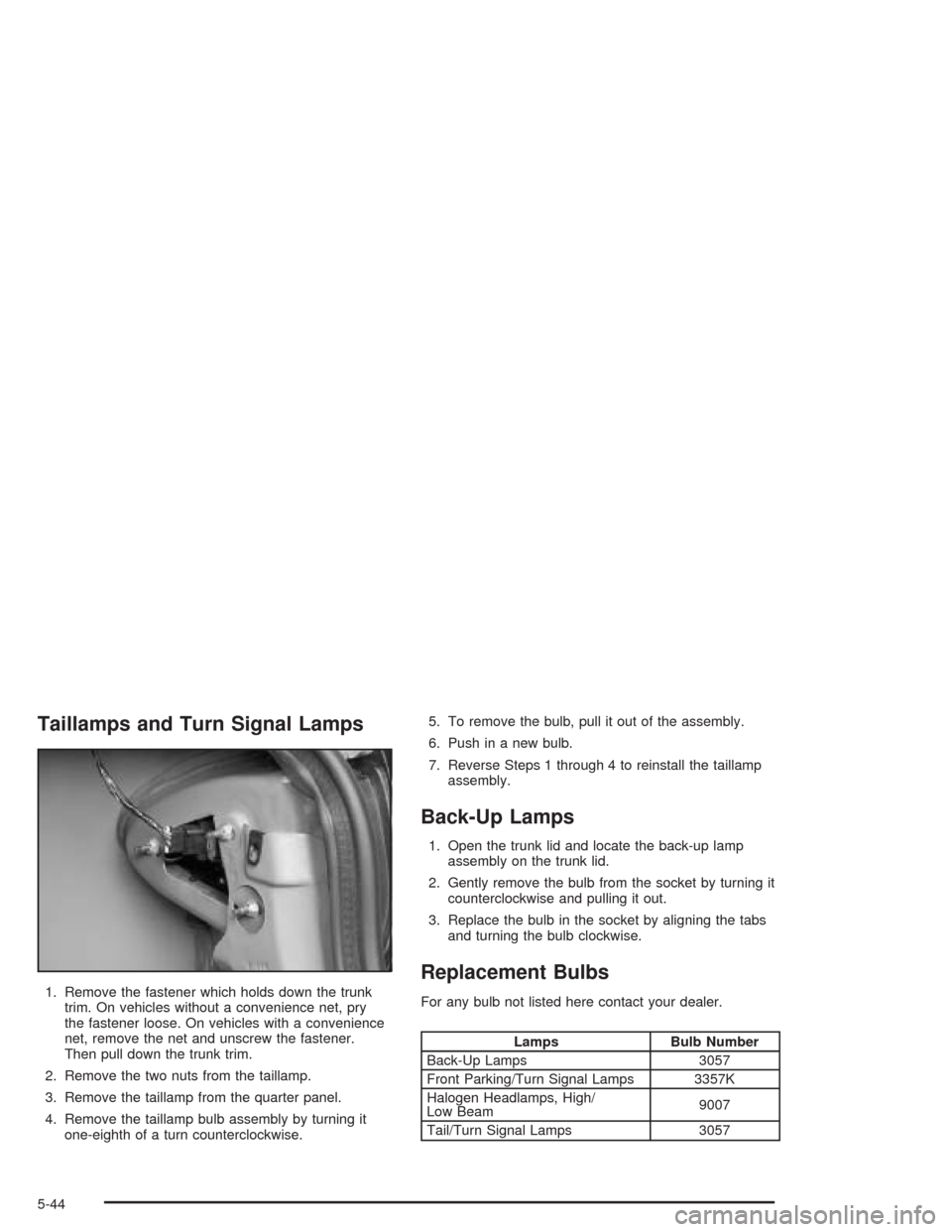
Taillamps and Turn Signal Lamps
1. Remove the fastener which holds down the trunk
trim. On vehicles without a convenience net, pry
the fastener loose. On vehicles with a convenience
net, remove the net and unscrew the fastener.
Then pull down the trunk trim.
2. Remove the two nuts from the taillamp.
3. Remove the taillamp from the quarter panel.
4. Remove the taillamp bulb assembly by turning it
one-eighth of a turn counterclockwise.5. To remove the bulb, pull it out of the assembly.
6. Push in a new bulb.
7. Reverse Steps 1 through 4 to reinstall the taillamp
assembly.
Back-Up Lamps
1. Open the trunk lid and locate the back-up lamp
assembly on the trunk lid.
2. Gently remove the bulb from the socket by turning it
counterclockwise and pulling it out.
3. Replace the bulb in the socket by aligning the tabs
and turning the bulb clockwise.
Replacement Bulbs
For any bulb not listed here contact your dealer.
Lamps Bulb Number
Back-Up Lamps 3057
Front Parking/Turn Signal Lamps 3357K
Halogen Headlamps, High/
Low Beam9007
Tail/Turn Signal Lamps 3057
5-44
Page 273 of 354
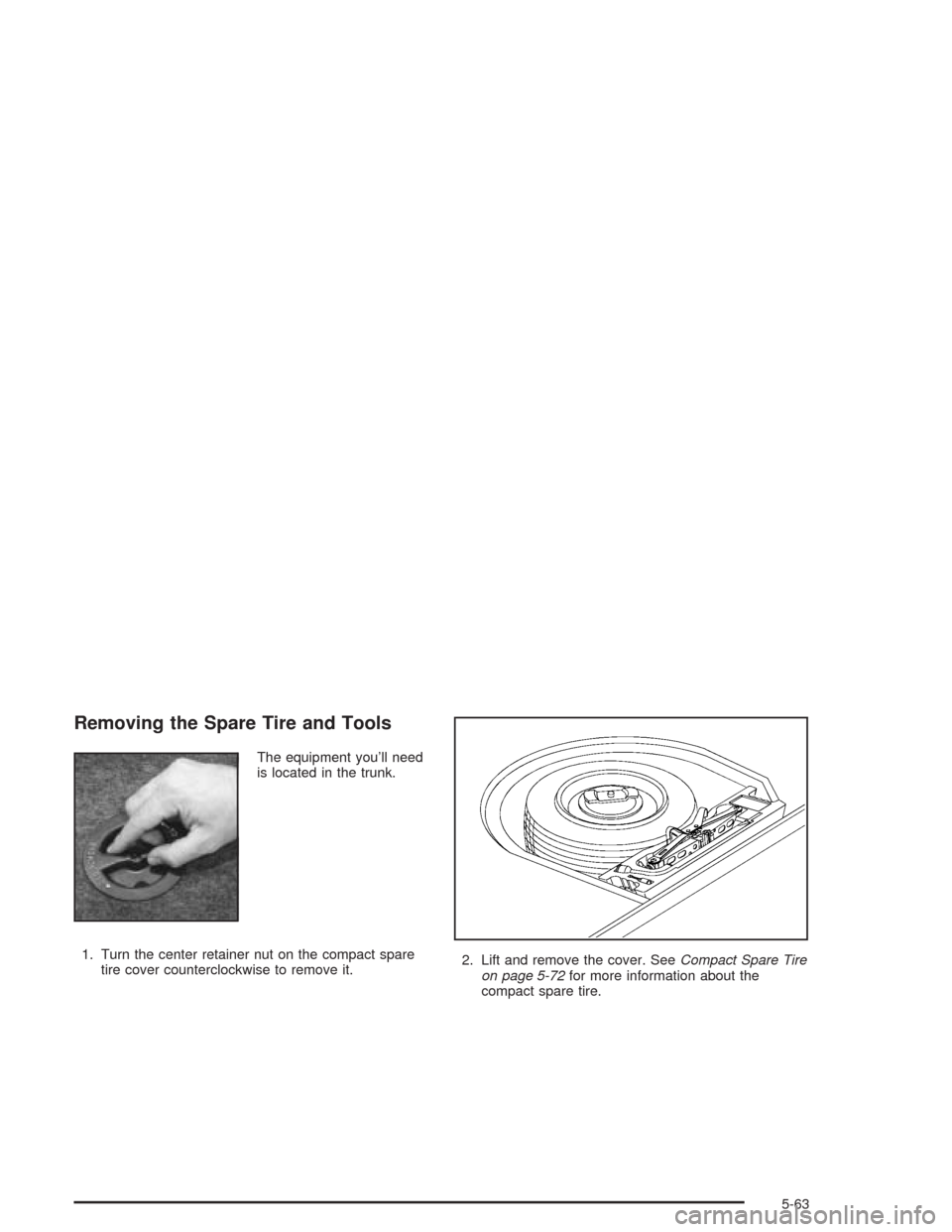
Removing the Spare Tire and Tools
The equipment you’ll need
is located in the trunk.
1. Turn the center retainer nut on the compact spare
tire cover counterclockwise to remove it.2. Lift and remove the cover. SeeCompact Spare Tire
on page 5-72for more information about the
compact spare tire.
5-63
Page 274 of 354
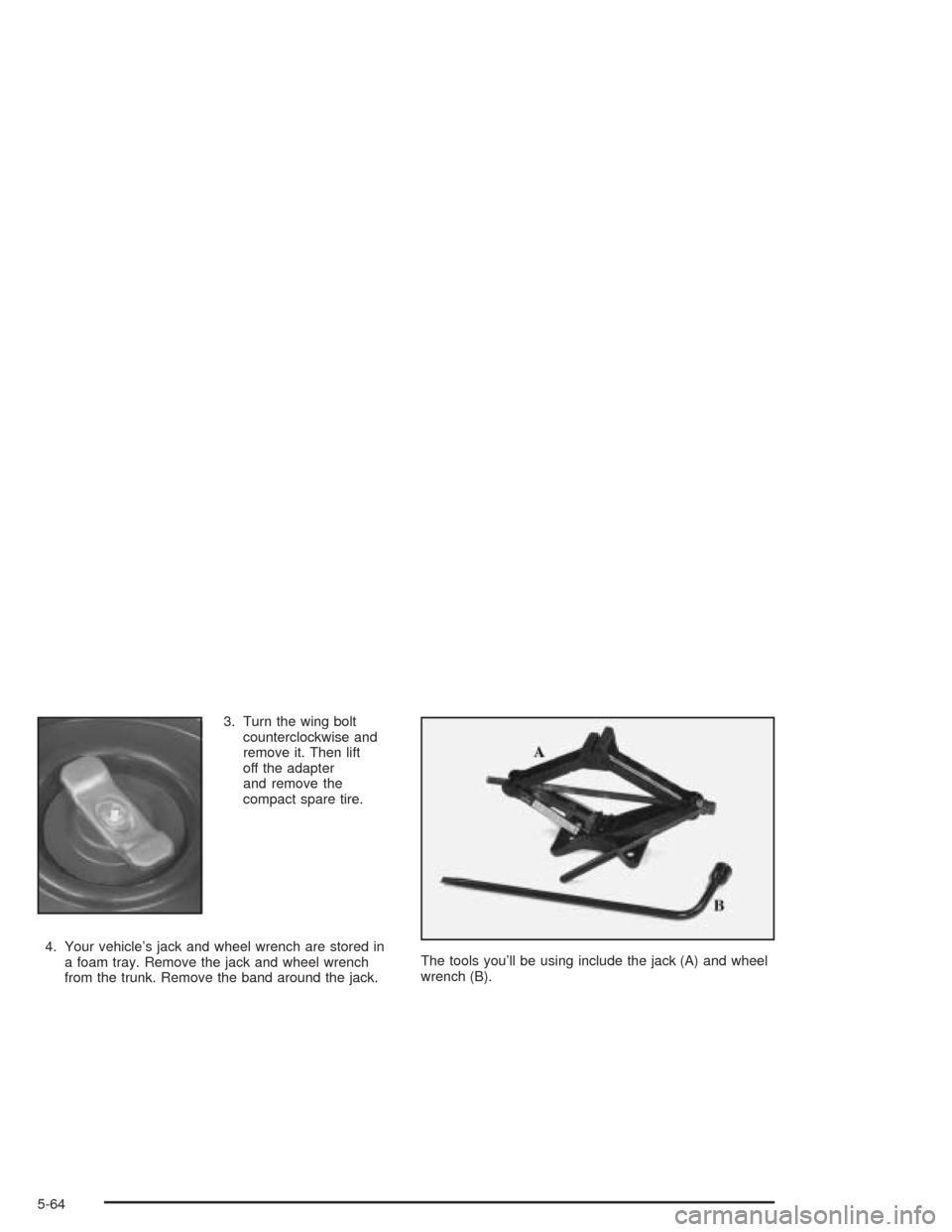
3. Turn the wing bolt
counterclockwise and
remove it. Then lift
off the adapter
and remove the
compact spare tire.
4. Your vehicle’s jack and wheel wrench are stored in
a foam tray. Remove the jack and wheel wrench
from the trunk. Remove the band around the jack.The tools you’ll be using include the jack (A) and wheel
wrench (B).
5-64
Page 279 of 354
{CAUTION:
Incorrect wheel nuts or improperly tightened
wheel nuts can cause the wheel to come loose
and even come off. This could lead to an
accident. Be sure to use the correct wheel
nuts. If you have to replace them, be sure to
get new GM original equipment wheel nuts.
Stop somewhere as soon as you can and have
the nuts tightened with a torque wrench to the
proper torque specication. See “Capacities
and Specications” in the Index for wheel nut
torque specication.Notice:Improperly tightened wheel nuts can lead
to brake pulsation and rotor damage. To avoid
expensive brake repairs, evenly tighten the wheel
nuts in the proper sequence and to the proper
torque specication. See “Capacities and
Specications” in the index for the wheel nut torque
specication.
Don’t try to put a wheel cover on your compact spare
tire. It won’t t. Store the wheel cover in the trunk
until you have the at tire repaired or replaced.
Notice:Wheel covers will not t on your compact
spare. If you try to put a wheel cover on the compact
spare, you could damage the cover or the spare.
5-69