display CHEVROLET CITY EXPRESS 2015 User Guide
[x] Cancel search | Manufacturer: CHEVROLET, Model Year: 2015, Model line: CITY EXPRESS, Model: CHEVROLET CITY EXPRESS 2015Pages: 297, PDF Size: 3.5 MB
Page 121 of 297
Black plate (4,1)Chevrolet City Express Owner Manual (GMNA-Localizing-U.S./Canada-
7707496) - 2015 - CRC - 11/26/14
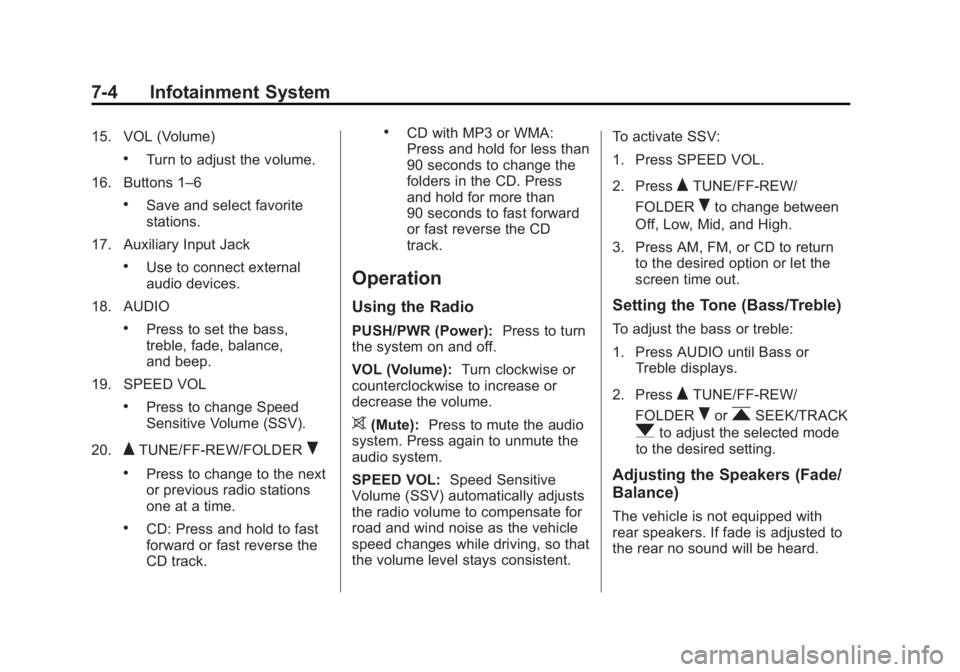
7-4 Infotainment System 15. VOL (Volume) .
Turn to adjust the volume.
16. Buttons 1 – 6.
Save and select favorite
stations.
17. Auxiliary Input Jack .
Use to connect external
audio devices.
18. AUDIO .
Press to set the bass,
treble, fade, balance,
and beep.
19. SPEED VOL .
Press to change Speed
Sensitive Volume (SSV).
20.
Q TUNE/FF-REW/FOLDER
R.
Press to change to the next
or previous radio stations
one at a time. .
CD: Press and hold to fast
forward or fast reverse the
CD track. .
CD with MP3 or WMA:
Press and hold for less than
90 seconds to change the
folders in the CD. Press
and hold for more than
90 seconds to fast forward
or fast reverse the CD
track.
Operation Using the Radio PUSH/PWR (Power): Press to turn
the system on and off.
VOL (Volume): Turn clockwise or
counterclockwise to increase or
decrease the volume.
> (Mute): Press to mute the audio
system. Press again to unmute the
audio system.
SPEED VOL: Speed Sensitive
Volume (SSV) automatically adjusts
the radio volume to compensate for
road and wind noise as the vehicle
speed changes while driving, so that
the volume level stays consistent. To activate SSV:
1. Press SPEED VOL.
2. Press
Q TUNE/FF-REW/
FOLDER
R to change between
Off, Low, Mid, and High.
3. Press AM, FM, or CD to return
to the desired option or let the
screen time out.
Setting the Tone (Bass/Treble) To adjust the bass or treble:
1. Press AUDIO until Bass or
Treble displays.
2. Press
Q TUNE/FF-REW/
FOLDER
R or
r SEEK/TRACK
q to adjust the selected mode
to the desired setting.
Adjusting the Speakers (Fade/
Balance)
The vehicle is not equipped with
rear speakers. If fade is adjusted to
the rear no sound will be heard.
Page 122 of 297
Black plate (5,1)Chevrolet City Express Owner Manual (GMNA-Localizing-U.S./Canada-
7707496) - 2015 - CRC - 11/26/14
Infotainment System 7-5To adjust the fade or balance:
1. Press AUDIO until Fade or
Balance displays.
2. Press
Q TUNE/FF-REW/
FOLDER
R or
r SEEK/TRACK
q to adjust the selected mode
to the desired setting.
Menu Selection Sound (Beep) To turn the menu selection sound on
or off:
1. Press AUDIO until Beep ON/
OFF displays.
2. Press
Q TUNE/FF-REW/
FOLDER
R or
r SEEK/TRACK
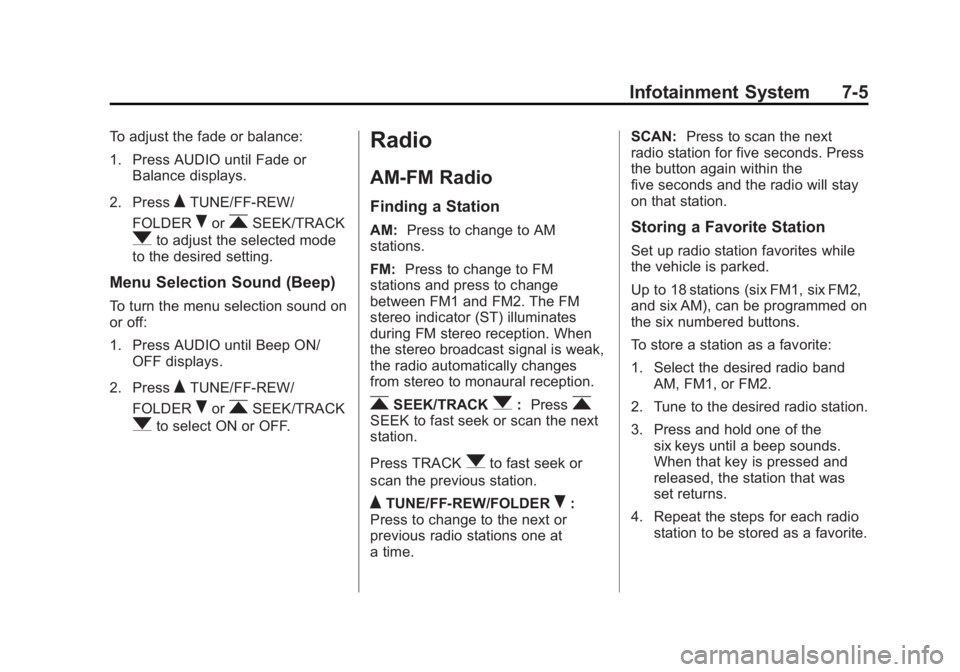
q to select ON or OFF. Radio AM-FM Radio Finding a Station AM: Press to change to AM
stations.
FM: Press to change to FM
stations and press to change
between FM1 and FM2. The FM
stereo indicator (ST) illuminates
during FM stereo reception. When
the stereo broadcast signal is weak,
the radio automatically changes
from stereo to monaural reception.
r SEEK/TRACK
q : Press
rSEEK to fast seek or scan the next
station.
Press TRACK
q to fast seek or
scan the previous station.
Q TUNE/FF-REW/FOLDER
R :
Press to change to the next or
previous radio stations one at
a time. SCAN: Press to scan the next
radio station for five seconds. Press
the button again within the
five seconds and the radio will stay
on that station.
Storing a Favorite Station Set up radio station favorites while
the vehicle is parked.
Up to 18 stations (six FM1, six FM2,
and six AM), can be programmed on
the six numbered buttons.
To store a station as a favorite:
1. Select the desired radio band
AM, FM1, or FM2.
2. Tune to the desired radio station.
3. Press and hold one of the
six keys until a beep sounds.
When that key is pressed and
released, the station that was
set returns.
4. Repeat the steps for each radio
station to be stored as a favorite.
Page 124 of 297
Black plate (7,1)Chevrolet City Express Owner Manual (GMNA-Localizing-U.S./Canada-
7707496) - 2015 - CRC - 11/26/14
Infotainment System 7-7
Audio Players CD Player Care of the CD Player Only use high quality 12 cm (4.7 in)
round discs that have the
“ COMPACT disc DIGITAL AUDIO ”
logo on the disc or packaging. Do
not add any label to a CD. It could
get caught in the CD. If a CD is
recorded on a personal computer
and a description label is needed,
try labeling the top of the recorded
CD with a marking pen.
The use of CD lens cleaners is not
advised, due to the risk of
contaminating the lens of the CD
optics with lubricants internal to the
CD player mechanism. { CautionIf a label is added to a CD, more
than one CD is inserted into the
slot at a time, or an attempt is
made to play scratched or
damaged CDs, the CD player
could be damaged. While using
the CD player, use only CDs in
good condition without any label,
load one CD at a time, and keep
the CD player and the loading slot
free of foreign materials, liquids,
and debris.
If an error displays, see “ CD Player
Messages ” later in this section.
Care of CDs
Handle them carefully. Store CDs in
their original cases or other
protective cases and away from
direct sunlight and dust. The CD
player scans the bottom surface of
the disc. Do not touch the bottom
side of a CD while handling it; this could damage the surface. Pick up
CDs by the outer edges or the edge
of the hole and the outer edge.
If the surface of a CD is soiled,
clean it with a soft, lint-free cloth or
dampen a clean, soft cloth in a mild,
neutral detergent solution mixed
with water. Make sure the wiping
process starts from the center to
the edge.
The following CDs may not work
properly: Copy control compact
discs (CCCD), Recordable compact
discs (CD-R), and Rewritable
compact discs (CD-RW).
Do not use the following CDs as
they may cause the CD player to
malfunction, 8 cm (3.1 in) discs with
an adapter, CDs that are not round,
CDs with a paper label, CD that are
damaged, such as cracked, broken,
scratched, or with abnormal edges.
Inserting a CD
Insert a CD partway into the slot,
label side up. The player pulls it in
and the CD should begin playing.
Page 125 of 297
Black plate (8,1)Chevrolet City Express Owner Manual (GMNA-Localizing-U.S./Canada-
7707496) - 2015 - CRC - 11/26/14
7-8 Infotainment System Ejecting a CD
X : Press and release to eject the
disc. Remove the CD when Remove
Disc displays. If the disc is not
removed, after several seconds the
disc is automatically pulled back into
the player, but doesn ’ t start to play.
Playing a CD If the ignition or radio is turned off
with a CD in the player, it stays in
the player. When the ignition or
radio is turned on, the CD starts
playing where it stopped, if it was
the last selected audio source.
CD: Press to start a loaded CD.
DISP/TEXT (Display Text): Press
to display additional information
related to the CD. If information is
available, the track number, disc
title, folder title, album title, artist,
and song title information will
display on the screen with each
press of the button. r SEEK/TRACK
q : Press
rSEEK to seek the next CD track.
Press repeatedly to go forward
several tracks.
Press TRACK
q to start the
current CD track from the beginning.
Press repeatedly to go back several
tracks.
RDM (Random): CD: Press to
change the playing pattern of the
CD between Disc Random and Disc
Repeat.
CD with MP3 or WMA: Press to
change the playing pattern of the
CD between Disc Random, Folder
Random, and Disc Repeat.
RPT (Repeat): CD: Press to
change the playing pattern of the
CD between Track Repeat and Disc
Repeat.
CD with MP3 or WMA: Press to
change the playing pattern of the
CD between Folder Repeat, Track
Repeat, and Disc Repeat. MP3-Supported Files Radios with CD/MP3 have the
capability of playing CD, CD-R,
or CD-RW disc.
Format
Radios that have the capability of
playing MP3s can play .mp3 or .wma
files that were recorded onto a
CD-R or CD-RW disc. The files can
be recorded with the following fixed
bit rates: 8 kbps, 48 kbps,192 kbps,
and 320 kbps or a variable bit rate.
Compressed Audio or Mixed Mode
Discs
The radio can play discs that
contain both uncompressed CD
audio and MP3 files. If both formats
are on the disc, the radio reads all
MP3 files first, then the
uncompressed CD audio files.
Page 126 of 297
Black plate (9,1)Chevrolet City Express Owner Manual (GMNA-Localizing-U.S./Canada-
7707496) - 2015 - CRC - 11/26/14
Infotainment System 7-9CD-R- or CD-RW-Supported File
and Folder Structure
The radio supports: .
Up to eight folders in depth. .
Up to 255 folders. .
Up to 512 files. .
Up to 255 files for one folder.
Root Directory
The root directory is treated as a
folder. Files are stored in the root
directory when the disc or storage
device does not contain folders.
Empty Folder
Folders that do not contain files are
skipped, and the player advances to
the next folder that contains files.
Order of Play
The playback order is the order in
which the files were written by the
writing software. Therefore, the files
may not play in the desired order. File System and Naming
The artist/song title that displays is
the artist/song title contained in the
ID3 tag. The ID3 tag information is
displayed on the artist/song title line
on the screen.
Text character limit is
128 characters.
CD Player Messages CHECK DISC: If this message
displays and/or the CD ejects, it
could be for one of the following
reasons: .
Confirm that the CD is inserted
correctly (the label side is facing
up, etc.). .
Confirm that the CD is not bent
or warped and it is free of
scratches.
PRESS EJECT: This is an error
due to excessive temperature inside
the player. Remove the CD by
pressing
X . After a short time, reinsert the CD. The CD can be
played when the temperature of the
player returns to normal.
UNPLAYABLE: The file is
unplayable in this audio system
(only MP3 or WMA, if equipped.
If the CD is not playing correctly, for
any other reason, try a known
good CD.
Auxiliary Jack Using the Auxiliary Input Jack The auxiliary input jack is on the
lower right side of the faceplate.
External devices such as an iPod ®
,
laptop computer, MP3 player,
cassette player, or CD changer can
be connected to the auxiliary port
using a 3.5 mm (1/8 in) input cable.
This input jack is not an audio
output; do not plug headphones into
the front auxiliary input jack.
Page 136 of 297
Black plate (19,1)Chevrolet City Express Owner Manual (GMNA-Localizing-U.S./Canada-
7707496) - 2015 - CRC - 11/26/14
Infotainment System 7-192. The system responds with
“ Showing Manual Options. ”
3. Browse the menu by
pressing
Q TUNE/FF-REW
FOLDER
R up or down. The
system will speak the current
menu option. Depending on the
audio display, it will also show
the current menu option.
4. Press
g V to select the menu
option.
5. Press
V to go back to the
previous menu.
6. Press and hold
V for
five seconds to exit. Trademarks and
License Agreements FCC Information
See Radio Frequency Statement on
page 13-12 .
“ Made for iPod ” and “ Made for
iPhone ” mean that an electronic
accessory has been designed to
connect specifically to iPod or
iPhone and has been certified by
the developer to meet Apple
performance standards. iPod and iPhone are trademarks of
Apple Computer, Inc., registered in
the U.S. and other countries.
Bluetooth The Bluetooth ®
word mark and
logos are owned by the Bluetooth ®
SIG, Inc. and any use of such marks
by General Motors is under license.
Other trademarks and trade names
are those of their respective owners.
Page 139 of 297
Black plate (2,1)Chevrolet City Express Owner Manual (GMNA-Localizing-U.S./Canada-
7707496) - 2015 - CRC - 11/26/14
8-2 Climate Controls
[ (Floor): Air is directed to the
floor outlets.
W (Defog): This mode clears the
windows of fog or moisture. Air is
directed to the floor, windshield, and
side window outlets.
1 (Defrost): This mode clears the
windshield of fog or frost more
quickly. Air is directed to the
windshield and side window outlets.
Do not drive the vehicle until all
windows are clear.
In defrost or defog mode, excessive
air conditioning use can cause the
windows to fog. If this happens,
change the air delivery mode to
Yand reduce the fan speed.
Move the air intake control to
%or
M to select the outside air or
recirculation modes.
% (Outside Air): This mode
pulls outside air inside the vehicle. M (Recirculation): This mode
recirculates and helps to quickly
cool the air inside the vehicle. It can
be used to reduce the outside air
and odors that may enter the
vehicle.
Using the recirculation mode for
extended periods may cause the
windows to fog. If this happens,
select the defrost mode.
To allow outside air to enter in these
conditions, move the air intake
control to
% .
A/C (Air Conditioning): Turn the
fan control to the desired speed and
press A/C . The air conditioning
does not operate when the fan
control knob is in the off position.
Press A/C to turn the air
conditioning on and off. When A/C
is pressed, an indicator light comes
on to show that the air conditioning
is on.
For quick cool down on hot days:
1. Open the windows to let hot air
escape. 2. Move the air intake control
to
M .
3. Press A/C.
4. Select the coolest temperature.
5. Select the highest
A speed.
Using these settings together for
long periods of time may cause the
air inside the vehicle to become too
dry. To prevent this from happening,
after the air in the vehicle has
cooled, move the air intake control
to
% Rear Window Defogger and
Heated Outside Mirrors
N (Rear Window Defogger, If
Equipped): Press to turn the rear
window defogger on or off. An
indicator light comes on in the
display to show that the feature is
on. This helps to clear frost from the
rear window and outside mirrors.
The ignition must be on for the
defogger to work.
Page 140 of 297
Black plate (3,1)Chevrolet City Express Owner Manual (GMNA-Localizing-U.S./Canada-
7707496) - 2015 - CRC - 11/26/14
Climate Controls 8-3The rear window defogger can be
turned off by pressing
1 again or
by turning the ignition to ACC/
ACCESSORY or LOCK.
M (Heated Outside Mirrors, If
Equipped): Press to turn on or off.
An indicator light comes on in the
display to show that the feature is
on. This helps to clear fog or frost
from the surface of the mirror. The
ignition must be in the ON position
for the heated outside mirrors
to work.
{ Caution
Using a razor blade or sharp
object on the inside rear window
can damage the antenna or
defogger. Repairs would not be
covered by the vehicle warranty.
Do not stick anything to the rear
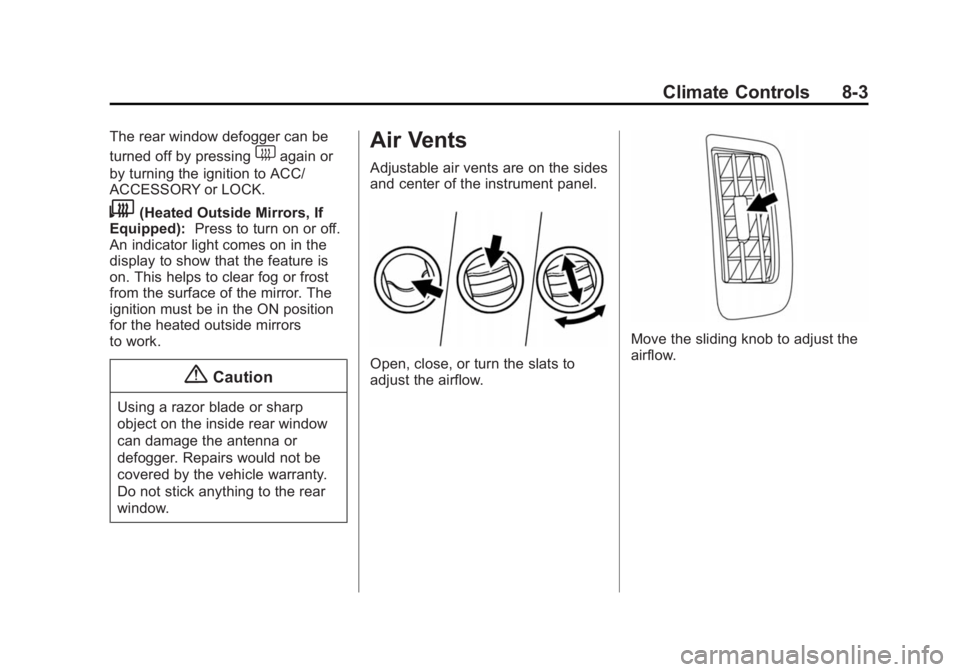
window. Air Vents Adjustable air vents are on the sides
and center of the instrument panel.
Open, close, or turn the slats to
adjust the airflow. Move the sliding knob to adjust the
airflow.
Page 167 of 297
Black plate (26,1)Chevrolet City Express Owner Manual (GMNA-Localizing-U.S./Canada-
7707496) - 2015 - CRC - 11/26/14
9-26 Driving and Operating .
You may feel a pulsation in the
brake pedal and hear a noise or
vibration from under the hood.
This is normal and indicates that
the traction control system is
working properly. .
Adjust your speed and driving to
the road conditions.
See Traction Control System (TCS)/
Electronic Stability Control Light on
page 5-16 and Electronic Stability
Control (ESC) Off Light on
page 5-16 .
If a malfunction occurs in the
systems, the
d indicator comes on
in the instrument cluster. The TCS
and Electronic Stability Control
systems automatically turn off when
the indicator light is on. Turning the Systems Off
and On
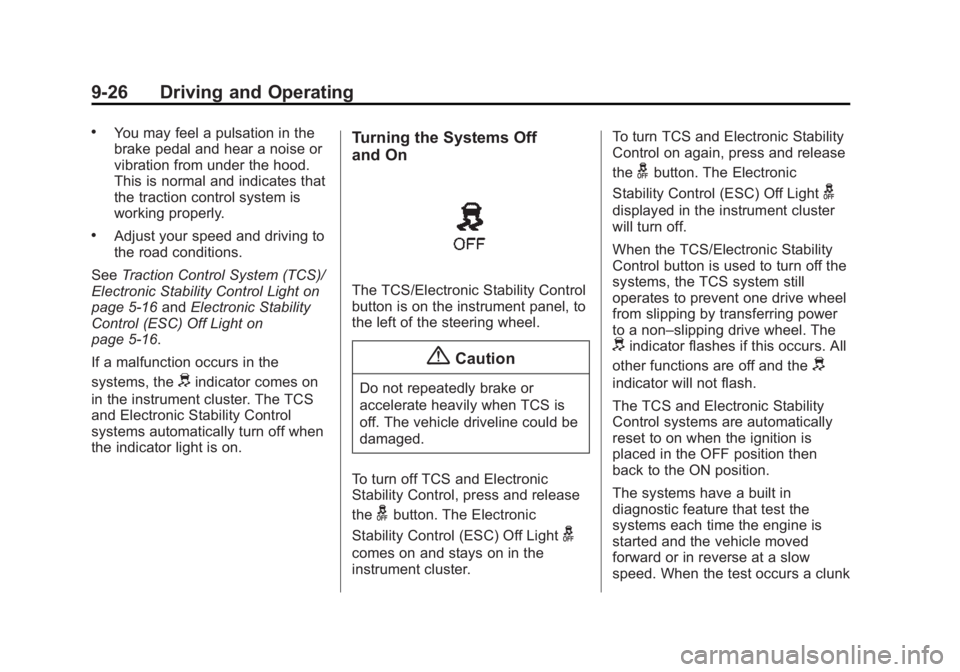
The TCS/Electronic Stability Control
button is on the instrument panel, to
the left of the steering wheel.
{ CautionDo not repeatedly brake or
accelerate heavily when TCS is
off. The vehicle driveline could be
damaged.
To turn off TCS and Electronic
Stability Control, press and release
the
g button. The Electronic
Stability Control (ESC) Off Light
gcomes on and stays on in the
instrument cluster. To turn TCS and Electronic Stability
Control on again, press and release
the
g button. The Electronic
Stability Control (ESC) Off Light
gdisplayed in the instrument cluster
will turn off.
When the TCS/Electronic Stability
Control button is used to turn off the
systems, the TCS system still
operates to prevent one drive wheel
from slipping by transferring power
to a non – slipping drive wheel. The
d indicator flashes if this occurs. All
other functions are off and the
d indicator will not flash.
The TCS and Electronic Stability
Control systems are automatically
reset to on when the ignition is
placed in the OFF position then
back to the ON position.
The systems have a built in
diagnostic feature that test the
systems each time the engine is
started and the vehicle moved
forward or in reverse at a slow
speed. When the test occurs a clunk
Page 172 of 297
Black plate (31,1)Chevrolet City Express Owner Manual (GMNA-Localizing-U.S./Canada-
7707496) - 2015 - CRC - 11/26/14
Driving and Operating 9-31Warning (Continued) or bent, the sensing zone
may be altered causing
inaccurate measurement of
obstacles or false alarms.
The Rear Parking Assist (RPA)
sounds a tone to warn the driver of
obstacles near the rear bumper
when the shift lever is in
R (Reverse). The system may not
detect objects at speeds above
5 km/h (3 mph) and may not detect
certain angular or moving objects.
The RPA detects objects up to 1.8 m
(5.9 ft) from the rear bumper with a
decreased coverage area at the
outer corners of the bumper. As you
move closer to the obstacle, the rate
of the tone increases. When the
obstacle is less than 25 cm (10 in)
away, the tone will sound
continuously. If the RPA detects a
stationary or receding object further
than 25 cm (10 in) from the side of
the vehicle, the tone will sound for only three seconds. Once the
system detects an object
approaching, the tone will sound
again.
The RPA automatically turns on
when the shift lever is placed in
R (Reverse) and the ignition switch
is in ON. The RPA OFF switch on
the instrument panel allows the
driver to turn the RPA on and off. To
turn the RPA off, the ignition switch
must be placed in ON. An indicator
light on the switch will illuminate
when the system is turned off. If the
indicator light illuminates when the
RPA is not turned off, it may indicate
a malfunction in the RPA.
Keep the RPA sensors, located on
the rear bumper, free from snow,
ice, and large accumulations of dirt.
Do not clean the sensors with sharp
objects. If the sensors are covered,
it will affect the accuracy of
the RPA. Rear Vision
Camera (RVC) When the shift lever is shifted into
R (Reverse), the display shows the
view to the rear of the vehicle.
{ Warning .
Failure to follow the warnings
and instructions for proper
use of the Rear Vision
Camera (RVC) could result in
serious injury or death. .
The RVC is a convenience
but it is not a substitute for
proper backing. Always turn
and look out the windows,
and check mirrors to be sure
that it is safe to move before
operating the vehicle. Always
back up slowly. .
The system is designed as an
aid to the driver in showing
large stationary objects
(Continued)