lock CHEVROLET CITY EXPRESS 2016 Owner's Guide
[x] Cancel search | Manufacturer: CHEVROLET, Model Year: 2016, Model line: CITY EXPRESS, Model: CHEVROLET CITY EXPRESS 2016Pages: 297, PDF Size: 4.52 MB
Page 71 of 297
Black plate (32,1)Chevrolet City Express Owner Manual (GMNA-Localizing-U.S./Canada-
7707496) - 2015 - CRC - 11/26/14
3-32 Seats and Restraints
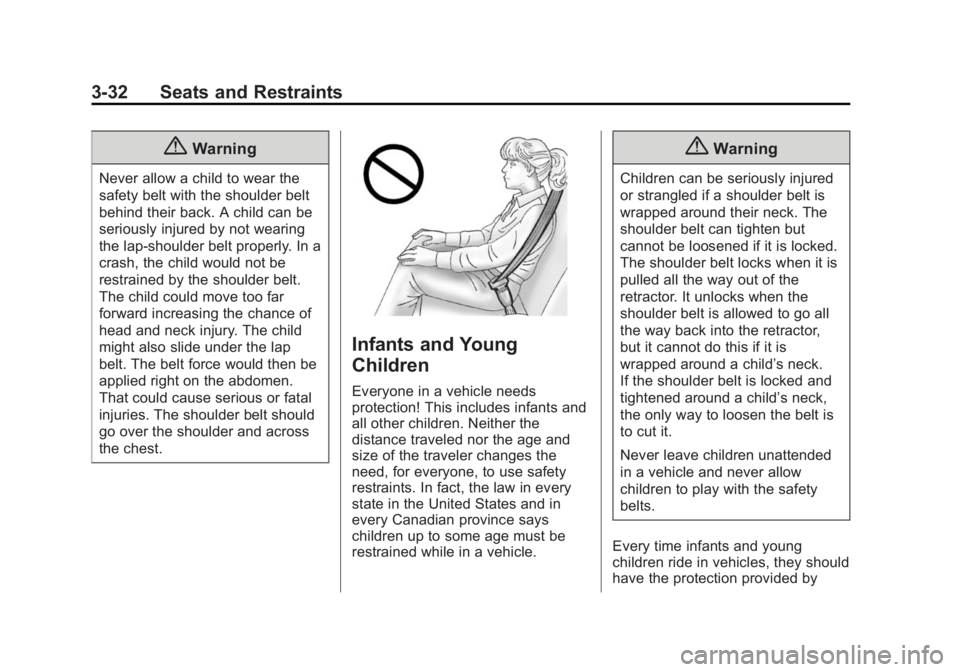
{ WarningNever allow a child to wear the
safety belt with the shoulder belt
behind their back. A child can be
seriously injured by not wearing
the lap-shoulder belt properly. In a
crash, the child would not be
restrained by the shoulder belt.
The child could move too far
forward increasing the chance of
head and neck injury. The child
might also slide under the lap
belt. The belt force would then be
applied right on the abdomen.
That could cause serious or fatal
injuries. The shoulder belt should
go over the shoulder and across
the chest. Infants and Young
Children Everyone in a vehicle needs
protection! This includes infants and
all other children. Neither the
distance traveled nor the age and
size of the traveler changes the
need, for everyone, to use safety
restraints. In fact, the law in every
state in the United States and in
every Canadian province says
children up to some age must be
restrained while in a vehicle. { WarningChildren can be seriously injured
or strangled if a shoulder belt is
wrapped around their neck. The
shoulder belt can tighten but
cannot be loosened if it is locked.
The shoulder belt locks when it is
pulled all the way out of the
retractor. It unlocks when the
shoulder belt is allowed to go all
the way back into the retractor,
but it cannot do this if it is
wrapped around a child ’ s neck.
If the shoulder belt is locked and
tightened around a child ’ s neck,
the only way to loosen the belt is
to cut it.
Never leave children unattended
in a vehicle and never allow
children to play with the safety
belts.
Every time infants and young
children ride in vehicles, they should
have the protection provided by
Page 79 of 297
Black plate (40,1)Chevrolet City Express Owner Manual (GMNA-Localizing-U.S./Canada-
7707496) - 2015 - CRC - 11/26/14
3-40 Seats and Restraints
{ WarningChildren can be seriously injured
or strangled if a shoulder belt is
wrapped around their neck. The
shoulder belt can tighten but
cannot be loosened if it is locked.
The shoulder belt locks when it is
pulled all the way out of the
retractor. It unlocks when the
shoulder belt is allowed to go all
the way back into the retractor,
but it cannot do this if it is
wrapped around a child ’ s neck.
If the shoulder belt is locked and
tightened around a child ’ s neck,
the only way to loosen the belt is
to cut it.
Buckle any unused safety belts
behind the child restraint so
children cannot reach them. Pull
the shoulder belt all the way out
of the retractor to set the lock,
and tighten the belt behind the
child restraint after the child
restraint has been installed. { WarningA child in a rear-facing child
restraint can be seriously injured
or killed if the right front
passenger airbag inflates. This is
because the back of the
rear-facing child restraint would
be very close to the inflating
airbag. A child in a forward-facing
child restraint can be seriously
injured or killed if the right front
passenger airbag inflates and the
passenger seat is in a forward
position.
Even if the passenger sensing
system has turned off the right
front passenger frontal airbag, no
system is fail-safe. No one can
guarantee that an airbag will not
deploy under some unusual
circumstance, even though it is
turned off.
(Continued) Warning (Continued) Since this vehicle does not have
a rear seat that will accommodate
a rear-facing child restraint, a
rear-facing child restraint should
not be installed in your vehicle,
even if the airbag is off.
See Passenger Sensing System
on page 3-22 for additional
information.
The vehicle has a front outboard
passenger frontal airbag and a
passenger sensing system. The
passenger sensing system is
designed to turn off the front
passenger frontal airbag when an
infant in a rear-facing infant seat or
a small child in a forward-facing
child restraint or booster seat is
detected. See “ Securing Child
Restraints (Front Passenger Seat) ”
later in this section and Passenger
Sensing System on page 3-22 for
important safety information and
Page 83 of 297
Black plate (44,1)Chevrolet City Express Owner Manual (GMNA-Localizing-U.S./Canada-
7707496) - 2015 - CRC - 11/26/14
3-44 Seats and Restraints
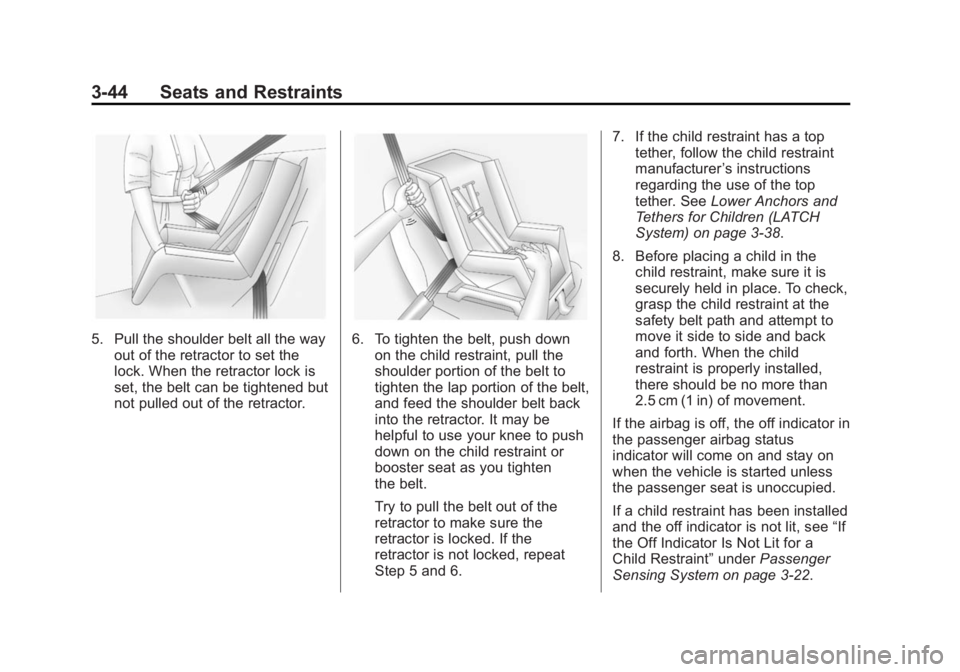
5. Pull the shoulder belt all the way
out of the retractor to set the
lock. When the retractor lock is
set, the belt can be tightened but
not pulled out of the retractor. 6. To tighten the belt, push down
on the child restraint, pull the
shoulder portion of the belt to
tighten the lap portion of the belt,
and feed the shoulder belt back
into the retractor. It may be
helpful to use your knee to push
down on the child restraint or
booster seat as you tighten
the belt.
Try to pull the belt out of the
retractor to make sure the
retractor is locked. If the
retractor is not locked, repeat
Step 5 and 6. 7. If the child restraint has a top
tether, follow the child restraint
manufacturer ’ s instructions
regarding the use of the top
tether. See Lower Anchors and
Tethers for Children (LATCH
System) on page 3-38 .
8. Before placing a child in the
child restraint, make sure it is
securely held in place. To check,
grasp the child restraint at the
safety belt path and attempt to
move it side to side and back
and forth. When the child
restraint is properly installed,
there should be no more than
2.5 cm (1 in) of movement.
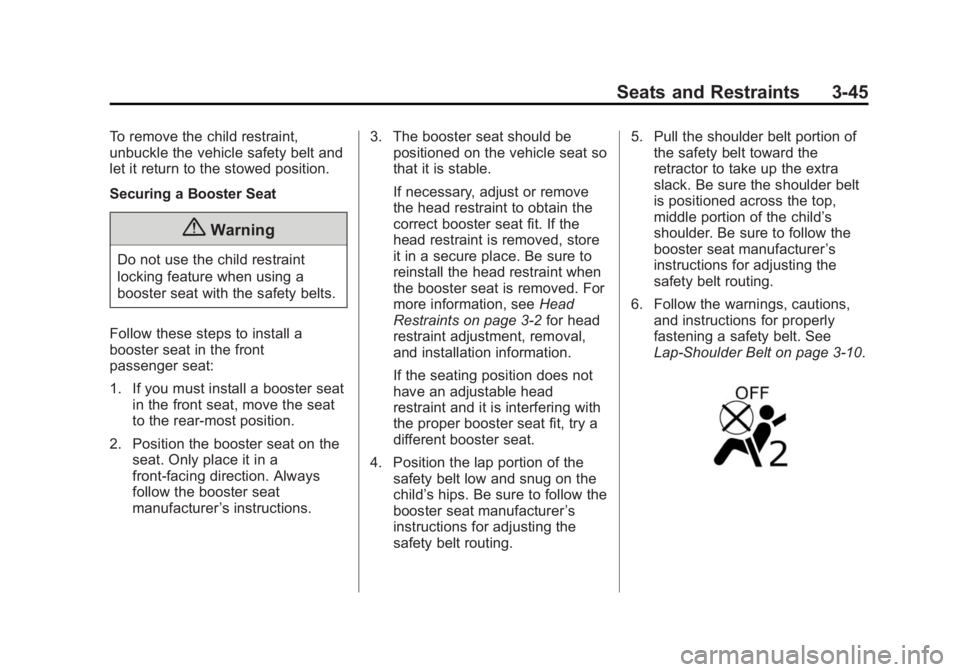
If the airbag is off, the off indicator in
the passenger airbag status
indicator will come on and stay on
when the vehicle is started unless
the passenger seat is unoccupied.
If a child restraint has been installed
and the off indicator is not lit, see “ If
the Off Indicator Is Not Lit for a
Child Restraint ” under Passenger
Sensing System on page 3-22 .
Page 84 of 297
Black plate (45,1)Chevrolet City Express Owner Manual (GMNA-Localizing-U.S./Canada-
7707496) - 2015 - CRC - 11/26/14
Seats and Restraints 3-45To remove the child restraint,
unbuckle the vehicle safety belt and
let it return to the stowed position.
Securing a Booster Seat
{ WarningDo not use the child restraint
locking feature when using a
booster seat with the safety belts.
Follow these steps to install a
booster seat in the front
passenger seat:
1. If you must install a booster seat
in the front seat, move the seat
to the rear-most position.
2. Position the booster seat on the
seat. Only place it in a
front-facing direction. Always
follow the booster seat
manufacturer ’ s instructions. 3. The booster seat should be
positioned on the vehicle seat so
that it is stable.
If necessary, adjust or remove
the head restraint to obtain the
correct booster seat fit. If the
head restraint is removed, store
it in a secure place. Be sure to
reinstall the head restraint when
the booster seat is removed. For
more information, see Head
Restraints on page 3-2 for head
restraint adjustment, removal,
and installation information.
If the seating position does not
have an adjustable head
restraint and it is interfering with
the proper booster seat fit, try a
different booster seat.
4. Position the lap portion of the
safety belt low and snug on the
child ’ s hips. Be sure to follow the
booster seat manufacturer ’ s
instructions for adjusting the
safety belt routing. 5. Pull the shoulder belt portion of
the safety belt toward the
retractor to take up the extra
slack. Be sure the shoulder belt
is positioned across the top,
middle portion of the child ’ s
shoulder. Be sure to follow the
booster seat manufacturer ’ s
instructions for adjusting the
safety belt routing.
6. Follow the warnings, cautions,
and instructions for properly
fastening a safety belt. See
Lap-Shoulder Belt on page 3-10 .
Page 88 of 297
Black plate (1,1)Chevrolet City Express Owner Manual (GMNA-Localizing-U.S./Canada-
7707496) - 2015 - CRC - 11/26/14
Instruments and Controls 5-1
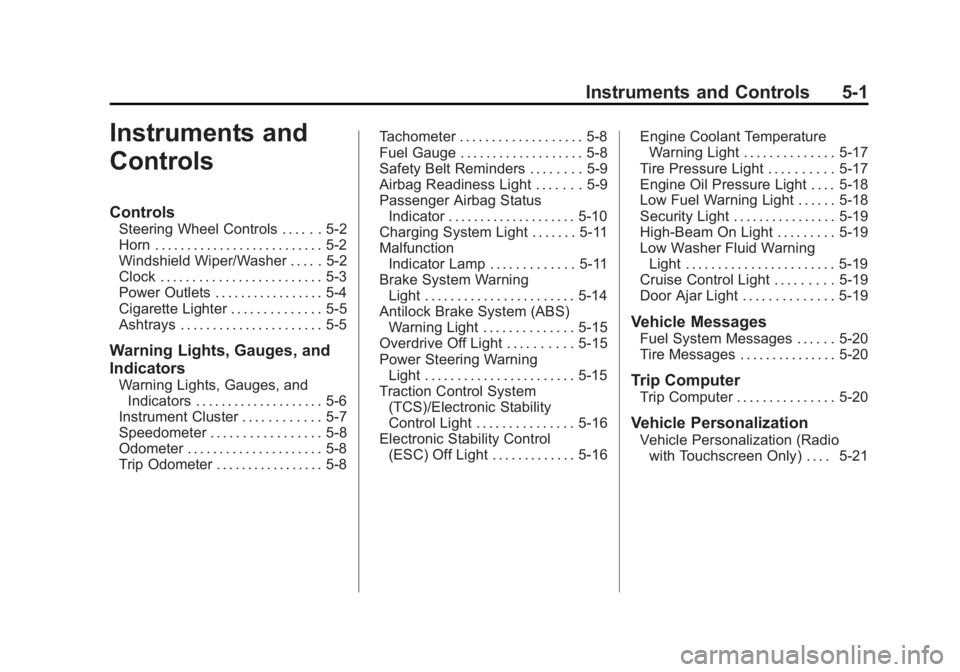
Instruments and
Controls Controls Steering Wheel Controls . . . . . . 5-2
Horn . . . . . . . . . . . . . . . . . . . . . . . . . . 5-2
Windshield Wiper/Washer . . . . . 5-2
Clock . . . . . . . . . . . . . . . . . . . . . . . . . 5-3
Power Outlets . . . . . . . . . . . . . . . . . 5-4
Cigarette Lighter . . . . . . . . . . . . . . 5-5
Ashtrays . . . . . . . . . . . . . . . . . . . . . . 5-5
Warning Lights, Gauges, and
Indicators Warning Lights, Gauges, and
Indicators . . . . . . . . . . . . . . . . . . . . 5-6
Instrument Cluster . . . . . . . . . . . . 5-7
Speedometer . . . . . . . . . . . . . . . . . 5-8
Odometer . . . . . . . . . . . . . . . . . . . . . 5-8
Trip Odometer . . . . . . . . . . . . . . . . . 5-8 Tachometer . . . . . . . . . . . . . . . . . . . 5-8
Fuel Gauge . . . . . . . . . . . . . . . . . . . 5-8
Safety Belt Reminders . . . . . . . . 5-9
Airbag Readiness Light . . . . . . . 5-9
Passenger Airbag Status
Indicator . . . . . . . . . . . . . . . . . . . . 5-10
Charging System Light . . . . . . . 5-11
Malfunction
Indicator Lamp . . . . . . . . . . . . . 5-11
Brake System Warning
Light . . . . . . . . . . . . . . . . . . . . . . . 5-14
Antilock Brake System (ABS)
Warning Light . . . . . . . . . . . . . . 5-15
Overdrive Off Light . . . . . . . . . . 5-15
Power Steering Warning
Light . . . . . . . . . . . . . . . . . . . . . . . 5-15
Traction Control System
(TCS)/Electronic Stability
Control Light . . . . . . . . . . . . . . . 5-16
Electronic Stability Control
(ESC) Off Light . . . . . . . . . . . . . 5-16 Engine Coolant Temperature
Warning Light . . . . . . . . . . . . . . 5-17
Tire Pressure Light . . . . . . . . . . 5-17
Engine Oil Pressure Light . . . . 5-18
Low Fuel Warning Light . . . . . . 5-18
Security Light . . . . . . . . . . . . . . . . 5-19
High-Beam On Light . . . . . . . . . 5-19
Low Washer Fluid Warning
Light . . . . . . . . . . . . . . . . . . . . . . . 5-19
Cruise Control Light . . . . . . . . . 5-19
Door Ajar Light . . . . . . . . . . . . . . 5-19
Vehicle Messages Fuel System Messages . . . . . . 5-20
Tire Messages . . . . . . . . . . . . . . . 5-20
Trip Computer Trip Computer . . . . . . . . . . . . . . . 5-20
Vehicle Personalization Vehicle Personalization (Radio
with Touchscreen Only) . . . . 5-21
Page 90 of 297
Black plate (3,1)Chevrolet City Express Owner Manual (GMNA-Localizing-U.S./Canada-
7707496) - 2015 - CRC - 11/26/14
Instruments and Controls 5-3OFF: Use to turn the wipers off.
MIST: For a single wipe, briefly
move the wiper lever up.
Clear snow and ice from the wiper
blades before using them. If frozen
to the windshield, carefully loosen or
thaw them. Damaged blades should
be replaced. See Wiper Blade
Replacement on page 10-22 .
Heavy snow or ice can overload the
wiper motor.
Windshield Washer Pull the windshield wiper lever
toward you to spray windshield
washer fluid and activate the wipers.
See Washer Fluid on page 10-18 for
information on filling the windshield
washer fluid reservoir. { WarningIn freezing weather, do not use
the washer until the windshield is
warmed. Otherwise the washer
fluid can form ice on the
windshield, blocking your vision.
Clock Set the clock with the ignition in
ACC/ACCESSORY or ON.
Radio without Navigation
To set the clock:
1. Press and hold CLOCK on the
radio faceplate until the clock
display flashes.
2. Press
r SEEK/TRACK
q to
set the hour.
3. Press
Q TUNE/FF-REW/
FOLDER
R to set the minutes.
4. Press CLOCK to exit or let the
display time out. Radio with Navigation
To set the clock:
1. Press
B MENU on the radio
faceplate.
2. Select
8 Settings - System -
Clock Settings.
Time Format
Select to change between 12 hours
and 24 hours clock.
Date Format
Select the desired format.
Clock Mode
Select between Auto and Manual.
If Auto is selected, the clock is
automatically updated through the
Global Positioning System (GPS).
If Manual is selected, see “ Set
Clock Manually ” following.
Select “ Time Zone ” to have the time
set to a specific time, see “ Time
Zone ” following.
Page 91 of 297
Black plate (4,1)Chevrolet City Express Owner Manual (GMNA-Localizing-U.S./Canada-
7707496) - 2015 - CRC - 11/26/14
5-4 Instruments and Controls Set Clock Manually
Press − or + to change any of the
settings for Hour, Minute, Day,
Month, and Year.
Daylight Savings Time
Select to turn on and off.
Time Zone
This feature is only available if
selected in Clock Mode.
Select the desired setting. Power Outlets The accessory power outlets can be
used to plug in electrical equipment,
such as a cell phone or an MP3
player.
The vehicle may have two
accessory power outlets: .
Near the bottom of the center
stack. .
On the rear of the center floor
console.
Remove the cover to access and
replace when not in use.
Certain power accessory plugs may
not be compatible to the accessory
power outlet and could overload
vehicle or adapter fuses. If a
problem is experienced, see your
dealer.
The outlets are rated at 12 volt,
120W (10A) maximum. { WarningPower is always supplied to the
outlets. Do not leave electrical
equipment plugged in when the
vehicle is not in use because the
vehicle could catch fire and cause
injury or death.
{ CautionLeaving electrical equipment
plugged in for an extended period
of time while the vehicle is off will
drain the battery. Always unplug
electrical equipment when not in
use and do not plug in equipment
that exceeds the maximum
12 volt, 120W (10A) rating.
Page 102 of 297
Black plate (15,1)Chevrolet City Express Owner Manual (GMNA-Localizing-U.S./Canada-
7707496) - 2015 - CRC - 11/26/14
Instruments and Controls 5-15
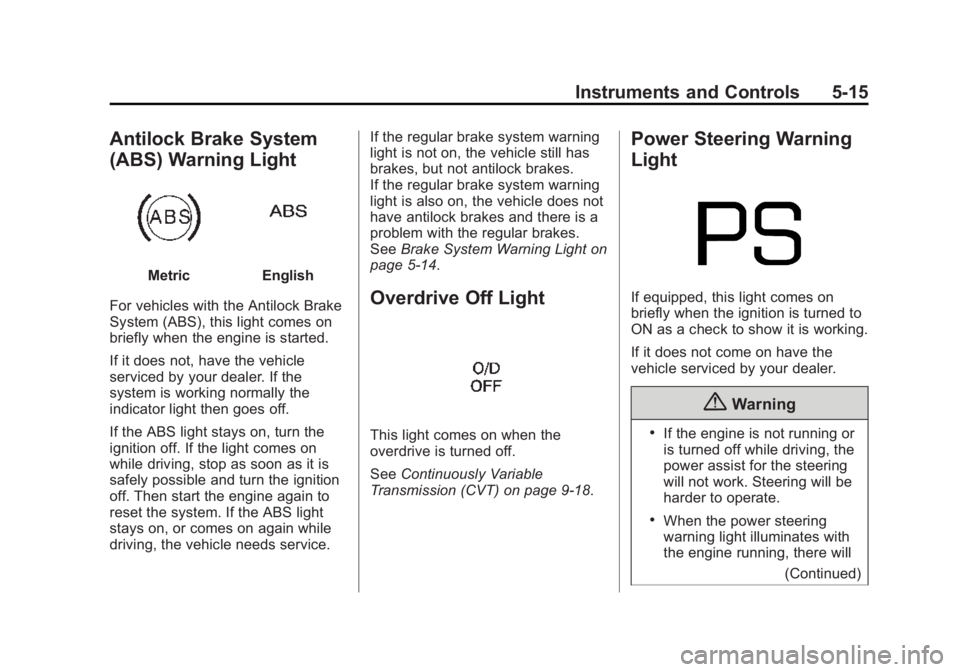
Antilock Brake System
(ABS) Warning Light Metric English
For vehicles with the Antilock Brake
System (ABS), this light comes on
briefly when the engine is started.
If it does not, have the vehicle
serviced by your dealer. If the
system is working normally the
indicator light then goes off.
If the ABS light stays on, turn the
ignition off. If the light comes on
while driving, stop as soon as it is
safely possible and turn the ignition
off. Then start the engine again to
reset the system. If the ABS light
stays on, or comes on again while
driving, the vehicle needs service. If the regular brake system warning
light is not on, the vehicle still has
brakes, but not antilock brakes.
If the regular brake system warning
light is also on, the vehicle does not
have antilock brakes and there is a
problem with the regular brakes.
See Brake System Warning Light on
page 5-14 .
Overdrive Off Light
This light comes on when the
overdrive is turned off.
See Continuously Variable
Transmission (CVT) on page 9-18 .Power Steering Warning
Light
If equipped, this light comes on
briefly when the ignition is turned to
ON as a check to show it is working.
If it does not come on have the
vehicle serviced by your dealer.
{ Warning .
If the engine is not running or
is turned off while driving, the
power assist for the steering
will not work. Steering will be
harder to operate. .
When the power steering
warning light illuminates with
the engine running, there will
(Continued)
Page 109 of 297
Black plate (22,1)Chevrolet City Express Owner Manual (GMNA-Localizing-U.S./Canada-
7707496) - 2015 - CRC - 11/26/14
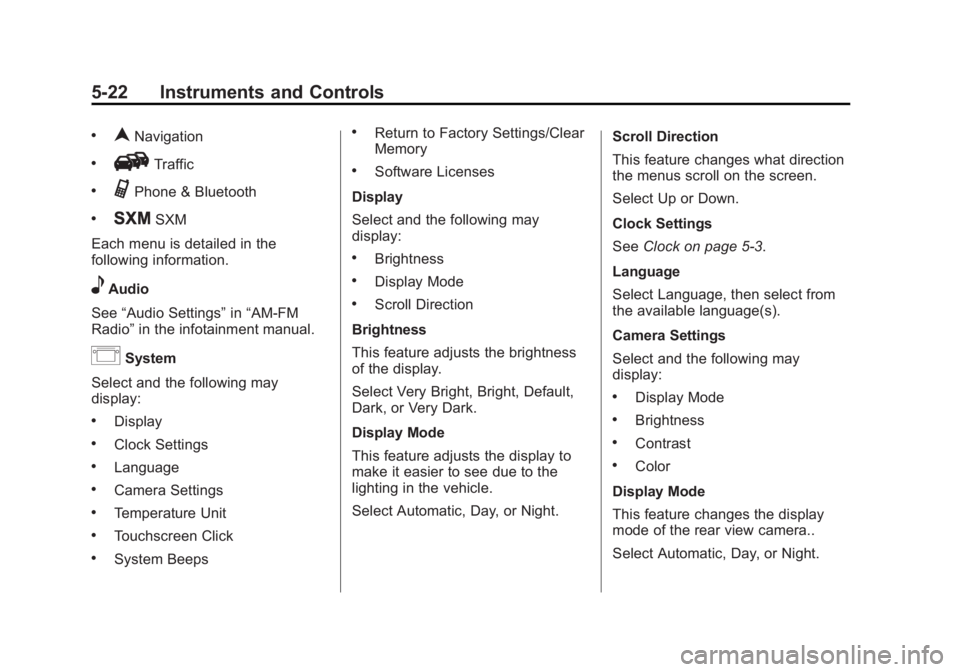
5-22 Instruments and Controls .
n Navigation .
H Traffic.
G Phone & Bluetooth .
J SXM
Each menu is detailed in the
following information.
e Audio
See “ Audio Settings ” in “ AM-FM
Radio ” in the infotainment manual.
I System
Select and the following may
display: .
Display .
Clock Settings .
Language .
Camera Settings .
Temperature Unit .
Touchscreen Click .
System Beeps .
Return to Factory Settings/Clear
Memory .
Software Licenses
Display
Select and the following may
display: .
Brightness .
Display Mode .
Scroll Direction
Brightness
This feature adjusts the brightness
of the display.
Select Very Bright, Bright, Default,
Dark, or Very Dark.
Display Mode
This feature adjusts the display to
make it easier to see due to the
lighting in the vehicle.
Select Automatic, Day, or Night. Scroll Direction
This feature changes what direction
the menus scroll on the screen.
Select Up or Down.
Clock Settings
See Clock on page 5-3 .
Language
Select Language, then select from
the available language(s).
Camera Settings
Select and the following may
display: .
Display Mode .
Brightness .
Contrast .
Color
Display Mode
This feature changes the display
mode of the rear view camera..
Select Automatic, Day, or Night.
Page 115 of 297
Black plate (4,1)Chevrolet City Express Owner Manual (GMNA-Localizing-U.S./Canada-
7707496) - 2015 - CRC - 11/26/14
6-4 Lighting
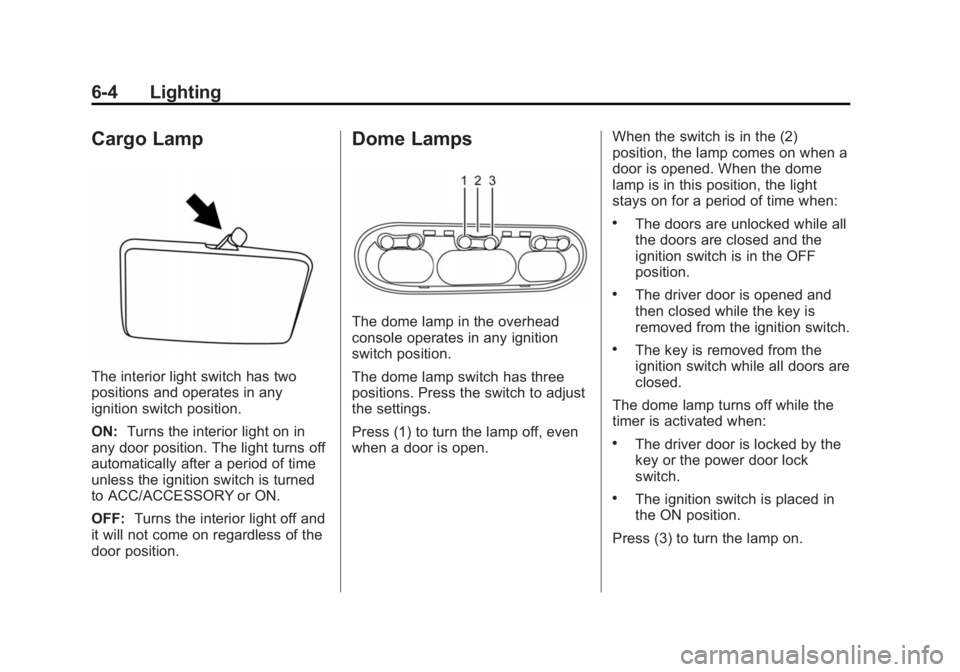
Cargo Lamp
The interior light switch has two
positions and operates in any
ignition switch position.
ON: Turns the interior light on in
any door position. The light turns off
automatically after a period of time
unless the ignition switch is turned
to ACC/ACCESSORY or ON.
OFF: Turns the interior light off and
it will not come on regardless of the
door position. Dome Lamps
The dome lamp in the overhead
console operates in any ignition
switch position.
The dome lamp switch has three
positions. Press the switch to adjust
the settings.
Press (1) to turn the lamp off, even
when a door is open. When the switch is in the (2)
position, the lamp comes on when a
door is opened. When the dome
lamp is in this position, the light
stays on for a period of time when: .
The doors are unlocked while all
the doors are closed and the
ignition switch is in the OFF
position. .
The driver door is opened and
then closed while the key is
removed from the ignition switch. .
The key is removed from the
ignition switch while all doors are
closed.
The dome lamp turns off while the
timer is activated when: .
The driver door is locked by the
key or the power door lock
switch. .
The ignition switch is placed in
the ON position.
Press (3) to turn the lamp on.