light CHEVROLET CITY EXPRESS 2017 Repair Manual
[x] Cancel search | Manufacturer: CHEVROLET, Model Year: 2017, Model line: CITY EXPRESS, Model: CHEVROLET CITY EXPRESS 2017Pages: 348, PDF Size: 4.84 MB
Page 179 of 348
Chevrolet Express Owner Manual (GMNA-Localizing-U.S./Canada/Mexico-
9967827) - 2017 - crc - 9/26/16
178 Driving and Operating
2. If the engine does not startafter 5-10 seconds, especially
in very cold weather (below
−18 °C or 0 °F), it could be
flooded with too much
gasoline. Try pushing the
accelerator pedal all the way to
the floor and holding it there as
you hold the key in START for
up to 15 seconds. Wait at least
15 seconds between each try,
to allow the cranking motor to
cool down. When the engine
starts, let go of the key and
accelerator. If the vehicle starts
briefly but then stops again, do
the same thing. This clears the
extra gasoline from the engine.
Do not race the engine
immediately after starting it.
Operate the engine and
transmission gently until the oil
warms up and lubricates all
moving parts.Fast Idle System
If equipped, this feature is available
only with cruise control. The manual
fast idle switch is operated using the
cruise control buttons on the left
side of the steering wheel.
This system can be used to
increase engine idle speed
whenever the following conditions
are met:
.The parking brake is set.
. The brake pedal is not pressed.
. The vehicle must not be moving
and the accelerator must not be
pressed.
To control the fast idle:
. To enable the Fast Idle System,
press and release the cruise
control on/off button and ensure
that the switch indicator light
is lit.
. Press and release the cruise
control SET- button. Engine
speed will be held at
approximately 1200 rpm. When the fast idle is active, the
Driver Information Center (DIC) will
display FAST IDLE ON.
One of the following actions will turn
off the fast idle:
.
Pressing the brake.
. Selecting the cruise control
cancel button.
. Releasing the parking brake.
. Moving the transmission shift
lever out of P (Park) or
N (Neutral).
. Selecting the cruise control on/
off button when it was
previously on.
. Pressing the cruise control SET-
button a second time.
. Pressing the accelerator more
than one-quarter of the
way down.
. Turning the ignition switch to the
LOCK/OFF position.
Page 188 of 348
Chevrolet Express Owner Manual (GMNA-Localizing-U.S./Canada/Mexico-
9967827) - 2017 - crc - 9/26/16
Driving and Operating 187
2. Press the +/−buttons on the
shift lever, to select the desired
range of gears for current
driving conditions.
When M (Manual Mode) is selected
a number displays in the DIC next to
the M indicating the current gear.
This number is the highest gear that
can be used. However, the vehicle
can automatically shift to lower
gears as it adjusts to driving
conditions. This means that all
gears below that number are
available. When 5 (Fifth) is selected,
1 (First) through 5 (Fifth) gears are
automatically shifted by the vehicle,
but 6 (Sixth) cannot be used until
the +/− button on the steering
column lever is used to change to
the gear.
Grade Braking is not available when
Range Selection Mode is active.
See Tow/Haul Mode 0187.
While using Range Selection Mode,
cruise control and the Tow/Haul
Mode can be used.Caution
Spinning the tires or holding the
vehicle in one place on a hill
using only the accelerator pedal
may damage the transmission.
The repair will not be covered by
the vehicle warranty. If the vehicle
is stuck, do not spin the tires.
When stopping on a hill, use the
brakes to hold the vehicle in
place.
Low Traction Mode
Low Traction Mode can assist in
vehicle acceleration when road
conditions are slippery. While the
vehicle is at a stop, select the
second gear range using Range
Selection Mode. This will limit
torque to the wheels after it detects
wheel slip, preventing the tires from
spinning.
Tow/Haul Mode
If equipped, Tow/Haul Mode adjusts
the transmission shift pattern to
reduce shift cycling, providing
increased performance, vehicle
control, and transmission cooling
when towing or hauling heavy loads.
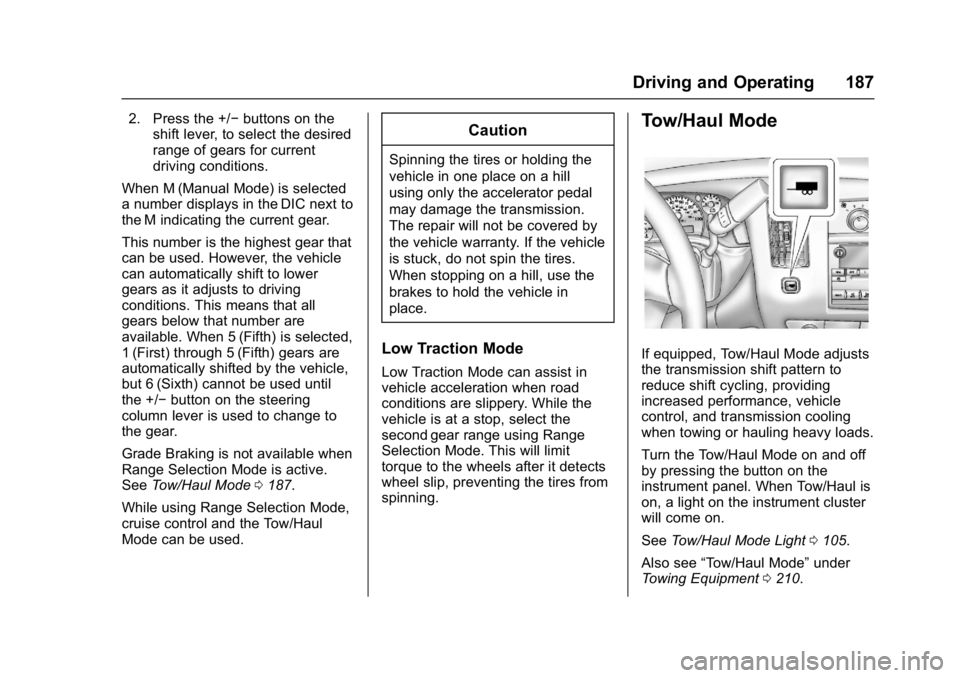
Turn the Tow/Haul Mode on and off
by pressing the button on the
instrument panel. When Tow/Haul is
on, a light on the instrument cluster
will come on.
See Tow/Haul Mode Light 0105.
Also see “Tow/Haul Mode” under
Towing Equipment 0210.
Page 189 of 348
Chevrolet Express Owner Manual (GMNA-Localizing-U.S./Canada/Mexico-
9967827) - 2017 - crc - 9/26/16
188 Driving and Operating
Tow/Haul Mode Grade Braking
Tow/Haul Mode Grade Braking is
only enabled while the Tow/Haul
Mode is selected and the vehicle is
not in the Range Selection Mode.
See“Tow/Haul Mode” listed
previously and Manual Mode0186.
Tow/Haul Mode Grade Braking
assists in maintaining desired
vehicle speeds when driving on
downhill grades by using the engine
and transmission to slow the
vehicle.
To disable or enable Tow/Haul Mode
Grade Braking within the current
ignition key cycle, press and hold
the Tow/Haul button for
three seconds. A DIC message will
be displayed. See Transmission
Messages 0118.
See Towing Equipment 0210.
For other forms of grade braking,
see Automatic Transmission 0183
and Cruise Control 0192.
Brakes
Antilock Brake
System (ABS)
This vehicle has an Antilock Brake
System (ABS), an advanced
electronic braking system that helps
prevent a braking skid.
When the vehicle begins to drive
away, ABS checks itself.
A momentary motor or clicking noise
may be heard while this test is going
on, and it may even be noticed that
the brake pedal moves a little. This
is normal.
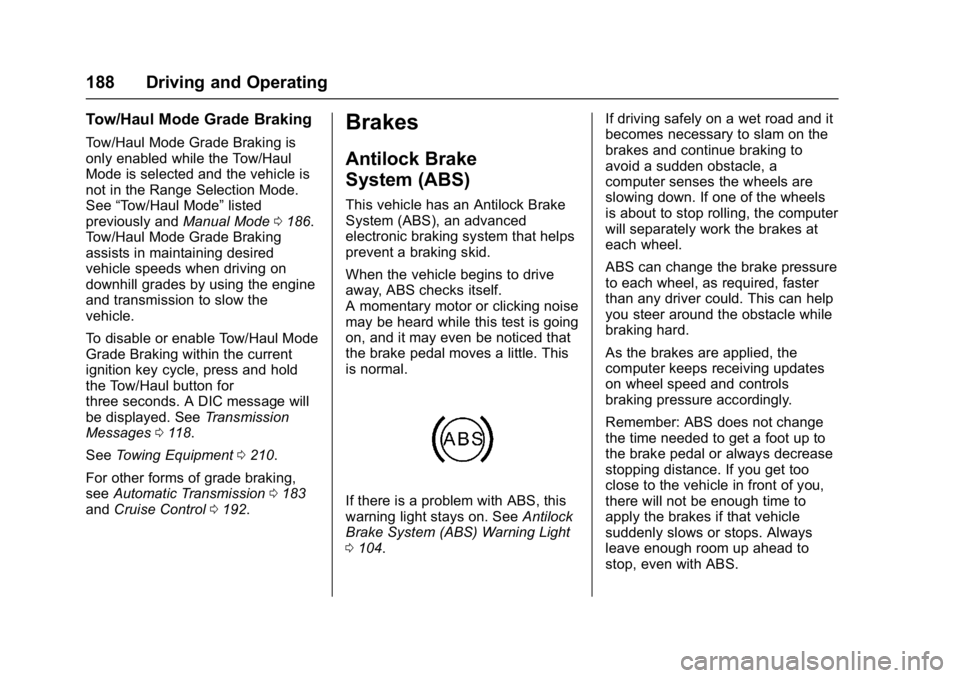
If there is a problem with ABS, this
warning light stays on. See Antilock
Brake System (ABS) Warning Light
0 104. If driving safely on a wet road and it
becomes necessary to slam on the
brakes and continue braking to
avoid a sudden obstacle, a
computer senses the wheels are
slowing down. If one of the wheels
is about to stop rolling, the computer
will separately work the brakes at
each wheel.
ABS can change the brake pressure
to each wheel, as required, faster
than any driver could. This can help
you steer around the obstacle while
braking hard.
As the brakes are applied, the
computer keeps receiving updates
on wheel speed and controls
braking pressure accordingly.
Remember: ABS does not change
the time needed to get a foot up to
the brake pedal or always decrease
stopping distance. If you get too
close to the vehicle in front of you,
there will not be enough time to
apply the brakes if that vehicle
suddenly slows or stops. Always
leave enough room up ahead to
stop, even with ABS.
Page 190 of 348
Chevrolet Express Owner Manual (GMNA-Localizing-U.S./Canada/Mexico-
9967827) - 2017 - crc - 9/26/16
Driving and Operating 189
Using ABS
Do not pump the brakes. Just hold
the brake pedal down firmly and let
ABS work. You may hear the ABS
pump or motor operating and feel
the brake pedal pulsate. This is
normal.
Braking in Emergencies
ABS allows you to steer and brake
at the same time. In many
emergencies, steering can help
more than even the very best
braking.
Parking Brake
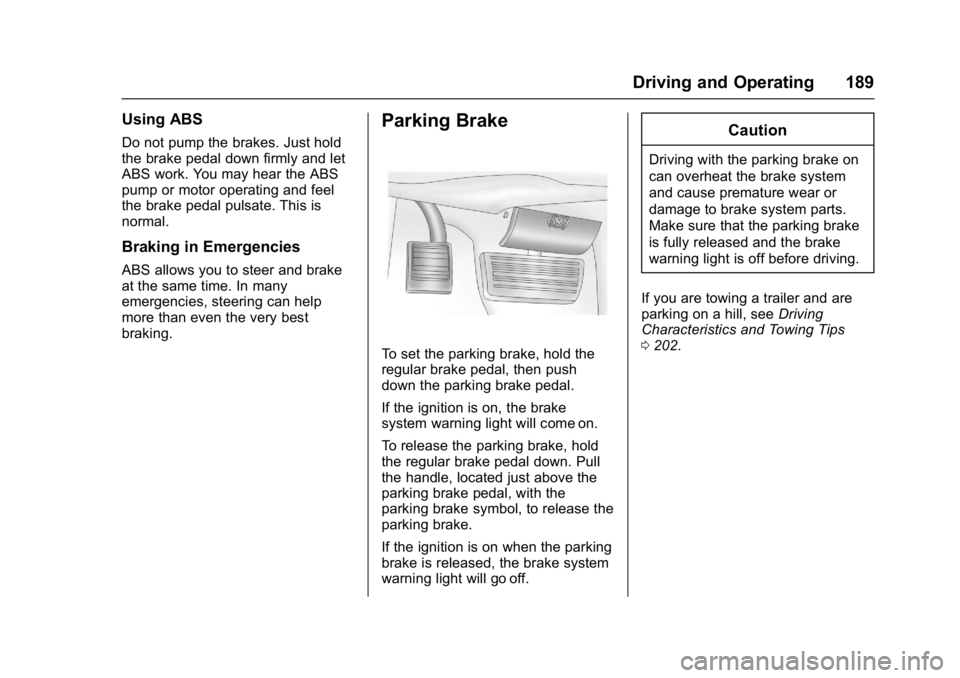
To set the parking brake, hold the
regular brake pedal, then push
down the parking brake pedal.
If the ignition is on, the brake
system warning light will come on.
To release the parking brake, hold
the regular brake pedal down. Pull
the handle, located just above the
parking brake pedal, with the
parking brake symbol, to release the
parking brake.
If the ignition is on when the parking
brake is released, the brake system
warning light will go off.
Caution
Driving with the parking brake on
can overheat the brake system
and cause premature wear or
damage to brake system parts.
Make sure that the parking brake
is fully released and the brake
warning light is off before driving.
If you are towing a trailer and are
parking on a hill, see Driving
Characteristics and Towing Tips
0 202.
Page 191 of 348
Chevrolet Express Owner Manual (GMNA-Localizing-U.S./Canada/Mexico-
9967827) - 2017 - crc - 9/26/16
190 Driving and Operating
Ride Control Systems
Traction Control/
Electronic Stability
Control
The vehicle may have a vehicle
stability enhancement system called
StabiliTrak. It is an advanced
computer controlled system that
assists the driver with directional
control of the vehicle in difficult
driving conditions.
StabiliTrak activates when the
computer senses a discrepancy
between the intended path and the
direction the vehicle is actually
traveling. StabiliTrak selectively
applies braking pressure at any one
of the vehicle's brakes to assist the
driver with keeping the vehicle on
the intended path.
When the vehicle is started and
begins to move, the system
performs several diagnostic checks
to ensure there are no problems.
The system may be heard or felt
while it is working. This is normal
and does not mean there is aproblem with the vehicle. The
system should initialize before the
vehicle reaches 40 km/h (25 mph).
In some cases, it may take
approximately 3.2 km (2 mi) of
driving before the system initializes.
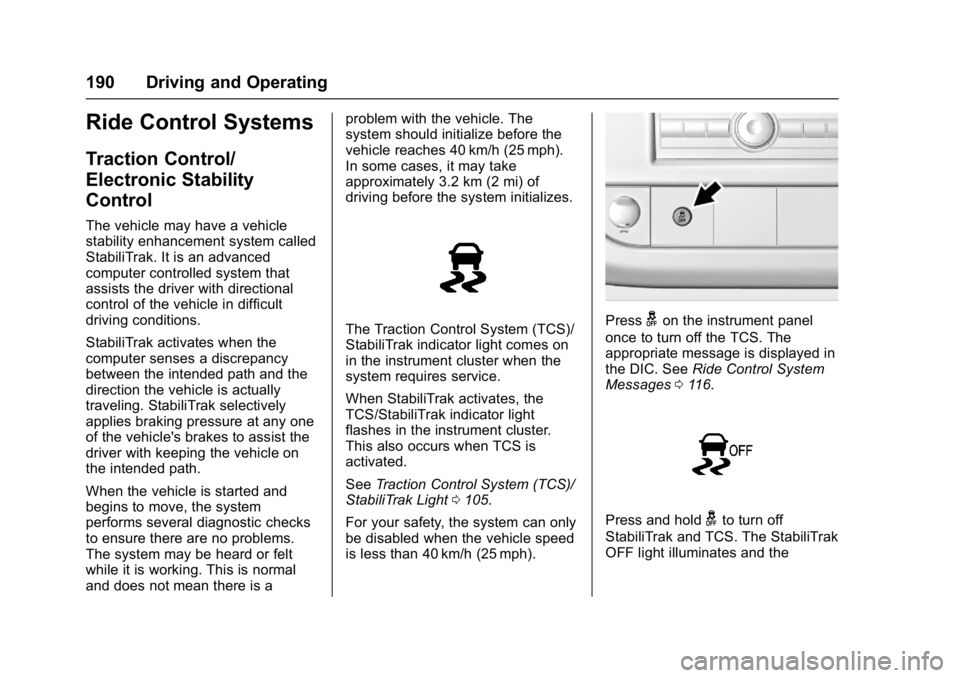
The Traction Control System (TCS)/
StabiliTrak indicator light comes on
in the instrument cluster when the
system requires service.
When StabiliTrak activates, the
TCS/StabiliTrak indicator light
flashes in the instrument cluster.
This also occurs when TCS is
activated.
See
Traction Control System (TCS)/
StabiliTrak Light 0105.
For your safety, the system can only
be disabled when the vehicle speed
is less than 40 km/h (25 mph).Pressgon the instrument panel
once to turn off the TCS. The
appropriate message is displayed in
the DIC. See Ride Control System
Messages 0116.
Press and holdgto turn off
StabiliTrak and TCS. The StabiliTrak
OFF light illuminates and the
Page 195 of 348
Chevrolet Express Owner Manual (GMNA-Localizing-U.S./Canada/Mexico-
9967827) - 2017 - crc - 9/26/16
194 Driving and Operating
.Vehicles with a 6-speed
automatic transmission have
Cruise Grade Braking to help
maintain driver selected speed.
Cruise Grade Braking is enabled
when the vehicle is started and
cruise control is active. It is not
enabled in Range Selection Mode.
It assists in maintaining driver
selected speed when driving on
downhill grades by using the engine
and transmission to slow the
vehicle.
To disable and enable Cruise Grade
Braking for the current ignition key
cycle, press and hold the Tow/Haul
button for three seconds. A DIC
message displays. See
Transmission Messages 0118.
When the brakes are applied the
cruise control is disengaged. Ending Cruise Control
There are four ways to end cruise
control:
.
Step lightly on the brake pedal.
. Press
[.
. Shift the transmission to
N (Neutral).
. To turn off cruise control,
press
I.
Erasing Speed Memory
The cruise control set speed is
erased from memory if
Iis
pressed or if the vehicle is
turned off.
Driver Assistance
Systems
Rear Vision
Camera (RVC)
If equipped, the RVC system is
designed to help the driver when
backing up by displaying a view of
the area behind the vehicle.
{Warning
The camera(s) do not display
children, pedestrians, bicyclists,
crossing traffic, animals, or any
other object outside of the
cameras’ field of view, below the
bumper, or under the vehicle.
Shown distances may be different
from actual distances. Do not
drive or park the vehicle using
only these camera(s). Always
check behind and around the
vehicle before driving. Failure to
use proper care may result in
injury, death, or vehicle damage.
Page 196 of 348
Chevrolet Express Owner Manual (GMNA-Localizing-U.S./Canada/Mexico-
9967827) - 2017 - crc - 9/26/16
Driving and Operating 195
Vehicles without Navigation
System
When the vehicle is on and shifted
into R (Reverse), the video image
appears on the inside rearview
mirror. The video image disappears
after the vehicle is shifted out of
R (Reverse).
Vehicles with Navigation
System
When the vehicle is shifted into
R (Reverse), the video image
appears on the navigation screen.
After a delay, the navigation screen
displays the previous screen after
the vehicle is shifted out of
R (Reverse).
The delay that is received after
shifting out of R (Reverse) is
approximately 10 seconds. Return to
the previous screen sooner by
performing one of the following:
.Press a hard key on the
navigation system.
. Shift into P (Park).
. Reach a vehicle speed of
8 km/h (5 mph). Symbols and Guidelines
The navigation system may have a
feature that allows for viewing
parking assist symbols and/or
guidelines on the navigation screen
while using the RVC. The Rear
Parking Assist (RPA) system must
not be disabled to use the caution
symbols. If RPA has been disabled
and the symbols have been turned
on, the Rear Parking Assist
Symbols Unavailable error message
may display. See
Parking Assist
0 197.
The symbols appear near objects
detected by the RPA system. The
symbol may cover the object when
viewing the navigation screen. The
guideline overlay can help the driver
align the vehicle when backing into
a parking spot.
To turn the symbols or guidelines on
or off:
1. Shift into P (Park).
2. Press MENU to enter the configure menu options. Turn
the Multifunction knob until the
Display feature is highlighted and press the Multifunction
knob; or press the Display
screen button.
3. Select the Rear Camera Options screen button. The
Rear Camera Options screen
displays.
4. Touch the Symbols or Guidelines screen button. The
screen button will be
highlighted when the feature
is on.
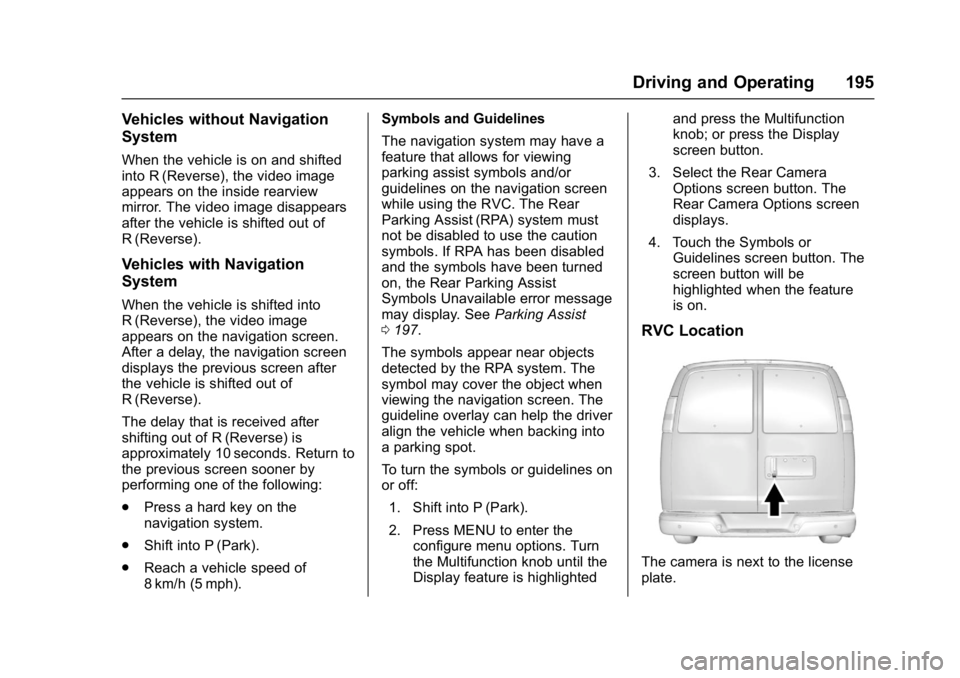
RVC Location
The camera is next to the license
plate.
Page 197 of 348
Chevrolet Express Owner Manual (GMNA-Localizing-U.S./Canada/Mexico-
9967827) - 2017 - crc - 9/26/16
196 Driving and Operating
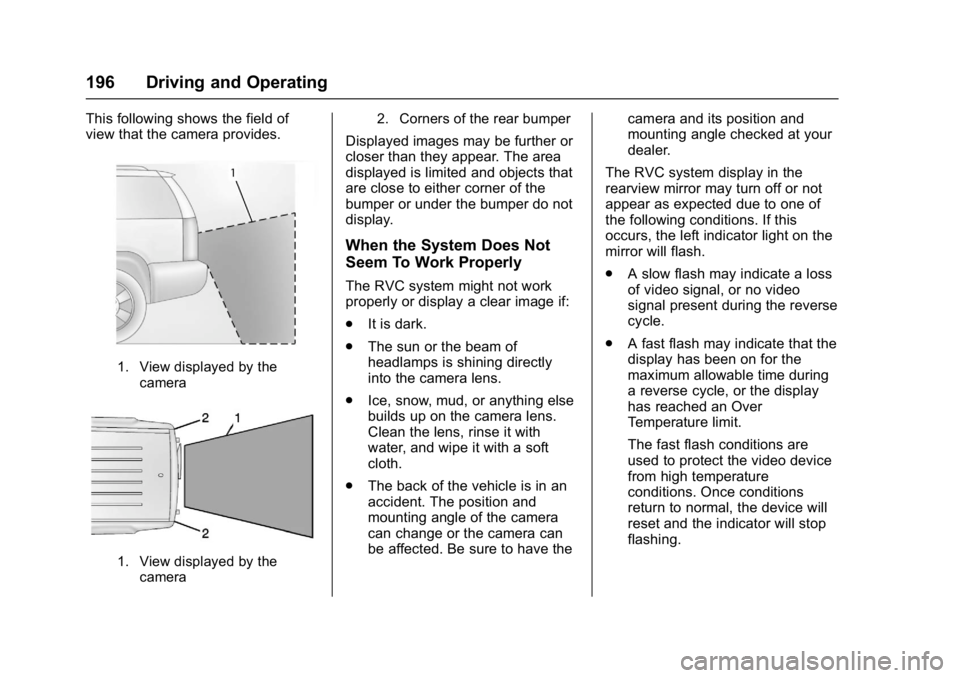
This following shows the field of
view that the camera provides.
1. View displayed by thecamera
1. View displayed by thecamera 2. Corners of the rear bumper
Displayed images may be further or
closer than they appear. The area
displayed is limited and objects that
are close to either corner of the
bumper or under the bumper do not
display.
When the System Does Not
Seem To Work Properly
The RVC system might not work
properly or display a clear image if:
.
It is dark.
. The sun or the beam of
headlamps is shining directly
into the camera lens.
. Ice, snow, mud, or anything else
builds up on the camera lens.
Clean the lens, rinse it with
water, and wipe it with a soft
cloth.
. The back of the vehicle is in an
accident. The position and
mounting angle of the camera
can change or the camera can
be affected. Be sure to have the camera and its position and
mounting angle checked at your
dealer.
The RVC system display in the
rearview mirror may turn off or not
appear as expected due to one of
the following conditions. If this
occurs, the left indicator light on the
mirror will flash.
. A slow flash may indicate a loss
of video signal, or no video
signal present during the reverse
cycle.
. A fast flash may indicate that the
display has been on for the
maximum allowable time during
a reverse cycle, or the display
has reached an Over
Temperature limit.
The fast flash conditions are
used to protect the video device
from high temperature
conditions. Once conditions
return to normal, the device will
reset and the indicator will stop
flashing.
Page 200 of 348
Chevrolet Express Owner Manual (GMNA-Localizing-U.S./Canada/Mexico-
9967827) - 2017 - crc - 9/26/16
Driving and Operating 199
Caution (Continued)
.Fuel containing metals such
as methylcyclopentadienyl
manganese tricarbonyl
(MMT), which can damage
the emissions control
system and spark plugs.
. Fuel with a posted octane
rating of less than the
recommended fuel. Using
this fuel will lower fuel
economy and performance,
and may decrease the life of
the emissions catalyst.
California Fuel
Requirements
If the vehicle is certified to meet
California Emissions Standards, it is
designed to operate on fuels that
meet California specifications. See
the underhood emission control
label. If this fuel is not available in
states adopting California Emissions
Standards, the vehicle will operate
satisfactorily on fuels meeting
federal specifications, but emission control system performance may be
affected. The malfunction indicator
lamp could turn on and the vehicle
may not pass a smog-check test.
See
Malfunction Indicator Lamp
(Check Engine Light) 0102. If this
occurs, return to your authorized
dealer for diagnosis. If it is
determined that the condition is
caused by the type of fuel used,
repairs may not be covered by the
vehicle warranty.
Fuels in Foreign
Countries
The U.S., Canada, and Mexico post
fuel octane ratings in anti-knock
index (AKI). For fuel not to use in a
foreign country, see “Prohibited
Fuels” inFuel 0198.
Fuel Additives
To keep fuel systems clean, TOP
TIER®detergent gasoline is
recommended. See Fuel0198.
If TOP TIER detergent gasoline is
not available, one bottle of GM Fuel
System Treatment Cleaner added to
the fuel tank at every engine oil change, can help. GM Fuel System
Treatment Cleaner is the only
gasoline additive recommended by
General Motors. It is available at
your dealer.
If your vehicle is able to use E85 or
FlexFuel, GM Fuel System
Treatment Cleaner - FlexFuel is the
only recommended additive for use.
Do not use any other additives with
an E85 or FlexFuel vehicle. See
E85 or FlexFuel
0199.
E85 or FlexFuel
Vehicles with a yellow fuel cap can
use either unleaded gasoline or fuel
containing up to 85% ethanol (E85).
All other vehicles should use only
the unleaded gasoline as described
in Fuel 0198.
The use of E85 or FlexFuel is
encouraged when the vehicle is
designed to use it. E85 or FlexFuel
is made from renewable sources.
To help locate fuel stations that
carry E85 or FlexFuel, the U.S.
Department of Energy has an
Page 202 of 348
Chevrolet Express Owner Manual (GMNA-Localizing-U.S./Canada/Mexico-
9967827) - 2017 - crc - 9/26/16
Driving and Operating 201
Warning (Continued)
.Fuel can spray out if the fuel
cap is opened too quickly.
This spray can happen if the
tank is nearly full, and is
more likely in hot weather.
Open the fuel cap slowly
and wait for any hiss noise
to stop, then unscrew the
cap all the way.
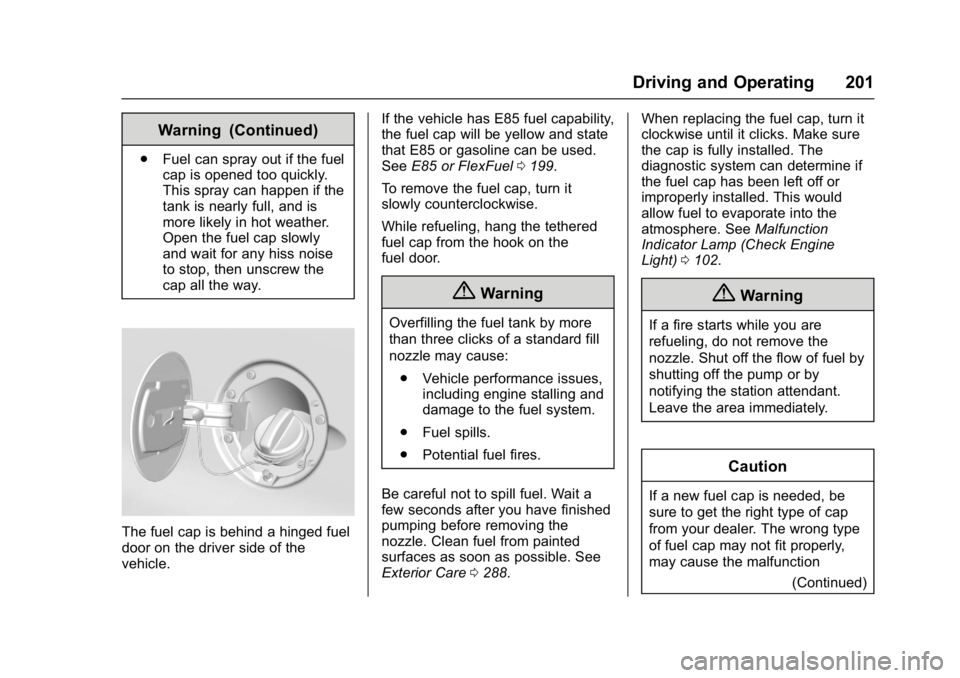
The fuel cap is behind a hinged fuel
door on the driver side of the
vehicle. If the vehicle has E85 fuel capability,
the fuel cap will be yellow and state
that E85 or gasoline can be used.
See
E85 or FlexFuel 0199.
To remove the fuel cap, turn it
slowly counterclockwise.
While refueling, hang the tethered
fuel cap from the hook on the
fuel door.
{Warning
Overfilling the fuel tank by more
than three clicks of a standard fill
nozzle may cause: . Vehicle performance issues,
including engine stalling and
damage to the fuel system.
. Fuel spills.
. Potential fuel fires.
Be careful not to spill fuel. Wait a
few seconds after you have finished
pumping before removing the
nozzle. Clean fuel from painted
surfaces as soon as possible. See
Exterior Care 0288. When replacing the fuel cap, turn it
clockwise until it clicks. Make sure
the cap is fully installed. The
diagnostic system can determine if
the fuel cap has been left off or
improperly installed. This would
allow fuel to evaporate into the
atmosphere. See
Malfunction
Indicator Lamp (Check Engine
Light) 0102.
{Warning
If a fire starts while you are
refueling, do not remove the
nozzle. Shut off the flow of fuel by
shutting off the pump or by
notifying the station attendant.
Leave the area immediately.
Caution
If a new fuel cap is needed, be
sure to get the right type of cap
from your dealer. The wrong type
of fuel cap may not fit properly,
may cause the malfunction
(Continued)