instrument panel CHEVROLET COBALT 2006 1.G Owner's Guide
[x] Cancel search | Manufacturer: CHEVROLET, Model Year: 2006, Model line: COBALT, Model: CHEVROLET COBALT 2006 1.GPages: 390, PDF Size: 2.34 MB
Page 140 of 390

If the airbag readiness light stays on after you start
the vehicle or comes on when you are driving,
your airbag system may not work properly. Have your
vehicle serviced right away.
{CAUTION:
If the airbag readiness light stays on after you
start your vehicle, it means the airbag system
may not be working properly. The airbags in
your vehicle may not inate in a crash, or they
could even inate without a crash. To help avoid
injury to yourself or others, have your vehicle
serviced right away if the airbag readiness light
stays on after you start your vehicle.
The airbag readiness light should ash for a few
seconds when you turn the ignition key to RUN. If the
light does not come on then, have it xed so it will
be ready to warn you if there is a problem.
Passenger Airbag Status Indicator
If your vehicle has the passenger sensing system, then
your instrument panel has a passenger airbag status
indicator. SeePassenger Sensing System on page 1-62.
When the ignition key is turned to RUN or START, the
passenger airbag status indicator will light ON and
OFF, or the symbol for on and off, for several seconds
as a system check. Then, after several more seconds,
the status indicator will light either ON or OFF, or either
the on or off symbol to let you know the status of the
right front passenger’s frontal airbag.United States
Canada
3-26
Page 143 of 390
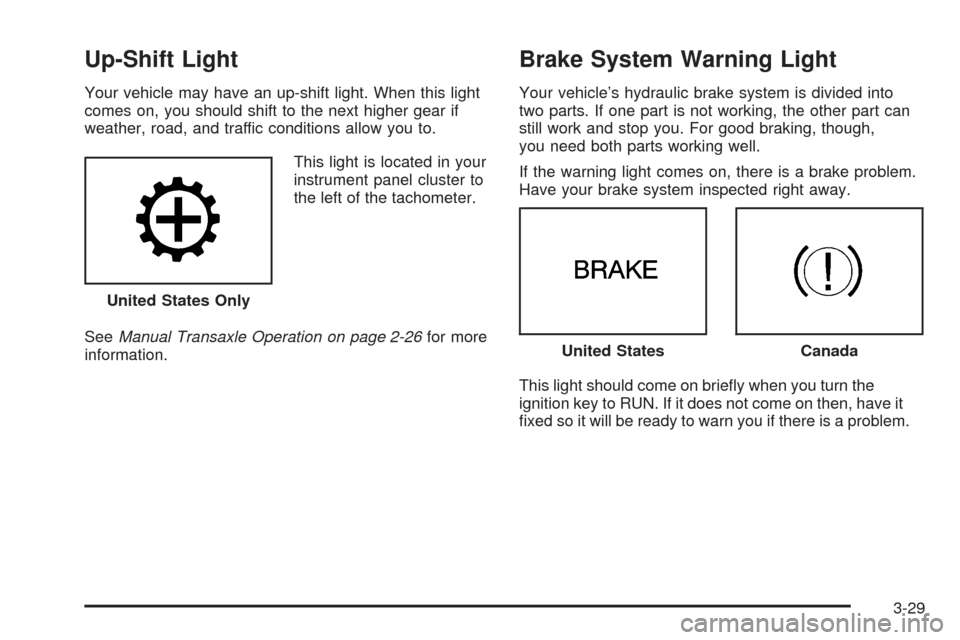
Up-Shift Light
Your vehicle may have an up-shift light. When this light
comes on, you should shift to the next higher gear if
weather, road, and traffic conditions allow you to.
This light is located in your
instrument panel cluster to
the left of the tachometer.
SeeManual Transaxle Operation on page 2-26for more
information.
Brake System Warning Light
Your vehicle’s hydraulic brake system is divided into
two parts. If one part is not working, the other part can
still work and stop you. For good braking, though,
you need both parts working well.
If the warning light comes on, there is a brake problem.
Have your brake system inspected right away.
This light should come on briey when you turn the
ignition key to RUN. If it does not come on then, have it
xed so it will be ready to warn you if there is a problem. United States Only
United StatesCanada
3-29
Page 151 of 390
Here are four things that some owners ask about.
None of these show a problem with your fuel gage:
At the service station, the gas pump shuts off before
the gage reads full.
It takes a little more or less fuel to ll up than the
gage indicated. For example, the gage may have
indicated the tank was half full, but it actually took
a little more or less than half the tank’s capacity
to ll the tank.
The gage moves a little when you turn a corner or
speed up.
The gage doesn’t go back to empty when you turn
off the ignition.
For your fuel tank capacity, seeCapacities and
Specications on page 5-107.
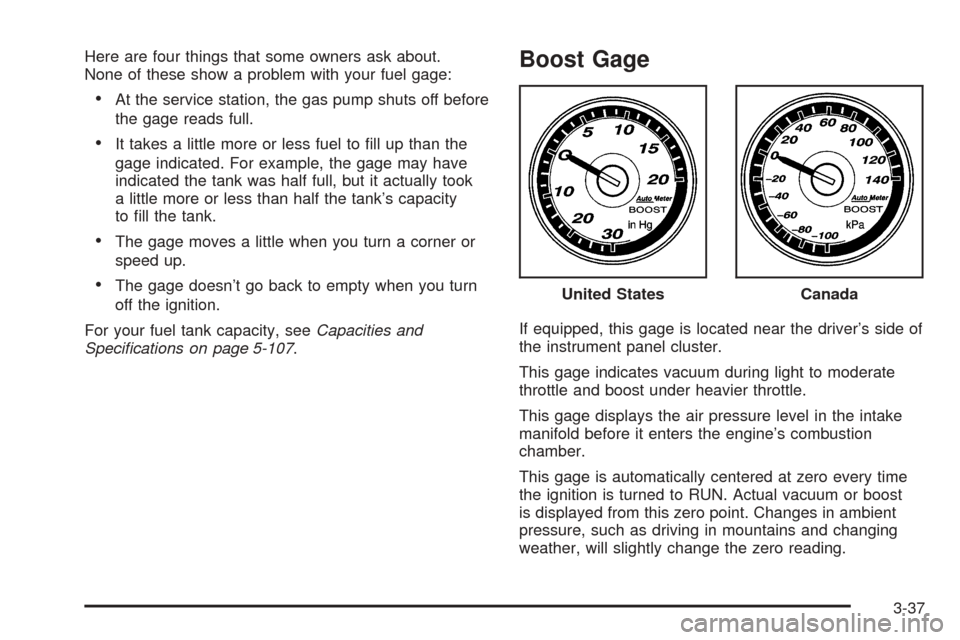
Boost Gage
If equipped, this gage is located near the driver’s side of
the instrument panel cluster.
This gage indicates vacuum during light to moderate
throttle and boost under heavier throttle.
This gage displays the air pressure level in the intake
manifold before it enters the engine’s combustion
chamber.
This gage is automatically centered at zero every time
the ignition is turned to RUN. Actual vacuum or boost
is displayed from this zero point. Changes in ambient
pressure, such as driving in mountains and changing
weather, will slightly change the zero reading.United States
Canada
3-37
Page 152 of 390
Driver Information Center (DIC)
The Driver Information Center (DIC) display gives you the
status of many of your vehicle’s systems. The DIC is also
used to display driver personalization menu modes and
warning/status messages. All messages will appear in
the DIC display, located at the bottom of the tachometer
on the instrument panel cluster.
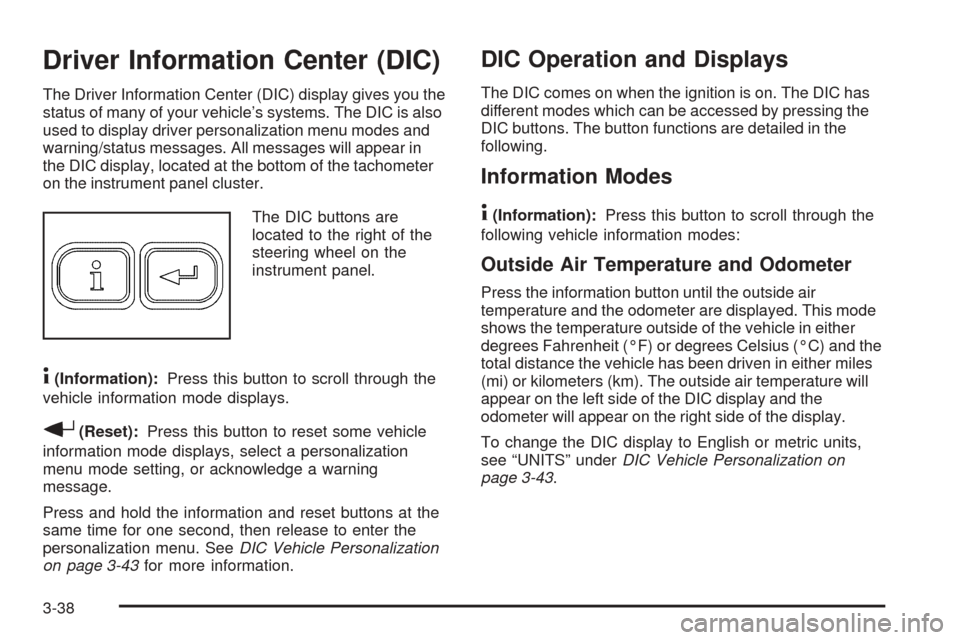
The DIC buttons are
located to the right of the
steering wheel on the
instrument panel.
4(Information):Press this button to scroll through the
vehicle information mode displays.
r(Reset):Press this button to reset some vehicle
information mode displays, select a personalization
menu mode setting, or acknowledge a warning
message.
Press and hold the information and reset buttons at the
same time for one second, then release to enter the
personalization menu. SeeDIC Vehicle Personalization
on page 3-43for more information.
DIC Operation and Displays
The DIC comes on when the ignition is on. The DIC has
different modes which can be accessed by pressing the
DIC buttons. The button functions are detailed in the
following.
Information Modes
4
(Information):Press this button to scroll through the
following vehicle information modes:
Outside Air Temperature and Odometer
Press the information button until the outside air
temperature and the odometer are displayed. This mode
shows the temperature outside of the vehicle in either
degrees Fahrenheit (°F) or degrees Celsius (°C) and the
total distance the vehicle has been driven in either miles
(mi) or kilometers (km). The outside air temperature will
appear on the left side of the DIC display and the
odometer will appear on the right side of the display.
To change the DIC display to English or metric units,
see “UNITS” underDIC Vehicle Personalization on
page 3-43.
3-38
Page 195 of 390

And, of course, actual stopping distances vary greatly
with the surface of the road, whether it is pavement
or gravel; the condition of the road, whether it is
wet, dry, or icy; tire tread; the condition of your brakes;
the weight of the vehicle; and the amount of brake
force applied.
Avoid needless heavy braking. Some people drive
in spurts — heavy acceleration followed by heavy
braking — rather than keeping pace with traffic. This is
a mistake. Your brakes may not have time to cool
between hard stops. Your brakes will wear out much
faster if you do a lot of heavy braking. If you keep pace
with the traffic and allow realistic following distances,
you will eliminate a lot of unnecessary braking.
That means better braking and longer brake life.
If your engine ever stops while you are driving, brake
normally but do not pump your brakes. If you do,
the pedal may get harder to push down. If your engine
stops, you will still have some power brake assist.
But you will use it when you brake. Once the power
assist is used up, it may take longer to stop and
the brake pedal will be harder to push.
Adding non-GM accessories can affect your vehicle’s
performance. SeeAccessories and Modications
on page 5-3.Anti-Lock Brake System (ABS)
Your vehicle may have the Anti-Lock Brake System
(ABS), an advanced electronic braking system that will
help prevent a braking skid.
If your vehicle has ABS,
this warning light on the
instrument panel will come
on briey when you
start your vehicle.
When you start your engine, or when you begin to drive
away, your ABS will check itself. You may hear a
momentary motor or clicking noise while this test is
going on, and you may even notice that your brake
pedal moves or pulses a little. This is normal.
4-7
Page 232 of 390

Making Turns
Notice:Making very sharp turns while trailering
could cause the trailer to come in contact with the
vehicle. Your vehicle could be damaged. Avoid
making very sharp turns while trailering.
When you are turning with a trailer, make wider turns
than normal. Do this so your trailer will not strike
soft shoulders, curbs, road signs, trees or other objects.
Avoid jerky or sudden maneuvers. Signal well in
advance.
Turn Signals When Towing a Trailer
When you tow a trailer, your vehicle may need a different
turn signal asher and/or extra wiring. Check with your
dealer. The arrows on your instrument panel will ash
whenever you signal a turn or lane change. Properly
hooked up, the trailer lamps will also ash, telling other
drivers you are about to turn, change lanes or stop.
When towing a trailer, the arrows on your instrument
panel will ash for turns even if the bulbs on the trailer
are burned out. Thus, you may think drivers behind
you are seeing your signal when they are not. It
is important to check occasionally to be sure the trailer
bulbs are still working.
Driving on Grades
Notice:Do not tow on steep continuous grades
exceeding 6 miles (9.6 km). Extended, higher
than normal engine and transaxle temperatures may
result and damage your vehicle. Frequent stops
are very important to allow the engine and transaxle
to cool.
Reduce speed and shift to a lower gearbeforeyou start
down a long or steep downgrade. If you do not shift down,
you might have to use your brakes so much that they
would get hot and no longer work well.
Pay attention to the engine coolant gage. If the indicator
is in the red area, turn off the air conditioning to
reduce engine load. SeeEngine Overheating on
page 5-29.
4-44
Page 236 of 390

Uniform Tire Quality Grading..........................5-68
Wheel Alignment and Tire Balance..................5-70
Wheel Replacement......................................5-70
Tire Chains..................................................5-72
If a Tire Goes Flat........................................5-73
Changing a Flat Tire.....................................5-74
Removing the Spare Tire and Tools................5-75
Removing the Flat Tire and Installing the
Spare Tire................................................5-80
Storing a Flat or Spare Tire and Tools............5-85
Compact Spare Tire......................................5-88
Appearance Care............................................5-88
Cleaning the Inside of Your Vehicle.................5-88
Fabric/Carpet...............................................5-90
Leather.......................................................5-90
Instrument Panel, Vinyl, and Other Plastic
Surfaces..................................................5-91
Care of Safety Belts......................................5-91
Weatherstrips...............................................5-91
Washing Your Vehicle...................................5-92
Cleaning Exterior Lamps/Lenses.....................5-92
Finish Care..................................................5-92Windshield and Wiper Blades.........................5-93
Aluminum or Chrome-Plated Wheels................5-93
Tires...........................................................5-94
Sheet Metal Damage.....................................5-94
Finish Damage.............................................5-94
Underbody Maintenance................................5-95
Chemical Paint Spotting.................................5-95
Vehicle Care/Appearance Materials..................5-95
Vehicle Identication......................................5-96
Vehicle Identication Number (VIN).................5-96
Service Parts Identication Label.....................5-97
Electrical System............................................5-97
Add-On Electrical Equipment..........................5-97
Headlamp Wiring..........................................5-98
Windshield Wiper Fuses................................5-98
Power Windows and Other Power Options.......5-98
Fuses and Circuit Breakers............................5-98
Floor Console Fuse Block..............................5-99
Engine Compartment Fuse Block...................5-101
Capacities and Specications........................5-107
Section 5 Service and Appearance Care
5-2
Page 239 of 390

Adding Equipment to the Outside
of Your Vehicle
Things you might add to the outside of your vehicle can
affect the airow around it. This may cause wind noise
and affect windshield washer performance. Check with
your dealer before adding equipment to the outside of
your vehicle.
Fuel
The 8th digit of your vehicle identication number (VIN)
shows the code letter or number that identies your
engine. You will nd the VIN at the top left of the
instrument panel. SeeVehicle Identication Number
(VIN) on page 5-96.
Gasoline Octane
If your vehicle has the 2.2L L4 engine (VIN Code F),
use regular unleaded gasoline with a posted octane
rating of 87 or higher. If the octane rating is less than 87,
you may notice an audible knocking noise when you
drive, commonly referred to as spark knock. If this
occurs, use a gasoline rated at 87 octane or higher as
soon as possible. If you are using gasoline rated at
87 octane or higher and you hear heavy knocking, your
engine needs service.
If your vehicle has the 2.4L L4 engine (VIN Code B) or the
2.0L Supercharged engine (VIN Code P), use premium
unleaded gasoline with a posted octane rating of 91 or
higher. You may also use regular unleaded gasoline
rated at 87 octane or higher, but your vehicle’s
acceleration may be slightly reduced, and you may notice
a slight audible knocking noise, commonly referred to as
spark knock. If the octane is less than 87, you may notice
a heavy knocking noise when you drive. If this occurs,
use a gasoline rated at 87 octane or higher as soon as
possible. Otherwise, you might damage your engine. If
you are using gasoline rated at 87 octane or higher and
you hear heavy knocking, your engine needs service.
5-5
Page 245 of 390
Hood Release
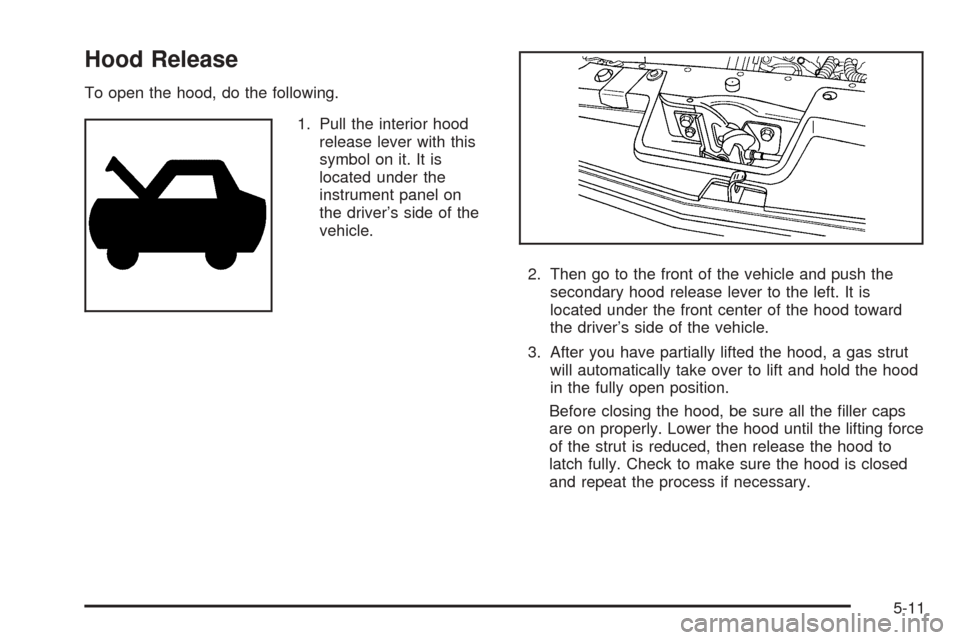
To open the hood, do the following.
1. Pull the interior hood
release lever with this
symbol on it. It is
located under the
instrument panel on
the driver’s side of the
vehicle.
2. Then go to the front of the vehicle and push the
secondary hood release lever to the left. It is
located under the front center of the hood toward
the driver’s side of the vehicle.
3. After you have partially lifted the hood, a gas strut
will automatically take over to lift and hold the hood
in the fully open position.
Before closing the hood, be sure all the ller caps
are on properly. Lower the hood until the lifting force
of the strut is reduced, then release the hood to
latch fully. Check to make sure the hood is closed
and repeat the process if necessary.
5-11
Page 263 of 390

1. You can remove the ll neck pressure cap when
the intercooler system, including the upper
intercooler hose, is no longer hot. Turn the pressure
cap slowly counterclockwise about one-quarter of
a turn. If you hear a hiss, wait for that to stop. This
will allow any remaining pressure to be vented.
2. Then keep turning the pressure cap slowly, and
remove it.
3. Add the proper DEX-COOL
®coolant mixture to the
ll neck, until there is coolant visible in the horizontal
tube section of the ll neck.
4. With the ll neck pressure cap off, start the engine
and let it run for at least 30 seconds. Watch out for
the engine cooling fan. Turn the engine off. By this
time, the coolant level inside the ll neck may be
lower. If the level drops so that coolant is no longer
visible in the horizontal tube section of the ll neck,
add more of the DEX-COOL
®coolant mixture to the
ll neck until the level is again visible in the horizontal
tube section.
5. Replace the intercooler system pressure cap.
Be sure the pressure cap is hand-tight and fully
seated.
If the coolant is not at the proper level when the
system cools down again, see your dealer.
Coolant Surge Tank Pressure Cap
Notice:If the pressure cap is not tightly installed,
coolant loss and possible engine damage may
occur. Be sure the cap is properly and tightly
secured.
The coolant surge tank pressure cap must be fully
installed on the coolant surge tank. SeeEngine
Compartment Overview on page 5-12for more
information on location.
Engine Overheating
You will nd an engine coolant temperature warning
light on your vehicle’s instrument panel. SeeEngine
Coolant Temperature Warning Light on page 3-32for
more information.
5-29