warning CHEVROLET COLORADO 2006 1.G User Guide
[x] Cancel search | Manufacturer: CHEVROLET, Model Year: 2006, Model line: COLORADO, Model: CHEVROLET COLORADO 2006 1.GPages: 434, PDF Size: 2.57 MB
Page 142 of 434
Turn and Lane-Change Signals
The turn signal has two upward (for right) and
two downward (for left) positions. These positions
allow you to signal a turn or a lane change.
To signal a turn, move the lever all the way up or down.
When the turn is nished, the lever will automatically
return to the off position.
To signal a lane change, raise or lower the lever until
the arrow starts to ash. Hold it there until the change is
completed. The lever will return by itself when released.
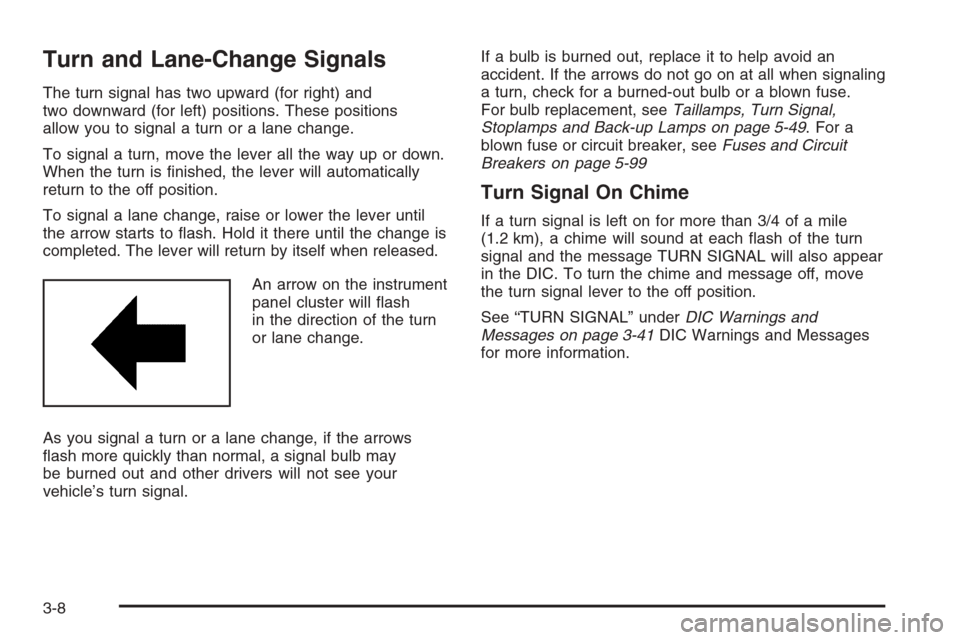
An arrow on the instrument
panel cluster will ash
in the direction of the turn
or lane change.
As you signal a turn or a lane change, if the arrows
ash more quickly than normal, a signal bulb may
be burned out and other drivers will not see your
vehicle’s turn signal.If a bulb is burned out, replace it to help avoid an
accident. If the arrows do not go on at all when signaling
a turn, check for a burned-out bulb or a blown fuse.
For bulb replacement, seeTaillamps, Turn Signal,
Stoplamps and Back-up Lamps on page 5-49. For a
blown fuse or circuit breaker, seeFuses and Circuit
Breakers on page 5-99
Turn Signal On Chime
If a turn signal is left on for more than 3/4 of a mile
(1.2 km), a chime will sound at each ash of the turn
signal and the message TURN SIGNAL will also appear
in the DIC. To turn the chime and message off, move
the turn signal lever to the off position.
See “TURN SIGNAL” underDIC Warnings and
Messages on page 3-41DIC Warnings and Messages
for more information.
3-8
Page 156 of 434
Warning Lights, Gages,
and Indicators
This part describes the warning lights and gages that
may be on your vehicle. The pictures will help you
locate them.
Warning lights and gages can signal that something is
wrong before it becomes serious enough to cause
an expensive repair or replacement. Paying attention
to your warning lights and gages could also save you
or others from injury.
Warning lights come on when there may be or is a
problem with one of your vehicle’s functions. As you
will see in the details on the next few pages, some
warning lights come on briey when you start the
engine just to let you know they are working. If you
are familiar with this section, you should not be
alarmed when this happens.Gages can indicate when there may be or is a
problem with one of your vehicle’s functions. Often
gages and warning lights work together to let you
know when there is a problem with your vehicle.
When one of the warning lights comes on and stays
on when you are driving, or when one of the gages
shows there may be a problem, check the section
that tells you what to do about it. Please follow
this manual’s advice. Waiting to do repairs can be
costly — and even dangerous. So please get to know
your warning lights and gages. They are a big help.
Your vehicle has a DIC that works along with the
warning lights and gages. SeeDriver Information
Center (DIC) on page 3-38for more information.
3-22
Page 158 of 434
Speedometer and Odometer
Your speedometer lets you see your speed in both
miles per hour (mph) and kilometers per hour (km/h).
Your odometer shows how far your vehicle has
been driven, in either miles (used in the United States)
or kilometers (used in Canada).
The odometer mileage can be checked without the
vehicle running. Simply press the trip information stem.
See “Odometer” underDIC Controls and Displays
on page 3-38for more information.
You may wonder what happens if your vehicle needs a
new odometer installed. If the new one can be set to
the mileage total of the old odometer, then it must
be. But if it cannot, then it is set at zero, and a label
must be put on the driver’s door to show the old mileage
reading when the new odometer was installed.
Trip Odometer
Your vehicle has a trip odometer that can tell you how
far your vehicle has been driven since you last set
the trip odometer to zero.
See “Trip Odometer” underDIC Controls and Displays
on page 3-38for more information.
Tachometer
The tachometer displays the engine speed in
revolutions per minute (rpm).
Notice:If you operate the engine with the
tachometer in the shaded warning area, your
vehicle could be damaged, and the damages
would not be covered by your warranty. Do not
operate the engine with the tachometer in the
shaded warning area.
3-24
Page 163 of 434
If the word OFF or the off symbol is lit on the airbag
status indicator, it means that the passenger sensing
system has turned off the right front passenger’s frontal
airbag. SeePassenger Sensing System on page 1-74
for more on this, including important safety information.
If, after several seconds, all status indicator lights
remain on, or if there are no lights at all, there may
be a problem with the lights or the passenger sensing
system. See your dealer for service.
{CAUTION:
If the off indicator and the airbag readiness
light ever come on together, it means that
something may be wrong with the airbag
system. If this ever happens, have the vehicle
serviced promptly, because an adult-size
person sitting in the right front passenger
seat may not have the protection of the
frontal airbag. SeeAirbag Readiness Light
on page 3-26.
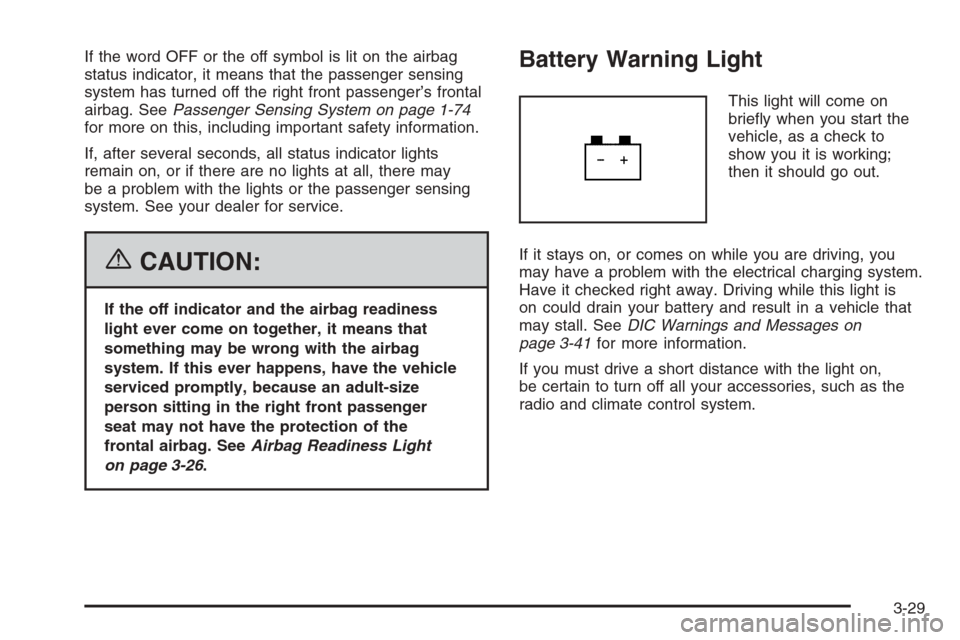
Battery Warning Light
This light will come on
briey when you start the
vehicle, as a check to
show you it is working;
then it should go out.
If it stays on, or comes on while you are driving, you
may have a problem with the electrical charging system.
Have it checked right away. Driving while this light is
on could drain your battery and result in a vehicle that
may stall. SeeDIC Warnings and Messages on
page 3-41for more information.
If you must drive a short distance with the light on,
be certain to turn off all your accessories, such as the
radio and climate control system.
3-29
Page 164 of 434
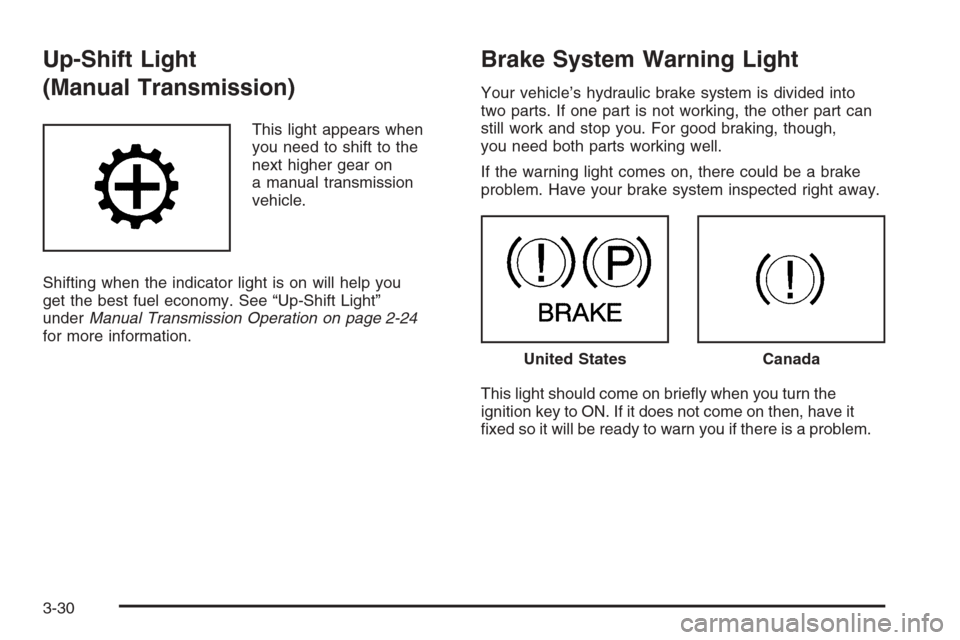
Up-Shift Light
(Manual Transmission)
This light appears when
you need to shift to the
next higher gear on
a manual transmission
vehicle.
Shifting when the indicator light is on will help you
get the best fuel economy. See “Up-Shift Light”
underManual Transmission Operation on page 2-24
for more information.
Brake System Warning Light
Your vehicle’s hydraulic brake system is divided into
two parts. If one part is not working, the other part can
still work and stop you. For good braking, though,
you need both parts working well.
If the warning light comes on, there could be a brake
problem. Have your brake system inspected right away.
This light should come on briey when you turn the
ignition key to ON. If it does not come on then, have it
xed so it will be ready to warn you if there is a problem.
United StatesCanada
3-30
Page 165 of 434
When the ignition is on, the brake system warning light
will also come on when you set your parking brake.
SeeParking Brake on page 2-30for more information.
The light will stay on if your parking brake does not
release fully. If it stays on after your parking brake is
fully released, it means you have a brake problem.
If the light comes on while you are driving, pull off the
road and stop carefully. You may notice that the pedal
is harder to push, or the pedal may go closer to the
oor. It may take longer to stop. If the light is still
on, have the vehicle towed for service. SeeTowing
Your Vehicle on page 4-50.
{CAUTION:
Your brake system may not be working properly
if the brake system warning light is on. Driving
with the brake system warning light on can lead
to an accident. If the light is still on after you
have pulled off the road and stopped carefully,
have the vehicle towed for service.
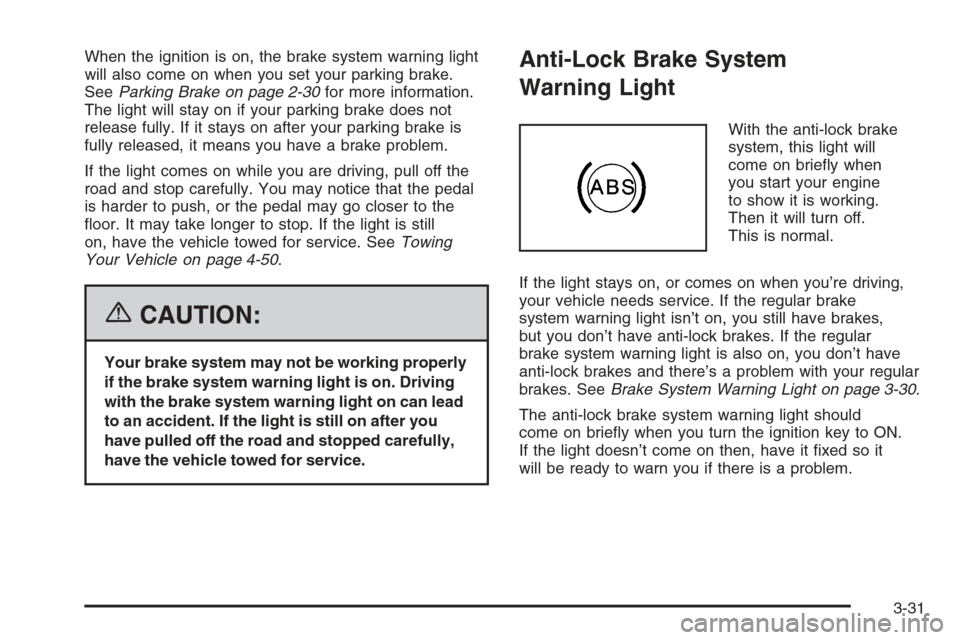
Anti-Lock Brake System
Warning Light
With the anti-lock brake
system, this light will
come on briey when
you start your engine
to show it is working.
Then it will turn off.
This is normal.
If the light stays on, or comes on when you’re driving,
your vehicle needs service. If the regular brake
system warning light isn’t on, you still have brakes,
but you don’t have anti-lock brakes. If the regular
brake system warning light is also on, you don’t have
anti-lock brakes and there’s a problem with your regular
brakes. SeeBrake System Warning Light on page 3-30.
The anti-lock brake system warning light should
come on briey when you turn the ignition key to ON.
If the light doesn’t come on then, have it xed so it
will be ready to warn you if there is a problem.
3-31
Page 169 of 434

The diagnostic system is designed to evaluate critical
emission control systems during normal driving.
This may take several days of routine driving. If you
have done this and your vehicle still does not pass
the inspection for lack of OBD system readiness, your
GM dealer can prepare the vehicle for inspection.
Oil Pressure Light
{CAUTION:
Do not keep driving if the oil pressure is low.
If you do, your engine can become so hot that
it catches re. You or others could be burned.
Check your oil as soon as possible and have
your vehicle serviced.
Notice:Lack of proper engine oil maintenance
may damage the engine. The repairs would not
be covered by your warranty. Always follow
the maintenance schedule in this manual for
changing engine oil.This light tells you if there
could be a problem with
your engine oil pressure.
The light goes on when you turn your key to ON or
START. It goes off once you start your engine. That’s
a check to be sure the light works. If it doesn’t come on,
be sure to have it xed so it will be there to warn you
if something goes wrong.
When the light comes on and stays on, it means that oil
isn’t owing through your engine properly. You could
be low on oil and you might have some other system
problem. SeeEngine Oil on page 5-13and “OIL” under
DIC Warnings and Messages on page 3-41for more
information.
3-35
Page 171 of 434
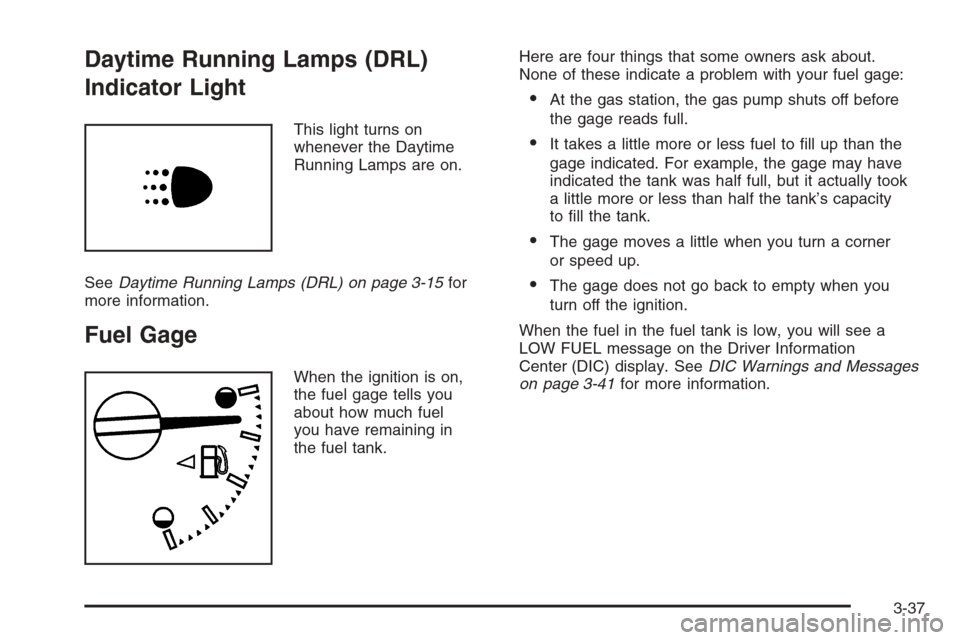
Daytime Running Lamps (DRL)
Indicator Light
This light turns on
whenever the Daytime
Running Lamps are on.
SeeDaytime Running Lamps (DRL) on page 3-15for
more information.
Fuel Gage
When the ignition is on,
the fuel gage tells you
about how much fuel
you have remaining in
the fuel tank.Here are four things that some owners ask about.
None of these indicate a problem with your fuel gage:
At the gas station, the gas pump shuts off before
the gage reads full.
It takes a little more or less fuel to ll up than the
gage indicated. For example, the gage may have
indicated the tank was half full, but it actually took
a little more or less than half the tank’s capacity
to ll the tank.
The gage moves a little when you turn a corner
or speed up.
The gage does not go back to empty when you
turn off the ignition.
When the fuel in the fuel tank is low, you will see a
LOW FUEL message on the Driver Information
Center (DIC) display. SeeDIC Warnings and Messages
on page 3-41for more information.
3-37
Page 172 of 434
Driver Information Center (DIC)
The Driver Information Center (DIC) displays information
such as the trip odometer, personalization features,
and warning messages. The DIC display is located on
the instrument panel cluster.
DIC Controls and Displays
The Driver Information Center (DIC) comes on when the
ignition is on.
If a problem is detected, a warning message will appear
on the display. Pressing and releasing the trip odometer
reset stem on the DIC will acknowledge some current
warnings or service messages. Some messages will only
clear after the required action has been taken.
The DIC has different modes which can be accessed
by pressing the trip odometer reset stem on the
DIC. These modes are explained in the following
section. The DIC trip odometer reset stem is located
on the instrument panel cluster next to the DIC display.
To scroll through the available functions, press and
release the reset stem.
Trip Information
Odometer
The odometer is automatically displayed on the DIC
when you start the vehicle. The odometer shows
the total distance the vehicle has been driven in either
miles for the United States or kilometers for Canada.
Trip Odometer
Press and release the reset stem until TRIP appears
on the DIC display. This shows the current distance
traveled since the last reset of the trip odometer in either
miles for the United States or kilometers for Canada.
Press and hold the reset stem for approximately
four seconds to reset the trip odometer.
Engine Oil Life System
Press the reset stem until OIL LIFE RESET
appears — alternating between OIL LIFE and
RESET — on the DIC display. The engine oil life
system calculates an estimate of the oil’s remaining
useful life. The CHANGE OIL message will alert you
to change your oil on a schedule consistent with
your driving conditions. Always reset the OIL LIFE
message after an oil change. To reset the message,
seeEngine Oil Life System on page 5-16.
3-38
Page 175 of 434
The following are the available modes:
RFA 1 (default):This mode ashes the parking lamps
when you press the lock or unlock buttons on the
remote keyless entry transmitter.
RFA 2:This mode ashes the parking lamps and
sounds the horn when you press the lock button on
the remote keyless entry transmitter. This mode
also ashes the parking lamps when you press the
unlock button on the remote keyless entry transmitter.
RFA 3:This mode ashes the parking lamps and
sounds the horn when you press the lock or unlock
buttons on the remote keyless entry transmitter.
RFA 4:This mode disables remote keyless entry
feedback. There will be no feedback when you press
the lock or unlock buttons on the remote keyless
entry transmitter.DIC Warnings and Messages
Warning messages are displayed on the Driver
Information Center (DIC) to notify the driver that the
status of the vehicle has changed and that some action
may be needed by the driver to correct the condition.
More than one message may appear at one time.
They will appear one after the other. The messages
are displayed for four seconds each. Some messages
may not require immediate action but you should
press and release the trip odometer reset stem to
acknowledge that you received the message and clear it
from the display. Each message must be acknowledged
individually. Some messages cannot be cleared from
the display because they are more urgent. These
messages require action before they can be removed
from the DIC display. You should take any messages
that appear on the display seriously and remember that
clearing the messages will only make the messages
disappear, not correct the problem. The following are the
possible messages that can be displayed and some
information about them.
3-41