light CHEVROLET COLORADO 2009 1.G User Guide
[x] Cancel search | Manufacturer: CHEVROLET, Model Year: 2009, Model line: COLORADO, Model: CHEVROLET COLORADO 2009 1.GPages: 420, PDF Size: 2.49 MB
Page 97 of 420
Theft-Deterrent Systems
Vehicle theft is big business, especially in some cities.
This vehicle has theft-deterrent features, however,
they do not make it impossible to steal.
Content Theft-Deterrent
If your vehicle has the
Remote Keyless Entry
(RKE) system, the
vehicle has a content
theft-deterrent alarm
system.
To activate the content theft-deterrent system:
1. Close all the doors.
2. Lock the doors with the RKE transmitter. The
security light, located on the instrument panel
cluster, will ash.
If the lock button on the RKE transmitter is pressed, but
a door is open, the horn will chirp six times. Press
the lock button again, within three seconds, and the
doors will lock. Close the open door and the system will
be activated.If a locked door is not opened using the RKE transmitter,
or by OnStar
®, the pre-alarm will go off. If the engine
is not started or unlock not pressed within 10 seconds,
the front turn signal lamps will ash for two minutes,
and the horn will sound for two minutes, then will turn off
to save the battery power.
Remember, the theft-deterrent system will not activate if
you lock the doors with a key, the manual door lock,
or power door lock switch. The system can only
be activated using the RKE transmitter, or by OnStar
®.
SeeOnStar®System on page 2-43for additional
information. You should also remember that you can
start your vehicle with the correct ignition key if the alarm
has been set off.
Here is how to avoid setting off the alarm by accident:
If you do not want to activate the theft-deterrent
system, the vehicle should be locked with the
door key after the doors are closed.
Always unlock a door with the RKE transmitter.
Unlocking a door any other way will set off the
alarm.
If you set off the alarm by accident, you can turn off the
alarm by pressing unlock on the RKE transmitter.
The alarm will not stop if you try to unlock a door any
other way.
2-15
Page 98 of 420
Testing the Alarm
To test the alarm:
1. From inside the vehicle, activate the system by
locking the doors with the RKE transmitter.
2. Unlock the door with the manual door lock and
open the door. This should set off the alarm.
3. To turn the alarm off, press the unlock button on
the RKE transmitter or start the engine.
If the alarm does not sound when it should but the lights
ash, check to see if the horn works. The horn fuse
may be blown. To replace the fuse, seeFuses
and Circuit Breakers on page 5-110.
If the alarm does not sound or the front turn signal
lamps do not ash, see your dealer/retailer for service.
Passlock®(U. S. Only)
Passlock®is a passive theft-deterrent system that
enables fuel if the vehicle is started with a valid key.
If an incorrect key is used or the ignition lock cylinder is
tampered with, the fuel system is disabled and the
vehicle does not start.
The security light turns off approximately ve seconds
after the engine is started. SeeSecurity Light on
page 3-34.
If the engine stalls and the security light ashes, wait
about 10 minutes until the light stops ashing before
trying to restart the engine. Release the key from
START as soon as the engine starts.
If the engine does not start after three tries, the vehicle
needs service.
If the engine is running and the security light comes on,
the engine restarts if you turn the engine off. However,
the Passlock
®system is not working properly and
must be serviced by your dealer/retailer. The vehicle is
not protected by Passlock
®at this time. See your
dealer/retailer for service.
In an emergency, call the Roadside Assistance Center.
SeeRoadside Assistance Program on page 7-7.
Do not leave the key or device that disarms or
deactivates the theft deterrent system in the vehicle.
2-16
Page 99 of 420
PASS-Key®III+ Electronic
Immobilizer
The PASS-Key III+ system operates on a radio
frequency subject to Federal Communications
Commission (FCC) Rules and with Industry Canada.
This device complies with Part 15 of the FCC Rules.
Operation is subject to the following two conditions:
1. This device may not cause harmful interference.
2. This device must accept any interference received,
including interference that may cause undesired
operation.
This device complies with RSS-210 of Industry Canada.
Operation is subject to the following two conditions:
1. This device may not cause interference.
2. This device must accept any interference received,
including interference that may cause undesired
operation of the device.
Changes or modications to this system by other than
an authorized service facility could void authorization to
use this equipment.
PASS-Key III+ uses a radio frequency transponder in
the key that matches a decoder in the vehicle.
PASS-Key®III+ Electronic
Immobilizer Operation
(Canada Only)
This vehicle has a passive theft-deterrent system.
The system is automatically armed when the key is
removed from the ignition.
The system is automatically disarmed when the key is
turned to ON/RUN.
You do not have to manually arm or disarm the system.
The security light comes on if there is a problem with
arming or disarming the theft-deterrent system.
The key uses a transponder that matches an immobilizer
control unit in the vehicle. Only the correct key starts
the vehicle. If the key is ever damaged, the vehicle may
not start.
When trying to start the vehicle, if the engine does not
start and the security light comes on, there may be
a problem with the theft-deterrent system. Turn
the ignition off and try again.
2-17
Page 100 of 420
If the engine still does not start, and the key appears to be
undamaged, try another ignition key. Check the fuse. See
Fuses and Circuit Breakers on page 5-110. If the engine
still does not start with the other key, the vehicle needs
service. If the vehicle does start, the rst key may be
faulty. See your dealer/retailer who can service the
theft-deterrent system and have a new key made.
It is possible for the theft-deterrent system decoder to
learn the transponder value of a new or replacement
key. Up to 10 keys can be programmed for the vehicle.
The following procedure is for programming additional
keys only.
Canadian Owners:If the keys are lost or damaged,
only a dealer/retailer can service the theft-deterrent
system to have new ones made. Two current driver’s
keys are required to program additional keys.
To program a new key:
1. Verify that the new key has PK3+ stamped on it.
2. Insert the current driver’s key in the ignition
and start the engine. If the engine does not start see
your dealer/retailer for service.
3. After the engine has started, turn the key to
LOCK/OFF, and remove the key.4. Insert the second current driver’s key in the ignition
and start the engine within ten seconds of removing
the previous key. If the engine does not start see
your dealer/retailer for service.
5. After the engine has started, turn the key to
LOCK/OFF, and remove the key. Insert the key to
be programmed and turn it to ON/RUN within
ten seconds of removing the previous key.
The security light turns off once the key has been
programmed.
6. Repeat the Steps 1 through 5 if additional keys are
to be programmed.
If the security light comes on and stays on while driving,
the engine will restart if you turn it off. However, the
theft-deterrent system is not working properly and must
be serviced by your dealer/retailer. The vehicle is
not protected by the theft-deterrent system at this time.
In an emergency, contact Roadside Assistance. See
Roadside Assistance Program on page 7-7.
Do not leave the key or device that disarms or
deactivates the theft deterrent system in the vehicle.
2-18
Page 102 of 420
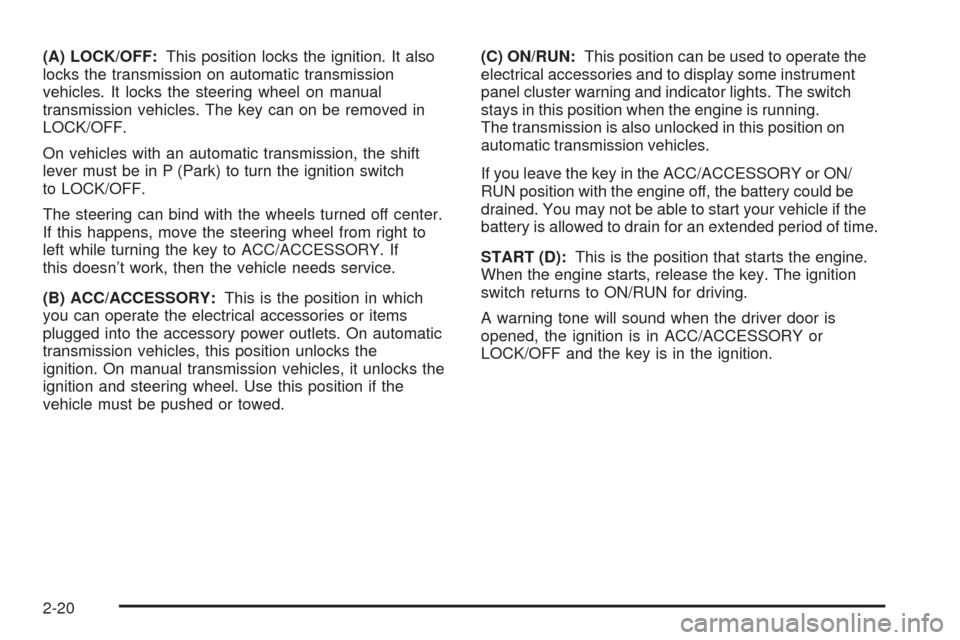
(A) LOCK/OFF:This position locks the ignition. It also
locks the transmission on automatic transmission
vehicles. It locks the steering wheel on manual
transmission vehicles. The key can on be removed in
LOCK/OFF.
On vehicles with an automatic transmission, the shift
lever must be in P (Park) to turn the ignition switch
to LOCK/OFF.
The steering can bind with the wheels turned off center.
If this happens, move the steering wheel from right to
left while turning the key to ACC/ACCESSORY. If
this doesn’t work, then the vehicle needs service.
(B) ACC/ACCESSORY:This is the position in which
you can operate the electrical accessories or items
plugged into the accessory power outlets. On automatic
transmission vehicles, this position unlocks the
ignition. On manual transmission vehicles, it unlocks the
ignition and steering wheel. Use this position if the
vehicle must be pushed or towed.(C) ON/RUN:This position can be used to operate the
electrical accessories and to display some instrument
panel cluster warning and indicator lights. The switch
stays in this position when the engine is running.
The transmission is also unlocked in this position on
automatic transmission vehicles.
If you leave the key in the ACC/ACCESSORY or ON/
RUN position with the engine off, the battery could be
drained. You may not be able to start your vehicle if the
battery is allowed to drain for an extended period of time.
START (D):This is the position that starts the engine.
When the engine starts, release the key. The ignition
switch returns to ON/RUN for driving.
A warning tone will sound when the driver door is
opened, the ignition is in ACC/ACCESSORY or
LOCK/OFF and the key is in the ignition.
2-20
Page 109 of 420
3 (Third), 4 (Fourth) and 5 (Fifth):Shift into 3 (Third),
4 (Fourth) and 5 (Fifth) the same way you do for
2 (Second). Slowly let up on the clutch pedal as you
press the accelerator pedal.
To stop, let up on the accelerator pedal and press the
brake pedal. Just before the vehicle stops, press
the clutch pedal and the brake pedal, and shift to
Neutral.
Neutral:Use this position when you start or idle the
engine.
R (Reverse):To back up, press the clutch pedal. After
the vehicle stops, shift into R (Reverse). Slowly let up on
the clutch pedal as you press the accelerator pedal. If it
is hard to shift, let the shift lever return to Neutral and
release the clutch pedal. Then press the clutch again and
shift into R (Reverse). Do not attempt to shift into 5 (Fifth)
prior to shifting into R (Reverse). The transmission
has a lock out feature which prevents a 5 (Fifth) gear to
R (Reverse) gear shift.
Notice:Shifting to R (Reverse) while the vehicle is
moving forward could damage the transmission.
The repairs would not be covered by the vehicle
warranty. Shift to R (Reverse) only after the vehicle
is stopped.
Use R (Reverse), along with the parking brake, for
parking the vehicle.Up-Shift Light
This light will show you
when to shift to the next
higher gear for best
fuel economy.
When this light comes on, you can shift to the next
higher gear if weather, road and traffic conditions permit.
For the best fuel economy, accelerate slowly and shift
when the light comes on.
While you accelerate, it is normal for the light to go on
and off if you quickly change the position of the
accelerator. Ignore the shift light when you downshift.
If the vehicle has four-wheel drive and has a manual
transmission, disregard the shift light when the transfer
case is in four-wheel low.
2-27
Page 112 of 420
4n(Four-Wheel Low):This setting also engages the
front axle to give you extra traction. It sends the maximum
power to all four wheels. You might choose four-wheel
low if you were driving off-road in sand, mud, or deep
snow and while climbing or descending steep hills.
Shifting into Four-Wheel Low will turn Traction Control
and StabiliTrak
®off. SeeTraction Control System (TCS)
on page 4-8andStabiliTrak®System on page 4-6for
more information.
Indicator lights in the buttons show you which setting you
are in. The indicator lights will come on briey when you
turn on the ignition and one will stay on the selected
setting. If the lights do not come on, you should take the
vehicle in for service. An indicator light will ash while
shifting. It will stay on when the shift is completed.
If the transfer case does not shift, it will return to the last
chosen setting.
Shifting from Two-Wheel High to
Four-Wheel High
Press and release the Four-Wheel High button. This
can be done at any speed, and the front axle will lock
automatically.
Shifting from Four-Wheel High to
Two-Wheel High
Press and release the Two-Wheel High button. This can
be done at any speed, and the front axle will unlock
automatically.
It is normal to hear and feel the vehicle’s transfer case
shift into Four-Wheel High. If you shift with the vehicle
stopped, the indicator light may still ash slowly. It may be
necessary to shift the transmission momentarily into
R (Reverse) and D (Drive), for an automatic transmission,
or R (Reverse) and 1 (First) for a manual transmission to
have the light stop ashing.
Shifting from Two-Wheel High or
Four-Wheel High to Four-Wheel Low
To shift from Two-Wheel High or Four-Wheel High to
Four-Wheel Low, the vehicle must be stopped or moving
less than 3 mph (5 km/h) with the transmission in
N (Neutral) for an automatic transmission or the clutch
pedal pressed for a manual transmission. The preferred
method for shifting into Four-Wheel Low is to have your
vehicle moving 1 to 2 mph (1.6 to 3.2 km/h).
Press and release the Four-Wheel Low button. You
must wait for the Four-Wheel Low indicator light to stop
ashing and stay on before shifting the transmission
into gear or releasing the clutch pedal.
2-30
Page 113 of 420
If the Four-Wheel Low button is pressed when the
vehicle is in gear and/or moving faster than 3 mph
(5 km/h), the four-wheel low indicator light will ash for
30 seconds and not complete the shift.
Shifting from Four-Wheel Low to
Two-Wheel High or Four-Wheel High
To shift from Four-Wheel Low to Two-Wheel High or
Four-Wheel High, the vehicle must be stopped or
moving less than 3 mph (5 km/h) with the transmission
in N (Neutral) for an automatic transmission or the
clutch pedal pressed for a manual transmission. The
preferred method for shifting out of four-wheel low is to
have your vehicle moving 1 to 2 mph (1.6 to 3.2 km/h).
Press and release the Four-Wheel High or Two-Wheel
High button. You must wait for the Four-Wheel High
or Two-Wheel High indicator light to stop ashing and
stay on before shifting the transmission into gear or
releasing the clutch pedal.
If the Four-Wheel High or Two-Wheel High button is
pressed when the vehicle is in gear and/or moving faster
than 3 mph (5km/h), the Four-Wheel High or Two Wheel
High indicator light will ash for 30 seconds but not
complete the shift.
Shifting to Neutral
Use N (Neutral) when you plan to tow the vehicle. See
Recreational Vehicle Towing on page 4-41for towing
instructions. To shift the transfer case into N (Neutral) do
the following:
1. Set the parking brake.
2. Start the vehicle.
3. Press the regular brake pedal and shift the
transmission in N (Neutral), or press in the clutch for
vehicles with a manual transmission.
4. Shift the transfer case to Two-Wheel High.
5. Press and hold the Two-Wheel High and
Four-Wheel Low buttons at the same time for
10 seconds. The N (Neutral) light will come on when
the transfer case shift to N (Neutral) is complete.
6. Press and hold the regular brake pedal and shift the
transmission to R (Reverse) for one second, then
shift the transmission to D (Drive) for one second, or
1 (First) for vehicles with manual transmissions, and
let out the clutch to insure the transfer case is in
N (Neutral). If the transfer case is not in N (Neutral),
repeat this procedure starting at Step 3.
7. Turn the engine off by turning the key to
ACC/ACCESSORY.
2-31
Page 114 of 420
8. Place the transmission shift lever in P (Park), or
1 (First) for vehicles that have a manual
transmission.
9. Turn the ignition to LOCK/OFF.
Shifting Out of Neutral
After towing the vehicle, you will have to shift out of
N (Neutral) in order to drive. To shift out of N (Neutral),
do the following:
1. Set the parking brake and apply the regular brake
pedal.
2. Start a vehicle with an automatic transmission in
P (Park). Use 1 (First) for vehicles with a manual
transmission.
3. Shift the transmission to N (Neutral), or press the
clutch pedal for vehicles with a manual
transmission.
4. Press the button for the desired transfer case shift
position (Two-Wheel High, Four-Wheel High, or
Four-Wheel Low).
5. After the transfer case has shifted out of N (Neutral),
the indicator light will go out.
6. Release the parking brake.
7. Shift the transmission to the desired position.
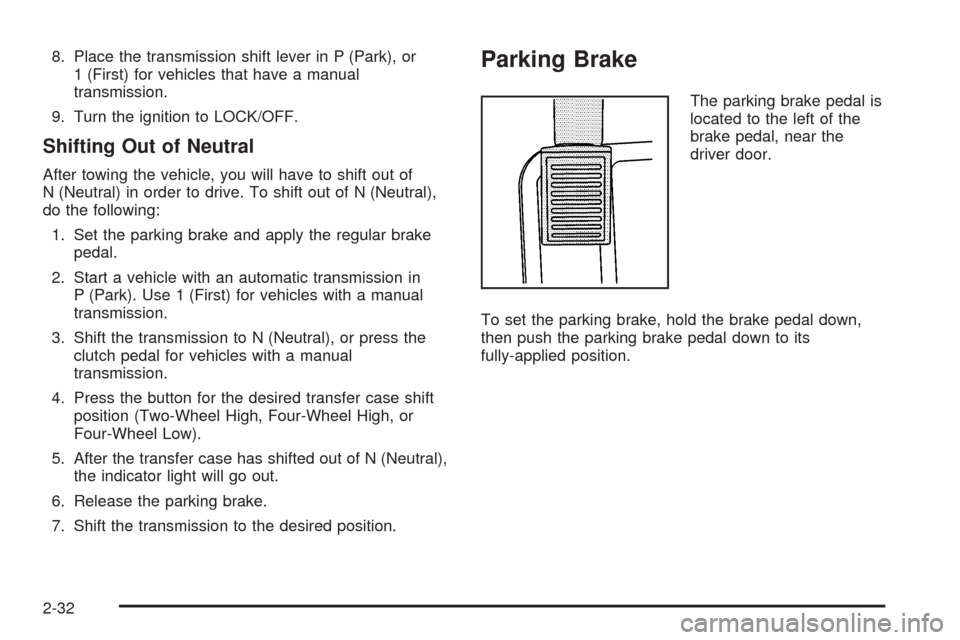
Parking Brake
The parking brake pedal is
located to the left of the
brake pedal, near the
driver door.
To set the parking brake, hold the brake pedal down,
then push the parking brake pedal down to its
fully-applied position.
2-32
Page 115 of 420
A chime will activate and the brake warning light, located
on the instrument panel, will ash when the parking brake
is applied and the vehicle is moving at least 3 mph
(5 km/h) for at least three seconds. The chime will
deactivate and the light will turn off when the parking
brake is set and the vehicle is moving below 3 mph
(5 km/h). SeeBrake System Warning Light on page 3-27.
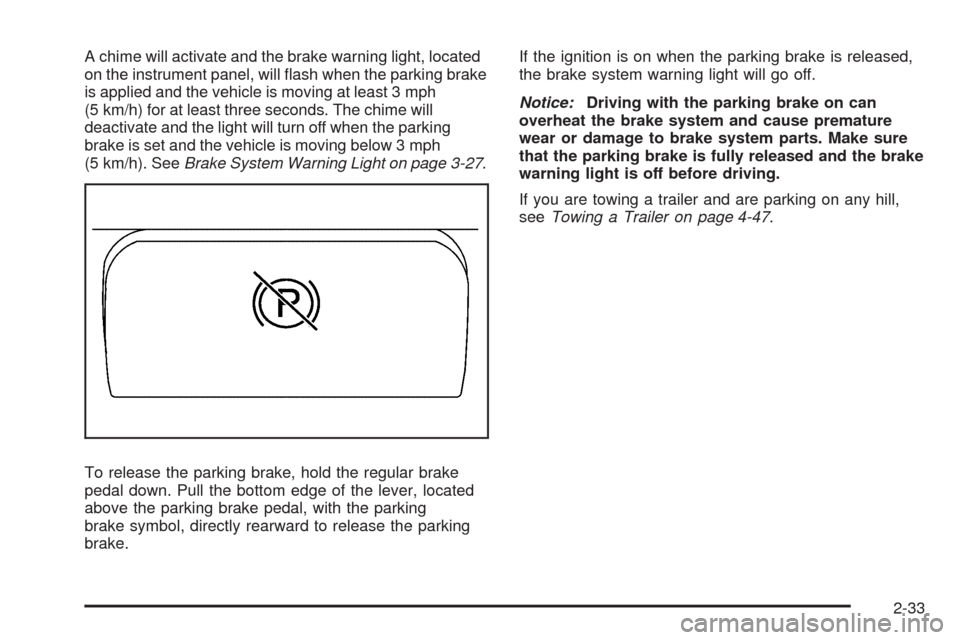
To release the parking brake, hold the regular brake
pedal down. Pull the bottom edge of the lever, located
above the parking brake pedal, with the parking
brake symbol, directly rearward to release the parking
brake.If the ignition is on when the parking brake is released,
the brake system warning light will go off.
Notice:Driving with the parking brake on can
overheat the brake system and cause premature
wear or damage to brake system parts. Make sure
that the parking brake is fully released and the brake
warning light is off before driving.
If you are towing a trailer and are parking on any hill,
seeTowing a Trailer on page 4-47.
2-33