instrument panel CHEVROLET COLORADO 2011 1.G Owner's Guide
[x] Cancel search | Manufacturer: CHEVROLET, Model Year: 2011, Model line: COLORADO, Model: CHEVROLET COLORADO 2011 1.GPages: 392, PDF Size: 6.37 MB
Page 197 of 392
Black plate (23,1)Chevrolet Colorado Owner Manual - 2011
Driving and Operating 9-23
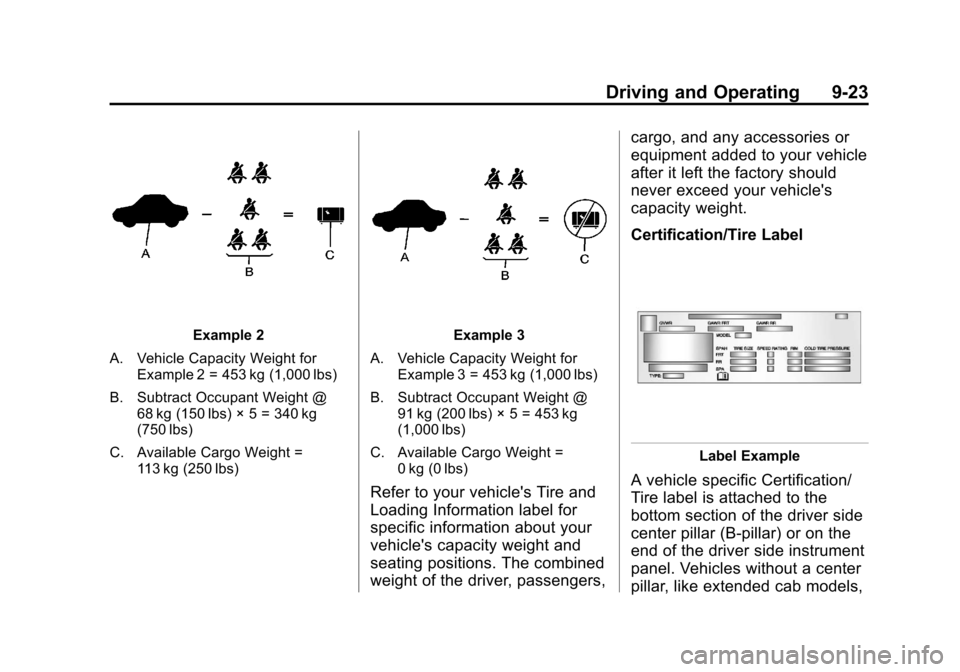
Example 2
A. Vehicle Capacity Weight for Example 2 = 453 kg (1,000 lbs)
B. Subtract Occupant Weight @ 68 kg (150 lbs) × 5 = 340 kg
(750 lbs)
C. Available Cargo Weight = 113 kg (250 lbs)Example 3
A. Vehicle Capacity Weight for Example 3 = 453 kg (1,000 lbs)
B. Subtract Occupant Weight @ 91 kg (200 lbs) × 5 = 453 kg
(1,000 lbs)
C. Available Cargo Weight = 0 kg (0 lbs)
Refer to your vehicle's Tire and
Loading Information label for
specific information about your
vehicle's capacity weight and
seating positions. The combined
weight of the driver, passengers, cargo, and any accessories or
equipment added to your vehicle
after it left the factory should
never exceed your vehicle's
capacity weight.
Certification/Tire Label
Label Example
A vehicle specific Certification/
Tire label is attached to the
bottom section of the driver side
center pillar (B-pillar) or on the
end of the driver side instrument
panel. Vehicles without a center
pillar, like extended cab models,
Page 202 of 392
Black plate (28,1)Chevrolet Colorado Owner Manual - 2011
9-28 Driving and Operating
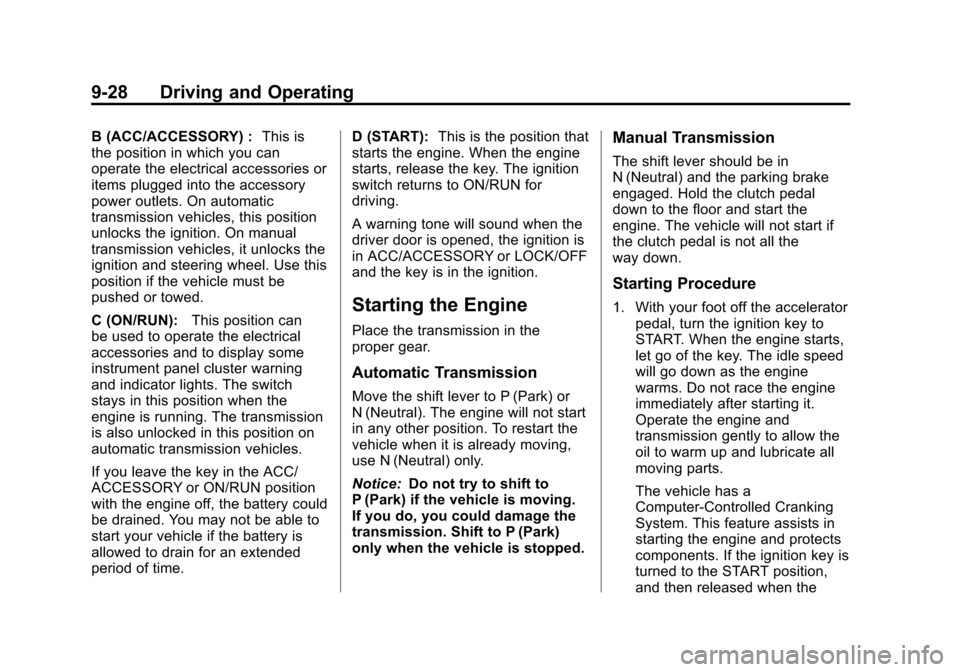
B (ACC/ACCESSORY) :This is
the position in which you can
operate the electrical accessories or
items plugged into the accessory
power outlets. On automatic
transmission vehicles, this position
unlocks the ignition. On manual
transmission vehicles, it unlocks the
ignition and steering wheel. Use this
position if the vehicle must be
pushed or towed.
C (ON/RUN): This position can
be used to operate the electrical
accessories and to display some
instrument panel cluster warning
and indicator lights. The switch
stays in this position when the
engine is running. The transmission
is also unlocked in this position on
automatic transmission vehicles.
If you leave the key in the ACC/
ACCESSORY or ON/RUN position
with the engine off, the battery could
be drained. You may not be able to
start your vehicle if the battery is
allowed to drain for an extended
period of time. D (START):
This is the position that
starts the engine. When the engine
starts, release the key. The ignition
switch returns to ON/RUN for
driving.
A warning tone will sound when the
driver door is opened, the ignition is
in ACC/ACCESSORY or LOCK/OFF
and the key is in the ignition.
Starting the Engine
Place the transmission in the
proper gear.
Automatic Transmission
Move the shift lever to P (Park) or
N (Neutral). The engine will not start
in any other position. To restart the
vehicle when it is already moving,
use N (Neutral) only.
Notice: Do not try to shift to
P (Park) if the vehicle is moving.
If you do, you could damage the
transmission. Shift to P (Park)
only when the vehicle is stopped.
Manual Transmission
The shift lever should be in
N (Neutral) and the parking brake
engaged. Hold the clutch pedal
down to the floor and start the
engine. The vehicle will not start if
the clutch pedal is not all the
way down.
Starting Procedure
1. With your foot off the accelerator pedal, turn the ignition key to
START. When the engine starts,
let go of the key. The idle speed
will go down as the engine
warms. Do not race the engine
immediately after starting it.
Operate the engine and
transmission gently to allow the
oil to warm up and lubricate all
moving parts.
The vehicle has a
Computer-Controlled Cranking
System. This feature assists in
starting the engine and protects
components. If the ignition key is
turned to the START position,
and then released when the
Page 213 of 392
Black plate (39,1)Chevrolet Colorado Owner Manual - 2011
Driving and Operating 9-39
Drive Systems
Four-Wheel Drive
If the vehicle has four-wheel
drive, you can send the engine's
driving power to all four wheels for
extra traction. To get the best
performance out of four-wheel
drive, you must be familiar with its
operation. Read this section before
using four-wheel drive. You should
use two-wheel drive high for most
normal driving conditions.
Notice:Driving on clean, dry
pavement in four-wheel drive for
an extended period of time can
cause premature wear on the
vehicle's powertrain. Do not drive
on clean, dry pavement in
Four-Wheel Drive for extended
periods of time. Notice:
If the vehicle has
four-wheel drive and the different
size spare tire is installed on the
vehicle, do not drive in four-wheel
drive until you can have your flat
tire repaired and/or replaced. You
could damage the vehicle, and
the repair costs would not be
covered by your warranty. Never
use four-wheel drive when the
different size spare tire is
installed on the vehicle.
Notice: If the vehicle has
four-wheel drive and the compact
spare tire is installed on the
vehicle, do not drive in four-wheel
drive until you can have the flat
tire repaired and/or replaced. You
could damage the vehicle, and
the repair costs would not be
covered by your warranty. Never
use four-wheel drive when the
compact spare tire is installed on
the vehicle.
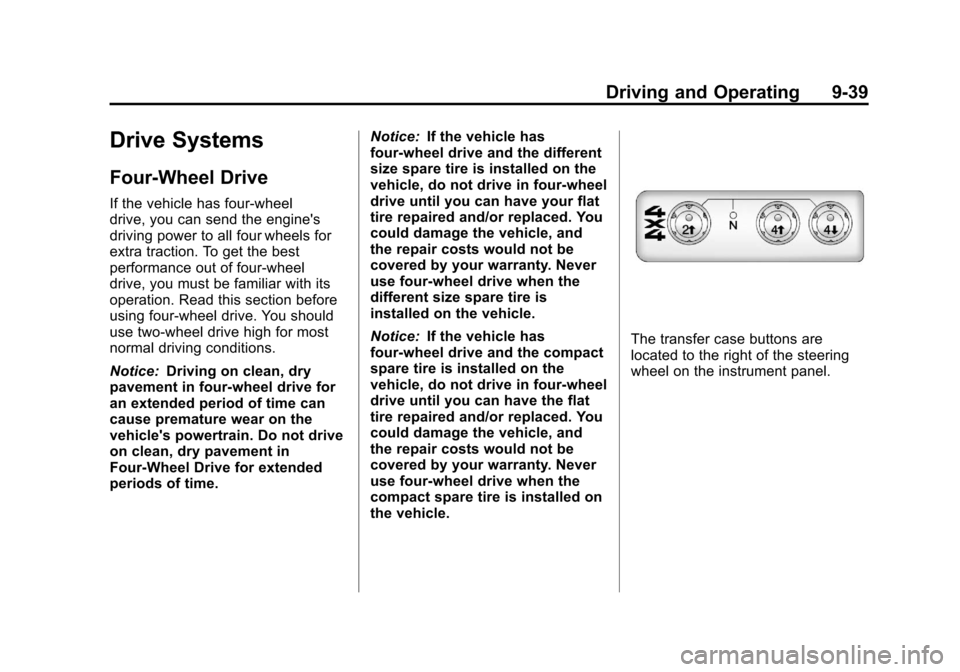
The transfer case buttons are
located to the right of the steering
wheel on the instrument panel.
Page 218 of 392
Black plate (44,1)Chevrolet Colorado Owner Manual - 2011
9-44 Driving and Operating
As the brakes are applied, the
computer keeps receiving updates
on wheel speed and controls
braking pressure accordingly.
Remember: ABS does not change
the time needed to get a foot up to
the brake pedal or always decrease
stopping distance. If you get too
close to the vehicle in front of you,
there will not be enough time to
apply the brakes if that vehicle
suddenly slows or stops. Always
leave enough room up ahead to
stop, even with ABS.
Using ABS
Do not pump the brakes. Just hold
the brake pedal down firmly and let
ABS work. You might hear the ABS
pump or motor operating and feel
the brake pedal pulsate, but this is
normal.
Braking in Emergencies
ABS allows the driver to steer and
brake at the same time. In many
emergencies, steering can help
more than even the very best
braking.
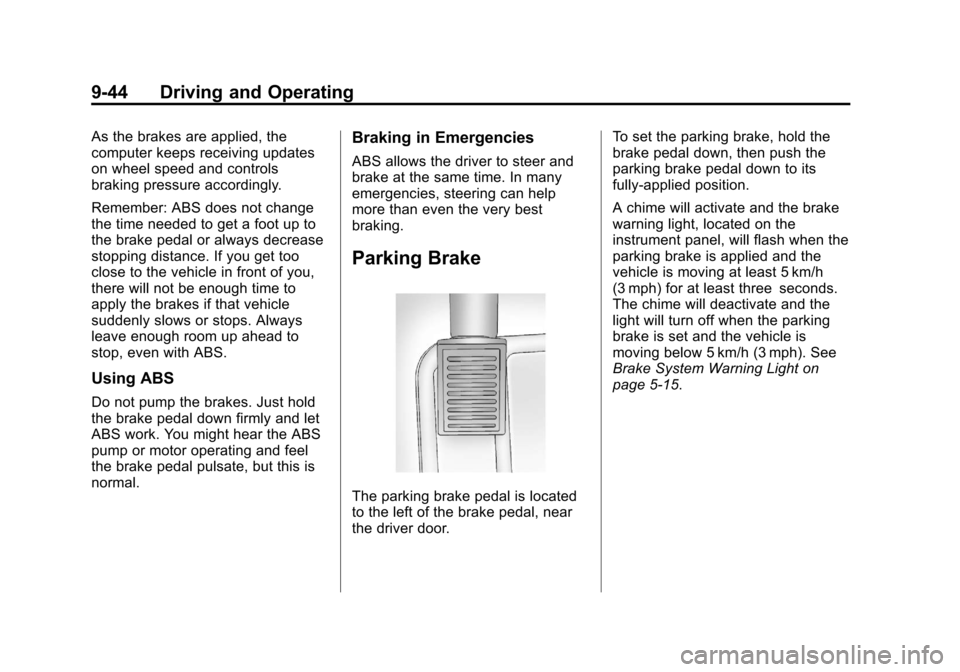
Parking Brake
The parking brake pedal is located
to the left of the brake pedal, near
the driver door.To set the parking brake, hold the
brake pedal down, then push the
parking brake pedal down to its
fully-applied position.
A chime will activate and the brake
warning light, located on the
instrument panel, will flash when the
parking brake is applied and the
vehicle is moving at least 5 km/h
(3 mph) for at least three seconds.
The chime will deactivate and the
light will turn off when the parking
brake is set and the vehicle is
moving below 5 km/h (3 mph). See
Brake System Warning Light on
page 5‑15.
Page 220 of 392
Black plate (46,1)Chevrolet Colorado Owner Manual - 2011
9-46 Driving and Operating
Ride Control Systems
Traction Control
System (TCS)
The Traction Control System (TCS)
is part of StabiliTrak. TCS limits
wheel slip which is especially useful
in slippery road conditions. The
system operates only if it senses
that any of the wheels are spinning
or beginning to lose traction. When
this happens, TCS applies the
brakes to limit wheel spin and also
reduces engine power. The system
may be heard or felt while it is
working. This is normal and does
not mean there is a problem with
the vehicle.
Notice:If the wheel(s) of one axle
is allowed to spin excessively
while the StabiliTrak
®, ABS, brake
warning lights, and any relevant
DIC messages are displayed, the
transfer case could be damaged.
The repairs would not be covered
by the vehicle warranty. Reduce
engine power and do not spin the wheel(s) excessively while these
lights and messages are
displayed.
TCS can operate on dry roads
under some conditions. When
this happens, the system may be
heard working or a reduction in
acceleration may be noticed. This
is normal and does not mean there
is a problem with the vehicle.
Examples of these conditions
include hard acceleration in a turn,
an abrupt upshift or downshift of the
transmission or driving on rough
roads.
If cruise control is being used when
TCS begins to limit wheel spin, the
cruise control automatically
disengages. The cruise control can
be re-engaged when road
conditions allow. See
Cruise Control
on page 9‑49.
The message TRACTION FAULT
appears in the Driver Information
Center (DIC) when a TCS or
Antilock Brake System (ABS)
problem has been detected and the vehicle needs service. When this
message is on, the system will not
limit wheel spin. Adjust your driving
accordingly. See
Ride Control
System Messages on page 5‑25.
The StabiliTrak/TCS light will flash
on the instrument panel cluster
when the TCS system or StabiliTrak
is both on and activated.
The StabiliTrak/TCS button is
located on the instrument panel.
Page 221 of 392
Black plate (47,1)Chevrolet Colorado Owner Manual - 2011
Driving and Operating 9-47
To turn off TCS, press and release
the StabiliTrak/TCS button. The
StabiliTrak/TCS light comes on in
the instrument panel cluster, and
TRAC OFF comes on the DIC. To
turn TCS back on, press and
release the StabiliTrak/TCS button.
Adding non-dealer/non-retailer
accessories can affect the vehicle's
performance. SeeAccessories and
Modifications on page 10‑4.
StabiliTrak®System
The vehicle has an electronic
stability control system called
StabiliTrak. It is an advanced
computer controlled system that
assists the driver with directional
control of the vehicle in difficult
driving conditions.
StabiliTrak activates when the
computer senses a discrepancy
between the intended path and the
direction the vehicle is actually
traveling. StabiliTrak selectively
applies braking pressure at any one of the vehicle's brakes to assist the
driver with keeping the vehicle on
the intended path.
When the vehicle is started and
begins to move, the system
performs several diagnostic checks
to insure there are no problems.
The system may be heard or felt
while it is working. This is normal
and does not mean there is a
problem with the vehicle. The
system should initialize before the
vehicle reaches 32 km/h (20 mph).
In some cases, it may take
approximately two miles of driving
before the system initializes.
If cruise control is being used when
StabiliTrak activates, the cruise
control automatically disengages.
The cruise control can be
re-engaged when road conditions
allow. See
Cruise Control on
page 9‑49. If there is a problem detected with
StabiliTrak, a SERVICE STAB SYS
message displays on the Driver
Information Center (DIC). See
Ride
Control System Messages on
page 5‑25 for more information.
When this message is displayed,
the system is not working. Adjust
your driving accordingly.
StabiliTrak and Traction Control
(TCS) come on automatically
whenever the vehicle is started and
the systems are reset with each
ignition cycle. However, when the
transfer case is placed in
Four-Wheel-Low mode, StabiliTrak
is automatically disabled. See
Four-Wheel Drive on page 10‑30
for more information. It is
recommended to leave the system
on for normal driving conditions, but
it may be necessary to turn the TCS
portion of the system off if the
vehicle is stuck in sand, mud, ice,
or snow, and it is necessary to
“rock” the vehicle to attempt to free
it. If traction control is turned off,
only the brake-traction control
Page 222 of 392
Black plate (48,1)Chevrolet Colorado Owner Manual - 2011
9-48 Driving and Operating
portion of traction control will work.
The engine speed management will
be disabled. In this mode, engine
power is not reduced automatically
and the drive wheels can spin more
freely. This can cause the
brake-traction control to activate
constantly. SeeIf the Vehicle is
Stuck on page 9‑19.
The StabiliTrak/TCS light will flash
on the instrument panel cluster
when the TCS system or StabiliTrak
is both on and activated.
The StabiliTrak/TCS button is
located on the instrument panel.
To turn off TCS, press and release
the StabiliTrak/TCS button. The
StabiliTrak/TCS light comes on in
the instrument panel cluster, and
TRAC OFF comes on the DIC. To
turn TCS back on, press and
release the StabiliTrak/TCS button.
To turn off TCS and StabiliTrak,
press and hold the StabiliTrak/TCS
button until the TRAC OFF and
STAB SYS OFF messages come on
the DIC and the StabiliTrak/TCS
light comes on the instrument panel.
To turn TCS and StabiliTrak back
on, press and release the
StabiliTrak/TCS button. When the TCS or StabiliTrak system
is turned off, the StabiliTrak/TCS
light and the appropriate TRAC OFF
or STAB SYS OFF message will be
displayed on the DIC. The vehicle
will still have brake-traction control
when TCS or StabiliTrak is off, but
will not be able to use the engine
speed management system. The
StabiliTrak/TCS light flashes when
either system is actively working.
See
Traction Control System (TCS)
on page 9‑46 for more information.
Limited-Slip Rear Axle
Vehicles with a limited-slip rear axle
can give more traction on snow,
mud, ice, sand or gravel. It works
like a standard axle most of the
time, but when traction is low, this
feature allows the drive wheel with
the most traction to move the
vehicle.
Page 224 of 392
Black plate (50,1)Chevrolet Colorado Owner Manual - 2011
9-50 Driving and Operating
This light on the instrument panel
cluster comes on while the cruise
control is on.
Resuming a Set Speed
If the cruise control is set at a
desired speed and then the brakes
are applied, the cruise control is
disengaged without erasing the set
speed from memory.
Once the vehicle speed reaches
about 40 km/h (25 mph) or more,
move the cruise control lever briefly
from
RtoS. The vehicle returns to
the previous set speed and stays
there.
If the lever is held at resume/
accelerate the vehicle keeps going
faster until the lever is released or the brake is applied. Do not hold the
lever at resume/accelerate, unless
you want the vehicle to go faster.
Increasing Speed While Using
Cruise Control
If the cruise control system is
already activated,
.Use the accelerator pedal to get
to the higher speed. Press
r
T
at the end of the lever, then
release the button and the
accelerator pedal. If the
accelerator pedal is held longer
than 60 seconds, cruise control
will turn off.
.Move the cruise lever fromRto
S. Hold it until the desired
speed is reached, and then
release the lever.
.To increase the vehicle speed in
small amounts, move the lever
briefly to
S. Reducing Speed While Using
Cruise Control
If the cruise control system is
already activated,
.Press and holdr Tuntil the
lower speed desired is reached,
then release it.
.To slow down in small amounts,
briefly press
r T.
Passing Another Vehicle While
Using Cruise Control
Use the accelerator pedal to
increase the vehicle speed. When
you take your foot off the pedal, the
vehicle will slow down to the
previous set cruise control speed.
Using Cruise Control on Hills
How well the cruise control works
on hills depends upon the vehicle
speed, load, and the steepness of
the hills. When going up steep hills,
you might have to step on the
accelerator pedal to maintain the
vehicle speed. When going
downhill, you might have to brake or
Page 229 of 392
Black plate (55,1)Chevrolet Colorado Owner Manual - 2011
Driving and Operating 9-55
allow fuel to evaporate into the
atmosphere. If the fuel cap is not
properly installed, the FUEL CAP
message appears on the Driver
Information Center (DIC) and the
check engine light will be lit on the
instrument panel cluster. SeeFuel
System Messages on page 5‑25
and Malfunction Indicator Lamp on
page 5‑12 for more information.
{WARNING
If a fire starts while you are
refueling, do not remove the
nozzle. Shut off the flow of fuel by
shutting off the pump or by
notifying the station attendant.
Leave the area immediately.
Notice: If a new fuel cap is
needed, be sure to get the right
type of cap from your dealer. The
wrong type fuel cap might not fit
properly, might cause the
malfunction indicator lamp to
light, and could damage the fuel tank and emissions system. See
Malfunction Indicator Lamp on
page 5‑12.
Filling a Portable Fuel
Container
{WARNING
Never fill a portable fuel container
while it is in the vehicle. Static
electricity discharge from the
container can ignite the fuel
vapor. You can be badly burned
and the vehicle damaged if this
occurs. To help avoid injury to you
and others:
.Dispense fuel only into
approved containers.
.Do not fill a container while it
is inside a vehicle, in a
vehicle's trunk, pickup bed,
or on any surface other than
the ground.
(Continued)
WARNING (Continued)
.Bring the fill nozzle in contact
with the inside of the fill
opening before operating the
nozzle. Contact should be
maintained until the filling is
complete.
.Do not smoke while
pumping fuel.
.Do not use a cellular phone
while pumping fuel.
Page 231 of 392
Black plate (57,1)Chevrolet Colorado Owner Manual - 2011
Driving and Operating 9-57
Driving with a Trailer
{WARNING
When towing a trailer, exhaust
gases may collect at the rear of
the vehicle and enter if the
liftgate, trunk/hatch, or rear-most
window is open.
Engine exhaust contains Carbon
Monoxide (CO) which cannot be
seen or smelled. It can cause
unconsciousness and even death.
To maximize safety when towing
a trailer:
.Have the exhaust system
inspected for leaks and make
necessary repairs before
starting a trip.
.Never drive with the liftgate,
trunk/hatch, or rear-most
window open.(Continued)
WARNING (Continued)
.Fully open the air outlets on
or under the instrument
panel.
.Adjust the Climate Control
system to a setting that
brings in only outside air and
set the fan speed to the
highest setting. See Climate
Control System in the Index.
For more information about
Carbon Monoxide, see Engine
Exhaust on page 9‑33.
Towing a trailer requires a certain
amount of experience. Get to know
the rig before setting out for the
open road. Get acquainted with the
feel of handling and braking with the
added weight of the trailer. And
always keep in mind that the vehicle
you are driving is now longer and
not as responsive as the vehicle is
by itself. Before starting, check all trailer hitch
parts and attachments, safety
chains, electrical connectors, lamps,
tires and mirror adjustments. If the
trailer has electric brakes, start the
vehicle and trailer moving and then
apply the trailer brake controller by
hand to be sure the brakes are
working. This checks the electrical
connection at the same time.
During the trip, check occasionally
to be sure that the load is secure,
and that the lamps and any trailer
brakes are still working.
While towing a trailer or when
exposed to long periods of
sunshine, the floor of the truck bed
may become very warm. Avoid
putting items in the truck bed that
might be affected by high ambient
temperatures.