door lock CHEVROLET COLORADO 2011 1.G Owners Manual
[x] Cancel search | Manufacturer: CHEVROLET, Model Year: 2011, Model line: COLORADO, Model: CHEVROLET COLORADO 2011 1.GPages: 392, PDF Size: 6.37 MB
Page 1 of 392

Black plate (1,1)Chevrolet Colorado Owner Manual - 2011
2011 Chevrolet Colorado Owner ManualM
In Brief. . . . . . . . . . . . . . . . . . . . . . . . 1-1
Instrument Panel . . . . . . . . . . . . . . 1-2
Initial Drive Information . . . . . . . . 1-3
Vehicle Features . . . . . . . . . . . . . 1-13
Performance and Maintenance . . . . . . . . . . . . . . . . 1-16
Keys, Doors and Windows . . . 2-1
Keys and Locks . . . . . . . . . . . . . . . 2-2
Doors . . . . . . . . . . . . . . . . . . . . . . . . . . 2-7
Vehicle Security . . . . . . . . . . . . . . . . 2-9
Exterior Mirrors . . . . . . . . . . . . . . . 2-12
Interior Mirrors . . . . . . . . . . . . . . . . 2-14
Windows . . . . . . . . . . . . . . . . . . . . . 2-15 Seats and Restraints
. . . . . . . . . 3-1
Head Restraints . . . . . . . . . . . . . . . 3-2
Front Seats . . . . . . . . . . . . . . . . . . . . 3-3
Rear Seats . . . . . . . . . . . . . . . . . . . . 3-9
Safety Belts . . . . . . . . . . . . . . . . . . 3-12
Airbag System . . . . . . . . . . . . . . . . 3-26
Child Restraints . . . . . . . . . . . . . . 3-39
Storage . . . . . . . . . . . . . . . . . . . . . . . 4-1
Storage Compartments . . . . . . . . 4-1
Instruments and Controls . . . . 5-1
Controls . . . . . . . . . . . . . . . . . . . . . . . 5-2
Warning Lights, Gauges, and Indicators . . . . . . . . . . . . . . . . . . . . 5-6
Information Displays . . . . . . . . . . 5-19
Vehicle Messages . . . . . . . . . . . . 5-22 Lighting
. . . . . . . . . . . . . . . . . . . . . . . 6-1
Exterior Lighting . . . . . . . . . . . . . . . 6-1
Interior Lighting . . . . . . . . . . . . . . . . 6-5
Lighting Features . . . . . . . . . . . . . . 6-6
Infotainment System . . . . . . . . . 7-1
Introduction . . . . . . . . . . . . . . . . . . . . 7-1
Radio . . . . . . . . . . . . . . . . . . . . . . . . . . 7-7
Audio Players . . . . . . . . . . . . . . . . 7-14
Phone . . . . . . . . . . . . . . . . . . . . . . . . 7-20
Climate Controls . . . . . . . . . . . . . 8-1
Climate Control Systems . . . . . . 8-1
Air Vents . . . . . . . . . . . . . . . . . . . . . . . 8-3
Page 7 of 392
Black plate (1,1)Chevrolet Colorado Owner Manual - 2011
In Brief 1-1
In Brief
Instrument Panel
Instrument Panel . . . . . . . . . . . . . . 1-2
Initial Drive Information
Initial Drive Information . . . . . . . . 1-3
Remote Keyless Entry (RKE)System . . . . . . . . . . . . . . . . . . . . . . 1-4
Door Locks . . . . . . . . . . . . . . . . . . . 1-4
Tailgate . . . . . . . . . . . . . . . . . . . . . . . 1-5
Windows . . . . . . . . . . . . . . . . . . . . . . 1-5
Seat Adjustment . . . . . . . . . . . . . . 1-6
Heated Seats . . . . . . . . . . . . . . . . . 1-7
Head Restraint Adjustment . . . . 1-7
Safety Belts . . . . . . . . . . . . . . . . . . . 1-8 Sensing System for Passenger
Airbag . . . . . . . . . . . . . . . . . . . . . . . 1-8
Mirror Adjustment . . . . . . . . . . . . . 1-9
Steering Wheel Adjustment . . . . . . . . . . . . . . . . . 1-10
Interior Lighting . . . . . . . . . . . . . . 1-10
Exterior Lighting . . . . . . . . . . . . . 1-11
Windshield Wiper/Washer . . . . 1-11
Climate Controls . . . . . . . . . . . . . 1-12
Four-Wheel Drive . . . . . . . . . . . . 1-12
Vehicle Features
Radio(s) . . . . . . . . . . . . . . . . . . . . . 1-13
Satellite Radio . . . . . . . . . . . . . . . 1-14
Cruise Control . . . . . . . . . . . . . . . 1-15
Driver Information Center (DIC) . . . . . . . . . . . . . . . 1-15
Power Outlets . . . . . . . . . . . . . . . 1-15
Performance and Maintenance
Traction Control System (TCS) . . . . . . . . . . . . . . 1-16
StabiliTrak
®System . . . . . . . . . 1-16
Tire Pressure Monitor . . . . . . . . 1-16
Engine Oil Life System . . . . . . 1-17
Driving for Better Fuel Economy . . . . . . . . . . . . . . . . . . . 1-17
Roadside Assistance Program . . . . . . . . . . . . . . . . . . . . 1-17
OnStar
®. . . . . . . . . . . . . . . . . . . . . 1-18
Page 10 of 392
Black plate (4,1)Chevrolet Colorado Owner Manual - 2011
1-4 In Brief
Remote Keyless Entry
(RKE) System
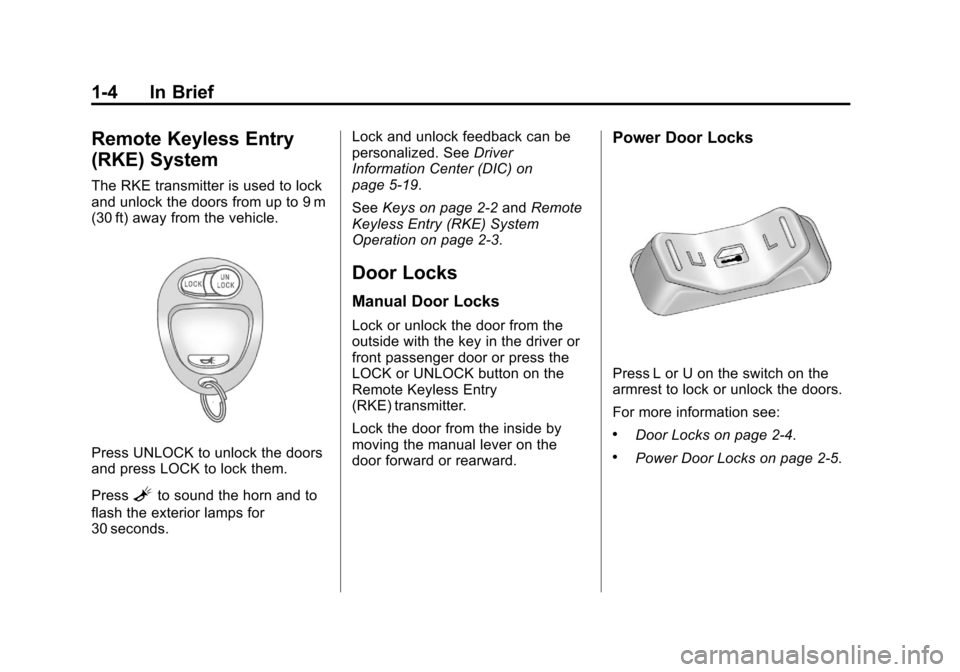
The RKE transmitter is used to lock
and unlock the doors from up to 9 m
(30 ft) away from the vehicle.
Press UNLOCK to unlock the doors
and press LOCK to lock them.
Press
Lto sound the horn and to
flash the exterior lamps for
30 seconds. Lock and unlock feedback can be
personalized. See
Driver
Information Center (DIC) on
page 5‑19.
See Keys on page 2‑2 andRemote
Keyless Entry (RKE) System
Operation on page 2‑3.
Door Locks
Manual Door Locks
Lock or unlock the door from the
outside with the key in the driver or
front passenger door or press the
LOCK or UNLOCK button on the
Remote Keyless Entry
(RKE) transmitter.
Lock the door from the inside by
moving the manual lever on the
door forward or rearward.
Power Door Locks
Press L or U on the switch on the
armrest to lock or unlock the doors.
For more information see:
.Door Locks on page 2‑4.
.Power Door Locks on page 2‑5.
Page 16 of 392
Black plate (10,1)Chevrolet Colorado Owner Manual - 2011
1-10 In Brief
Steering Wheel
Adjustment
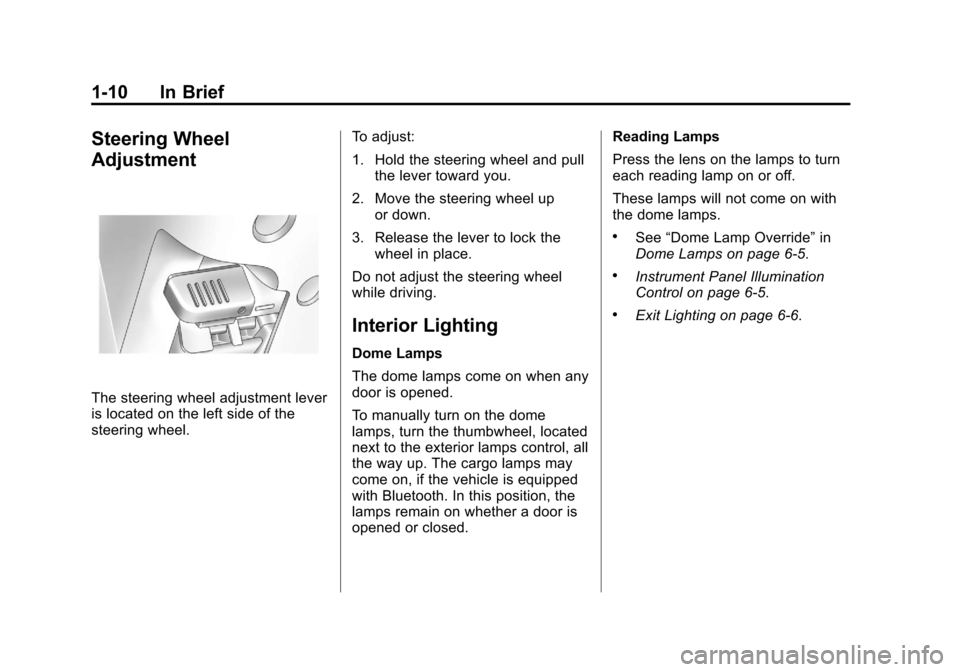
The steering wheel adjustment lever
is located on the left side of the
steering wheel.To adjust:
1. Hold the steering wheel and pull
the lever toward you.
2. Move the steering wheel up or down.
3. Release the lever to lock the wheel in place.
Do not adjust the steering wheel
while driving.
Interior Lighting
Dome Lamps
The dome lamps come on when any
door is opened.
To manually turn on the dome
lamps, turn the thumbwheel, located
next to the exterior lamps control, all
the way up. The cargo lamps may
come on, if the vehicle is equipped
with Bluetooth. In this position, the
lamps remain on whether a door is
opened or closed. Reading Lamps
Press the lens on the lamps to turn
each reading lamp on or off.
These lamps will not come on with
the dome lamps.
.See
“Dome Lamp Override” in
Dome Lamps on page 6‑5.
.Instrument Panel Illumination
Control on page 6‑5.
.Exit Lighting on page 6‑6.
Page 21 of 392
Black plate (15,1)Chevrolet Colorado Owner Manual - 2011
In Brief 1-15
Cruise Control
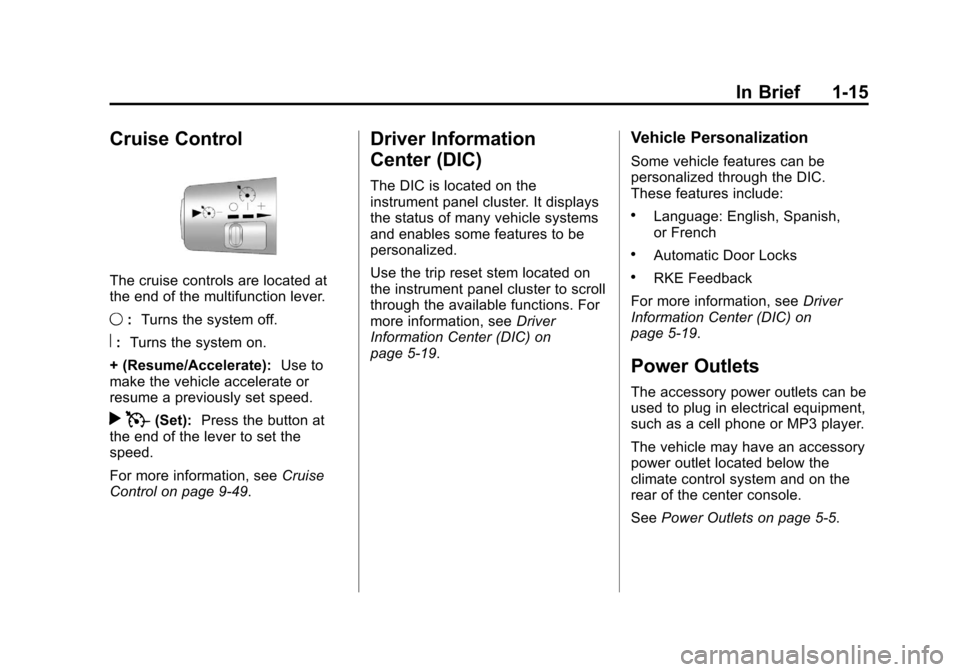
The cruise controls are located at
the end of the multifunction lever.
9:Turns the system off.
R:Turns the system on.
+ (Resume/Accelerate): Use to
make the vehicle accelerate or
resume a previously set speed.
r T(Set): Press the button at
the end of the lever to set the
speed.
For more information, see Cruise
Control on page 9‑49.
Driver Information
Center (DIC)
The DIC is located on the
instrument panel cluster. It displays
the status of many vehicle systems
and enables some features to be
personalized.
Use the trip reset stem located on
the instrument panel cluster to scroll
through the available functions. For
more information, see Driver
Information Center (DIC) on
page 5‑19.
Vehicle Personalization
Some vehicle features can be
personalized through the DIC.
These features include:
.Language: English, Spanish,
or French
.Automatic Door Locks
.RKE Feedback
For more information, see Driver
Information Center (DIC) on
page 5‑19.
Power Outlets
The accessory power outlets can be
used to plug in electrical equipment,
such as a cell phone or MP3 player.
The vehicle may have an accessory
power outlet located below the
climate control system and on the
rear of the center console.
See Power Outlets on page 5‑5.
Page 24 of 392
Black plate (18,1)Chevrolet Colorado Owner Manual - 2011
1-18 In Brief
For more information seeRoadside
Assistance Program (U.S. and
Canada) on page 13‑7 orRoadside
Assistance Program (Mexico) on
page 13‑9.
Roadside Assistance and OnStar
(U.S. and Canada)
If you have a current OnStar
subscription, press the
Qbutton
and the current GPS location will
be sent to an OnStar advisor who
will assess your problem, contact
Roadside Assistance, and relay
your exact location to get the help
you need.
Online Owner Center (U.S. and
Canada)
The Online Owner Center is a
complimentary service that includes
online service reminders, vehicle
maintenance tips, online owner
manual, special privileges,
and more.
Sign up today at:
www.chevyownercenter.com
(U.S.) or www.gm.ca (Canada).
OnStar®
For vehicles with an active OnStar
subscription, OnStar uses several
innovative technologies and live
Advisors to provide a wide range
of safety, security, navigation,
diagnostics, and calling services.
Automatic Crash Response
In a crash, built‐in sensors can
automatically alert an OnStar
Advisor who is immediately
connected to the vehicle to see
if you need help.
How OnStar Service Works
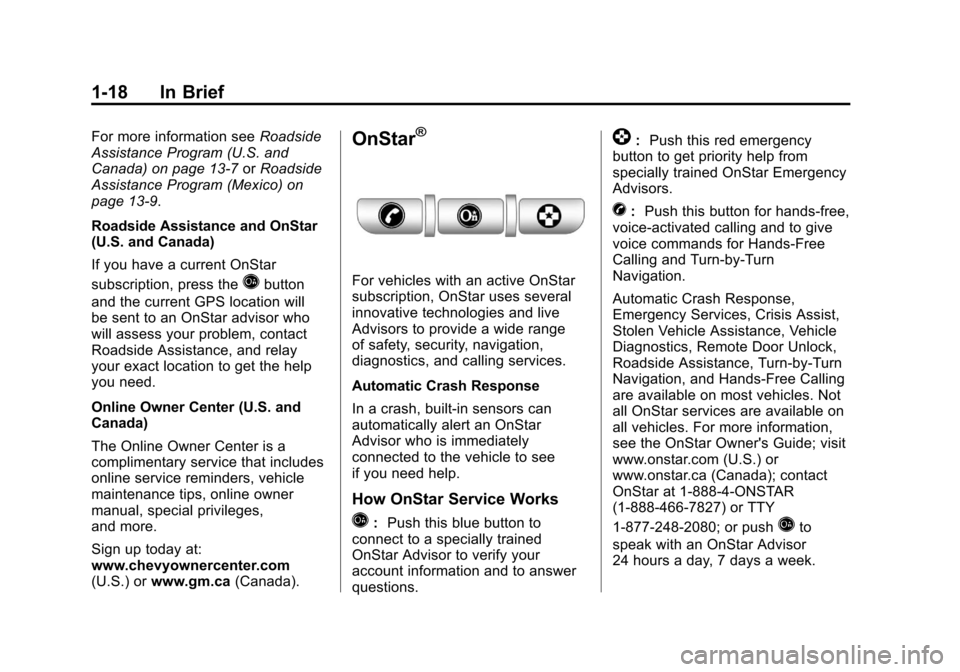
Q:Push this blue button to
connect to a specially trained
OnStar Advisor to verify your
account information and to answer
questions.
]: Push this red emergency
button to get priority help from
specially trained OnStar Emergency
Advisors.
X: Push this button for hands‐free,
voice‐activated calling and to give
voice commands for Hands‐Free
Calling and Turn‐by‐Turn
Navigation.
Automatic Crash Response,
Emergency Services, Crisis Assist,
Stolen Vehicle Assistance, Vehicle
Diagnostics, Remote Door Unlock,
Roadside Assistance, Turn‐by‐Turn
Navigation, and Hands‐Free Calling
are available on most vehicles. Not
all OnStar services are available on
all vehicles. For more information,
see the OnStar Owner's Guide; visit
www.onstar.com (U.S.) or
www.onstar.ca (Canada); contact
OnStar at 1-888-4-ONSTAR
(1‐888‐466‐7827) or TTY
1‐877‐248‐2080; or push
Qto
speak with an OnStar Advisor
24 hours a day, 7 days a week.
Page 27 of 392
Black plate (1,1)Chevrolet Colorado Owner Manual - 2011
Keys, Doors and Windows 2-1
Keys, Doors and
Windows
Keys and Locks
Keys . . . . . . . . . . . . . . . . . . . . . . . . . . 2-2
Remote Keyless Entry (RKE)System . . . . . . . . . . . . . . . . . . . . . . 2-2
Remote Keyless Entry (RKE) System Operation . . . . . . . . . . . 2-3
Door Locks . . . . . . . . . . . . . . . . . . . 2-4
Power Door Locks . . . . . . . . . . . . 2-5
Automatic Door Locks . . . . . . . . . 2-5
Lockout Protection . . . . . . . . . . . . 2-6
Safety Locks (Crew Cab) . . . . . 2-6
Doors
Rear Doors (Extended Cab) . . . . . . . . . . . . . . 2-7
Tailgate . . . . . . . . . . . . . . . . . . . . . . . 2-7
Vehicle Security
Vehicle Security . . . . . . . . . . . . . . . 2-9
Anti-Theft Alarm System . . . . . . 2-9
Immobilizer . . . . . . . . . . . . . . . . . . 2-10
Immobilizer Operation (PASS-Key III+
Canada Only) . . . . . . . . . . . . . . 2-10
Immobilizer Operation (Passlock U.S. Only) . . . . . . . 2-12
Exterior Mirrors
Convex Mirrors . . . . . . . . . . . . . . 2-12
Manual Mirrors . . . . . . . . . . . . . . . 2-13
Power Mirrors . . . . . . . . . . . . . . . . 2-13
Interior Mirrors
Manual Rearview Mirror . . . . . . 2-14
Automatic Dimming RearviewMirror . . . . . . . . . . . . . . . . . . . . . . . 2-14
Windows
Windows . . . . . . . . . . . . . . . . . . . . . 2-15
Manual Windows . . . . . . . . . . . . 2-16
Power Windows . . . . . . . . . . . . . 2-16
Rear Windows . . . . . . . . . . . . . . . 2-17
Sun Visors . . . . . . . . . . . . . . . . . . . 2-17
Page 28 of 392
Black plate (2,1)Chevrolet Colorado Owner Manual - 2011
2-2 Keys, Doors and Windows
Keys and Locks
Keys
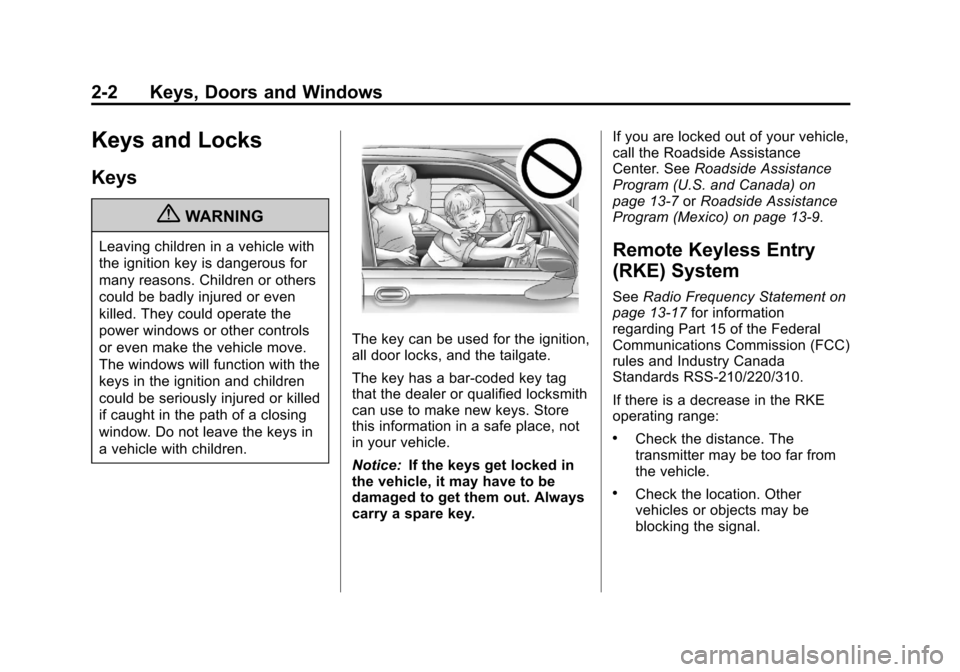
{WARNING
Leaving children in a vehicle with
the ignition key is dangerous for
many reasons. Children or others
could be badly injured or even
killed. They could operate the
power windows or other controls
or even make the vehicle move.
The windows will function with the
keys in the ignition and children
could be seriously injured or killed
if caught in the path of a closing
window. Do not leave the keys in
a vehicle with children.
The key can be used for the ignition,
all door locks, and the tailgate.
The key has a bar-coded key tag
that the dealer or qualified locksmith
can use to make new keys. Store
this information in a safe place, not
in your vehicle.
Notice:If the keys get locked in
the vehicle, it may have to be
damaged to get them out. Always
carry a spare key. If you are locked out of your vehicle,
call the Roadside Assistance
Center. See
Roadside Assistance
Program (U.S. and Canada) on
page 13‑7 orRoadside Assistance
Program (Mexico) on page 13‑9.
Remote Keyless Entry
(RKE) System
See Radio Frequency Statement on
page 13‑17 for information
regarding Part 15 of the Federal
Communications Commission (FCC)
rules and Industry Canada
Standards RSS-210/220/310.
If there is a decrease in the RKE
operating range:
.Check the distance. The
transmitter may be too far from
the vehicle.
.Check the location. Other
vehicles or objects may be
blocking the signal.
Page 29 of 392
Black plate (3,1)Chevrolet Colorado Owner Manual - 2011
Keys, Doors and Windows 2-3
.Check the transmitter's battery.
See“Battery Replacement” later
in this section.
.If the transmitter is still not
working correctly, see your
dealer or a qualified technician
for service.
Remote Keyless Entry
(RKE) System Operation
Vehicles with Remote Keyless
Entry (RKE), transmitter functions
work up to 9 m (30 ft) away from the
vehicle.
There are other conditions which
can affect the performance of the
transmitter. See Remote Keyless
Entry (RKE) System on page 2‑2.
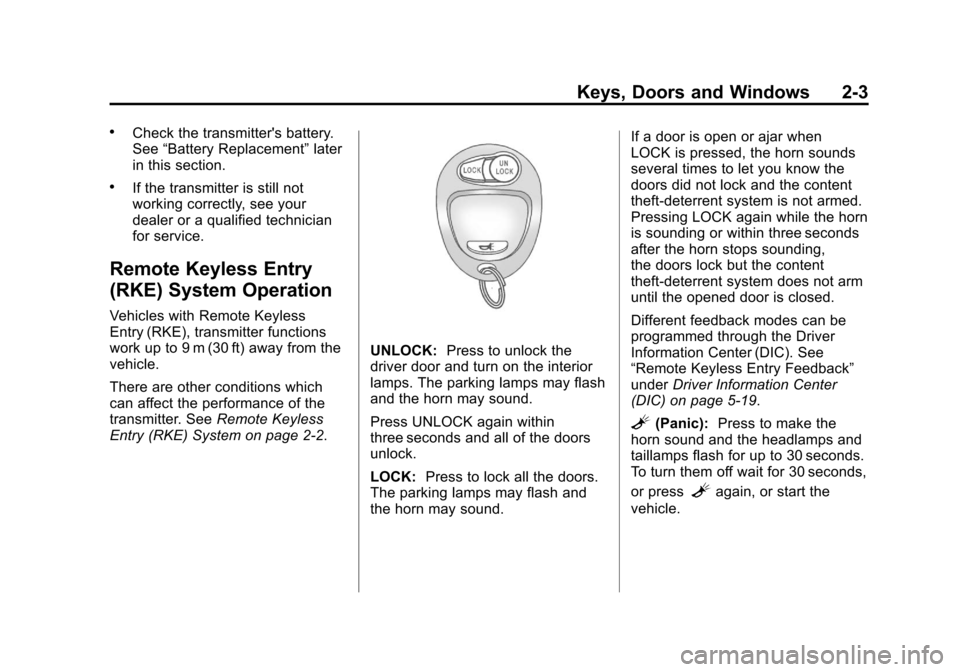
UNLOCK: Press to unlock the
driver door and turn on the interior
lamps. The parking lamps may flash
and the horn may sound.
Press UNLOCK again within
three seconds and all of the doors
unlock.
LOCK: Press to lock all the doors.
The parking lamps may flash and
the horn may sound. If a door is open or ajar when
LOCK is pressed, the horn sounds
several times to let you know the
doors did not lock and the content
theft‐deterrent system is not armed.
Pressing LOCK again while the horn
is sounding or within three seconds
after the horn stops sounding,
the doors lock but the content
theft‐deterrent system does not arm
until the opened door is closed.
Different feedback modes can be
programmed through the Driver
Information Center (DIC). See
“Remote Keyless Entry Feedback”
under
Driver Information Center
(DIC) on page 5‑19.
L(Panic): Press to make the
horn sound and the headlamps and
taillamps flash for up to 30 seconds.
To turn them off wait for 30 seconds,
or press
Lagain, or start the
vehicle.
Page 30 of 392
Black plate (4,1)Chevrolet Colorado Owner Manual - 2011
2-4 Keys, Doors and Windows
Programming Transmitters to
the Vehicle
Only RKE transmitters programmed
to the vehicle will work. If a
transmitter is lost or stolen, a
replacement can be purchased and
programmed through your dealer.
When the replacement transmitter is
programmed to the vehicle, all
remaining transmitters must also be
programmed. Any lost or stolen
transmitters no longer work once the
new transmitter is programmed.
Each vehicle can have up to
four transmitters programmed to it.
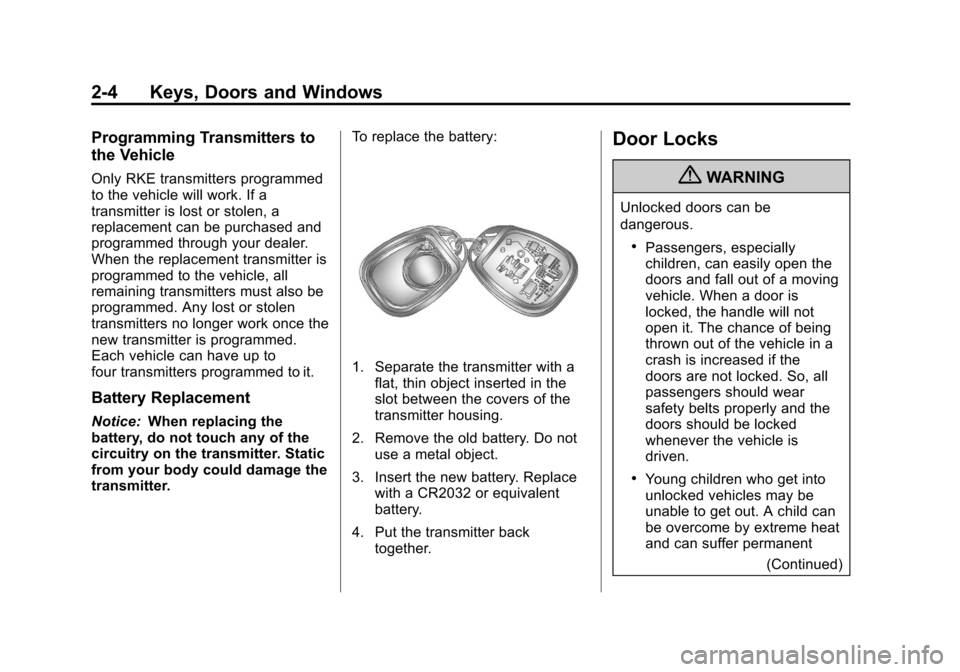
Battery Replacement
Notice:When replacing the
battery, do not touch any of the
circuitry on the transmitter. Static
from your body could damage the
transmitter. To replace the battery:
1. Separate the transmitter with a
flat, thin object inserted in the
slot between the covers of the
transmitter housing.
2. Remove the old battery. Do not use a metal object.
3. Insert the new battery. Replace with a CR2032 or equivalent
battery.
4. Put the transmitter back together.
Door Locks
{WARNING
Unlocked doors can be
dangerous.
.Passengers, especially
children, can easily open the
doors and fall out of a moving
vehicle. When a door is
locked, the handle will not
open it. The chance of being
thrown out of the vehicle in a
crash is increased if the
doors are not locked. So, all
passengers should wear
safety belts properly and the
doors should be locked
whenever the vehicle is
driven.
.Young children who get into
unlocked vehicles may be
unable to get out. A child can
be overcome by extreme heat
and can suffer permanent
(Continued)