ignition CHEVROLET COLORADO 2012 1.G Owner's Guide
[x] Cancel search | Manufacturer: CHEVROLET, Model Year: 2012, Model line: COLORADO, Model: CHEVROLET COLORADO 2012 1.GPages: 394, PDF Size: 6.38 MB
Page 136 of 394
Black plate (2,1)Chevrolet Colorado Owner Manual - 2012
6-2 Lighting
Exterior Lamps Off
Reminder
If a door is open, a reminder chime
sounds when the headlamps or
parking lamps are manually turned
on and the key is out of the ignition.
To turn off the chime, turn the
headlamp switch to off and then
back on. In the automatic mode, the
headlamps turn off once the ignition
is in LOCK/OFF.
For vehicles first sold in Canada,
if the parking lamps are turned on
manually, the Daytime Running
Lamps (DRL) will stay on.
Headlamp High/
Low-Beam Changer
2 3
Headlamp High/Low Beam
Changer: Push the turn signal/
multifunction lever away from you
to turn the high beams on.
Pull the lever towards you to return
to low beams.
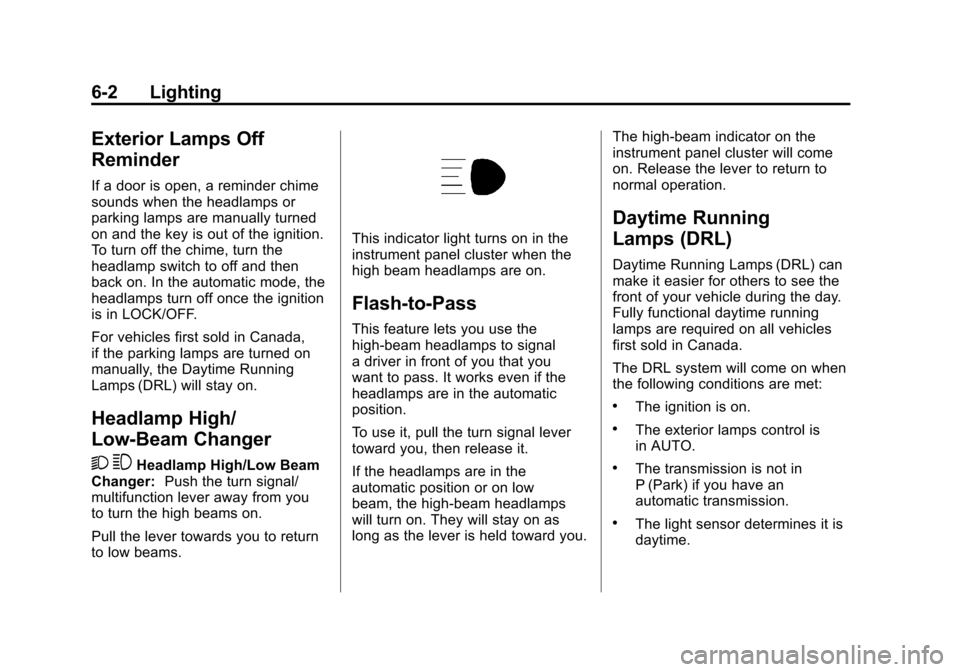
This indicator light turns on in the
instrument panel cluster when the
high beam headlamps are on.
Flash-to-Pass
This feature lets you use the
high-beam headlamps to signal
a driver in front of you that you
want to pass. It works even if the
headlamps are in the automatic
position.
To use it, pull the turn signal lever
toward you, then release it.
If the headlamps are in the
automatic position or on low
beam, the high-beam headlamps
will turn on. They will stay on as
long as the lever is held toward you. The high-beam indicator on the
instrument panel cluster will come
on. Release the lever to return to
normal operation.
Daytime Running
Lamps (DRL)
Daytime Running Lamps (DRL) can
make it easier for others to see the
front of your vehicle during the day.
Fully functional daytime running
lamps are required on all vehicles
first sold in Canada.
The DRL system will come on when
the following conditions are met:
.The ignition is on.
.The exterior lamps control is
in AUTO.
.The transmission is not in
P (Park) if you have an
automatic transmission.
.The light sensor determines it is
daytime.
Page 137 of 394
Black plate (3,1)Chevrolet Colorado Owner Manual - 2012
Lighting 6-3
When the DRL are on, only the
parking lamps or reduced intensity
low beam headlamps will be on.
The taillamps, sidemarkers, and
other lamps will not be on. The
instrument panel will not be lit up
either.
When it begins to get dark, the
headlamps will automatically switch
from DRL to the regular headlamps.
The regular headlamp system
should be turned on when needed.
Automatic Headlamp
System
When it is dark enough outside,
the automatic headlamp system
will turn on after the transmission
has been shifted from P (Park) to
D (Drive). The headlamps, taillamps,
sidemarker, parking lamps, roof
marker lamps, and the instrumentpanel lights turn on at normal
brightness. The radio lights will
become dimmer when the
headlights are off compared to
when the headlights are on.
The vehicle has a light sensor
located on the top of the instrument
panel. Do not cover the sensor,
or the system will be on whenever
the ignition is on.
The system can turn on the
headlamps when driving in a
parking garage, through a tunnel or
when there is overcast weather.
This is normal.
There is a delay in the transition
between the daytime and nighttime
operation of the Daytime Running
Lamps (DRL) and the automatic
headlamp system so that driving
under bridges or bright overhead
street lights does not affect the
system. The DRL and automatic
headlamp system will only be
affected when the light sensor
detects a change in lighting lasting
longer than the delay.
If the vehicle is started in a dark
garage, the automatic headlamp
system will come on immediately.
Once the vehicle leaves the garage,
it will take about 1 minute for the
automatic headlamp system to
change to DRL if it is light outside.
During that delay, the instrument
panel cluster may not be as bright
as usual. Make sure the instrument
panel brightness control is in the
full bright position. See
Instrument
Panel Illumination Control on
page 6‑6.
Page 141 of 394
Black plate (7,1)Chevrolet Colorado Owner Manual - 2012
Lighting 6-7
Lighting Features
Exit Lighting
The interior lamps will come on
when the key is removed from the
ignition. The lamps will not come
on if the dome override button is
pressed in.
Battery Load
Management
The vehicle has Electric Power
Management (EPM) that estimates
the battery's temperature and state
of charge. It then adjusts the voltage
for best performance and extended
life of the battery.
When the battery's state of charge
is low, the voltage is raised slightly
to quickly bring the charge back up.
When the state of charge is high,
the voltage is lowered slightly to
prevent overcharging. If the vehicle
has a voltmeter gauge or a voltage
display on the Driver Information
Center (DIC), you may see thevoltage move up or down. This is
normal. If there is a problem, an
alert will be displayed.
The battery can be discharged at
idle if the electrical loads are very
high. This is true for all vehicles.
This is because the generator
(alternator) may not be spinning
fast enough at idle to produce all
of the power needed for very high
electrical loads.
A high electrical load occurs when
several of the following are on,
such as: headlamps, high beams,
fog lamps, rear window defogger,
climate control fan at high speed,
heated seats, engine cooling fans,
trailer loads, and loads plugged into
accessory power outlets.
EPM works to prevent excessive
discharge of the battery. It does this
by balancing the generator's output
and the vehicle's electrical needs.
It can increase engine idle speed to
generate more power whenever
needed. It can temporarily reduce
the power demands of some
accessories.
Normally, these actions occur in
steps or levels, without being
noticeable. In rare cases at the
highest levels of corrective action,
this action may be noticeable to
the driver. If so, a DIC message
might be displayed, such as
BATTERY SAVER ACTIVE,
BATTERY VOLTAGE LOW, or LOW
BATTERY. If one of these messages
displays, it is recommended that the
driver reduce the electrical loads as
much as possible. See
Driver
Information Center (DIC) on
page 5‑19.
Battery Power Protection
This feature shuts off the dome
lamp if it is left on for more than
20 minutes when the ignition is in
LOCK/OFF. This helps to prevent
the battery from running down.
Page 144 of 394
Black plate (2,1)Chevrolet Colorado Owner Manual - 2012
7-2 Infotainment System
For more information, seeDefensive
Driving on page 9‑3.
Notice: Contact your dealer
before adding any equipment.
Adding audio or communication
equipment could interfere with
the operation of the engine, radio,
or other systems, and could
damage them. Follow federal
rules covering mobile radio and
telephone equipment.
Notice: The chime signals related
to safety belts, parking brake,
and other functions of the
vehicle operate through the
radio/entertainment system. If that equipment is replaced
or additional equipment is
added to the vehicle, the
chimes may not work. Make sure
that replacement or additional
equipment is compatible with the
vehicle before installing it. See
Accessories and Modifications on
page 10‑3.
The vehicle has Retained
Accessory Power (RAP). With RAP,
the audio system can be played
even after the ignition is turned off.
See
Retained Accessory Power
(RAP) on page 9‑27 for more
information.Theft-Deterrent Feature
TheftLock®is designed to
discourage theft of the radio. The
feature works automatically by
learning a portion of the Vehicle
Identification Number (VIN). If the
radio is moved to a different vehicle,
it does not operate and either LOC
or LOCKED displays.
When the radio and vehicle are
turned off, there may be a blinking
red light to indicate TheftLock is
armed.
With TheftLock activated, the radio
does not operate if stolen.
Page 146 of 394
Black plate (4,1)Chevrolet Colorado Owner Manual - 2012
7-4 Infotainment System
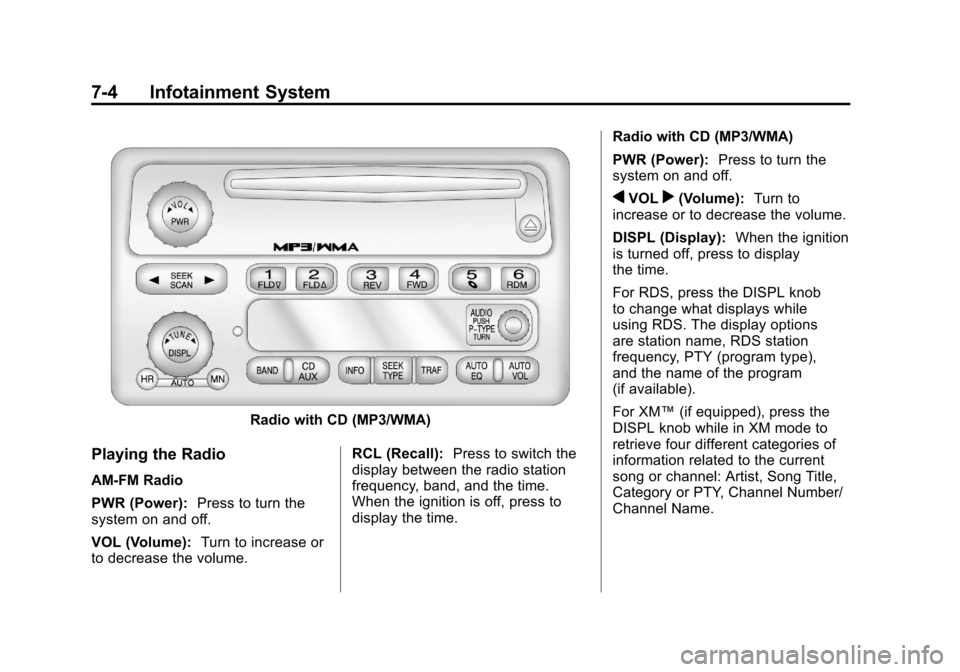
Radio with CD (MP3/WMA)
Playing the Radio
AM-FM Radio
PWR (Power):Press to turn the
system on and off.
VOL (Volume): Turn to increase or
to decrease the volume. RCL (Recall):
Press to switch the
display between the radio station
frequency, band, and the time.
When the ignition is off, press to
display the time. Radio with CD (MP3/WMA)
PWR (Power):
Press to turn the
system on and off.
qVOLr(Volume): Turn to
increase or to decrease the volume.
DISPL (Display): When the ignition
is turned off, press to display
the time.
For RDS, press the DISPL knob
to change what displays while
using RDS. The display options
are station name, RDS station
frequency, PTY (program type),
and the name of the program
(if available).
For XM™ (if equipped), press the
DISPL knob while in XM mode to
retrieve four different categories of
information related to the current
song or channel: Artist, Song Title,
Category or PTY, Channel Number/
Channel Name.
Page 157 of 394
Black plate (15,1)Chevrolet Colorado Owner Manual - 2012
Infotainment System 7-15
Audio Players
CD Player
Care of The CD Player
Do not add any label to a CD, it
could get caught in the CD player.
If a CD is recorded on a personal
computer and a description label is
needed, try labeling the top of the
recorded CD with a marking pen.
The use of CD lens cleaners for
CDs is not advised, due to the risk
of contaminating the lens of the CD
optics with lubricants internal to the
CD player mechanism.
Notice:If a label is added to a
CD, more than one CD is inserted
into the slot at a time, or an
attempt is made to play scratched
or damaged CDs, the CD player
could be damaged. While using
the CD player, use only CDs in
good condition without any label,
load one CD at a time, and keep the CD player and the loading slot
free of foreign materials, liquids,
and debris.
If an error displays, see
“CD
Messages” later in this section.Care of CDs
If playing a CD-R, the sound
quality can be reduced due to
CD-R quality, the method of
recording, the quality of the music
that has been recorded, and the
way the CD-R has been handled.
Handle them carefully. Store
CD-R(s) in their original cases or
other protective cases and away
from direct sunlight and dust. The
CD player scans the bottom surface
of the disc. If the surface of a CD is
damaged, such as cracked, broken,
or scratched, the CD does not play
properly or not at all. Do not touch
the bottom side of a CD while
handling it; this could damage the
surface. Pick up CDs by grasping
the outer edges or the edge of the
hole and the outer edge. If the surface of a CD is soiled, take
a soft, lint free cloth or dampen a
clean, soft cloth in a mild, neutral
detergent solution mixed with water,
and clean it. Make sure the wiping
process starts from the center to
the edge.Playing a CD
Insert a CD partway into the slot,
label side up. The player pulls it in,
and READING displays. The CD
should begin playing. To insert a
CD with the ignition off, first press
the
Z(eject) button or the
DISPL knob.
If the ignition or radio is turned off
with a CD in the player it stays in
the player. When the ignition or
radio is turned on, the CD starts to
play where it stopped, if it was the
last selected audio source.
When the CD is inserted, the CD
symbol displays. As each new track
starts to play, the track number
displays.
Page 158 of 394
Black plate (16,1)Chevrolet Colorado Owner Manual - 2012
7-16 Infotainment System
The CD player can play the smaller
8 cm (3 in) single CDs with an
adapter ring. Full-size CDs and the
smaller CDs are loaded in the same
manner.
3 REV (Fast Reverse):Press and
hold to reverse quickly within a
track. Press and hold for less than
two seconds to reverse at 10 times
the normal playing speed. Press
and hold for more than two seconds
to reverse at 20 times the normal
playing speed. Release to play the
track.
4 FWD (Fast Forward): Press and
hold to advance quickly within a
track. Press and hold for less than
two seconds to advance at six times
the normal playing speed. Press
and hold for more than two seconds
to advance at 17 times the normal
playing speed. Release to play the
track. 6 RDM (Random):
Press to hear
the tracks in random, rather than
sequential, order. RDM ON displays.
RDM and the track number displays
when each track starts to play.
Press again to turn off random play.
RDM OFF displays.
qSEEKr: Press the left arrow to
go to the start of the current or the
previous track. Press the right arrow
to go to the start of the next track.
Pressing either arrow for more than
two seconds scans the next tracks,
playing the first eight seconds of
each track until all of the tracks
have been previewed. Press either
arrow again to stop scanning and to
play the track.
qTUNEr: Turn to go to the
previous or next track.
DISPL (Display): Press to see
how long the current track has been
playing. ET and the elapsed time of
the track displays. To change the default on the display (track or
elapsed time), press until you see
the desired display, then press and
hold for two seconds. The radio
beeps once. The selected display is
now the default.
BAND:
Press to listen to the radio
when a CD is playing. The inactive
CD remains inside the radio for
future listening.
CD AUX (Auxiliary): Press to play
a CD when listening to the radio.
The CD symbol displays when a CD
is loaded.
Z(Eject): Press to eject a CD.
Eject can be activated with either
the ignition or radio off. CDs can be
loaded with the ignition and radio off
if this button is pressed first.
Page 161 of 394
Black plate (19,1)Chevrolet Colorado Owner Manual - 2012
Infotainment System 7-19
Preprogrammed Playlists
Preprogrammed playlists which
were created by WinAmp™,
MusicMatch™, or Real Jukebox™
software can be accessed, however,
they cannot be edited. These
playlists are treated as special
folders containing compressed
audio song files.
Playing an MP3/WMA
Insert a CD partway into the slot,
label side up. The player pulls it in,
and READING displays. The CD
should begin playing and the CD
symbol displays. If you want to
insert a CD with the ignition off,
first press the
Zbutton or the
DISPL knob.
If the ignition or radio is turned off
with a CD in the player it stays in
the player. When the ignition or
radio is turned on, the CD starts to
play where it stopped, if it was the
last selected audio source. As each new track starts to play, the
track number displays.
1 FLD
x(Previous Folder):
Press
this button to go to the first track in
the previous folder. Pressing this
button while in folder random mode
takes you to the previous folder and
plays the tracks in random order in
that folder.
2 FLD
w(Next Folder): Press this
button to go to the first track in the
next folder. Pressing this button
while in folder random mode takes
the CD to the next folder and plays
the tracks in random order in that
folder.
3 REV (Reverse): Press and hold
this button to reverse quickly within
a track. Press and hold this button
for less than two seconds to reverse
at 10 times the normal playing
speed. Press and hold it for more
than two seconds to reverse at
20 times the normal playing speed.
Release this button to play the
track. 4 FWD (Forward):
Press and
hold this button to advance quickly
within a track. Press and hold this
button for less than two seconds
to advance at 10 times the normal
playing speed. Press and hold it for
more than two seconds to advance
at 20 times the normal playing
speed. Release this button to play
the track.
6 RDM (Random): To play the
tracks in random order in the current
folder or playlist, press and release
this button. FLDR RDM (folder
random) displays. Once all of the
tracks in the current folder or playlist
have played, the system moves to
the next folder or playlist and plays
all of the tracks in random order.
To play all the tracks in random
order on the CD, press and
hold this button for two seconds.
A beep sounds and DISC RDM
(disc random) displays. This feature
does not work with playlists.
Page 163 of 394
Black plate (21,1)Chevrolet Colorado Owner Manual - 2012
Infotainment System 7-21
Z(Eject):Press this button to
eject a CD. Eject can activate while
either the ignition or radio is off.
CDs can be loaded with the ignition
and radio off if this button is pressed
first.
CD Messages
CHECK CD: If this message
displays and/or the CD comes out,
it could be for one of the following
reasons:
.It is very hot. When the
temperature returns to normal,
the CD should play.
.You are driving on a very rough
road. When the road becomes
smoother, the CD should play.
.The CD is dirty, scratched, wet,
or upside down.
.The air is very humid. If so, wait
about an hour and try again.
.The format of the CD might not
be compatible. See “Using an
MP3” later in this section.
.There could have been a
problem while burning the CD.
.The label could be caught in the
CD player.
If the CD is not playing correctly,
for any other reason, try a known
good CD.
If any error occurs repeatedly or
if an error cannot be corrected,
contact your dealer. If the radio
displays an error message, write it
down and provide it to your dealer
when reporting the problem.
Phone
Bluetooth
For vehicles equipped with
Bluetooth capability, the system
can interact with many cell phones,
allowing:
.Placement and receipt of calls in
a hands-free mode.
.Sharing of the cell phone’s
address book or contact list with
the vehicle.
To minimize driver distraction,
before driving, and with the vehicle
parked:
.Become familiar with the
features of the cell phone.
Organize the phone book and
contact lists clearly and delete
duplicate or rarely used entries.
If possible, program speed dial
or other shortcuts.
.Review the controls and
operation of the infotainment
system.
Page 169 of 394
Black plate (27,1)Chevrolet Colorado Owner Manual - 2012
Infotainment System 7-27
Three‐Way Calling
Three‐Way Calling must be
supported on the Bluetooth phone
and enabled by the wireless service
carrier to work.
1. While on a call press andrelease
g.
2. Say “Three‐way call.”
3. Use the dial or call command to dial the number of the third party
to be called.
4. Once the call is connected, press
gto link all the callers
together.
Ending a Call
To end a call:
1. Press and release
g.
2. Say “End Call.”
Muting a Call
During a call, all sounds from inside
the vehicle can be muted so that the
person on the other end of the call
cannot hear them.
To mute a call, press
g, and then
say “Mute Call.”
To cancel mute, press
g, and then
say “Un‐mute Call.”
Transferring a Call
Audio can be transferred between
the Bluetooth system and the cell
phone.
The cell phone must be paired
and connected with the Bluetooth
system before a call can be
transferred. The connection process
can take up to two minutes after the
ignition is turned to ON/RUN. To Transfer Audio From the
Bluetooth System to a Cell Phone
During a call with the audio in the
vehicle:
1. Press and release
g.
2. Say “Transfer Call.”
To Transfer Audio to the Bluetooth
System From a Cell Phone
During a call with the audio on the
cell phone, press
gfor more than
two seconds. The audio transfers to
the vehicle. If the audio does not
transfer to the vehicle, use the audio
transfer feature on the cell phone.
See your cell phone manufacturer's
user guide for more information.
Voice Pass-Thru
Voice Pass‐Thru allows access to
the voice recognition commands on
the cell phone. See the cell phone
manufacturer's user guide to see if
the cell phone supports this feature.