engine CHEVROLET COLORADO 2012 1.G Workshop Manual
[x] Cancel search | Manufacturer: CHEVROLET, Model Year: 2012, Model line: COLORADO, Model: CHEVROLET COLORADO 2012 1.GPages: 394, PDF Size: 6.38 MB
Page 209 of 394
Black plate (35,1)Chevrolet Colorado Owner Manual - 2012
Driving and Operating 9-35
To stop, let up on the accelerator
pedal and press the brake pedal.
Just before the vehicle stops, press
the clutch pedal and the brake
pedal, and shift to Neutral.
Neutral:Use this position when
you start or idle the engine.
R (Reverse): To back up, press the
clutch pedal. After the vehicle stops,
shift into R (Reverse). Slowly let up
on the clutch pedal as you press the
accelerator pedal. If it is hard to
shift, let the shift lever return to
Neutral and release the clutch
pedal. Then press the clutch again
and shift into R (Reverse). Do not
attempt to shift into 5 (Fifth) prior
to shifting into R (Reverse). The
transmission has a lock out feature
which prevents a 5 (Fifth) gear to
R (Reverse) gear shift. Notice:
Shifting to R (Reverse)
while the vehicle is moving
forward could damage the
transmission. The repairs would
not be covered by the vehicle
warranty. Shift to R (Reverse)
only after the vehicle is stopped.
Use R (Reverse), along with the
parking brake, for parking the
vehicle.Shift Speeds
{WARNING
If you skip a gear when you
downshift, you could lose control
of the vehicle. You could injure
yourself or others. Do not shift
down more than one gear at a
time when you downshift.
Page 210 of 394
Black plate (36,1)Chevrolet Colorado Owner Manual - 2012
9-36 Driving and Operating
Drive Systems
Four-Wheel Drive
If the vehicle has four-wheel
drive, you can send the engine's
driving power to all four wheels
for extra traction. To get the best
performance out of four-wheel
drive, you must be familiar with its
operation. Read this section before
using four-wheel drive. You should
use two-wheel drive high for most
normal driving conditions.Notice:
Driving on clean, dry
pavement in four-wheel drive for
an extended period of time can
cause premature wear on the
vehicle's powertrain. Do not
drive on clean, dry pavement in
Four-Wheel Drive for extended
periods of time.
Notice: If the vehicle has
four-wheel drive and a different
size spare tire is installed, do
not drive in four-wheel drive until
the flat tire is repaired and/or
replaced. The vehicle could be
damaged and the repairs would
not be covered by the warranty.
Never use four-wheel drive when
a different size spare tire is
installed on the vehicle. Notice:
If the vehicle has
four-wheel drive and the compact
spare tire is installed on the
vehicle, do not drive in four-wheel
drive until you can have the flat
tire repaired and/or replaced. You
could damage the vehicle, and
the repair costs would not be
covered by your warranty. Never
use four-wheel drive when the
compact spare tire is installed on
the vehicle.
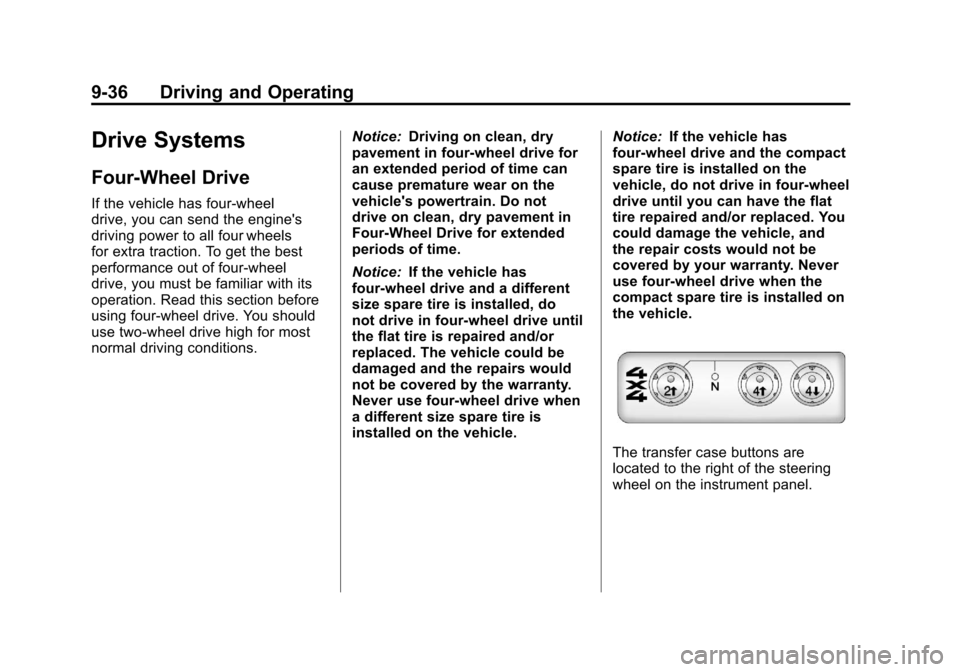
The transfer case buttons are
located to the right of the steering
wheel on the instrument panel.
Page 213 of 394

Black plate (39,1)Chevrolet Colorado Owner Manual - 2012
Driving and Operating 9-39
Shifting from Four-Wheel
Low to Two-Wheel High or
Four-Wheel High
To shift from Four-Wheel Low to
Two-Wheel High or Four-Wheel
High, the vehicle must be stopped
or moving less than 5 km/h (3 mph)
with the transmission in N (Neutral)
for an automatic transmission or the
clutch pedal pressed for a manual
transmission. The preferred method
for shifting out of Four-Wheel Low
is to have your vehicle moving
1.6 to 3.2 km/h (1 to 2 mph).
Press and release the Four-Wheel
High or Two-Wheel High button. You
must wait for the Four-Wheel High
or Two-Wheel High indicator light to
stop flashing and stay on before
shifting the transmission into gear or
releasing the clutch pedal.
If the Four-Wheel High or
Two-Wheel High button is pressed
when the vehicle is in gear and/or
moving faster than 5 km/h (3 mph),
the Four-Wheel High or Two-WheelHigh indicator light will flash for
30 seconds but not complete the
shift.
Shifting to Neutral
Use N (Neutral) when you plan to
tow the vehicle. See
Recreational
Vehicle Towing on page 10‑89 for
towing instructions. To shift the
transfer case into N (Neutral) do
the following:
1. Set the parking brake.
2. Start the vehicle.
3. Press the regular brake pedal and shift the transmission in
N (Neutral), or press in the
clutch for vehicles with a manual
transmission.
4. Shift the transfer case to Two-Wheel High.
5. Press and hold the Two-Wheel High and Four-Wheel Low
buttons at the same time for
10 seconds. The N (Neutral) light will come on when the transfer
case shift to N (Neutral) is
complete.
6. Press and hold the regular brake pedal and shift the transmission
to R (Reverse) for one second,
then shift the transmission
to D (Drive) for one second,
or 1 (First) for vehicles with
manual transmissions, and let
out the clutch to insure the
transfer case is in N (Neutral).
If the transfer case is not
in N (Neutral), repeat this
procedure starting at Step 3.
7. Turn the engine off by turning the key to ACC/ACCESSORY.
8. Place the transmission shift lever in P (Park), or 1 (First) for
vehicles that have a manual
transmission.
9. Turn the ignition to LOCK/OFF.
Page 214 of 394
Black plate (40,1)Chevrolet Colorado Owner Manual - 2012
9-40 Driving and Operating
Shifting Out of Neutral
After towing the vehicle, you will
have to shift out of N (Neutral) in
order to drive. To shift out of
N (Neutral), do the following:
1. Set the parking brake and applythe regular brake pedal.
2. Start a vehicle with an automatic transmission in P (Park). Use
1 (First) for vehicles with a
manual transmission.
3. Shift the transmission to N (Neutral), or press the clutch
pedal for vehicles with a manual
transmission.
4. Press the button for the desired transfer case shift position
(Two-Wheel High, Four-Wheel
High, or Four-Wheel Low).
5. After the transfer case has shifted out of N (Neutral), the
indicator light will go out.
6. Release the parking brake.
7. Shift the transmission to the desired position.Brakes
Antilock Brake
System (ABS)
This vehicle has the Antilock Brake
System (ABS), an advanced
electronic braking system that helps
prevent a braking skid.
When the engine is started and the
vehicle begins to drive away, ABS
checks itself. A momentary motor or
clicking noise might be heard while
this test is going on, and it might
even be noticed that the brake
pedal moves a little. This is normal.
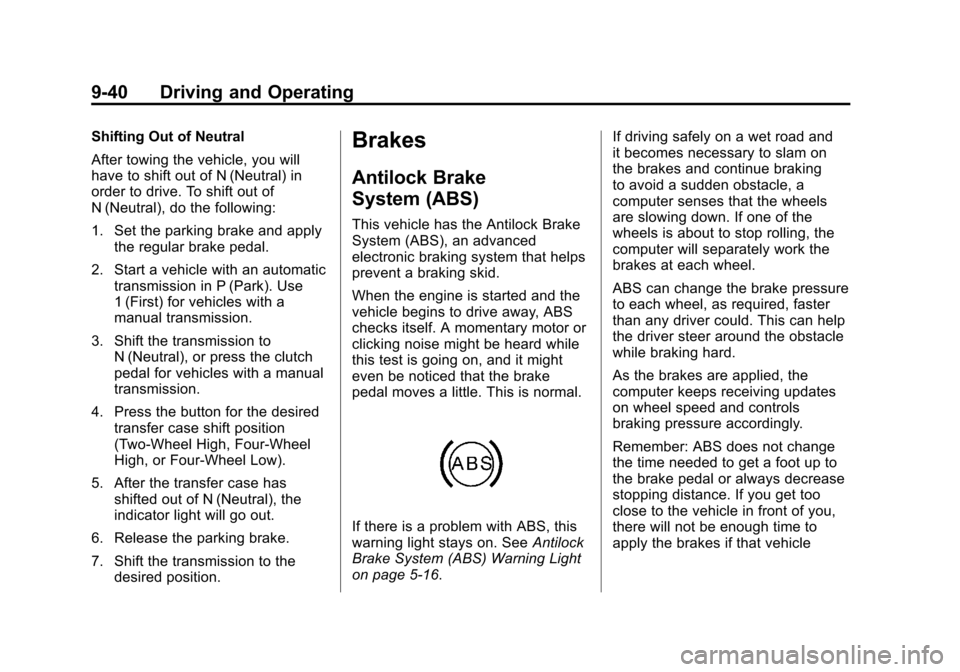
If there is a problem with ABS, this
warning light stays on. See Antilock
Brake System (ABS) Warning Light
on page 5‑16. If driving safely on a wet road and
it becomes necessary to slam on
the brakes and continue braking
to avoid a sudden obstacle, a
computer senses that the wheels
are slowing down. If one of the
wheels is about to stop rolling, the
computer will separately work the
brakes at each wheel.
ABS can change the brake pressure
to each wheel, as required, faster
than any driver could. This can help
the driver steer around the obstacle
while braking hard.
As the brakes are applied, the
computer keeps receiving updates
on wheel speed and controls
braking pressure accordingly.
Remember: ABS does not change
the time needed to get a foot up to
the brake pedal or always decrease
stopping distance. If you get too
close to the vehicle in front of you,
there will not be enough time to
apply the brakes if that vehicle
Page 216 of 394
Black plate (42,1)Chevrolet Colorado Owner Manual - 2012
9-42 Driving and Operating
If the ignition is on when the parking
brake is released, the brake system
warning light will go off.
Notice:Driving with the parking
brake on can overheat the brake
system and cause premature
wear or damage to brake system
parts. Make sure that the parking
brake is fully released and the
brake warning light is off before
driving.
If you are towing a trailer and are
parking on any hill, see Driving
Characteristics and Towing Tips on
page 9‑53.
Brake Assist
This vehicle has a brake assist
feature designed to assist the
driver in stopping or decreasing
vehicle speed in emergency driving
conditions. This feature uses the
stability system hydraulic brake control module to supplement
the power brake system under
conditions where the driver has
quickly and forcefully applied the
brake pedal in an attempt to quickly
stop or slow down the vehicle. The
stability system hydraulic brake
control module increases brake
pressure at each corner of the
vehicle until the ABS activates.
Minor brake pedal pulsation or
pedal movement during this time
is normal and the driver should
continue to apply the brake pedal
as the driving situation dictates.
The brake assist feature will
automatically disengage when
the brake pedal is released or
brake pedal pressure is quickly
decreased.
Ride Control Systems
Traction Control
System (TCS)
The Traction Control System (TCS)
is part of StabiliTrak. TCS limits
wheel slip which is especially useful
in slippery road conditions. The
system operates only if it senses
that any of the wheels are spinning
or beginning to lose traction. When
this happens, TCS applies the
brakes to limit wheel spin and also
reduces engine power. The system
may be heard or felt while it is
working. This is normal and does
not mean there is a problem with
the vehicle.
Page 217 of 394
Black plate (43,1)Chevrolet Colorado Owner Manual - 2012
Driving and Operating 9-43
Notice:If the wheel(s) of one axle
is allowed to spin excessively
while the StabiliTrak
®, ABS, brake
warning lights, and any relevant
DIC messages are displayed, the
transfer case could be damaged.
The repairs would not be covered
by the vehicle warranty. Reduce
engine power and do not spin
the wheel(s) excessively while
these lights and messages are
displayed.
TCS can operate on dry roads
under some conditions. When
this happens, the system may be
heard working or a reduction in
acceleration may be noticed. This
is normal and does not mean there
is a problem with the vehicle.
Examples of these conditions
include hard acceleration in a turn,
an abrupt upshift or downshift of the
transmission or driving on rough
roads. If cruise control is being used when
TCS begins to limit wheel spin,
the cruise control automatically
disengages. The cruise control
can be re-engaged when road
conditions allow. See
Cruise Control
on page 9‑46.
The message TRACTION FAULT
appears in the Driver Information
Center (DIC) when a TCS or
Antilock Brake System (ABS)
problem has been detected and the
vehicle needs service. When this
message is on, the system will not
limit wheel spin. Adjust your driving
accordingly. See Ride Control
System Messages on page 5‑25.
The TCS/StabiliTrak light will flash
on the instrument panel cluster
when the TCS system or StabiliTrak
is both on and activated.
The TCS/StabiliTrak button is
located on the instrument panel.
To turn off TCS, press and release
the TCS/StabiliTrak button. The
StabiliTrak OFF light comes on in
the instrument panel cluster, and
TRAC OFF comes on the DIC.
To turn TCS back on, press and
release the TCS/StabiliTrak button.
Page 218 of 394
Black plate (44,1)Chevrolet Colorado Owner Manual - 2012
9-44 Driving and Operating
Adding non-dealer/non-retailer
accessories can affect the vehicle's
performance. SeeAccessories and
Modifications on page 10‑3.
StabiliTrak®System
The vehicle has an electronic
stability control system called
StabiliTrak. It is an advanced
computer controlled system that
assists the driver with directional
control of the vehicle in difficult
driving conditions.
StabiliTrak activates when the
computer senses a discrepancy
between the intended path and the
direction the vehicle is actually
traveling. StabiliTrak selectively
applies braking pressure at any one
of the vehicle's brakes to assist the
driver with keeping the vehicle on
the intended path.
When the vehicle is started and
begins to move, the system
performs several diagnostic checks
to insure there are no problems. The system may be heard or felt
while it is working. This is normal
and does not mean there is a
problem with the vehicle. The
system should initialize before the
vehicle reaches 32 km/h (20 mph).
In some cases, it may take
approximately two miles of driving
before the system initializes.
If cruise control is being used
when StabiliTrak activates, the
cruise control automatically
disengages. The cruise control
can be re-engaged when road
conditions allow. See
Cruise Control
on page 9‑46.
If there is a problem detected with
StabiliTrak, a SERVICE STAB SYS
message displays on the Driver
Information Center (DIC). See Ride
Control System Messages on
page 5‑25 for more information.
When this message is displayed,
the system is not working. Adjust
your driving accordingly. StabiliTrak and Traction Control
(TCS) come on automatically
whenever the vehicle is started
and the systems are reset with
each ignition cycle. However,
when the transfer case is placed
in Four-Wheel-Low mode,
StabiliTrak is automatically
disabled. See
Four-Wheel Drive on
page 10‑29 for more information.
It is recommended to leave the
system on for normal driving
conditions, but it may be necessary
to turn the TCS portion of the
system off if the vehicle is stuck in
sand, mud, ice, or snow, and it is
necessary to “rock”the vehicle to
attempt to free it. If traction control
is turned off, only the brake-traction
control portion of traction control
will work. The engine speed
management will be disabled.
In this mode, engine power is not
reduced automatically and the
drive wheels can spin more freely.
Page 219 of 394
Black plate (45,1)Chevrolet Colorado Owner Manual - 2012
Driving and Operating 9-45
This can cause the brake-traction
control to activate constantly. SeeIf
the Vehicle Is Stuck on page 9‑15.
The TCS/StabiliTrak light will flash
on the instrument panel cluster
when the TCS system or StabiliTrak
is both on and activated.
The TCS/StabiliTrak button is
located on the instrument panel.
To turn off TCS and StabiliTrak,
press and hold the TCS/StabiliTrak
button until the TRAC OFF and
STAB SYS OFF messages come on
the DIC and the StabiliTrak/TCS
OFF light comes on the instrument
panel. To turn TCS and StabiliTrak
back on, press and release the
TCS/StabiliTrak button.
When the TCS or StabiliTrak system
is turned off, the StabiliTrak OFF
light and the appropriate TRAC OFF
or STAB SYS OFF message will be
displayed on the DIC. The vehicle will still have brake-traction control
when TCS or StabiliTrak is off, but
will not be able to use the engine
speed management system. The
TCS/StabiliTrak light flashes when
either system is actively working.
See
Traction Control System (TCS)
on page 9‑42 for more information.
Limited-Slip Rear Axle
Vehicles with a limited-slip rear axle
can give more traction on snow,
mud, ice, sand or gravel. It works
like a standard axle most of the
time, but when traction is low, this
feature allows the drive wheel with
the most traction to move the
vehicle.
Page 222 of 394
Black plate (48,1)Chevrolet Colorado Owner Manual - 2012
9-48 Driving and Operating
Using Cruise Control on Hills
How well the cruise control works
on hills depends upon the vehicle
speed, load, and the steepness
of the hills. When going up steep
hills, you might have to step on
the accelerator pedal to maintain
the vehicle speed. When going
downhill, you might have to brake
or shift to a lower gear to keep the
vehicle speed down. When the
brakes are applied the cruise control
is disengaged.Ending Cruise Control
There are two ways to end cruise
control:
.To disengage cruise control;
step lightly on the brake pedal or
lightly tap or press the clutch, for
manual transmissions.
.To turn off the cruise control,
move the cruise control lever
to
9.
Erasing Speed Memory
The cruise control set speed is
erased from memory by moving the
cruise control lever to
9or if the
vehicle is turned off.
Fuel
Use of the recommended fuel is
an important part of the proper
maintenance of this vehicle. To help
keep the engine clean and maintain
optimum vehicle performance, we
recommend the use of gasoline
advertised as TOP TIER Detergent
Gasoline.
Look for the TOP TIER label on the
fuel pump to ensure gasoline meets
enhanced detergency standards
developed by auto companies. A list
of marketers providing TOP TIER
Detergent Gasoline can be found at
www.toptiergas.com.
Page 223 of 394
Black plate (49,1)Chevrolet Colorado Owner Manual - 2012
Driving and Operating 9-49
Recommended Fuel
Use regular unleaded gasoline with
a posted octane rating of 87 or
higher. If the octane rating is less
than 87, an audible knocking noise,
commonly referred to as spark
knock, might be heard when driving.
If this occurs, use a gasoline rated
at 87 octane or higher as soon
as possible. If heavy knocking is
heard when using gasoline rated
at 87 octane or higher, the engine
needs service.
Gasoline Specifications
(U.S. and Canada Only)
At a minimum, gasoline should
meet ASTM specification
D 4814 in the United States or
CAN/CGSB‐3.5 or 3.511 in Canada.
Some gasolines contain an
octane-enhancing additive called
methylcyclopentadienyl manganese
tricarbonyl (MMT). We recommend
against the use of gasolines
containing MMT. SeeFuel Additives
on page 9‑50 for additional
information.
California Fuel
Requirements
If the vehicle is certified to meet
California Emissions Standards, it is
designed to operate on fuels that
meet California specifications. See
the underhood emission control
label. If this fuel is not available in
states adopting California Emissions
Standards, the vehicle will operate satisfactorily on fuels meeting
federal specifications, but emission
control system performance might
be affected. The malfunction
indicator lamp could turn on and the
vehicle might fail a smog‐check test.
See
Malfunction Indicator Lamp on
page 5‑13. If this occurs, return to
your authorized dealer for diagnosis.
If it is determined that the condition
is caused by the type of fuel used,
repairs might not be covered by the
vehicle warranty.
Fuels in Foreign
Countries
Never use leaded gasoline or any
other fuel not recommended in the
previous text on fuel. Costly repairs
caused by use of improper fuel
would not be covered by the vehicle
warranty.
To check the fuel availability, ask an
auto club, or contact a major oil
company that does business in the
country where you will be driving.