instrument panel CHEVROLET COLORADO 2017 2.G User Guide
[x] Cancel search | Manufacturer: CHEVROLET, Model Year: 2017, Model line: COLORADO, Model: CHEVROLET COLORADO 2017 2.GPages: 419, PDF Size: 7.38 MB
Page 69 of 419
Chevrolet Colorado Owner Manual (GMNA-Localizing-U.S./Canada/Mexico-10122675) - 2017 - crc - 8/22/16
68 Seats and Restraints
Warning (Continued)
seatback may interfere with the
proper operation of the passenger
sensing system.
Servicing the
Airbag-Equipped Vehicle
Airbags affect how the vehicleshould be serviced. There are partsof the airbag system in severalplaces around the vehicle. Yourdealer and the service manual haveinformation about servicing thevehicle and the airbag system. Topurchase a service manual, seeService Publications OrderingInformation0392.
{Warning
For up to 10 seconds after the
vehicle is turned off and the
battery is disconnected, an airbag
can still inflate during improper
service. You can be injured if you
(Continued)
Warning (Continued)
are close to an airbag when it
inflates. Avoid yellow connectors.
They are probably part of the
airbag system. Be sure to follow
proper service procedures, and
make sure the person performing
work for you is qualified to do so.
Adding Equipment to the
Airbag-Equipped Vehicle
{Warning
If a snow plow or similar
equipment is installed on the
vehicle, the airbag system may
not function properly. An airbag
could inflate when it is not
supposed to inflate. People riding
in the vehicle could be injured,
and the vehicle and/or snow plow
could be damaged. Do not install
asnowploworsimilarequipment
on the vehicle.
Adding accessories that change thevehicle's frame, bumper system,height, front end, or side sheetmetal may keep the airbag systemfrom working properly. Theoperation of the airbag system canalso be affected by changing anyparts of the front seats, safety belts,airbag sensing and diagnosticmodule, steering wheel, instrumentpanel, any of the airbag modules,ceiling or pillar garnish trim,overhead console, front sensors,side impact sensors, or airbagwiring.
Yo u r d e a l e r a n d t h e s e r v i c e m a n u a lhave information about the locationof the airbag sensors, sensing anddiagnostic module, and airbagwiring.
In addition, the vehicle has apassenger sensing system for thefront outboard passenger position,which includes sensors that are partof the passenger seat. Thepassenger sensing system may notoperate properly if the original seattrim is replaced with non-GMcovers, upholstery, or trim; or withGM covers, upholstery, or trim
Page 121 of 419
Chevrolet Colorado Owner Manual (GMNA-Localizing-U.S./Canada/Mexico-10122675) - 2017 - crc - 8/22/16
120 Instruments and Controls
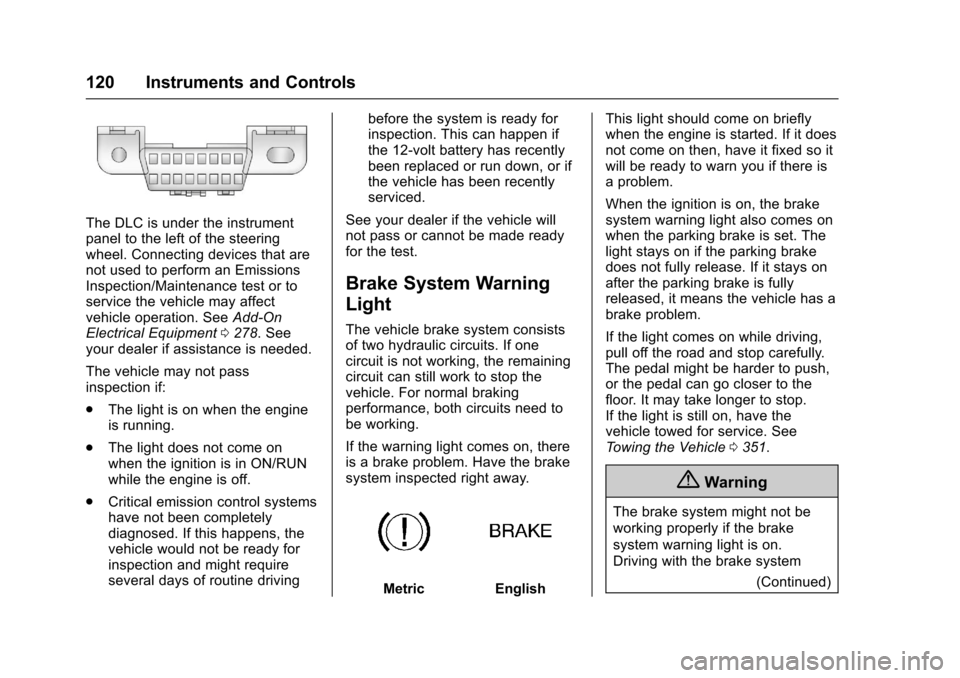
The DLC is under the instrumentpanel to the left of the steeringwheel. Connecting devices that arenot used to perform an EmissionsInspection/Maintenance test or toservice the vehicle may affectvehicle operation. SeeAdd-OnElectrical Equipment0278.Seeyour dealer if assistance is needed.
The vehicle may not passinspection if:
.The light is on when the engineis running.
.The light does not come onwhen the ignition is in ON/RUNwhile the engine is off.
.Critical emission control systemshave not been completelydiagnosed. If this happens, thevehicle would not be ready forinspection and might requireseveral days of routine driving
before the system is ready forinspection. This can happen ifthe 12-volt battery has recentlybeen replaced or run down, or ifthe vehicle has been recentlyserviced.
See your dealer if the vehicle willnot pass or cannot be made readyfor the test.
Brake System Warning
Light
The vehicle brake system consistsof two hydraulic circuits. If onecircuit is not working, the remainingcircuit can still work to stop thevehicle. For normal brakingperformance, both circuits need tobe working.
If the warning light comes on, thereis a brake problem. Have the brakesystem inspected right away.
MetricEnglish
This light should come on brieflywhen the engine is started. If it doesnot come on then, have it fixed so itwill be ready to warn you if there isaproblem.
When the ignition is on, the brakesystem warning light also comes onwhen the parking brake is set. Thelight stays on if the parking brakedoes not fully release. If it stays onafter the parking brake is fullyreleased, it means the vehicle has abrake problem.
If the light comes on while driving,pull off the road and stop carefully.The pedal might be harder to push,or the pedal can go closer to thefloor. It may take longer to stop.If the light is still on, have thevehicle towed for service. SeeTo w i n g t h e V e h i c l e0351.
{Warning
The brake system might not be
working properly if the brake
system warning light is on.
Driving with the brake system
(Continued)
Page 147 of 419
Chevrolet Colorado Owner Manual (GMNA-Localizing-U.S./Canada/Mexico-10122675) - 2017 - crc - 8/22/16
146 Lighting
Lighting
Exterior Lighting
Exterior Lamp Controls . . . . . . . 146Exterior Lamps OffReminder . . . . . . . . . . . . . . . . . . . 147Headlamp High/Low-BeamChanger . . . . . . . . . . . . . . . . . . . . 147Flash-to-Pass . . . . . . . . . . . . . . . . 147Daytime RunningLamps (DRL) . . . . . . . . . . . . . . . 147Automatic HeadlampSystem . . . . . . . . . . . . . . . . . . . . . . 148Hazard Warning Flashers . . . . . 149Turn and Lane-ChangeSignals . . . . . . . . . . . . . . . . . . . . . . 149Fog Lamps . . . . . . . . . . . . . . . . . . . 149
Interior Lighting
Instrument Panel IlluminationControl . . . . . . . . . . . . . . . . . . . . . . 150Cargo Lamp . . . . . . . . . . . . . . . . . . 150Dome Lamps . . . . . . . . . . . . . . . . . 151Reading Lamps . . . . . . . . . . . . . . 151
Lighting Features
Entry Lighting . . . . . . . . . . . . . . . . 151Exit Lighting . . . . . . . . . . . . . . . . . . 151Battery Load Management . . . 152Battery Power Protection . . . . . 152
Exterior Lighting
Exterior Lamp Controls
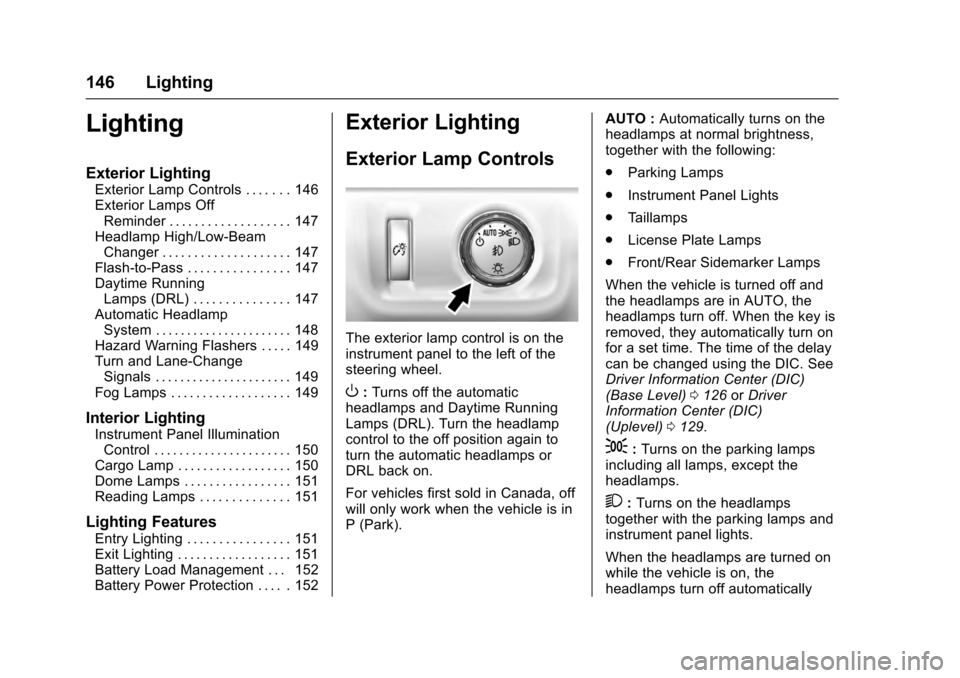
The exterior lamp control is on theinstrument panel to the left of thesteering wheel.
O:Turns off the automaticheadlamps and Daytime RunningLamps (DRL). Turn the headlampcontrol to the off position again toturn the automatic headlamps orDRL back on.
For vehicles first sold in Canada, offwill only work when the vehicle is inP(Park).
AUTO :Automatically turns on theheadlamps at normal brightness,together with the following:
.Parking Lamps
.Instrument Panel Lights
.Ta i l l a m p s
.License Plate Lamps
.Front/Rear Sidemarker Lamps
When the vehicle is turned off andthe headlamps are in AUTO, theheadlamps turn off. When the key isremoved, they automatically turn onfor a set time. The time of the delaycan be changed using the DIC. SeeDriver Information Center (DIC)(Base Level)0126orDriverInformation Center (DIC)(Uplevel)0129.
;:Turns on the parking lampsincluding all lamps, except theheadlamps.
2:Turns on the headlampstogether with the parking lamps andinstrument panel lights.
When the headlamps are turned onwhile the vehicle is on, theheadlamps turn off automatically
Page 148 of 419
Chevrolet Colorado Owner Manual (GMNA-Localizing-U.S./Canada/Mexico-10122675) - 2017 - crc - 8/22/16
Lighting 147
10 minutes after the ignition isturned off. When the headlamps areturned on while the vehicle is off,the headlamps will stay on for10 minutes before turning off toprevent the battery from beingdrained. Turn the headlamp controloff and then back to the headlampon position to make the headlampsstay on for an additional 10 minutes.To k e e p t h e l a m p s o n f o r m o r e t h a n10 minutes, the ignition must be inthe ACC/ACCESSORY or ON/RUNposition.
#:If equipped, it turns on the foglamps. SeeFog Lamps0149.
Exterior Lamps Off
Reminder
Areminderchimesoundswhentheheadlamps or parking lamps aremanually turned on, the ignition isoff, and a door is open. To disablethe chime, turn the lamps off.
Headlamp High/
Low-Beam Changer
Push the turn signal lever towardthe instrument panel to change theheadlamps from low to high beam.
Pull the turn signal lever toward youand release it to return to low-beamheadlamps.
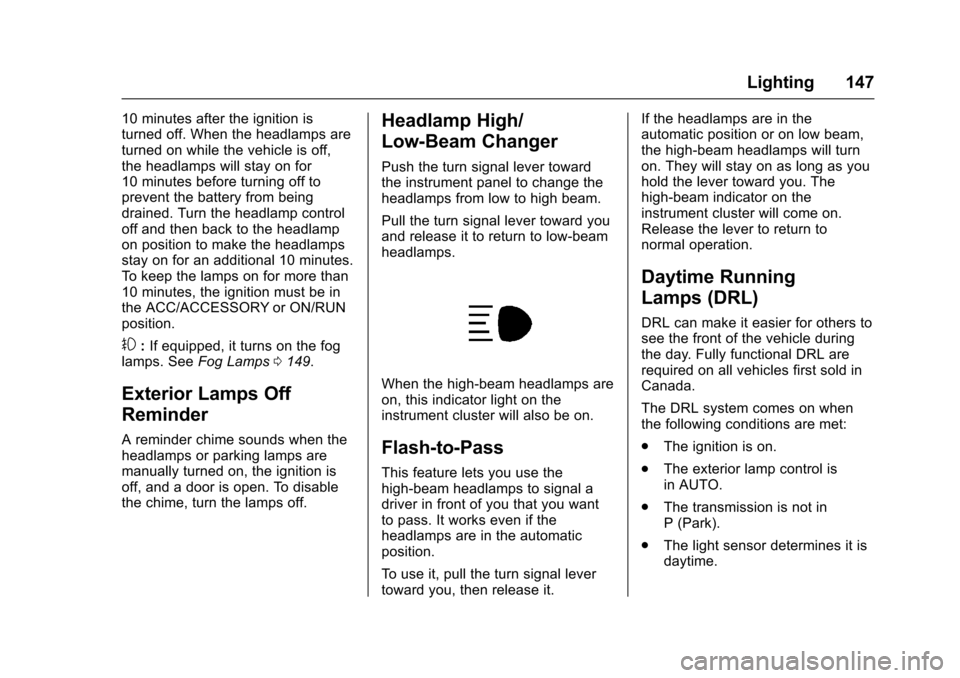
When the high-beam headlamps areon, this indicator light on theinstrument cluster will also be on.
Flash-to-Pass
This feature lets you use thehigh-beam headlamps to signal adriver in front of you that you wantto pass. It works even if theheadlamps are in the automaticposition.
To u s e i t , p u l l t h e t u r n s i g n a l l e v e rtoward you, then release it.
If the headlamps are in theautomatic position or on low beam,the high-beam headlamps will turnon. They will stay on as long as youhold the lever toward you. Thehigh-beam indicator on theinstrument cluster will come on.Release the lever to return tonormal operation.
Daytime Running
Lamps (DRL)
DRL can make it easier for others tosee the front of the vehicle duringthe day. Fully functional DRL arerequired on all vehicles first sold inCanada.
The DRL system comes on whenthe following conditions are met:
.The ignition is on.
.The exterior lamp control isin AUTO.
.The transmission is not inP(Park).
.The light sensor determines it isdaytime.
Page 149 of 419
Chevrolet Colorado Owner Manual (GMNA-Localizing-U.S./Canada/Mexico-10122675) - 2017 - crc - 8/22/16
148 Lighting
When the DRL system is on, onlythe DRL are on. The taillamps,sidemarker lamps, instrument panellights, and other lamps will notbe on.
When it begins to get dark, theautomatic headlamp systemswitches from DRL to theheadlamps.
To t u r n o f f t h e D R L , t u r n t h e e x t e r i o rlamp control to the off position andthen release. For vehicles first soldin Canada, off will only work whenthe vehicle is in P (Park).
Automatic Headlamp
System
When the exterior lamp control isset to AUTO and it is dark enoughoutside, the headlamps come onautomatically.
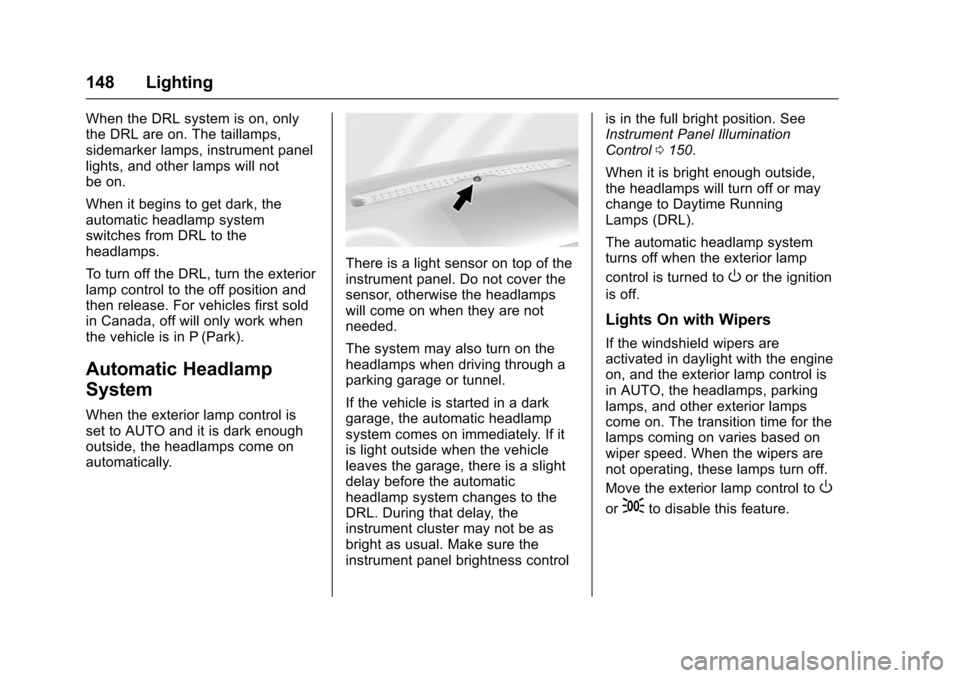
There is a light sensor on top of theinstrument panel. Do not cover thesensor, otherwise the headlampswill come on when they are notneeded.
The system may also turn on theheadlamps when driving through aparking garage or tunnel.
If the vehicle is started in a darkgarage, the automatic headlampsystem comes on immediately. If itis light outside when the vehicleleaves the garage, there is a slightdelay before the automaticheadlamp system changes to theDRL. During that delay, theinstrument cluster may not be asbright as usual. Make sure theinstrument panel brightness control
is in the full bright position. SeeInstrument Panel IlluminationControl0150.
When it is bright enough outside,the headlamps will turn off or maychange to Daytime RunningLamps (DRL).
The automatic headlamp systemturns off when the exterior lamp
control is turned toOor the ignition
is off.
Lights On with Wipers
If the windshield wipers areactivated in daylight with the engineon, and the exterior lamp control isin AUTO, the headlamps, parkinglamps, and other exterior lampscome on. The transition time for thelamps coming on varies based onwiper speed. When the wipers arenot operating, these lamps turn off.
Move the exterior lamp control toO
or;to disable this feature.
Page 151 of 419
Chevrolet Colorado Owner Manual (GMNA-Localizing-U.S./Canada/Mexico-10122675) - 2017 - crc - 8/22/16
150 Lighting
If equipped, the control is on thecenter of the exterior lamp control,to the left of the steering column.
The ignition must be in the ON/RUNposition for the fog lamps tocome on.
#:Press to turn the fog lamps onor off. A light will come on in theinstrument cluster.
When the fog lamps are turned on,the parking lamps automaticallyturn on.
When the headlamps are changedto high beam, the fog lamps go off.When the high-beam headlamps areturned off, the fog lamps will comeon again.
Some localities have laws thatrequire the headlamps to be on withthe fog lamps.
Interior Lighting
Instrument Panel
Illumination Control
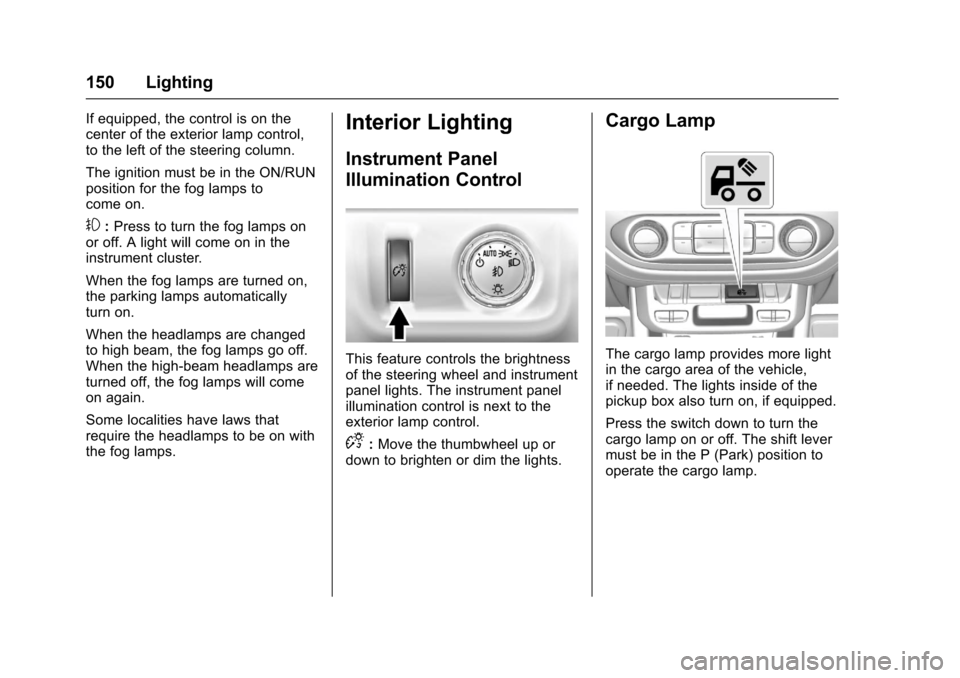
This feature controls the brightnessof the steering wheel and instrumentpanel lights. The instrument panelillumination control is next to theexterior lamp control.
D:Move the thumbwheel up ordown to brighten or dim the lights.
Cargo Lamp
The cargo lamp provides more lightin the cargo area of the vehicle,if needed. The lights inside of thepickup box also turn on, if equipped.
Press the switch down to turn thecargo lamp on or off. The shift levermust be in the P (Park) position tooperate the cargo lamp.
Page 210 of 419
Chevrolet Colorado Owner Manual (GMNA-Localizing-U.S./Canada/Mexico-10122675) - 2017 - crc - 8/22/16
Climate Controls 209
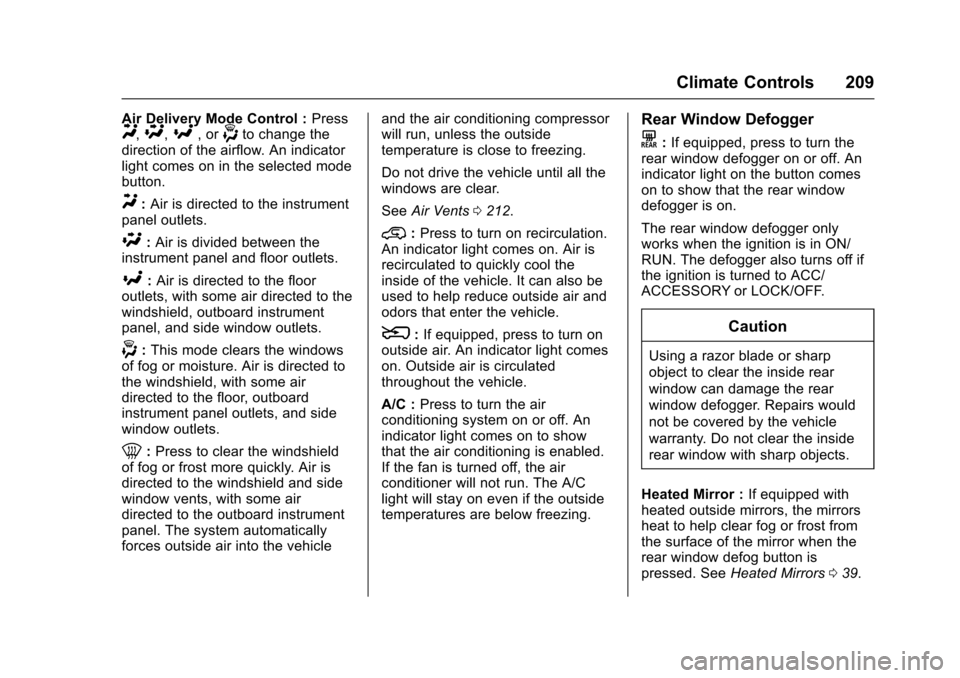
Air Delivery Mode Control :PressY,\,[,or-to change thedirection of the airflow. An indicatorlight comes on in the selected modebutton.
Y:Air is directed to the instrumentpanel outlets.
\:Air is divided between theinstrument panel and floor outlets.
[:Air is directed to the flooroutlets, with some air directed to thewindshield, outboard instrumentpanel, and side window outlets.
-:This mode clears the windowsof fog or moisture. Air is directed tothe windshield, with some airdirected to the floor, outboardinstrument panel outlets, and sidewindow outlets.
0:Press to clear the windshieldof fog or frost more quickly. Air isdirected to the windshield and sidewindow vents, with some airdirected to the outboard instrumentpanel. The system automaticallyforces outside air into the vehicle
and the air conditioning compressorwill run, unless the outsidetemperature is close to freezing.
Do not drive the vehicle until all thewindows are clear.
SeeAir Vents0212.
@:Press to turn on recirculation.An indicator light comes on. Air isrecirculated to quickly cool theinside of the vehicle. It can also beused to help reduce outside air andodors that enter the vehicle.
8:If equipped, press to turn onoutside air. An indicator light comeson. Outside air is circulatedthroughout the vehicle.
A/C :Press to turn the airconditioning system on or off. Anindicator light comes on to showthat the air conditioning is enabled.If the fan is turned off, the airconditioner will not run. The A/Clight will stay on even if the outsidetemperatures are below freezing.
Rear Window Defogger
K:If equipped, press to turn therear window defogger on or off. Anindicator light on the button comeson to show that the rear windowdefogger is on.
The rear window defogger onlyworks when the ignition is in ON/RUN. The defogger also turns off ifthe ignition is turned to ACC/ACCESSORY or LOCK/OFF.
Caution
Using a razor blade or sharp
object to clear the inside rear
window can damage the rear
window defogger. Repairs would
not be covered by the vehicle
warranty. Do not clear the inside
rear window with sharp objects.
Heated Mirror :If equipped withheated outside mirrors, the mirrorsheat to help clear fog or frost fromthe surface of the mirror when therear window defog button ispressed. SeeHeated Mirrors039.
Page 212 of 419
Chevrolet Colorado Owner Manual (GMNA-Localizing-U.S./Canada/Mexico-10122675) - 2017 - crc - 8/22/16
Climate Controls 211
Do not cover the solar sensor on thetop of the instrument panel near thewindshield. This sensor regulatesair temperature based on sun load.See“Sensors”later in this section.
Manual Operation
O:Press to turn the climate controlsystem on or off. When the systemis turned off, air will stop flowing into
the cabin. PressOagain or adjust
any of the climate controls to turnthe system back on and the airflowwill continue based on the selectedclimate control settings.
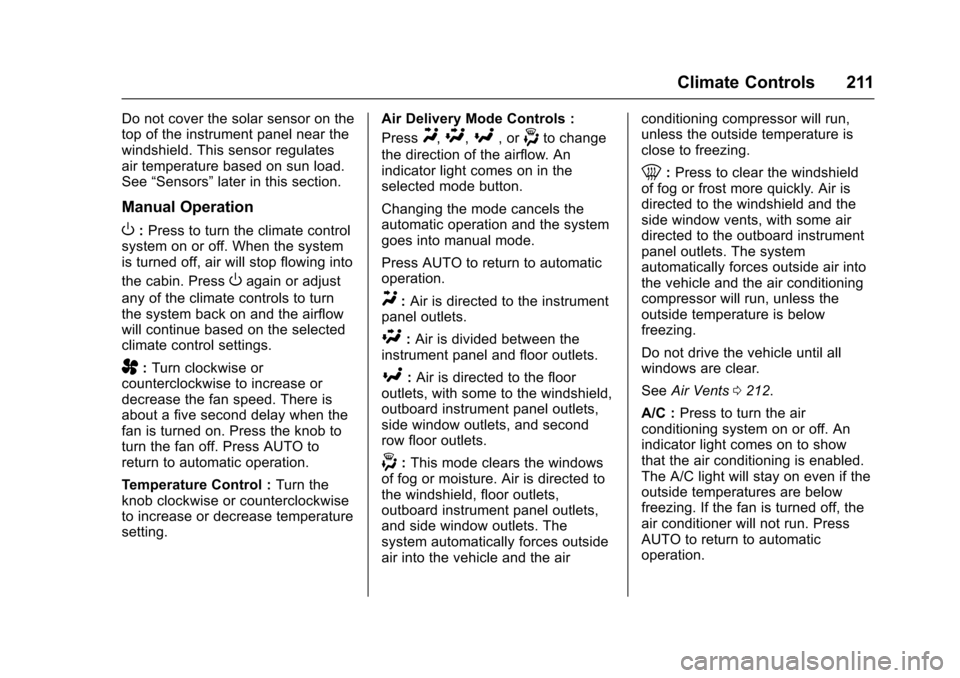
A:Turn clockwise orcounterclockwise to increase ordecrease the fan speed. There isabout a five second delay when thefan is turned on. Press the knob toturn the fan off. Press AUTO toreturn to automatic operation.
Te m p e r a t u r e C o n t r o l :Turn theknob clockwise or counterclockwiseto increase or decrease temperaturesetting.
Air Delivery Mode Controls :
PressY,\,[,or-to change
the direction of the airflow. Anindicator light comes on in theselected mode button.
Changing the mode cancels theautomatic operation and the systemgoes into manual mode.
Press AUTO to return to automaticoperation.
Y:Air is directed to the instrumentpanel outlets.
\:Air is divided between theinstrument panel and floor outlets.
[:Air is directed to the flooroutlets, with some to the windshield,outboard instrument panel outlets,side window outlets, and secondrow floor outlets.
-:This mode clears the windowsof fog or moisture. Air is directed tothe windshield, floor outlets,outboard instrument panel outlets,and side window outlets. Thesystem automatically forces outsideair into the vehicle and the air
conditioning compressor will run,unless the outside temperature isclose to freezing.
0:Press to clear the windshieldof fog or frost more quickly. Air isdirected to the windshield and theside window vents, with some airdirected to the outboard instrumentpanel outlets. The systemautomatically forces outside air intothe vehicle and the air conditioningcompressor will run, unless theoutside temperature is belowfreezing.
Do not drive the vehicle until allwindows are clear.
SeeAir Vents0212.
A/C :Press to turn the airconditioning system on or off. Anindicator light comes on to showthat the air conditioning is enabled.The A/C light will stay on even if theoutside temperatures are belowfreezing. If the fan is turned off, theair conditioner will not run. PressAUTO to return to automaticoperation.
Page 213 of 419
Chevrolet Colorado Owner Manual (GMNA-Localizing-U.S./Canada/Mexico-10122675) - 2017 - crc - 8/22/16
212 Climate Controls
@:Press to turn on recirculation.An indicator light comes on. Air isrecirculated to quickly cool theinside of the vehicle. It can also beused to help reduce outside air andodors that enter the vehicle. The airconditioning compressor also comeson when this mode is activated.Press AUTO to return to automaticoperation.
Auto Defog :The climate controlsystem may have a sensor toautomatically detect high humidityinside the vehicle. When highhumidity is detected, the climatecontrol system may adjust airdelivery modes, outside air supply,and turn on the air conditioner. If theclimate control system does notdetect possible window fogging, itreturns to normal operation. To turnAuto Defog off or on, see“Climateand Air Quality”underVehiclePersonalization0139.
Rear Window Defogger
The rear window defogger uses awarming grid to remove fog from therear window.
K:Press to turn the rear windowdefogger on or off. An indicator lighton the button comes on to show thatthe rear window defogger is on.
The rear window defogger onlyworks when the ignition is in ON/RUN. The defogger also turns off ifthe ignition is turned to ACC/ACCESSORY or LOCK/OFF.
Caution
Using a razor blade or sharp
object to clear the inside rear
window can damage the rear
window defogger. Repairs would
not be covered by the vehicle
warranty. Do not clear the inside
rear window with sharp objects.
Heated Mirror :If equipped withheated outside mirrors, the mirrorsheat to help clear fog or frost fromthe surface of the mirror when therear window defog button ispressed. SeeHeated Mirrors039.
Air Vents
Adjustable air vents are in thecenter and on the side of theinstrument panel. Use the slidingknobs on the air vents to changethe direction of the airflow. Slide theknob up or down to open or closeoff the airflow.
Air vents blow warm air on the sidewindows in cold weather. If Floor,Defog, or Defrost modes areselected, a small amount of air willcome from the vents close to thewindow. If the airflow is shut offusing the sliding knobs, warm airwill be directed to the otherinstrument panel vents. This isnormal operation.
Use the sliding knobs to turn ventairflow on or off based on the modeselected.
Operation Tips
.Clear away any ice, snow,or leaves from air inlets at thebase of the windshield that couldblock the flow of air into thevehicle.
Page 226 of 419
Chevrolet Colorado Owner Manual (GMNA-Localizing-U.S./Canada/Mexico-10122675) - 2017 - crc - 8/22/16
Driving and Operating 225
{Warning
Snow can trap engine exhaust
under the vehicle. This may
cause exhaust gases to get
inside. Engine exhaust contains
carbon monoxide (CO), which
cannot be seen or smelled. It can
cause unconsciousness and even
death.
If the vehicle is stuck in snow:
.Clear snow from the base ofthe vehicle, especially anyblocking the exhaust pipe.
.Open a window about 5 cm(2 in) on the vehicle sidethat is away from the wind,to bring in fresh air.
.Fully open the air outlets onor under the instrumentpanel.
.Adjust the climate controlsystem to circulate the airinside the vehicle and set
(Continued)
Warning (Continued)
the fan speed to the highestsetting. See“ClimateControl Systems.”
For more information about CO,
seeEngine Exhaust0240.
To s a v e f u e l , r u n t h e e n g i n e f o rshort periods to warm the vehicleand then shut the engine off andpartially close the window. Movingabout to keep warm also helps.
If it takes time for help to arrive,when running the engine, push theaccelerator pedal slightly so theengine runs faster than the idlespeed. This keeps the batterycharged to restart the vehicle and tosignal for help with the headlamps.Do this as little as possible, tosave fuel.
If the Vehicle Is Stuck
Slowly and cautiously spin thewheels to free the vehicle whenstuck in sand, mud, ice, or snow.See“Rocking the Vehicle to Get ItOut”later in this section.
The Traction Control System (TCS)can often help to free a stuckvehicle. SeeTr a c t i o n C o n t r o l /Electronic Stability Control0256.If TCS cannot free the vehicle, see“Rocking the Vehicle to Get it Out”following.
{Warning
If the vehicle's tires spin at high
speed, they can explode, and you
or others could be injured. The
vehicle can overheat, causing an
engine compartment fire or other
damage. Spin the wheels as little
as possible and avoid going
above 56 km/h (35 mph).
For information about using tirechains on the vehicle, seeTireChains0335.