cruise control CHEVROLET COLORADO 2018 Owner's Manual
[x] Cancel search | Manufacturer: CHEVROLET, Model Year: 2018, Model line: COLORADO, Model: CHEVROLET COLORADO 2018Pages: 421, PDF Size: 5.58 MB
Page 4 of 421
Chevrolet Colorado Owner Manual (GMNA-Localizing-U.S./Canada/Mexico-
11349743) - 2018 - crc - 10/12/17
Introduction 3
{Danger
Danger indicates a hazard with a
high level of risk which will result
in serious injury or death.
{Warning
Warning indicates a hazard that
could result in injury or death.
Caution
Caution indicates a hazard that
could result in property or vehicle
damage.
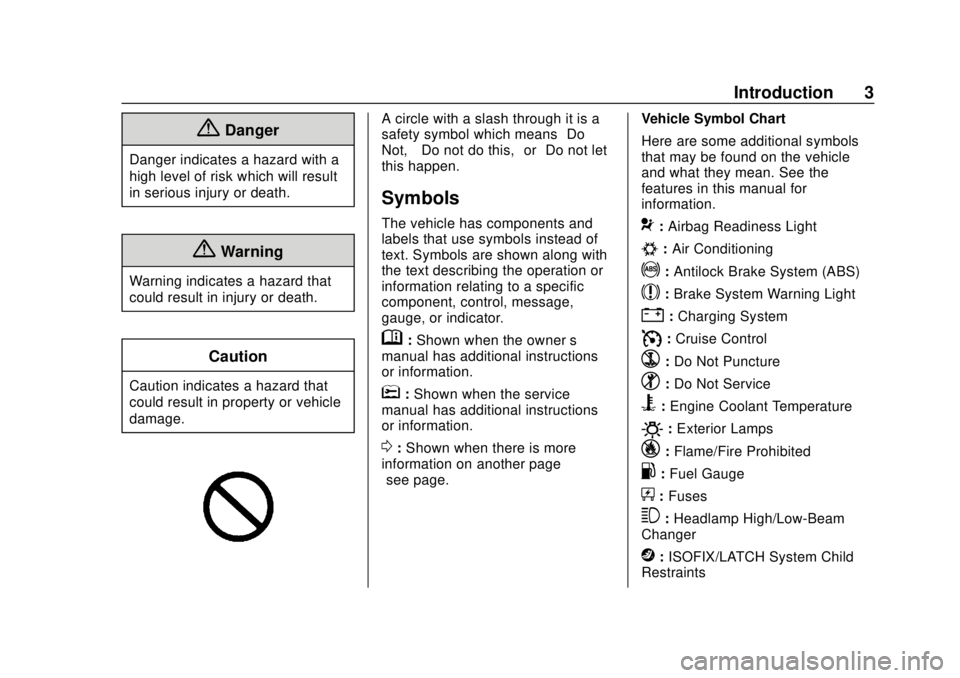
A circle with a slash through it is a
safety symbol which means“Do
Not,” “Do not do this,” or“Do not let
this happen.”
Symbols
The vehicle has components and
labels that use symbols instead of
text. Symbols are shown along with
the text describing the operation or
information relating to a specific
component, control, message,
gauge, or indicator.
M: Shown when the owner ’s
manual has additional instructions
or information.
*: Shown when the service
manual has additional instructions
or information.
0: Shown when there is more
information on another page —
“see page.” Vehicle Symbol Chart
Here are some additional symbols
that may be found on the vehicle
and what they mean. See the
features in this manual for
information.
9:
Airbag Readiness Light
#:Air Conditioning
!:Antilock Brake System (ABS)
$:Brake System Warning Light
":Charging System
I: Cruise Control
`:Do Not Puncture
^:Do Not Service
B:Engine Coolant Temperature
O:Exterior Lamps
_: Flame/Fire Prohibited
.:Fuel Gauge
+: Fuses
3:Headlamp High/Low-Beam
Changer
j: ISOFIX/LATCH System Child
Restraints
Page 6 of 421
Chevrolet Colorado Owner Manual (GMNA-Localizing-U.S./Canada/Mexico-
11349743) - 2018 - crc - 10/12/17
In Brief 5
In Brief
Instrument Panel
Instrument Panel . . . . . . . . . . . . . . . . 6
Initial Drive Information
Initial Drive Information . . . . . . . . . . 8
Remote Keyless Entry (RKE)System . . . . . . . . . . . . . . . . . . . . . . . . 8
Remote Vehicle Start . . . . . . . . . . . 9
Door Locks . . . . . . . . . . . . . . . . . . . . . 9
Windows . . . . . . . . . . . . . . . . . . . . . . . . 9
Seat Adjustment . . . . . . . . . . . . . . . 10
Heated Seats . . . . . . . . . . . . . . . . . . 11
Head Restraint Adjustment . . . . 11
Seat Belts . . . . . . . . . . . . . . . . . . . . . 12
Passenger Sensing System . . . 12
Mirror Adjustment . . . . . . . . . . . . . . 12
Steering Wheel Adjustment . . . . 13
Interior Lighting . . . . . . . . . . . . . . . . 14
Exterior Lighting . . . . . . . . . . . . . . . 15
Windshield Wiper/Washer . . . . . . 15
Climate Controls . . . . . . . . . . . . . . . 16
Transmission . . . . . . . . . . . . . . . . . . 17
Four-Wheel Drive . . . . . . . . . . . . . . 18
Vehicle Features
Infotainment System . . . . . . . . . . . 19
Radio(s) . . . . . . . . . . . . . . . . . . . . . . . 19 Satellite Radio . . . . . . . . . . . . . . . . . 20
Portable Audio Devices . . . . . . . . 20
Bluetooth
®. . . . . . . . . . . . . . . . . . . . . 20
Steering Wheel Controls . . . . . . . 20
Cruise Control . . . . . . . . . . . . . . . . . 21
Driver Information Center (DIC) (Base Level) . . . . . . . . . . . . . . . . . 21
Driver Information Center (DIC) (Uplevel) . . . . . . . . . . . . . . . . . . . . . 22
Forward Collision Alert (FCA) System . . . . . . . . . . . . . . . . . . . . . . . 22
Lane Departure Warning (LDW) . . . . . . . . . . . . . . . 22
Rear Vision Camera (RVC) . . . . 23
Power Outlets . . . . . . . . . . . . . . . . . 23
Performance and Maintenance
Traction Control/Electronic Stability Control . . . . . . . . . . . . . . 23
Tire Pressure Monitor . . . . . . . . . . 24
Fuel (Gasoline) . . . . . . . . . . . . . . . . 25
Fuel (Diesel) . . . . . . . . . . . . . . . . . . . 25
E85 or FlexFuel . . . . . . . . . . . . . . . . 25
Engine Oil Life System . . . . . . . . 25
Driving for Better Fuel Economy . . . . . . . . . . . . . . . . . . . . . 26
Roadside Assistance Program . . . . . . . . . . . . . . . . . . . . . . 26
Page 8 of 421

Chevrolet Colorado Owner Manual (GMNA-Localizing-U.S./Canada/Mexico-
11349743) - 2018 - crc - 10/12/17
In Brief 7
1.Air Vents 0195.
2. Turn Signal Lever. See Turn
and Lane-Change Signals
0 145.
Driver Information Center (DIC)
(Base Level) Controls (If
Equipped).
See Driver Information Center
(DIC) (Base Level) 0129 or
Driver Information Center (DIC)
(Uplevel) 0131.
3. Instrument Cluster (Upevel)
0114 orInstrument Cluster
(Base Level) 0112.
4. Windshield Wiper/Washer
0107.
5. Light Sensor. See Automatic
Headlamp System 0144.
Vehicle Alarm System Indicator
(If Equipped). See Vehicle
Alarm System 036.
6. Infotainment 0150.
7. Climate Control Systems 0191
(If Equipped).
Automatic Climate Control
System 0193 (If Equipped). 8.
Heated Front Seats 049 (If
Equipped).
9. Power Outlets 0109 (If
Equipped).
10. Shift Lever. SeeAutomatic Transmission
0 224 orManual Transmission
0 229.
11. Auxiliary Jack 0165.
USB Port 0159.
12. Hazard Warning Flashers
0145.
Traction Control/Electronic
Stability Control 0240.
Cargo Lamp 0147.
Lane Departure Warning
(LDW) 0253 (If Equipped).
Hill Descent Control (HDC)
0 243 (If Equipped).
Tow/Haul Mode 0229 (If
Equipped).
Locking Front Axle 0246 (If
Equipped).
Locking Rear Axle 0245 (If
Equipped). 13.
Steering Wheel Controls 0106
(If Equipped).
Driver Information Center (DIC)
(Uplevel) Controls (If
Equipped).
See Driver Information Center
(DIC) (Base Level) 0129 or
Driver Information Center (DIC)
(Uplevel) 0131.
14. Horn 0107.
15. Steering Wheel Adjustment
0106 (Out of View).
16. Cruise Control 0247.
Forward Collision Alert (FCA)
System 0251 (If Equipped).
17. Transfer Case Knob (If Equipped). See Four-Wheel
Drive 0231.
Driver Mode Control (ZR2
Only) 0244 (If Equipped).
18. Hood Release. See Hood
0 277.
19. Parking Brake 0239.
Page 22 of 421
Chevrolet Colorado Owner Manual (GMNA-Localizing-U.S./Canada/Mexico-
11349743) - 2018 - crc - 10/12/17
In Brief 21
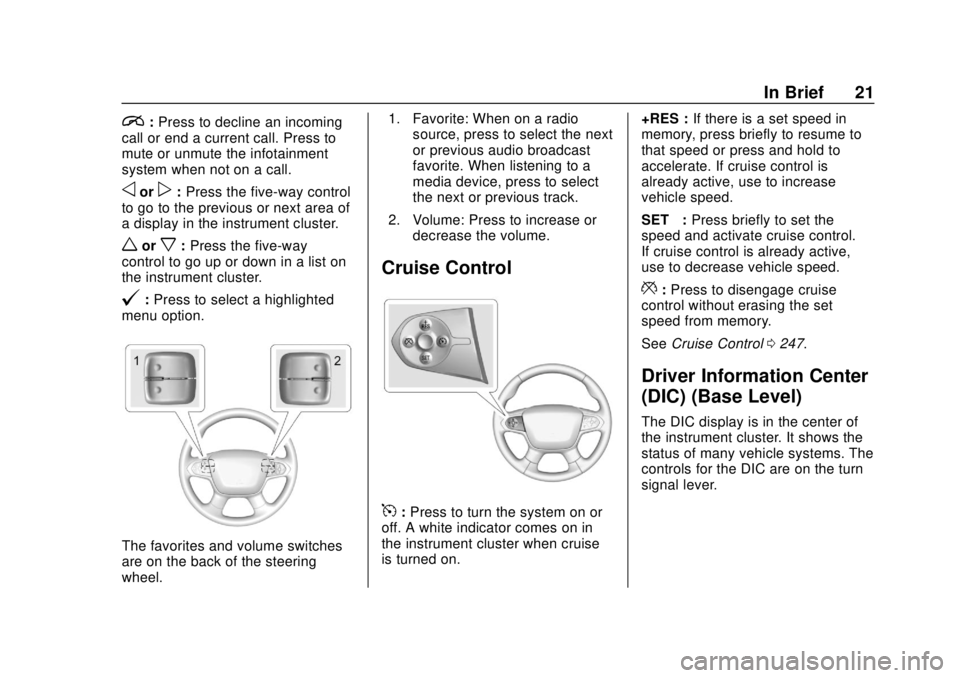
i:Press to decline an incoming
call or end a current call. Press to
mute or unmute the infotainment
system when not on a call.
oorp: Press the five-way control
to go to the previous or next area of
a display in the instrument cluster.
worx: Press the five-way
control to go up or down in a list on
the instrument cluster.
@: Press to select a highlighted
menu option.
The favorites and volume switches
are on the back of the steering
wheel. 1. Favorite: When on a radio
source, press to select the next
or previous audio broadcast
favorite. When listening to a
media device, press to select
the next or previous track.
2. Volume: Press to increase or decrease the volume.
Cruise Control
5:Press to turn the system on or
off. A white indicator comes on in
the instrument cluster when cruise
is turned on. +RES :
If there is a set speed in
memory, press briefly to resume to
that speed or press and hold to
accelerate. If cruise control is
already active, use to increase
vehicle speed.
SET− :Press briefly to set the
speed and activate cruise control.
If cruise control is already active,
use to decrease vehicle speed.
*: Press to disengage cruise
control without erasing the set
speed from memory.
See Cruise Control 0247.
Driver Information Center
(DIC) (Base Level)
The DIC display is in the center of
the instrument cluster. It shows the
status of many vehicle systems. The
controls for the DIC are on the turn
signal lever.
Page 27 of 421
Chevrolet Colorado Owner Manual (GMNA-Localizing-U.S./Canada/Mexico-
11349743) - 2018 - crc - 10/12/17
26 In Brief
2. Fully press the acceleratorpedal slowly three times within
five seconds. If the display
shows 100%, the system is
reset.
See Engine Oil Life System 0283.
Driving for Better Fuel
Economy
Driving habits can affect fuel
mileage. Here are some driving tips
to get the best fuel economy
possible.
.
Avoid fast starts and accelerate
smoothly.
. Brake gradually and avoid
abrupt stops.
. Avoid idling the engine for long
periods of time.
. When road and weather
conditions are appropriate, use
cruise control.
. Always follow posted speed
limits or drive more slowly when
conditions require. .
Keep vehicle tires properly
inflated.
. Combine several trips into a
single trip.
. Replace the vehicle's tires with
the same TPC Spec number
molded into the tire's sidewall
near the size.
. Follow recommended scheduled
maintenance.
Roadside Assistance
Program
U.S.: 1-800-243-8872
TTY Users (U.S. Only):
1-888-889-2438
Canada: 1-800-268-6800
New Chevrolet owners are
automatically enrolled in the
Roadside Assistance Program.
See Roadside Assistance Program
0 386.
Page 106 of 421
Chevrolet Colorado Owner Manual (GMNA-Localizing-U.S./Canada/Mexico-
11349743) - 2018 - crc - 10/12/17
Instruments and Controls 105
Instruments and
Controls
Controls
Steering Wheel Adjustment . . . 106
Steering Wheel Controls . . . . . . 106
Horn . . . . . . . . . . . . . . . . . . . . . . . . . . 107
Windshield Wiper/Washer . . . . 107
Compass . . . . . . . . . . . . . . . . . . . . . 108
Clock . . . . . . . . . . . . . . . . . . . . . . . . . 108
Power Outlets . . . . . . . . . . . . . . . . 109
Wireless Charging . . . . . . . . . . . . 110
Warning Lights, Gauges, and
Indicators
Warning Lights, Gauges, andIndicators . . . . . . . . . . . . . . . . . . . . 111
Instrument Cluster (Base Level) . . . . . . . . . . . . . . . . . . . . . . . 112
Instrument Cluster (Upevel) . . . 114
Speedometer . . . . . . . . . . . . . . . . . 116
Odometer . . . . . . . . . . . . . . . . . . . . . 116
Trip Odometer . . . . . . . . . . . . . . . . 116
Tachometer . . . . . . . . . . . . . . . . . . . 116
Fuel Gauge . . . . . . . . . . . . . . . . . . . 116
Engine Coolant Temperature Gauge . . . . . . . . . . . . . . . . . . . . . . 117
Seat Belt Reminders . . . . . . . . . . 118 Airbag Readiness Light . . . . . . . 119
Passenger Airbag Status
Indicator . . . . . . . . . . . . . . . . . . . . . 119
Charging System Light . . . . . . . 120
Malfunction Indicator Lamp (Check Engine Light) . . . . . . . . 120
Brake System Warning Light . . . . . . . . . . . . . . . . . . . . . . . . 122
Antilock Brake System (ABS) Warning Light . . . . . . . . . . . . . . . 123
Up-Shift Light (Manual Transmission) . . . . . . . . . . . . . . . 124
Four-Wheel-Drive Light . . . . . . . 124
Tow/Haul Mode Light . . . . . . . . . 124
Hill Descent Control Light . . . . 124
Lane Departure Warning (LDW) Light . . . . . . . . . . . . . . . . . 124
Vehicle Ahead Indicator . . . . . . 125
Traction Off Light . . . . . . . . . . . . . 125
StabiliTrak OFF Light . . . . . . . . . 125
Traction Control System (TCS)/ StabiliTrak Light . . . . . . . . . . . . . 125
Tire Pressure Light . . . . . . . . . . . 126
Engine Oil Pressure Light . . . . 126
Low Fuel Warning Light (Base Level) . . . . . . . . . . . . . . . . . . . . . . . 127
Low Fuel Warning Light (Uplevel) . . . . . . . . . . . . . . . . . . . . 127
Security Light . . . . . . . . . . . . . . . . . 127
High-Beam On Light . . . . . . . . . . 127 Front Fog Lamp Light . . . . . . . . . 128
Lamps On Reminder . . . . . . . . . 128
Cruise Control Light . . . . . . . . . . 128
Door Ajar Light (Uplevel
Cluster) . . . . . . . . . . . . . . . . . . . . . 128
Information Displays
Driver Information Center (DIC)
(Base Level) . . . . . . . . . . . . . . . . 129
Driver Information Center (DIC) (Uplevel) . . . . . . . . . . . . . . . . . . . . 131
Vehicle Messages
Vehicle Messages . . . . . . . . . . . . 135
Engine Power Messages . . . . . 135
Vehicle Speed Messages . . . . . 135
Vehicle Personalization
Vehicle Personalization . . . . . . . 136
Page 129 of 421
Chevrolet Colorado Owner Manual (GMNA-Localizing-U.S./Canada/Mexico-
11349743) - 2018 - crc - 10/12/17
128 Instruments and Controls
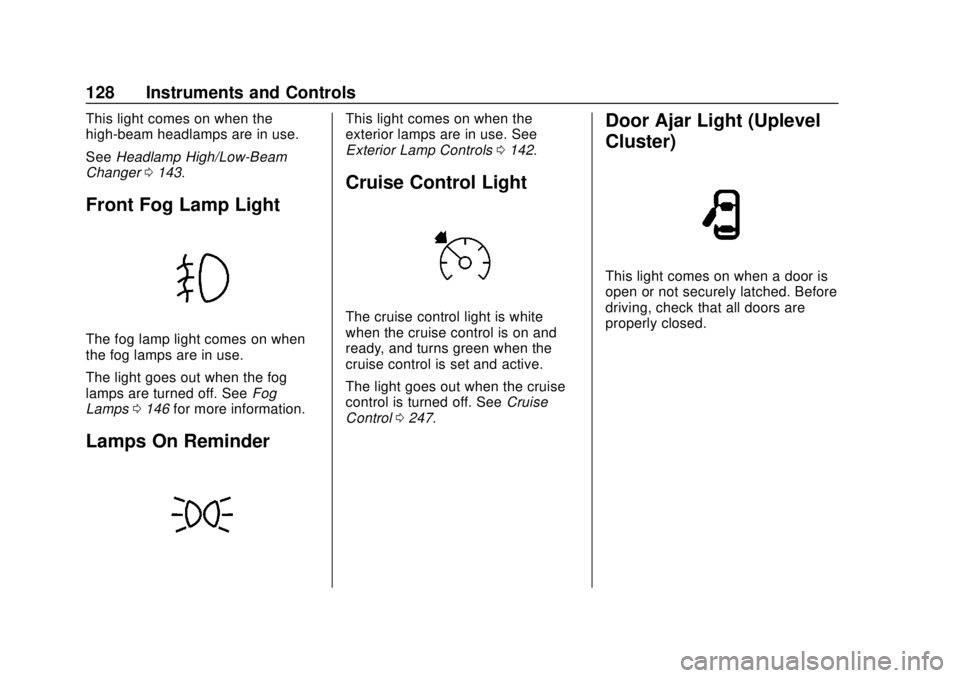
This light comes on when the
high-beam headlamps are in use.
SeeHeadlamp High/Low-Beam
Changer 0143.
Front Fog Lamp Light
The fog lamp light comes on when
the fog lamps are in use.
The light goes out when the fog
lamps are turned off. See Fog
Lamps 0146 for more information.
Lamps On Reminder
This light comes on when the
exterior lamps are in use. See
Exterior Lamp Controls 0142.
Cruise Control Light
The cruise control light is white
when the cruise control is on and
ready, and turns green when the
cruise control is set and active.
The light goes out when the cruise
control is turned off. See Cruise
Control 0247.
Door Ajar Light (Uplevel
Cluster)
This light comes on when a door is
open or not securely latched. Before
driving, check that all doors are
properly closed.
Page 136 of 421
Chevrolet Colorado Owner Manual (GMNA-Localizing-U.S./Canada/Mexico-
11349743) - 2018 - crc - 10/12/17
Instruments and Controls 135
Vehicle Messages
Messages displayed on the DIC
indicate the status of the vehicle or
some action that may be needed to
correct a condition. Multiple
messages may appear one after
another.
The messages that do not require
immediate action can be
acknowledged and cleared by
pressing
V. The messages that
require immediate action cannot be
cleared until that action is
performed.
All messages should be taken
seriously; clearing the message
does not correct the problem.
If a SERVICE message appears,
see your dealer.
Follow the instructions given in the
messages. The system displays
messages regarding the following
topics:
. Service Messages
. Fluid Levels
. Vehicle Security .
Brakes
. Ride Control Systems
. Driver Assistance Systems
. Cruise Control
. Lighting and Bulb Replacement
. Wiper/Washer Systems
. Doors and Windows
. Seat Belts
. Airbag Systems
. Engine and Transmission
. Tire Pressure
. Battery
Engine Power Messages
ENGINE POWER IS REDUCED
This message displays when the
vehicle's propulsion power is
reduced. Reduced propulsion power
can affect the vehicle's ability to
accelerate. If this message is on,
but there is no observed reduction
in performance, proceed to your
destination. The performance may
be reduced the next time the vehicle is driven. The vehicle may be driven
while this message is on, but
maximum acceleration and speed
may be reduced. Anytime this
message stays on, or displays
repeatedly, the vehicle should be
taken to your dealer for service as
soon as possible.
Vehicle Speed Messages
SPEED LIMITED TO
XXX KM/H (MPH)
This message shows that the
vehicle speed has been limited to
the speed displayed. The limited
speed is a protection for various
propulsion and vehicle systems,
such as lubrication, thermal,
suspension, Teen Driver if
equipped, or tires.
If equipped with a diesel engine,
see the Duramax Diesel
supplement.
Page 198 of 421
Chevrolet Colorado Owner Manual (GMNA-Localizing-U.S./Canada/Mexico-
11349743) - 2018 - crc - 10/12/17
Driving and Operating 197
Driving and
Operating
Driving Information
Distracted Driving . . . . . . . . . . . . 198
Defensive Driving . . . . . . . . . . . . . 199
Drunk Driving . . . . . . . . . . . . . . . . . 199
Control of a Vehicle . . . . . . . . . . . 199
Braking . . . . . . . . . . . . . . . . . . . . . . . 199
Steering . . . . . . . . . . . . . . . . . . . . . . 200
Off-Road Recovery . . . . . . . . . . . 200
Loss of Control . . . . . . . . . . . . . . . 201
Off-Road Driving . . . . . . . . . . . . . 201
Driving on Wet Roads . . . . . . . . 206
Hill and Mountain Roads . . . . . 207
Winter Driving . . . . . . . . . . . . . . . . 207
If the Vehicle Is Stuck . . . . . . . . 209
Vehicle Load Limits . . . . . . . . . . . 210
Truck-Camper LoadingInformation . . . . . . . . . . . . . . . . . . 215
Starting and Operating
New Vehicle Break-In . . . . . . . . . 216
Ignition Positions . . . . . . . . . . . . . 216
Starting the Engine . . . . . . . . . . . 218
Engine Heater . . . . . . . . . . . . . . . . 219
Retained AccessoryPower (RAP) . . . . . . . . . . . . . . . . 220 Shifting Into Park . . . . . . . . . . . . . 221
Shifting out of Park . . . . . . . . . . . 222
Parking . . . . . . . . . . . . . . . . . . . . . . . 222
Parking over Things
That Burn . . . . . . . . . . . . . . . . . . . 223
Engine Exhaust
Engine Exhaust . . . . . . . . . . . . . . 223
Running the Vehicle While
Parked . . . . . . . . . . . . . . . . . . . . . . 223
Automatic Transmission
Automatic Transmission . . . . . . 224
Manual Mode . . . . . . . . . . . . . . . . . 227
Tow/Haul Mode . . . . . . . . . . . . . . . 229
Manual Transmission
Manual Transmission . . . . . . . . . 229
Drive Systems
Four-Wheel Drive . . . . . . . . . . . . . 231
Brakes
Antilock BrakeSystem (ABS) . . . . . . . . . . . . . . . 238
Parking Brake . . . . . . . . . . . . . . . . 239
Brake Assist . . . . . . . . . . . . . . . . . . 239
Hill Start Assist (HSA) . . . . . . . . 240
Ride Control Systems
Traction Control/Electronic Stability Control . . . . . . . . . . . . . 240 Hill Descent Control (HDC) . . . 243
Driver Mode Control
(ZR2 Only) . . . . . . . . . . . . . . . . . . 244
Limited-Slip Differential . . . . . . . 245
Locking Rear Axle . . . . . . . . . . . . 245
Locking Front Axle . . . . . . . . . . . 246
Cruise Control
Cruise Control . . . . . . . . . . . . . . . . 247
Driver Assistance Systems
Rear Vision Camera (RVC) . . . 250
Forward Collision Alert (FCA) System . . . . . . . . . . . . . . . . . . . . . . 251
Lane Departure Warning (LDW) . . . . . . . . . . . . . 253
Fuel
Fuel . . . . . . . . . . . . . . . . . . . . . . . . . . 255
California FuelRequirements . . . . . . . . . . . . . . . 256
Fuels in Foreign Countries . . . 256
Fuel Additives . . . . . . . . . . . . . . . . 256
Filling the Tank . . . . . . . . . . . . . . . 256
Filling a Portable Fuel Container . . . . . . . . . . . . . . . . . . . 258
Trailer Towing
General TowingInformation . . . . . . . . . . . . . . . . . . 259
Driving Characteristics and Towing Tips . . . . . . . . . . . . . . . . . 259
Page 207 of 421
Chevrolet Colorado Owner Manual (GMNA-Localizing-U.S./Canada/Mexico-
11349743) - 2018 - crc - 10/12/17
206 Driving and Operating
and it may take longer to stop. See
“Driving on Wet Roads”later in this
section.
After Off-Road Driving
Remove any brush or debris that
has collected on the underbody or
chassis, or under the hood. These
accumulations can be a fire hazard.
After operation in mud or sand,
have the brake linings cleaned and
checked. These substances can
cause glazing and uneven braking.
Check the body structure, driveline,
steering, suspension, wheels, tires,
and exhaust system for damage and
check the fuel lines and cooling
system for any leakage.
More frequent maintenance service
is required. See the Maintenance
Schedule 0365.
Driving on Wet Roads
Rain and wet roads can reduce
vehicle traction and affect your
ability to stop and accelerate.
Always drive slower in these types of driving conditions and avoid
driving through large puddles and
deep-standing or flowing water.
{Warning
Wet brakes can cause crashes.
They might not work as well in a
quick stop and could cause
pulling to one side. You could
lose control of the vehicle.
After driving through a large
puddle of water or a car/vehicle
wash, lightly apply the brake
pedal until the brakes work
normally.
Flowing or rushing water creates
strong forces. Driving through
flowing water could cause the
vehicle to be carried away. If this
happens, you and other vehicle
occupants could drown. Do not
ignore police warnings and be
very cautious about trying to drive
through flowing water.
Hydroplaning
Hydroplaning is dangerous. Water
can build up under the vehicle's
tires so they actually ride on the
water. This can happen if the road is
wet enough and you are going fast
enough. When the vehicle is
hydroplaning, it has little or no
contact with the road.
There is no hard and fast rule about
hydroplaning. The best advice is to
slow down when the road is wet.
Other Rainy Weather Tips
Besides slowing down, other wet
weather driving tips include:
.
Allow extra following distance.
. Pass with caution.
. Keep windshield wiping
equipment in good shape.
. Keep the windshield washer fluid
reservoir filled.
. Have good tires with proper
tread depth. See Tires0312.
. Turn off cruise control.