cruise control CHEVROLET COLORADO 2020 User Guide
[x] Cancel search | Manufacturer: CHEVROLET, Model Year: 2020, Model line: COLORADO, Model: CHEVROLET COLORADO 2020Pages: 368, PDF Size: 5.67 MB
Page 186 of 368
Chevrolet Colorado Owner Manual (GMNA-Localizing-U.S./Canada/Mexico-
13566640) - 2020 - CRC - 9/30/19
Driving and Operating 185
again, press and releaseg.iand
gin the instrument cluster will
turn off.
StabiliTrak/ESC will not
automatically turn on while in
Off-Road Mode. TCS and
StabiliTrak/ESC will remain off in
Off-Road Mode until
gis pressed or
the ignition is turned off and then
back on.
Hill Descent
Control (HDC)
If equipped, HDC can be used when
driving downhill. It sets and
maintains vehicle speed while
descending a very steep incline in a
forward or reverse gear.
The HDC switch is on the center
stack, below the climate controls.
Press
5to enable or disable HDC.
Vehicle speed must be below
60 km/h (37 mph).
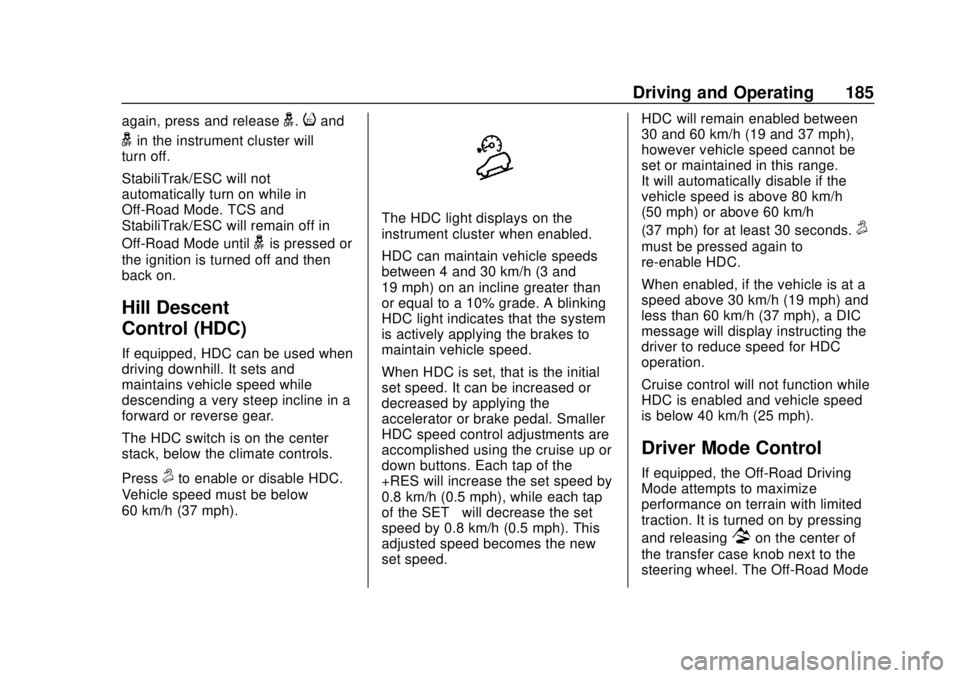
The HDC light displays on the
instrument cluster when enabled.
HDC can maintain vehicle speeds
between 4 and 30 km/h (3 and
19 mph) on an incline greater than
or equal to a 10% grade. A blinking
HDC light indicates that the system
is actively applying the brakes to
maintain vehicle speed.
When HDC is set, that is the initial
set speed. It can be increased or
decreased by applying the
accelerator or brake pedal. Smaller
HDC speed control adjustments are
accomplished using the cruise up or
down buttons. Each tap of the
+RES will increase the set speed by
0.8 km/h (0.5 mph), while each tap
of the SET– will decrease the set
speed by 0.8 km/h (0.5 mph). This
adjusted speed becomes the new
set speed. HDC will remain enabled between
30 and 60 km/h (19 and 37 mph),
however vehicle speed cannot be
set or maintained in this range.
It will automatically disable if the
vehicle speed is above 80 km/h
(50 mph) or above 60 km/h
(37 mph) for at least 30 seconds.5
must be pressed again to
re-enable HDC.
When enabled, if the vehicle is at a
speed above 30 km/h (19 mph) and
less than 60 km/h (37 mph), a DIC
message will display instructing the
driver to reduce speed for HDC
operation.
Cruise control will not function while
HDC is enabled and vehicle speed
is below 40 km/h (25 mph).
Driver Mode Control
If equipped, the Off-Road Driving
Mode attempts to maximize
performance on terrain with limited
traction. It is turned on by pressing
and releasing
7on the center of
the transfer case knob next to the
steering wheel. The Off-Road Mode
Page 190 of 368
Chevrolet Colorado Owner Manual (GMNA-Localizing-U.S./Canada/Mexico-
13566640) - 2020 - CRC - 9/30/19
Driving and Operating 189
Cruise Control
With cruise control a speed of about
40 km/h (25 mph) or more can be
maintained without keeping your
foot on the accelerator. Cruise
control does not work at speeds
below about 40 km/h (25 mph).
{Warning
Cruise control can be dangerous
where you cannot drive safely at
a steady speed. Do not use
cruise control on winding roads or
in heavy traffic.
Cruise control can be dangerous
on slippery roads. On such roads,
fast changes in tire traction can
cause excessive wheel slip, and
you could lose control. Do not use
cruise control on slippery roads.
If the cruise control is being used
and the Traction Control (TCS)
system or StabiliTrak/Electronic
Stability Control (ESC) begins to
limit wheel spin, the cruise control will automatically disengage. See
Traction Control/Electronic Stability
Control
0182. If a collision alert
occurs when cruise control is
activated, cruise control is
disengaged. See Forward Collision
Alert (FCA) System 0195. When
road conditions allow you to safely
use it again, cruise control can be
turned back on.
If equipped with Hill Descent Control
(HDC), the cruise control will
disengage if HDC is active.
If the brakes are applied, the cruise
control disengages.
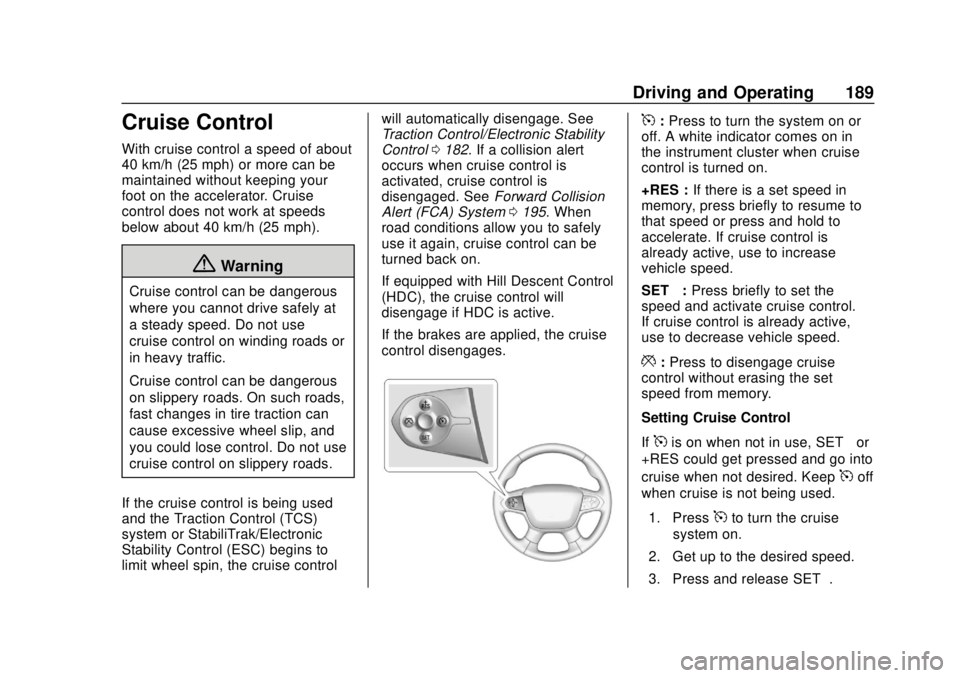
5: Press to turn the system on or
off. A white indicator comes on in
the instrument cluster when cruise
control is turned on.
+RES : If there is a set speed in
memory, press briefly to resume to
that speed or press and hold to
accelerate. If cruise control is
already active, use to increase
vehicle speed.
SET− :Press briefly to set the
speed and activate cruise control.
If cruise control is already active,
use to decrease vehicle speed.
*: Press to disengage cruise
control without erasing the set
speed from memory.
Setting Cruise Control
If
5is on when not in use, SET− or
+RES could get pressed and go into
cruise when not desired. Keep
5off
when cruise is not being used.
1. Press
5to turn the cruise
system on.
2. Get up to the desired speed.
3. Press and release SET−.
Page 191 of 368
Chevrolet Colorado Owner Manual (GMNA-Localizing-U.S./Canada/Mexico-
13566640) - 2020 - CRC - 9/30/19
190 Driving and Operating
4. Remove foot from theaccelerator.
The cruise control indicator on the
instrument cluster turns green after
cruise control has been set to the
desired speed. See Instrument
Cluster (Base Level) 097 or
Instrument Cluster (Uplevel) 099.
Resuming a Set Speed
If the cruise control is set at a
desired speed and then the brakes
are applied or
*is pressed, the
cruise control is disengaged without
erasing the set speed from memory.
Once the vehicle speed reaches
about 40 km/h (25 mph) or more,
press +RES briefly. The vehicle
returns to the previous set speed.
Increasing Speed While Using
Cruise Control
If the cruise control system is
already activated:
. Press and hold +RES until the
desired speed is reached, then
release it. .
To increase vehicle speed in
small increments, briefly press
+RES. For each press, the
vehicle goes about 1 km/h
(1 mph) faster.
The speedometer reading can be
displayed in either English or metric
units. See Driver Information Center
(DIC) (Base Level) 0114 or
Driver Information Center (DIC)
(Uplevel) 0116. The increment
value used depends on the units
displayed.
Reducing Speed While Using
Cruise Control
If the cruise control system is
already activated:
. Press and hold SET– until the
desired lower speed is reached,
then release it.
. To slow down in small
increments, briefly press SET– .
For each press, the vehicle goes
about 1 km/h (1 mph) slower. The speedometer reading can be
displayed in either English or metric
units. See
Driver Information Center
(DIC) (Base Level) 0114 or
Driver Information Center (DIC)
(Uplevel) 0116. The increment
value used depends on the units
displayed.
Passing Another Vehicle While
Using Cruise Control
Use the accelerator pedal to
increase the vehicle speed. When
you take your foot off the pedal, the
vehicle will slow down to the
previous set cruise speed. While
pressing the accelerator pedal or
shortly following the release to
override cruise control, briefly
pressing SET– will result in cruise
control set to the current vehicle
speed.
Using Cruise Control on Hills
How well the cruise control will work
on hills depends on the vehicle
speed, load, and the steepness of
the hills. When going up steep hills,
you might have to step on the
accelerator pedal to maintain your
Page 192 of 368
Chevrolet Colorado Owner Manual (GMNA-Localizing-U.S./Canada/Mexico-
13566640) - 2020 - CRC - 9/30/19
Driving and Operating 191
speed. When going downhill, you
might have to brake or shift to a
lower gear to keep your speed
down. If the brake pedal is applied,
cruise control will disengage.
Ending Cruise Control
There are three ways to end cruise
control:
.Step lightly on the brake pedal.
. Press
*.
. To turn off cruise control,
press
5.
Erasing Speed Memory
The cruise control set speed is
erased from memory if
5is pressed
or if the ignition is turned off.
Driver Assistance
Systems
This vehicle may have features that
work together to help avoid crashes
or reduce crash damage while
driving, backing, and parking. Read
this entire section before using
these systems.
{Warning
Do not rely on the Driver
Assistance Systems. These
systems do not replace the need
for paying attention and driving
safely. You may not hear or see
alerts or warnings provided by
these systems. Failure to use
proper care when driving may
result in injury, death, or vehicle
damage. See Defensive Driving
0 142.
Under many conditions, these
systems will not: (Continued)
Warning (Continued)
.Detect children,
pedestrians, bicyclists,
or animals.
. Detect vehicles or objects
outside the area monitored
by the system.
. Work at all driving speeds.
. Warn you or provide you
with enough time to avoid a
crash.
. Work under poor visibility or
bad weather conditions.
. Work if the detection sensor
is not cleaned or is covered
by ice, snow, mud, or dirt.
. Work if the detection sensor
is covered up, such as with
a sticker, magnet, or metal
plate.
. Work if the area surrounding
the detection sensor is
damaged or not properly
repaired.
(Continued)
Page 197 of 368
Chevrolet Colorado Owner Manual (GMNA-Localizing-U.S./Canada/Mexico-
13566640) - 2020 - CRC - 9/30/19
196 Driving and Operating
display green. Vehicles may not be
detected on curves, highway exit
ramps, or hills, due to poor visibility;
or if a vehicle ahead is partially
blocked by pedestrians or other
objects. FCA will not detect another
vehicle ahead until it is completely
in the driving lane.
{Warning
FCA does not provide a warning
to help avoid a crash, unless it
detects a vehicle. FCA may not
detect a vehicle ahead if the FCA
sensor is blocked by dirt, snow,
or ice, or if the windshield is
damaged. It may also not detect a
vehicle on winding or hilly roads,
or in conditions that can limit
visibility such as fog, rain,
or snow, or if the headlamps or
windshield are not cleaned or in
proper condition. Keep the
windshield, headlamps, and FCA
sensors clean and in good repair.Collision Alert
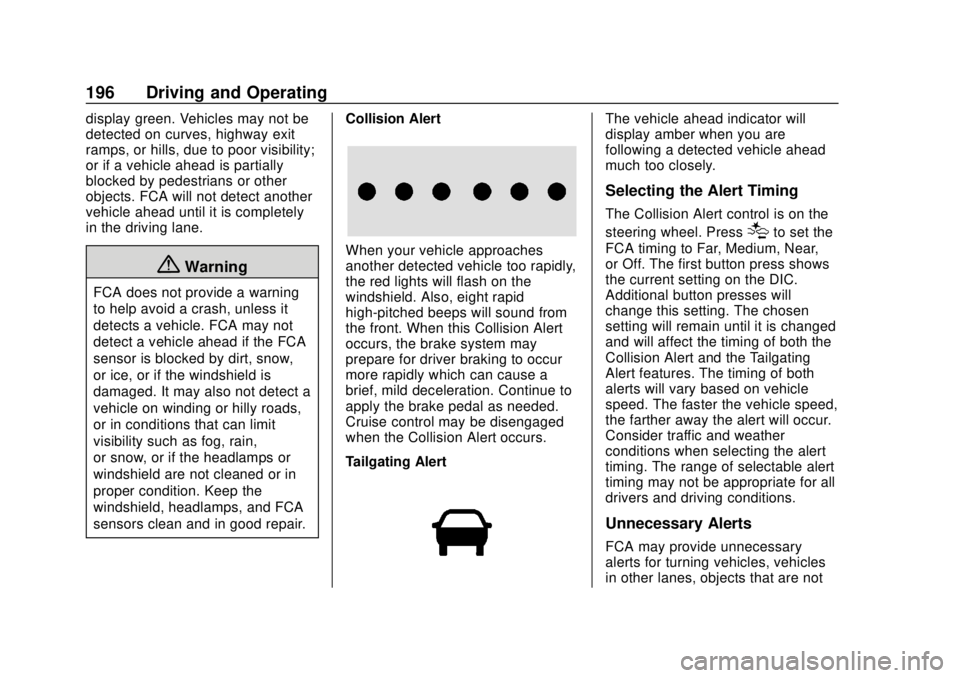
When your vehicle approaches
another detected vehicle too rapidly,
the red lights will flash on the
windshield. Also, eight rapid
high-pitched beeps will sound from
the front. When this Collision Alert
occurs, the brake system may
prepare for driver braking to occur
more rapidly which can cause a
brief, mild deceleration. Continue to
apply the brake pedal as needed.
Cruise control may be disengaged
when the Collision Alert occurs.
Tailgating Alert
The vehicle ahead indicator will
display amber when you are
following a detected vehicle ahead
much too closely.
Selecting the Alert Timing
The Collision Alert control is on the
steering wheel. Press
[to set the
FCA timing to Far, Medium, Near,
or Off. The first button press shows
the current setting on the DIC.
Additional button presses will
change this setting. The chosen
setting will remain until it is changed
and will affect the timing of both the
Collision Alert and the Tailgating
Alert features. The timing of both
alerts will vary based on vehicle
speed. The faster the vehicle speed,
the farther away the alert will occur.
Consider traffic and weather
conditions when selecting the alert
timing. The range of selectable alert
timing may not be appropriate for all
drivers and driving conditions.
Unnecessary Alerts
FCA may provide unnecessary
alerts for turning vehicles, vehicles
in other lanes, objects that are not
Page 204 of 368
Chevrolet Colorado Owner Manual (GMNA-Localizing-U.S./Canada/Mexico-
13566640) - 2020 - CRC - 9/30/19
Driving and Operating 203
important for your safety and that of
your passengers. Read this section
carefully before pulling a trailer.
When towing a trailer:
.Become familiar with and follow
all state and local laws that
apply to trailer towing. These
requirements vary from state to
state.
. State laws may require the use
of extended side view mirrors.
Even if not required, you should
install extended side view
mirrors if your visibility is limited
or restricted while towing.
. Do not tow a trailer during the
first 800 km (500 mi) of vehicle
use to prevent damage to the
engine, axle, or other parts.
. It is recommended to perform
the first oil change before heavy
towing.
. During the first 800 km (500 mi)
of trailer towing, do not drive
over 80 km/h (50 mph) and do
not make starts at full throttle. .
Vehicles can tow in D (Drive).
Tow/Haul Mode is recommended
for heavier trailers. See Tow/
Haul Mode 0173. If the
transmission downshifts too
often, a lower gear may be
selected using Manual Mode.
See Manual Mode 0171.
If equipped, the following driver
assistance features should be
turned off when towing a trailer:
. Adaptive Cruise Control (ACC)
. Super Cruise Control
. Lane Keep Assist (LKA)
. Park Assist
. Reverse Automatic
Braking (RAB)
If equipped, the following driver
assistance features should be
turned to alert or off when towing a
trailer:
. Automatic Emergency
Braking (AEB)
. Intelligent Brake Assist (IBA)
. Front Pedestrian Braking (FPB) If equipped with Lane Change Alert
(LCA), the LCA detection zones that
extend back from the side of the
vehicle do not move further back
when a trailer is towed. Use caution
while changing lanes when towing a
trailer.
If equipped with Rear Cross Traffic
Alert (RCTA), use caution while
backing up when towing a trailer, as
the RCTA detection zones that
extend out from the back of the
vehicle do not move further back
when a trailer is towed.
{Warning
To prevent serious injury or death
from carbon monoxide (CO),
when towing a trailer:
. Do not drive with the
liftgate, trunk/hatch,
or rear-most window open.
. Fully open the air outlets on
or under the instrument
panel.
(Continued)
Page 359 of 368

Chevrolet Colorado Owner Manual (GMNA-Localizing-U.S./Canada/Mexico-
13566640) - 2020 - CRC - 9/30/19
358 Index
Climate Control Systems . . . . . . . 133Air Conditioning . . . . . . . . . . . . . . 133
Automatic . . . . . . . . . . . . . . . . . . . . . 135
Heating . . . . . . . . . . . . . . . . . . . . . . . 133
Clock . . . . . . . . . . . . . . . . . . . . . . . . . . . . 93
Cluster, Instrument . . . . . . . . . . 97, 99
Collision Damage Repair . . . . . . . 340
Compact Spare Tire . . . . . . . . . . . . 293
Compartments Storage . . . . . . . . . . . . . . . . . . . . . . . . . 88
Compass . . . . . . . . . . . . . . . . . . . . . . . . 93
Connected Services
Connections . . . . . . . . . . . . . . . . . . 354
Diagnostics . . . . . . . . . . . . . . . . . . . 355
Navigation . . . . . . . . . . . . . . . . . . . . 353
Connections
Connected Services . . . . . . . . . . 354
Control Hill Descent . . . . . . . . . . . . . . . . . . 185
Traction and ElectronicStability . . . . . . . . . . . . . . . . . . . . . 182
Control Light Hill Descent . . . . . . . . . . . . . . . . . . 109
Control of a Vehicle . . . . . . . . . . . . . 143
Convex Mirrors . . . . . . . . . . . . . . . . . . 21
Coolant Engine Temperature Gauge . . 103
Cooling . . . . . . . . . . . . . . . . . . . . 133, 135 Cooling System . . . . . . . . . . . . . . . . . 236
Courtesy Transportation
Program . . . . . . . . . . . . . . . . . . . . . . . 339
Cruise Control . . . . . . . . . . . . . . . . . . 189 Light . . . . . . . . . . . . . . . . . . . . . . . . . . .113
Cupholders . . . . . . . . . . . . . . . . . . . . . . 88
Customer Assistance . . . . . . . . . . . 336 Offices . . . . . . . . . . . . . . . . . . . . . . . . 335
Text Telephone (TTY)Users . . . . . . . . . . . . . . . . . . . . . . . 336
Customer Information
Publications OrderingInformation . . . . . . . . . . . . . . . . . . 342
Customer Satisfaction Procedure . . . . . . . . . . . . . . . . . . . . . 333
Cybersecurity . . . . . . . . . . . . . . . . . . . 345
D
Damage Repair, Collision . . . . . . . 340
Danger, Warning, and Caution . . . . 2
Data Collection
Infotainment System . . . . . . . . . . 346
OnStar . . . . . . . . . . . . . . . . . . . . . . . 346
Data Recorders, Event . . . . . . . . . 345
Daytime Running Lamps (DRL) . . . . . . . . . . . . . . . . . . 126
Defensive Driving . . . . . . . . . . . . . . . 142
Delayed Locking . . . . . . . . . . . . . . . . . 17 Diagnostics
Connected Services . . . . . . . . . . 355
Differential, Limited-Slip . . . . . . . . 186
Distracted Driving . . . . . . . . . . . . . . . 141
Dome Lamps . . . . . . . . . . . . . . . . . . . 129
Door Ajar Light . . . . . . . . . . . . . . . . . . . . . .113
Delayed Locking . . . . . . . . . . . . . . . . 17
Locks . . . . . . . . . . . . . . . . . . . . . . . . . . . 16
Power Locks . . . . . . . . . . . . . . . . . . . . 17
Drive Belt Routing, Engine . . . . . . 332
Driver Assistance Systems . . . . . 191
Driver Information
Center (DIC) . . . . . . . . . . . . . 114, 116
Driver Mode Control . . . . . . . . . . . . 185
Driving Better Fuel Economy . . . . . . . . . 141
Characteristics andTowing Tips . . . . . . . . . . . . . . . . . 202
Defensive . . . . . . . . . . . . . . . . . . . . . 142
Drunk . . . . . . . . . . . . . . . . . . . . . . . . . 142
Hill and Mountain Roads . . . . . . 150
If the Vehicle is Stuck . . . . . . . . . 152
Loss of Control . . . . . . . . . . . . . . . 144
Off-Road . . . . . . . . . . . . . . . . . . . . . 145
Off-Road Recovery . . . . . . . . . . . 144
Vehicle Load Limits . . . . . . . . . . . 153
Wet Roads . . . . . . . . . . . . . . . . . . . 149
Page 362 of 368

Chevrolet Colorado Owner Manual (GMNA-Localizing-U.S./Canada/Mexico-
13566640) - 2020 - CRC - 9/30/19
Index 361
Instrument Panel Overview . . . . . . . 5
Interior Rearview Mirrors . . . . . . . . . 23
Introduction . . . . . . . . . . . . . . . . . . . . . . . 2
J
Jump Starting - NorthAmerica . . . . . . . . . . . . . . . . . . . . . . . 295
K
Keyless Entry
Remote (RKE) System . . . . . . . . . 12
Keys . . . . . . . . . . . . . . . . . . . . . . . . . . . . . . 9
L
Labeling, Tire Sidewall . . . . . . . . . . 263
Lamps Daytime Running (DRL) . . . . . . 126
Dome . . . . . . . . . . . . . . . . . . . . . . . . . 129
Exterior Cargo . . . . . . . . . . . . . . . . 128
Exterior Controls . . . . . . . . . . . . . . 124
Exterior Lamps OffReminder . . . . . . . . . . . . . . . . . . . 125
Exterior Lighting Battery
Saver . . . . . . . . . . . . . . . . . . . . . . . 131
Malfunction Indicator (Check Engine) . . . . . . . . . . . . . 106
On Reminder . . . . . . . . . . . . . . . . . .113 Lamps (cont'd)
Reading . . . . . . . . . . . . . . . . . . . . . . 130
Lane Departure Warning (LDW) . . . . . . . . . . . . . . . . 197
Lane Departure Warning Light . . . . . . . . . . . . . . . . . . . . . . . . . . 109
Lap-Shoulder Belt . . . . . . . . . . . . . . . 39
LATCH System
Replacing Parts after aCrash . . . . . . . . . . . . . . . . . . . . . . . . . 78
LATCH, Lower Anchors and Tethers for Children . . . . . . . . . . . . 63
Lighting Entry . . . . . . . . . . . . . . . . . . . . . . . . . 130
Exit . . . . . . . . . . . . . . . . . . . . . . . . . . . 130
Illumination Control . . . . . . . . . . . 129
Lights Airbag Readiness . . . . . . . . . . . . . 104
Antilock Brake System(ABS) Warning . . . . . . . . . . . . . . 108
Brake System Warning . . . . . . . 108
Charging System . . . . . . . . . . . . . 105
Check Engine (Malfunction
Indicator) . . . . . . . . . . . . . . . . . . . . 106
Cruise Control . . . . . . . . . . . . . . . . .113
Door Ajar . . . . . . . . . . . . . . . . . . . . . .113
Engine Oil Pressure . . . . . . . . . . . 111
Flash-to-Pass . . . . . . . . . . . . . . . . . 125 Lights (cont'd)
Front Fog Lamp . . . . . . . . . . . . . . .113
High-Beam On . . . . . . . . . . . . . . . . .112
High/Low Beam Changer . . . . . 125
Hill Descent Control . . . . . . . . . . 109
Lane Departure Warning . . . . . . 109
Low Fuel Warning . . . . . . . . . . . . .112
Seat Belt Reminders . . . . . . . . . . 103
Security . . . . . . . . . . . . . . . . . . . . . . .112
StabiliTrak OFF . . . . . . . . . . . . . . . .110
Tire Pressure . . . . . . . . . . . . . . . . . . 111
Tow/Haul Mode . . . . . . . . . . . . . . . 109
Traction Control System
(TCS)/StabiliTrak . . . . . . . . . . . . .110
Traction Off . . . . . . . . . . . . . . . . . . . 109
Limited-Slip Differential . . . . . . . . . 186
Locking Front Axle . . . . . . . . . . . . . . 187
Locking Rear Axle . . . . . . . . . . . . . . 186
Locks
Automatic Door . . . . . . . . . . . . . . . . . 17
Delayed Locking . . . . . . . . . . . . . . . . 17
Door . . . . . . . . . . . . . . . . . . . . . . . . . . . . 16
Lockout Protection . . . . . . . . . . . . . . 18
Power Door . . . . . . . . . . . . . . . . . . . . . 17
Safety . . . . . . . . . . . . . . . . . . . . . . . . . . 18
Loss of Control . . . . . . . . . . . . . . . . . 144
Low Fuel Warning Light . . . . . . . . . 112